Beginning Android
       Development
                        Powered by:


Hayi Nukman
e-Mail: hayi.nkm@gmail.com
Agenda


   Introduction
   Android Architecture
   Application Development
   Demo
What is Android?
●   What is Android??
●   Android Features.
       –   Application framework
       –   Dalvik virtual machine
       –   Integrated browser
       –   Optimized graphics
       –   SQLite
       –   Media support
       –   GSM Telephony (hardware dependent)
       –   Bluetooth, EDGE, 3G, and WiFi (hardware dependent)
       –   Camera, GPS, compass, and accelerometer (hardware dependent)
       –   Rich development environment
Agenda


   Intro
   Android Architecture
   Application Development
   Demo
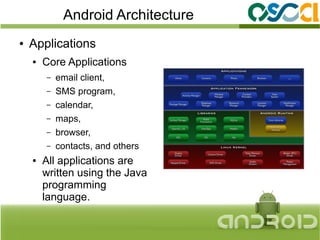
Android Architecture
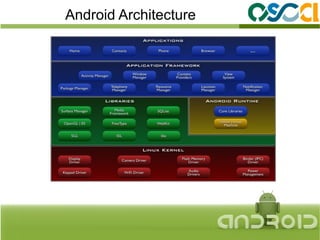
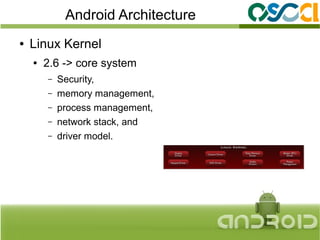
●   Linux Kernel
    ●   2.6 -> core system
        –   Security,
        –   memory management,
        –   process management,
        –   network stack, and
        –   driver model.
Android Architecture
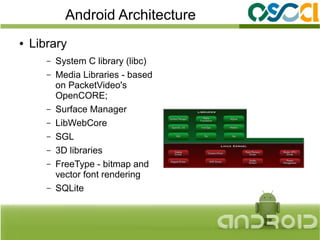
●   Library
       –   System C library (libc)
       –   Media Libraries - based
           on PacketVideo's
           OpenCORE;
       –   Surface Manager
       –   LibWebCore
       –   SGL
       –   3D libraries
       –   FreeType - bitmap and
           vector font rendering
       –   SQLite
Android Architecture
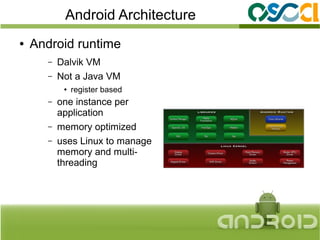
●   Android runtime
       –   Dalvik VM
       –   Not a Java VM
            ●   register based
       –   one instance per
           application
       –   memory optimized
       –   uses Linux to manage
           memory and multi-
           threading
Android Architecture
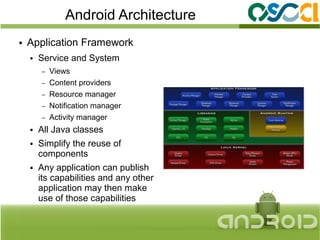
●   Application Framework
    ●   Service and System
        –   Views
        –   Content providers
        –   Resource manager
        –   Notification manager
        –   Activity manager
    ●   All Java classes
    ●   Simplify the reuse of
        components
    ●   Any application can publish
        its capabilities and any other
        application may then make
        use of those capabilities
Android Architecture
●   Applications
    ●   Core Applications
        –   email client,
        –   SMS program,
        –   calendar,
        –   maps,
        –   browser,
        –   contacts, and others
    ●   All applications are
        written using the Java
        programming
        language.
Agenda


   Intro
   Android Architecture
   Application Development
   Demo
Development Environment
●   Eclipse Based
    ●   Android SDK,
        –   http://developer.android.com/sdk/index.html
    ●   Android Development Tools (ADT) plugin for Eclipse
        –   http://developer.android.com/sdk/eclipse-adt.html
    ●   Emulator (AVD)
            or
    ●   Target Devices
        –   USB Connection
Development Environment
●   Netbean Based
    ●   Android SDK,
        –   http://developer.android.com/sdk/index.html
    ●   Android plugin for Netbeans
        –   http://kenai.com/projects/nbandroid/downloads/download/
            updatecenter/updates.xml
    ●   Emulator (AVD)
            or
    ●   Target Devices
        –   USB Connection
Development Environment
 ●   Command Line Based
     ●   Android SDK,
         –   http://developer.android.com/sdk/index.html
     ●   Ant + Bash + editor,
     ●   Emulator (AVD),
             or
     ●   Target Devices
         –   USB Connection


Reference: http://developer.android.com/guide/developing/projects/projects-cmdline.html
Development Environment
●   Web Based (App Inventor)
    ●   Android SDK,
        –   http://developer.android.com/sdk/index.html
    ●   Web Browser,
        –   http://www.appinventorbeta.com
    ●   Emulator (AVD),
            or
    ●   Target Devices
        –   USB Connection
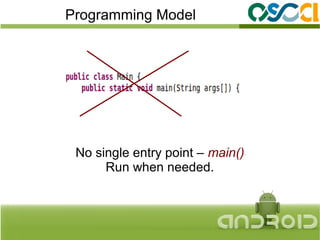
Programming Model


 No single entry point – main()
      Run when needed.
Programming Model
●   Application Components
    ●   Activity                      ●   Content Providers
         –   Executable unit              –   Makes application's data
                                              available to other
         –   Has UI
                                          –   Can be:
         –   1 application can have            ●   File system,
             multiple Activity                 ●   Database (SQLite)
    ●   Services                               ●   Other
                                          –   Targeted by:
         –   Similar to Activity
                                              ContentResolver
         –   No UI                    ●   Broadcast Receiver
         –   Run in Background
                                          –   Respond to broadcast
                                              messages.
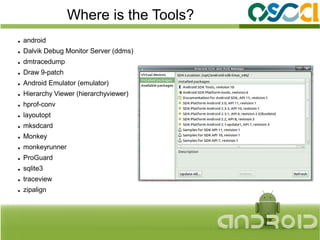
Where is the Tools?
●   android
●   Dalvik Debug Monitor Server (ddms)
●   dmtracedump
●   Draw 9-patch
●   Android Emulator (emulator)
●   Hierarchy Viewer (hierarchyviewer)
●   hprof-conv
●   layoutopt
●   mksdcard
●   Monkey
●   monkeyrunner
●   ProGuard
●   sqlite3
●   traceview
●   zipalign
Agenda


   Intro
   Android Architecture
   Application Development
   Demo
Lets try to Develop.
How do I create some Project?
Which one?
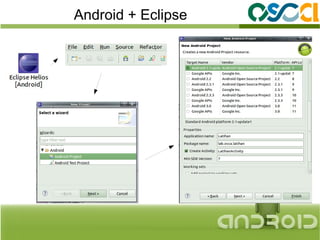
   Eclipse Based,
        or
   Command Line
Android + Eclipse
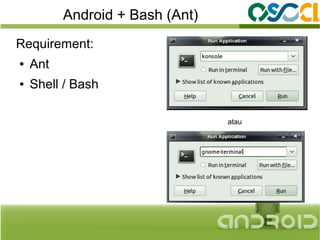
Android + Bash (Ant)
Requirement:
●   Ant
●   Shell / Bash

                                 atau
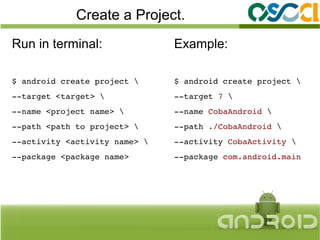
Create a Project.
Run in terminal:               Example:

$ android create project      $ android create project 
­­target <target>             ­­target 7 
­­name <project name>         ­­name CobaAndroid 
­­path <path to project>      ­­path ./CobaAndroid 
­­activity <activity name>    ­­activity CobaActivity 
­­package <package name>       ­­package com.android.main
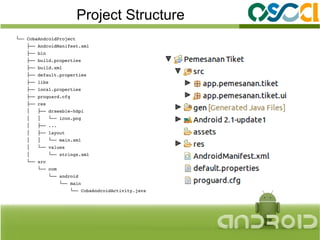
Project Structure
└── CobaAndroidProject
    ├── AndroidManifest.xml
    ├── bin
    ├── build.properties
    ├── build.xml
    ├── default.properties
    ├── libs
    ├── local.properties
    ├── proguard.cfg
    ├── res
    │   ├── drawable­hdpi
    │   │   └── icon.png
    │   ├── ...
    │   ├── layout
    │   │   └── main.xml
    │   └── values
    │       └── strings.xml
    └── src
        └── com
            └── android
                └── main
                    └── CobaAndroidActivity.java
Running it...
Just type:

$ emulator ­avd <avd_name> &


[wait a moment]
$ ant install
$ adb shell 'am start ­n 
<package.name>/.<ActivityName>'
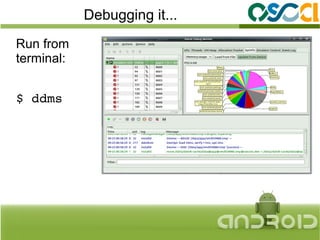
Debugging it...
Run from
terminal:


$ ddms
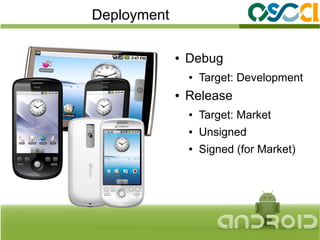
Deployment

             ●   Debug
                 ●   Target: Development
             ●   Release
                 ●   Target: Market
                 ●   Unsigned
                 ●   Signed (for Market)
Where I can learn it?


             http://www.anddev.org
             http://www.vogella.de/
http://stackoverflow.com/questions/tagged/android
And the last one....
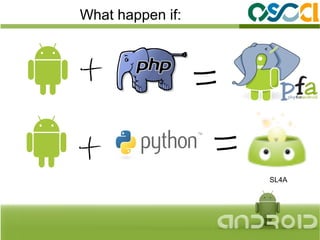
What happen if:


                  SL4A
Questions?


         Hayi Nukman
              e-Mail: hayi.nkm@gmail.com
                             FB: Baka Hayi
             http://kumachi.wordpress.com

Begining Android Development