Android	
  Networking	
  and	
  	
  
  XML	
  Parsing	
  (SAX)	
  
        Jussi	
  Pohjolainen	
  
URLConnec@on	
  
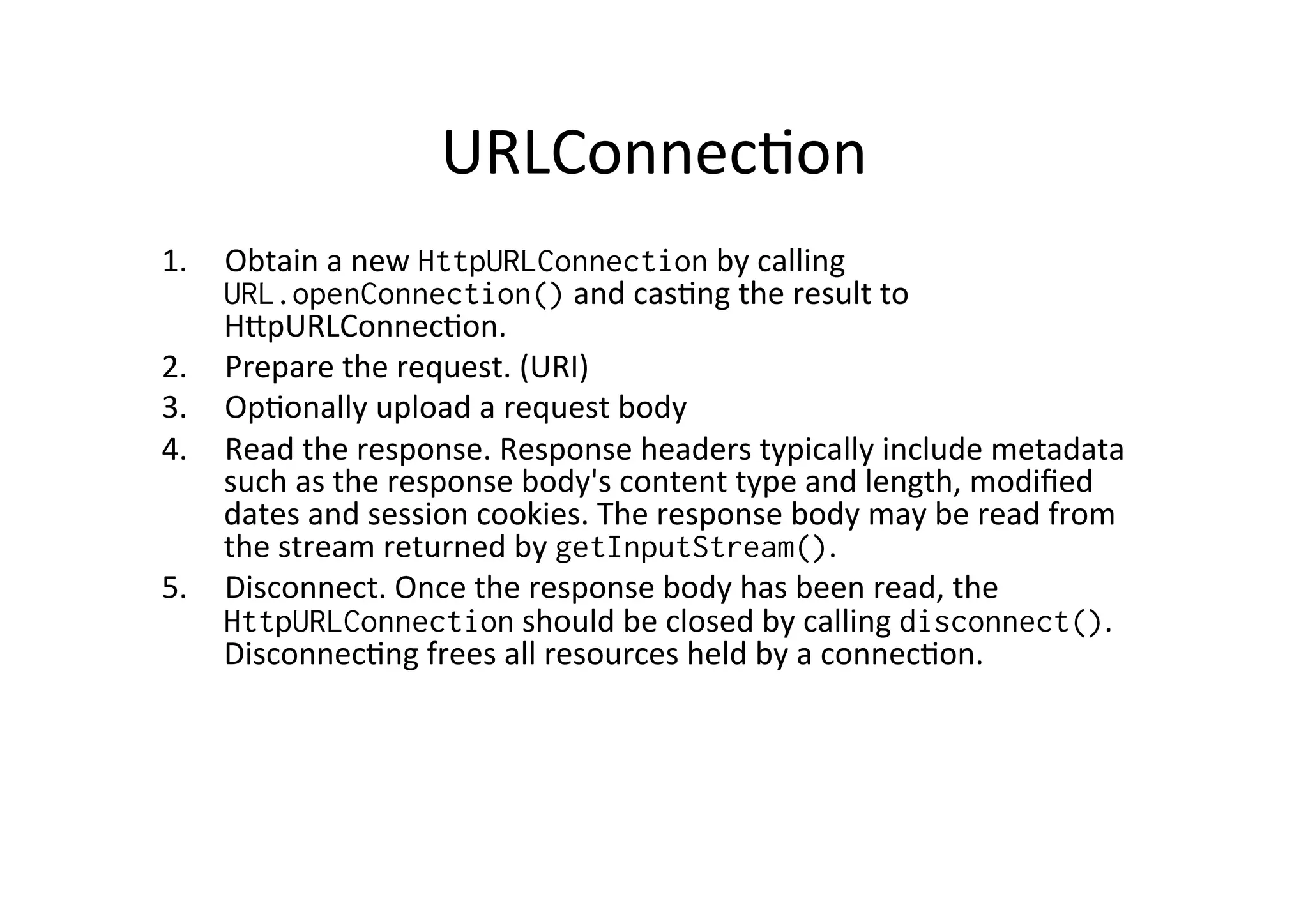
1.  Obtain	
  a	
  new	
  HttpURLConnection	
  by	
  calling	
  
    URL.openConnection()	
  and	
  cas@ng	
  the	
  result	
  to	
  
    HGpURLConnec@on.	
  
2.  Prepare	
  the	
  request.	
  (URI)	
  
3.  Op@onally	
  upload	
  a	
  request	
  body	
  
4.  Read	
  the	
  response.	
  Response	
  headers	
  typically	
  include	
  metadata	
  
    such	
  as	
  the	
  response	
  body's	
  content	
  type	
  and	
  length,	
  modified	
  
    dates	
  and	
  session	
  cookies.	
  The	
  response	
  body	
  may	
  be	
  read	
  from	
  
    the	
  stream	
  returned	
  by	
  getInputStream().	
  	
  
5.  Disconnect.	
  Once	
  the	
  response	
  body	
  has	
  been	
  read,	
  the	
  
    HttpURLConnection	
  should	
  be	
  closed	
  by	
  calling	
  disconnect().	
  
    Disconnec@ng	
  frees	
  all	
  resources	
  held	
  by	
  a	
  connec@on.	
  
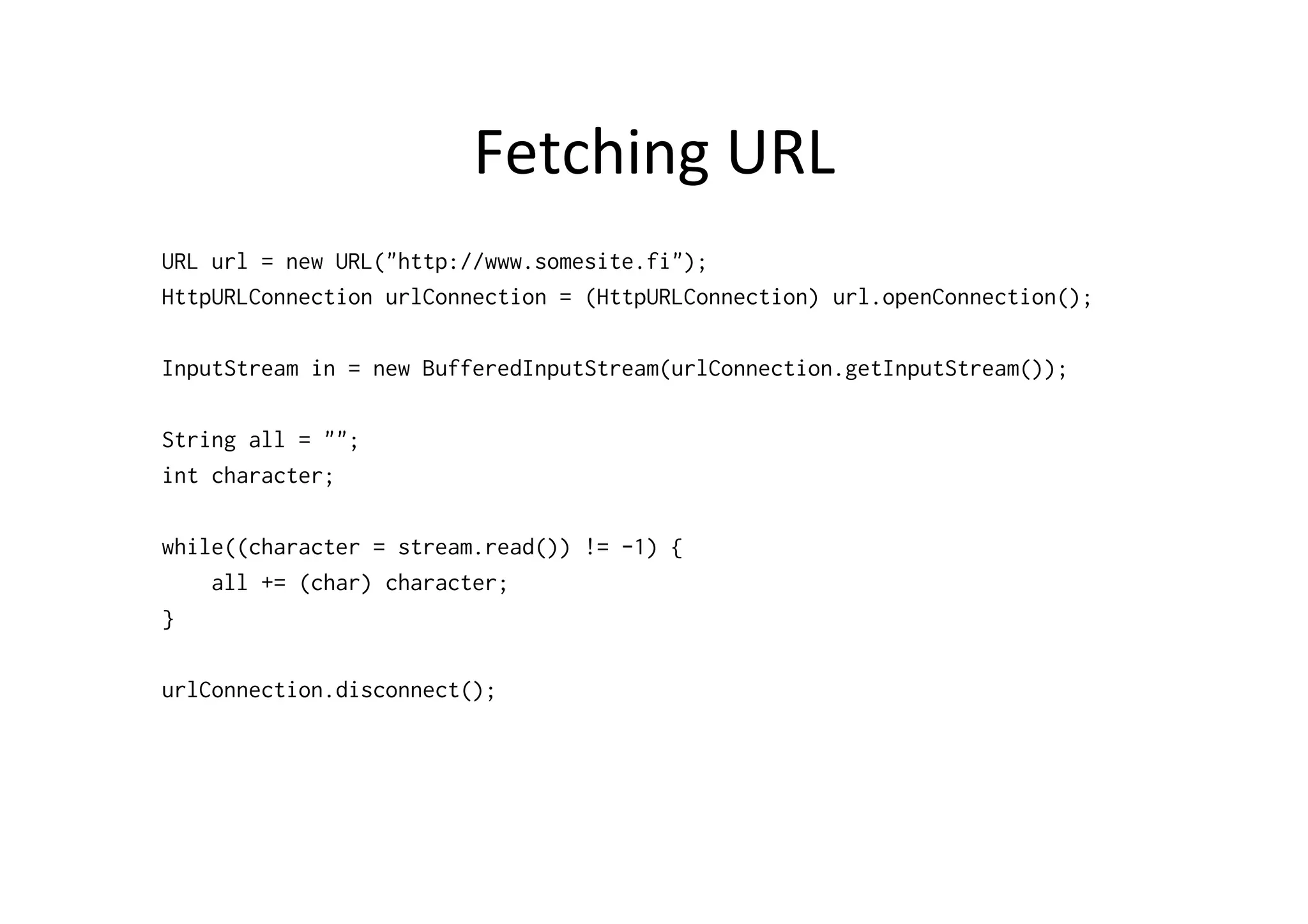
Fetching	
  URL	
  
URL url = new URL("http://www.somesite.fi");
HttpURLConnection urlConnection = (HttpURLConnection) url.openConnection();

InputStream in = new BufferedInputStream(urlConnection.getInputStream());

String all = "";
int character;

while((character = stream.read()) != -1) {
    all += (char) character;
}

urlConnection.disconnect();
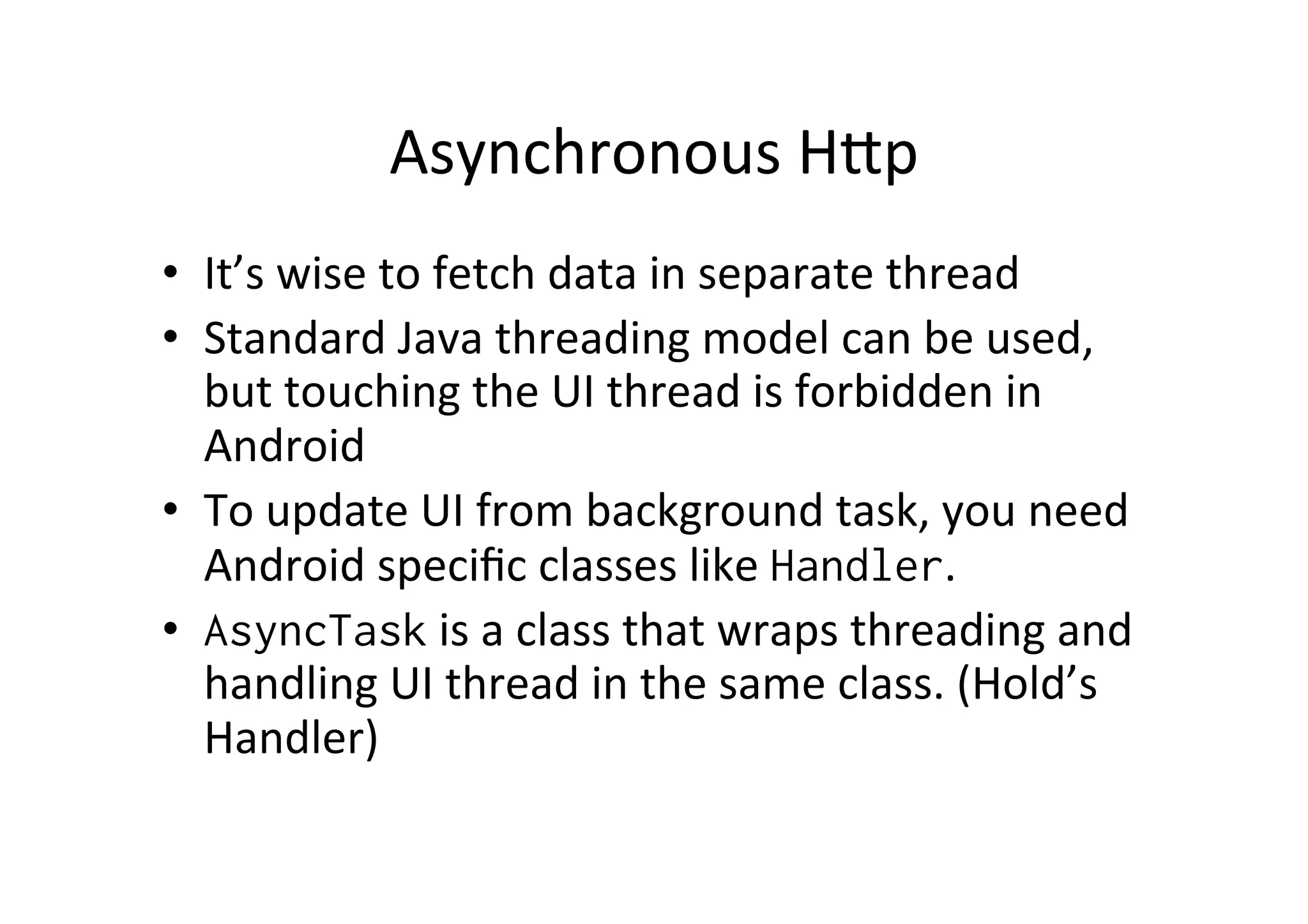
Asynchronous	
  HGp	
  
•  It’s	
  wise	
  to	
  fetch	
  data	
  in	
  separate	
  thread	
  
•  Standard	
  Java	
  threading	
  model	
  can	
  be	
  used,	
  
   but	
  touching	
  the	
  UI	
  thread	
  is	
  forbidden	
  in	
  
   Android	
  
•  To	
  update	
  UI	
  from	
  background	
  task,	
  you	
  need	
  
   Android	
  specific	
  classes	
  like	
  Handler.	
  
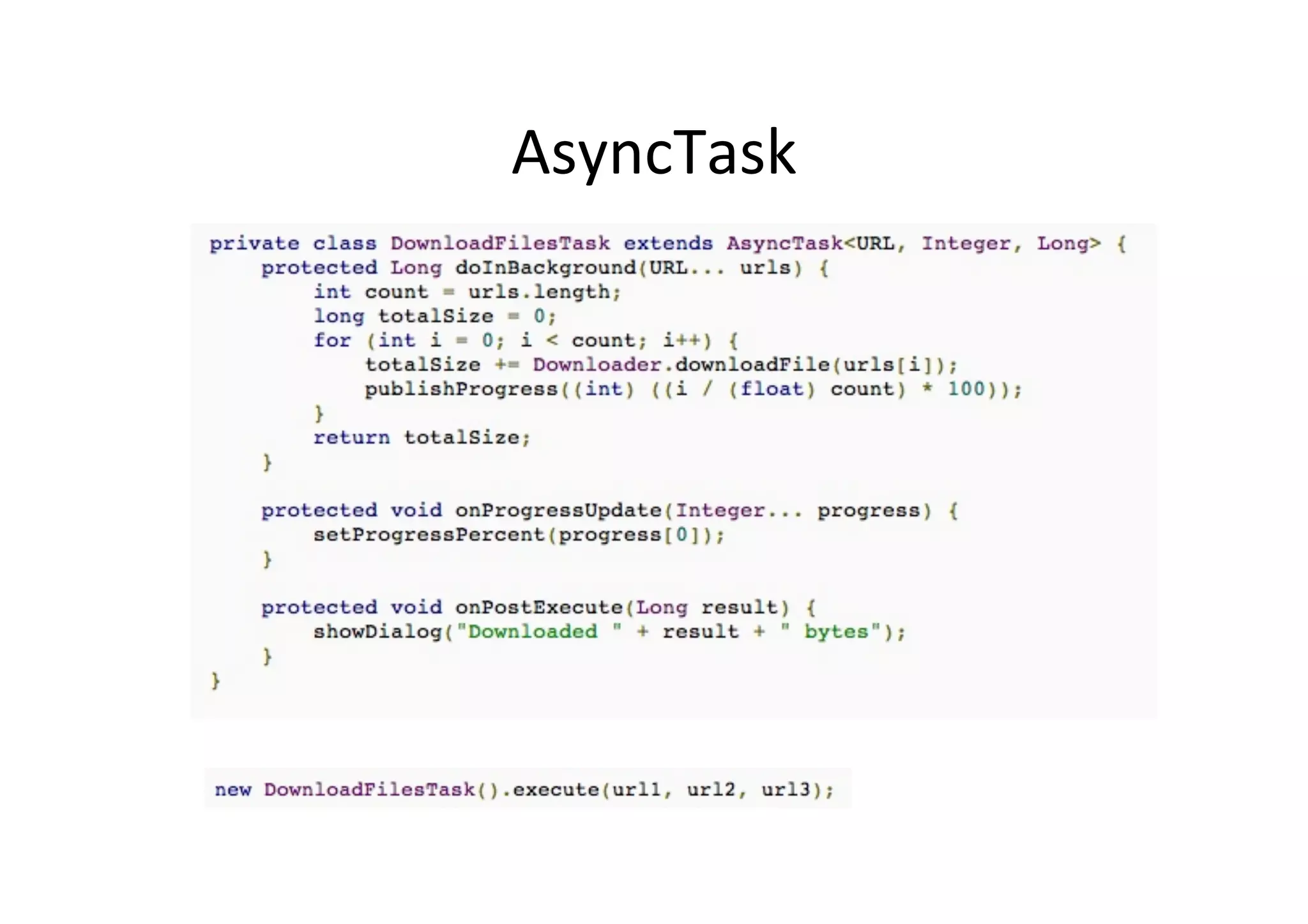
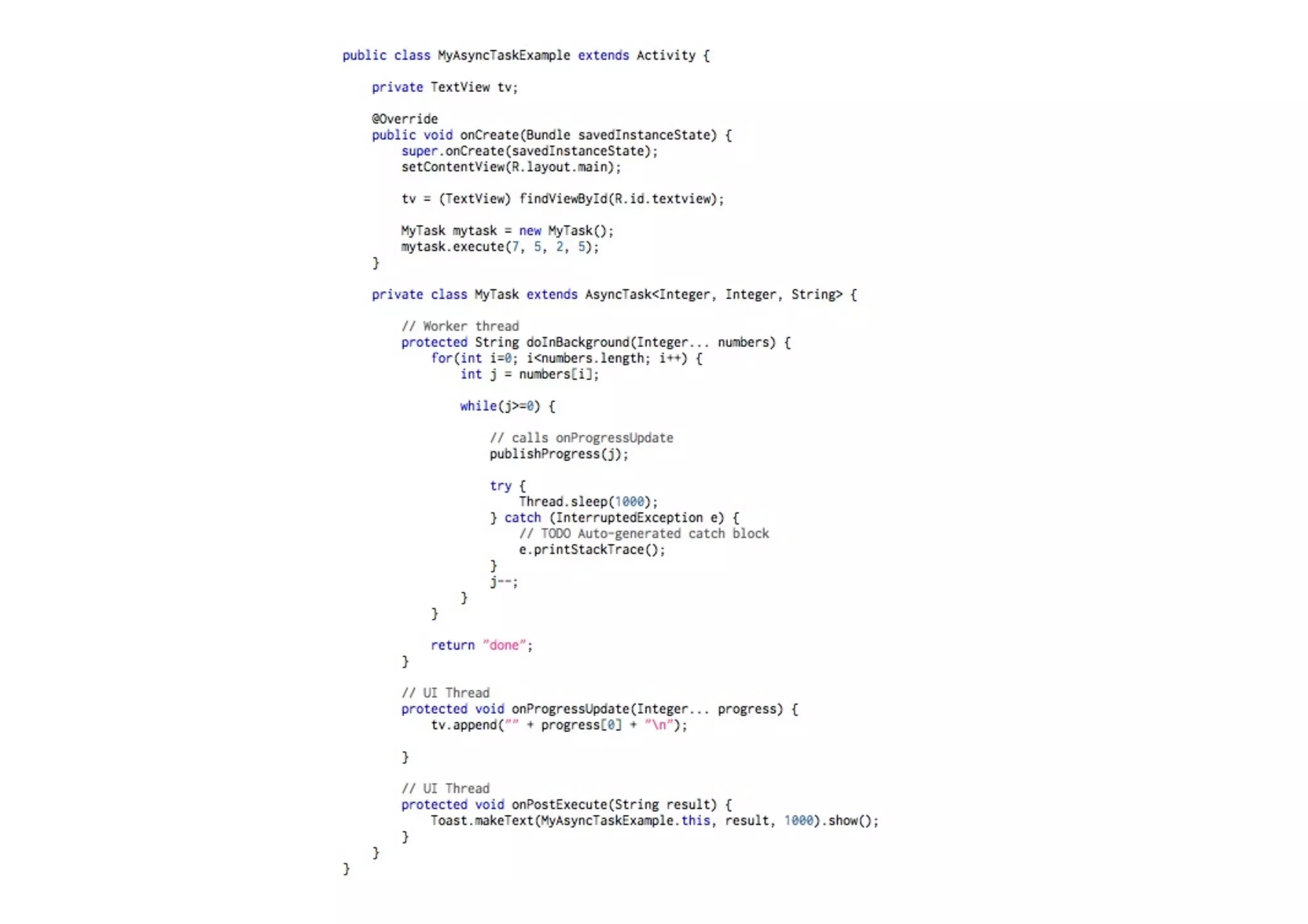
•  AsyncTask	
  is	
  a	
  class	
  that	
  wraps	
  threading	
  and	
  
   handling	
  UI	
  thread	
  in	
  the	
  same	
  class.	
  (Hold’s	
  
   Handler)	
  
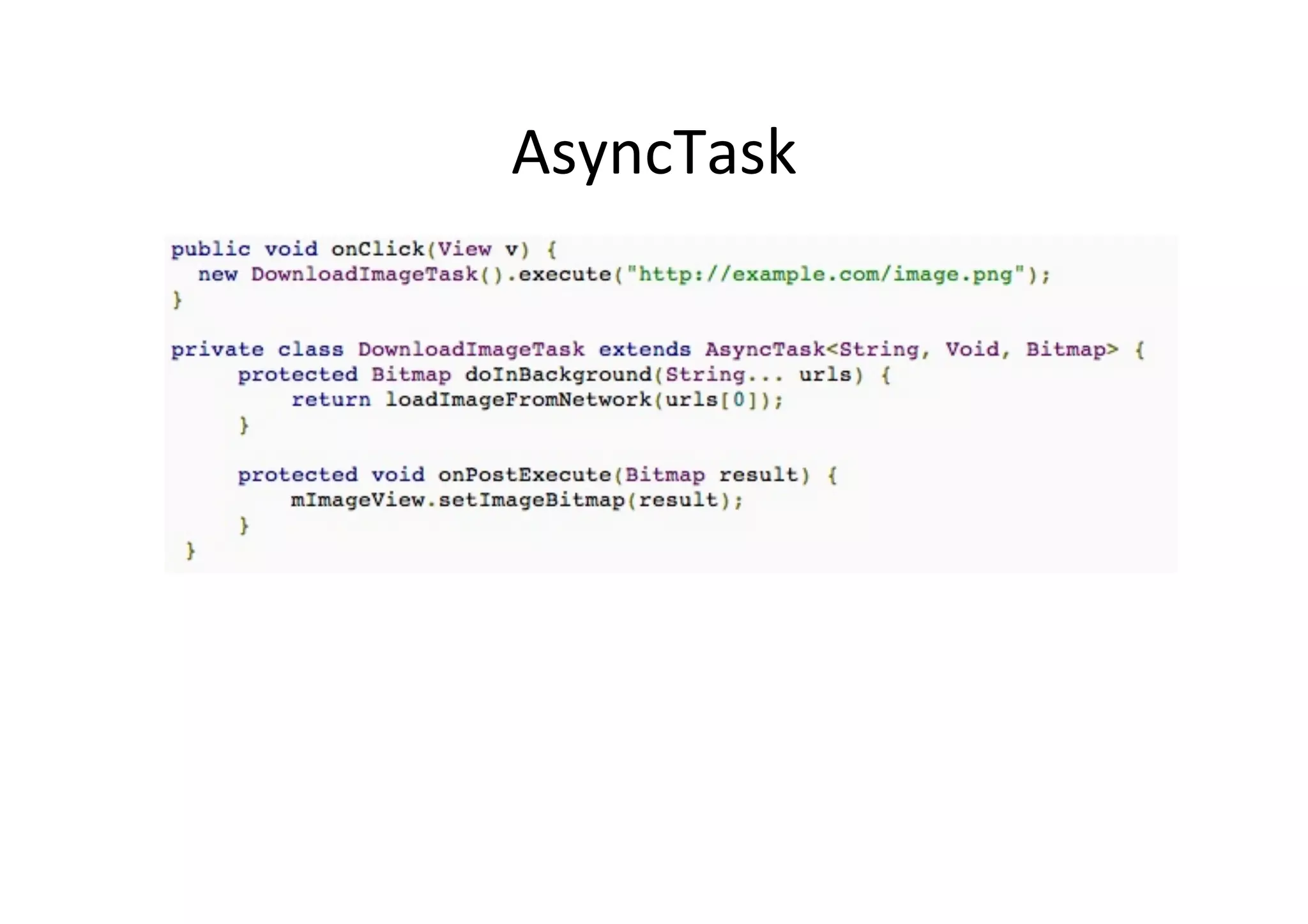
AsyncTask	
  
AsyncTask	
  
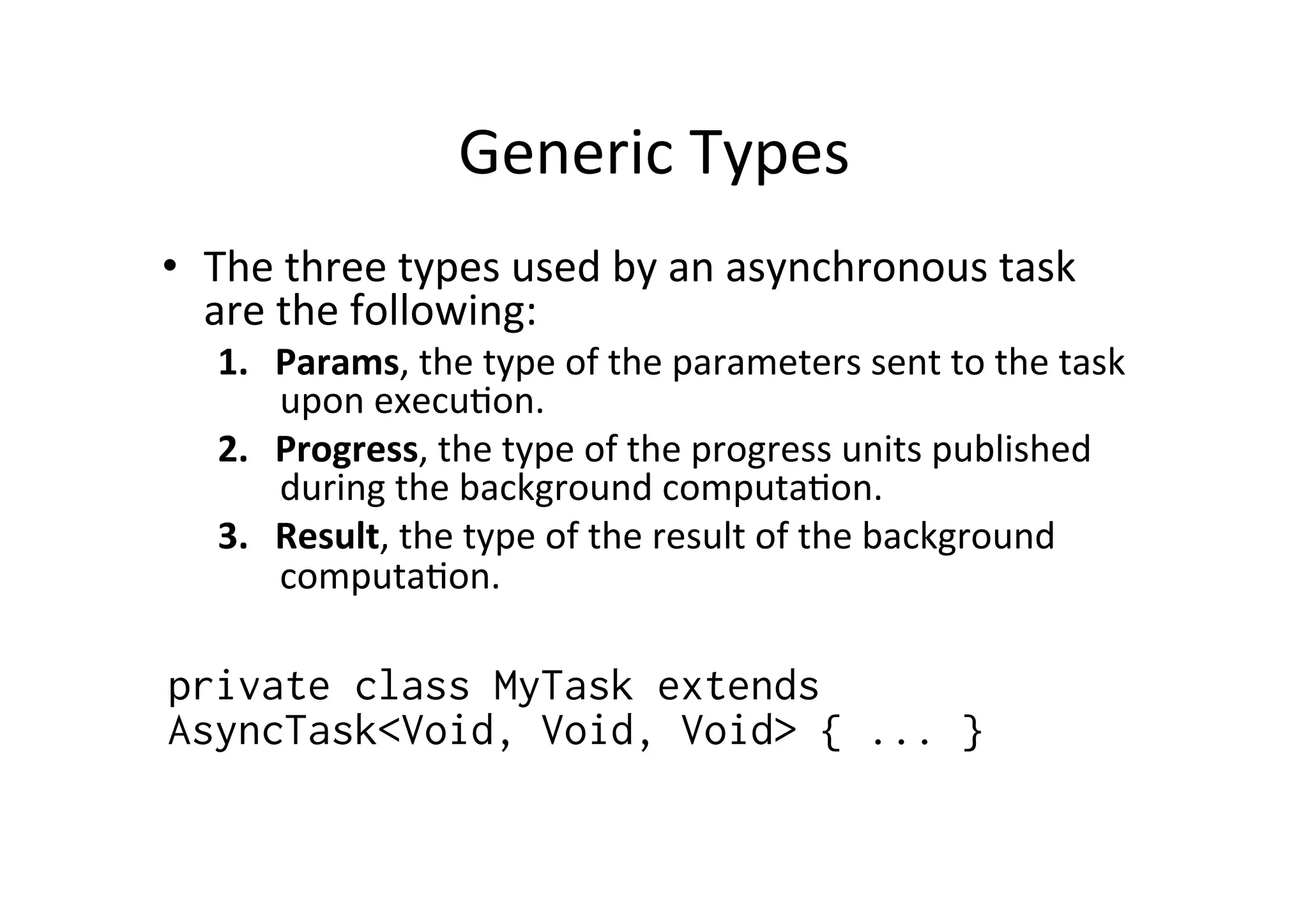
Generic	
  Types	
  
•  The	
  three	
  types	
  used	
  by	
  an	
  asynchronous	
  task	
  
   are	
  the	
  following:	
  
    1.  Params,	
  the	
  type	
  of	
  the	
  parameters	
  sent	
  to	
  the	
  task	
  
        upon	
  execu@on.	
  
    2.  Progress,	
  the	
  type	
  of	
  the	
  progress	
  units	
  published	
  
        during	
  the	
  background	
  computa@on.	
  
    3.  Result,	
  the	
  type	
  of	
  the	
  result	
  of	
  the	
  background	
  
        computa@on.	


private class MyTask extends
AsyncTask<Void, Void, Void> { ... }
	
  
SAX	
  
•  Standard	
  Java	
  SAX	
  parsing	
  or	
  android	
  api	
  
   wrappers	
  
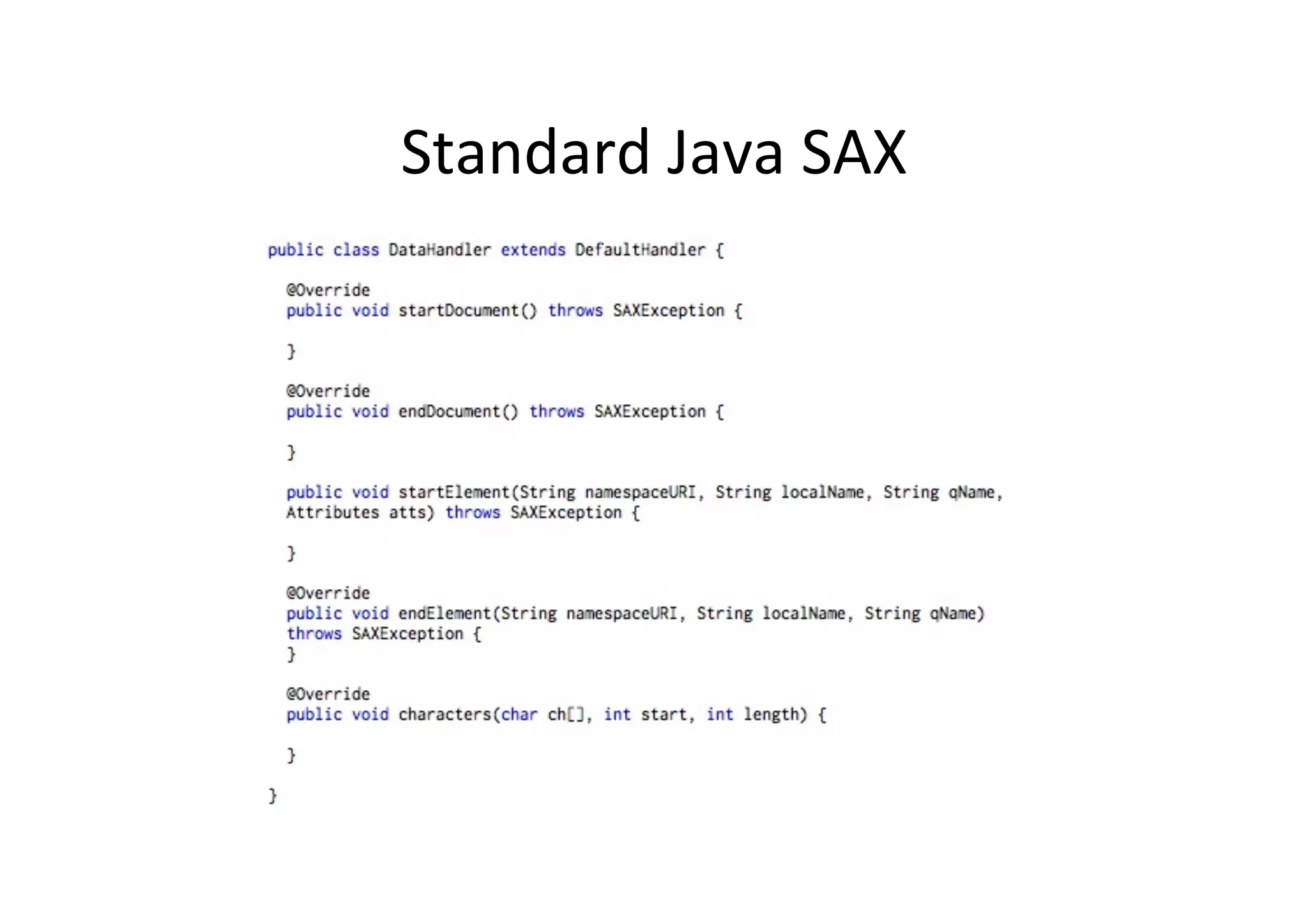
Standard	
  Java	
  SAX	
  
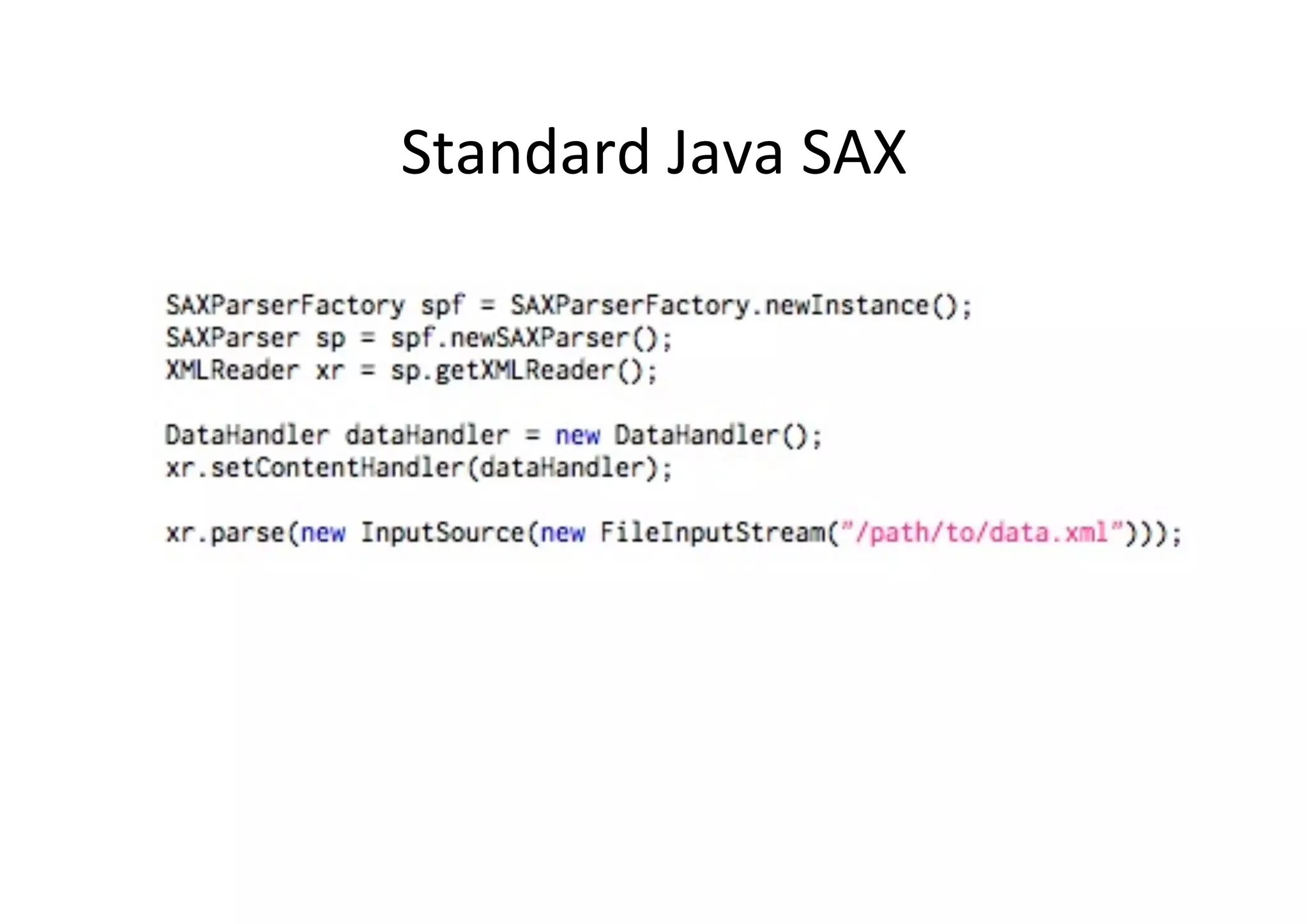
Standard	
  Java	
  SAX	
  

Android Http Connection and SAX Parsing

  • 1.
    Android  Networking  and     XML  Parsing  (SAX)   Jussi  Pohjolainen  
  • 2.
    URLConnec@on   1.  Obtain  a  new  HttpURLConnection  by  calling   URL.openConnection()  and  cas@ng  the  result  to   HGpURLConnec@on.   2.  Prepare  the  request.  (URI)   3.  Op@onally  upload  a  request  body   4.  Read  the  response.  Response  headers  typically  include  metadata   such  as  the  response  body's  content  type  and  length,  modified   dates  and  session  cookies.  The  response  body  may  be  read  from   the  stream  returned  by  getInputStream().     5.  Disconnect.  Once  the  response  body  has  been  read,  the   HttpURLConnection  should  be  closed  by  calling  disconnect().   Disconnec@ng  frees  all  resources  held  by  a  connec@on.  
  • 3.
    Fetching  URL   URLurl = new URL("http://www.somesite.fi"); HttpURLConnection urlConnection = (HttpURLConnection) url.openConnection(); InputStream in = new BufferedInputStream(urlConnection.getInputStream()); String all = ""; int character; while((character = stream.read()) != -1) { all += (char) character; } urlConnection.disconnect();
  • 4.
    Asynchronous  HGp   • It’s  wise  to  fetch  data  in  separate  thread   •  Standard  Java  threading  model  can  be  used,   but  touching  the  UI  thread  is  forbidden  in   Android   •  To  update  UI  from  background  task,  you  need   Android  specific  classes  like  Handler.   •  AsyncTask  is  a  class  that  wraps  threading  and   handling  UI  thread  in  the  same  class.  (Hold’s   Handler)  
  • 5.
  • 6.
  • 7.
    Generic  Types   • The  three  types  used  by  an  asynchronous  task   are  the  following:   1.  Params,  the  type  of  the  parameters  sent  to  the  task   upon  execu@on.   2.  Progress,  the  type  of  the  progress  units  published   during  the  background  computa@on.   3.  Result,  the  type  of  the  result  of  the  background   computa@on.       private class MyTask extends AsyncTask<Void, Void, Void> { ... }  
  • 10.
    SAX   •  Standard  Java  SAX  parsing  or  android  api   wrappers  
  • 11.
  • 12.