



Twitter for Marketers1Presented by:Bernie BorgesJune 9, 2011Orlando
Before You Begin Your Twitter MarketingBegin by defining your objectives
Review Twitter settings and how to brand your profile
Understand content and brand strategies
Learn tweeting etiquette and best practices
Build relationships and expand your network
Content best practices to expand your footprint on the webExpectationsLearn what is Twitter and why it is so popularDesign and launch a Twitter profileLearn how to develop a profitable content strategy on TwitterTwitter etiquette, rules of engagement and community-building “best practices” that increase engagement and relationships that spread your great content and messaging across the webUse Twitter for corporate branding, sales development and customer service
Expectations…continuedTools and techniques to expand, manage and measure your branding efforts through TwitterIntegrating Twitter into other social networks e.g. Facebook, LinkedInJoin and follow Twitter conversations, respond appropriately to comments and how to use Twitter while attending an event or conferenceIntegrate Twitter into all other aspects of your marketing strategies
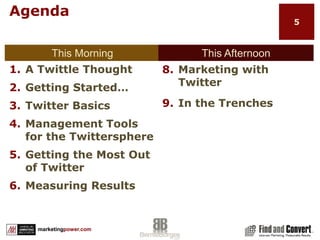
AgendaThis MorningThis AfternoonA Twittle ThoughtGetting Started…Twitter BasicsManagement Tools for the TwittersphereGetting the Most Out of TwitterMeasuring ResultsMarketing with TwitterIn the Trenches
What the Heck is Twitter!?Develop a Twitter HabitWhat Is Twitter?Before You BeginSetting and Measuring Goals6
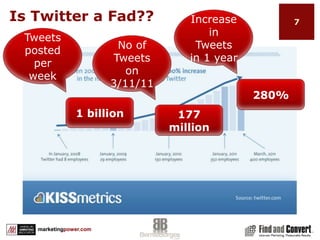
Is Twitter a Fad??Increase in Tweets in 1 yearTweets posted per weekNo of Tweets on 3/11/11280%1 billion177 million
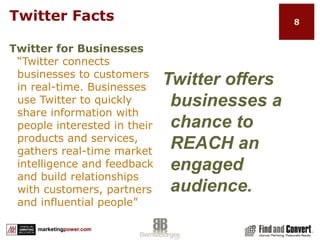
Twitter FactsTwitter for Businesses“Twitter connects businesses to customers in real-time. Businesses use Twitter to quickly share information with people interested in their products and services, gathers real-time market intelligence and feedback and build relationships with customers, partners and influential people”Twitter offers businesses a chance to REACH an engaged audience.
Twitter FactsYou  Don’t Have To Tweet  To Get Value  from Twitter“ You don’t have to build a web page, surf the web or tweet to enjoy Twitter. Whether you tweet 100 times a day or never, you still have access to the voices and information surrounding what interests you. You can contribute, or just listen in and retrieve up to the second information.”
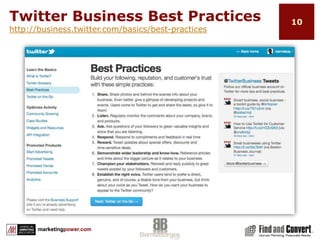
Twitter Business Best Practiceshttp://business.twitter.com/basics/best-practices
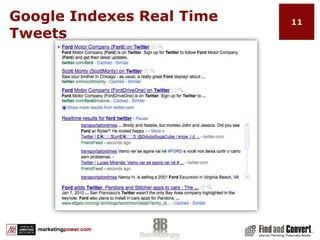
Google Indexes Real Time Tweets
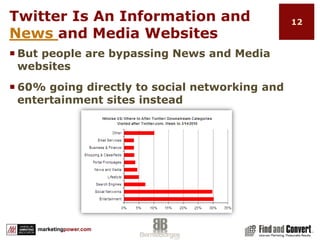
Twitter Is An Information and News and Media WebsitesBut people are bypassing News and Media websites60% going directly to social networking and entertainment sites instead
Develop a Twitter HabitCommit to a “social networking” mindsetCommit to a “content marketing” mindsetDevelop the habit of “Tweeting” dailyUse Twitter as a tool to engage with people and other brandsUse Twitter as a tool to build your personal and company brand
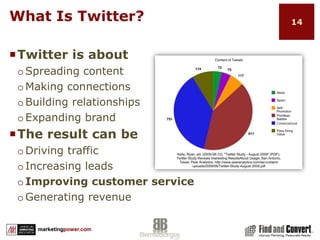
What Is Twitter?Twitter is aboutSpreading contentMaking connectionsBuilding relationshipsExpanding brandThe result can beDriving trafficIncreasing leadsImproving customer serviceGenerating revenue
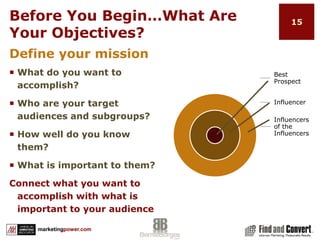
Before You Begin…What Are Your Objectives?Define your missionWhat do you want to accomplish?Who are your target audiences and subgroups?How well do you know them?What is important to them?Connect what you want to accomplish with what is important to your audience
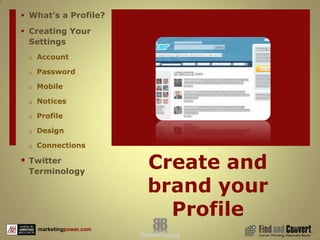
Create and brand your ProfileWhat’s a Profile?Creating Your SettingsAccountPasswordMobileNoticesProfileDesignConnectionsTwitter Terminology16
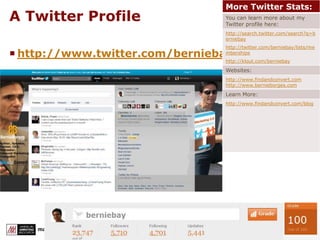
A Twitter Profilehttp://www.twitter.com/berniebay
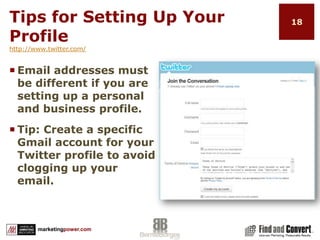
Tips for Setting Up Your Profilehttp://www.twitter.com/Email addresses must be different if you are setting up a personal and business profile.Tip: Create a specific Gmail account for your Twitter profile to avoid clogging up your email.
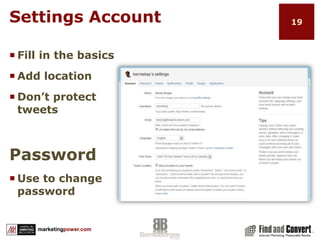
Settings AccountFill in the basicsAdd locationDon’t protect tweetsPasswordUse to change password
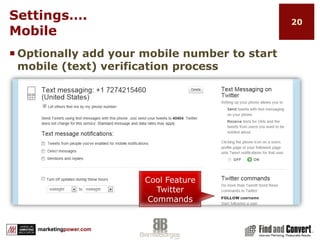
Settings…. MobileOptionally add your mobile number to start mobile (text) verification processCool Feature Twitter Commands
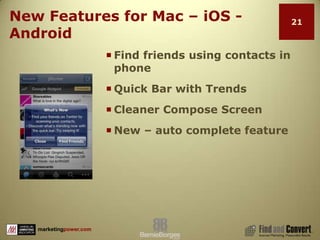
New Features for Mac – iOS - AndroidFind friends using contacts in phoneQuick Bar with TrendsCleaner Compose ScreenNew – auto complete feature
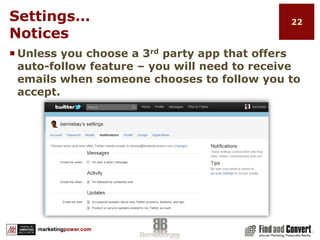
Settings…NoticesUnless you choose a 3rd party app that offers auto-follow feature – you will need to receive emails when someone chooses to follow you to accept.
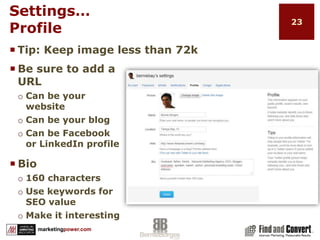
Settings…ProfileTip: Keep image less than 72kBe sure to add a URLCan be your websiteCan be your blogCan be Facebook or LinkedIn profileBio160 charactersUse keywords for SEO valueMake it interesting
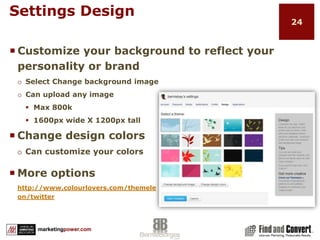
Settings DesignCustomize your background to reflect your personality or brandSelect Change background imageCan upload any imageMax 800k1600px wide X 1200px tallChange design colorsCan customize your colorsMore optionshttp://www.colourlovers.com/themeleon/twitter
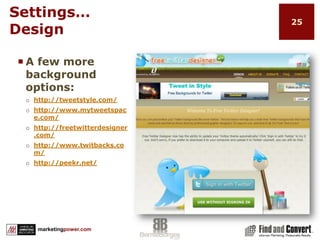
Settings…DesignA few more background options:http://tweetstyle.com/http://www.mytweetspace.com/http://freetwitterdesigner.com/http://www.twitbacks.com/http://peekr.net/
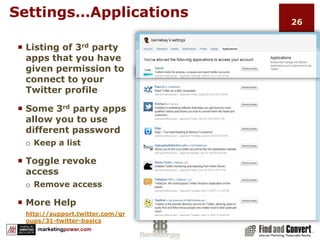
Settings…ApplicationsListing of 3rd party apps that you have given permission to connect to your Twitter profileSome 3rd party apps allow you to use different passwordKeep a listToggle revoke accessRemove accessMore Helphttp://support.twitter.com/groups/31-twitter-basics
Common Twitter Shortcuts@username – Sends reply to individual, but in public timelinedusername – Sends private, direct message to individualRT = Retweet – Forwarding someone else’s tweet#  (hashtag) – Used with a keyword/topic to create streams (#AMAtweet)Twitter Stream – Use of a specific hashtag, e.g. #FF (follow Friday) to follow a particular conversationSO – Shout Out – Using @username to thank, call attention to, etc
Tweet With a StrategyContent StrategyBrand StrategyShortened URLsDefining Who To FollowTweeting EtiquetteTwitter ListsDetermining FollowersA Few Things Twitter Can and Cannot Do28
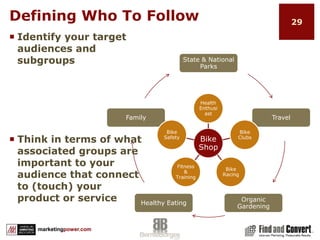
Defining Who To FollowIdentify your target audiences and subgroupsThink in terms of what associated groups are important to your audience that connect to (touch) your product or service
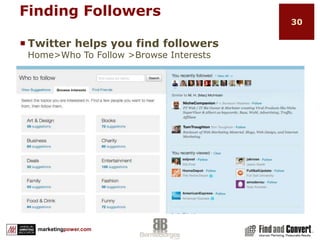
Finding FollowersTwitter helps you find followersHome>Who To Follow >Browse Interests
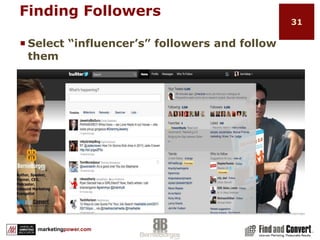
Finding FollowersSelect “influencer’s” followers and follow them
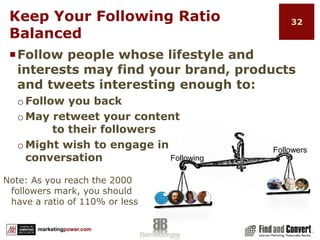
FollowersFollowingKeep Your Following Ratio BalancedFollow people whose lifestyle and interests may find your brand, products and tweets interesting enough to:Follow you backMay retweet your content 					   to their followersMight wish to engage in                        conversationNote: As you reach the 2000 followers mark, you should have a ratio of 110% or less
Develop Your Content StrategyAlign your business objectives with your audience’s interests and needs Then develop content that addresses “THEM” not “you”
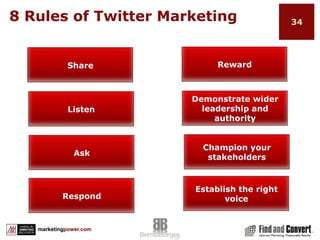
8 Rules of Twitter MarketingRewardShareDemonstrate wider leadership and authorityListenChampion your stakeholdersAskEstablish the right voiceRespond
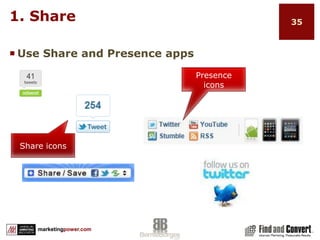
1. ShareUse Share and Presence appsPresence iconsShare icons
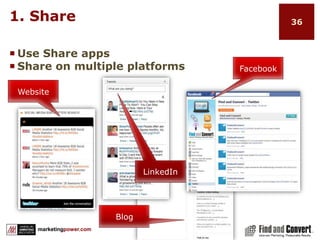
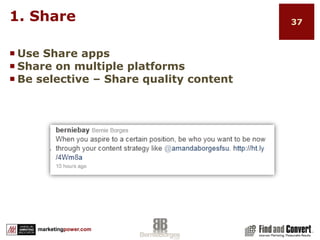
1. ShareUse Share appsShare on multiple platformsFacebookWebsiteLinkedInBlog
1. ShareUse Share appsShare on multiple platformsBe selective – Share quality content
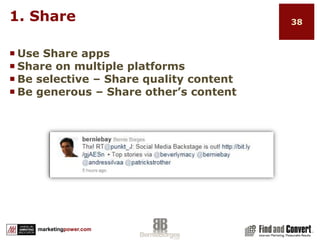
1. ShareUse Share appsShare on multiple platformsBe selective – Share quality contentBe generous – Share other’s content
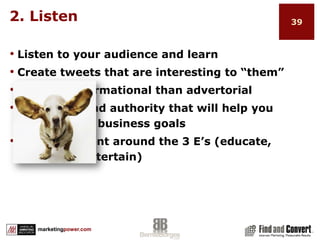
2. ListenListen to your audience and learnCreate tweets that are interesting to “them”Be more informational than advertorial Build trust and authority that will help you achieve your business goalsDeliver content around the 3 E’s (educate, enlighten, entertain)
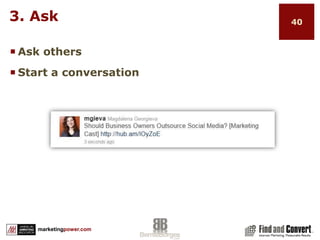
3. AskAsk othersStart a conversation
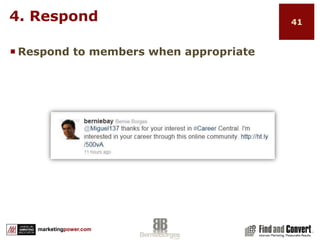
4. RespondRespond to members when appropriate
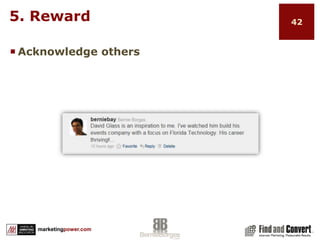
5. RewardAcknowledge others
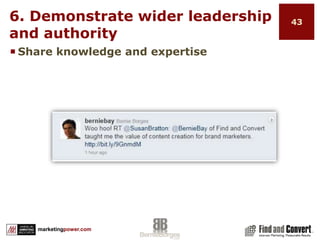
6. Demonstrate wider leadership and authorityShare knowledge and expertise
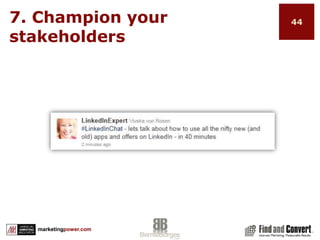
7. Champion your stakeholders
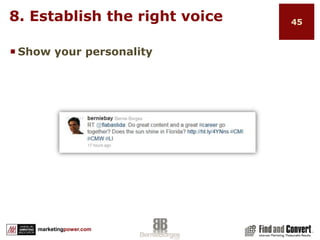
8. Establish the right voiceShow your personality
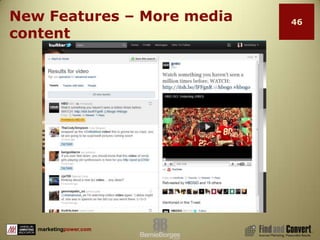
New Features – More media content
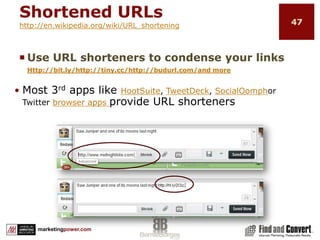
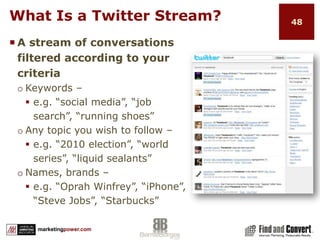
Shortened URLshttp://en.wikipedia.org/wiki/URL_shorteningUse URL shorteners to condense your links Http://bit.ly/http://tiny.cc/http://budurl.com/and moreMost 3rd apps like HootSuite, TweetDeck, SocialOomphor Twitter browser apps provide URL shortenersWhat Is a Twitter Stream?A stream of conversations filtered according to your criteriaKeywords – e.g. “social media”, “job search”, “running shoes”Any topic you wish to follow – e.g. “2010 election”, “world series”, “liquid sealants”Names, brands – e.g. “Oprah Winfrey”, “iPhone”, “Steve Jobs”, “Starbucks”
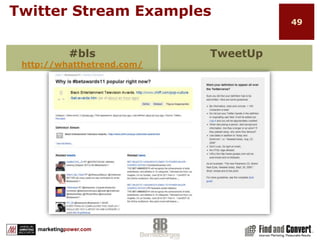
Twitter Stream Examples#blshttp://whatthetrend.com/TweetUp
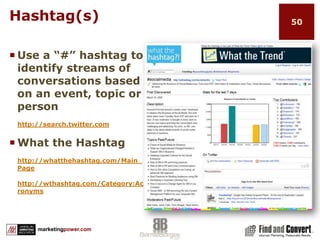
Hashtag(s)Use a “#” hashtag to identify streams of conversations based on an event, topic or personhttp://search.twitter.com What the Hashtaghttp://whatthehashtag.com/Main_Pagehttp://wthashtag.com/Category:Acronyms
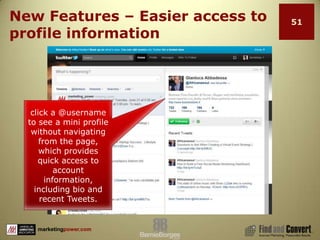
New Features – Easier access to profile informationclick a @username to see a mini profile without navigating from the page, which provides quick access to account information, including bio and recent Tweets.
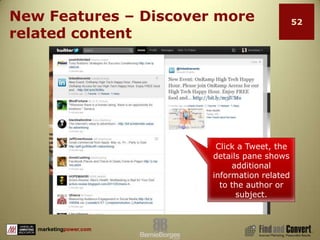
New Features – Discover more related contentClick a Tweet, the details pane shows additional information related to the author or subject.
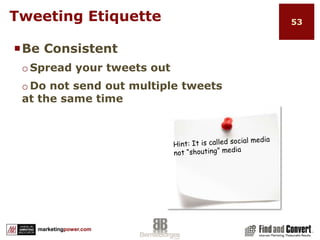
Be Consistent Spread your tweets out
Do not send out multiple tweets at the same timeTweeting EtiquetteHint: It is called social media not “shouting” media
Etiquette…continuedBe SocialGive shout-outs, aka SO, using @name to those that retweet your content
Follow back those that follow you (excluding bots, inappropriate followers)
Follow others proactively
SO to those that consistently post good content
Report SpammersTweeting GuidelinesTarget Your ContentTrack & retweet influential follower’s content
Use http://search.twitter.com to track keyword conversations
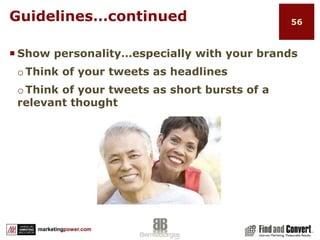
Use #hashtags to start & follow topical conversation streamsGuidelines…continuedShow personality…especially with your brandsThink of your tweets as headlines
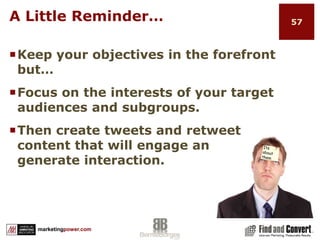
Think of your tweets as short bursts of a relevant thoughtA Little Reminder…Keep your objectives in the forefront but…Focus on the interests of your target audiences and subgroups. Then create tweets and retweet                          content that will engage and                                        generate interaction.Its about them
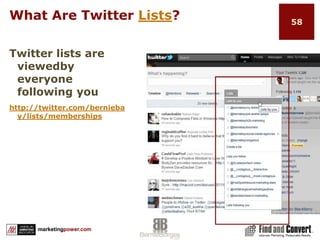
What Are Twitter Lists? Twitter lists are viewedby everyone following you http://twitter.com/berniebay/lists/memberships
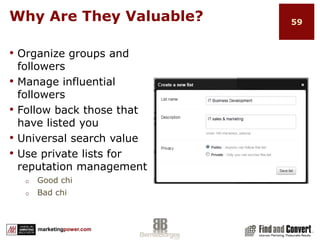
Why Are They Valuable?Organize groups and followers
Manage influential followers
Follow back those that have listed you
Universal search value
Use private lists for reputation management
Good chi
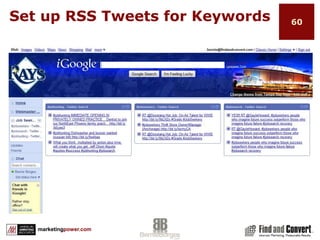
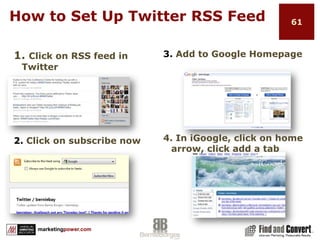
Bad chiSet up RSS Tweets for Keywords
How to Set Up Twitter RSS Feed3. Add to Google Homepage1. Click on RSS feed in Twitter4. In iGoogle, click on home arrow, click add a tab2. Click on subscribe now
Using Twitter Productively3rd Party Management Tools Save Time
Improve Efficiency
Better Engagement
High-quality followers  62
Summary“Your Twitter strategy should be a component of your overall social communication plan to expand your brand across the web and produce measurable results.”engagefollowingcontentconversationtwittertweetconnectuserreachcouponsfollowersnewsretweet
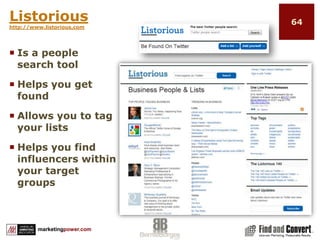
Listorioushttp://www.listorious.comIs a people search toolHelps you get foundAllows you to tag your listsHelps you find influencers within your target groups
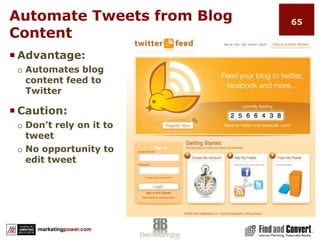
Automate Tweets from Blog ContentAdvantage:Automates blog content feed to TwitterCaution:Don’t rely on it to tweetNo opportunity to edit tweet
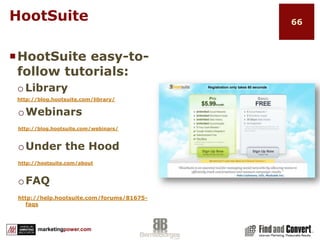
HootSuiteHootSuite easy-to-follow tutorials:Libraryhttp://blog.hootsuite.com/library/Webinarshttp://blog.hootsuite.com/webinars/Under the Hoodhttp://hootsuite.com/aboutFAQhttp://help.hootsuite.com/forums/81675-faqs
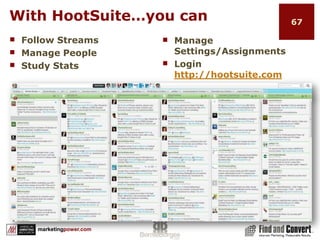
With HootSuite…you canFollow StreamsManage PeopleStudy StatsManage Settings/AssignmentsLogin http://hootsuite.comClick on confirmation email
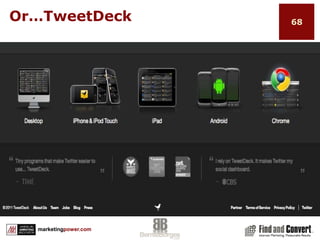
Or…TweetDeck
HootSuite - TweetDeck or Both?Both offer:Multiple Account monitoring and tweetingScheduled TweetsTweet and upload pictures or images to TwitterAllow respond, follow, view profile, add to listKeyword and hashtag searchCreate custom columnsSocial network integration, i.e., Facebook, LinkedInMobile applicationsAnalytics
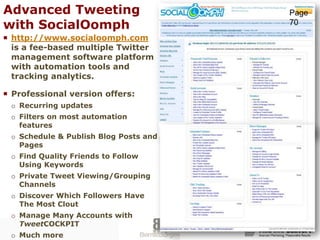
Advanced Tweeting with SocialOomphPage 70http://www.socialoomph.com  is a fee-based multiple Twitter management software platform with automation tools and tracking analytics. Professional version offers:Recurring updatesFilters on most automation featuresSchedule & Publish Blog Posts and Pages Find Quality Friends to Follow Using KeywordsPrivate Tweet Viewing/Grouping Channels Discover Which Followers Have The Most Clout Manage Many Accounts with TweetCOCKPIT Much more
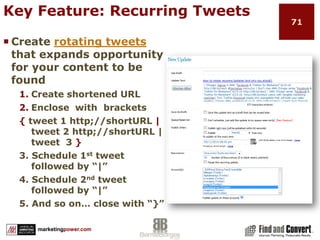
Key Feature: Recurring TweetsCreate rotating tweets that expands opportunity for your content to be foundCreate shortened URLEnclose  with  brackets{ tweet 1 http;//shortURL | tweet 2 http;//shortURL | tweet  3 }3. Schedule 1st tweet followed by “|”4. Schedule 2nd tweet followed by “|”5. And so on… close with “}”
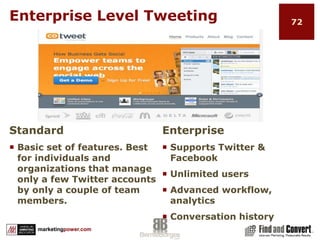
Enterprise Level TweetingEnterpriseSupports Twitter & FacebookUnlimited usersAdvanced workflow, analyticsConversation historyStandardBasic set of features. Best for individuals and organizations that manage only a few Twitter accounts by only a couple of team members.
Best Practice Stuff To RememberEstablish a pattern of consistency in your tweeting strategy Keep your “it is all about them” hat on when tweetingRT other people’s stuffMaintain and update lists
Best Practice Stuff…continuedFollow social marketing best practicesFollow those that follow you but maintain balanced follower to following ratios – recommend 1.25 to 1 or lessEngage: Proactively and in response to RTs (retweets) and SOs (Shout Outs)Tweet consistently and set up a good maintenance scheduleMeasure which content resonates best with your target groups
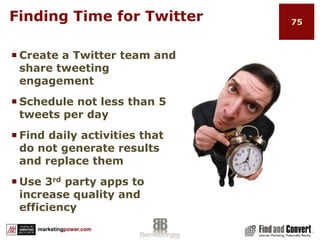
Finding Time for TwitterCreate a Twitter team and share tweeting engagementSchedule not less than 5 tweets per dayFind daily activities that do not generate results and replace themUse 3rd party apps to increase quality and efficiency
Remember to…Define your goalsDefine and follow your target audienceTweet consistently everydayEngage your audience proactively and reactively Share content linksFollow people back (unless their tweets are inappropriate)Retweet great content from influencers you wish to engageBe human!Consistently manage your lists and followersAlways be interesting
SueAtlanta, GAGetting the Most Out of TwitterGuidelines on Who To Follow
Guidelines on Who NOT to Follow
Keep Your Ratio Low
Follow Back
Follow Others
Managing Your Following List
Other 3rd Party Apps1. Bookmarking Profiles77
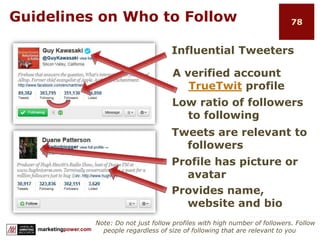
Guidelines on Who to FollowInfluential TweetersA verified account TrueTwit profileLow ratio of followers to followingTweets are relevant to followersProfile has picture or avatarProvides name, website and bioNote: Do not just follow profiles with high number of followers. Follow people regardless of size of following that are relevant to you
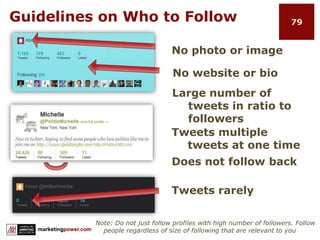
Guidelines on Who to FollowNo photo or imageNo website or bioLarge number of tweets in ratio to followersTweets multiple tweets at one timeDoes not follow backTweets rarelyNote: Do not just follow profiles with high number of followers. Follow people regardless of size of following that are relevant to you
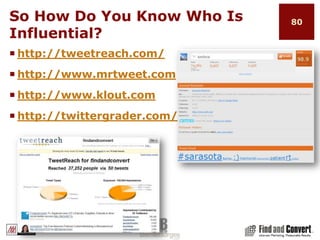
So How Do You Know Who Is Influential?http://tweetreach.com/http://www.mrtweet.comhttp://www.klout.comhttp://twittergrader.com/
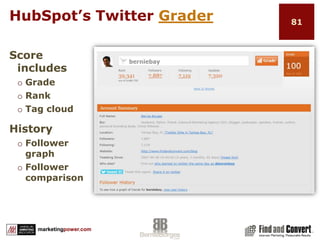
HubSpot’s Twitter GraderScore includesGradeRankTag cloudHistoryFollower graphFollower comparison
Be personable…even as a brandFollow back most who follow you	Manually reply to TweetsUse the follow back feature in Twitter management software such as HootSuite and TweetDeckUse the automated feature in SocialOomph and other apps with filter optionsUse the people management tool in HootSuiteBe human!
Follow back mentions from SO’s and RTs
In HootSuite / TweetDeck                                      set up “specific keywords”                                     column
Follow people who have                                          listed you
Follow the followers of                                  influential people that you follow or follow you
Use 3rd party apps to find relevant followersGrow Your Followers
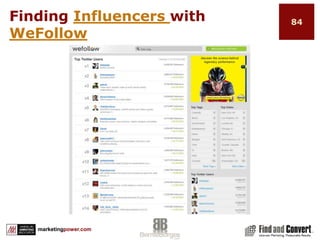
Finding Influencers with WeFollow
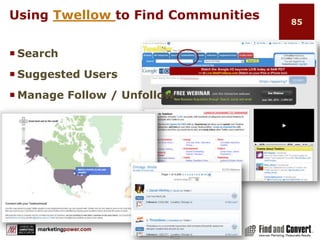
Using Twellow to Find CommunitiesSearchSuggested UsersManage Follow / Unfollow
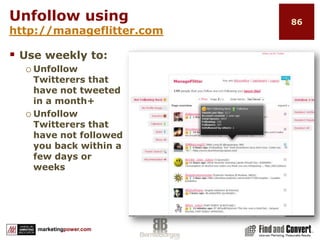
Unfollow using http://manageflitter.comUse weekly to:Unfollow Twitterers that have not tweeted in a month+Unfollow Twitterers that have not followed you back within a few days or weeks
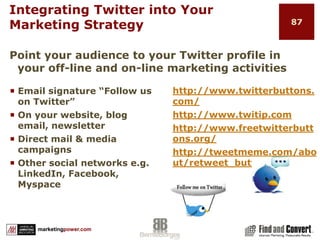
Integrating Twitter into Your Marketing Strategyhttp://www.twitterbuttons.com/http://www.twitip.comhttp://www.freetwitterbuttons.org/http://tweetmeme.com/about/retweet_buttonEmail signature “Follow us on Twitter”On your website, blog email, newsletterDirect mail & media campaignsOther social networks e.g. LinkedIn, Facebook, MyspacePoint your audience to your Twitter profile in your off-line and on-line marketing activities
Measuring ResultsMeasure-Review-Revise
Google Analytics
Twitalyzer
Twitter Analyzer
Klout
Twitter Grader
Socialoomph
Unilyzer
And More Apps
Finding Time for Twitter88
Measure – Review - ReviseSocial Media Strategies are long term – not shortMeasuring results is constantly changing with more tools available…day by day
Measure – Review - ReviseUse metrics forUnderstanding target audiencesBuilding better relationshipsUnderstanding behaviorsRefining targetingUnderstanding resultsRefining processesImproving relationshipsRefining content
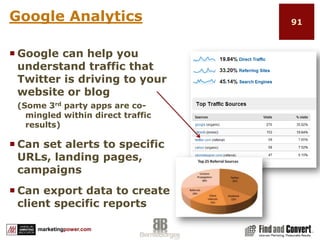
Google AnalyticsGoogle can help you understand traffic that Twitter is driving to your website or blog(Some 3rd party apps are co-mingled within direct traffic results)Can set alerts to specific URLs, landing pages, campaignsCan export data to create client specific reports
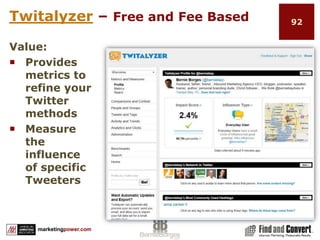
Twitalyzer – Free and Fee BasedValue: 	Provides metrics to refine your Twitter methods    Measure the influence of specific Tweeters
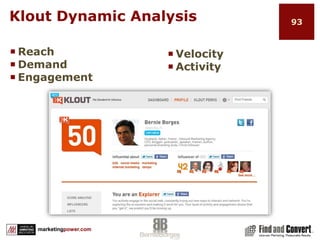
Klout Dynamic AnalysisReachDemandEngagementVelocity
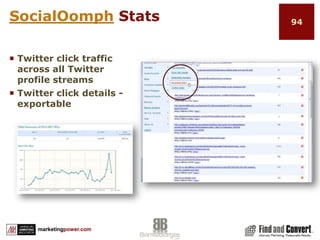
ActivitySocialOomph StatsTwitter click traffic across all Twitter profile streamsTwitter click details - exportable
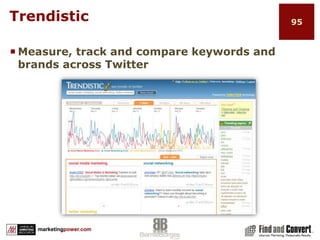
TrendisticMeasure, track and compare keywords and brands across Twitter
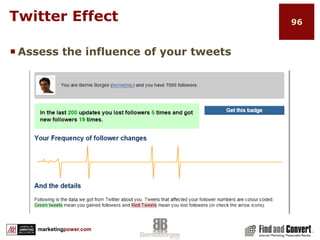
Twitter EffectAssess the influence of your tweets
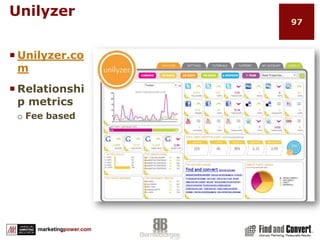
UnilyzerUnilyzer.com Relationship metrics Fee based
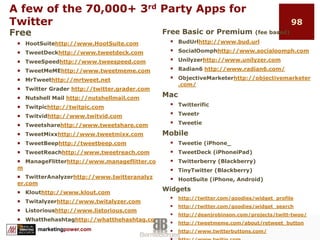
A few of the 70,000+ 3rd Party Apps for TwitterFreeHootSuitehttp://www.HootSuite.comTweetDeckhttp://www.tweetdeck.comTweeSpeedhttp://www.tweespeed.comTweetMeMEhttp://www.tweetmeme.comMrTweethttp://mrtweet.netTwitter Grader http://twitter.grader.comNutshell Mail http://nutshellmail.comTwitpichttp://twitpic.comTwitvidhttp://www.twitvid.comTweetsharehttp://www.tweetshare.comTweetMixxhttp://www.tweetmixx.comTweetBeephttp://tweetbeep.comTweetReachhttp://www.tweetreach.comManageFlitterhttp://www.manageflitter.comTwitterAnalyzerhttp://www.twitteranalyzer.comKlouthttp://www.klout.comTwitalyzerhttp://www.twitalyzer.comListorioushttp://www.listorious.comWhatthehashtaghttp://whatthehashtag.comFree Basic or Premium (fee based)BudUrlhttp://www.bud.url
SocialOomphhttp://www.socialoomph.com
Unilyzerhttp://www.unilyzer.com
Radian6 http://www.radian6.com/
ObjectiveMarketerhttp://objectivemarketer.com/MacTwitterific
Tweetr
TweetieMobileTweetie (iPhone_
TweetDeck (iPhoneiPad)
Twitterberry (Blackberry)
TinyTwitter (Blackberry)
HootSuite (iPhone, Android)Widgetshttp://twitter.com/goodies/widget_profile
http://twitter.com/goodies/widget_search
http://deanjrobinson.com/projects/twitt-twoo/
http://tweetmeme.com/about/retweet_button
http://www.twitterbuttons.com/
http://www.twitip.com
http://www.freetwitterbuttons.org/Marketing with Twitter99
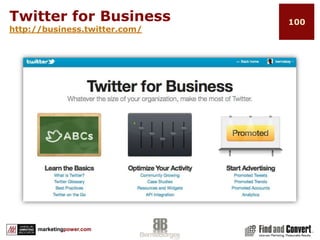
Twitter for Businesshttp://business.twitter.com/
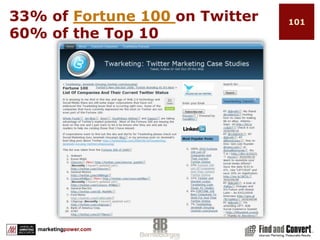
33% of Fortune 100 on Twitter60% of the Top 10
Real-time Interfacing Builds TrustPeople trust more those companies who use microblogging websites like Twitter to provide real-time responses.75% polled say they view companies who microblog sending frequent messages on sites like Twitter or updating their status on social networks like Facebook as more trustworthy than those who don’t.Note: 76 percent said they were less likely to trust information from a blogger getting free samples from companies they write about.Survey by Fleishman-Hillard with Research by Harris Interactive
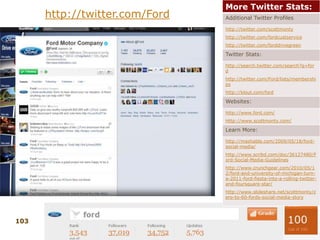
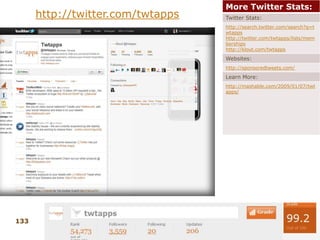
http://twitter.com/Ford
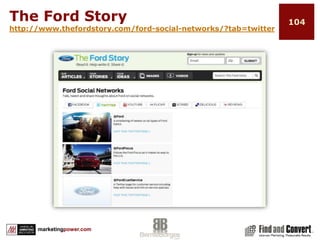
The Ford Storyhttp://www.thefordstory.com/ford-social-networks/?tab=twitter
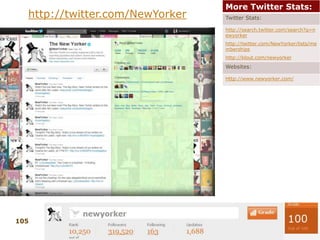
http://twitter.com/NewYorker
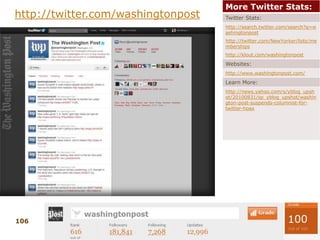
http://twitter.com/washingtonpost
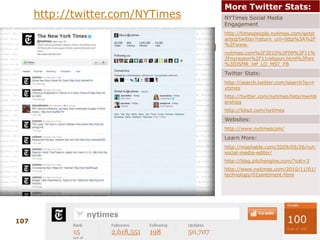
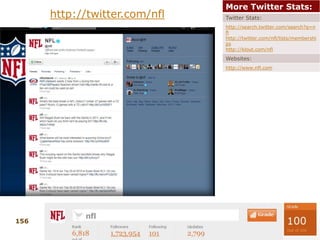
http://twitter.com/NYTimes
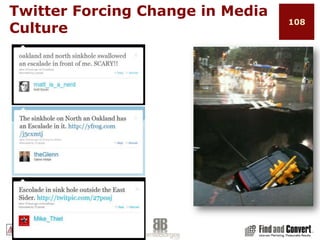
Twitter Forcing Change in Media Culture
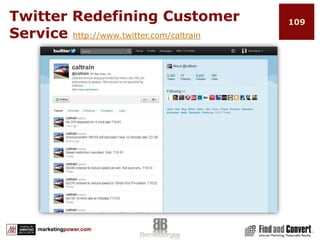
Twitter Redefining Customer Service http://www.twitter.com/caltrain
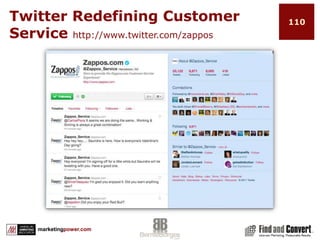
Twitter Redefining Customer Service http://www.twitter.com/zappos
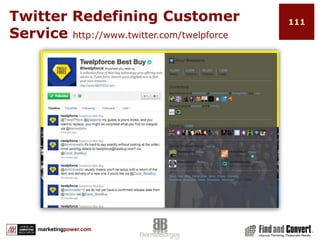
Twitter Redefining Customer Service http://www.twitter.com/twelpforce
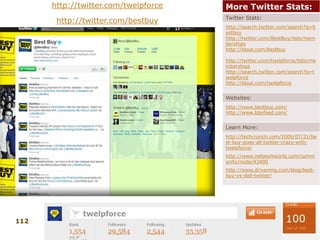
http://twitter.com/twelpforcehttp://twitter.com/bestbuy
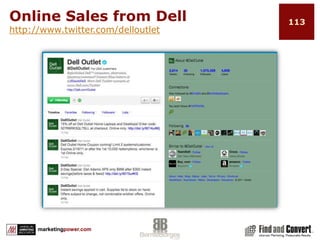
Online Sales from Dell http://www.twitter.com/delloutlet

AMA Twitter for Marketers Orlando-6-9-11

  • 1.
    Twitter for Marketers1Presentedby:Bernie BorgesJune 9, 2011Orlando
  • 2.
    Before You BeginYour Twitter MarketingBegin by defining your objectives
  • 3.
    Review Twitter settingsand how to brand your profile
  • 4.
    Understand content andbrand strategies
  • 5.
    Learn tweeting etiquetteand best practices
  • 6.
    Build relationships andexpand your network
  • 7.
    Content best practicesto expand your footprint on the webExpectationsLearn what is Twitter and why it is so popularDesign and launch a Twitter profileLearn how to develop a profitable content strategy on TwitterTwitter etiquette, rules of engagement and community-building “best practices” that increase engagement and relationships that spread your great content and messaging across the webUse Twitter for corporate branding, sales development and customer service
  • 8.
    Expectations…continuedTools and techniquesto expand, manage and measure your branding efforts through TwitterIntegrating Twitter into other social networks e.g. Facebook, LinkedInJoin and follow Twitter conversations, respond appropriately to comments and how to use Twitter while attending an event or conferenceIntegrate Twitter into all other aspects of your marketing strategies
  • 9.
    AgendaThis MorningThis AfternoonATwittle ThoughtGetting Started…Twitter BasicsManagement Tools for the TwittersphereGetting the Most Out of TwitterMeasuring ResultsMarketing with TwitterIn the Trenches
  • 10.
    What the Heckis Twitter!?Develop a Twitter HabitWhat Is Twitter?Before You BeginSetting and Measuring Goals6
  • 11.
    Is Twitter aFad??Increase in Tweets in 1 yearTweets posted per weekNo of Tweets on 3/11/11280%1 billion177 million
  • 12.
    Twitter FactsTwitter forBusinesses“Twitter connects businesses to customers in real-time. Businesses use Twitter to quickly share information with people interested in their products and services, gathers real-time market intelligence and feedback and build relationships with customers, partners and influential people”Twitter offers businesses a chance to REACH an engaged audience.
  • 13.
    Twitter FactsYou Don’t Have To Tweet To Get Value from Twitter“ You don’t have to build a web page, surf the web or tweet to enjoy Twitter. Whether you tweet 100 times a day or never, you still have access to the voices and information surrounding what interests you. You can contribute, or just listen in and retrieve up to the second information.”
  • 14.
    Twitter Business BestPracticeshttp://business.twitter.com/basics/best-practices
  • 15.
  • 16.
    Twitter Is AnInformation and News and Media WebsitesBut people are bypassing News and Media websites60% going directly to social networking and entertainment sites instead
  • 17.
    Develop a TwitterHabitCommit to a “social networking” mindsetCommit to a “content marketing” mindsetDevelop the habit of “Tweeting” dailyUse Twitter as a tool to engage with people and other brandsUse Twitter as a tool to build your personal and company brand
  • 18.
    What Is Twitter?Twitteris aboutSpreading contentMaking connectionsBuilding relationshipsExpanding brandThe result can beDriving trafficIncreasing leadsImproving customer serviceGenerating revenue
  • 19.
    Before You Begin…WhatAre Your Objectives?Define your missionWhat do you want to accomplish?Who are your target audiences and subgroups?How well do you know them?What is important to them?Connect what you want to accomplish with what is important to your audience
  • 20.
    Create and brandyour ProfileWhat’s a Profile?Creating Your SettingsAccountPasswordMobileNoticesProfileDesignConnectionsTwitter Terminology16
  • 21.
  • 22.
    Tips for SettingUp Your Profilehttp://www.twitter.com/Email addresses must be different if you are setting up a personal and business profile.Tip: Create a specific Gmail account for your Twitter profile to avoid clogging up your email.
  • 23.
    Settings AccountFill inthe basicsAdd locationDon’t protect tweetsPasswordUse to change password
  • 24.
    Settings…. MobileOptionally addyour mobile number to start mobile (text) verification processCool Feature Twitter Commands
  • 25.
    New Features forMac – iOS - AndroidFind friends using contacts in phoneQuick Bar with TrendsCleaner Compose ScreenNew – auto complete feature
  • 26.
    Settings…NoticesUnless you choosea 3rd party app that offers auto-follow feature – you will need to receive emails when someone chooses to follow you to accept.
  • 27.
    Settings…ProfileTip: Keep imageless than 72kBe sure to add a URLCan be your websiteCan be your blogCan be Facebook or LinkedIn profileBio160 charactersUse keywords for SEO valueMake it interesting
  • 28.
    Settings DesignCustomize yourbackground to reflect your personality or brandSelect Change background imageCan upload any imageMax 800k1600px wide X 1200px tallChange design colorsCan customize your colorsMore optionshttp://www.colourlovers.com/themeleon/twitter
  • 29.
    Settings…DesignA few morebackground options:http://tweetstyle.com/http://www.mytweetspace.com/http://freetwitterdesigner.com/http://www.twitbacks.com/http://peekr.net/
  • 30.
    Settings…ApplicationsListing of 3rdparty apps that you have given permission to connect to your Twitter profileSome 3rd party apps allow you to use different passwordKeep a listToggle revoke accessRemove accessMore Helphttp://support.twitter.com/groups/31-twitter-basics
  • 31.
    Common Twitter Shortcuts@username– Sends reply to individual, but in public timelinedusername – Sends private, direct message to individualRT = Retweet – Forwarding someone else’s tweet# (hashtag) – Used with a keyword/topic to create streams (#AMAtweet)Twitter Stream – Use of a specific hashtag, e.g. #FF (follow Friday) to follow a particular conversationSO – Shout Out – Using @username to thank, call attention to, etc
  • 32.
    Tweet With aStrategyContent StrategyBrand StrategyShortened URLsDefining Who To FollowTweeting EtiquetteTwitter ListsDetermining FollowersA Few Things Twitter Can and Cannot Do28
  • 33.
    Defining Who ToFollowIdentify your target audiences and subgroupsThink in terms of what associated groups are important to your audience that connect to (touch) your product or service
  • 34.
    Finding FollowersTwitter helpsyou find followersHome>Who To Follow >Browse Interests
  • 35.
  • 36.
    FollowersFollowingKeep Your FollowingRatio BalancedFollow people whose lifestyle and interests may find your brand, products and tweets interesting enough to:Follow you backMay retweet your content to their followersMight wish to engage in conversationNote: As you reach the 2000 followers mark, you should have a ratio of 110% or less
  • 37.
    Develop Your ContentStrategyAlign your business objectives with your audience’s interests and needs Then develop content that addresses “THEM” not “you”
  • 38.
    8 Rules ofTwitter MarketingRewardShareDemonstrate wider leadership and authorityListenChampion your stakeholdersAskEstablish the right voiceRespond
  • 39.
    1. ShareUse Shareand Presence appsPresence iconsShare icons
  • 40.
    1. ShareUse ShareappsShare on multiple platformsFacebookWebsiteLinkedInBlog
  • 41.
    1. ShareUse ShareappsShare on multiple platformsBe selective – Share quality content
  • 42.
    1. ShareUse ShareappsShare on multiple platformsBe selective – Share quality contentBe generous – Share other’s content
  • 43.
    2. ListenListen toyour audience and learnCreate tweets that are interesting to “them”Be more informational than advertorial Build trust and authority that will help you achieve your business goalsDeliver content around the 3 E’s (educate, enlighten, entertain)
  • 44.
    3. AskAsk othersStarta conversation
  • 45.
    4. RespondRespond tomembers when appropriate
  • 46.
  • 47.
    6. Demonstrate widerleadership and authorityShare knowledge and expertise
  • 48.
    7. Champion yourstakeholders
  • 49.
    8. Establish theright voiceShow your personality
  • 50.
    New Features –More media content
  • 51.
    Shortened URLshttp://en.wikipedia.org/wiki/URL_shorteningUse URLshorteners to condense your links Http://bit.ly/http://tiny.cc/http://budurl.com/and moreMost 3rd apps like HootSuite, TweetDeck, SocialOomphor Twitter browser apps provide URL shortenersWhat Is a Twitter Stream?A stream of conversations filtered according to your criteriaKeywords – e.g. “social media”, “job search”, “running shoes”Any topic you wish to follow – e.g. “2010 election”, “world series”, “liquid sealants”Names, brands – e.g. “Oprah Winfrey”, “iPhone”, “Steve Jobs”, “Starbucks”
  • 52.
  • 53.
    Hashtag(s)Use a “#”hashtag to identify streams of conversations based on an event, topic or personhttp://search.twitter.com What the Hashtaghttp://whatthehashtag.com/Main_Pagehttp://wthashtag.com/Category:Acronyms
  • 54.
    New Features –Easier access to profile informationclick a @username to see a mini profile without navigating from the page, which provides quick access to account information, including bio and recent Tweets.
  • 55.
    New Features –Discover more related contentClick a Tweet, the details pane shows additional information related to the author or subject.
  • 56.
    Be Consistent Spreadyour tweets out
  • 57.
    Do not sendout multiple tweets at the same timeTweeting EtiquetteHint: It is called social media not “shouting” media
  • 58.
    Etiquette…continuedBe SocialGive shout-outs,aka SO, using @name to those that retweet your content
  • 59.
    Follow back thosethat follow you (excluding bots, inappropriate followers)
  • 60.
  • 61.
    SO to thosethat consistently post good content
  • 62.
    Report SpammersTweeting GuidelinesTargetYour ContentTrack & retweet influential follower’s content
  • 63.
    Use http://search.twitter.com totrack keyword conversations
  • 64.
    Use #hashtags tostart & follow topical conversation streamsGuidelines…continuedShow personality…especially with your brandsThink of your tweets as headlines
  • 65.
    Think of yourtweets as short bursts of a relevant thoughtA Little Reminder…Keep your objectives in the forefront but…Focus on the interests of your target audiences and subgroups. Then create tweets and retweet content that will engage and generate interaction.Its about them
  • 66.
    What Are TwitterLists? Twitter lists are viewedby everyone following you http://twitter.com/berniebay/lists/memberships
  • 67.
    Why Are TheyValuable?Organize groups and followers
  • 68.
  • 69.
    Follow back thosethat have listed you
  • 70.
  • 71.
    Use private listsfor reputation management
  • 72.
  • 73.
    Bad chiSet upRSS Tweets for Keywords
  • 74.
    How to SetUp Twitter RSS Feed3. Add to Google Homepage1. Click on RSS feed in Twitter4. In iGoogle, click on home arrow, click add a tab2. Click on subscribe now
  • 75.
    Using Twitter Productively3rdParty Management Tools Save Time
  • 76.
  • 77.
  • 78.
  • 79.
    Summary“Your Twitter strategyshould be a component of your overall social communication plan to expand your brand across the web and produce measurable results.”engagefollowingcontentconversationtwittertweetconnectuserreachcouponsfollowersnewsretweet
  • 80.
    Listorioushttp://www.listorious.comIs a peoplesearch toolHelps you get foundAllows you to tag your listsHelps you find influencers within your target groups
  • 81.
    Automate Tweets fromBlog ContentAdvantage:Automates blog content feed to TwitterCaution:Don’t rely on it to tweetNo opportunity to edit tweet
  • 82.
  • 83.
    With HootSuite…you canFollowStreamsManage PeopleStudy StatsManage Settings/AssignmentsLogin http://hootsuite.comClick on confirmation email
  • 84.
  • 85.
    HootSuite - TweetDeckor Both?Both offer:Multiple Account monitoring and tweetingScheduled TweetsTweet and upload pictures or images to TwitterAllow respond, follow, view profile, add to listKeyword and hashtag searchCreate custom columnsSocial network integration, i.e., Facebook, LinkedInMobile applicationsAnalytics
  • 86.
    Advanced Tweeting withSocialOomphPage 70http://www.socialoomph.com is a fee-based multiple Twitter management software platform with automation tools and tracking analytics. Professional version offers:Recurring updatesFilters on most automation featuresSchedule & Publish Blog Posts and Pages Find Quality Friends to Follow Using KeywordsPrivate Tweet Viewing/Grouping Channels Discover Which Followers Have The Most Clout Manage Many Accounts with TweetCOCKPIT Much more
  • 87.
    Key Feature: RecurringTweetsCreate rotating tweets that expands opportunity for your content to be foundCreate shortened URLEnclose with brackets{ tweet 1 http;//shortURL | tweet 2 http;//shortURL | tweet 3 }3. Schedule 1st tweet followed by “|”4. Schedule 2nd tweet followed by “|”5. And so on… close with “}”
  • 88.
    Enterprise Level TweetingEnterpriseSupportsTwitter & FacebookUnlimited usersAdvanced workflow, analyticsConversation historyStandardBasic set of features. Best for individuals and organizations that manage only a few Twitter accounts by only a couple of team members.
  • 89.
    Best Practice StuffTo RememberEstablish a pattern of consistency in your tweeting strategy Keep your “it is all about them” hat on when tweetingRT other people’s stuffMaintain and update lists
  • 90.
    Best Practice Stuff…continuedFollowsocial marketing best practicesFollow those that follow you but maintain balanced follower to following ratios – recommend 1.25 to 1 or lessEngage: Proactively and in response to RTs (retweets) and SOs (Shout Outs)Tweet consistently and set up a good maintenance scheduleMeasure which content resonates best with your target groups
  • 91.
    Finding Time forTwitterCreate a Twitter team and share tweeting engagementSchedule not less than 5 tweets per dayFind daily activities that do not generate results and replace themUse 3rd party apps to increase quality and efficiency
  • 92.
    Remember to…Define yourgoalsDefine and follow your target audienceTweet consistently everydayEngage your audience proactively and reactively Share content linksFollow people back (unless their tweets are inappropriate)Retweet great content from influencers you wish to engageBe human!Consistently manage your lists and followersAlways be interesting
  • 93.
    SueAtlanta, GAGetting theMost Out of TwitterGuidelines on Who To Follow
  • 94.
    Guidelines on WhoNOT to Follow
  • 95.
  • 96.
  • 97.
  • 98.
  • 99.
    Other 3rd PartyApps1. Bookmarking Profiles77
  • 100.
    Guidelines on Whoto FollowInfluential TweetersA verified account TrueTwit profileLow ratio of followers to followingTweets are relevant to followersProfile has picture or avatarProvides name, website and bioNote: Do not just follow profiles with high number of followers. Follow people regardless of size of following that are relevant to you
  • 101.
    Guidelines on Whoto FollowNo photo or imageNo website or bioLarge number of tweets in ratio to followersTweets multiple tweets at one timeDoes not follow backTweets rarelyNote: Do not just follow profiles with high number of followers. Follow people regardless of size of following that are relevant to you
  • 102.
    So How DoYou Know Who Is Influential?http://tweetreach.com/http://www.mrtweet.comhttp://www.klout.comhttp://twittergrader.com/
  • 103.
    HubSpot’s Twitter GraderScoreincludesGradeRankTag cloudHistoryFollower graphFollower comparison
  • 104.
    Be personable…even asa brandFollow back most who follow you Manually reply to TweetsUse the follow back feature in Twitter management software such as HootSuite and TweetDeckUse the automated feature in SocialOomph and other apps with filter optionsUse the people management tool in HootSuiteBe human!
  • 105.
    Follow back mentionsfrom SO’s and RTs
  • 106.
    In HootSuite /TweetDeck set up “specific keywords” column
  • 107.
    Follow people whohave listed you
  • 108.
    Follow the followersof influential people that you follow or follow you
  • 109.
    Use 3rd partyapps to find relevant followersGrow Your Followers
  • 110.
  • 111.
    Using Twellow toFind CommunitiesSearchSuggested UsersManage Follow / Unfollow
  • 112.
    Unfollow using http://manageflitter.comUseweekly to:Unfollow Twitterers that have not tweeted in a month+Unfollow Twitterers that have not followed you back within a few days or weeks
  • 113.
    Integrating Twitter intoYour Marketing Strategyhttp://www.twitterbuttons.com/http://www.twitip.comhttp://www.freetwitterbuttons.org/http://tweetmeme.com/about/retweet_buttonEmail signature “Follow us on Twitter”On your website, blog email, newsletterDirect mail & media campaignsOther social networks e.g. LinkedIn, Facebook, MyspacePoint your audience to your Twitter profile in your off-line and on-line marketing activities
  • 114.
  • 115.
  • 116.
  • 117.
  • 118.
  • 119.
  • 120.
  • 121.
  • 122.
  • 123.
  • 124.
    Measure – Review- ReviseSocial Media Strategies are long term – not shortMeasuring results is constantly changing with more tools available…day by day
  • 125.
    Measure – Review- ReviseUse metrics forUnderstanding target audiencesBuilding better relationshipsUnderstanding behaviorsRefining targetingUnderstanding resultsRefining processesImproving relationshipsRefining content
  • 126.
    Google AnalyticsGoogle canhelp you understand traffic that Twitter is driving to your website or blog(Some 3rd party apps are co-mingled within direct traffic results)Can set alerts to specific URLs, landing pages, campaignsCan export data to create client specific reports
  • 127.
    Twitalyzer – Freeand Fee BasedValue: Provides metrics to refine your Twitter methods Measure the influence of specific Tweeters
  • 128.
  • 129.
    ActivitySocialOomph StatsTwitter clicktraffic across all Twitter profile streamsTwitter click details - exportable
  • 130.
    TrendisticMeasure, track andcompare keywords and brands across Twitter
  • 131.
    Twitter EffectAssess theinfluence of your tweets
  • 132.
  • 133.
    A few ofthe 70,000+ 3rd Party Apps for TwitterFreeHootSuitehttp://www.HootSuite.comTweetDeckhttp://www.tweetdeck.comTweeSpeedhttp://www.tweespeed.comTweetMeMEhttp://www.tweetmeme.comMrTweethttp://mrtweet.netTwitter Grader http://twitter.grader.comNutshell Mail http://nutshellmail.comTwitpichttp://twitpic.comTwitvidhttp://www.twitvid.comTweetsharehttp://www.tweetshare.comTweetMixxhttp://www.tweetmixx.comTweetBeephttp://tweetbeep.comTweetReachhttp://www.tweetreach.comManageFlitterhttp://www.manageflitter.comTwitterAnalyzerhttp://www.twitteranalyzer.comKlouthttp://www.klout.comTwitalyzerhttp://www.twitalyzer.comListorioushttp://www.listorious.comWhatthehashtaghttp://whatthehashtag.comFree Basic or Premium (fee based)BudUrlhttp://www.bud.url
  • 134.
  • 135.
  • 136.
  • 137.
  • 138.
  • 139.
  • 140.
  • 141.
  • 142.
  • 143.
  • 144.
  • 145.
  • 146.
  • 147.
  • 148.
  • 149.
  • 150.
  • 151.
    33% of Fortune100 on Twitter60% of the Top 10
  • 152.
    Real-time Interfacing BuildsTrustPeople trust more those companies who use microblogging websites like Twitter to provide real-time responses.75% polled say they view companies who microblog sending frequent messages on sites like Twitter or updating their status on social networks like Facebook as more trustworthy than those who don’t.Note: 76 percent said they were less likely to trust information from a blogger getting free samples from companies they write about.Survey by Fleishman-Hillard with Research by Harris Interactive
  • 153.
  • 154.
  • 155.
  • 156.
  • 157.
  • 158.
    Twitter Forcing Changein Media Culture
  • 159.
    Twitter Redefining CustomerService http://www.twitter.com/caltrain
  • 160.
    Twitter Redefining CustomerService http://www.twitter.com/zappos
  • 161.
    Twitter Redefining CustomerService http://www.twitter.com/twelpforce
  • 162.
  • 163.
    Online Sales fromDell http://www.twitter.com/delloutlet

Editor's Notes

  • #2 LogInsTweeSpeed noneTwitter FindandConvert amanda4688HootsuiteFindandConvert amanda4688TweetDeckSocialOomphFindandConvert amanda4688Klout: FindandConvert FnCrocks10WhatthehashtagFindandconvert amanda4688TwitpicFindandConvert amanda4688 Listorious Login via TwitterTweetReach no loginHubspot Twitter Grader no loginMrTweetfindandconvert amanda4688Kloutsingin thru TwitterTwellowfindandconvert FnCrocks10ManagerFlitter login with TwitterTwitalyzer USE ANY TWITTER USERNAMETwitter Analyzer usernameUnilyzer Oragenics Socialmedia09
  • #3 Insert into twitter
  • #8 PrTweets posted per week – 1 billionNumber of Tweets send on 3/11/11 – 177 millionIncrease in number of Tweets from March 2010 to Feb 2011 – 280%50 million to 280 millionesentation slide
  • #11 ShareListenAskRespondRewardDemonstrate wider leadership and authorityChampion your stakeholdersEstablish the Right Voice
  • #13 http://weblogs.hitwise.com/us-heather-hopkins/2010/03/twitter_and_news_and_media_web.html Could it be because news sources do not follow back like other info sources?
  • #15 Twitter is a social networking and micro-blogging service that allows you to efficiently share ideas, thoughts and content in 140 characters or less1 of 50 most popular websites on the webContent of TweetsPointless babble – 41% Conversational – 38% Pass-along value – 9% Self-promotion – 6% Spam – 4% News – 4%
  • #16 It is important to know and understand what you want to accomplish in using Twitter:Reach more people with similar interests?Expand brand awareness?Promote your brand and services?Connect with your target audiences?Build relationships?Build trust and authority?
  • #18 http://www.twitter.com/berniebay
  • #19 http://www.twitter.com
  • #20 Location?By turning on this feature, you can include location information like neighborhood, town, or exact point when you tweetProtect my Tweets?Do not use if your objective is branding
  • #22 http://thenextweb.com/apps/2011/03/03/twitter-for-ios-updated-with-slick-new-features-and-design/ http://www.intomobile.com/2011/05/13/twitter-updates-its-mobile-website-ios-android-devices/http://www.zdnet.com/blog/apple/twitter-for-mac-gets-its-first-big-update/10123
  • #27 Managing connections add slide
  • #34 http://www.twitpic.com
  • #49 http://whatthehashtag.com http://search.twitter.com
  • #54 http://search.twitter.com
  • #55 http://search.twitter.com
  • #59 So be careful in choosing names for your listsTwitter lists are viewed by everyone following you so be careful how you identify your lists.Use Twitter lists to track influential followersMaximum on any list is 500 friends (following)Avoid words such as competitor, etcCheck the lists you are on and be sure to follow back those that have listed you
  • #60 So be careful in choosing names for your listsTwitter lists are viewed by everyone following you so be careful how you identify your lists.Use Twitter lists to track influential followersMaximum on any list is 500 friends (following)Avoid words such as competitor, etcCheck the lists you are on and be sure to follow back those that have listed you
  • #65 http://www.listorious.comWhat is itHow do you useBuild list find lists find peopleCan you add people to list?
  • #68 http:www.hootsuite.com loginFollow StreamsManage tweets and view specific criteria in multiple columnsManage PeopleManage lists, followers and friends by profileStudy StatsView up to 30-days geographical summary statsIndividual tweet statsManage Settings & AssignmentsManage social networks, invite team members for profile accessAssign dutiesLogin http://hootsuite.comClick on confirmation email
  • #69 http:www.tweetdeck.com
  • #71 http://www.socialoomph.com
  • #72 http://www.socialoomph.com/tweets/add/?account=select
  • #73 http://www.socialoomph.com/tweets/add/?account=select
  • #79 http://truetwit.com/Influential TweetersA verified account TrueTwit profile that who you are following is who they say they are.Low ratio of followers to followingThey are social and are following best practicesTweets are relevant to followersProfile has picture or avatarProvides name, website and bioNote: Do not just follow profiles with high number of followers. Follow people regardless of size of following that are relevant to you
  • #80 http://truetwit.com/Influential TweetersA verified account TrueTwit profile that who you are following is who they say they are.Low ratio of followers to followingThey are social and are following best practicesTweets are relevant to followersProfile has picture or avatarProvides name, website and bioNote: Do not just follow profiles with high number of followers. Follow people regardless of size of following that are relevant to you
  • #81 http://tweetreach.comhttp://twitter.grader.comhttp://www.mrtweet.comhttp://www.klout.comhttp://www.socialoomph.com
  • #82 http://twitter.grader.com
  • #83 http://hootsuite.com/http://www.socialoomph.com/friendfinderconfig
  • #85 http://wefollow.com/city/new_york_nyhttp://wefollow.com/top
  • #86 http:www.twellow.comChoose 10 categories that fit your profileYou will be found by others searching the categories.Search and follow people via geo target, categories, or keyword search.
  • #87 http://manaBegin at last page (oldest) Review list and select those to deletegeflitter.com
  • #88 Tweetmeme has code for web, email, RSS and word plug-inDiscuss Pros and Cons of integrating Tweets into other social networks
  • #92 http://www.google.com/
  • #93 http://www.twitalyzer.com/ Free and fee
  • #96 http://trendistic.com/
  • #97 www.twittereffect.com
  • #98 http://www.unilyzer.com/http://guest.kontagent.com/dashboard/dashboard/
  • #101 Imagine the following Walmart would have if they joined in
  • #102 Imagine the following Walmart would have if they joined in
  • #107 Less social media friendly news outlet
  • #108 Engagement strategyWebsite offers Facebook connection which takes you to landing page to share NY times with friends
  • #109 Encouraging reports and community to report news as they see itStory:One of the big stories of the night was that of a huge sinkhole on Milwaukee’s East Side that swallowed a Cadillac Escalade. The local news carried the story, but the first media report didn’t come from a TV news crew. It came from a “reporter” named “@matt_is_a_nerd” who scooped all the other media outlets at 7:08 with his Tweet:Before the local news was able to scramble their trucks to go set up a live shot, Twitterer “@theGlenn” published the first photo:Minutes later,  @Mike_Thieltwitpic’ed the photo of the actual SUV in the hole that has since gone viral:That photo ended up on all the local TV stations and by the next morning, even NBC’s Today Show was showing it.
  • #110 Encouraging reports and community to report news as they see itStory:One of the big stories of the night was that of a huge sinkhole on Milwaukee’s East Side that swallowed a Cadillac Escalade. The local news carried the story, but the first media report didn’t come from a TV news crew. It came from a “reporter” named “@matt_is_a_nerd” who scooped all the other media outlets at 7:08 with his Tweet:Before the local news was able to scramble their trucks to go set up a live shot, Twitterer “@theGlenn” published the first photo:Minutes later,  @Mike_Thieltwitpic’ed the photo of the actual SUV in the hole that has since gone viral:That photo ended up on all the local TV stations and by the next morning, even NBC’s Today Show was showing it.
  • #111 Encouraging reports and community to report news as they see itStory:One of the big stories of the night was that of a huge sinkhole on Milwaukee’s East Side that swallowed a Cadillac Escalade. The local news carried the story, but the first media report didn’t come from a TV news crew. It came from a “reporter” named “@matt_is_a_nerd” who scooped all the other media outlets at 7:08 with his Tweet:Before the local news was able to scramble their trucks to go set up a live shot, Twitterer “@theGlenn” published the first photo:Minutes later,  @Mike_Thieltwitpic’ed the photo of the actual SUV in the hole that has since gone viral:That photo ended up on all the local TV stations and by the next morning, even NBC’s Today Show was showing it.
  • #112 Encouraging reports and community to report news as they see itStory:One of the big stories of the night was that of a huge sinkhole on Milwaukee’s East Side that swallowed a Cadillac Escalade. The local news carried the story, but the first media report didn’t come from a TV news crew. It came from a “reporter” named “@matt_is_a_nerd” who scooped all the other media outlets at 7:08 with his Tweet:Before the local news was able to scramble their trucks to go set up a live shot, Twitterer “@theGlenn” published the first photo:Minutes later,  @Mike_Thieltwitpic’ed the photo of the actual SUV in the hole that has since gone viral:That photo ended up on all the local TV stations and by the next morning, even NBC’s Today Show was showing it.
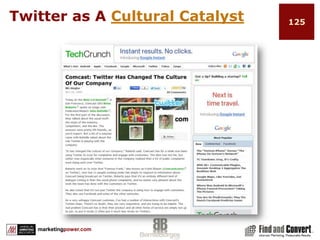
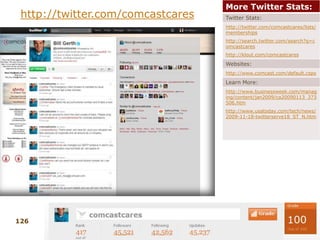
  • #126 Brian Roberts, CEO of comCast stated at Web 2.0 Summit “It has changed the culture of our company,”Frank Eliason, head of comcastCares has 11 people focused on solving CustServ comments across Twitter
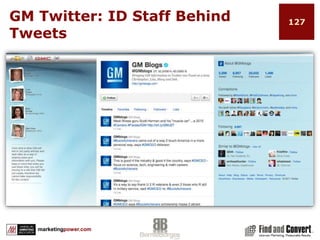
  • #127 Egads to social connections on website 
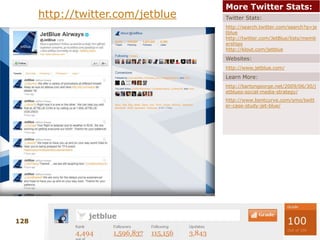
  • #128 http://business.twitter.com/twitter101/case_jetblue
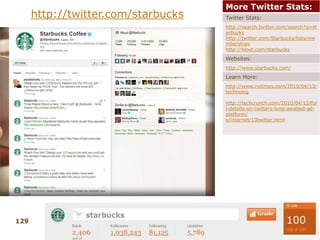
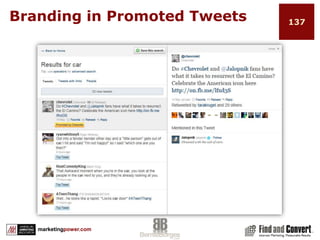
  • #130 Twitter sponsored tweetsStarbuck’s and Best Buy part of Twitter’s Sponsored Tweets launched in April
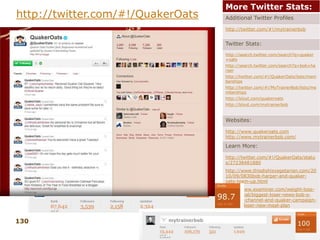
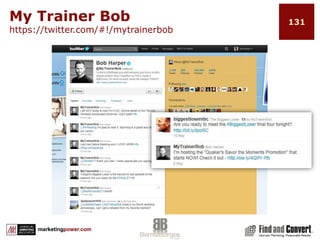
  • #131 http://www.mytrainerbob.com/ http://klout.com/quakeroats
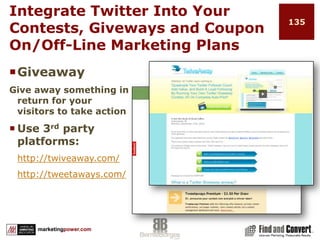
  • #136 http://twiveaway.com/http://tweetaways.com/
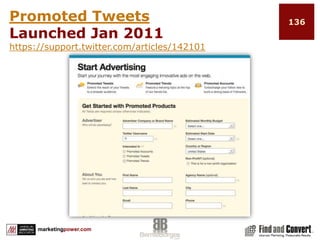
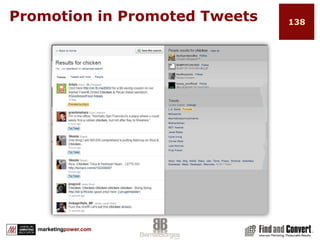
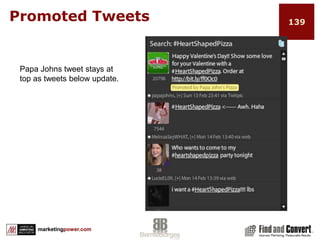
  • #137 Sign up as an advertiser or tweeterhttps://app.sponsoredtweets.com/tweeters/FindandConvert/opps/current Twitter term Promoted Tweets3rd Party term Sponsored Tweets
  • #140 Sign up as an advertiser or tweeterhttps://app.sponsoredtweets.com/tweeters/FindandConvert/opps/current Twitter term Promoted Tweets3rd Party term Sponsored Tweets
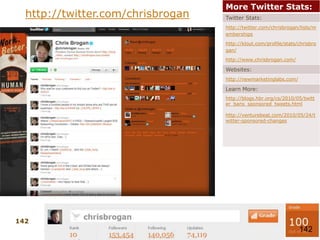
  • #143 http://twitter.com/chrisbroganhttp://www.chrisbrogan.com/http://newmarketinglabs.comhttp://twitter.com/chrisbrogan/lists/membershipshttp://klout.com/profile/stats/chrisbrogan/Social media guru, communications and emerging technology consultant, speaker and author
  • #145 Sign up as an advertiser or tweeterhttps://app.sponsoredtweets.com/tweeters/FindandConvert/opps/current Twitter term Promoted Tweets3rd Party term Sponsored Tweets
  • #147 Sign up as an advertiser or tweeterhttps://app.sponsoredtweets.com/tweeters/FindandConvert/opps/current Twitter term Promoted Tweets3rd Party term Sponsored Tweets
  • #148 Sign up as an advertiser or tweeterhttps://app.sponsoredtweets.com/tweeters/FindandConvert/opps/current Twitter term Promoted Tweets3rd Party term Sponsored Tweets
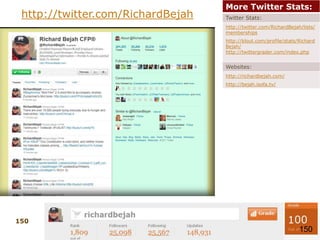
  • #151 http://twitter.com/RichardBejahhttp://richardbejah.com/http://bejah.isofa.tv/http://twitter.com/RichardBejah/lists/membershipshttp://klout.com/profile/stats/RichardBejah/Financial planner, entrepreneur, philanthropist, innovator, social media extraordinaire.Engages with followersShares great contentDoesn’t “shout” his business model but draws interest by delivering great content to his audience
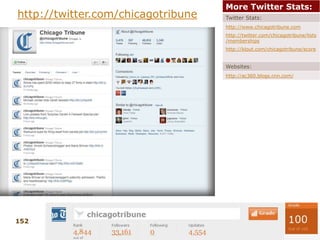
  • #153 http://twitter.com/chicagotribuneWhat is odd about this profile?http://www.chicagotribune.comTwitter profile since Nov 2008Also on FoursquareChicago Tribune – leading industry newspaper
  • #155 37 signals check out
  • #156 Sign up as an advertiser or tweeterhttps://app.sponsoredtweets.com/tweeters/FindandConvert/opps/current Twitter term Promoted Tweets3rd Party term Sponsored Tweets
  • #161 It is not about the number of followers
  • #164 http://www.amazon.com/exec/obidos/ASIN/1604942886http://www.wheatmark.com/merchant2/merchant.mvc?Screen=PROD&Store_Code=BS&Product_Code=9781604942880