
Social Media: Twitter 101
LAAMA Christmas Luncheon: DEC. 17, 2009
@saharconsulting


       Sahar Consulting
       www.saharconsulting.com
What is Twitter
Twitter is a micro-blogging application started in
2006, became        popular beginning 2009 when
celebrities like Ashton Kutcher and his competition
with CNN to acquire the 1st million followers erupted,
followed shortly by Oprah; joined the fascinating
world of Twitter. Twitter is the most used word in the
English language in 2009.


The updates on Twitter are called “Tweets” & Can’t be
More than 140 characters.
                                                  3
Why to care about Twitter
                          Twitter is the fastest-
                          growing social-media site,
                          with an estimated 14 M
                          unique visitors/ month.
                          Most of the users are age
                          25-54, largest segment the
                          45-54 age groups.

Twitter like any other social media platform is not an
advertising medium, it is about 2 way conversations ,
building & nurturing relationships.
                                                   4
How Businesses use Twitter
Businesses use Twitter to meet potential customers
and leads. Twitter can also be used to:
1) Develop and promote a brand
2) Interact with a customer base
3) Track what people are saying about a company
and its brand
4) Create buzz around upcoming events
5) Promote other created content, including
webinars, blogs
6) Develop direct relationships with bloggers and
journalists for potential PR placement
                                                5
Where to Start: @name


                                       Sign up for a
                                          Twitter
                                          account


1- Start by choosing a username as short as possible
as it counts within the 160 characters, choose your
real name or the business name for @name & add the
real name in the settings. Choose a password, then
sign in.                                            6
What Next: Fill BIO


Go to Settings at the top of the page, the different
settings items will show:
2- In Account: Enter your details as Email etc…, fill
out your BIO (160 characters) , make sure to add
keywords relevant to your business, industry and
clients.                                             7
Add a professional picture


3- Add a picture: click on Picture in settings,
browse your computer for a professional nice
picture, suggested that you use the same picture on
all your social media profiles. A JPG, GIF or PNG
of max. 700k. Save                                8
Personalize your background
            Still in Settings, go to
            Design, on the bottom of
            the page, click on change
            background image:
            •Browse your computer.
            •Upload either your logo
            or a picture you can use
            as background
            •Save it, choose as a tile
            background or single
            picture.
            •OR                    9
Personalize your background2


Some free services like ww.twitterbackgrounds.com
you can have a free background if you use your logo
or picture, or $4.95 if they upload up to 20 pictures for
you as a background, or $99 if they totally personalize
the background for you. Make sure it follows the
theme of your brand.                                10
Follow people/ be followed


Start by following the people you know, enter your different
Emails, servers and passwords. Twitter will send them Follow
notices. Then start following people of interest to you:
1- Study the ratio between people’s followers and who they
follow, avoid the lopsided ones.
2- Look at the frequency of their tweets/ posts not too often, not
to little. Take your time adding people you follow.
3- Use applications as www.twellow.com to find people
using Keywords.                                  11
Find people of interest to follow


Find the top users on Twitter as they will give you
more exposure and visibility if they either follow
you back or reply to you-
Find them on www.twitter.grader.com/topusers
Courtesy of Hubspot.com                          12
People that follow you
You are not obligated to follow anyone that follows
you.
Don’t follow everyone.
Choose quality versus quantity. (look at Zappos)


                                               13
Some terminology before you start
Replies: Responding to a specific person by using
@theirname .
Direct Messages: or DM are private messages that
other tweeters can use to reach you privately, it can
only be exchanged between people that follow each
other.
Retweets: RT:@username tweet, when someone re-
sends your tweets.
Trending Topics: Twitter will always show the top
10 trending topics.
Favorites: Save your testimonials
                                                14
Some terminology before you start
Tweeple – Are the people that are tweeting.
Mistweet - This is a Twitter message you wish you hadn't sent.
Even if you delete unwanted messages they can still appear in
searches.
Tweetup – When some Tweeple get together for an "in person"
meeting. Twitter has a new official Tweetup page, but it was
down as I wrote this. You can also follow the Twitter Tweetup
account to get the scoop on upcoming events.
Twoosh - It is a perfect, 140 character Tweet.
Twitterbait – Every now and then some users will bait a
popular user into sending them an @username response. This
gets the baiter's username in front of the more popular poster's
network of followers and can result in quite a few new
followers.
                                                            15
How it looks on a profile


      Credit to Hubspot     16
Engage your followers
   Rules of engagement:
1- Your tweets have to offer value
2- Link wisely helpful links
3- Quotes can be inspiring but not all the time
4- Be yourself, add humor
5- RT others important tweets, copy their tweets and add
   RT in front of the tweet
6- Answer your Direct messages DM
7- Thank whoever mentions you (To check that click on
   @yourname)
8- Don’t use automated direct messages they feel
   spammy                                             17
Search Box


The Search Box: where you can search for your
keywords, industry leaders, ongoing conversations,
groups, and chats.
                                               18
Applications to organize profiles
  Increase profile features, have more control on your
  tweets, follow groups, handle multiple accounts:
1- www.tweetdeck.com: Desktop software that lets
  you create a new column that filters the hashtag or
  chat name.
2- www.seesmic.com: beautiful desktop client for
  Twitter with a slightly translucent and tabbed
  interface.
3- www.ubertwitter.com: is a company devoted to
  delivering highly functional Twitter clients for
  mobile devices (For Blackberries)
                                                 19
Spy on Keywords / Competition

   Applications to listen on Twitter:
1- www.tweetbeep.com
2- www.twilerts.com
3- www.search.twitter.com


                                        20
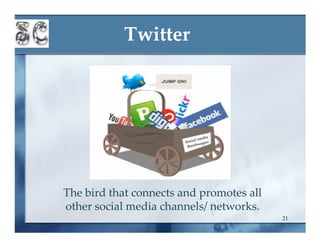
Twitter


The bird that connects and promotes all
other social media channels/ networks.
                                          21
Thank you

Looking forward Tweeting with
             you
      @saharconsulting
                           22
Prepared by:
        Sahar Andrade
               @
       Sahar Consulting
   www.saharconsulting.com
www.linkedin.com/in/saharandrade
www.saharconsulting.wordpress.com
 www.twitter.com/saharconsulting
                                23

Twitter 101

  • 1.
    Social Media: Twitter101 LAAMA Christmas Luncheon: DEC. 17, 2009
  • 2.
    @saharconsulting Sahar Consulting www.saharconsulting.com
  • 3.
    What is Twitter Twitteris a micro-blogging application started in 2006, became popular beginning 2009 when celebrities like Ashton Kutcher and his competition with CNN to acquire the 1st million followers erupted, followed shortly by Oprah; joined the fascinating world of Twitter. Twitter is the most used word in the English language in 2009. The updates on Twitter are called “Tweets” & Can’t be More than 140 characters. 3
  • 4.
    Why to careabout Twitter Twitter is the fastest- growing social-media site, with an estimated 14 M unique visitors/ month. Most of the users are age 25-54, largest segment the 45-54 age groups. Twitter like any other social media platform is not an advertising medium, it is about 2 way conversations , building & nurturing relationships. 4
  • 5.
    How Businesses useTwitter Businesses use Twitter to meet potential customers and leads. Twitter can also be used to: 1) Develop and promote a brand 2) Interact with a customer base 3) Track what people are saying about a company and its brand 4) Create buzz around upcoming events 5) Promote other created content, including webinars, blogs 6) Develop direct relationships with bloggers and journalists for potential PR placement 5
  • 6.
    Where to Start:@name Sign up for a Twitter account 1- Start by choosing a username as short as possible as it counts within the 160 characters, choose your real name or the business name for @name & add the real name in the settings. Choose a password, then sign in. 6
  • 7.
    What Next: FillBIO Go to Settings at the top of the page, the different settings items will show: 2- In Account: Enter your details as Email etc…, fill out your BIO (160 characters) , make sure to add keywords relevant to your business, industry and clients. 7
  • 8.
    Add a professionalpicture 3- Add a picture: click on Picture in settings, browse your computer for a professional nice picture, suggested that you use the same picture on all your social media profiles. A JPG, GIF or PNG of max. 700k. Save 8
  • 9.
    Personalize your background Still in Settings, go to Design, on the bottom of the page, click on change background image: •Browse your computer. •Upload either your logo or a picture you can use as background •Save it, choose as a tile background or single picture. •OR 9
  • 10.
    Personalize your background2 Somefree services like ww.twitterbackgrounds.com you can have a free background if you use your logo or picture, or $4.95 if they upload up to 20 pictures for you as a background, or $99 if they totally personalize the background for you. Make sure it follows the theme of your brand. 10
  • 11.
    Follow people/ befollowed Start by following the people you know, enter your different Emails, servers and passwords. Twitter will send them Follow notices. Then start following people of interest to you: 1- Study the ratio between people’s followers and who they follow, avoid the lopsided ones. 2- Look at the frequency of their tweets/ posts not too often, not to little. Take your time adding people you follow. 3- Use applications as www.twellow.com to find people using Keywords. 11
  • 12.
    Find people ofinterest to follow Find the top users on Twitter as they will give you more exposure and visibility if they either follow you back or reply to you- Find them on www.twitter.grader.com/topusers Courtesy of Hubspot.com 12
  • 13.
    People that followyou You are not obligated to follow anyone that follows you. Don’t follow everyone. Choose quality versus quantity. (look at Zappos) 13
  • 14.
    Some terminology beforeyou start Replies: Responding to a specific person by using @theirname . Direct Messages: or DM are private messages that other tweeters can use to reach you privately, it can only be exchanged between people that follow each other. Retweets: RT:@username tweet, when someone re- sends your tweets. Trending Topics: Twitter will always show the top 10 trending topics. Favorites: Save your testimonials 14
  • 15.
    Some terminology beforeyou start Tweeple – Are the people that are tweeting. Mistweet - This is a Twitter message you wish you hadn't sent. Even if you delete unwanted messages they can still appear in searches. Tweetup – When some Tweeple get together for an "in person" meeting. Twitter has a new official Tweetup page, but it was down as I wrote this. You can also follow the Twitter Tweetup account to get the scoop on upcoming events. Twoosh - It is a perfect, 140 character Tweet. Twitterbait – Every now and then some users will bait a popular user into sending them an @username response. This gets the baiter's username in front of the more popular poster's network of followers and can result in quite a few new followers. 15
  • 16.
    How it lookson a profile Credit to Hubspot 16
  • 17.
    Engage your followers Rules of engagement: 1- Your tweets have to offer value 2- Link wisely helpful links 3- Quotes can be inspiring but not all the time 4- Be yourself, add humor 5- RT others important tweets, copy their tweets and add RT in front of the tweet 6- Answer your Direct messages DM 7- Thank whoever mentions you (To check that click on @yourname) 8- Don’t use automated direct messages they feel spammy 17
  • 18.
    Search Box The SearchBox: where you can search for your keywords, industry leaders, ongoing conversations, groups, and chats. 18
  • 19.
    Applications to organizeprofiles Increase profile features, have more control on your tweets, follow groups, handle multiple accounts: 1- www.tweetdeck.com: Desktop software that lets you create a new column that filters the hashtag or chat name. 2- www.seesmic.com: beautiful desktop client for Twitter with a slightly translucent and tabbed interface. 3- www.ubertwitter.com: is a company devoted to delivering highly functional Twitter clients for mobile devices (For Blackberries) 19
  • 20.
    Spy on Keywords/ Competition Applications to listen on Twitter: 1- www.tweetbeep.com 2- www.twilerts.com 3- www.search.twitter.com 20
  • 21.
    Twitter The bird thatconnects and promotes all other social media channels/ networks. 21
  • 22.
    Thank you Looking forwardTweeting with you @saharconsulting 22
  • 23.
    Prepared by: Sahar Andrade @ Sahar Consulting www.saharconsulting.com www.linkedin.com/in/saharandrade www.saharconsulting.wordpress.com www.twitter.com/saharconsulting 23