Seminar
On
AJAX
CONTENT
• INTRODUCTION
• WHAT IS AJAX?
• TECHNOLOGIES
• AJAX WORKS
• AJAX - SERVER RESPONSE
• ADVANTAGES
• DISADVANTAGES
• CONCLUSIONS
• REFERENCES
INTRODUCTION
Ajax stands for asynchronous JavaScript and XML.
It is a group of interrelated web development techniques used
on the client-side to create interactive web applications .
AJAX is about updating parts of a web page, without reloading
the whole page.
Ajax uses a combination of HTML and CSS to mark up and
style information .
WHAT IS AJAX?
• Asynchronous JavaScript and XML (AJAX).
• Not a stand-alone language or technology.
• Combines a set of known technologies in order to create faster
and more user friendly web pages.
• Client side technology.
• Makes web pages more responsive by exchanging small
amounts of data.
• Allows the web page to change its content without refreshing
the whole page.
• Web browser technology independent of web server software.
TECHNOLOGIES
• HTML or XHTML and CSS for presentation
• The Document Object Model for dynamic display of and
interaction with data
• XML for the interchange of data, and XSLT for its
manipulation
• The XMLHttpRequest object for asynchronous
communication
• JavaScript to bring these technologies together
AJAX WORKS
• AJAX allows web pages
to be updated
asynchronously by
exchanging small
amounts of data with the
server without reloading
the whole page.
• Classic web pages,must
reload the entire page if
the content should
change.
• Examples of applications
using AJAX: Google
Maps, Gmail, Youtube,
and Facebook tabs.
AJAX EXAMPLE
• The AJAX application contains one div section and one
button.
• The div section will be used to display information
returned from a server.
• The button specify and hold function.
• The script section contains the function.
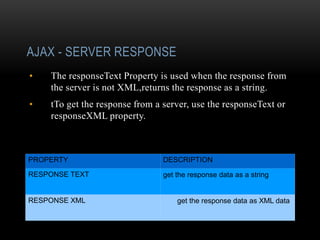
AJAX - SERVER RESPONSE
• The responseText Property is used when the response from
the server is not XML,returns the response as a string.
• tTo get the response from a server, use the responseText or
responseXML property.
PROPERTY DESCRIPTION
RESPONSE TEXT get the response data as a string
RESPONSE XML get the response data as XML data
ADVANTAGES
• page can be refreshed dynamically
• response of the interface to user is faster
• load much faster because the payload is much smaller
• reduces the demand for bandwidth
• allows the web applications to be much more efficient
• operate more like an application rather than a standalone
program
DISADVANTAGES
• integration of browsers
• hard for the user to bookmark the state of the web page
CONCLUSIONS
• Ajax provides functionality to create a robust web application.
• If an Ajax web application is coded properly it will run faster
than and as secure as a non-Ajax program.
• Ajax also allows websites to reduce their overall bandwidth
usage and server load by reducing the amount of full page loads.
By
N.Vijayalakshmi

Ajax

  • 1.
  • 2.
    CONTENT • INTRODUCTION • WHATIS AJAX? • TECHNOLOGIES • AJAX WORKS • AJAX - SERVER RESPONSE • ADVANTAGES • DISADVANTAGES • CONCLUSIONS • REFERENCES
  • 3.
    INTRODUCTION Ajax stands forasynchronous JavaScript and XML. It is a group of interrelated web development techniques used on the client-side to create interactive web applications . AJAX is about updating parts of a web page, without reloading the whole page. Ajax uses a combination of HTML and CSS to mark up and style information .
  • 4.
    WHAT IS AJAX? •Asynchronous JavaScript and XML (AJAX). • Not a stand-alone language or technology. • Combines a set of known technologies in order to create faster and more user friendly web pages. • Client side technology. • Makes web pages more responsive by exchanging small amounts of data. • Allows the web page to change its content without refreshing the whole page. • Web browser technology independent of web server software.
  • 5.
    TECHNOLOGIES • HTML orXHTML and CSS for presentation • The Document Object Model for dynamic display of and interaction with data • XML for the interchange of data, and XSLT for its manipulation • The XMLHttpRequest object for asynchronous communication • JavaScript to bring these technologies together
  • 6.
    AJAX WORKS • AJAXallows web pages to be updated asynchronously by exchanging small amounts of data with the server without reloading the whole page. • Classic web pages,must reload the entire page if the content should change. • Examples of applications using AJAX: Google Maps, Gmail, Youtube, and Facebook tabs.
  • 7.
    AJAX EXAMPLE • TheAJAX application contains one div section and one button. • The div section will be used to display information returned from a server. • The button specify and hold function. • The script section contains the function.
  • 8.
    AJAX - SERVERRESPONSE • The responseText Property is used when the response from the server is not XML,returns the response as a string. • tTo get the response from a server, use the responseText or responseXML property. PROPERTY DESCRIPTION RESPONSE TEXT get the response data as a string RESPONSE XML get the response data as XML data
  • 9.
    ADVANTAGES • page canbe refreshed dynamically • response of the interface to user is faster • load much faster because the payload is much smaller • reduces the demand for bandwidth • allows the web applications to be much more efficient • operate more like an application rather than a standalone program
  • 10.
    DISADVANTAGES • integration ofbrowsers • hard for the user to bookmark the state of the web page
  • 11.
    CONCLUSIONS • Ajax providesfunctionality to create a robust web application. • If an Ajax web application is coded properly it will run faster than and as secure as a non-Ajax program. • Ajax also allows websites to reduce their overall bandwidth usage and server load by reducing the amount of full page loads.
  • 12.

Editor's Notes