









Spicing Up Web Parts using AJAX and Client Object ModelRandy WilliamsSynergyrwilliams@synergyonline.com
About the SpeakerUS-West Coast Manager for SynergyBased in San Diego, CaliforniaConsultant/Trainer/AuthorSharePoint MVPSpecialty in architecting solutionsBlog: www.synergyonline.com/randyTwitter: @tweetraw
AgendaAJAXCustom Web ServicesClient Object ModeljQuery
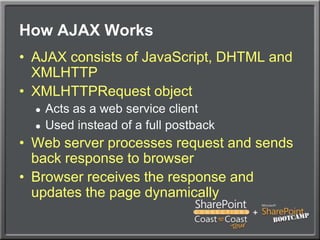
How AJAX WorksAJAX consists of JavaScript, DHTML and XMLHTTPXMLHTTPRequest objectActs as a web service clientUsed instead of a full postbackWeb server processes request and sends back response to browserBrowser receives the response and updates the page dynamically
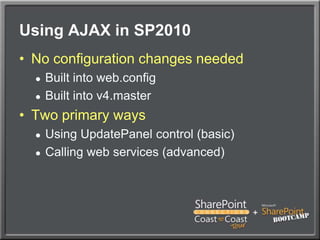
Using AJAX in SP2010No configuration changes neededBuilt into web.configBuilt into v4.masterTwo primary waysUsing UpdatePanel control (basic)Calling web services (advanced)
UpdatePanelPart of ASP.NET 3.5Easiest way to add AJAX capabilityMost server-side events run as partial postbacksFor SharePoint, use conditional modeup.UpdateMode= UpdatePanelUpdateMode.Conditional;Simple, but limited
DemoUsing Update Panel
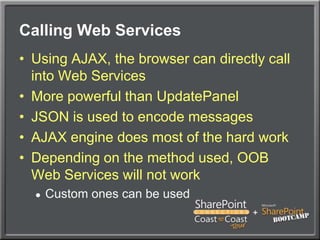
Calling Web ServicesUsing AJAX, the browser can directly call into Web ServicesMore powerful than UpdatePanelJSON is used to encode messagesAJAX engine does most of the hard workDepending on the method used, OOB Web Services will not workCustom ones can be used
Creating Custom Web ServicesCreate new WCF Service App projectWrite web serviceConfigure a web.config for web serviceDynamic bindings will not work with AJAXenableWebScript endpoint behavior – allows it to be called from AJAX clientDeploy within 14\ISAPI
DemoUsing AJAX to Call Custom Web Service
Client Object ModelWorking with SharePoint from client applicationsECMAScript (JavaScript)Silverlight.NET ManagedEasier than calling web services directlyProvides a subset of the functionality available in the server object modelDesigned to work with data within a site collection
The ClientContext ObjectClientContext is your handle to all other objectsSite, Web, List, Item, FileOptimizes communication to server by batching requestsTypical usage:Define a query to retrieve or modify SharePoint objectsPass the query to one of the ClientContext’s Load methodsUse ClientContext to execute the queryWork with results returned
DemoClient OM from Silverlight Web Part
Session Heads-UpIn Raphael 1, tomorrow at 1:45pm…	Randy Williams	SharePoint 2010: Developing with	Data Technologies
Using jQueryMulti-purpose JavaScript libraryWith it, you will write less JavaScript Cross-browser supportCreate interactive and usable appsNo need to deploy assembliesWorks great in sandboxed web partsHundreds of jQuery plugins
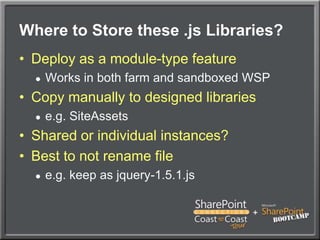
Where to Store these .js Libraries?Deploy as a module-type featureWorks in both farm and sandboxed WSPCopy manually to designed librariese.g. SiteAssetsShared or individual instances?Best to not rename filee.g. keep as jquery-1.5.1.js
DemoUsing jQuery
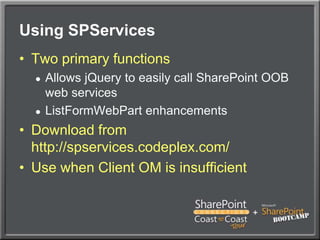
Using SPServicesTwo primary functionsAllows jQuery to easily call SharePoint OOB web servicesListFormWebPart enhancementsDownload from http://spservices.codeplex.com/Use when Client OM is insufficient
DemoUsing jQuery and SPServices
Your Feedback is ImportantPlease fill out a session evaluation form.Thank you!

Spicing up SharePoint web parts

  • 1.
    Spicing Up WebParts using AJAX and Client Object ModelRandy WilliamsSynergyrwilliams@synergyonline.com
  • 2.
    About the SpeakerUS-WestCoast Manager for SynergyBased in San Diego, CaliforniaConsultant/Trainer/AuthorSharePoint MVPSpecialty in architecting solutionsBlog: www.synergyonline.com/randyTwitter: @tweetraw
  • 3.
  • 4.
    How AJAX WorksAJAXconsists of JavaScript, DHTML and XMLHTTPXMLHTTPRequest objectActs as a web service clientUsed instead of a full postbackWeb server processes request and sends back response to browserBrowser receives the response and updates the page dynamically
  • 5.
    Using AJAX inSP2010No configuration changes neededBuilt into web.configBuilt into v4.masterTwo primary waysUsing UpdatePanel control (basic)Calling web services (advanced)
  • 6.
    UpdatePanelPart of ASP.NET3.5Easiest way to add AJAX capabilityMost server-side events run as partial postbacksFor SharePoint, use conditional modeup.UpdateMode= UpdatePanelUpdateMode.Conditional;Simple, but limited
  • 7.
  • 8.
    Calling Web ServicesUsingAJAX, the browser can directly call into Web ServicesMore powerful than UpdatePanelJSON is used to encode messagesAJAX engine does most of the hard workDepending on the method used, OOB Web Services will not workCustom ones can be used
  • 9.
    Creating Custom WebServicesCreate new WCF Service App projectWrite web serviceConfigure a web.config for web serviceDynamic bindings will not work with AJAXenableWebScript endpoint behavior – allows it to be called from AJAX clientDeploy within 14\ISAPI
  • 10.
    DemoUsing AJAX toCall Custom Web Service
  • 11.
    Client Object ModelWorkingwith SharePoint from client applicationsECMAScript (JavaScript)Silverlight.NET ManagedEasier than calling web services directlyProvides a subset of the functionality available in the server object modelDesigned to work with data within a site collection
  • 12.
    The ClientContext ObjectClientContextis your handle to all other objectsSite, Web, List, Item, FileOptimizes communication to server by batching requestsTypical usage:Define a query to retrieve or modify SharePoint objectsPass the query to one of the ClientContext’s Load methodsUse ClientContext to execute the queryWork with results returned
  • 13.
    DemoClient OM fromSilverlight Web Part
  • 14.
    Session Heads-UpIn Raphael1, tomorrow at 1:45pm… Randy Williams SharePoint 2010: Developing with Data Technologies
  • 15.
    Using jQueryMulti-purpose JavaScriptlibraryWith it, you will write less JavaScript Cross-browser supportCreate interactive and usable appsNo need to deploy assembliesWorks great in sandboxed web partsHundreds of jQuery plugins
  • 16.
    Where to Storethese .js Libraries?Deploy as a module-type featureWorks in both farm and sandboxed WSPCopy manually to designed librariese.g. SiteAssetsShared or individual instances?Best to not rename filee.g. keep as jquery-1.5.1.js
  • 17.
  • 18.
    Using SPServicesTwo primaryfunctionsAllows jQuery to easily call SharePoint OOB web servicesListFormWebPart enhancementsDownload from http://spservices.codeplex.com/Use when Client OM is insufficient
  • 19.
  • 20.
    Your Feedback isImportantPlease fill out a session evaluation form.Thank you!