
Adobe   ConnectGetting SynchronousTeaching and Learning Centre Andy Benoit
Three Part PresentationWhat’s possible with Connect?LRS experienceGroup activity: Getting ConnectedGroup workDebriefingWant to learn more?
?What’s Possible
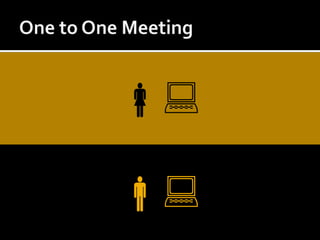
One to One Meeting
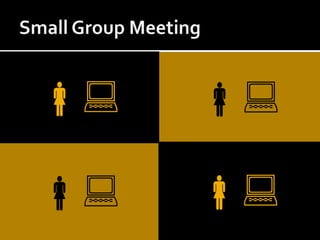
Small Group Meeting
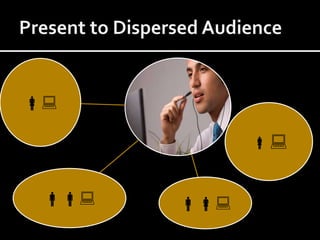
Present to Dispersed Audience
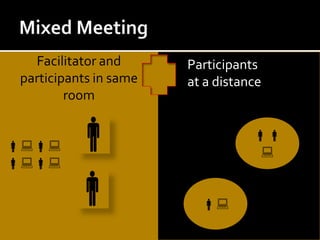
Mixed MeetingFacilitator and participants in same room  Participants at a distance
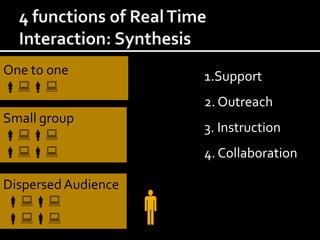
4 Reasons for Real Time Interaction1.  Support2. Outreach3. Instruction4. Collaboration
4 functions of Real Time Interaction: SynthesisOne to one1.Support2. Outreach3. Instruction4. CollaborationSmall groupDispersed Audience  
1.  Support: DefinitionTo provide just in time assistance at the moment of need.  Can be given by a peer, tutor, advisor...
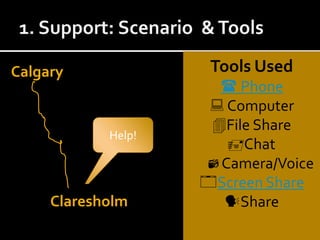
1. Support: Scenario  & ToolsTools Used Phone ComputerFile ShareChatCamera/VoiceScreen ShareShareCalgaryHelp!Claresholm
2.  Outreach:DefinitionThe institution’s connection to the outsideworld:Admission information sessionsAlumni relationsOnline conferencesProfessional development
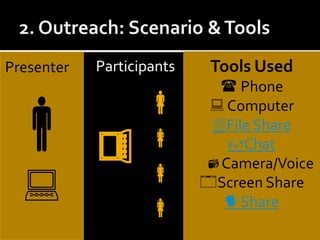
2. Outreach: Scenario & ToolsParticipantsTools Used Phone ComputerFile ShareChatCamera/VoiceScreen ShareSharePresenter
3.  Instruction: DefinitionAny kind of learning that happens when a facilitator meets with a learner (s) to achieve a learning objective.
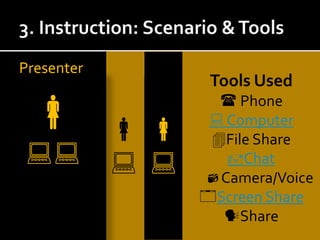
3. Instruction: Scenario & ToolsTools Used Phone ComputerFile ShareChatCamera/VoiceScreen ShareSharePresenter
4.  Collaboration: DefinitionStructured/unstructured interactions to achieve a mutually beneficial goal.
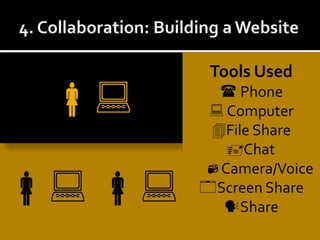
4. Collaboration: Building a WebsiteTools Used Phone ComputerFile ShareChatCamera/VoiceScreen ShareShare 
Reference: Key Questions1.  Do participants have a reliable internet connection?
2.  Do you need to speak to participants?  If so, do they have headsets/microphone?

Adobe Connect

  • 1.
    Adobe ConnectGetting SynchronousTeaching and Learning Centre Andy Benoit
  • 2.
    Three Part PresentationWhat’spossible with Connect?LRS experienceGroup activity: Getting ConnectedGroup workDebriefingWant to learn more?
  • 3.
  • 4.
  • 5.
  • 6.
  • 7.
    Mixed MeetingFacilitator andparticipants in same room  Participants at a distance
  • 8.
    4 Reasons forReal Time Interaction1. Support2. Outreach3. Instruction4. Collaboration
  • 9.
    4 functions ofReal Time Interaction: SynthesisOne to one1.Support2. Outreach3. Instruction4. CollaborationSmall groupDispersed Audience  
  • 10.
    1. Support:DefinitionTo provide just in time assistance at the moment of need. Can be given by a peer, tutor, advisor...
  • 11.
    1. Support: Scenario & ToolsTools Used Phone ComputerFile ShareChatCamera/VoiceScreen ShareShareCalgaryHelp!Claresholm
  • 12.
    2. Outreach:DefinitionTheinstitution’s connection to the outsideworld:Admission information sessionsAlumni relationsOnline conferencesProfessional development
  • 13.
    2. Outreach: Scenario& ToolsParticipantsTools Used Phone ComputerFile ShareChatCamera/VoiceScreen ShareSharePresenter
  • 14.
    3. Instruction:DefinitionAny kind of learning that happens when a facilitator meets with a learner (s) to achieve a learning objective.
  • 15.
    3. Instruction: Scenario& ToolsTools Used Phone ComputerFile ShareChatCamera/VoiceScreen ShareSharePresenter
  • 16.
    4. Collaboration:DefinitionStructured/unstructured interactions to achieve a mutually beneficial goal.
  • 17.
    4. Collaboration: Buildinga WebsiteTools Used Phone ComputerFile ShareChatCamera/VoiceScreen ShareShare 
  • 18.
    Reference: Key Questions1. Do participants have a reliable internet connection?
  • 19.
    2. Doyou need to speak to participants? If so, do they have headsets/microphone?

Editor's Notes

  • #5 You can use Adobe Connect to connect with people in a number of different ways. The first is simply a one to one connection. In this scenario, the meeting host would set up the meeting room and send off a meeting request with the URL address of the meeting room participants. This kind of interaction is a good way to get started using Adobe Connect.
  • #6 Another way to use Adobe Connect is for small group meetings. This is a little bit more complex to manage. Again the meeting host would set up the meeting, send of the URL address to participants.Some considerations for this type of interaction include: What is the best type of layout for your meeting?Will you need to provide participants with a higher level of access so that they can use tools, present to the group and so fourth. How will you troubleshoot technology issues? Lost connections, audio not working...
  • #7 Presenting to a dispersed audience generally involves a speaker presenting to users who have remotely/individually logged in to Adobe Connect.Generally, this involves a presentation kind of format, in which the meeting host “presents” information to participants. In such cases, the host might enable the chat tool as the primary tool for participants to interact.
  • #8 This is the most difficult kind of Adobe Connect meeting to manage. In this situation, the meeting host is presenting to a live group as well as individuals at a distance. Generally speaking, there might be a need for two hosts, one to interact with participants in the room, and another host to monitor questions from distance participants.At the Faculty Association GM, they used this method to connect with participants in Canmore and there were two hosts.
  • #9 Using Adobe Connect the host can connect with participants unable to meet face to face due to time, financial or other logistical challenges.The next few slides detail a few examples of use in the LRS, and highlights how Adobe Connect tools were used to connect.
  • #12 In this scenario, an instructor from Claresholm contacted the TLC for Blackboard Support. We chose to use Adobe Connect because the cost to rent a car and drive to Claresholm were too high to meet with just one instructors. In this scenario, we used Connect to save time and money, as well as to provide more timely support because it might have taken us a while to make arrangements to get out there.Some of the challenges to connect in this situation included:1. The participant’s headset didn’t work. We solved this by using a telephone.
  • #16 In this scenario, Heather Thompson provides Blackboard orientations to students at a distance. Students reside in Drumheller, Blairmore and one other location. Adobe Connect is an effective tool in this scenario because it would take Heather one day to visit each location. In this scenario, Heather sets up two computers. One she uses to facilitate the meeting, and the other is used to see what the participants are seeing on their screen. Note that, what the meeting host has additional information displayed and the view may not look the same as the students.
  • #18 In this scenario, the TLC is working with a BVC web designer who works in Canmore. Sometimes it can be hard to connect, so we use Adobe Connect.In this scenario, I would create a meeting room and send out the meeting room information to participants. And, we will continue to use this same meeting room on an ongoing basis. So, any resources that we upload into the meeting room, will be preserved. The tools we have used include audio, video, and screen sharing so we could look at the website together.