Download to read offline
![STANDART ACCESS LIST
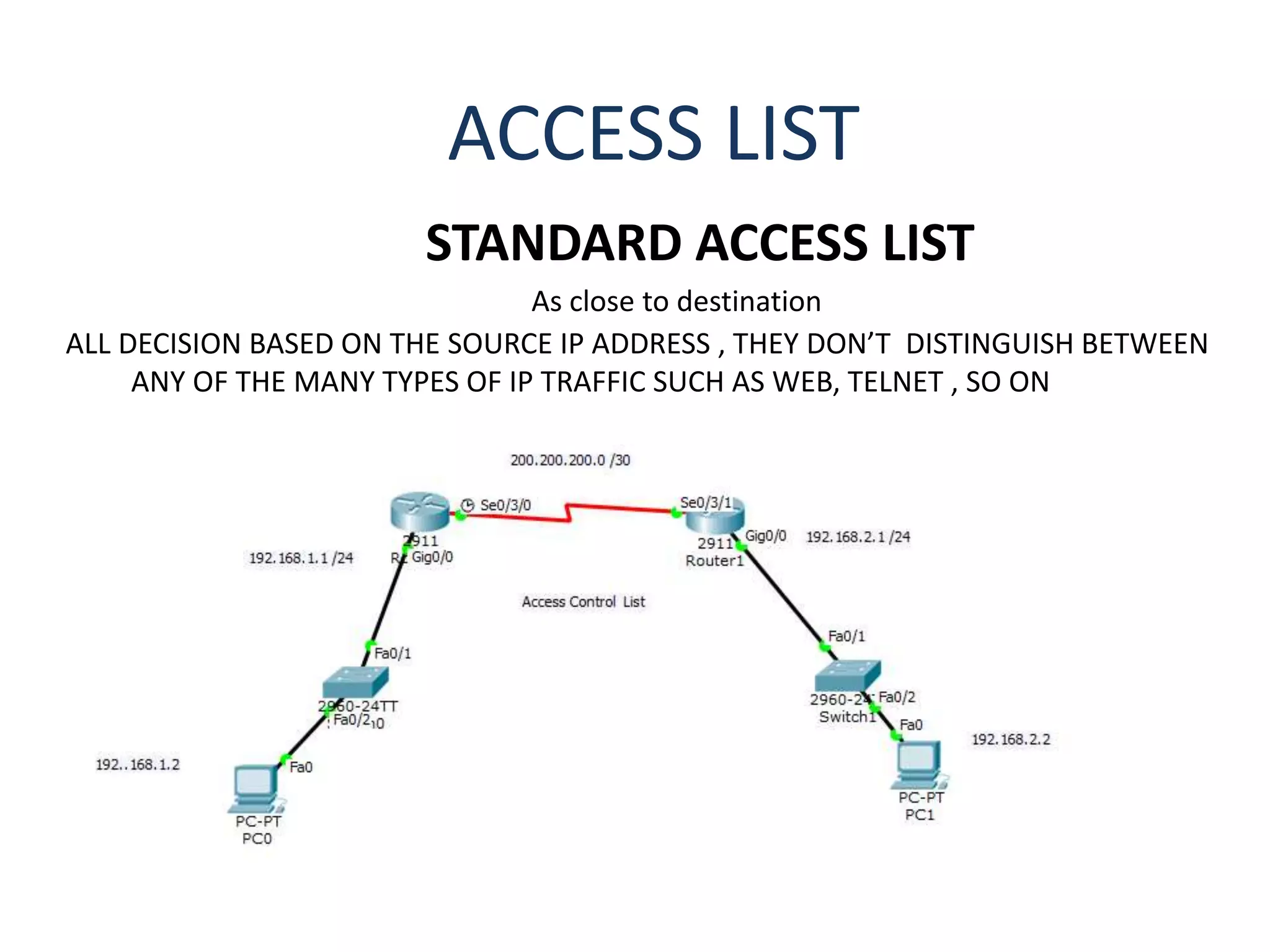
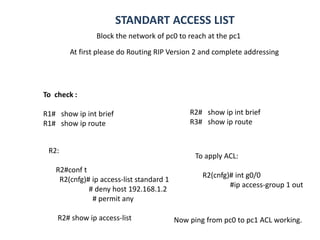
Block the network of pc0 to reach at the pc1
To Remove :
R2#conf t
R2(cnfg)# ip access-list standard 1
#no 20 [20= number of acl]
For Telnet:
S2:
Conf t# enable password cisco
# line vty 0 1
# password cisco
Check its working
To remove the particular access list or telnet with standard ACL
Or :
R2(cnfg )# no acl](https://image.slidesharecdn.com/accesscontrollist2-180206052643/85/Access-control-list-2-3-320.jpg)

This document provides instructions for configuring standard access control lists (ACLs) on a router to block or permit traffic based on source IP addresses. It includes steps to create an ACL denying a specific host while permitting any other traffic, apply the ACL to an interface, and verify it is working. It also provides commands to remove a specific ACL entry or the entire ACL configuration.


