






©Noisy Little Monkey | 2016
Training Social Media
Aardman
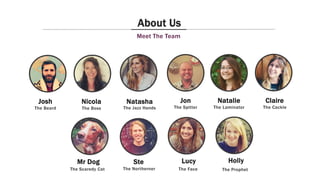
Natasha Jon
Ste
The Jazz Hands The Spitter
The Northerner
Meet The Team
About Us
Josh Natalie
The Beard The Laminator
Nicola
Lucy
The Boss
The Face
Holly
The Prophet
Mr Dog
The Scaredy Cat
Claire
The Cackle
Hey! Who are you?
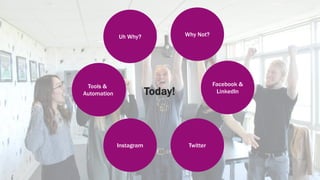
Today!
Uh Why?
Twitter
Why Not?
Facebook &
LinkedIn
Instagram
Tools &
Automation
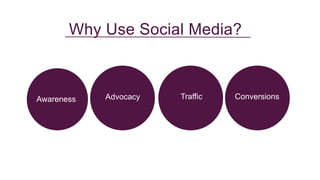
Awareness Advocacy ConversionsTraffic
Why Use Social Media?
6
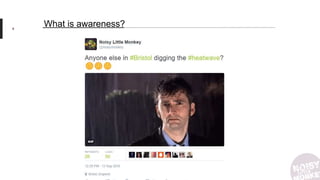
What is awareness?
7
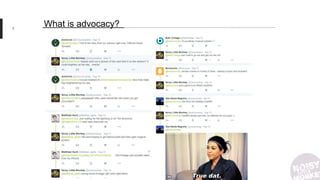
What is advocacy?
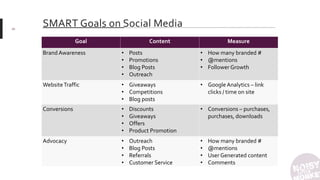
SMART Goals on Social Media
Goal Content Measure
Brand Awareness • Posts
• Promotions
• Blog Posts
• Outreach
• How many branded #
• @mentions
• Follower Growth
WebsiteTraffic • Giveaways
• Competitions
• Blog posts
• Google Analytics – link
clicks / time on site
Conversions • Discounts
• Giveaways
• Offers
• Product Promotion
• Conversions – purchases,
purchases, downloads
Advocacy • Outreach
• Blog Posts
• Referrals
• Customer Service
• How many branded #
• @mentions
• User Generated content
• Comments
20
Why Don’tYou Use Social Media?
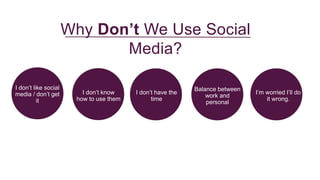
I don’t like social
media / don’t get
it
I don’t know
how to use them
Balance between
work and
personal
I don’t have the
time
Why Don’t We Use Social
Media?
I’m worried I’ll do
it wrong.
11
I don’t like social media / don’t get it
Remember, they’re just websites. Don’t worry about using them how everybody else is – use them the way
you want to. Find the social media for you.
12
Balance between work and personal
Spoiler: the ‘real you’ & the one that goes to work are, in fact, the same. Your colleagues already know what
you’re like.
13
I Don’t Have The Time!
It’s okay! Netflix IS more important. But you can do both – we’ll teach you how.
14
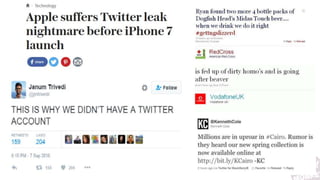
I’m worried I’ll do it wrong.
There are only so many mistakes you can make, and we’ve already made them.
15
16
I don’t know how to use them
It’s okay! That’s why we’re here.
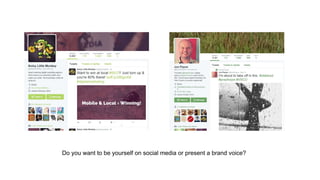
Do you want to be yourself on social media or present a brand voice?
18
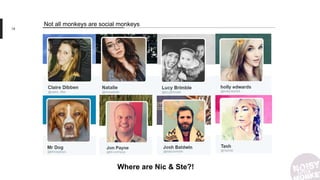
Not all monkeys are social monkeys
Where are Nic & Ste?!
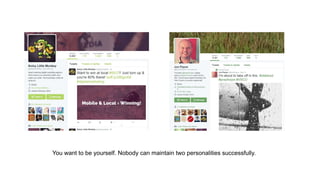
You want to be yourself. Nobody can maintain two personalities successfully.
20
Think Ahead
Deal With Negativity
• If it’s outright wrong – correct it, with humour ideally
• If you’ve made a mistake – accept it, apologise and fix it (maybe IRL!)
• If it’s opinion – ignore it
• If it’s threatening or abusive – block and/or report it
• Use names, be human:
“@MrJonPayne Oops – Sorry Jon, We’ve fixed that now. Thanks for pointing it out”
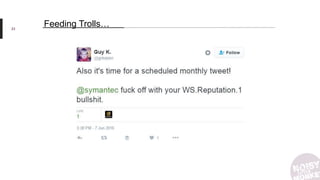
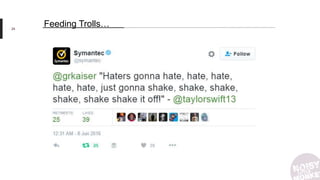
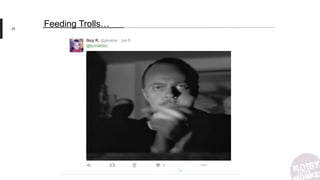
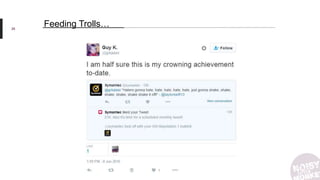
• If it’s TROLLS – ignore or if you're feeling witty...
22
Crisis Management
23
Feeding Trolls…
24
Feeding Trolls…
25
Feeding Trolls…
26
Feeding Trolls…
27
Feeding Trolls…
• Requires courage
• Requires humour
• Is better with understanding of memes / pop culture
If Kittens, Kardashians and GIFs ain’t your thing,
DON’T FEED THE TROLLS
Where To Start
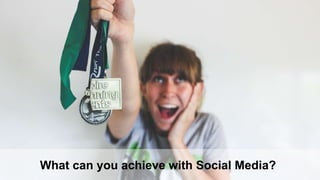
What can you achieve with Social Media?
You may not achieve limitless riches & global domination, but it might help you…
• Connect to your peers
• Find a new audience
• Integrate into a community
• Be inspired
• Try new things
• Help improve the reach & success of brand posts & tweets
• Share what you’re working on & get those sweet sweet likes
Which channels should I use?
Use the right platforms for you
Think about your goals before deciding where you want to be.
• Visually minded & enjoy crafting your work? Instagram
• Chatty & information hungry? Twitter
• Spontaneous & mainly want to connect to existing friends? Snapchat
• Only looking to make professional connections? LinkedIn
Where are YOUR
audience?
Personas
©Reuver
Who AreYou Trying To Reach?
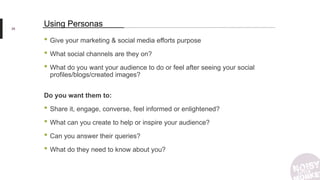
• Give your marketing & social media efforts purpose
• What social channels are they on?
• What do you want your audience to do or feel after seeing your social
profiles/blogs/created images?
Do you want them to:
• Share it, engage, converse, feel informed or enlightened?
• What can you create to help or inspire your audience?
• Can you answer their queries?
• What do they need to know about you?
35
Using Personas
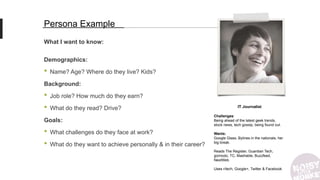
What I want to know:
Demographics:
• Name? Age? Where do they live? Kids?
Background:
• Job role? How much do they earn?
• What do they read? Drive?
Goals:
• What challenges do they face at work?
• What do they want to achieve personally & in their career?
Persona Example
IT Journalist
Challenges:
Being ahead of the latest geek trends,
stock news, tech gossip, being found out.
Wants:
Google Glass, Bylines in the nationals, her
big break.
Reads The Register, Guardian Tech,
gizmodo, TC, Mashable, Buzzfeed,
NextWeb
Uses r/tech, Google+, Twitter & Facebook
•Client: Public Health England, Ad Agency: M&C Saatchi,
You’ve been awarded your first job in the Change4Life
campaign! Now would be a good time to get your social media
ready!
37
Example
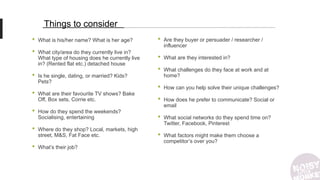
• What is his/her name? What is her age?
• What city/area do they currently live in?
What type of housing does he currently live
in? (Rented flat etc.) detached house
• Is he single, dating, or married? Kids?
Pets?
• What are their favourite TV shows? Bake
Off, Box sets, Corrie etc.
• How do they spend the weekends?
Socialising, entertaining
• Where do they shop? Local, markets, high
street, M&S, Fat Face etc.
• What’s their job?
Things to consider
• Are they buyer or persuader / researcher /
influencer
• What are they interested in?
• What challenges do they face at work and at
home?
• How can you help solve their unique challenges?
• How does he prefer to communicate? Social or
email
• What social networks do they spend time on?
Twitter, Facebook, Pinterest
• What factors might make them choose a
competitor’s over you?
39
The How To
41
Facebook
© Coletivo Mambembe
Why do you use
Facebook?
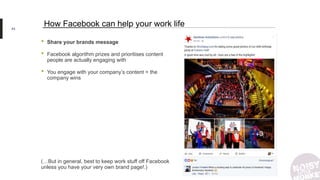
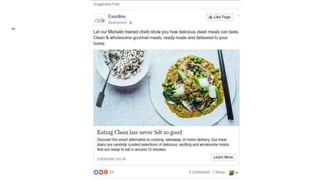
• Share your brands message
• Facebook algorithm prizes and prioritises content
people are actually engaging with
• You engage with your company’s content = the
company wins
(…But in general, best to keep work stuff off Facebook
unless you have your very own brand page!.)
43
How Facebook can help your work life
44
45
LinkedIn
46
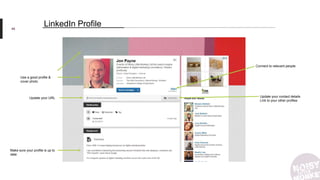
Use a good profile &
cover photo
Update your contact details
Link to your other profiles
LinkedIn Profile
Make sure your profile is up to
date
Connect to relevant people
Update your URL
47
48
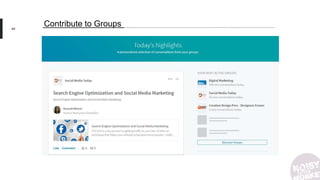
Contribute to Groups
49
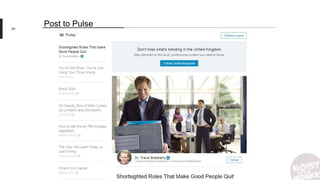
Post to Pulse
Your Turn!
51
Twitter
©Noisy Little Monkey | 2016
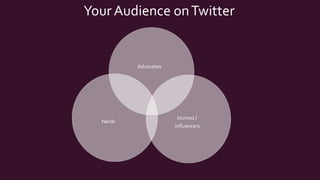
Your Audience onTwitter
Advocates
Journos /
influencers
Nerds
©Noisy Little Monkey | 2016
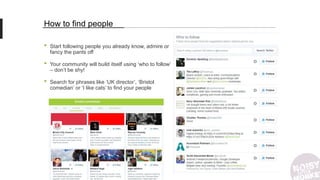
How to find people
• Start following people you already know, admire or
fancy the pants off
• Your community will build itself using ‘who to follow’
– don’t be shy!
• Search for phrases like ‘UK director’, ‘Bristol
comedian’ or ‘I like cats’ to find your people
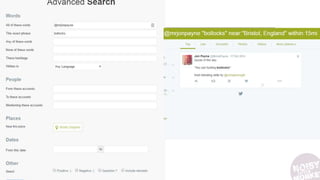
• Advance Twitter Search
55
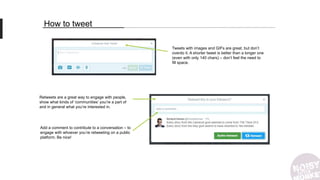
How to tweet
Tweets with images and GIFs are great, but don’t
overdo it. A shorter tweet is better than a longer one
(even with only 140 chars) – don’t feel the need to
fill space.
Retweets are a great way to engage with people,
show what kinds of ‘communities’ you’re a part of
and in general what you’re interested in.
Add a comment to contribute to a conversation – to
engage with whoever you’re retweeting on a public
platform. Be nice!
57
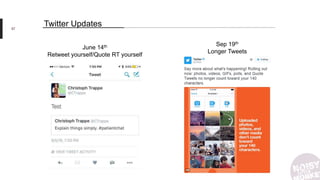
Twitter Updates
Sep 19th
Longer Tweets
June 14th
Retweet yourself/Quote RT yourself
58
© Allen Skyy
Images are a big deal
Sixty-three percent of social media is made up of images
59
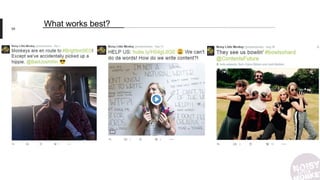
What works best?
60
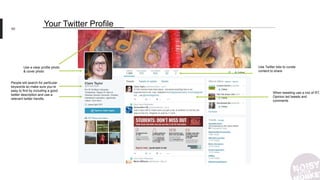
Use a clear profile photo
& cover photo
People will search for particular
keywords so make sure you’re
easy to find by including a good
twitter description and use a
relevant twitter handle.
When tweeting use a mix of RT,
Opinion led tweets and
comments
Use Twitter lists to curate
content to share
Your Twitter Profile
Tweet like a pro
62
63
65
66
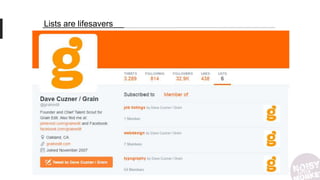
Lists are lifesavers
68
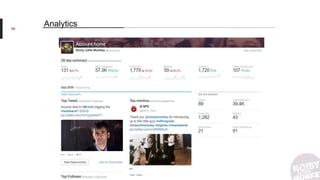
Analytics
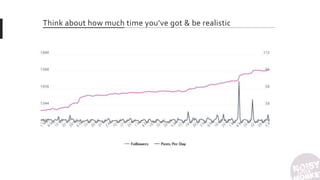
Think about how much time you’ve got & be realistic
Your Turn!
71
72
Instagram
73
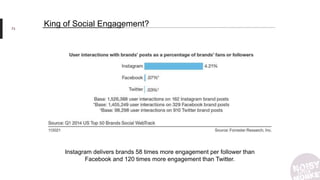
King of Social Engagement?
Instagram delivers brands 58 times more engagement per follower than
Facebook and 120 times more engagement than Twitter.
74
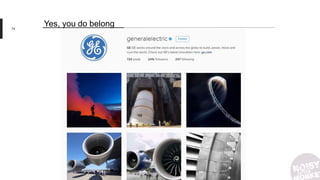
Yes, you do belong
75
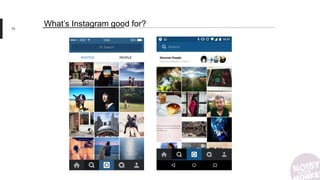
What’s Instagram good for?
76
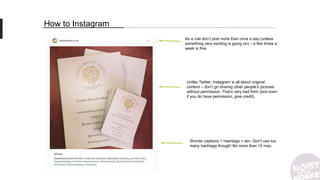
How to Instagram
Unlike Twitter, Instagram is all about original
content – don’t go sharing other people’s pictures
without permission. That’s very bad form (and even
if you do have permission, give credit).
Shorter captions + hashtags = win. Don’t use too
many hashtags though! No more than 10 max.
As a rule don’t post more than once a day (unless
something very exciting is going on) – a few times a
week is fine.
78
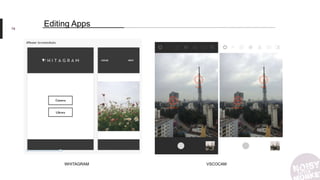
Editing Apps
WHITAGRAM VSCOCAM
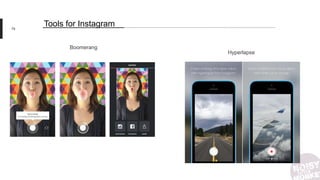
Boomerang
79
Tools for Instagram
Hyperlapse
80
81
Schedule w/reminders
• Aardman Instagram examples – people who use it well already
• http://aardman.nathanlove.com/directors
82
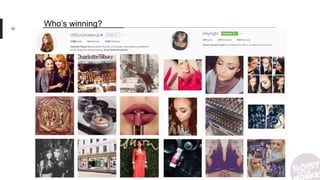
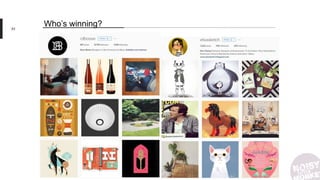
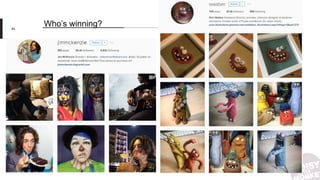
Who’s winning?
• Aardman Instagram examples – people who use it well already
• http://aardman.nathanlove.com/directors
83
Who’s winning?
84
Who’s winning?
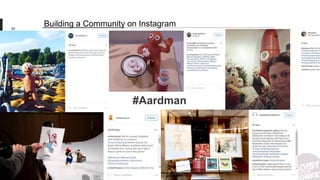
#Aardman
85
Building a Community on Instagram
• August 2016: Instagram Stories
• August 2016: launched ‘Events’ within the Explore tab
• September 2016: you can save drafts!
• September 2016: filter or disable inappropriate comments
• September 2016: ads became interactive
86
What’s new with you, Instagram?
Your Turn!
88
Snapchat
89
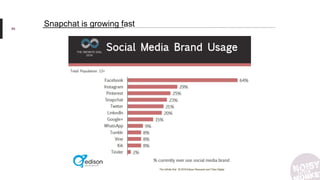
Snapchat is growing fast
90
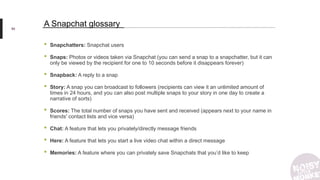
A Snapchat glossary
• Snapchatters: Snapchat users
• Snaps: Photos or videos taken via Snapchat (you can send a snap to a snapchatter, but it can
only be viewed by the recipient for one to 10 seconds before it disappears forever)
• Snapback: A reply to a snap
• Story: A snap you can broadcast to followers (recipients can view it an unlimited amount of
times in 24 hours, and you can also post multiple snaps to your story in one day to create a
narrative of sorts)
• Scores: The total number of snaps you have sent and received (appears next to your name in
friends' contact lists and vice versa)
• Chat: A feature that lets you privately/directly message friends
• Here: A feature that lets you start a live video chat within a direct message
• Memories: A feature where you can privately save Snapchats that you’d like to keep
91
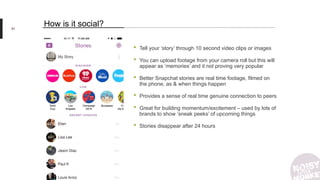
How is it social?
• Tell your ‘story’ through 10 second video clips or images
• You can upload footage from your camera roll but this will
appear as ‘memories’ and it not proving very popular
• Better Snapchat stories are real time footage, filmed on
the phone, as & when things happen
• Provides a sense of real time genuine connection to peers
• Great for building momentum/excitement – used by lots of
brands to show ‘sneak peeks’ of upcoming things
• Stories disappear after 24 hours
92
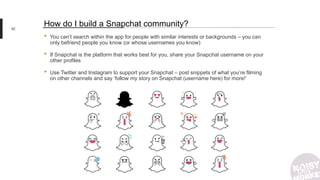
How do I build a Snapchat community?
• You can’t search within the app for people with similar interests or backgrounds – you can
only befriend people you know (or whose usernames you know)
• If Snapchat is the platform that works best for you, share your Snapchat username on your
other profiles
• Use Twitter and Instagram to support your Snapchat – post snippets of what you’re filming
on other channels and say ‘follow my story on Snapchat (username here) for more!’
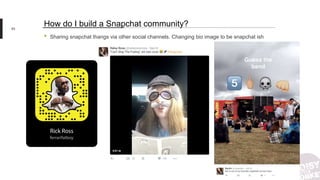
• Sharing snapchat thangs via other social channels. Changing bio image to be snapchat ish
93
How do I build a Snapchat community?
Your Turn!
More Tools
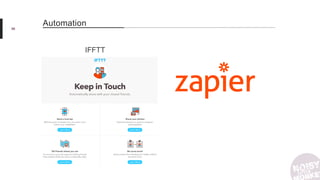
IFFTT
96
Automation
Brand 24
97
Insights
Iconosquare
98
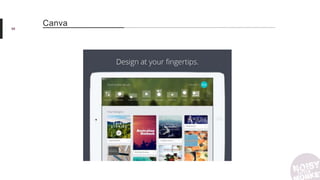
Canva
99
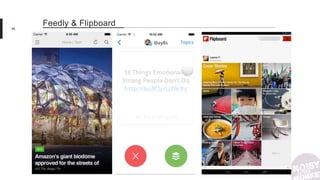
Feedly & Flipboard
Any Questıons?
Unlocking Potential Online
Hey I just met you & this is crazy…
CONTACT US!
0117 327 0171
Search: Noisy Little Monkey
@NoisyMonkey

Aardman Social Media Training Slides

  • 1.
    ©Noisy Little Monkey| 2016 Training Social Media Aardman
  • 2.
    Natasha Jon Ste The JazzHands The Spitter The Northerner Meet The Team About Us Josh Natalie The Beard The Laminator Nicola Lucy The Boss The Face Holly The Prophet Mr Dog The Scaredy Cat Claire The Cackle
  • 3.
  • 4.
    Today! Uh Why? Twitter Why Not? Facebook& LinkedIn Instagram Tools & Automation
  • 5.
  • 6.
  • 7.
  • 8.
    SMART Goals onSocial Media Goal Content Measure Brand Awareness • Posts • Promotions • Blog Posts • Outreach • How many branded # • @mentions • Follower Growth WebsiteTraffic • Giveaways • Competitions • Blog posts • Google Analytics – link clicks / time on site Conversions • Discounts • Giveaways • Offers • Product Promotion • Conversions – purchases, purchases, downloads Advocacy • Outreach • Blog Posts • Referrals • Customer Service • How many branded # • @mentions • User Generated content • Comments 20
  • 9.
    Why Don’tYou UseSocial Media?
  • 10.
    I don’t likesocial media / don’t get it I don’t know how to use them Balance between work and personal I don’t have the time Why Don’t We Use Social Media? I’m worried I’ll do it wrong.
  • 11.
    11 I don’t likesocial media / don’t get it Remember, they’re just websites. Don’t worry about using them how everybody else is – use them the way you want to. Find the social media for you.
  • 12.
    12 Balance between workand personal Spoiler: the ‘real you’ & the one that goes to work are, in fact, the same. Your colleagues already know what you’re like.
  • 13.
    13 I Don’t HaveThe Time! It’s okay! Netflix IS more important. But you can do both – we’ll teach you how.
  • 14.
    14 I’m worried I’lldo it wrong. There are only so many mistakes you can make, and we’ve already made them.
  • 15.
  • 16.
    16 I don’t knowhow to use them It’s okay! That’s why we’re here.
  • 17.
    Do you wantto be yourself on social media or present a brand voice?
  • 18.
    18 Not all monkeysare social monkeys Where are Nic & Ste?!
  • 19.
    You want tobe yourself. Nobody can maintain two personalities successfully.
  • 20.
  • 21.
  • 22.
    • If it’soutright wrong – correct it, with humour ideally • If you’ve made a mistake – accept it, apologise and fix it (maybe IRL!) • If it’s opinion – ignore it • If it’s threatening or abusive – block and/or report it • Use names, be human: “@MrJonPayne Oops – Sorry Jon, We’ve fixed that now. Thanks for pointing it out” • If it’s TROLLS – ignore or if you're feeling witty... 22 Crisis Management
  • 23.
  • 24.
  • 25.
  • 26.
  • 27.
    27 Feeding Trolls… • Requirescourage • Requires humour • Is better with understanding of memes / pop culture If Kittens, Kardashians and GIFs ain’t your thing, DON’T FEED THE TROLLS
  • 28.
  • 29.
    What can youachieve with Social Media?
  • 30.
    What can youachieve with Social Media? You may not achieve limitless riches & global domination, but it might help you… • Connect to your peers • Find a new audience • Integrate into a community • Be inspired • Try new things • Help improve the reach & success of brand posts & tweets • Share what you’re working on & get those sweet sweet likes
  • 31.
  • 32.
    Use the rightplatforms for you Think about your goals before deciding where you want to be. • Visually minded & enjoy crafting your work? Instagram • Chatty & information hungry? Twitter • Spontaneous & mainly want to connect to existing friends? Snapchat • Only looking to make professional connections? LinkedIn
  • 33.
  • 34.
  • 35.
    • Give yourmarketing & social media efforts purpose • What social channels are they on? • What do you want your audience to do or feel after seeing your social profiles/blogs/created images? Do you want them to: • Share it, engage, converse, feel informed or enlightened? • What can you create to help or inspire your audience? • Can you answer their queries? • What do they need to know about you? 35 Using Personas
  • 36.
    What I wantto know: Demographics: • Name? Age? Where do they live? Kids? Background: • Job role? How much do they earn? • What do they read? Drive? Goals: • What challenges do they face at work? • What do they want to achieve personally & in their career? Persona Example IT Journalist Challenges: Being ahead of the latest geek trends, stock news, tech gossip, being found out. Wants: Google Glass, Bylines in the nationals, her big break. Reads The Register, Guardian Tech, gizmodo, TC, Mashable, Buzzfeed, NextWeb Uses r/tech, Google+, Twitter & Facebook
  • 37.
    •Client: Public HealthEngland, Ad Agency: M&C Saatchi, You’ve been awarded your first job in the Change4Life campaign! Now would be a good time to get your social media ready! 37 Example
  • 38.
    • What ishis/her name? What is her age? • What city/area do they currently live in? What type of housing does he currently live in? (Rented flat etc.) detached house • Is he single, dating, or married? Kids? Pets? • What are their favourite TV shows? Bake Off, Box sets, Corrie etc. • How do they spend the weekends? Socialising, entertaining • Where do they shop? Local, markets, high street, M&S, Fat Face etc. • What’s their job? Things to consider • Are they buyer or persuader / researcher / influencer • What are they interested in? • What challenges do they face at work and at home? • How can you help solve their unique challenges? • How does he prefer to communicate? Social or email • What social networks do they spend time on? Twitter, Facebook, Pinterest • What factors might make them choose a competitor’s over you?
  • 39.
  • 40.
  • 41.
  • 42.
    Why do youuse Facebook?
  • 43.
    • Share yourbrands message • Facebook algorithm prizes and prioritises content people are actually engaging with • You engage with your company’s content = the company wins (…But in general, best to keep work stuff off Facebook unless you have your very own brand page!.) 43 How Facebook can help your work life
  • 44.
  • 45.
  • 46.
    46 Use a goodprofile & cover photo Update your contact details Link to your other profiles LinkedIn Profile Make sure your profile is up to date Connect to relevant people Update your URL
  • 47.
  • 48.
  • 49.
  • 50.
  • 51.
  • 52.
    ©Noisy Little Monkey| 2016 Your Audience onTwitter Advocates Journos / influencers Nerds
  • 53.
  • 54.
    How to findpeople • Start following people you already know, admire or fancy the pants off • Your community will build itself using ‘who to follow’ – don’t be shy! • Search for phrases like ‘UK director’, ‘Bristol comedian’ or ‘I like cats’ to find your people
  • 55.
  • 56.
    How to tweet Tweetswith images and GIFs are great, but don’t overdo it. A shorter tweet is better than a longer one (even with only 140 chars) – don’t feel the need to fill space. Retweets are a great way to engage with people, show what kinds of ‘communities’ you’re a part of and in general what you’re interested in. Add a comment to contribute to a conversation – to engage with whoever you’re retweeting on a public platform. Be nice!
  • 57.
    57 Twitter Updates Sep 19th LongerTweets June 14th Retweet yourself/Quote RT yourself
  • 58.
    58 © Allen Skyy Imagesare a big deal Sixty-three percent of social media is made up of images
  • 59.
  • 60.
    60 Use a clearprofile photo & cover photo People will search for particular keywords so make sure you’re easy to find by including a good twitter description and use a relevant twitter handle. When tweeting use a mix of RT, Opinion led tweets and comments Use Twitter lists to curate content to share Your Twitter Profile
  • 61.
  • 62.
  • 63.
  • 65.
  • 66.
  • 67.
  • 68.
  • 69.
    Think about howmuch time you’ve got & be realistic
  • 70.
  • 71.
  • 72.
  • 73.
    73 King of SocialEngagement? Instagram delivers brands 58 times more engagement per follower than Facebook and 120 times more engagement than Twitter.
  • 74.
  • 75.
  • 76.
  • 77.
    How to Instagram UnlikeTwitter, Instagram is all about original content – don’t go sharing other people’s pictures without permission. That’s very bad form (and even if you do have permission, give credit). Shorter captions + hashtags = win. Don’t use too many hashtags though! No more than 10 max. As a rule don’t post more than once a day (unless something very exciting is going on) – a few times a week is fine.
  • 78.
  • 79.
  • 80.
  • 81.
  • 82.
    • Aardman Instagramexamples – people who use it well already • http://aardman.nathanlove.com/directors 82 Who’s winning?
  • 83.
    • Aardman Instagramexamples – people who use it well already • http://aardman.nathanlove.com/directors 83 Who’s winning?
  • 84.
  • 85.
  • 86.
    • August 2016:Instagram Stories • August 2016: launched ‘Events’ within the Explore tab • September 2016: you can save drafts! • September 2016: filter or disable inappropriate comments • September 2016: ads became interactive 86 What’s new with you, Instagram?
  • 87.
  • 88.
  • 89.
  • 90.
    90 A Snapchat glossary •Snapchatters: Snapchat users • Snaps: Photos or videos taken via Snapchat (you can send a snap to a snapchatter, but it can only be viewed by the recipient for one to 10 seconds before it disappears forever) • Snapback: A reply to a snap • Story: A snap you can broadcast to followers (recipients can view it an unlimited amount of times in 24 hours, and you can also post multiple snaps to your story in one day to create a narrative of sorts) • Scores: The total number of snaps you have sent and received (appears next to your name in friends' contact lists and vice versa) • Chat: A feature that lets you privately/directly message friends • Here: A feature that lets you start a live video chat within a direct message • Memories: A feature where you can privately save Snapchats that you’d like to keep
  • 91.
    91 How is itsocial? • Tell your ‘story’ through 10 second video clips or images • You can upload footage from your camera roll but this will appear as ‘memories’ and it not proving very popular • Better Snapchat stories are real time footage, filmed on the phone, as & when things happen • Provides a sense of real time genuine connection to peers • Great for building momentum/excitement – used by lots of brands to show ‘sneak peeks’ of upcoming things • Stories disappear after 24 hours
  • 92.
    92 How do Ibuild a Snapchat community? • You can’t search within the app for people with similar interests or backgrounds – you can only befriend people you know (or whose usernames you know) • If Snapchat is the platform that works best for you, share your Snapchat username on your other profiles • Use Twitter and Instagram to support your Snapchat – post snippets of what you’re filming on other channels and say ‘follow my story on Snapchat (username here) for more!’
  • 93.
    • Sharing snapchatthangs via other social channels. Changing bio image to be snapchat ish 93 How do I build a Snapchat community?
  • 94.
  • 95.
  • 96.
  • 97.
  • 98.
  • 99.
  • 100.
  • 101.
  • 102.
    Hey I justmet you & this is crazy… CONTACT US! 0117 327 0171 Search: Noisy Little Monkey @NoisyMonkey

Editor's Notes

  • #6 We use it for these things. But you’ll probably only use it for awareness & advocacy.
  • #7 Awareness means finding your audience, your people. It’s making people who’ve never heard of you aware of what you do, what you’re about, your vibe. People might know your name but nothing else – social media helps show who you are. For free.
  • #8 Social media lets you be an advocate for the things & brands you love, and let other people become advocates for you in return. You make people aware of you via social media and then they connect to you and respond (as above), leading to sincere relationships and engagement. Mutually supportive relationships.
  • #9 From a brand prospective we tend to think of these things as smart goals. And what do you want to achieve? This is what Aardman and brands are working towards and how to measure success. It might seem weird to set yourself SMART goals for your personal social media, but it is worth asking what you want to get out of it. Do you wanna be a big star on Instagram? Do you want to make like-minded friends through Twitter?
  • #10 ASK DA AUDIENCE – What don’t you use – why. Do you use them all but find something particularly difficult?
  • #12 Instagram is only for Kylie Jenner! Twitter is for 12 year olds! Facebook is stealing all my data! Social media just is not for me. BUT if you feel like you need to be on it – remember they’re just websites, essentially just fancy bits of code. Use them how YOU want to use them, not how everybody else does if that doesn’t suit you. You don’t have to commit to anything, you might as well just try it out. It’s all free after all. We can’t make you like social media, but you’ll find the social media for you. Or write a list of the bare minimum you’re willing to do – a tweet a day? An Instagram a week? – and stick to it.
  • #16 Mistakes happen. Apple started using their twitter account and then leaked all of the new functionality features before Tim Cook even got on stage. On the right are ones other brands have done, we’ve all done it and we’re all still in business. It’s how you respond to your mistakes that makes the difference.
  • #17 That’s okay. We can help.
  • #18 Some people have work accounts AND personal accounts, some people only have personal accounts which they make private AF, some people are only ever boring work bots. What do you want to be – or what are you already?
  • #19 Some of use social media but to varying extents – some go wild, some are just lurkers, some only use it for professional purposes. Even in an agency dedicated to social media there’s no RULE about it, we just do what feels right for us. And NONE of us have a ‘professional’ versus personal profile. That’s dumb.
  • #20 Some people have work accounts AND personal accounts, some people only have personal accounts which they make private AF, some people are only ever boring work bots. What do you want to be – or what are you already?
  • #21 Don’t be like this guy. JUST PICK ONE.
  • #22 Before you get started, think about how you might deal with some of the rubbish you might encounter on social media.
  • #30 ASK DA AUDIENCE what they want to achieve
  • #31 ASK DA AUDIENCE
  • #32 Ask audience what they’re already on. Brief overview of what each channel is for. But before you think about where you wanna be, you might wanna think about who you wanna talk to…
  • #34 Don’t just think about how you want to use social media, think about who you want to connect with & get in front of. Where are they? To figure that out we use personas
  • #37 You might want journalists to notice you or other creative peeps – what dey like?
  • #38 (They’ve have been working on it for a number of years, but this is just for the benefit of the training) •Make sure you are connected on LinkedIn. This is the best social media platform for individuals to connect with one another when working together. Follow M&C Saatchi London and link in with individuals David Fleetwood, Gary Monaghan, Estella Alvares and Emma Mann •We should make sure we are following the creative team and producer and any other key agency contacts that we are working with day to day. Ask them for their Twitter handle/find them online. Creative Team: David Fleetwood @Fleeters Gary Monaghan (will need to stalk!) Agency Producer: Estella Alvares, Emma Mann (will need to stalk!) Follow the official client account, campaign/product account and agency account. Client: Public Health England @PHE_uk Campaign: Change4Life @Change4Life Agency: M&C Saatchi London @MCSaatchiLondon
  • #40 HIPSTER COFFEE BREAK
  • #42 Let’s fly though Facebook.
  • #43 ASK DA AUDIENCE
  • #45 If you have your own brand page. Think Gavin Strange ‘Jam Factory’ https://www.facebook.com/jamfactorydesign/?fref=ts Because of a decline in organic reach – everyone is getting on the boosting wagon because it’s rare that people see content. (Unless there is a velocity of sharing etc.) which is why you should share your brand’s content.
  • #46 LinkedIn is for personal use and connecting to people as yourself
  • #47 Your profile is your shop window – Make sure it looks good. Links to Aardman or Bio on your website etc. https://blog.bufferapp.com/linkedin-marketing https://business.linkedin.com/marketing-solutions/company-pages/best-practices
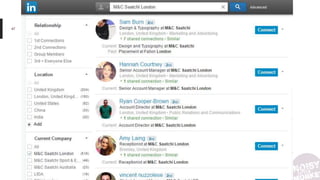
  • #48 Make sure you are connected on LinkedIn. This is the best social media platform for individuals to connect with one another when working together. Follow M&C Saatchi London and link in with individuals Find those creative team, the producers: David Fleetwood, Gary Monaghan, Estella Alvares and Emma Mann
  • #49 Stalk your connections and their groups – post in their groups to find like minds and to subtly get in front of your stalkees  https://www.linkedin.com/help/linkedin/answer/186
  • #50 Be seen to be an influencer. If you don’t have a blog or personal website this is a great place to share your knowledge. https://www.linkedin.com/pulse/?trk=E%3D http://blog.hubspot.com/marketing/linkedin-publishing-beginner-guide#sm.0018jxa3t176bdwuxbf1suk6t1m0u
  • #51 ASK DA AUDIENCE – How do you use it at the moment? What can you do differently?
  • #53 Twitter is made up of advocates, nerds & journalists – is this you? Do you want to be this? Or do you want to connect to this? Professionally you probably want them influencers but you could very well find like minds (nerds?) If you want to and you should. You should be an advocate for the brand
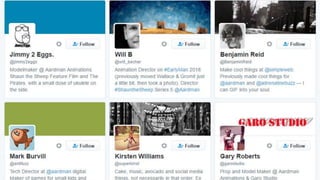
  • #54 People you can already find when searching for aardman – even if you don’t directly put the twitter handle, if you say aardman somewhere you will come up. http://aardman.nathanlove.com/directors
  • #58 Uploading images/gifs/videos to Twitter used to count as 24 characters towards the 140 character count limit. Last week, Twitter changed this rule and adding imgs/gifs/vids are no longer included towards the count. What does this mean for us? Longer Tweets users on Twitter can say more of what they want – perhaps send stronger messages of what they want. No need for 2 or 3 part tweets – better customer service for brands RTing/Quote RTing yourself More opportunity to show off personality, be funny, take the piss out of yourself Emphasise a message that you think maybe didn’t get enough attn. as it should’ve done Can refer back to old tweets on new tweets, give followers some context
  • #59 Tweets with attached imagery are nearly twice as likely to get retweeted than those without. Hubspot stats about visual content marketing. - http://blog.hubspot.com/marketing/visual-content-marketing-strategy#sm.0001qimg82nkwdlmzx31o4k5auuso INCLUDES; Visual content 40x more likely to get shared on social media Coloured visuals increase people’s willingness to read a piece of content by 80%
  • #60 https://blog.hootsuite.com/lessons-from-5-good-and-5-bad-twitter-images/ TELL YA STORY BRO What works best? Pictures with words – words add context, makes users stop the scroll GIFS – short duration, stands out, big play button intrigues users. The obvious – overdone memes, dogs, etc. – people love them for a reason Personal pics – people have followed you bc they’re interested in YOU. Post what you’re up to on the weekend, share a selfie. Combine? Use personal pics to turn into gifs? What doesn’t work? TERRIBLE STOCK PHOTOS. Busy, unclear images, K.I.S.S.
  • #61 Shop window again. Properly @ in your description for trust signals etc.
  • #62 Save time, stalk
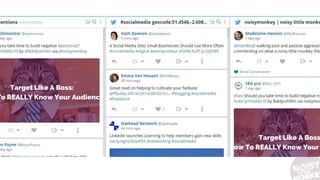
  • #63 Stalk your mentions other peoples, follow particular ## etc.
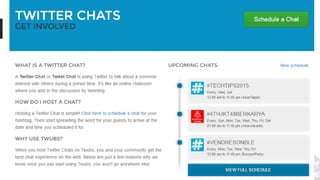
  • #64 Get involved in a Twitter chat or try and start your own! http://twubs.com/twitter-chats/about
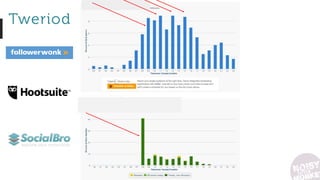
  • #65 Here’s how you can find out when your followers are online
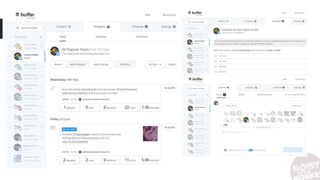
  • #66 Once you’ve figured when to tweet, use Buffer to set up a scheduling system which will send out tweets at those optimised times. Continue to use Buffer Analytics to check that the content is working – not free
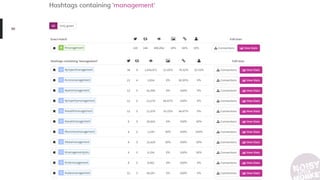
  • #67 Find popular but not over used ###
  • #68 Make lists / follow other peoples etc. If you’re struggling with the personal/professional balance lists are a great way to organise your twitter timeline. Build different lists for friends, influencers, family members, people you wanna work with, people you’ve worked with in the past. Lists can be private or public so people don’t have to know they’re in certain lists. Lets you organise yourself basically
  • #69 Get nosy in amongst your analytics – see what people are liking and what they’re not, and how far your content is reaching. Also how well other people are doing when they talk about you (dammit)
  • #70 If you don’t want to tweet all day every day, you don’t have to. There are no rules! Stick to the schedule that works best for you. If you like to plan, create a schedule & use tools like buffer/hootsuite to schedule some tweets over the next few weeks that you know will be relevant at the time – particularly good if you’re doing promo/publicity stuff
  • #71 What could you do on Twitter, who could you find.
  • #72 HIPSTER COFFEE BREAK – IF YOU NEED IT?
  • #74 From a professional perspective Instagram is EVERYTHING. And from a personal perspective, it’s fun (and can help build awareness for your brand/company)
  • #75 Literally everyone and everything has a place on Instagram – it is not just for the Kylie Jenners of the world
  • #76 Instagram is a visual feast. Lets you tell your story in a visual way, see other people stories, be inspired, join in with a community, etc. Unlike snapchat though it’s not real time (except for stories / stolen from snapchat) – it’s curated. It’s a highlights reel
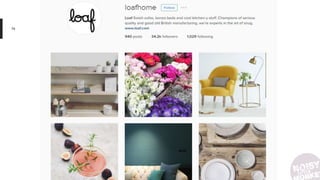
  • #77 Brands such as Loaf use to it visually convey who they are – their values, what they want to achieve, the people they want to get in front of. It’s very aspirational.
  • #79 Use free photo editing apps like VSCOcam and Whitagam to get a more professional look to your photos
  • #80 Boomerang – gif style images that ‘loop’ Hyperlapse – speeds up video to create timelapse-like clips. Using apps like these will show some variety on your feed and will allow you to unleash more of your creativity and show it off.
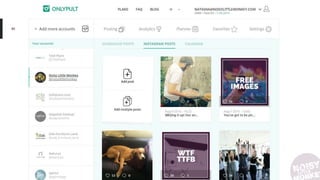
  • #81 If you want to schedule Instagrams (cause youre the most organised person alive), Only pult! Only pult is a little shady as you’re not meant to be able to do it from desktop etc. but for us it makes a big difference.
  • #82 Otherwise you can use on of these to create your post and then it will alert you and you just push out via the app on your phone. Seems a bit redundant but if you take a picture at 9 and your audience is online at 11 you can schedule ready to go and then you have to push a button and ya done.
  • #83 EXAMPLES. Make up artists – they advertise what they do and who for by showing off products, showing off their creations with said products, showing what they do outside of work (satisfy peoples nosiness) THE Charlotte Tilbury – promotes her own products, shows off the events that she’s attending, includes herself in a lot of photos, also shows off her own work
  • #84 EXAMPLES. Graphic designers and illustrators – share their work with others, get inspiration from others, also showing what theyre doing or where they get inspo from
  • #85 EXAMPLES. These aardman peeps basically doing what we have just said to do – showing off what they can, Rich Webber in partic using consistency in themes, original, showing what peeps want to see
  • #86 Engage with others and others will engage with you. See what other people with similar interests to you are posting. What they’re posting about is what they’re interested in and will engage with your posts. Posting as yourself and representing aardman, search the Aardman hashtag. There are a lot of people using it. USE hashtags – they work! If your posts really stand out, people using the same hashtag will see your photo and may go as far as to clicking on your profile and following you. See a post you like? Comment on it. No matter how big/small the profile is. An influencer might not see/respond to your comment, but others leaving comments will! They may be intrigued enough by your comment to look at your profile and follow you. If people are kind enough to take time to leave comments on your profile, REPLY TO THEM. Start conversation, keep going for as long as the conversation will hold.
  • #87 If you’re time pressed drafts are great. Use a spare hour to get loads of stuff in draft, and then just post it as & when you fancy.
  • #88 What could you do on Twitter, who could you find.
  • #89 Need new background image for this
  • #90 Snapchat growth is unprecedented – it grew as much in one year as Twitter did in 4, and is now used by 23% of the US population (only 21% use Twitter)
  • #91 Snapchat growth is unprecedented – it grew as much in one year as Twitter did in 4, and is now used by 23% of the US population (only 21% use Twitter)
  • #92 Snapchat began as a messaging app but has developed into a more social network thanks to stories.
  • #93 Unlike Twitter/Instagram it’s much harder to find a community on Snapchat – it pulls through contacts from your phone numbers, and then you can follow or be followed by other people by knowing their usernames
  • #94 Try cross channel promotional, share the ‘profile’ page of your Snapchat on your Instagram or Twitter. Snapchat is all about the then & there, the non-edited version of you. Post ‘exclusive’ content on your Snapchat and promote on Twitter/Insta with something like “head over to my snapchat to see XXXX”, “im at XXX today, add me on snapchat to see XXX” Share things that you think you’ve done on Snapchats whether it be funny posts or killer selfies, make people aware you’re on the platform.
  • #95 What could you do on Twitter, who could you find.
  • #97 If you’re really good at Instagram but can’t be bothered with Twitter – get one to post to the other automatically. IFFTT automatically shares one post on a social media channel to another one of your channels e.g. takes all your Instagrams and puts them on a pinterest board e.g. shares your photos from Instagram to twitter e.g. shares facebook content to twitter automatically Great for time saving but REMEMBER, all social media channel audiences are different.
  • #98 Iconosquare – Instagram analytics tool – will let you view hashtags and comment on profiles, UX is better than desktop Instagram and quicker to do than phone Brand 24 – social insight tools, tells you who mentions your brand across the web, useful for Aardman, also scores comments as pos, neg or neut and influencer scores.
  • #100 We use feedly to help find interesting content Flipboard takes content from an RSS feed, Twitter list, or category and displays it in a beautiful, flippable magazine format. It’s a great resource for discovering new content and for staying on top of a category or topic. We’ve never used it but looks interesting Daily by buffer -Daily provides a hand-picked stack of articles that you can share or skip with a simple swipe. It’s like Tinder for content, and it connects straight to your Buffer queue for easy scheduling.