How to get LinkedIN to the
Facebook Generation


                                Kristin Knepper
                         Director of Client Development
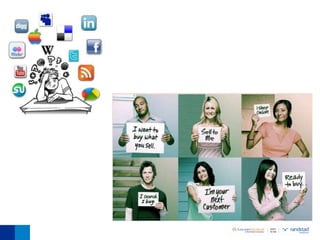
Social Media


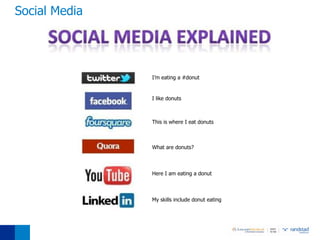
               I’m eating a #donut


               I like donuts


               This is where I eat donuts


               What are donuts?


               Here I am eating a donut


               My skills include donut eating
Culture of Connectors

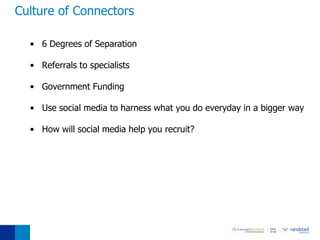
  • 6 Degrees of Separation

  • Referrals to specialists

  • Government Funding

  • Use social media to harness what you do everyday in a bigger way

  • How will social media help you recruit?
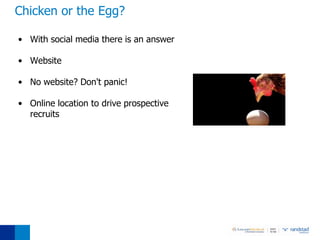
Chicken or the Egg?

• With social media there is an answer

• Website

• No website? Don't panic!

• Online location to drive prospective
  recruits
STOP! What's the Cost?
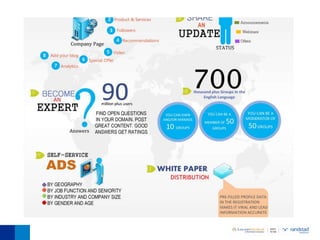
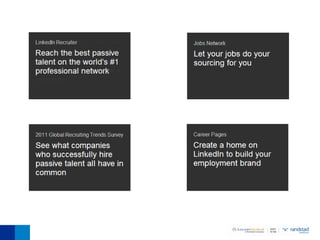
Social Media Toolbox
3 Main Social Media Networks
Why be social?

  • LinkedIN has over 35 million users

  • 77% are age 25 and older

  • Average household income $109,000

  • “LinkedIN is an interconnected network of experienced
    professionals from around the world, representing 170 industries
    and 200 countries. You can find, be introduced to, and collaborate
    with qualified professionals that you need to work with to
    accomplish your goals."
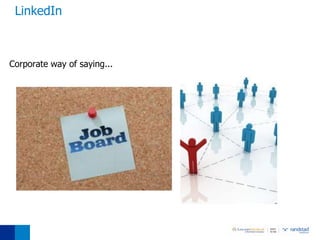
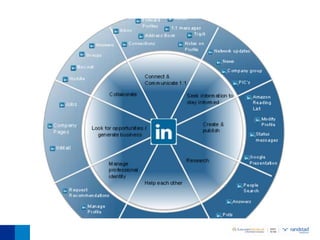
LinkedIn


Corporate way of saying...
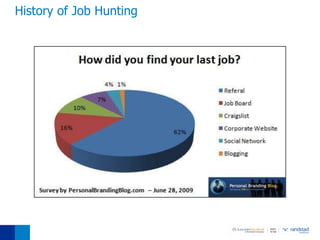
History of Job Hunting
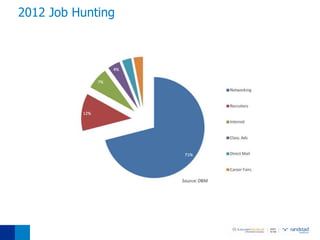
2012 Job Hunting
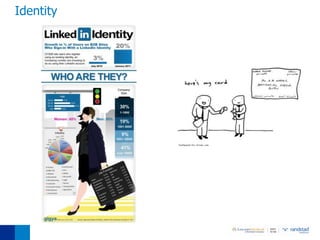
Identity
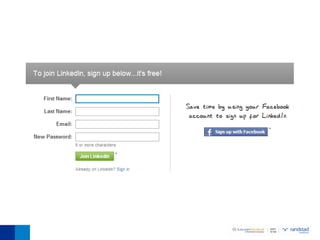
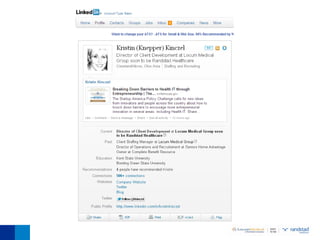
Joining LinkedIN
  • www.linkedin.com

  • Log in and register

  • Create your profile
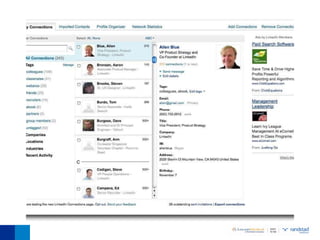
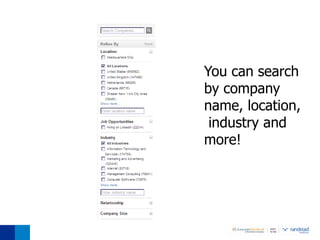
You can search
by company
name, location,
 industry and
more!
Why be social?

  • Facebook has over 40 million users

  • Average user spends 15 hours and 33
    minutes on Facebook per month

  • Average user is connected to 80
    community pages, groups and events

  • 41% of users are 26 to 44 years old

  • “Audiences everywhere are tough. They don’t have time to be
    bored or browbeaten by orthodox, old-fashioned advertising. We
    need to stop interrupting what people are interested in and be
    what people are interested in.”
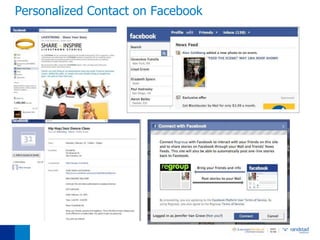
Personalized Contact on Facebook
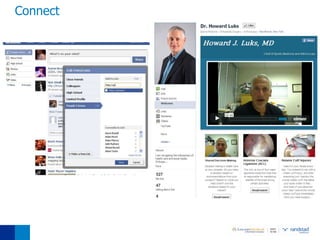
Connect
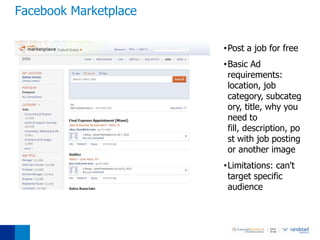
Facebook Marketplace

                       •Post a job for free
                       •Basic Ad
                        requirements:
                        location, job
                        category, subcateg
                        ory, title, why you
                        need to
                        fill, description, po
                        st with job posting
                        or another image
                       •Limitations: can't
                        target specific
                        audience
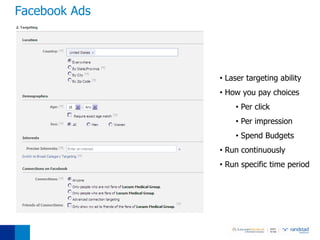
Facebook Ads


               • Laser targeting ability
               • How you pay choices
                   • Per click
                   • Per impression
                   • Spend Budgets
               • Run continuously
               • Run specific time period
Why be social?

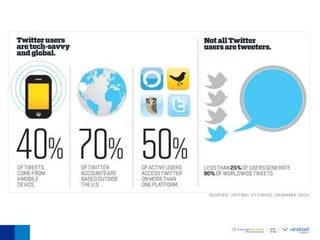
  • Twitter is a microblogging social
    network service

  • 58% of Twitter users are age 23 to 49

  • Real time marketing

  • 177 million tweets in a single day

  • 25% of users for a brand or company

  • “Twitter is what business people 12 months in the future will wish
    they knew about 12 months in the past. I fully believe that if
    you’re not making the most of Twitter right now, you’re missing
    out – and by the time you do recognize the potential, it may
    already be too late.”
Find Followers

  • You can find followers on Twitter through email accounts
       • Gmail, Yahoo!, AOL, Hotmail and MSN accounts


  • Twitter will give you a list of people among your email friends who
    have Twitter accounts


  • Select those who you would like to follow on Twitter from this list
    and most likely, unless they’re a celebrity, these people will follow
    your tweets too
Tweeting

  • Now that you’re officially a Twitter member with a list of friends
    and followers, it’s time to become a Tweeter

  • Write what you’re doing, interested in, or just any random
    comment you may have to start a conversation on Twitter

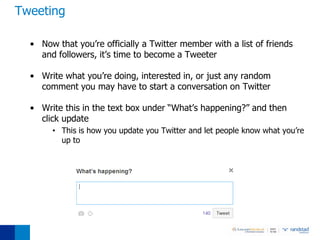
  • Write this in the text box under “What’s happening?” and then
    click update
       • This is how you update you Twitter and let people know what you’re
         up to
Etiquette

  • Remember that you are on a public forum
       • Don’t share something about another tweeter that they might want to keep
         private
       • Don’t make people uncomfortable with TMI tweets


  • Never ask someone for a favor publicly with an @ reply
       •   It’s ok to ask a question (such as “Do you know of a good Italian restaurant
           in New York?”)
       •   Some might find it rude if you put them on the spot publicly by asking “Can
           you write a guest post for my blog?”
       •   Its better to send a direct message with questions


  • Don’t send automated DMs
       •   There are services where you can automatically DM someone when they
           follow you
       •   “Thanks for the follow. Check out my blog at
           http://www.imannoyingontwitter.com”
Tips and Tricks

  • Customize your Twitter homepage and Twitter profile
       •   Filling in your profile information will help people find you

       •   You’ll be more likely to turn up in a Twitter search if you’ve added your
           location or your real name

  •   Go to “Find People” located on your menu bar at the, top right of your
      Twitter page to search people to follow

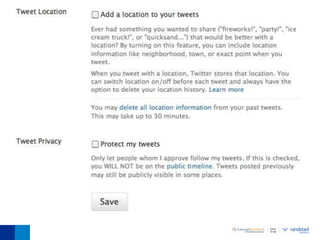
  •   Go to “Settings” located in your menu bar to edit personal options,
      picture, descriptions and password

  •   You can change your Twitter user name anytime without affecting your
      existing tweets, @replies, direct messages, or other data. But be sure to
      let your followers know so you’ll continue receiving all of your messages
      with your new user name!
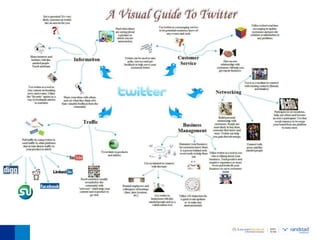
Twitter Lingo

  • Hashtag (#): If you see the pound symbol (#) before a word or
    phrase, it is essentially a keyword tag for the tweet so that others
    can find it more easily.
       •   Can be serious, to help people search for your tweet (like #advice or
           #blogging) or funny (like #ImSoDarnTired)

       •   Not every tweet needs hashtags

       •   Basically, it’s a way to follow the stream of everyone talking about a specific
           subject

  • FF: Usually written with a hashtag, (#FF)
      •    Stands for Follow Friday

      •    Every Friday users recommend other people to follow to spread the Twitter
           love
Twitter Lingo

  • @ Reply: If you see an @ (that isn’t part of an email address) on
    Twitter, it is typically followed by someone’s screen name
       • It’s a way to hold a public conversation with that person


  • DM: DM stands for direct message
       • It’s a way to hold a private conversation with another Twitter user, but you
         can only DM people who are already following you


  • RT: RT stands for retweet
       • If you like what someone says on twitter, you can retweet it to spread the
         message to your followers as well


  • Lists: Once you start following lots of people, you can put them in
    different lists to keep them more organized
       •   People can also add you to their lists to keep their own streams organized

       •   Lists can be public or private
Up and Coming

  • Blogging

  • Google +

  • 4 Square

  • YouTube
Oachc Presentation2
Oachc Presentation2

Oachc Presentation2

  • 1.
    How to getLinkedIN to the Facebook Generation Kristin Knepper Director of Client Development
  • 3.
    Social Media I’m eating a #donut I like donuts This is where I eat donuts What are donuts? Here I am eating a donut My skills include donut eating
  • 4.
    Culture of Connectors • 6 Degrees of Separation • Referrals to specialists • Government Funding • Use social media to harness what you do everyday in a bigger way • How will social media help you recruit?
  • 5.
    Chicken or theEgg? • With social media there is an answer • Website • No website? Don't panic! • Online location to drive prospective recruits
  • 6.
  • 7.
  • 8.
    3 Main SocialMedia Networks
  • 9.
    Why be social? • LinkedIN has over 35 million users • 77% are age 25 and older • Average household income $109,000 • “LinkedIN is an interconnected network of experienced professionals from around the world, representing 170 industries and 200 countries. You can find, be introduced to, and collaborate with qualified professionals that you need to work with to accomplish your goals."
  • 10.
  • 12.
  • 13.
  • 14.
  • 15.
    Joining LinkedIN • www.linkedin.com • Log in and register • Create your profile
  • 23.
    You can search bycompany name, location, industry and more!
  • 30.
    Why be social? • Facebook has over 40 million users • Average user spends 15 hours and 33 minutes on Facebook per month • Average user is connected to 80 community pages, groups and events • 41% of users are 26 to 44 years old • “Audiences everywhere are tough. They don’t have time to be bored or browbeaten by orthodox, old-fashioned advertising. We need to stop interrupting what people are interested in and be what people are interested in.”
  • 31.
  • 33.
  • 34.
    Facebook Marketplace •Post a job for free •Basic Ad requirements: location, job category, subcateg ory, title, why you need to fill, description, po st with job posting or another image •Limitations: can't target specific audience
  • 35.
    Facebook Ads • Laser targeting ability • How you pay choices • Per click • Per impression • Spend Budgets • Run continuously • Run specific time period
  • 36.
    Why be social? • Twitter is a microblogging social network service • 58% of Twitter users are age 23 to 49 • Real time marketing • 177 million tweets in a single day • 25% of users for a brand or company • “Twitter is what business people 12 months in the future will wish they knew about 12 months in the past. I fully believe that if you’re not making the most of Twitter right now, you’re missing out – and by the time you do recognize the potential, it may already be too late.”
  • 38.
    Find Followers • You can find followers on Twitter through email accounts • Gmail, Yahoo!, AOL, Hotmail and MSN accounts • Twitter will give you a list of people among your email friends who have Twitter accounts • Select those who you would like to follow on Twitter from this list and most likely, unless they’re a celebrity, these people will follow your tweets too
  • 39.
    Tweeting •Now that you’re officially a Twitter member with a list of friends and followers, it’s time to become a Tweeter • Write what you’re doing, interested in, or just any random comment you may have to start a conversation on Twitter • Write this in the text box under “What’s happening?” and then click update • This is how you update you Twitter and let people know what you’re up to
  • 40.
    Etiquette •Remember that you are on a public forum • Don’t share something about another tweeter that they might want to keep private • Don’t make people uncomfortable with TMI tweets • Never ask someone for a favor publicly with an @ reply • It’s ok to ask a question (such as “Do you know of a good Italian restaurant in New York?”) • Some might find it rude if you put them on the spot publicly by asking “Can you write a guest post for my blog?” • Its better to send a direct message with questions • Don’t send automated DMs • There are services where you can automatically DM someone when they follow you • “Thanks for the follow. Check out my blog at http://www.imannoyingontwitter.com”
  • 41.
    Tips and Tricks • Customize your Twitter homepage and Twitter profile • Filling in your profile information will help people find you • You’ll be more likely to turn up in a Twitter search if you’ve added your location or your real name • Go to “Find People” located on your menu bar at the, top right of your Twitter page to search people to follow • Go to “Settings” located in your menu bar to edit personal options, picture, descriptions and password • You can change your Twitter user name anytime without affecting your existing tweets, @replies, direct messages, or other data. But be sure to let your followers know so you’ll continue receiving all of your messages with your new user name!
  • 43.
    Twitter Lingo • Hashtag (#): If you see the pound symbol (#) before a word or phrase, it is essentially a keyword tag for the tweet so that others can find it more easily. • Can be serious, to help people search for your tweet (like #advice or #blogging) or funny (like #ImSoDarnTired) • Not every tweet needs hashtags • Basically, it’s a way to follow the stream of everyone talking about a specific subject • FF: Usually written with a hashtag, (#FF) • Stands for Follow Friday • Every Friday users recommend other people to follow to spread the Twitter love
  • 44.
    Twitter Lingo • @ Reply: If you see an @ (that isn’t part of an email address) on Twitter, it is typically followed by someone’s screen name • It’s a way to hold a public conversation with that person • DM: DM stands for direct message • It’s a way to hold a private conversation with another Twitter user, but you can only DM people who are already following you • RT: RT stands for retweet • If you like what someone says on twitter, you can retweet it to spread the message to your followers as well • Lists: Once you start following lots of people, you can put them in different lists to keep them more organized • People can also add you to their lists to keep their own streams organized • Lists can be public or private
  • 47.
    Up and Coming • Blogging • Google + • 4 Square • YouTube