
A flow chart can be used to:




Define and analyse processes.
Build a step-by-step picture of the process
for analysis, discussion, or communication.
Define, standardise or find areas for
improvement in a process.
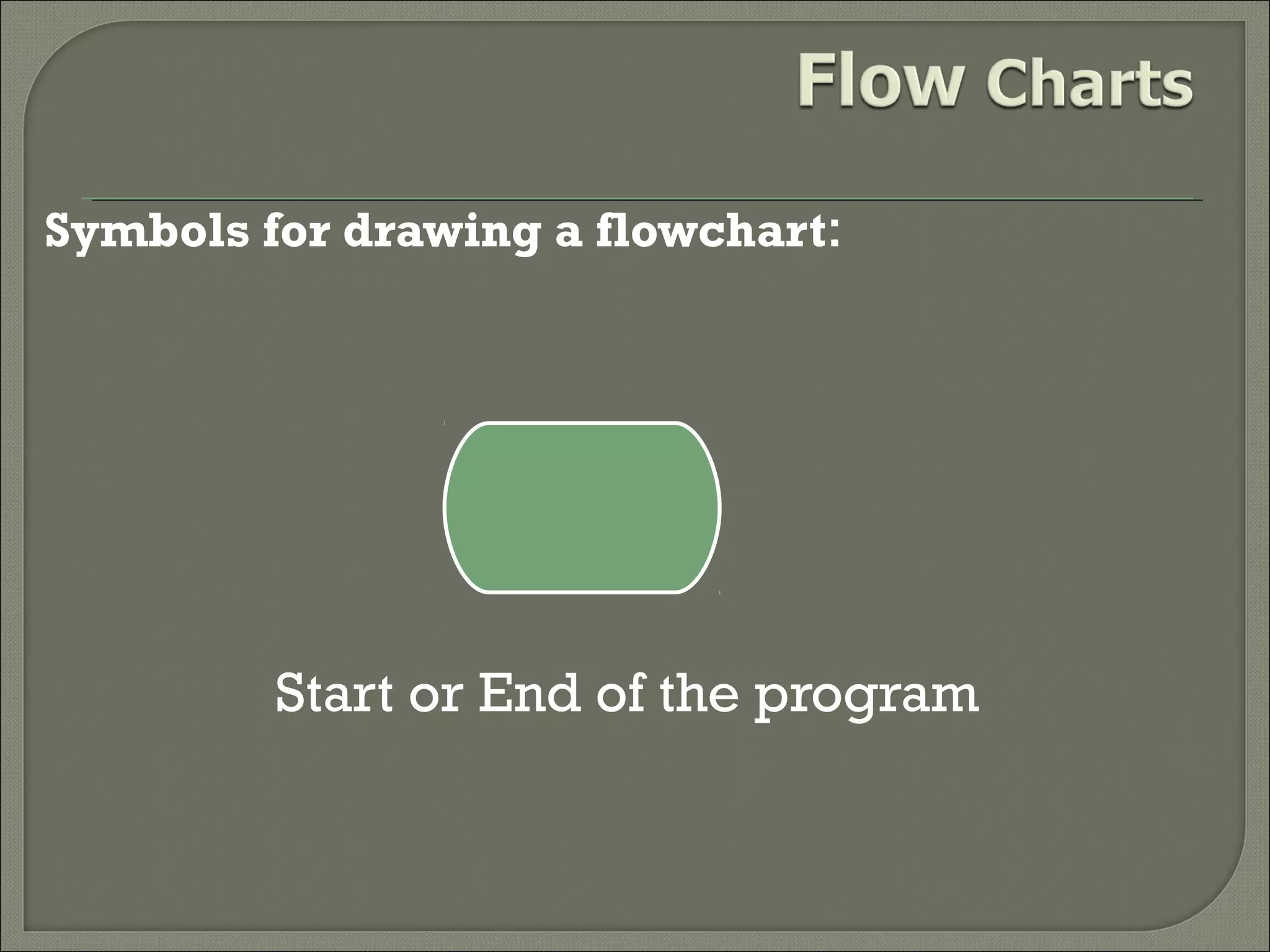
Symbols for drawing a flowchart:

Start or End of the program
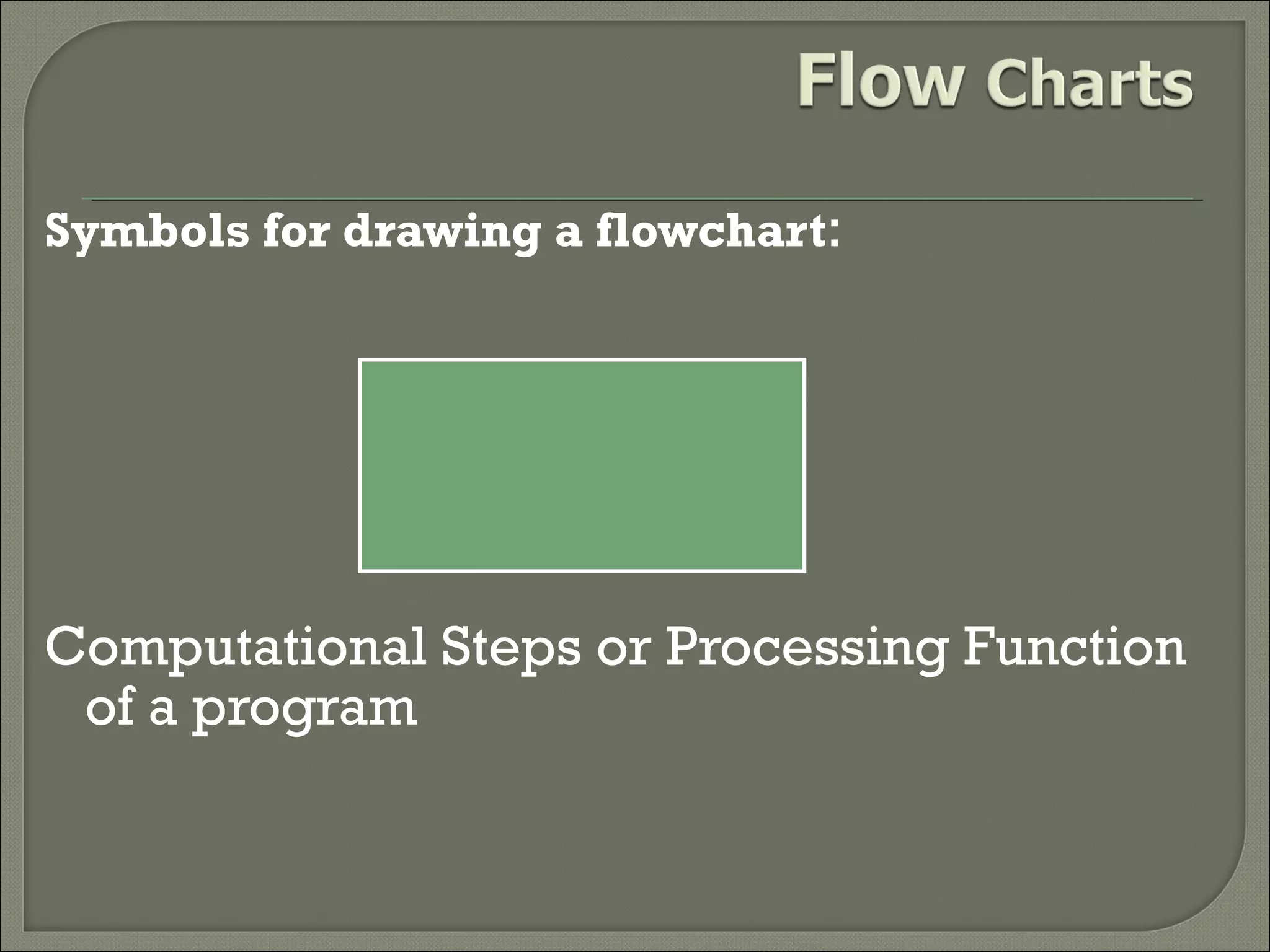
Symbols for drawing a flowchart:

Computational Steps or Processing Function
of a program
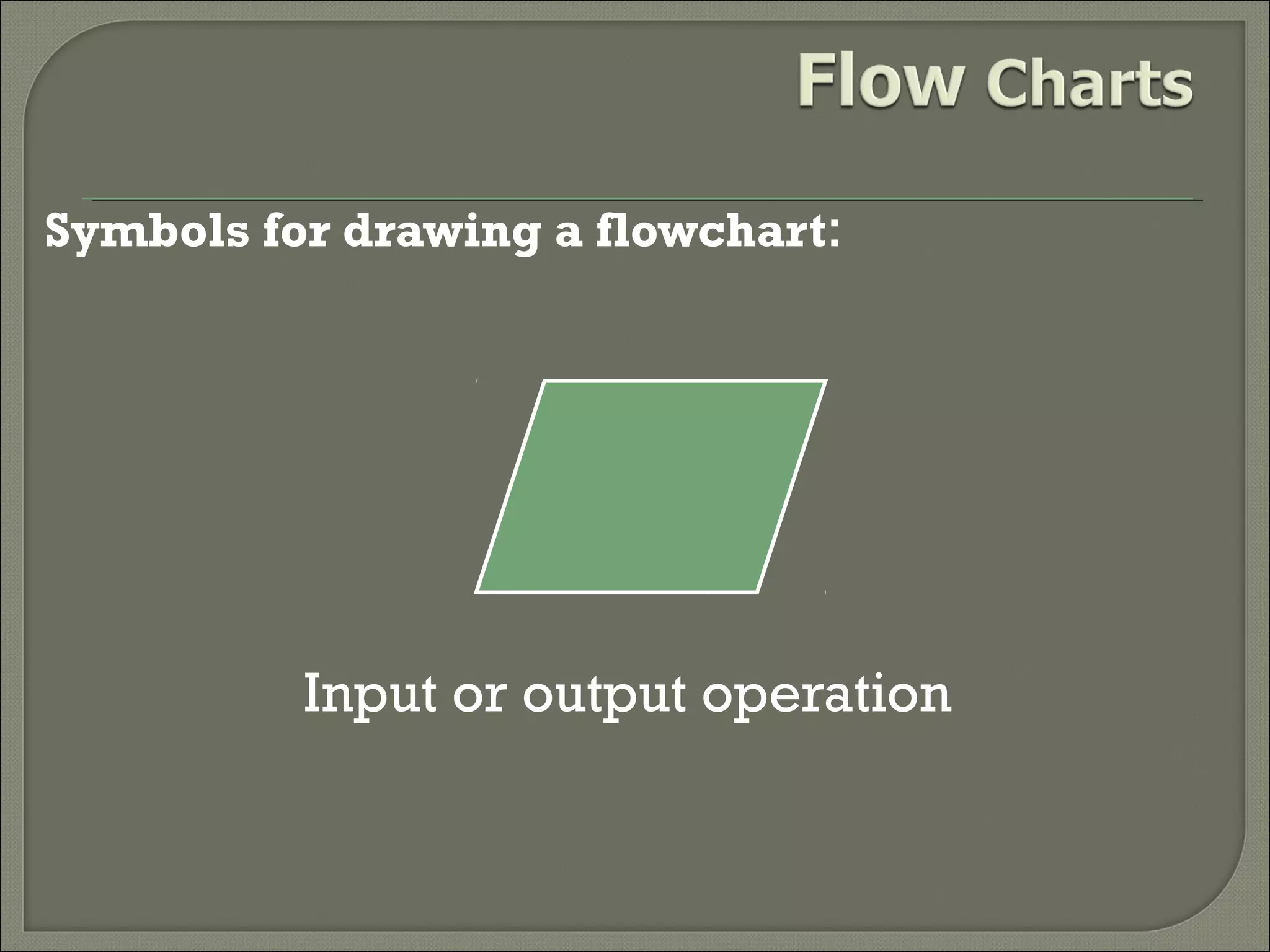
Symbols for drawing a flowchart:

Input or output operation
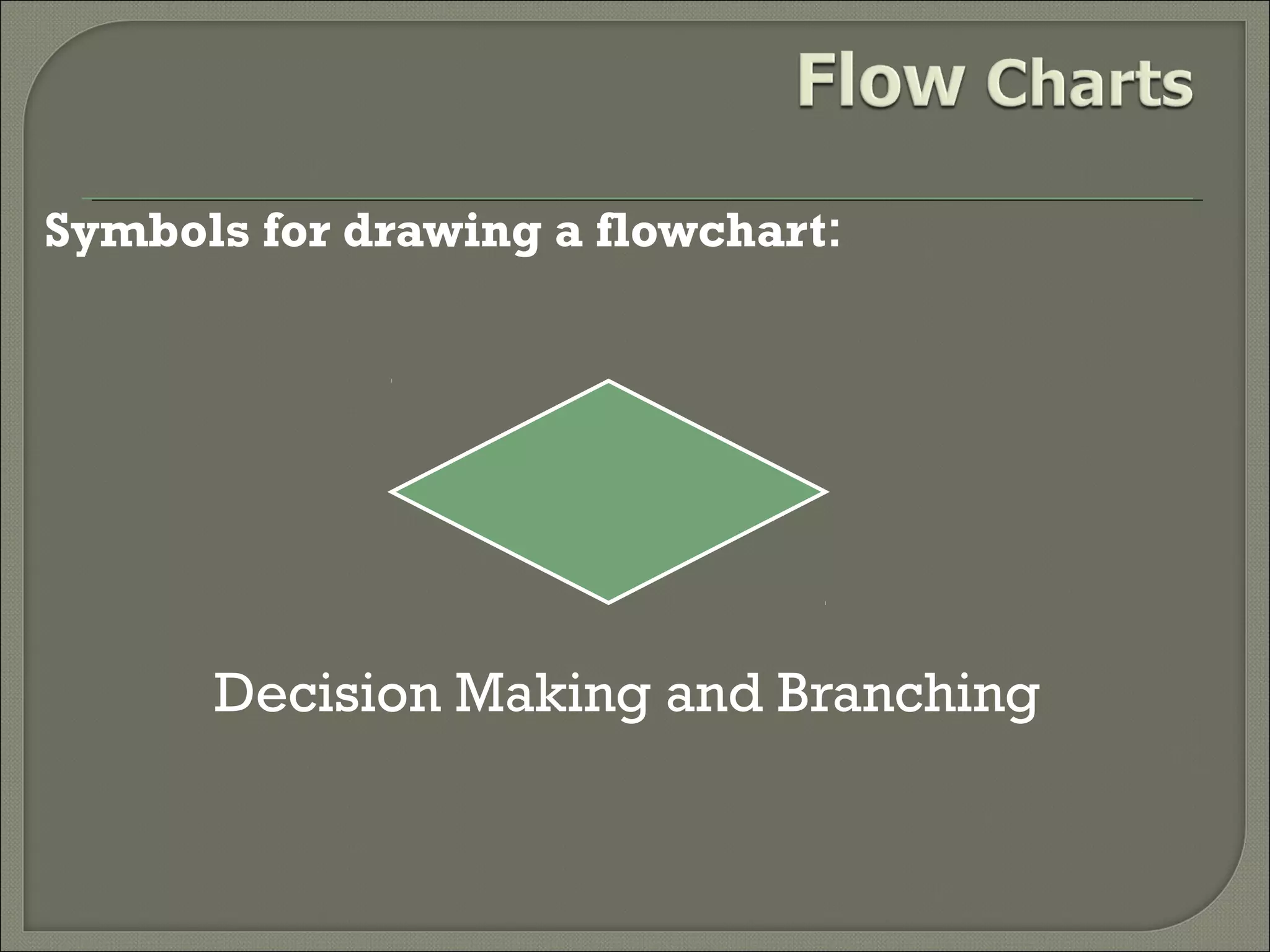
Symbols for drawing a flowchart:

Decision Making and Branching
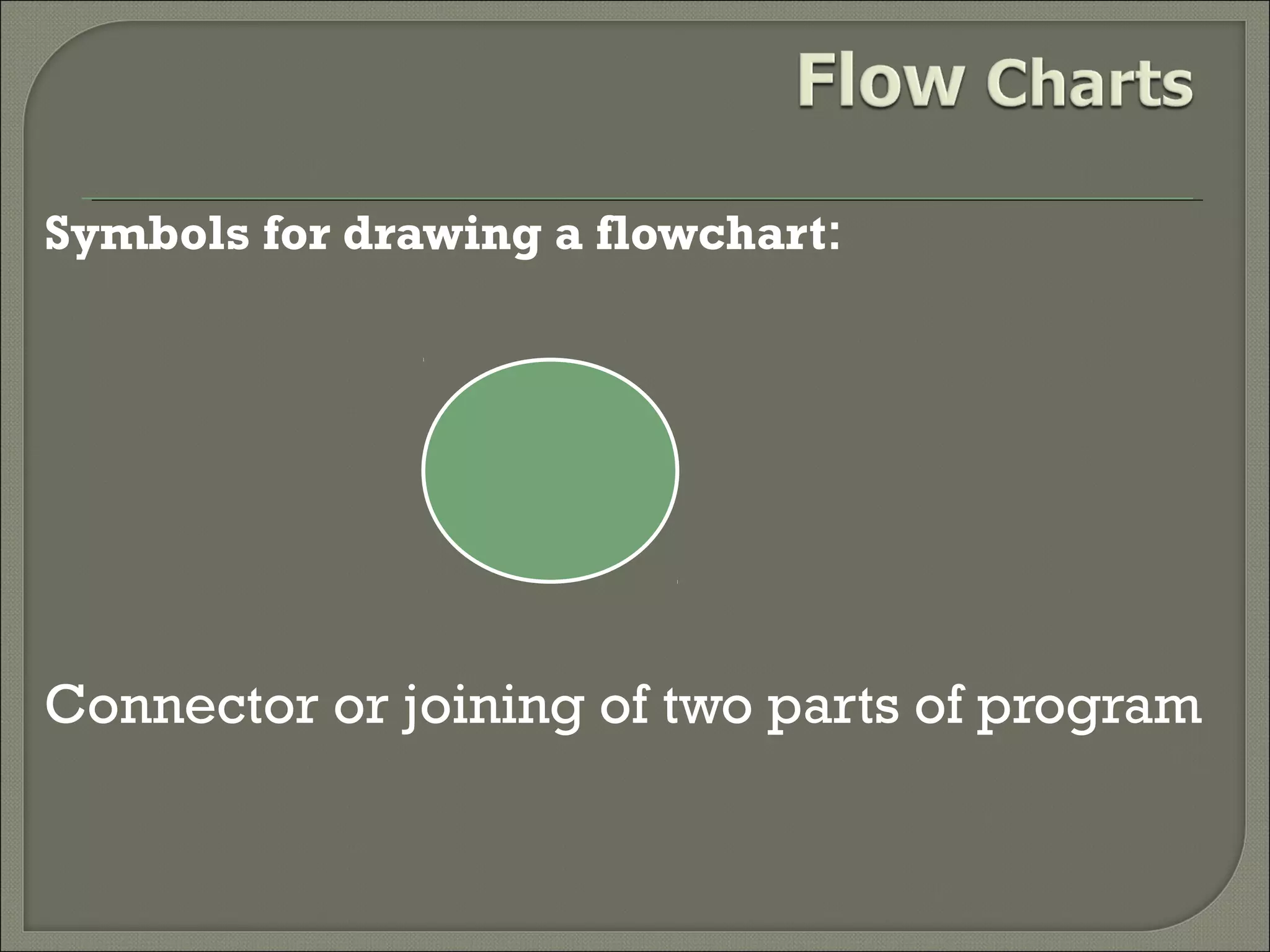
Symbols for drawing a flowchart:

Connector or joining of two parts of program
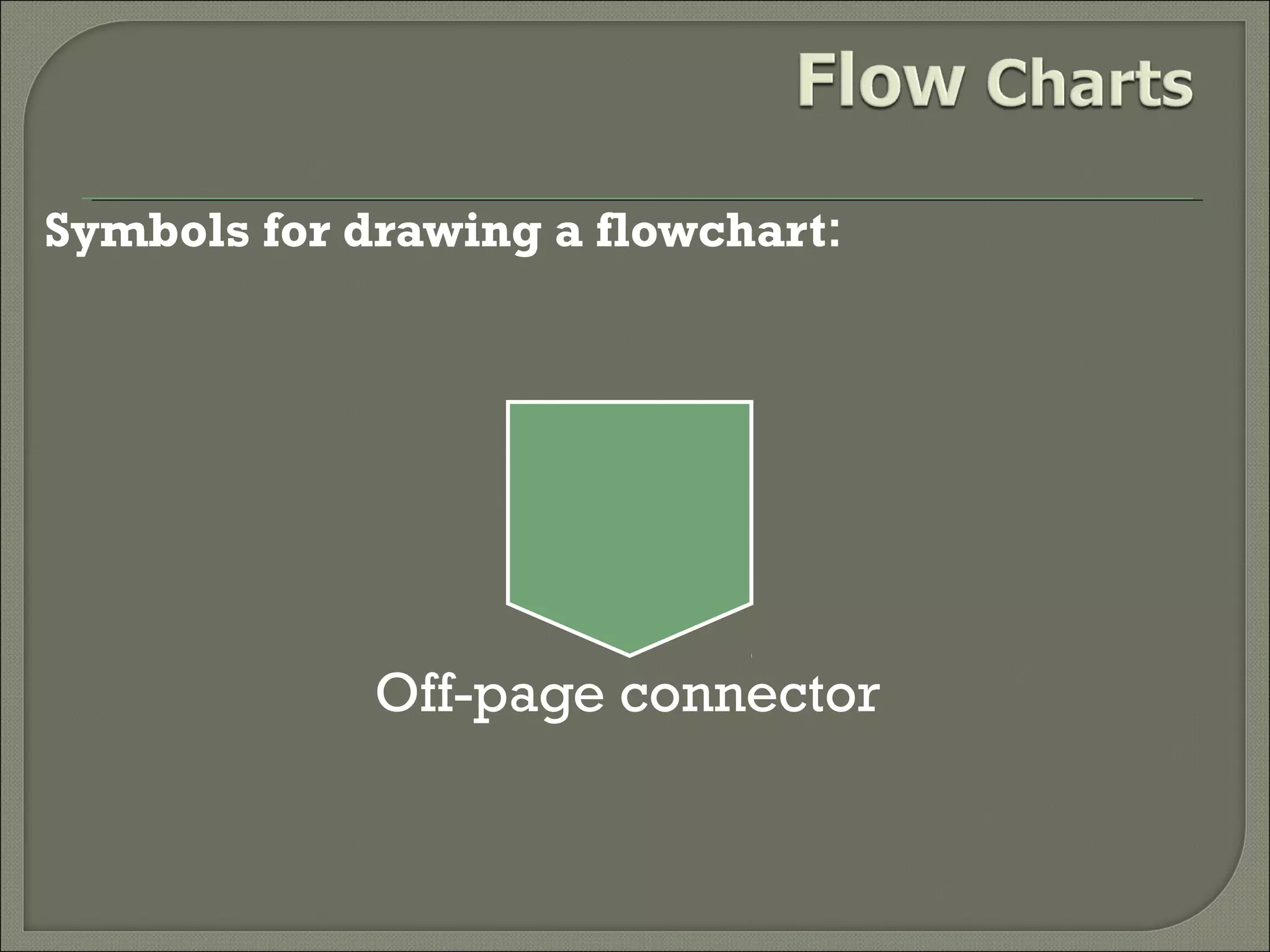
Symbols for drawing a flowchart:

Off-page connector
Symbols for drawing a flowchart:

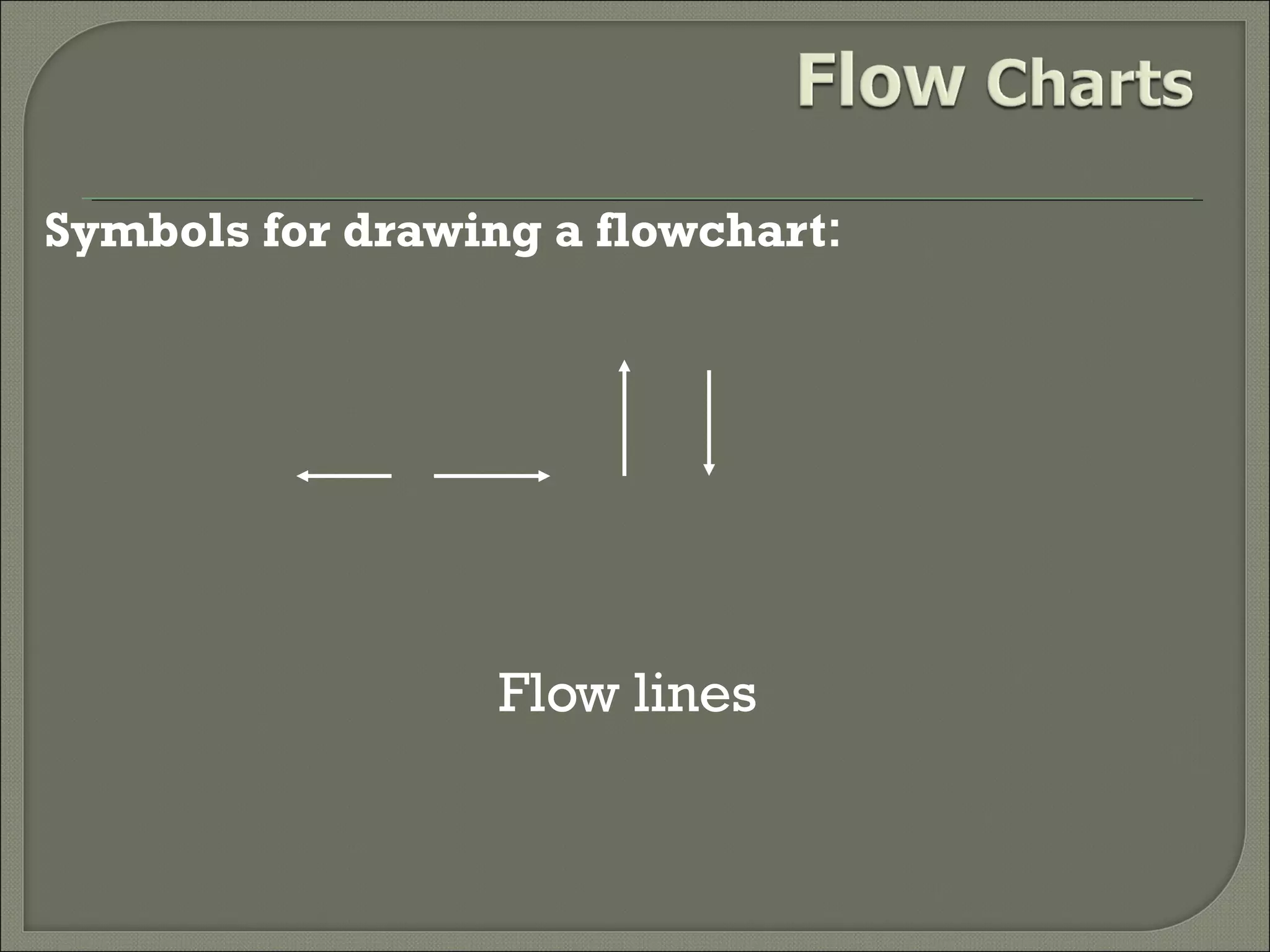
Flow lines
Symbols for drawing a flowchart:

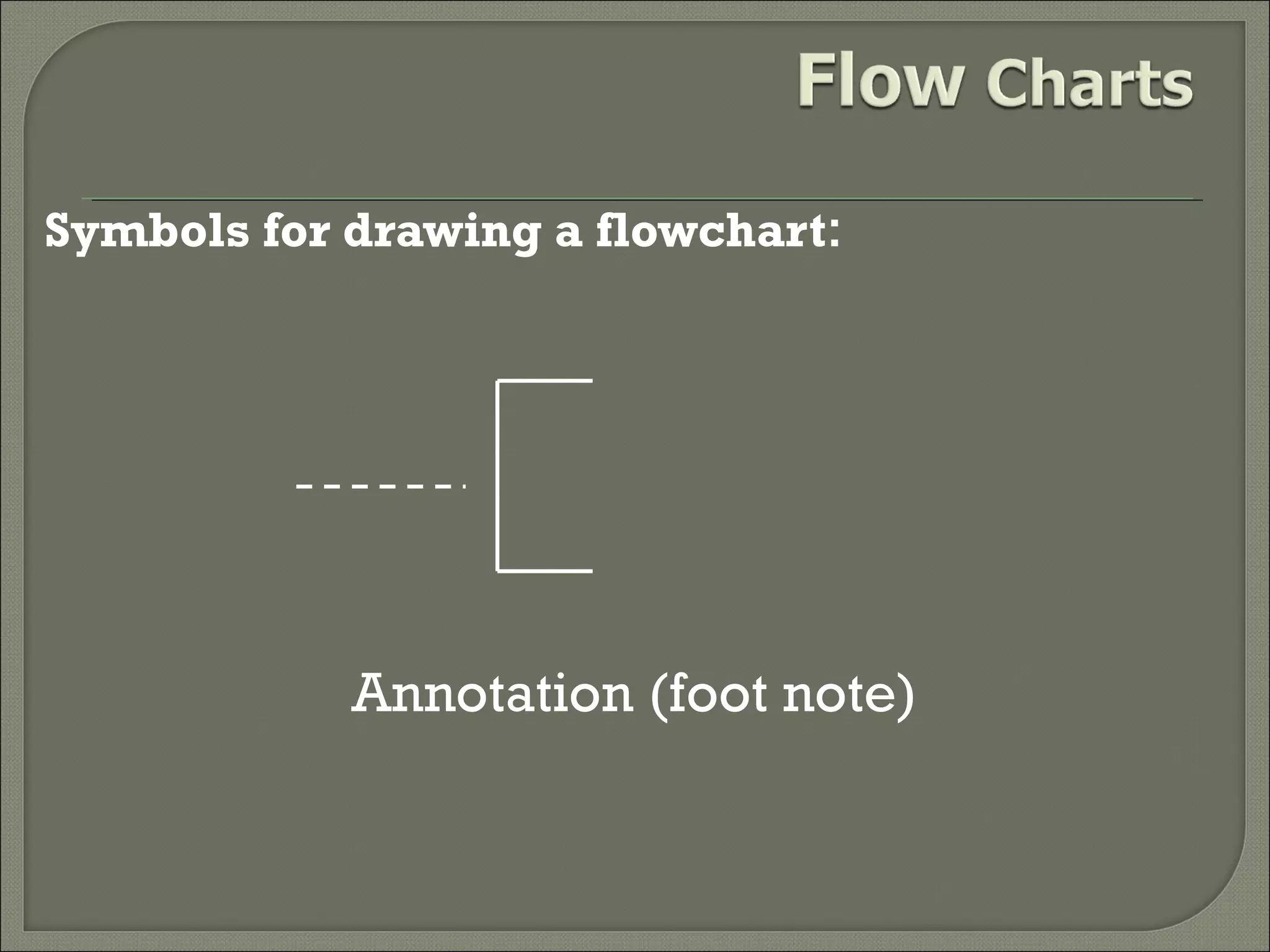
Annotation (foot note)
Guidelines in flowcharting 
In drawing a proper flowchart, all necessary
requirements should be listed out in logical
order.

The flowchart should be clear, neat and easy to
follow. There should not be any room for
ambiguity in understanding the flowchart.

The usual direction of the flow of a procedure or
system is from left to right or top to bottom.
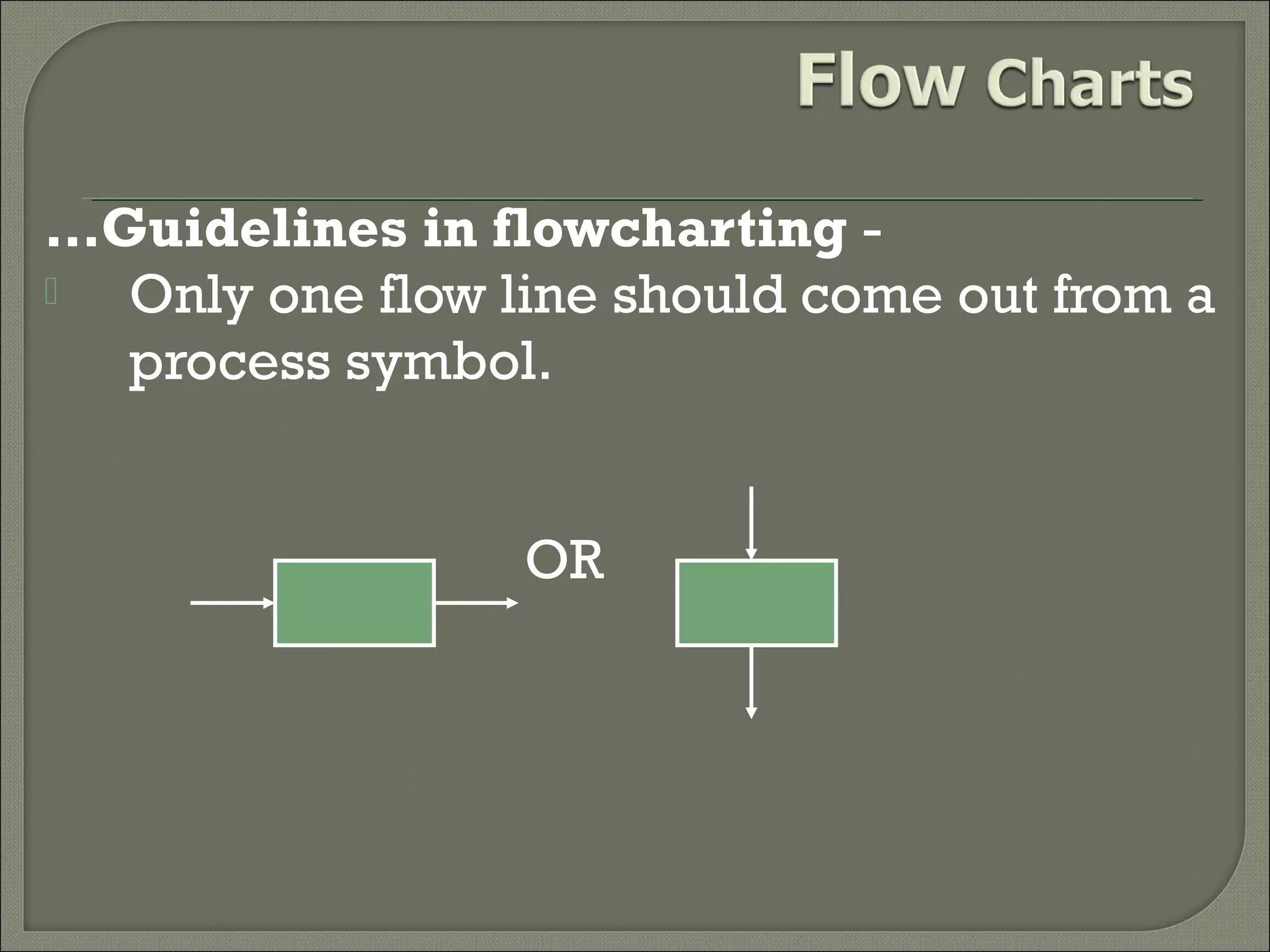
…Guidelines in flowcharting 
Only one flow line should come out from a
process symbol.
OR
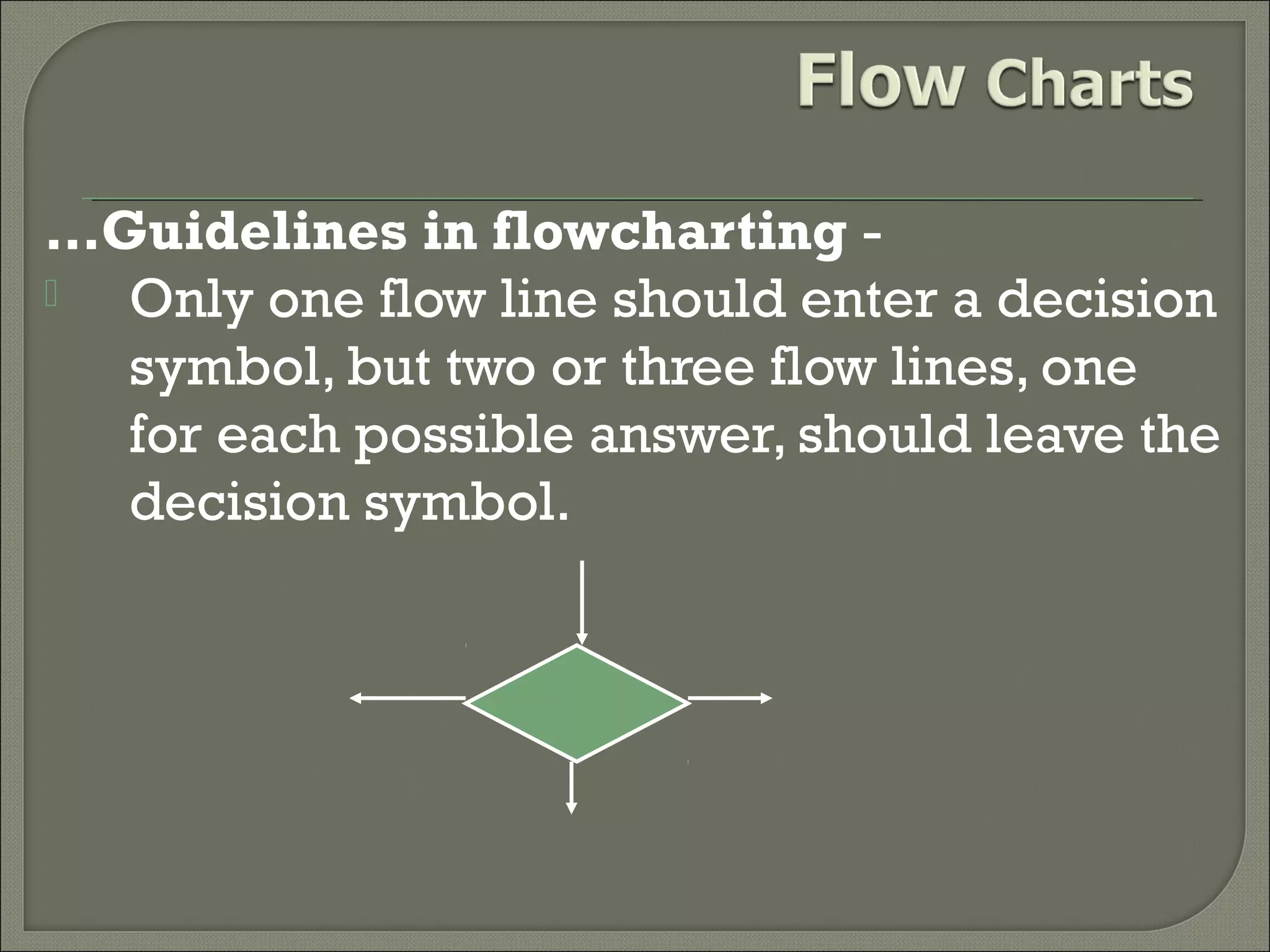
…Guidelines in flowcharting 
Only one flow line should enter a decision
symbol, but two or three flow lines, one
for each possible answer, should leave the
decision symbol.
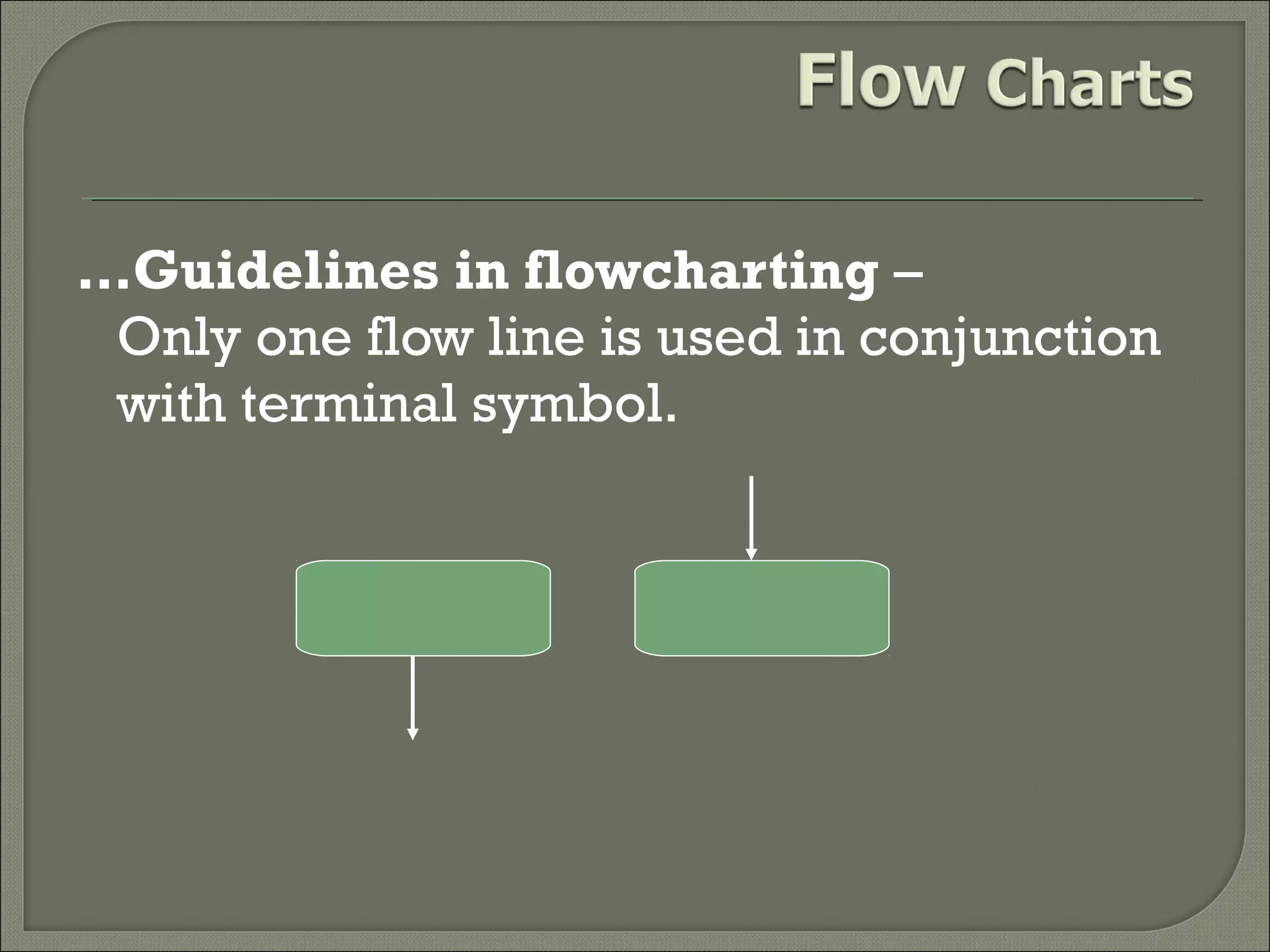
…Guidelines in flowcharting –
Only one flow line is used in conjunction
with terminal symbol.
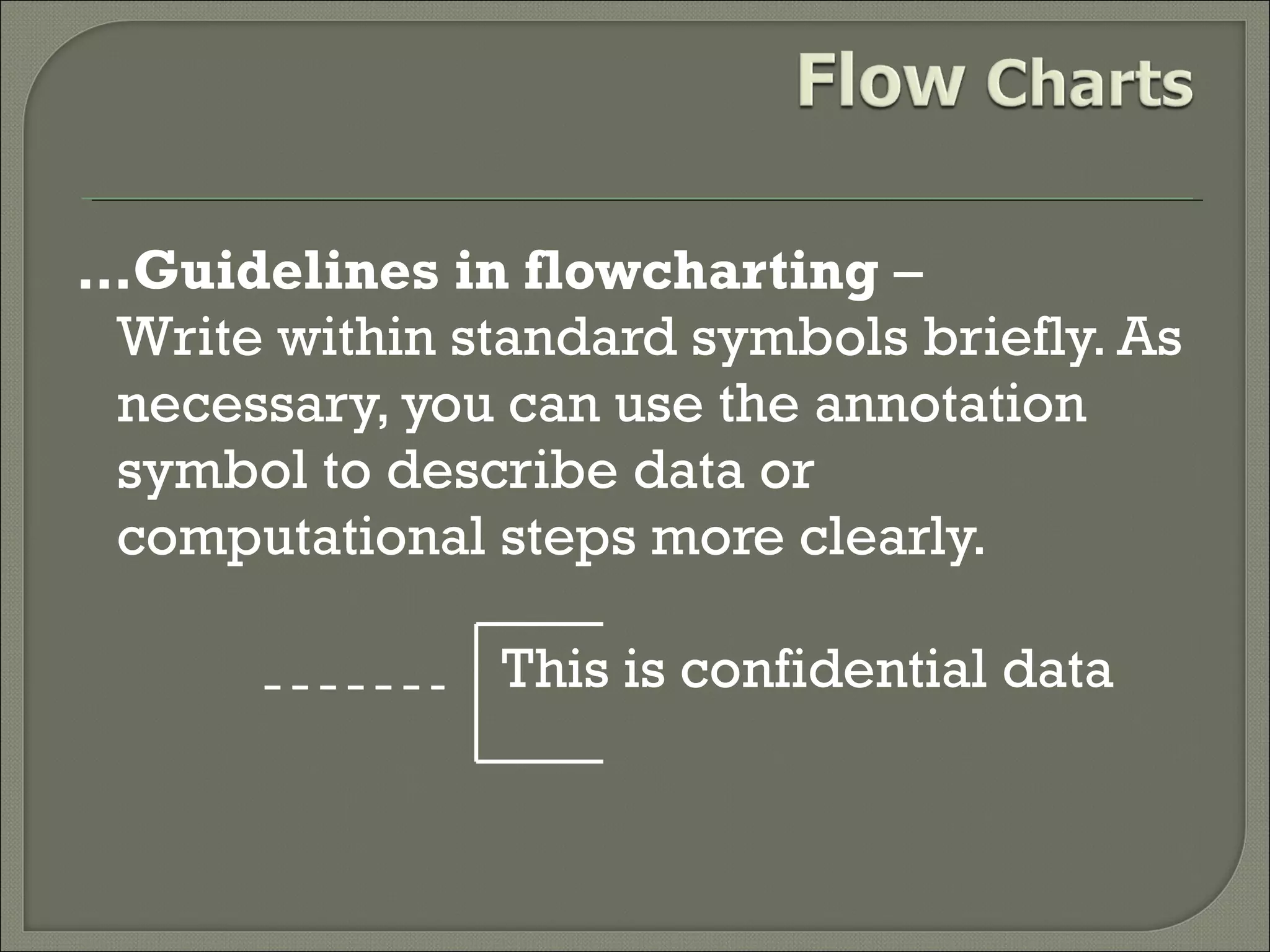
…Guidelines in flowcharting –
Write within standard symbols briefly. As
necessary, you can use the annotation
symbol to describe data or
computational steps more clearly.
This is confidential data
…Guidelines in flowcharting –





In case of complex flowchart, it is better to use
connector symbols to reduce the number of flow
lines. Avoid the intersection of flow lines.
Ensure that the flowchart has a logical start and
finish.
It is useful to test the validity of the flowchart by
passing through it with a simple test data.
Advantages Of Using Flowcharts :







Effective communication
Effective analysis
Proper documentation
Efficient Coding
Proper Debugging
Efficient Program Maintenance
Limitations of using Flowcharts :
1. Complex logic: Sometimes, the program
logic is quite complicated.
2. Alterations and Modifications:
Alterations may require re-drawing
completely.
3. Reproduction: As the flowchart symbols
cannot be typed, reproduction of flowchart
becomes a problem.
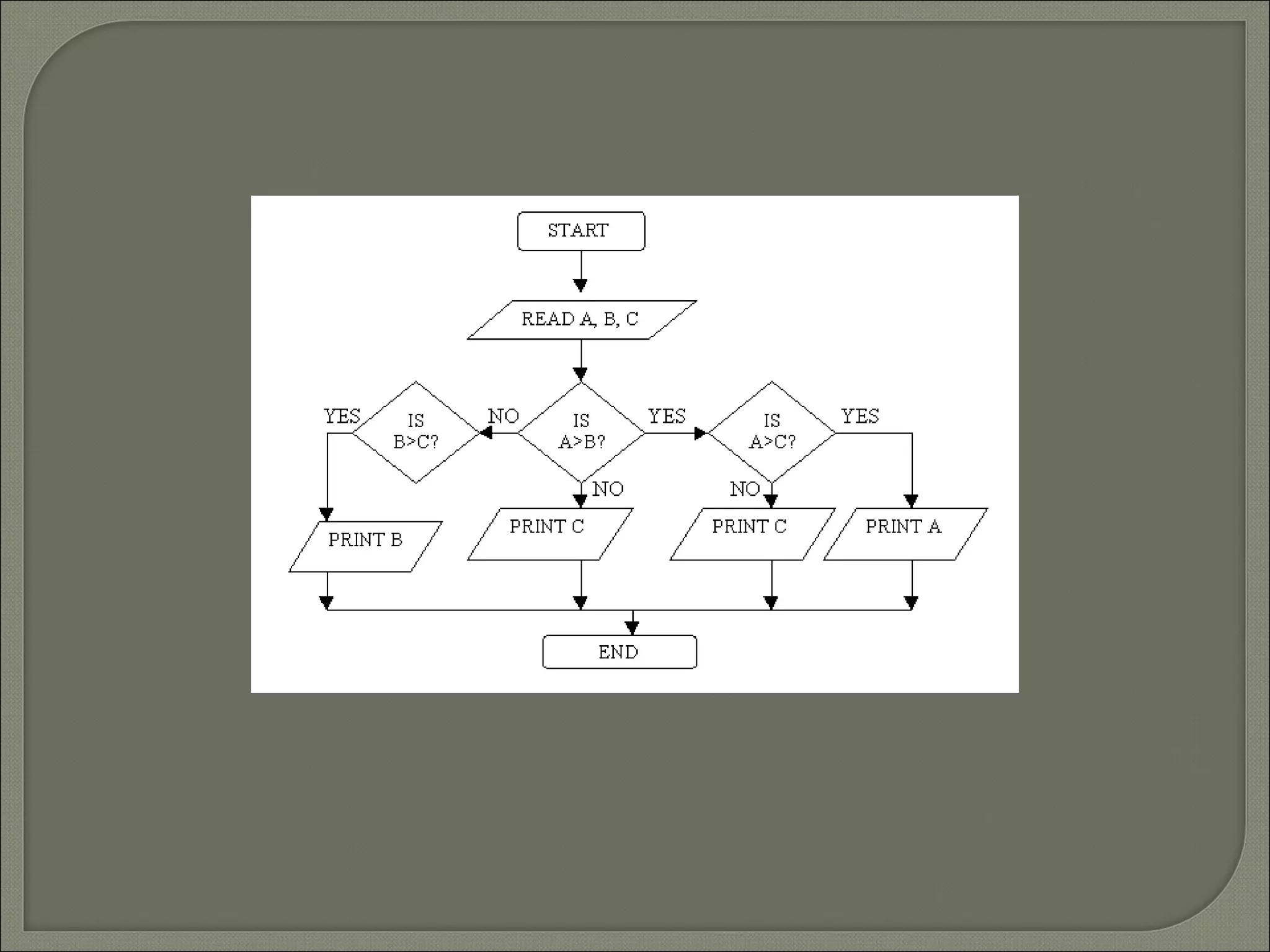
Example 2
Draw a flowchart to find the largest of three
numbers A,B and C.


THANK YOU

aamir presentation

  • 2.
    A flow chartcan be used to:    Define and analyse processes. Build a step-by-step picture of the process for analysis, discussion, or communication. Define, standardise or find areas for improvement in a process.
  • 3.
    Symbols for drawinga flowchart: Start or End of the program
  • 4.
    Symbols for drawinga flowchart: Computational Steps or Processing Function of a program
  • 5.
    Symbols for drawinga flowchart: Input or output operation
  • 6.
    Symbols for drawinga flowchart: Decision Making and Branching
  • 7.
    Symbols for drawinga flowchart: Connector or joining of two parts of program
  • 8.
    Symbols for drawinga flowchart: Off-page connector
  • 9.
    Symbols for drawinga flowchart: Flow lines
  • 10.
    Symbols for drawinga flowchart: Annotation (foot note)
  • 11.
    Guidelines in flowcharting In drawing a proper flowchart, all necessary requirements should be listed out in logical order.  The flowchart should be clear, neat and easy to follow. There should not be any room for ambiguity in understanding the flowchart.  The usual direction of the flow of a procedure or system is from left to right or top to bottom.
  • 12.
    …Guidelines in flowcharting Only one flow line should come out from a process symbol. OR
  • 13.
    …Guidelines in flowcharting Only one flow line should enter a decision symbol, but two or three flow lines, one for each possible answer, should leave the decision symbol.
  • 14.
    …Guidelines in flowcharting– Only one flow line is used in conjunction with terminal symbol.
  • 15.
    …Guidelines in flowcharting– Write within standard symbols briefly. As necessary, you can use the annotation symbol to describe data or computational steps more clearly. This is confidential data
  • 16.
    …Guidelines in flowcharting–    In case of complex flowchart, it is better to use connector symbols to reduce the number of flow lines. Avoid the intersection of flow lines. Ensure that the flowchart has a logical start and finish. It is useful to test the validity of the flowchart by passing through it with a simple test data.
  • 17.
    Advantages Of UsingFlowcharts :       Effective communication Effective analysis Proper documentation Efficient Coding Proper Debugging Efficient Program Maintenance
  • 18.
    Limitations of usingFlowcharts : 1. Complex logic: Sometimes, the program logic is quite complicated. 2. Alterations and Modifications: Alterations may require re-drawing completely. 3. Reproduction: As the flowchart symbols cannot be typed, reproduction of flowchart becomes a problem.
  • 19.
    Example 2 Draw aflowchart to find the largest of three numbers A,B and C.
  • 21.