FLOW CHART
Presented by
Prof. Amiya Bhusan Bagjadab
Asst. Prof.,
Department of CSE,
Radhakrisna Institute of
Technology and Engineering(RITE)
Contents
 Introduction
 Advantages
 Symbols of Flow Chart
 Some Examples of Flow Chart
Introduction
 A flowchart is a type of diagram that represents
a workflow or process.
 A flowchart can also be defined as a diagrammatic
representation of an algorithm, a step-by-step
approach to solving a task.
 It can be used to represent how programs work.
 Flow charts are used in analyzing ,designing,
documenting or managing a process or program in
various fields.
Advantages
 Better Communication
 Effective Analysis
 Proper Documentation
 Efficient Coding
 Proper Debugging
 Systematic Testing
 Efficient Program Maintenance
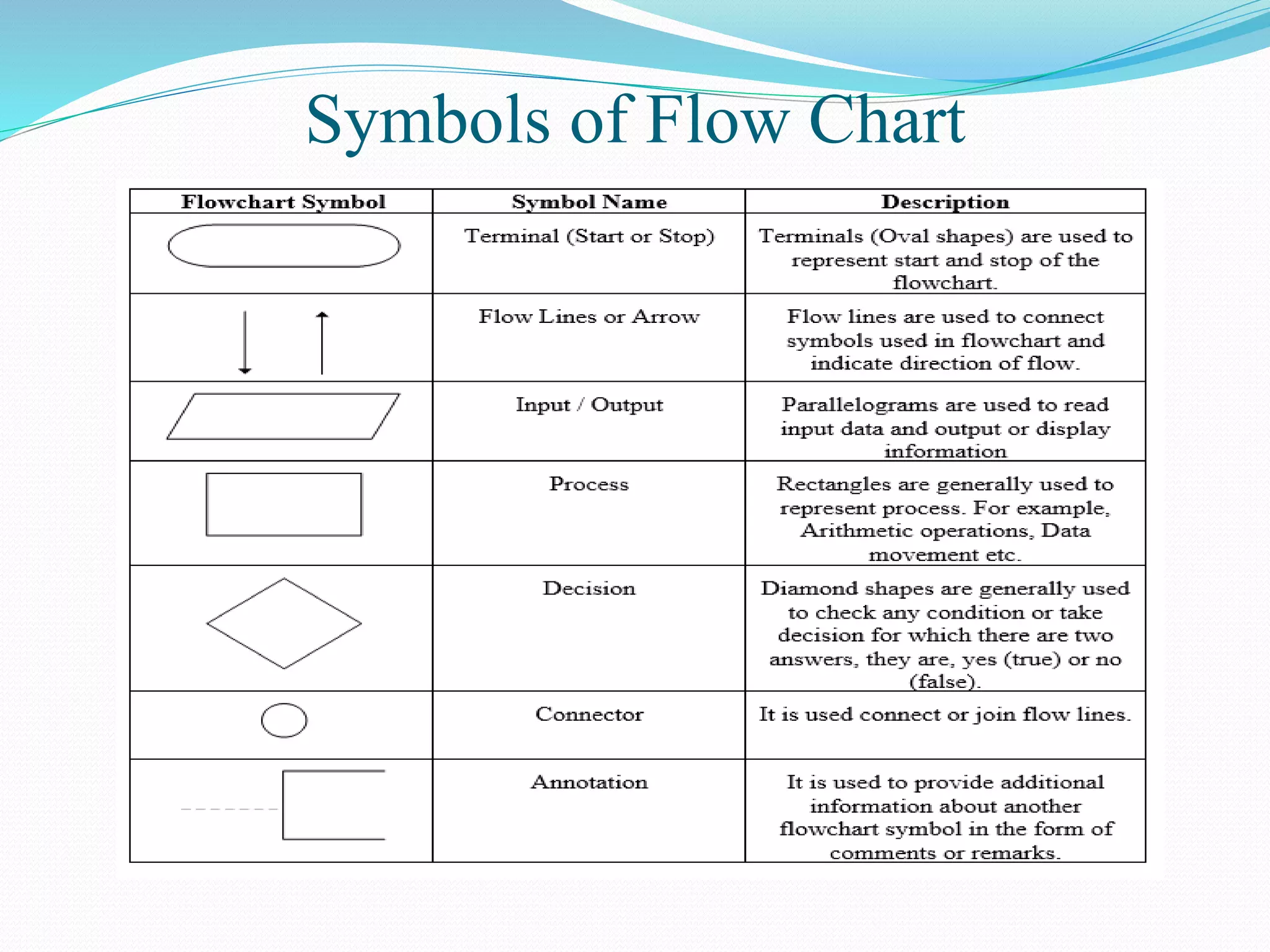
Symbols of Flow Chart
Terminator/Terminal
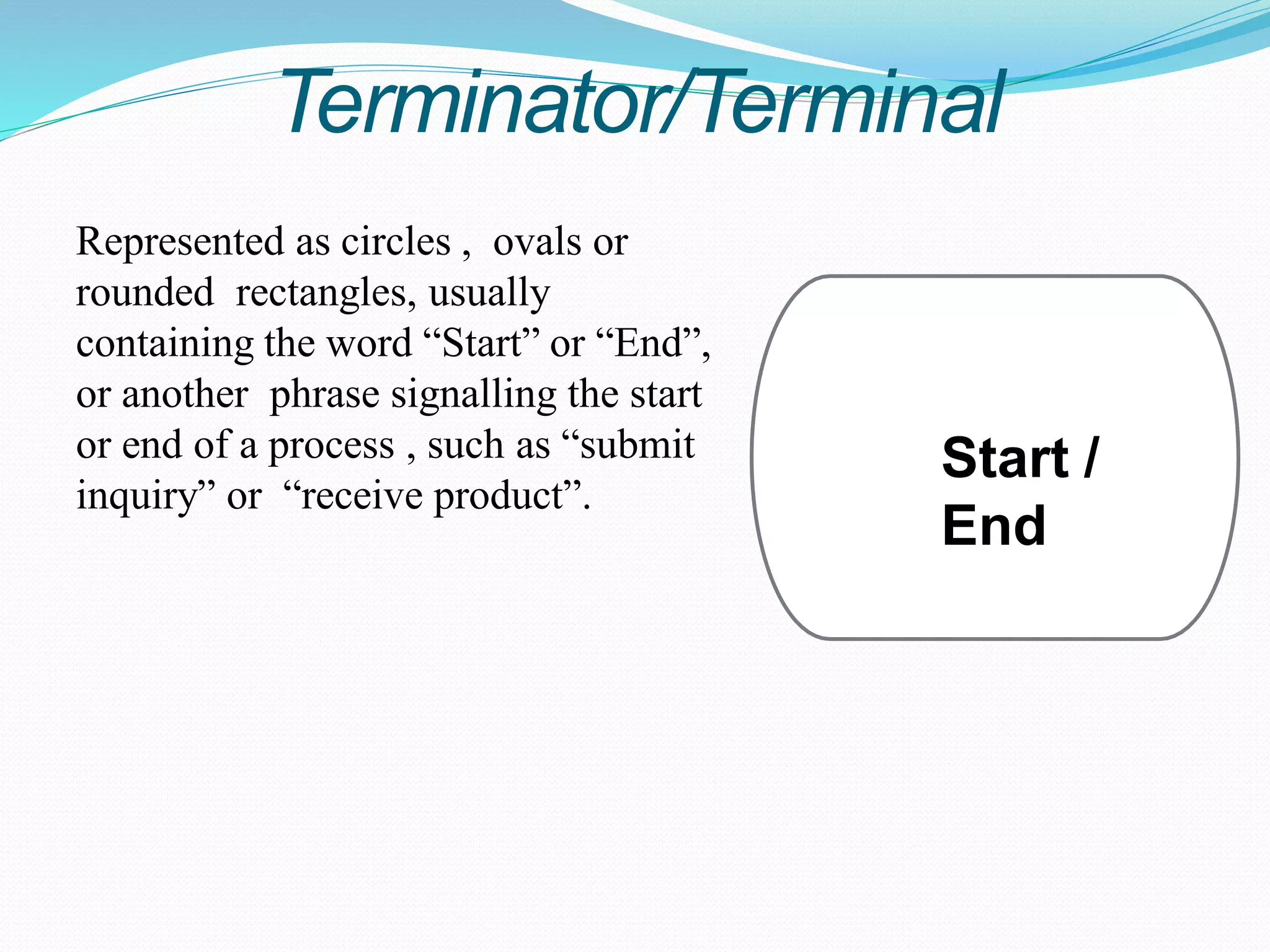
Represented as circles , ovals or
rounded rectangles, usually
containing the word “Start” or “End”,
or another phrase signalling the start
or end of a process , such as “submit
inquiry” or “receive product”.
Start /
End
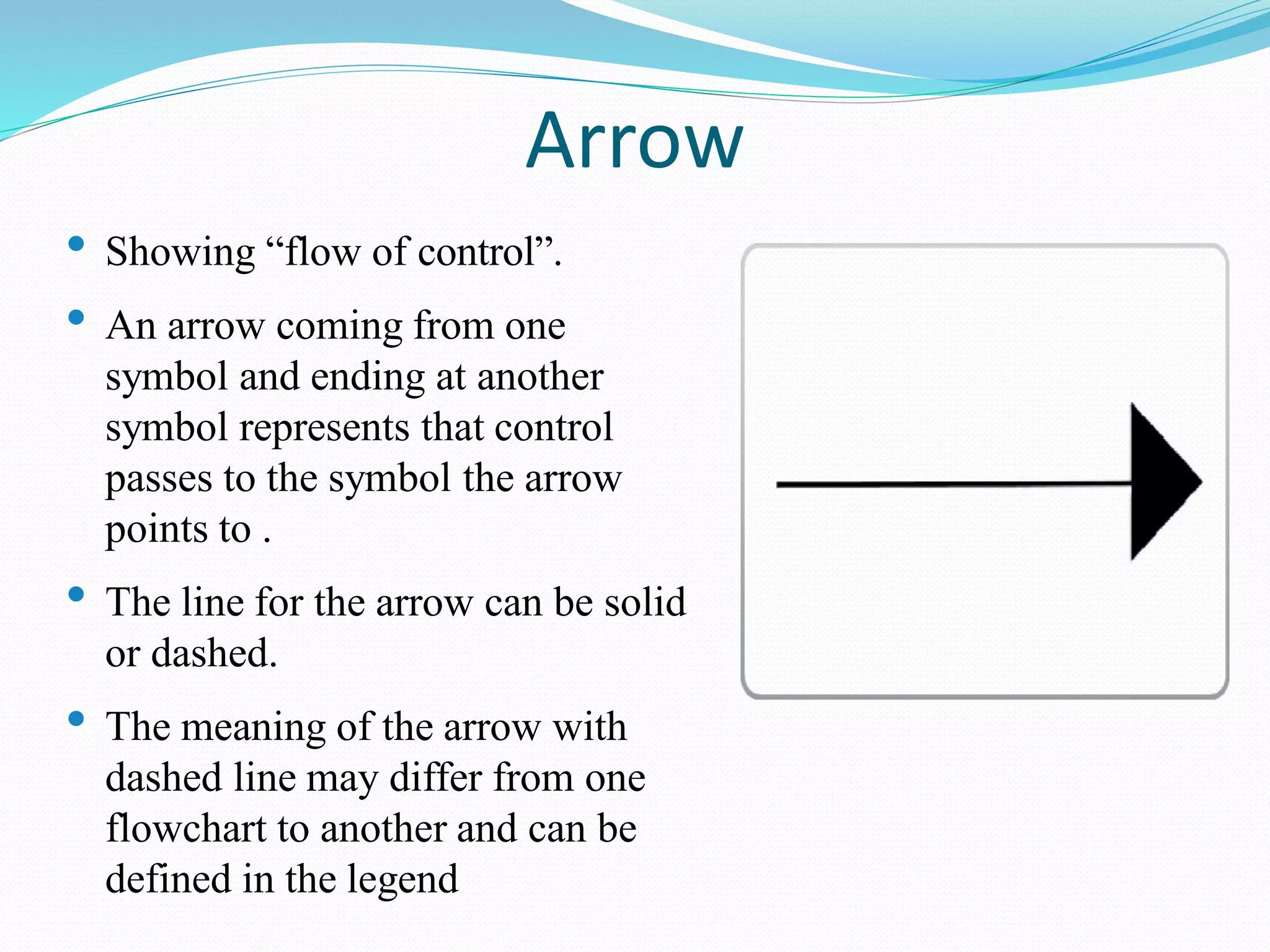
Arrow
• Showing “flow of control”.
• An arrow coming from one
symbol and ending at another
symbol represents that control
passes to the symbol the arrow
points to .
• The line for the arrow can be solid
or dashed.
• The meaning of the arrow with
dashed line may differ from one
flowchart to another and can be
defined in the legend
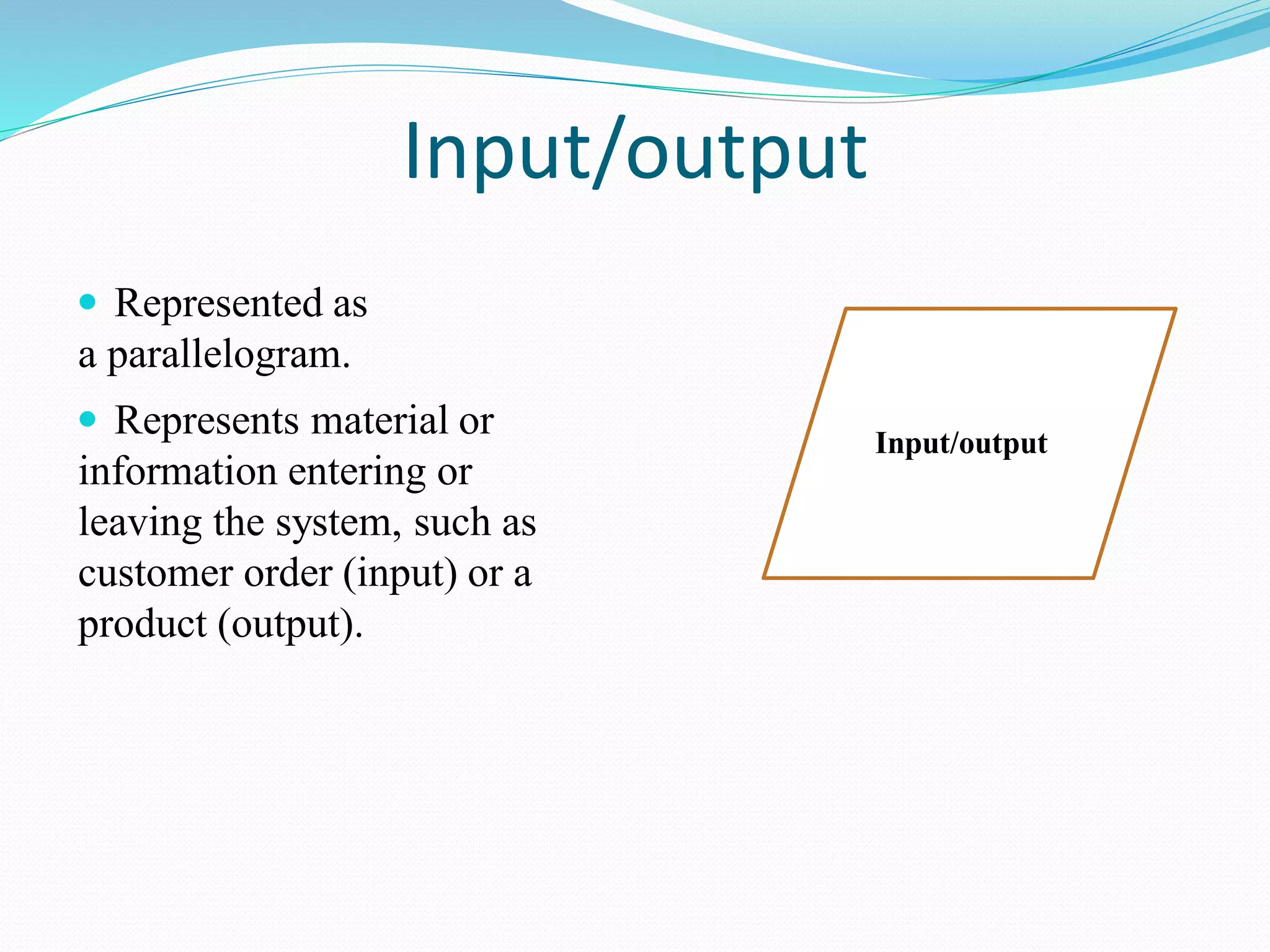
Input/output
 Represented as
a parallelogram.
 Represents material or
information entering or
leaving the system, such as
customer order (input) or a
product (output).
Input/output
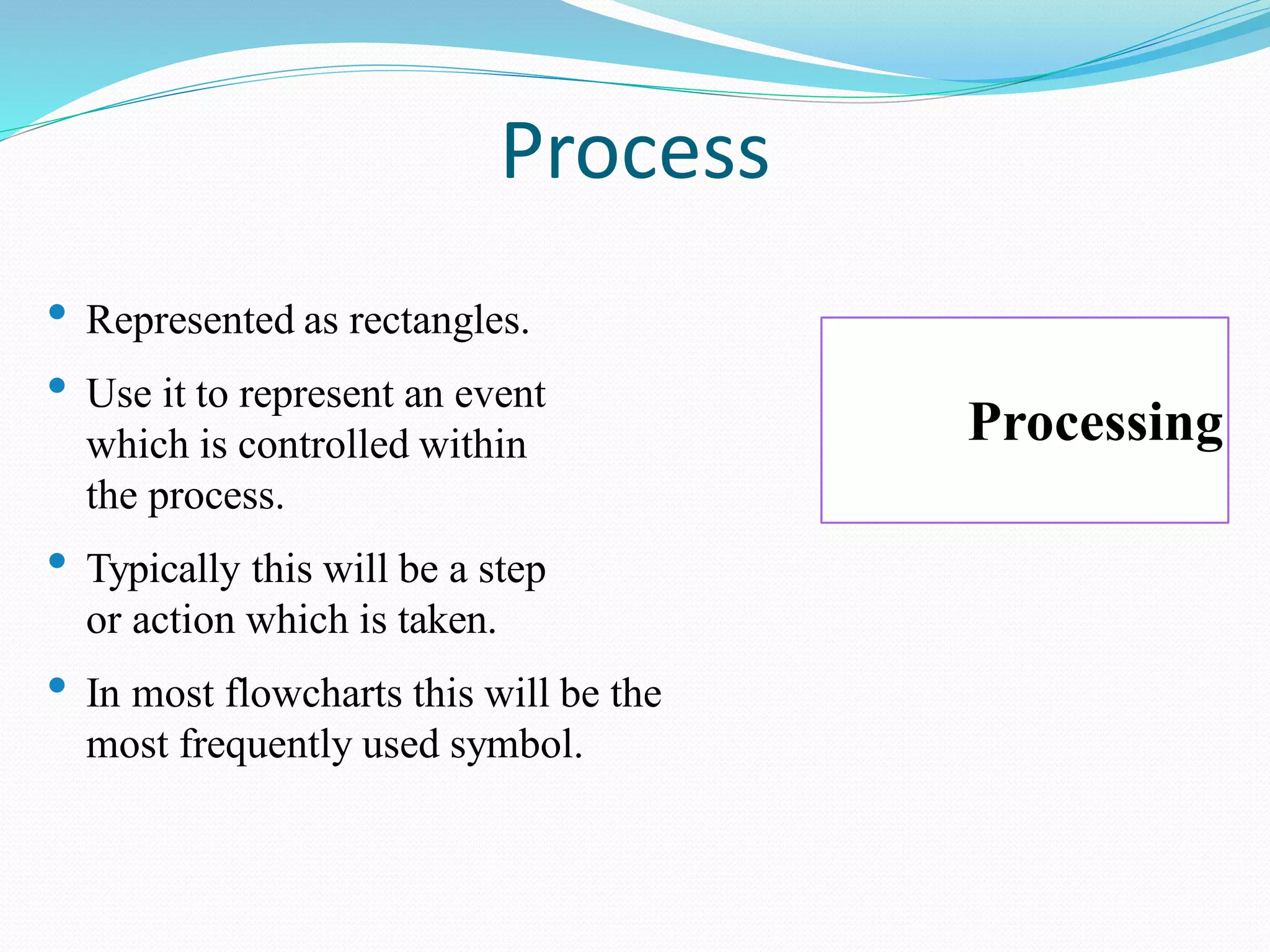
Process
• Represented as rectangles.
• Use it to represent an event
which is controlled within
the process.
• Typically this will be a step
or action which is taken.
• In most flowcharts this will be the
most frequently used symbol.
Processing
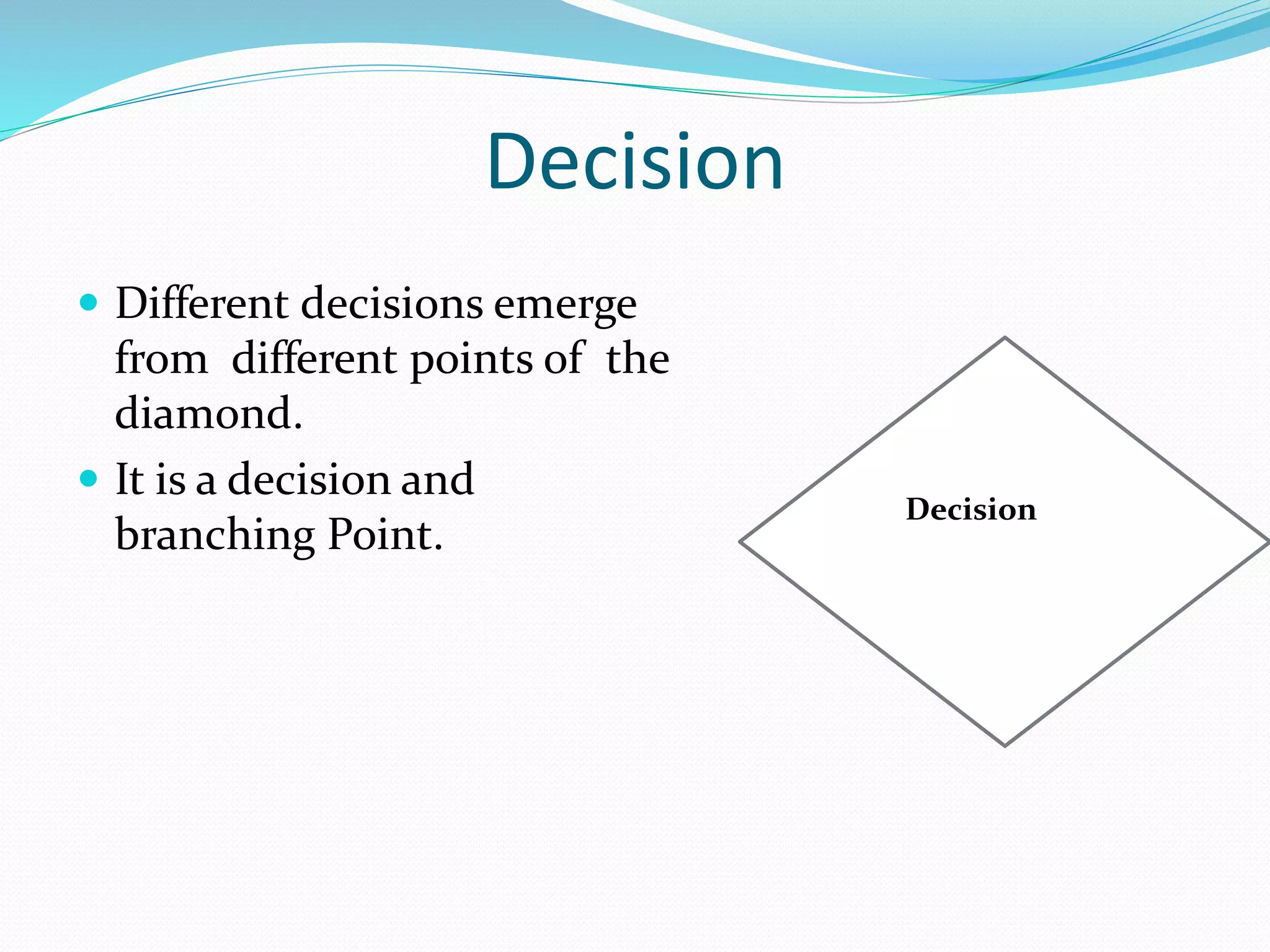
Decision
 Different decisions emerge
from different points of the
diamond.
 It is a decision and
branching Point.
Decision
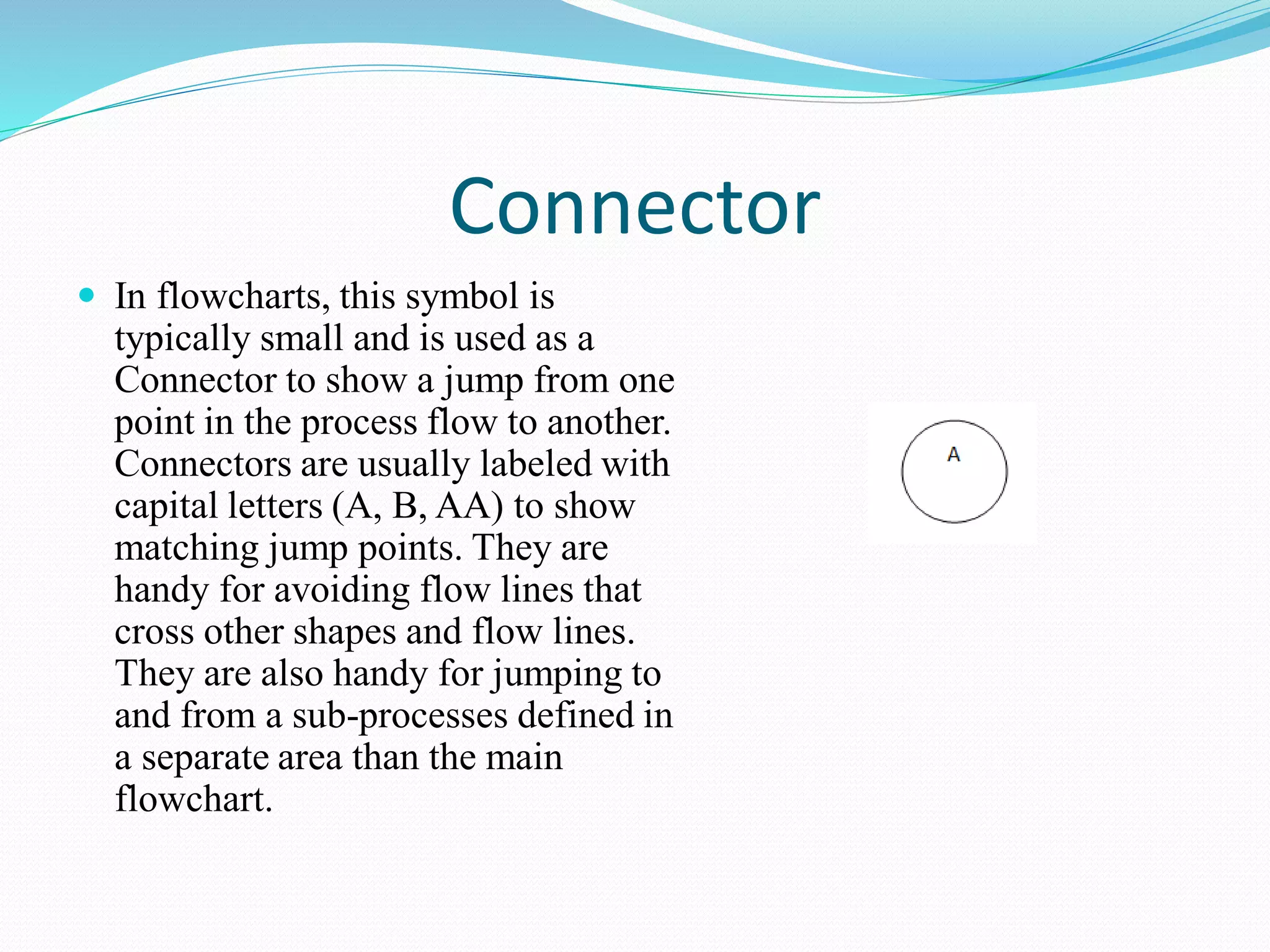
Connector
 In flowcharts, this symbol is
typically small and is used as a
Connector to show a jump from one
point in the process flow to another.
Connectors are usually labeled with
capital letters (A, B, AA) to show
matching jump points. They are
handy for avoiding flow lines that
cross other shapes and flow lines.
They are also handy for jumping to
and from a sub-processes defined in
a separate area than the main
flowchart.
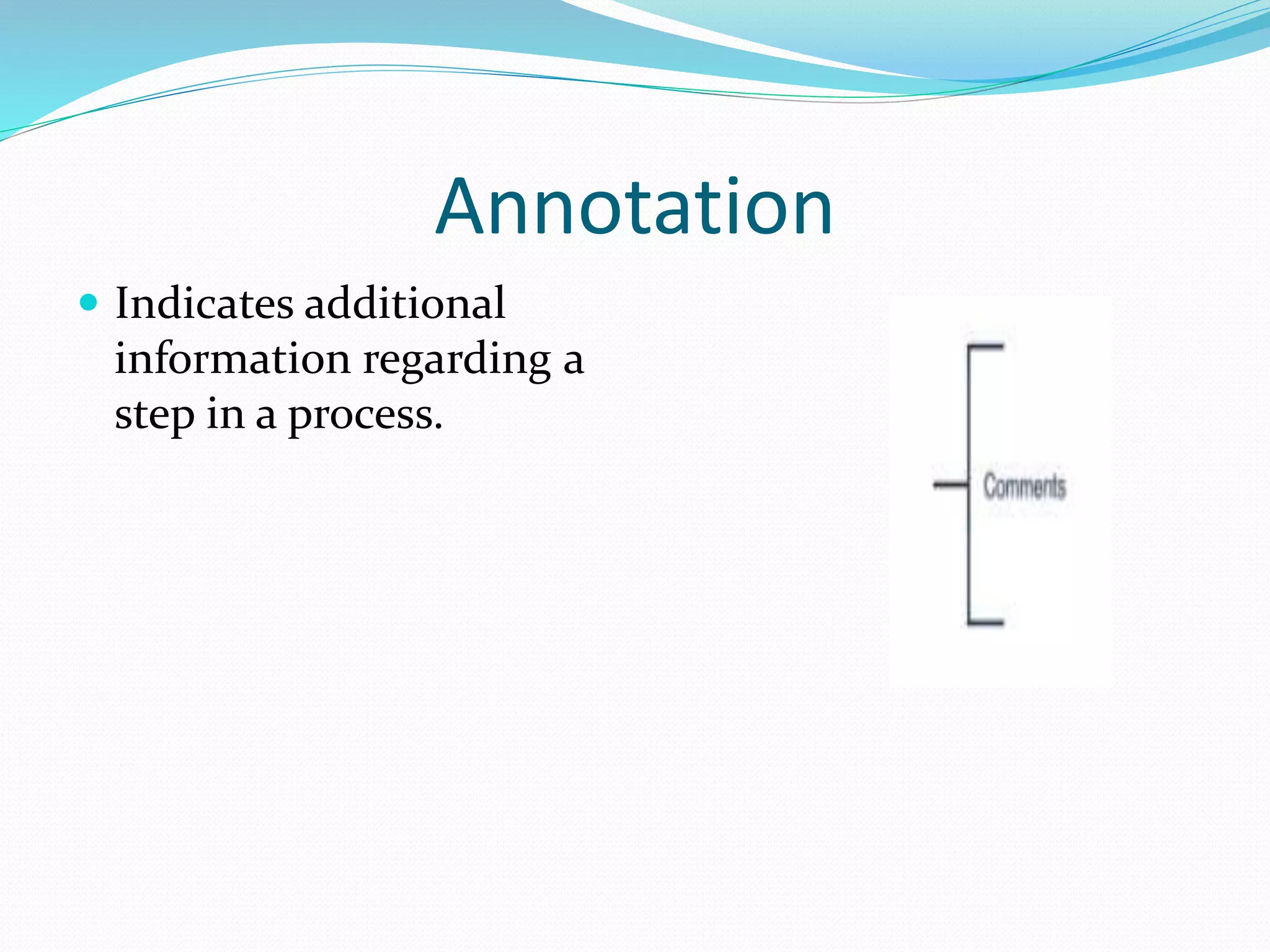
Annotation
 Indicates additional
information regarding a
step in a process.
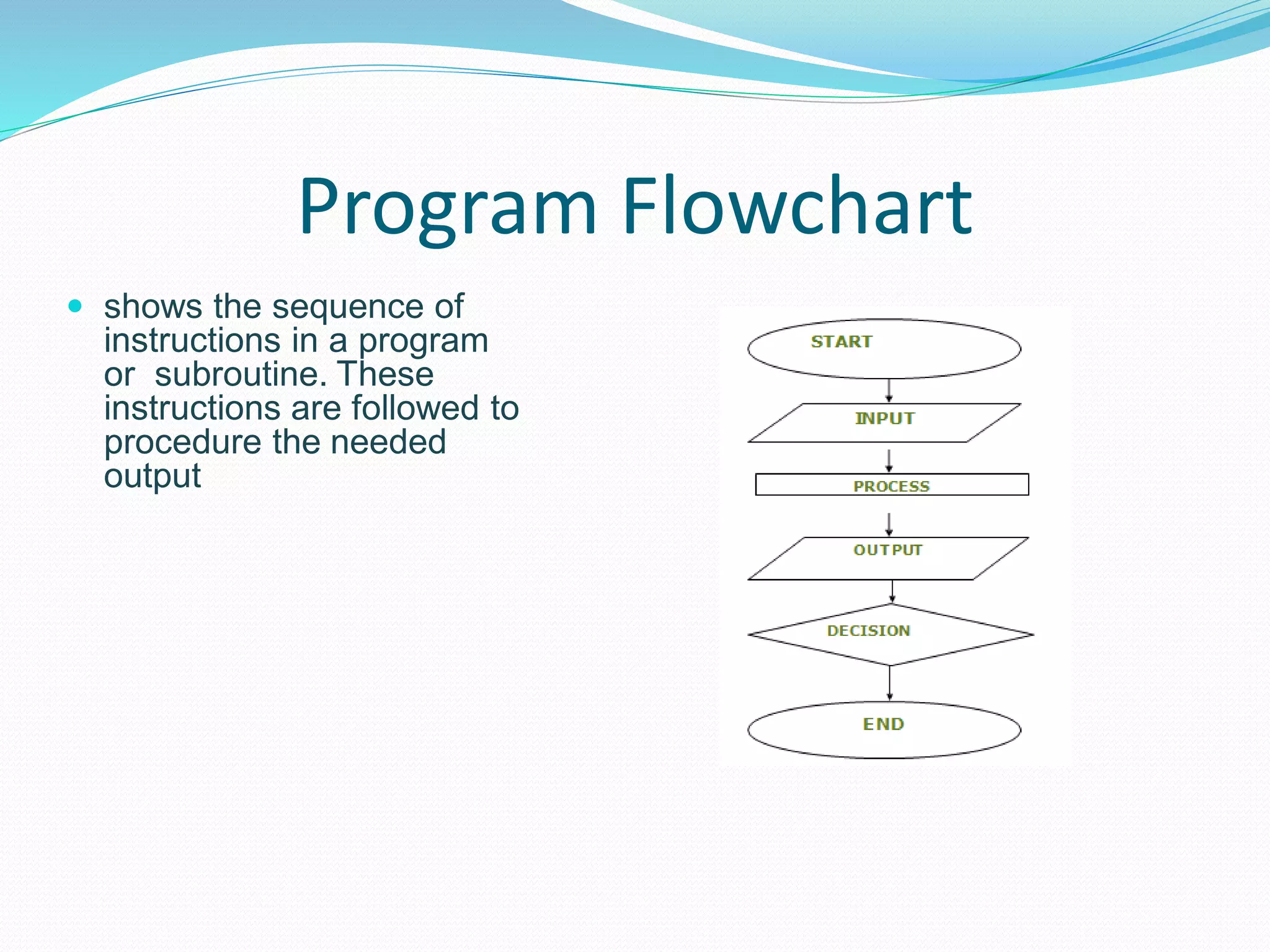
Program Flowchart
 shows the sequence of
instructions in a program
or subroutine. These
instructions are followed to
procedure the needed
output
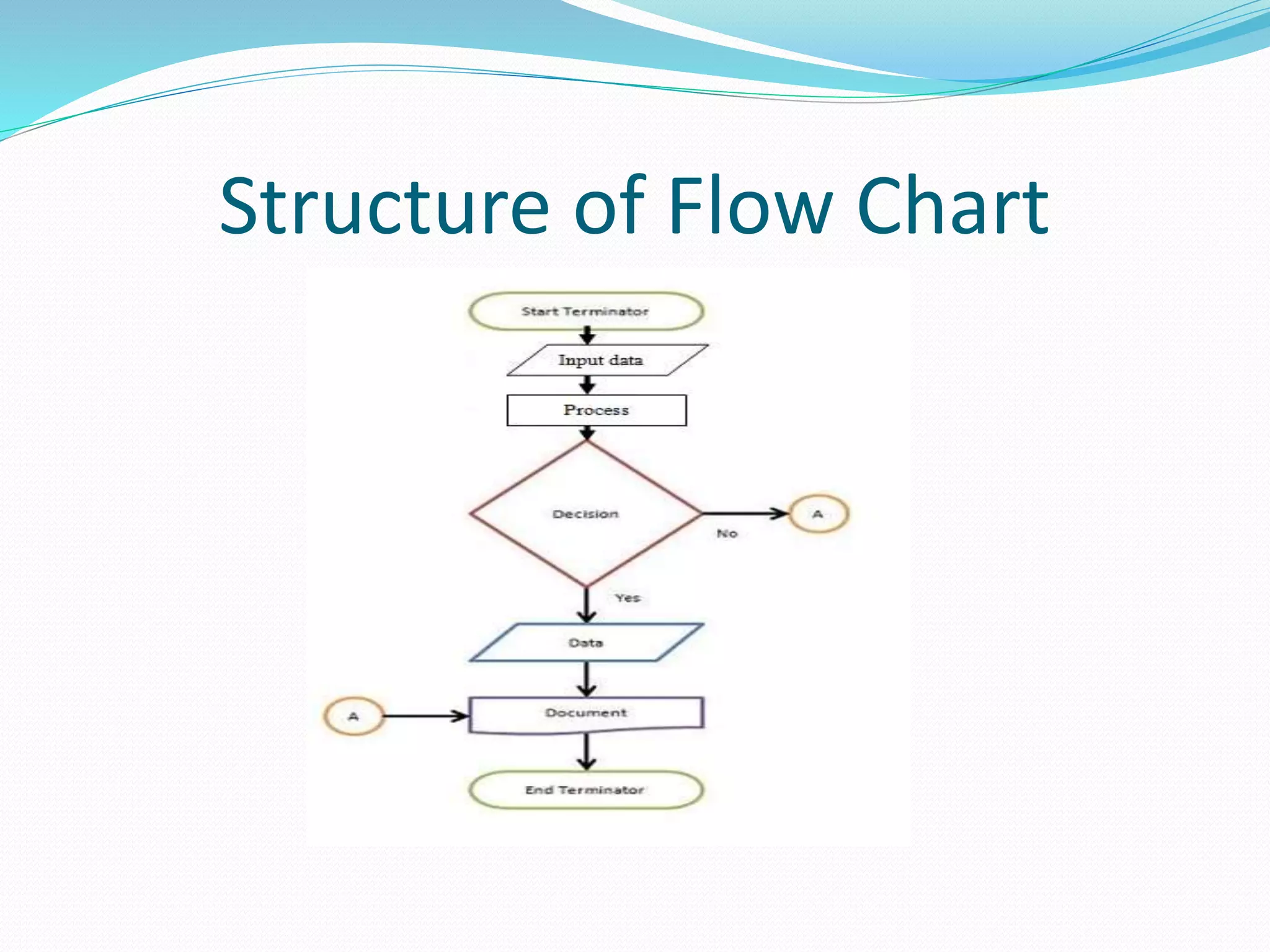
Structure of Flow Chart
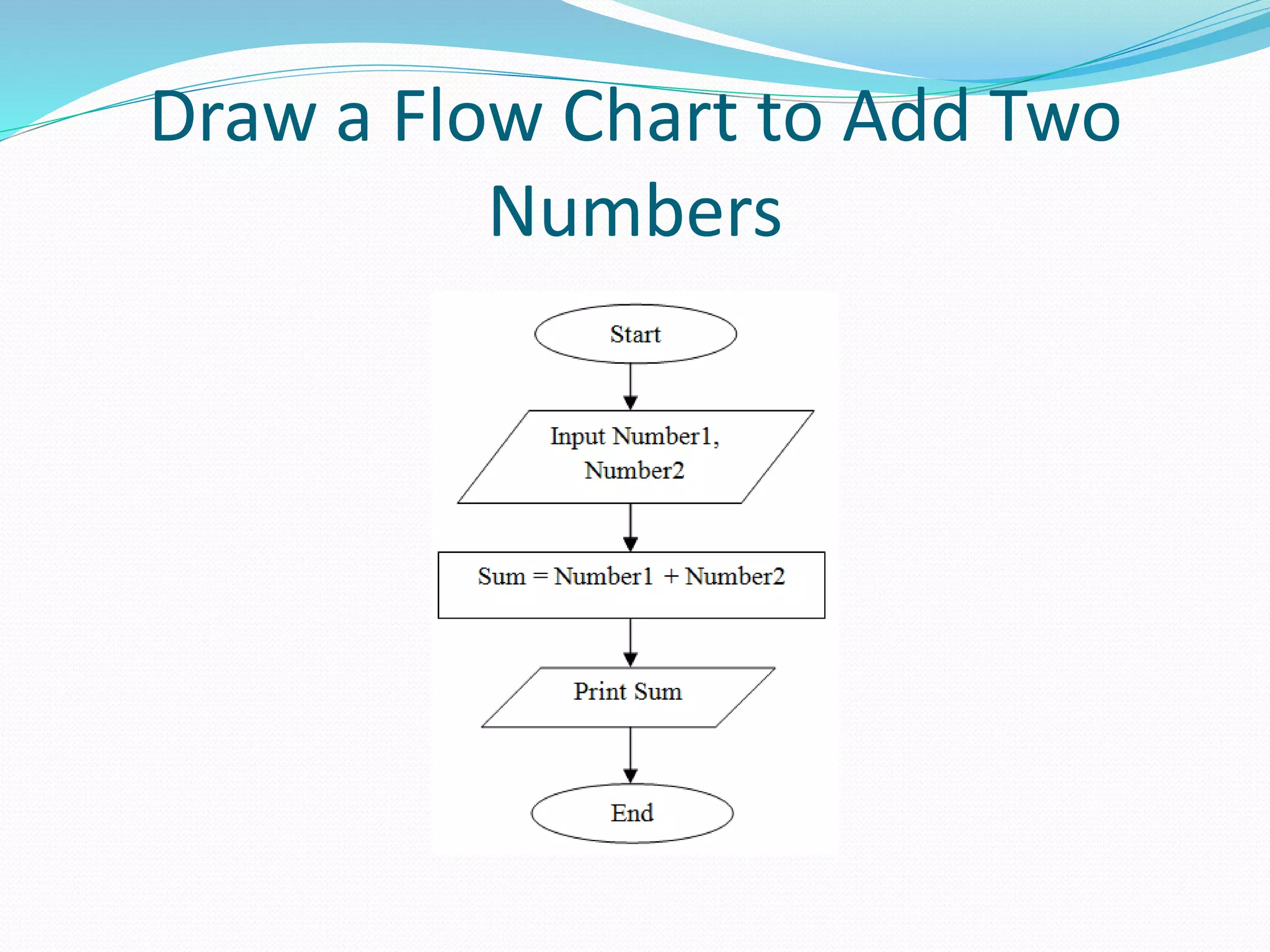
Draw a Flow Chart to Add Two
Numbers
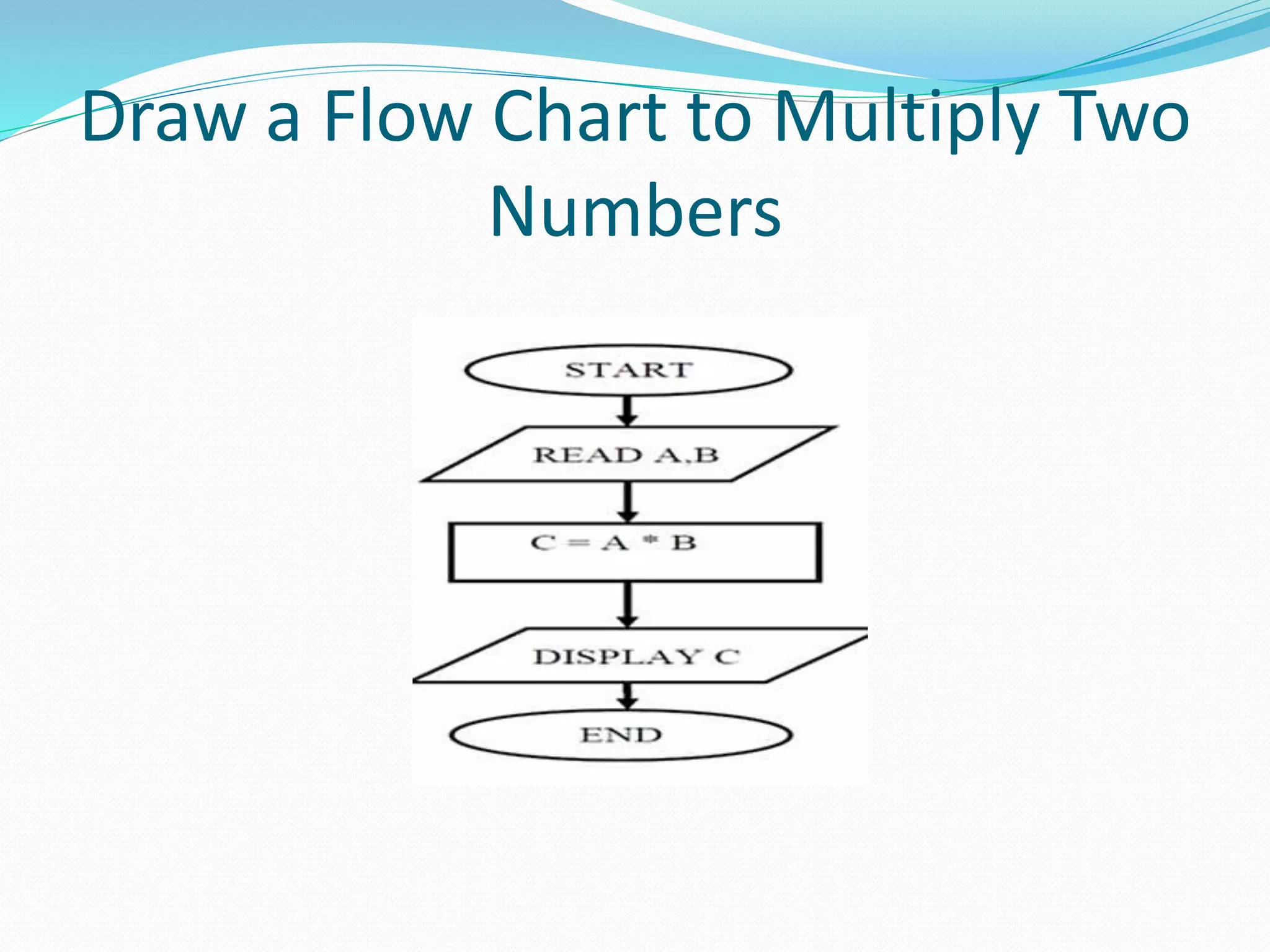
Draw a Flow Chart to Multiply Two
Numbers
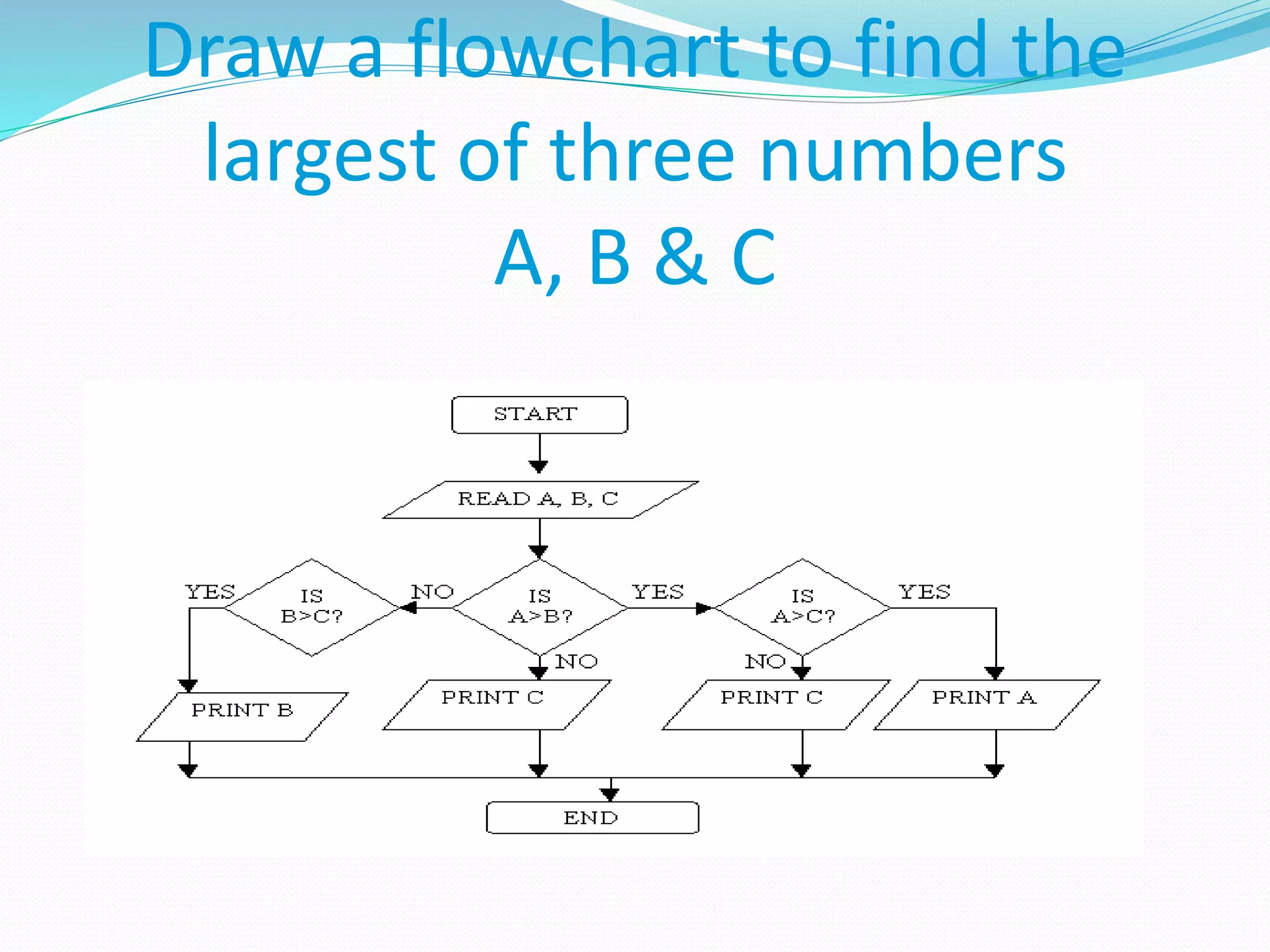
Draw a flowchart to find the
largest of three numbers
A, B & C
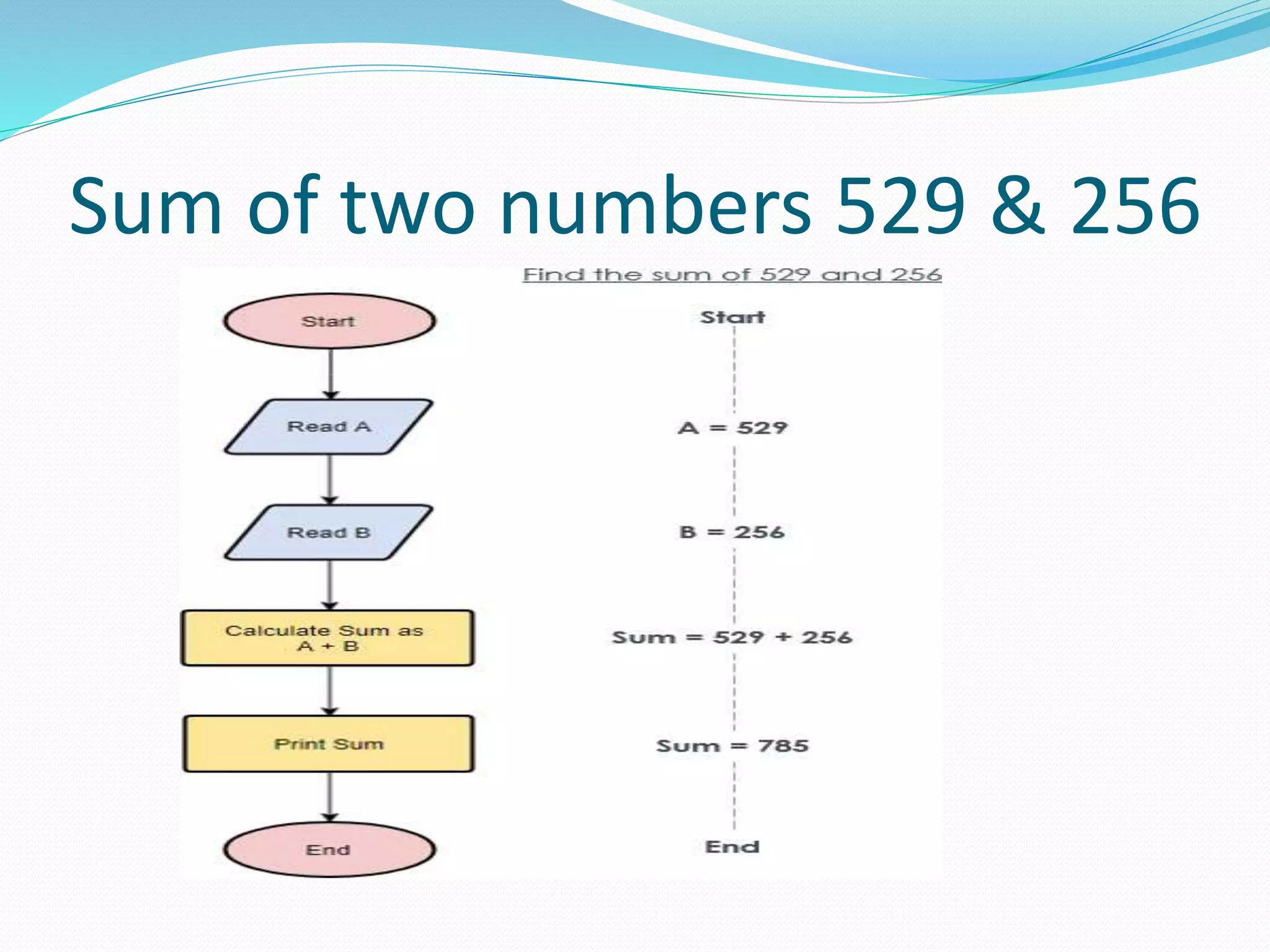
Sum of two numbers 529 & 256
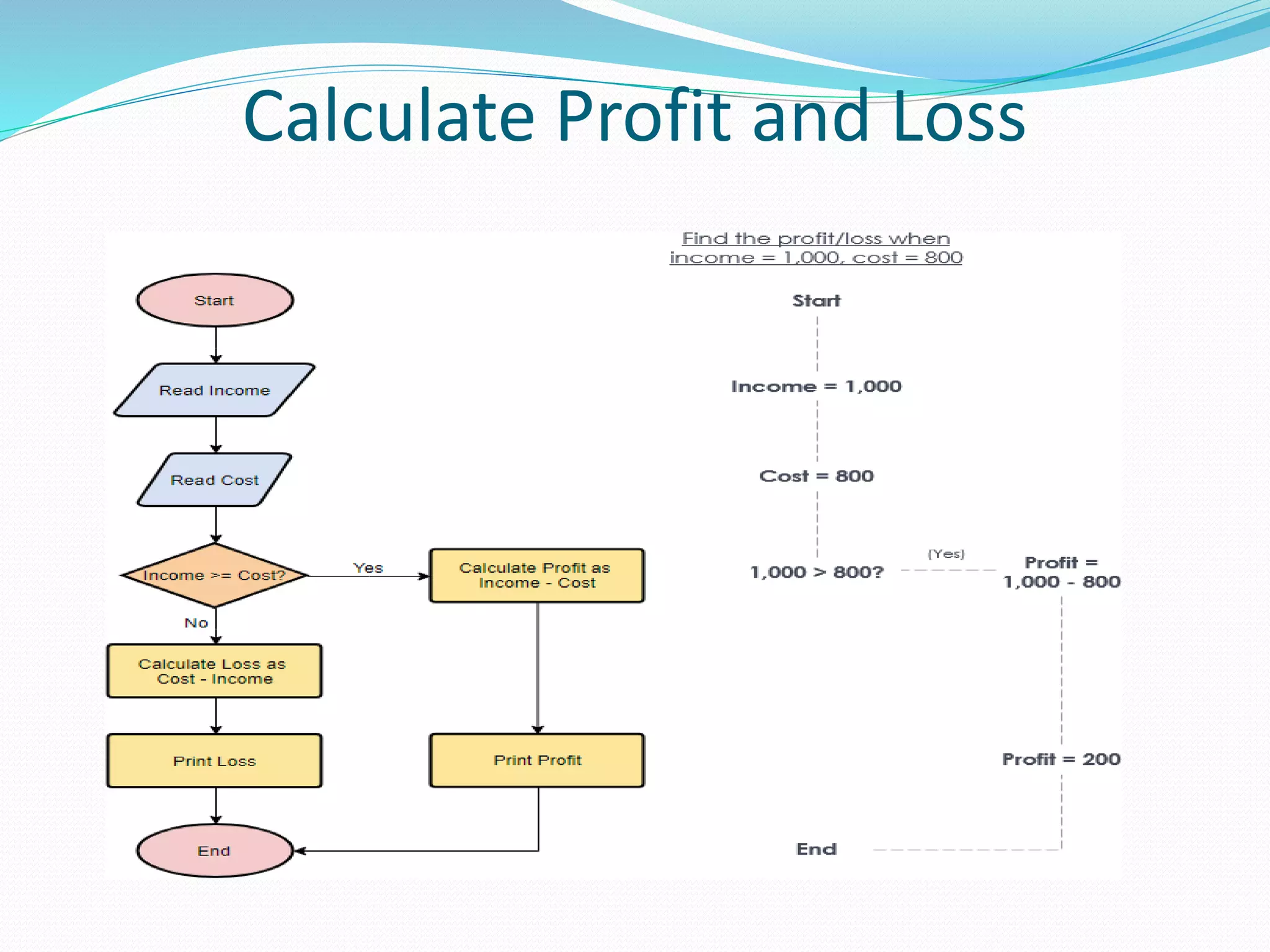
Calculate Profit and Loss
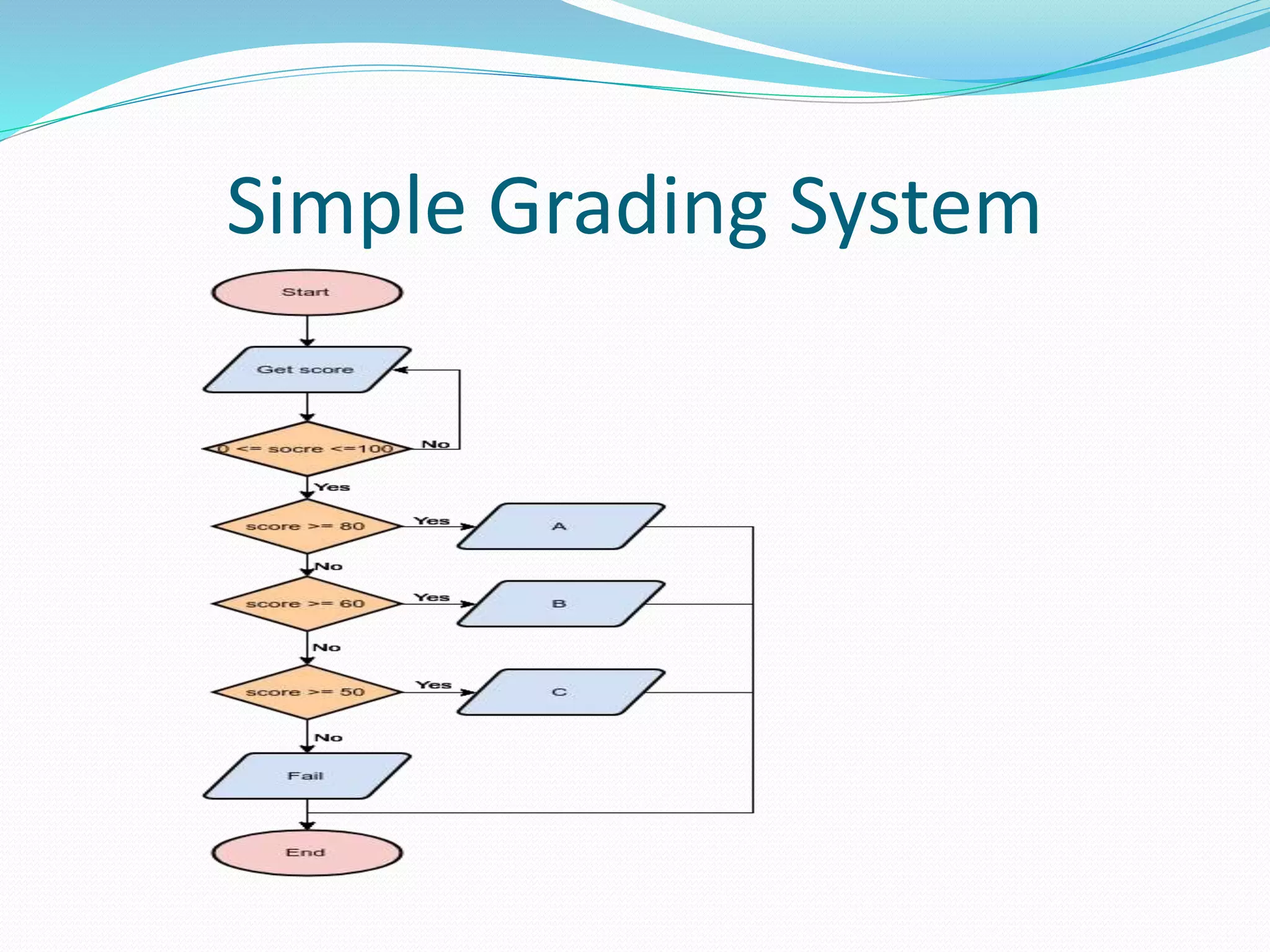
Simple Grading System
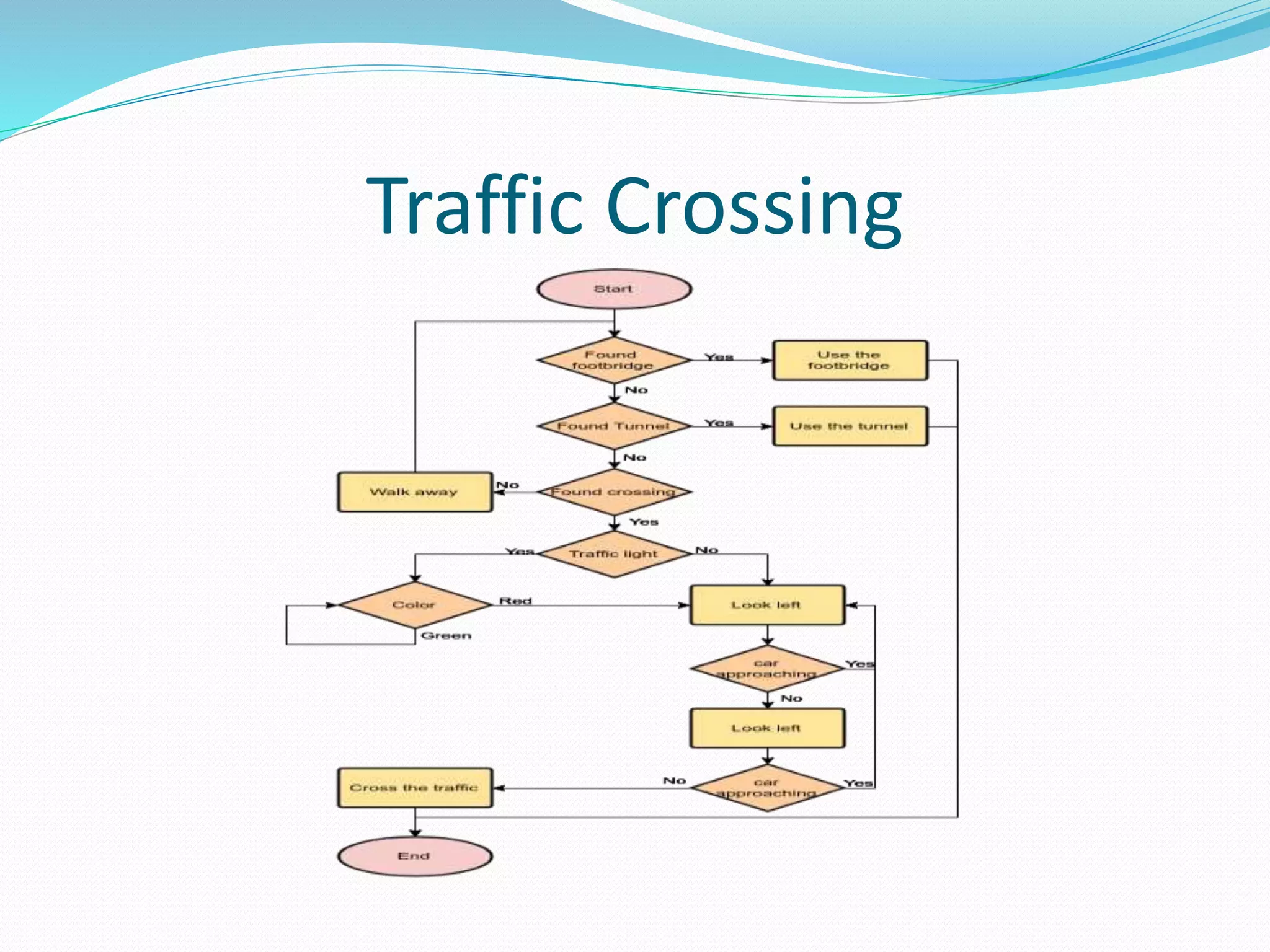
Traffic Crossing
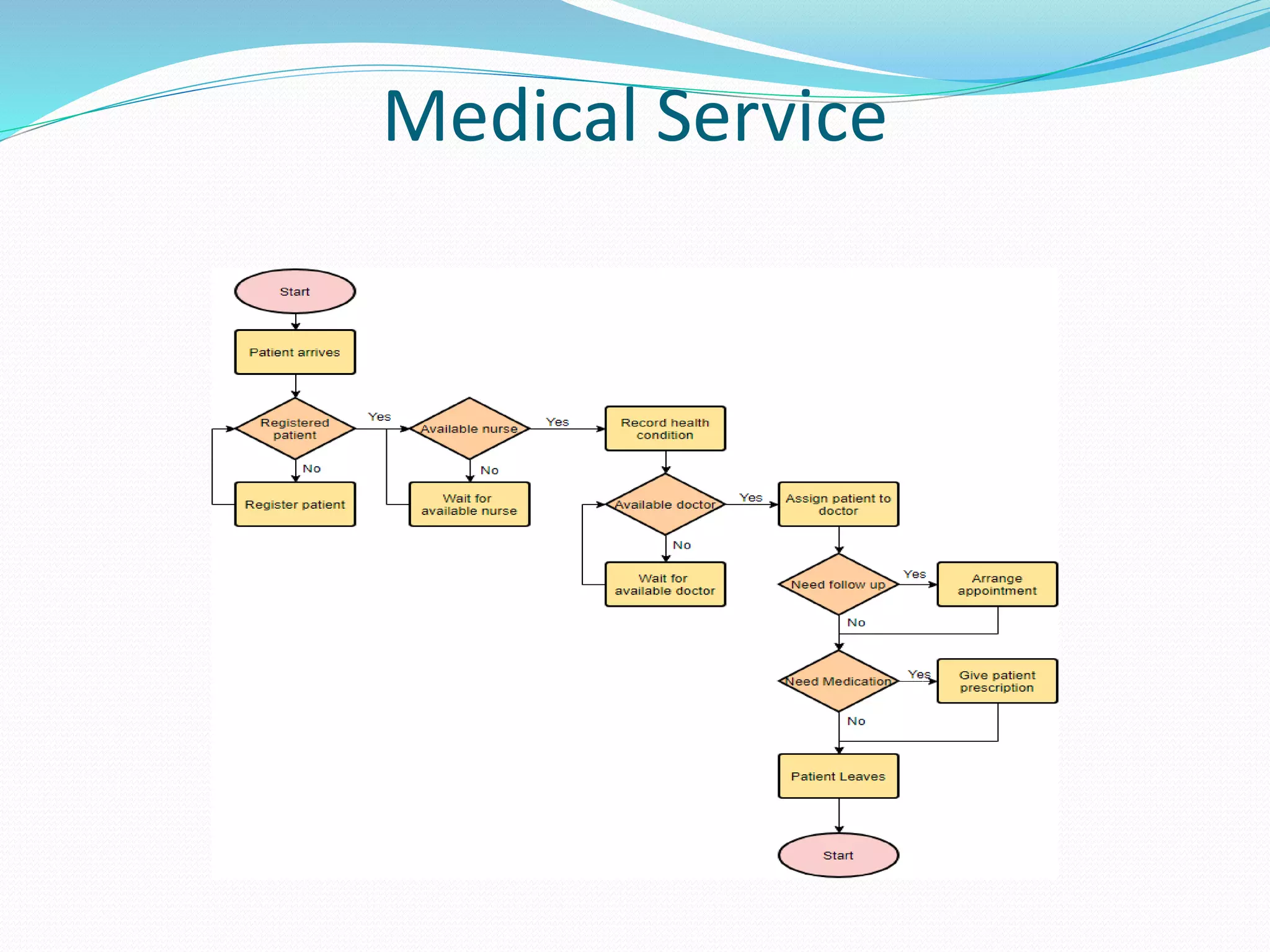
Medical Service
Flow Chart @ppsc(2)

Flow Chart @ppsc(2)

  • 1.
    FLOW CHART Presented by Prof.Amiya Bhusan Bagjadab Asst. Prof., Department of CSE, Radhakrisna Institute of Technology and Engineering(RITE)
  • 2.
    Contents  Introduction  Advantages Symbols of Flow Chart  Some Examples of Flow Chart
  • 3.
    Introduction  A flowchartis a type of diagram that represents a workflow or process.  A flowchart can also be defined as a diagrammatic representation of an algorithm, a step-by-step approach to solving a task.  It can be used to represent how programs work.  Flow charts are used in analyzing ,designing, documenting or managing a process or program in various fields.
  • 4.
    Advantages  Better Communication Effective Analysis  Proper Documentation  Efficient Coding  Proper Debugging  Systematic Testing  Efficient Program Maintenance
  • 5.
  • 6.
    Terminator/Terminal Represented as circles, ovals or rounded rectangles, usually containing the word “Start” or “End”, or another phrase signalling the start or end of a process , such as “submit inquiry” or “receive product”. Start / End
  • 7.
    Arrow • Showing “flowof control”. • An arrow coming from one symbol and ending at another symbol represents that control passes to the symbol the arrow points to . • The line for the arrow can be solid or dashed. • The meaning of the arrow with dashed line may differ from one flowchart to another and can be defined in the legend
  • 8.
    Input/output  Represented as aparallelogram.  Represents material or information entering or leaving the system, such as customer order (input) or a product (output). Input/output
  • 9.
    Process • Represented asrectangles. • Use it to represent an event which is controlled within the process. • Typically this will be a step or action which is taken. • In most flowcharts this will be the most frequently used symbol. Processing
  • 10.
    Decision  Different decisionsemerge from different points of the diamond.  It is a decision and branching Point. Decision
  • 11.
    Connector  In flowcharts,this symbol is typically small and is used as a Connector to show a jump from one point in the process flow to another. Connectors are usually labeled with capital letters (A, B, AA) to show matching jump points. They are handy for avoiding flow lines that cross other shapes and flow lines. They are also handy for jumping to and from a sub-processes defined in a separate area than the main flowchart.
  • 12.
  • 13.
    Program Flowchart  showsthe sequence of instructions in a program or subroutine. These instructions are followed to procedure the needed output
  • 14.
  • 15.
    Draw a FlowChart to Add Two Numbers
  • 16.
    Draw a FlowChart to Multiply Two Numbers
  • 17.
    Draw a flowchartto find the largest of three numbers A, B & C
  • 18.
    Sum of twonumbers 529 & 256
  • 19.
  • 20.
  • 21.
  • 22.