



Welcome to our 
presentation
Topic on Flowchart 
Course CSE (101) Introduction to Computer Studies
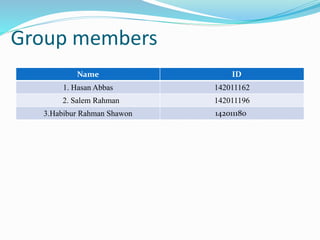
Group members 
Name ID 
1. Hasan Abbas 142011162 
2. Salem Rahman 142011196 
3.Habibur Rahman Shawon 142011180
A flowchart is a type of diagram that represents a 
workflow or process, showing the steps as boxes of 
various kinds, and their order by connecting them 
with arrows.
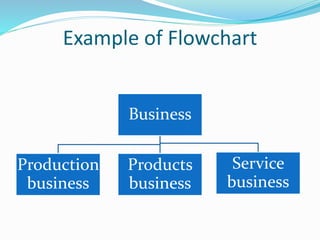
Example of Flowchart 
Business 
Production 
business 
Products 
business 
Service 
business
Types of flowchart 
Sterneckert (2003) suggested that flowcharts can be 
modeled from the perspective of different user groups 
(such as managers, system analysts and clerks): 
Document flowcharts, showing controls over a 
document-flow through a system. 
Data flowcharts, showing controls over a data-flow in 
a system. 
System flowcharts showing controls at a physical or 
resource level. 
Program flowchart, showing the controls in a program 
within a system.
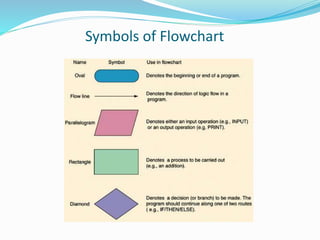
Symbols of Flowchart
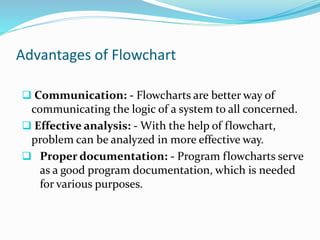
Advantages of Flowchart 
 Communication: - Flowcharts are better way of 
communicating the logic of a system to all concerned. 
 Effective analysis: - With the help of flowchart, 
problem can be analyzed in more effective way. 
 Proper documentation: - Program flowcharts serve 
as a good program documentation, which is needed 
for various purposes.
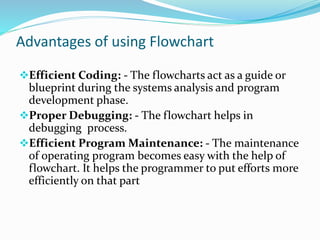
Advantages of using Flowchart 
Efficient Coding: - The flowcharts act as a guide or 
blueprint during the systems analysis and program 
development phase. 
Proper Debugging: - The flowchart helps in 
debugging process. 
Efficient Program Maintenance: - The maintenance 
of operating program becomes easy with the help of 
flowchart. It helps the programmer to put efforts more 
efficiently on that part
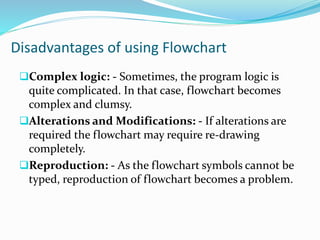
Disadvantages of using Flowchart 
Complex logic: - Sometimes, the program logic is 
quite complicated. In that case, flowchart becomes 
complex and clumsy. 
Alterations and Modifications: - If alterations are 
required the flowchart may require re-drawing 
completely. 
Reproduction: - As the flowchart symbols cannot be 
typed, reproduction of flowchart becomes a problem.
Thank You

Flow chart

  • 1.
    Welcome to our presentation
  • 2.
    Topic on Flowchart Course CSE (101) Introduction to Computer Studies
  • 3.
    Group members NameID 1. Hasan Abbas 142011162 2. Salem Rahman 142011196 3.Habibur Rahman Shawon 142011180
  • 4.
    A flowchart isa type of diagram that represents a workflow or process, showing the steps as boxes of various kinds, and their order by connecting them with arrows.
  • 5.
    Example of Flowchart Business Production business Products business Service business
  • 6.
    Types of flowchart Sterneckert (2003) suggested that flowcharts can be modeled from the perspective of different user groups (such as managers, system analysts and clerks): Document flowcharts, showing controls over a document-flow through a system. Data flowcharts, showing controls over a data-flow in a system. System flowcharts showing controls at a physical or resource level. Program flowchart, showing the controls in a program within a system.
  • 7.
  • 8.
    Advantages of Flowchart  Communication: - Flowcharts are better way of communicating the logic of a system to all concerned.  Effective analysis: - With the help of flowchart, problem can be analyzed in more effective way.  Proper documentation: - Program flowcharts serve as a good program documentation, which is needed for various purposes.
  • 9.
    Advantages of usingFlowchart Efficient Coding: - The flowcharts act as a guide or blueprint during the systems analysis and program development phase. Proper Debugging: - The flowchart helps in debugging process. Efficient Program Maintenance: - The maintenance of operating program becomes easy with the help of flowchart. It helps the programmer to put efforts more efficiently on that part
  • 10.
    Disadvantages of usingFlowchart Complex logic: - Sometimes, the program logic is quite complicated. In that case, flowchart becomes complex and clumsy. Alterations and Modifications: - If alterations are required the flowchart may require re-drawing completely. Reproduction: - As the flowchart symbols cannot be typed, reproduction of flowchart becomes a problem.
  • 11.