Introduction and Basics
 The MATLAB stands for Matrix Laboratory. It is a tool to
perform mathematical complex computations. In
MATLAB, simplified C is used as the programming
language. The MATLAB has various inbuilt toolboxes
and these toolboxes are mathematical toolbox, drag
and drop based GUI, Image processing, Neural
networks etc. The MATLAB is generally used to
implement algorithms, plotting graphs and design user
interfaces. MATLAB is used to simulate networks due
to availability of high graphics.
Following are the main components of default MATLAB
interface:
 Command Window - The Command Window is the first
important part of MATLAB which is used to show
output of already saved code and to execute MATLAB
codes temporarily.
 Workspace - The workspace is the second part of
MATLAB which is used to show allocation and
reallocation of MATLAB variables.
 Command History - The command history is the third
part of MATLAB in which MATLAB commands are
shown which are executed previously.
 Current Folder Path - The current Folder path shows
that path of the folder in which MATLAB codes are
saved.
 Current Folder Data - The Current Folder Data shows
that data which is in the folders whose path is given in
Current Folder Path.
There are three commonly used commands in
MATLAB:
 CLC – This command is used to clear all input and
output from display window.
 Clear All – This command is used to clear all objects
from workspace.
 Close All – This command is used to close all the
interfaces and return to the default interface.
Here are the main features of MATLAB;
o MATLAB is a high-level language used for complex
numerical based computations, visualization, and for
the development of different applications.
o For exploration and solving problems, MATLAB
provides an open-end environment.
o MATLAB provides tools for to build applications using
custom graphical interfaces.
 MATLAB provides an extensive library of certain
mathematical functions to perform operations on
Linear Algebra, Fourier series, statistics, and for
other mathematical computations.
 For improving code quality, MATLAB provides certain
development tools along with built-in graphics for
data visualization.
 MATLAB can be integrated with external applications
and programming languages like C, Java.
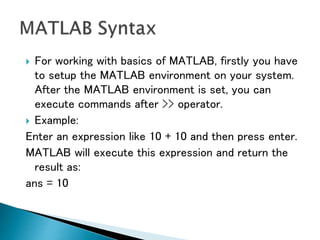
 For working with basics of MATLAB, firstly you have
to setup the MATLAB environment on your system.
After the MATLAB environment is set, you can
execute commands after >> operator.
 Example:
Enter an expression like 10 + 10 and then press enter.
MATLAB will execute this expression and return the
result as:
ans = 10
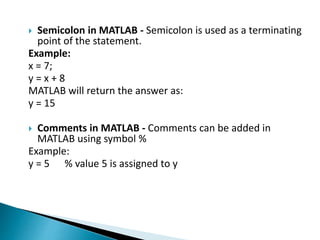
 Semicolon in MATLAB - Semicolon is used as a terminating
point of the statement.
Example:
x = 7;
y = x + 8
MATLAB will return the answer as:
y = 15
 Comments in MATLAB - Comments can be added in
MATLAB using symbol %
Example:
y = 5 % value 5 is assigned to y
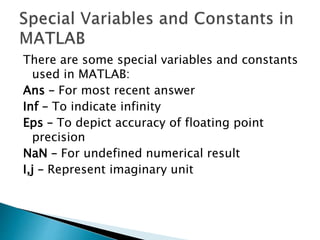
There are some special variables and constants
used in MATLAB:
Ans – For most recent answer
Inf – To indicate infinity
Eps – To depict accuracy of floating point
precision
NaN – For undefined numerical result
I,j – Represent imaginary unit
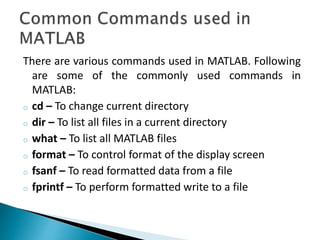
There are various commands used in MATLAB. Following
are some of the commonly used commands in
MATLAB:
o cd – To change current directory
o dir – To list all files in a current directory
o what – To list all MATLAB files
o format – To control format of the display screen
o fsanf – To read formatted data from a file
o fprintf – To perform formatted write to a file
 lookfor – To search help for a keyword
 cat – To concatenate arrays
 prod – To find product of each column
 eye – To create an identity matrix
 num2cell – To convert numeric array to cell array
There are two types of program files in MATLAB:
 Scripts
 Functions
 Scripts - In these types of program files, series of
commands are written which are required to be
executed together.
 Functions - Unlike script files, function files accept
inputs to return output.
Following are the different types of operators used in
MATLAB:
 Arithmetic Operators
 Relational Operators
 Logical Operators
 Bitwise Operators
 Set Operators
 Arithmetic Operators - Arithmetic Operators include
the operators used in linear algebra including +, -, *, /,
^. Arithmetic Operators also include Array and Matrix
arithmetic operators.
 Relational Operators - Following are the types of
relational operators used:
Less than – <
Greater than – >
Less than or equal to – <=
Greater than or equal to – >=
Equal to – ==
Not equal to – ~=
 Logical Operators - There are two types of logical
operators used in MATLAB:
Element-wise – To perform operations on elements of
logical arrays
Short-Circuit wise – For operation on scalar and logical
expressions
 Bitwise Operators - These operators are used to
perform bitwise operations on bits and work bit-by-bit
using truth table for operations.
 Set Operators - These operators perform functions like
union, intersection, and testing.
There are three types of loops used in MATLAB along
with two loop control statements:
 While loop
 For loop
 Nested loop
Loop Control Statements:
 Break
 Continue
 MATLAB is used to evaluate a large amount of data
collected using computers and other such appliances.
 MATLAB finds its application in signal processing and
communication.
 MATLAB is used to perform complex matrix operations
which is useful in case of image and video processing.
 Matlab provides certain graphical and statistical
functions along with our such interesting features
which makes it popular for a wide range of use.
 Matlab is used in computational biology and
computational finance.
 Being an interpreted language, Matlab is easy to use.
 Matlab provides built-in integrated development
environment using which programs can be written
easily.
 Matlab is platform independent in the sense that it can
run on different platforms.
 Matlab has a vast library of predefined functions that
provide solutions to various technical problems.
 The main disadvantage of Matlab is that it is an
interpreted language which means that it takes more
time to execute than other compiled languages i.e. its
execution speed is slow.
 The second disadvantage is the cost. It is expensive
than the regular C or Fortran compiler. Therefore,
individuals find it expensive to purchase.
 Techsparks
Techsparks, 2nd floor, D-185, Phase 8B, Industrial Area,
Sahibzada Ajit Singh Nagar, Mohali, Punjab 160055
+91-9465330425
techsparks2013@gmail.com
http://www.techsparks.co.in

Matlab - Introduction and Basics

  • 1.
  • 2.
     The MATLABstands for Matrix Laboratory. It is a tool to perform mathematical complex computations. In MATLAB, simplified C is used as the programming language. The MATLAB has various inbuilt toolboxes and these toolboxes are mathematical toolbox, drag and drop based GUI, Image processing, Neural networks etc. The MATLAB is generally used to implement algorithms, plotting graphs and design user interfaces. MATLAB is used to simulate networks due to availability of high graphics.
  • 3.
    Following are themain components of default MATLAB interface:  Command Window - The Command Window is the first important part of MATLAB which is used to show output of already saved code and to execute MATLAB codes temporarily.  Workspace - The workspace is the second part of MATLAB which is used to show allocation and reallocation of MATLAB variables.
  • 4.
     Command History- The command history is the third part of MATLAB in which MATLAB commands are shown which are executed previously.  Current Folder Path - The current Folder path shows that path of the folder in which MATLAB codes are saved.  Current Folder Data - The Current Folder Data shows that data which is in the folders whose path is given in Current Folder Path.
  • 5.
    There are threecommonly used commands in MATLAB:  CLC – This command is used to clear all input and output from display window.  Clear All – This command is used to clear all objects from workspace.  Close All – This command is used to close all the interfaces and return to the default interface.
  • 6.
    Here are themain features of MATLAB; o MATLAB is a high-level language used for complex numerical based computations, visualization, and for the development of different applications. o For exploration and solving problems, MATLAB provides an open-end environment. o MATLAB provides tools for to build applications using custom graphical interfaces.
  • 7.
     MATLAB providesan extensive library of certain mathematical functions to perform operations on Linear Algebra, Fourier series, statistics, and for other mathematical computations.  For improving code quality, MATLAB provides certain development tools along with built-in graphics for data visualization.  MATLAB can be integrated with external applications and programming languages like C, Java.
  • 8.
     For workingwith basics of MATLAB, firstly you have to setup the MATLAB environment on your system. After the MATLAB environment is set, you can execute commands after >> operator.  Example: Enter an expression like 10 + 10 and then press enter. MATLAB will execute this expression and return the result as: ans = 10
  • 9.
     Semicolon inMATLAB - Semicolon is used as a terminating point of the statement. Example: x = 7; y = x + 8 MATLAB will return the answer as: y = 15  Comments in MATLAB - Comments can be added in MATLAB using symbol % Example: y = 5 % value 5 is assigned to y
  • 10.
    There are somespecial variables and constants used in MATLAB: Ans – For most recent answer Inf – To indicate infinity Eps – To depict accuracy of floating point precision NaN – For undefined numerical result I,j – Represent imaginary unit
  • 11.
    There are variouscommands used in MATLAB. Following are some of the commonly used commands in MATLAB: o cd – To change current directory o dir – To list all files in a current directory o what – To list all MATLAB files o format – To control format of the display screen o fsanf – To read formatted data from a file o fprintf – To perform formatted write to a file
  • 12.
     lookfor –To search help for a keyword  cat – To concatenate arrays  prod – To find product of each column  eye – To create an identity matrix  num2cell – To convert numeric array to cell array
  • 13.
    There are twotypes of program files in MATLAB:  Scripts  Functions  Scripts - In these types of program files, series of commands are written which are required to be executed together.  Functions - Unlike script files, function files accept inputs to return output.
  • 14.
    Following are thedifferent types of operators used in MATLAB:  Arithmetic Operators  Relational Operators  Logical Operators  Bitwise Operators  Set Operators
  • 15.
     Arithmetic Operators- Arithmetic Operators include the operators used in linear algebra including +, -, *, /, ^. Arithmetic Operators also include Array and Matrix arithmetic operators.  Relational Operators - Following are the types of relational operators used: Less than – < Greater than – > Less than or equal to – <= Greater than or equal to – >= Equal to – == Not equal to – ~=
  • 16.
     Logical Operators- There are two types of logical operators used in MATLAB: Element-wise – To perform operations on elements of logical arrays Short-Circuit wise – For operation on scalar and logical expressions  Bitwise Operators - These operators are used to perform bitwise operations on bits and work bit-by-bit using truth table for operations.  Set Operators - These operators perform functions like union, intersection, and testing.
  • 17.
    There are threetypes of loops used in MATLAB along with two loop control statements:  While loop  For loop  Nested loop Loop Control Statements:  Break  Continue
  • 18.
     MATLAB isused to evaluate a large amount of data collected using computers and other such appliances.  MATLAB finds its application in signal processing and communication.  MATLAB is used to perform complex matrix operations which is useful in case of image and video processing.  Matlab provides certain graphical and statistical functions along with our such interesting features which makes it popular for a wide range of use.  Matlab is used in computational biology and computational finance.
  • 19.
     Being aninterpreted language, Matlab is easy to use.  Matlab provides built-in integrated development environment using which programs can be written easily.  Matlab is platform independent in the sense that it can run on different platforms.  Matlab has a vast library of predefined functions that provide solutions to various technical problems.
  • 20.
     The maindisadvantage of Matlab is that it is an interpreted language which means that it takes more time to execute than other compiled languages i.e. its execution speed is slow.  The second disadvantage is the cost. It is expensive than the regular C or Fortran compiler. Therefore, individuals find it expensive to purchase.
  • 21.
     Techsparks Techsparks, 2ndfloor, D-185, Phase 8B, Industrial Area, Sahibzada Ajit Singh Nagar, Mohali, Punjab 160055 +91-9465330425 techsparks2013@gmail.com http://www.techsparks.co.in