EVALUATION QUESTION 4
“How did you use media technologies in the
construction, research and planning, and
evaluation stages?”
BLOGGER
• Blogger is the online blogging
platform where I have hosted my
blog to document the process of
building my magazine from the early
research stages to this last stage. It
has been a very useful platform as I
have been able to post at every stage
of the development and it is
convenient being online. The
software is very simple to use, which
is why it made the process more
simple than another line blogging
site, such as WordPress which is
more technical.
BLOGGER
• I learned how to use the blogging platform by trying out different tools. I mainly
used Blogger during the research and planning stage, where I presented my research
in different blog posts. This meant that they could be easily navigated to by using
the ‘labels’ tab which set each post in a category. I also changed the blog design to
make it more minimal and easily readable with a plain white background and simple
layout.
GOOGLE
• Google is a search engine which I
have use predominantly in the
research stages. It is a useful tool as I
was easily able to find examples of
real life regional magazines and data
to support their audience and
viewing figures. This made the
research into codes and conventions
a lot easier than if I were to have to
purchase and acquire the actual
magazines themselves.
GOOGLE
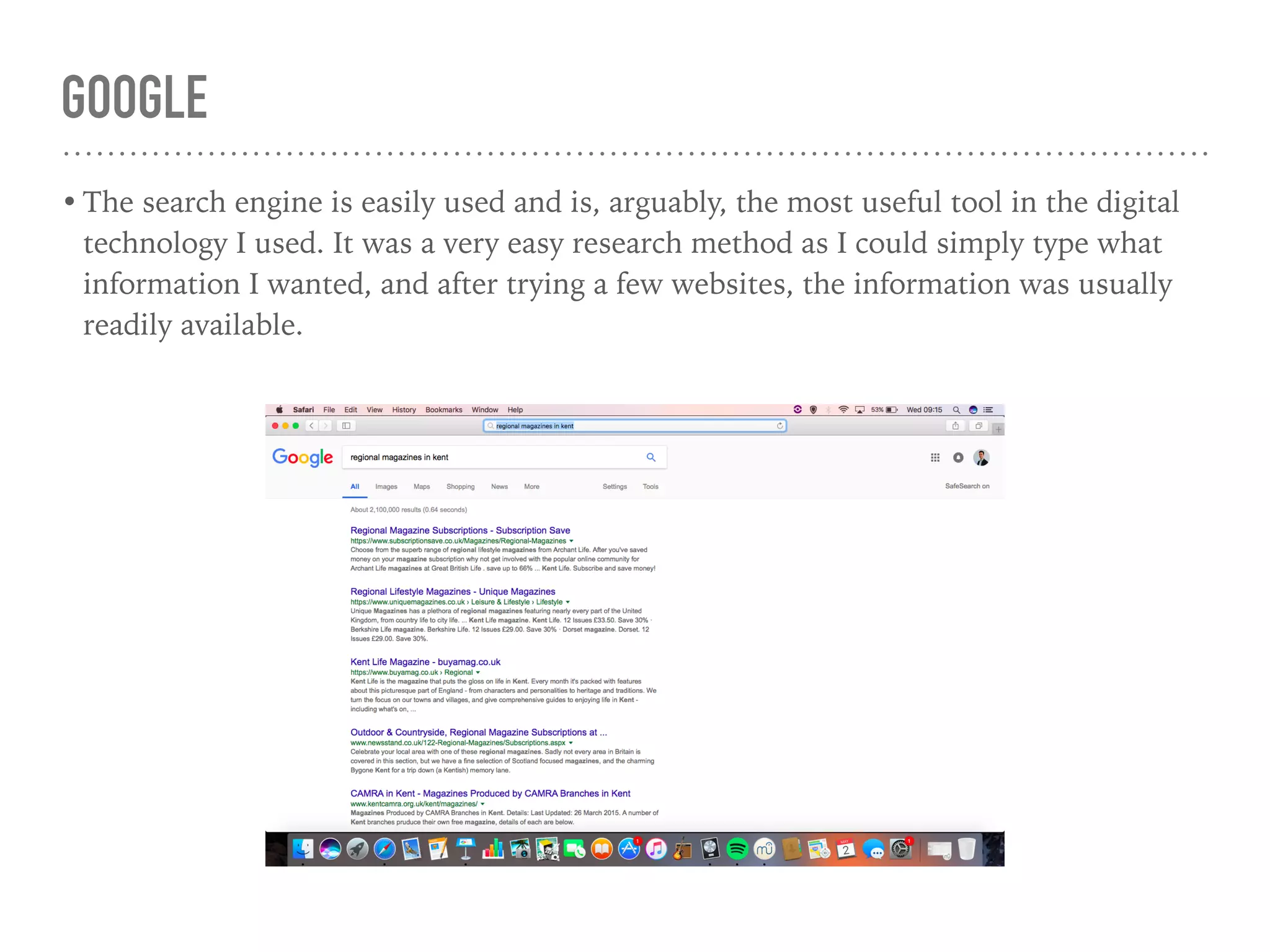
• The search engine is easily used and is, arguably, the most useful tool in the digital
technology I used. It was a very easy research method as I could simply type what
information I wanted, and after trying a few websites, the information was usually
readily available.
PHOTOSHOP
• Photoshop is the program I used to
create my final product, as it allows
photo editing and manipulation of
photographs, whilst allowing the
adding of text and whole host of
other tools. Without this program, I
may have had to find another
program which is similar but
probably less diverse in it’s
functionality, which would have
made the whole process harder and
take longer to achieve.
PHOTOSHOP
• The tools for photoshop are placed at the left side of the page. The main tools I used
were the text tool, the path tracing tool, and the shape tool. I also used the
adjustment tools in the ‘Image’ drop down menu to edit the colour balance and
contrast and brightness in the main photograph. The path tracing tool was used to
make the award rosette which allowed me to create arced writing.
PHOTOSHOP
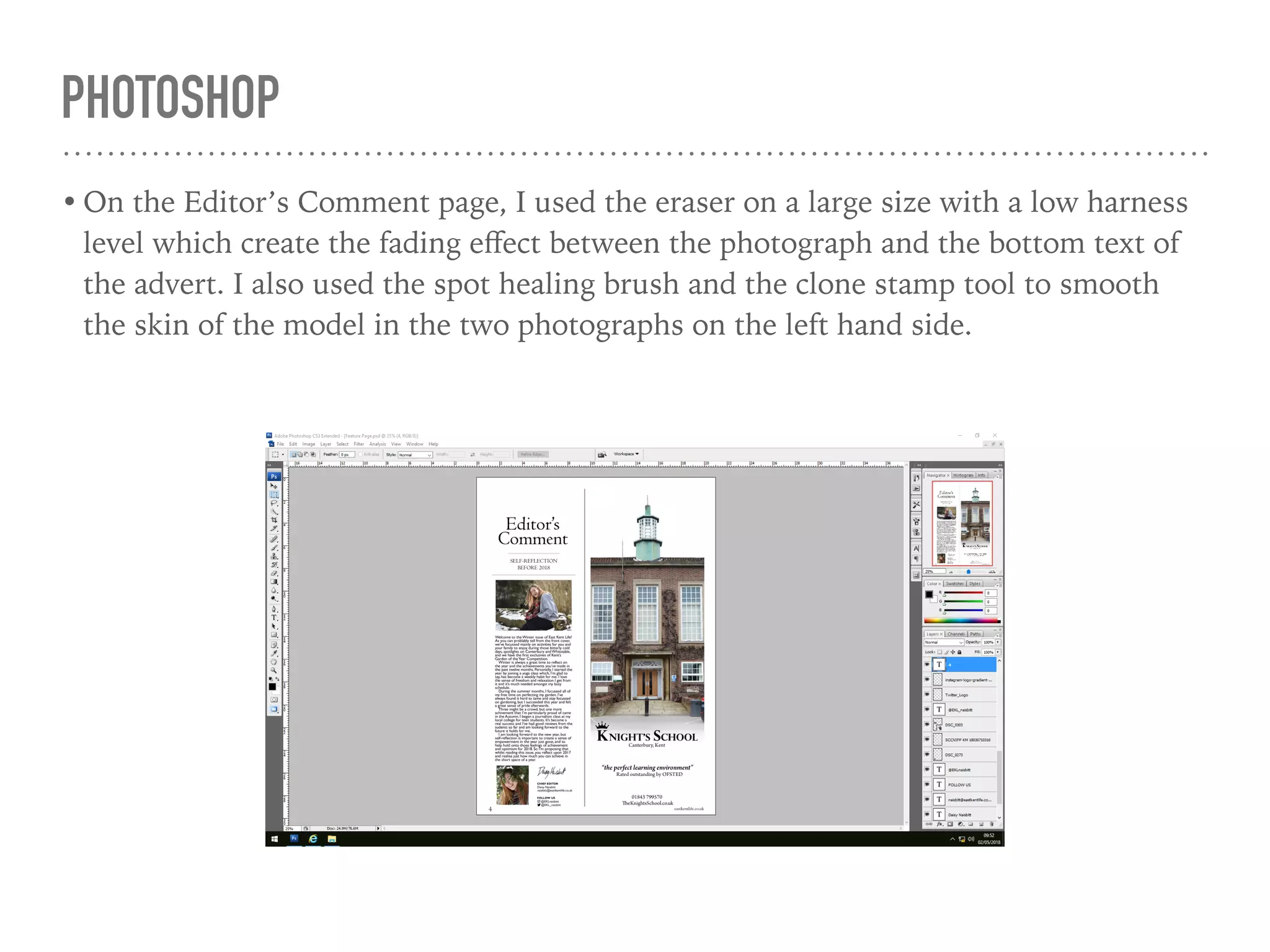
• On the Editor’s Comment page, I used the eraser on a large size with a low harness
level which create the fading effect between the photograph and the bottom text of
the advert. I also used the spot healing brush and the clone stamp tool to smooth
the skin of the model in the two photographs on the left hand side.
KEYNOTE AND SLIDE SHARE
• To present my research and
evaluation, I used the program
Keynote for MacBook and created
slideshows. This is an organised and
easy way to present text and images
which has allowed me to keep on top
of the research, and now, evaluation.
After finishing the slide show on
Keynote, I would then upload it to
SlideShare which is an online service
for displaying the presentations so
that they can be easily embedded
into Blogger and make the research
more easily available through my
blog.
KEYNOTE AND SLIDE SHARE
• Keynote is used to create powerpoint in which I already had skills in from previous
projects. Slide Share is also easy to use as I simply uploaded the powerpoints,
however ever I had never used this website before my AS media so I learned skills in
using this new website.
WIX
• Wix is the website I used to create
my magazine’s website. It is easy to
use with a drag and drop interface,
and a number of pre-prepared
layouts made it simple to create a
professional looking website for my
magazine. This website was very
important in the creating of my own
website for my final product.
WIX
• The toolbar down the left hand side is the main interface for adding text and
features to the page. I taught myself how to add different features and how to edit
them to make a professional looking final touch. The main features I added included
a scrolling gallery, a Twitter feed, and a animated scroll over box.
CAMERA
• I used the Nikon D5500 camera to
take the photographs for my final
product. As it is a DSLR, it meant I
could change the settings to achieve
the perfect lighting and colours that I
wished for on my photos. I could
also change the focus using the lens
to achieve a different feel to the
photos, either having the foreground
or background in focus or blurry.
CAMERA
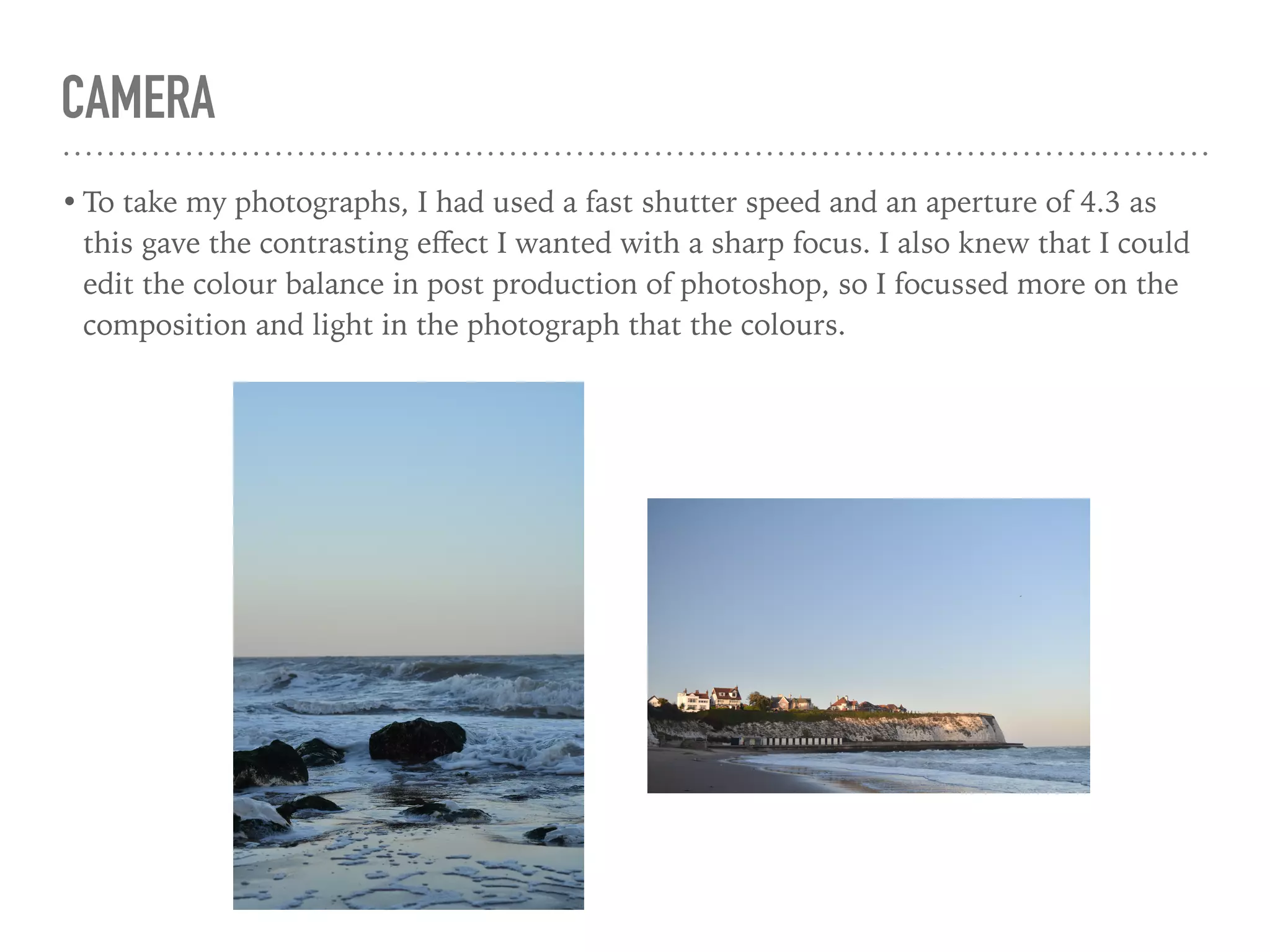
• To take my photographs, I had used a fast shutter speed and an aperture of 4.3 as
this gave the contrasting effect I wanted with a sharp focus. I also knew that I could
edit the colour balance in post production of photoshop, so I focussed more on the
composition and light in the photograph that the colours.

A2 Evaluation Question 4

  • 1.
    EVALUATION QUESTION 4 “Howdid you use media technologies in the construction, research and planning, and evaluation stages?”
  • 2.
    BLOGGER • Blogger isthe online blogging platform where I have hosted my blog to document the process of building my magazine from the early research stages to this last stage. It has been a very useful platform as I have been able to post at every stage of the development and it is convenient being online. The software is very simple to use, which is why it made the process more simple than another line blogging site, such as WordPress which is more technical.
  • 3.
    BLOGGER • I learnedhow to use the blogging platform by trying out different tools. I mainly used Blogger during the research and planning stage, where I presented my research in different blog posts. This meant that they could be easily navigated to by using the ‘labels’ tab which set each post in a category. I also changed the blog design to make it more minimal and easily readable with a plain white background and simple layout.
  • 4.
    GOOGLE • Google isa search engine which I have use predominantly in the research stages. It is a useful tool as I was easily able to find examples of real life regional magazines and data to support their audience and viewing figures. This made the research into codes and conventions a lot easier than if I were to have to purchase and acquire the actual magazines themselves.
  • 5.
    GOOGLE • The searchengine is easily used and is, arguably, the most useful tool in the digital technology I used. It was a very easy research method as I could simply type what information I wanted, and after trying a few websites, the information was usually readily available.
  • 6.
    PHOTOSHOP • Photoshop isthe program I used to create my final product, as it allows photo editing and manipulation of photographs, whilst allowing the adding of text and whole host of other tools. Without this program, I may have had to find another program which is similar but probably less diverse in it’s functionality, which would have made the whole process harder and take longer to achieve.
  • 7.
    PHOTOSHOP • The toolsfor photoshop are placed at the left side of the page. The main tools I used were the text tool, the path tracing tool, and the shape tool. I also used the adjustment tools in the ‘Image’ drop down menu to edit the colour balance and contrast and brightness in the main photograph. The path tracing tool was used to make the award rosette which allowed me to create arced writing.
  • 8.
    PHOTOSHOP • On theEditor’s Comment page, I used the eraser on a large size with a low harness level which create the fading effect between the photograph and the bottom text of the advert. I also used the spot healing brush and the clone stamp tool to smooth the skin of the model in the two photographs on the left hand side.
  • 9.
    KEYNOTE AND SLIDESHARE • To present my research and evaluation, I used the program Keynote for MacBook and created slideshows. This is an organised and easy way to present text and images which has allowed me to keep on top of the research, and now, evaluation. After finishing the slide show on Keynote, I would then upload it to SlideShare which is an online service for displaying the presentations so that they can be easily embedded into Blogger and make the research more easily available through my blog.
  • 10.
    KEYNOTE AND SLIDESHARE • Keynote is used to create powerpoint in which I already had skills in from previous projects. Slide Share is also easy to use as I simply uploaded the powerpoints, however ever I had never used this website before my AS media so I learned skills in using this new website.
  • 11.
    WIX • Wix isthe website I used to create my magazine’s website. It is easy to use with a drag and drop interface, and a number of pre-prepared layouts made it simple to create a professional looking website for my magazine. This website was very important in the creating of my own website for my final product.
  • 12.
    WIX • The toolbardown the left hand side is the main interface for adding text and features to the page. I taught myself how to add different features and how to edit them to make a professional looking final touch. The main features I added included a scrolling gallery, a Twitter feed, and a animated scroll over box.
  • 13.
    CAMERA • I usedthe Nikon D5500 camera to take the photographs for my final product. As it is a DSLR, it meant I could change the settings to achieve the perfect lighting and colours that I wished for on my photos. I could also change the focus using the lens to achieve a different feel to the photos, either having the foreground or background in focus or blurry.
  • 14.
    CAMERA • To takemy photographs, I had used a fast shutter speed and an aperture of 4.3 as this gave the contrasting effect I wanted with a sharp focus. I also knew that I could edit the colour balance in post production of photoshop, so I focussed more on the composition and light in the photograph that the colours.