DATA INPUT AND OUTPUT
INPUT/OUTPUT IN C
 C has no built-in statements for input or output.
 A library of functions is supplied to perform
these operations. The I/O library functions are
listed the “header” file <stdio.h>.
 You do not need to memorize them, just be
familiar with them.
STREAMS
 All input and output is performed with streams.
 A "stream" is a sequence of characters
organized into lines.
 Each line consists of zero or more characters
and ends with the "newline" character.
TYPES OF STREAMS IN C
 Standard input stream is called "stdin" and is
normally connected to the keyboard
 Standard output stream is called "stdout" and
is normally connected to the display screen.
 Standard error stream is called "stderr" and is
also normally connected to the screen
I/O FUNCTIONS IN C
 There are six i/o functions in C are:
 1. getchar()
 2. putchar()
 3. printf()
 4.scanf()
 5.gets()
 6.puts()
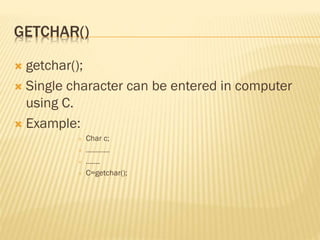
GETCHAR()
 getchar();
 Single character can be entered in computer
using C.
 Example:
 Char c;
 …………
 …….
 C=getchar();
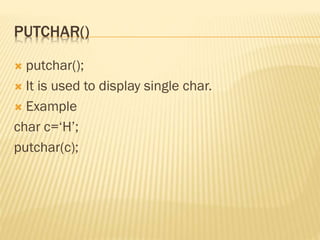
PUTCHAR()
 putchar();
 It is used to display single char.
 Example
char c=‘H’;
putchar(c);
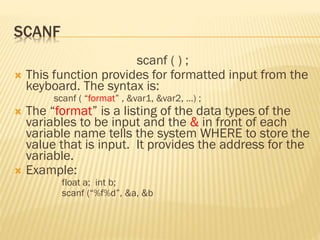
SCANF
scanf ( ) ;
 This function provides for formatted input from the
keyboard. The syntax is:
scanf ( “format” , &var1, &var2, …) ;
 The “format” is a listing of the data types of the
variables to be input and the & in front of each
variable name tells the system WHERE to store the
value that is input. It provides the address for the
variable.
 Example:
float a; int b;
scanf (“%f%d”, &a, &b
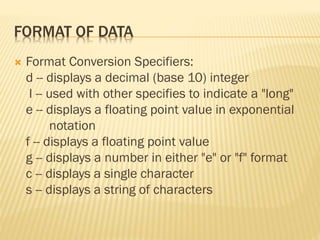
FORMAT OF DATA
 Format Conversion Specifiers:
d -- displays a decimal (base 10) integer
l -- used with other specifies to indicate a "long"
e -- displays a floating point value in exponential
notation
f -- displays a floating point value
g -- displays a number in either "e" or "f" format
c -- displays a single character
s -- displays a string of characters
STRINGS
 When you enter string data the compiler
automatically add 0 in the end of string;
 Char name[22];
 gets(name);
 ‘ROHIT’
 But actual value stored in computer is
‘ROHIT0’
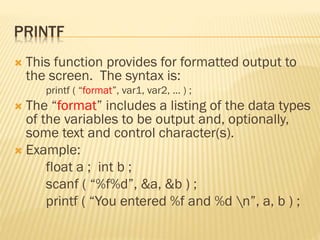
PRINTF
 This function provides for formatted output to
the screen. The syntax is:
printf ( “format”, var1, var2, … ) ;
 The “format” includes a listing of the data types
of the variables to be output and, optionally,
some text and control character(s).
 Example:
float a ; int b ;
scanf ( “%f%d”, &a, &b ) ;
printf ( “You entered %f and %d n”, a, b ) ;
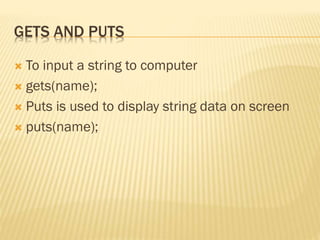
GETS AND PUTS
 To input a string to computer
 gets(name);
 Puts is used to display string data on screen
 puts(name);
ANY QUESTIONS
THANK YOU
With regards
slideshare.net/sabik.sabz

Data Input and Output

  • 1.
  • 2.
    INPUT/OUTPUT IN C C has no built-in statements for input or output.  A library of functions is supplied to perform these operations. The I/O library functions are listed the “header” file <stdio.h>.  You do not need to memorize them, just be familiar with them.
  • 3.
    STREAMS  All inputand output is performed with streams.  A "stream" is a sequence of characters organized into lines.  Each line consists of zero or more characters and ends with the "newline" character.
  • 4.
    TYPES OF STREAMSIN C  Standard input stream is called "stdin" and is normally connected to the keyboard  Standard output stream is called "stdout" and is normally connected to the display screen.  Standard error stream is called "stderr" and is also normally connected to the screen
  • 5.
    I/O FUNCTIONS INC  There are six i/o functions in C are:  1. getchar()  2. putchar()  3. printf()  4.scanf()  5.gets()  6.puts()
  • 6.
    GETCHAR()  getchar();  Singlecharacter can be entered in computer using C.  Example:  Char c;  …………  …….  C=getchar();
  • 7.
    PUTCHAR()  putchar();  Itis used to display single char.  Example char c=‘H’; putchar(c);
  • 8.
    SCANF scanf ( );  This function provides for formatted input from the keyboard. The syntax is: scanf ( “format” , &var1, &var2, …) ;  The “format” is a listing of the data types of the variables to be input and the & in front of each variable name tells the system WHERE to store the value that is input. It provides the address for the variable.  Example: float a; int b; scanf (“%f%d”, &a, &b
  • 9.
    FORMAT OF DATA Format Conversion Specifiers: d -- displays a decimal (base 10) integer l -- used with other specifies to indicate a "long" e -- displays a floating point value in exponential notation f -- displays a floating point value g -- displays a number in either "e" or "f" format c -- displays a single character s -- displays a string of characters
  • 10.
    STRINGS  When youenter string data the compiler automatically add 0 in the end of string;  Char name[22];  gets(name);  ‘ROHIT’  But actual value stored in computer is ‘ROHIT0’
  • 11.
    PRINTF  This functionprovides for formatted output to the screen. The syntax is: printf ( “format”, var1, var2, … ) ;  The “format” includes a listing of the data types of the variables to be output and, optionally, some text and control character(s).  Example: float a ; int b ; scanf ( “%f%d”, &a, &b ) ; printf ( “You entered %f and %d n”, a, b ) ;
  • 12.
    GETS AND PUTS To input a string to computer  gets(name);  Puts is used to display string data on screen  puts(name);
  • 13.
  • 14.