Internet Engineering
Web Servers
Introduction
 Company needs to provide various web services
 Hosting intranet applications
 Company web site
 Various internet applications
 Therefore there is a need to provide http server
 First we have a look at what http protocol is
 Then we talk about Apache web server as leading web
server application
The World Wide Web (WWW)
 Global hypertext system
 Initially developed in 1989
 By Tim Berners Lee at the European Laboratory for Particle
Physics, CERN in Switzerland.
 To facilitate an easy way of sharing and editing research
documents among a geographically dispersed groups of
scientists.
 In 1993, started to grow rapidly
 Mainly due to the NCSA developing a Web browser called
Mosaic (an X Window-based application)
 First graphical interface to the Web  More convenient browsing
 Flexible way people can navigate through worldwide resources in the
Internet and retrieve them
Web Servers
 Definitions
 A computer, responsible for accepting HTTP requests from
clients, and serving them Web pages.
 A computer program that provides the above mentioned
functionality.
 Common features
 Accepting HTTP requests from the network
 Providing HTTP response to the requester
 Typically consists of an HTML
 Usually capable of logging
 Client requests/Server responses
Web Servers cont.
 Returned content
 Static
 Comes from an existing file
 Dynamic
 Dynamically generated by some other program/script called
by the Web server.
 Path translation
 Translate the path component of a URL into a local file
system resource
 Path specified by the client is relative to the server’s root dir
HTTP 1.1 servers
 To comply with HTTP 1.1, servers must:
 Requiring the Host: Header. Without it server must
response with something like below:
HTTP/1.1 400 Bad Request
Content-Type: text/html
Content-Length: 111
<html><body> <h2>No Host: header received</h2> HTTP 1.1
requests must include the Host: header. </body></html>
 Accepting absolute URL’s
 GET http://www.somehost.com/path/file.html HTTP/1.2
 Chunked transfer
HTTP 1.1 servers (cont.)
 Persistent Connections and the "Connection: close"
Header
 Using the "100 Continue" Response
 The Date: Header for caching
 Handling Requests with If-Modified-Since: or If-
Unmodified-Since: Headers
HTTP/1.1 304 Not Modified
Date: Fri, 31 Dec 1999 23:59:59 GMT
[blank line here]
 Supporting the GET and HEAD methods
 Supporting HTTP 1.0 Requests
First Web Server
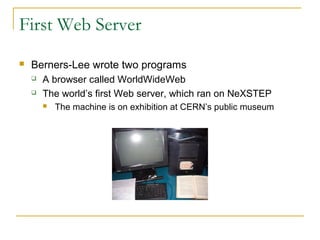
 Berners-Lee wrote two programs
 A browser called WorldWideWeb
 The world’s first Web server, which ran on NeXSTEP
 The machine is on exhibition at CERN’s public museum
Most Famous Web Servers
 Apache HTTP Server from Apache Software Foundation
 Internet Information Services (IIS) from Microsoft
 Sun Java Web Server from Sun Microsystems
 Formerly Sun ONE Web Server, iPlanet Web Server, and
Netscape Enterprise Server
 Zeus Web Server from Zeus Technology
Web Servers Usage – Statistics
 The most popular Web servers, used for public Web
sites, are tracked by Netcraft Web Server Survey
 Details given by Netcraft Web Server Reports
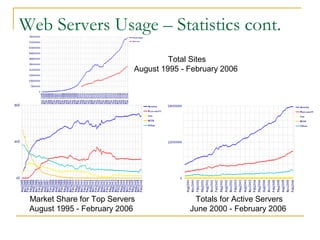
 Apache is the most popular since April 1996
 Currently (February 2006) about
 66.64%  Apache
 25.11%  Microsoft (IIS, PWS, etc.)
 0.73%  Zeus
 0.67%  Sun (Java Web Server, Netscape Enterprise,
iPlanet, …)
Web Servers Usage – Statistics cont.
Total Sites
August 1995 - February 2006
Market Share for Top Servers
August 1995 - February 2006
Totals for Active Servers
June 2000 - February 2006
Apache web server features and functions
 Caching
 Content negotiation
 A resource may be available in several different
representations.
 For example, it might be available in different languages or
different media types, or a combination.
 One way of selecting the most appropriate choice is to give
the user an index page, and let them select.
 However it is often possible for the server to choose
automatically by the help of request headers:
Accept-Language: fr; q=1.0, en; q=0.5
Accept: text/html; q=1.0, text/*; q=0.8, image/gif; q=0.6,
image/jpeg; q=0.6, image/*; q=0.5, */*; q=0.1
Apache web server features and functions
(cont.)
 Log files
 In order to effectively manage a web server, it is necessary
to get feedback about the activity and performance of the
server as well as any problems that may be occurring
 Error log:
 [Wed Oct 11 14:32:52 2000] [error] [client 127.0.0.1] client denied by
server configuration: /export/home/live/ap/htdocs/test
 Access log:
 Common log format:
 127.0.0.1 - frank [10/Oct/2000:13:55:36 -0700] "GET /apache_pb.gif
HTTP/1.0" 200 2326
 Combined log format:
 127.0.0.1 - frank [10/Oct/2000:13:55:36 -0700] "GET /apache_pb.gif
HTTP/1.0" 200 2326 "http://www.example.com/start.html" "Mozilla/4.08
[en] (Win98; I ;Nav)"
Apache web server features and functions
(cont.)
 Mapping URLs to file system locations:
 DocumentRoot
 Alias directive:
 Alias /docs /var/web
 the URL http://www.example.com/docs/dir/file.html will be
served from /var/web/dir/file.html.
 AliasMatch:
 ScriptAliasMatch ^/~([a-zA-Z0-9]+)/cgi-bin/(.+) /home/$1/cgi-
bin/$2
 will map a request to http://example.com/~user/cgi-
bin/script.cgi to the path /home/user/cgi-bin/script.cgi and will
treat the resulting file as a CGI script
 User Directories:
 http://www.example.com/~user/file.html
Apache web server features and functions
(cont.)
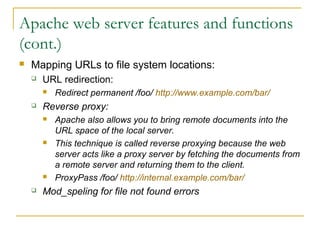
 Mapping URLs to file system locations:
 URL redirection:
 Redirect permanent /foo/ http://www.example.com/bar/
 Reverse proxy:
 Apache also allows you to bring remote documents into the
URL space of the local server.
 This technique is called reverse proxying because the web
server acts like a proxy server by fetching the documents from
a remote server and returning them to the client.
 ProxyPass /foo/ http://internal.example.com/bar/
 Mod_speling for file not found errors
Apache web server features and functions
(cont.)
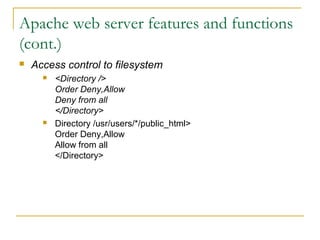
 Access control to filesystem
 <Directory />
Order Deny,Allow
Deny from all
</Directory>
 Directory /usr/users/*/public_html>
Order Deny,Allow
Allow from all
</Directory>
Apache web server features and functions
(cont.)
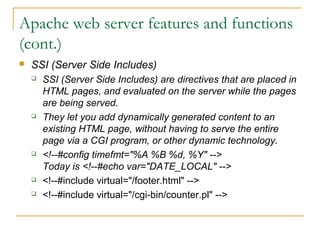
 SSI (Server Side Includes)
 SSI (Server Side Includes) are directives that are placed in
HTML pages, and evaluated on the server while the pages
are being served.
 They let you add dynamically generated content to an
existing HTML page, without having to serve the entire
page via a CGI program, or other dynamic technology.
 <!--#config timefmt="%A %B %d, %Y" -->
Today is <!--#echo var="DATE_LOCAL" -->
 <!--#include virtual="/footer.html" -->
 <!--#include virtual="/cgi-bin/counter.pl" -->
Apache web server features and functions
(cont.)
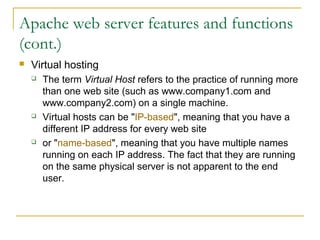
 Virtual hosting
 The term Virtual Host refers to the practice of running more
than one web site (such as www.company1.com and
www.company2.com) on a single machine.
 Virtual hosts can be "IP-based", meaning that you have a
different IP address for every web site
 or "name-based", meaning that you have multiple names
running on each IP address. The fact that they are running
on the same physical server is not apparent to the end
user.
Apache web server features and functions
(cont.)
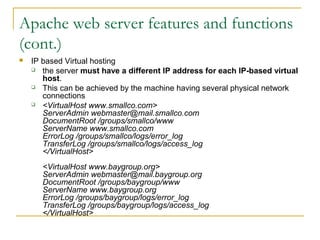
 IP based Virtual hosting
 the server must have a different IP address for each IP-based virtual
host.
 This can be achieved by the machine having several physical network
connections
 <VirtualHost www.smallco.com>
ServerAdmin webmaster@mail.smallco.com
DocumentRoot /groups/smallco/www
ServerName www.smallco.com
ErrorLog /groups/smallco/logs/error_log
TransferLog /groups/smallco/logs/access_log
</VirtualHost>
<VirtualHost www.baygroup.org>
ServerAdmin webmaster@mail.baygroup.org
DocumentRoot /groups/baygroup/www
ServerName www.baygroup.org
ErrorLog /groups/baygroup/logs/error_log
TransferLog /groups/baygroup/logs/access_log
</VirtualHost>
Apache web server features and functions
(cont.)
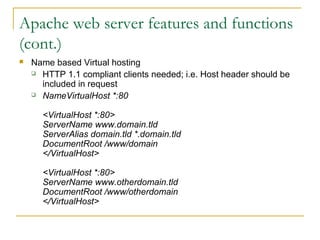
 Name based Virtual hosting
 HTTP 1.1 compliant clients needed; i.e. Host header should be
included in request
 NameVirtualHost *:80
<VirtualHost *:80>
ServerName www.domain.tld
ServerAlias domain.tld *.domain.tld
DocumentRoot /www/domain
</VirtualHost>
<VirtualHost *:80>
ServerName www.otherdomain.tld
DocumentRoot /www/otherdomain
</VirtualHost>
References
 http://www.jmarshall.com/easy/http/
 TCP/IP Tutorial and Technical Overview, Rodriguez,
Gatrell, Karas, Peschke, IBM redbooks, August 2001
 Wikipedia, the free encyclopedia
 Apache: The Definitive Guide, 2nd
edition, Ben Laurie,
Peter Laurie, O’Reilly, February 1999
 Webmaster in a nutshell, 1st
edition, Stephen Spainhour,
Valerie Quercia, O’Reilly, October 1996
 Netcraft: February 2006 Web Server Survey

5-WebServers.ppt

  • 1.
  • 2.
    Introduction  Company needsto provide various web services  Hosting intranet applications  Company web site  Various internet applications  Therefore there is a need to provide http server  First we have a look at what http protocol is  Then we talk about Apache web server as leading web server application
  • 3.
    The World WideWeb (WWW)  Global hypertext system  Initially developed in 1989  By Tim Berners Lee at the European Laboratory for Particle Physics, CERN in Switzerland.  To facilitate an easy way of sharing and editing research documents among a geographically dispersed groups of scientists.  In 1993, started to grow rapidly  Mainly due to the NCSA developing a Web browser called Mosaic (an X Window-based application)  First graphical interface to the Web  More convenient browsing  Flexible way people can navigate through worldwide resources in the Internet and retrieve them
  • 4.
    Web Servers  Definitions A computer, responsible for accepting HTTP requests from clients, and serving them Web pages.  A computer program that provides the above mentioned functionality.  Common features  Accepting HTTP requests from the network  Providing HTTP response to the requester  Typically consists of an HTML  Usually capable of logging  Client requests/Server responses
  • 5.
    Web Servers cont. Returned content  Static  Comes from an existing file  Dynamic  Dynamically generated by some other program/script called by the Web server.  Path translation  Translate the path component of a URL into a local file system resource  Path specified by the client is relative to the server’s root dir
  • 6.
    HTTP 1.1 servers To comply with HTTP 1.1, servers must:  Requiring the Host: Header. Without it server must response with something like below: HTTP/1.1 400 Bad Request Content-Type: text/html Content-Length: 111 <html><body> <h2>No Host: header received</h2> HTTP 1.1 requests must include the Host: header. </body></html>  Accepting absolute URL’s  GET http://www.somehost.com/path/file.html HTTP/1.2  Chunked transfer
  • 7.
    HTTP 1.1 servers(cont.)  Persistent Connections and the "Connection: close" Header  Using the "100 Continue" Response  The Date: Header for caching  Handling Requests with If-Modified-Since: or If- Unmodified-Since: Headers HTTP/1.1 304 Not Modified Date: Fri, 31 Dec 1999 23:59:59 GMT [blank line here]  Supporting the GET and HEAD methods  Supporting HTTP 1.0 Requests
  • 8.
    First Web Server Berners-Lee wrote two programs  A browser called WorldWideWeb  The world’s first Web server, which ran on NeXSTEP  The machine is on exhibition at CERN’s public museum
  • 9.
    Most Famous WebServers  Apache HTTP Server from Apache Software Foundation  Internet Information Services (IIS) from Microsoft  Sun Java Web Server from Sun Microsystems  Formerly Sun ONE Web Server, iPlanet Web Server, and Netscape Enterprise Server  Zeus Web Server from Zeus Technology
  • 10.
    Web Servers Usage– Statistics  The most popular Web servers, used for public Web sites, are tracked by Netcraft Web Server Survey  Details given by Netcraft Web Server Reports  Apache is the most popular since April 1996  Currently (February 2006) about  66.64%  Apache  25.11%  Microsoft (IIS, PWS, etc.)  0.73%  Zeus  0.67%  Sun (Java Web Server, Netscape Enterprise, iPlanet, …)
  • 11.
    Web Servers Usage– Statistics cont. Total Sites August 1995 - February 2006 Market Share for Top Servers August 1995 - February 2006 Totals for Active Servers June 2000 - February 2006
  • 12.
    Apache web serverfeatures and functions  Caching  Content negotiation  A resource may be available in several different representations.  For example, it might be available in different languages or different media types, or a combination.  One way of selecting the most appropriate choice is to give the user an index page, and let them select.  However it is often possible for the server to choose automatically by the help of request headers: Accept-Language: fr; q=1.0, en; q=0.5 Accept: text/html; q=1.0, text/*; q=0.8, image/gif; q=0.6, image/jpeg; q=0.6, image/*; q=0.5, */*; q=0.1
  • 13.
    Apache web serverfeatures and functions (cont.)  Log files  In order to effectively manage a web server, it is necessary to get feedback about the activity and performance of the server as well as any problems that may be occurring  Error log:  [Wed Oct 11 14:32:52 2000] [error] [client 127.0.0.1] client denied by server configuration: /export/home/live/ap/htdocs/test  Access log:  Common log format:  127.0.0.1 - frank [10/Oct/2000:13:55:36 -0700] "GET /apache_pb.gif HTTP/1.0" 200 2326  Combined log format:  127.0.0.1 - frank [10/Oct/2000:13:55:36 -0700] "GET /apache_pb.gif HTTP/1.0" 200 2326 "http://www.example.com/start.html" "Mozilla/4.08 [en] (Win98; I ;Nav)"
  • 14.
    Apache web serverfeatures and functions (cont.)  Mapping URLs to file system locations:  DocumentRoot  Alias directive:  Alias /docs /var/web  the URL http://www.example.com/docs/dir/file.html will be served from /var/web/dir/file.html.  AliasMatch:  ScriptAliasMatch ^/~([a-zA-Z0-9]+)/cgi-bin/(.+) /home/$1/cgi- bin/$2  will map a request to http://example.com/~user/cgi- bin/script.cgi to the path /home/user/cgi-bin/script.cgi and will treat the resulting file as a CGI script  User Directories:  http://www.example.com/~user/file.html
  • 15.
    Apache web serverfeatures and functions (cont.)  Mapping URLs to file system locations:  URL redirection:  Redirect permanent /foo/ http://www.example.com/bar/  Reverse proxy:  Apache also allows you to bring remote documents into the URL space of the local server.  This technique is called reverse proxying because the web server acts like a proxy server by fetching the documents from a remote server and returning them to the client.  ProxyPass /foo/ http://internal.example.com/bar/  Mod_speling for file not found errors
  • 16.
    Apache web serverfeatures and functions (cont.)  Access control to filesystem  <Directory /> Order Deny,Allow Deny from all </Directory>  Directory /usr/users/*/public_html> Order Deny,Allow Allow from all </Directory>
  • 17.
    Apache web serverfeatures and functions (cont.)  SSI (Server Side Includes)  SSI (Server Side Includes) are directives that are placed in HTML pages, and evaluated on the server while the pages are being served.  They let you add dynamically generated content to an existing HTML page, without having to serve the entire page via a CGI program, or other dynamic technology.  <!--#config timefmt="%A %B %d, %Y" --> Today is <!--#echo var="DATE_LOCAL" -->  <!--#include virtual="/footer.html" -->  <!--#include virtual="/cgi-bin/counter.pl" -->
  • 18.
    Apache web serverfeatures and functions (cont.)  Virtual hosting  The term Virtual Host refers to the practice of running more than one web site (such as www.company1.com and www.company2.com) on a single machine.  Virtual hosts can be "IP-based", meaning that you have a different IP address for every web site  or "name-based", meaning that you have multiple names running on each IP address. The fact that they are running on the same physical server is not apparent to the end user.
  • 19.
    Apache web serverfeatures and functions (cont.)  IP based Virtual hosting  the server must have a different IP address for each IP-based virtual host.  This can be achieved by the machine having several physical network connections  <VirtualHost www.smallco.com> ServerAdmin webmaster@mail.smallco.com DocumentRoot /groups/smallco/www ServerName www.smallco.com ErrorLog /groups/smallco/logs/error_log TransferLog /groups/smallco/logs/access_log </VirtualHost> <VirtualHost www.baygroup.org> ServerAdmin webmaster@mail.baygroup.org DocumentRoot /groups/baygroup/www ServerName www.baygroup.org ErrorLog /groups/baygroup/logs/error_log TransferLog /groups/baygroup/logs/access_log </VirtualHost>
  • 20.
    Apache web serverfeatures and functions (cont.)  Name based Virtual hosting  HTTP 1.1 compliant clients needed; i.e. Host header should be included in request  NameVirtualHost *:80 <VirtualHost *:80> ServerName www.domain.tld ServerAlias domain.tld *.domain.tld DocumentRoot /www/domain </VirtualHost> <VirtualHost *:80> ServerName www.otherdomain.tld DocumentRoot /www/otherdomain </VirtualHost>
  • 21.
    References  http://www.jmarshall.com/easy/http/  TCP/IPTutorial and Technical Overview, Rodriguez, Gatrell, Karas, Peschke, IBM redbooks, August 2001  Wikipedia, the free encyclopedia  Apache: The Definitive Guide, 2nd edition, Ben Laurie, Peter Laurie, O’Reilly, February 1999  Webmaster in a nutshell, 1st edition, Stephen Spainhour, Valerie Quercia, O’Reilly, October 1996  Netcraft: February 2006 Web Server Survey