Web design for business Chris Simpson, CETLE [email_address] www.york.ac.uk /enterprise/students/
What do you need? Website Domain name(s) Payment system Free  for basic needs ~  £5 / year ~  1–4% / transaction
Choose a type of site First decision you should make Affects how the site looks & feels Depends on content 1
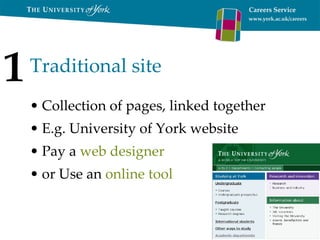
Traditional site Collection of pages, linked together E.g. University of York website Pay a  web designer or Use an  online tool 1
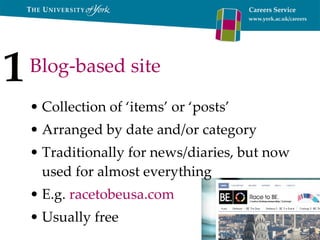
Blog-based site Collection of ‘items’ or ‘posts’ Arranged by date and/or category Traditionally for news/diaries, but now used for almost everything E.g.  racetobeusa.com Usually free 1
Group/network site Tools for groups, societies, projects etc. E.g. facebook Owner controls the members Often include discussion, calendars, file-sharing Can do it for free 1
Traditional site (designer) Good Structure Custom features Unique sites Advanced needs Not so good Can be more complicated Editing yourself – very possible but will cost you more 1
Traditional site (online) Good Do it yourself Very easy to set up Edit from anywhere Can cost nothing! Not so good Fewer advanced features May not look as unique Harder to get the ‘professional’ look 1
Blog-based site Good Very easy to update Organised for you Easy to search Users can subscribe to updates Not so good If you don’t like the blog style of sites Can be harder to get ‘the professional look’ 1
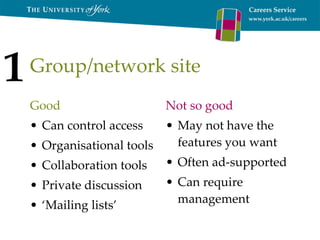
Group/network site Good Can control access Organisational tools Collaboration tools Private discussion ‘ Mailing lists’ Not so good May not have the features you want Often ad-supported Can require management 1
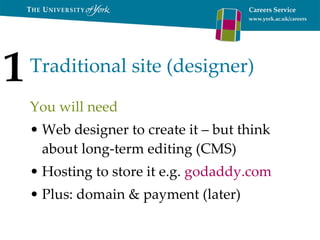
Traditional site (designer) You will need Web designer to create it – but think about long-term editing (CMS) Hosting to store it e.g.  godaddy.com   Plus: domain & payment (later) 1
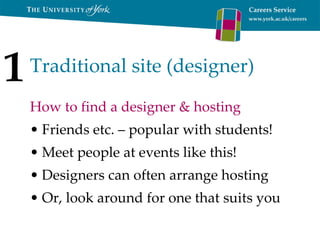
Traditional site (designer) How to find a designer & hosting Friends etc. – popular with students! Meet people at events like this! Designers can often arrange hosting Or, look around for one that suits you 1
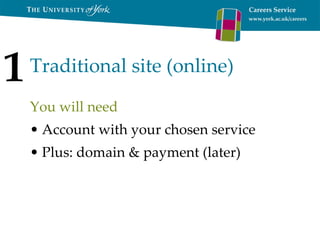
Traditional site (online) You will need Account with your chosen service Plus: domain & payment (later) 1
Traditional site (online) How to do it Choose a service that suits you Google Sites (ad-free):  sites.google.com Others, e.g.  multiply.com ,  webs.com Sign up, make your site  (more later!) 1
Blog-based site You will need Account Some designers can make advanced blog customisations for you Plus: domain & payment (later) 1
Blog-based site How to do it Choose a service that suits you E.g.  blogger.com   wordpress.com   Sign up, make your site 1
Group/network site You will need Account Optional domain (later) 1
Group/network site How to do it Have you thought about facebook? groupspaces.com : good for societies kickapps.com : general ‘social networking’ sites groups.google.com : basic discussion sites.google.com : group and traditional vyew.com : online collaboration Sign up, make your site 1
Buy a domain (if you like) A domain is the .com, .co.uk etc. ~ £2.50/year  for .co.uk; ~ £5  for .com Makes sites look professional Choose a memorable name! Think about safeguarding 2
Buying a domain Now very cheap, but many are taken! E.g.  domainmonster.com   Register to your business/society, but avoid using a university address Societies: think about future ownership 2
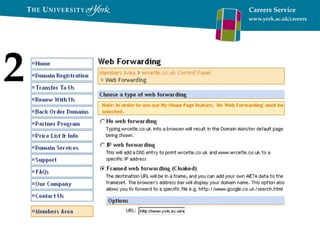
Link the domain to your site If you use a web designer, ask them Otherwise, log in, find ‘control panel’, then ‘framed/cloaked web forwarding’ and enter the details of your site You can now use your .com/.co.uk etc. 2
2
Online payment systems Allow you to Create a catalogue of products/services Users use a ‘checkout’ to buy these You receive money Host company takes a percentage 3
Online payment systems Options include PayPal – trusted, advanced Google Checkout – low commission (~1.5% + £0.15), also Base (shop index) Amazon Marketplace – free customers! ebay – can do auctions, free customers! 3
Online payment systems Things to consider ebay can look ‘home grown’ – this may be good or bad for you! Amazon and ebay give you access to millions of potential customers Google Base potentially does this too 3
Online payment systems Things to consider With PayPal and Google Checkout you keep your design – is image is important to you? Commission rates vary by income Commission can be fee, percentage, or both Is ease of payment important? 3
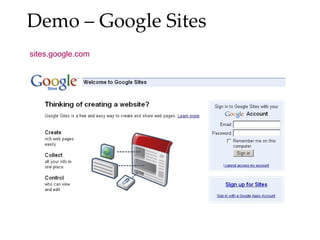
Demo – Google Sites sites.google.com
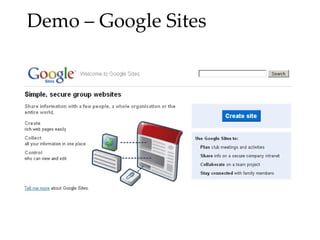
Demo – Google Sites
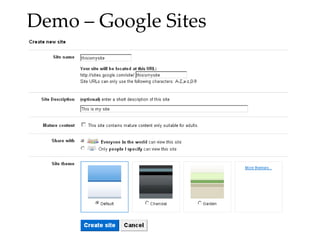
Demo – Google Sites
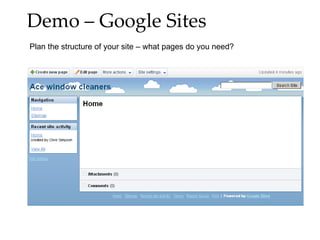
Demo – Google Sites Plan the structure of your site – what pages do you need?
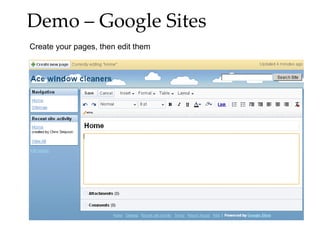
Demo – Google Sites Create your pages, then edit them
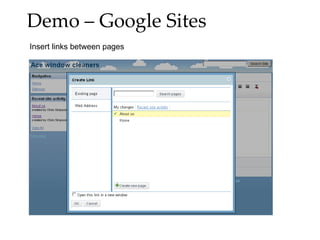
Demo – Google Sites Insert links between pages
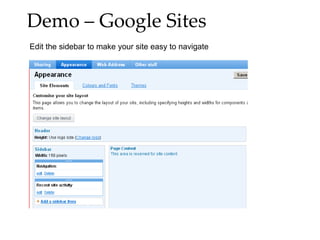
Demo – Google Sites Edit the sidebar to make your site easy to navigate
What else can you do? Video: upload to YouTube and add Pictures: add pictures or slideshows Calendar: insert a Google calendar Gadgets: can be useful, but be careful! Upload files (e.g. PDFs) Be careful you create the right image
What have we looked at? Types of site: traditional, blog, group Free/cheap options Domain names Linking a domain to a free site Online catalogue and payment systems Getting started with Google Sites
What else is there? Accessibility – don’t exclude people based on browser, sight, IT literacy SEO (Search engine optimisation) Advertising your site (e.g. Adwords) Money from advertising (difficult)
Any questions?

Web design for business.ppt

  • 1.
    Web design forbusiness Chris Simpson, CETLE [email_address] www.york.ac.uk /enterprise/students/
  • 2.
    What do youneed? Website Domain name(s) Payment system Free for basic needs ~ £5 / year ~ 1–4% / transaction
  • 3.
    Choose a typeof site First decision you should make Affects how the site looks & feels Depends on content 1
  • 4.
    Traditional site Collectionof pages, linked together E.g. University of York website Pay a web designer or Use an online tool 1
  • 5.
    Blog-based site Collectionof ‘items’ or ‘posts’ Arranged by date and/or category Traditionally for news/diaries, but now used for almost everything E.g. racetobeusa.com Usually free 1
  • 6.
    Group/network site Toolsfor groups, societies, projects etc. E.g. facebook Owner controls the members Often include discussion, calendars, file-sharing Can do it for free 1
  • 7.
    Traditional site (designer)Good Structure Custom features Unique sites Advanced needs Not so good Can be more complicated Editing yourself – very possible but will cost you more 1
  • 8.
    Traditional site (online)Good Do it yourself Very easy to set up Edit from anywhere Can cost nothing! Not so good Fewer advanced features May not look as unique Harder to get the ‘professional’ look 1
  • 9.
    Blog-based site GoodVery easy to update Organised for you Easy to search Users can subscribe to updates Not so good If you don’t like the blog style of sites Can be harder to get ‘the professional look’ 1
  • 10.
    Group/network site GoodCan control access Organisational tools Collaboration tools Private discussion ‘ Mailing lists’ Not so good May not have the features you want Often ad-supported Can require management 1
  • 11.
    Traditional site (designer)You will need Web designer to create it – but think about long-term editing (CMS) Hosting to store it e.g. godaddy.com Plus: domain & payment (later) 1
  • 12.
    Traditional site (designer)How to find a designer & hosting Friends etc. – popular with students! Meet people at events like this! Designers can often arrange hosting Or, look around for one that suits you 1
  • 13.
    Traditional site (online)You will need Account with your chosen service Plus: domain & payment (later) 1
  • 14.
    Traditional site (online)How to do it Choose a service that suits you Google Sites (ad-free): sites.google.com Others, e.g. multiply.com , webs.com Sign up, make your site (more later!) 1
  • 15.
    Blog-based site Youwill need Account Some designers can make advanced blog customisations for you Plus: domain & payment (later) 1
  • 16.
    Blog-based site Howto do it Choose a service that suits you E.g. blogger.com wordpress.com Sign up, make your site 1
  • 17.
    Group/network site Youwill need Account Optional domain (later) 1
  • 18.
    Group/network site Howto do it Have you thought about facebook? groupspaces.com : good for societies kickapps.com : general ‘social networking’ sites groups.google.com : basic discussion sites.google.com : group and traditional vyew.com : online collaboration Sign up, make your site 1
  • 19.
    Buy a domain(if you like) A domain is the .com, .co.uk etc. ~ £2.50/year for .co.uk; ~ £5 for .com Makes sites look professional Choose a memorable name! Think about safeguarding 2
  • 20.
    Buying a domainNow very cheap, but many are taken! E.g. domainmonster.com Register to your business/society, but avoid using a university address Societies: think about future ownership 2
  • 21.
    Link the domainto your site If you use a web designer, ask them Otherwise, log in, find ‘control panel’, then ‘framed/cloaked web forwarding’ and enter the details of your site You can now use your .com/.co.uk etc. 2
  • 22.
  • 23.
    Online payment systemsAllow you to Create a catalogue of products/services Users use a ‘checkout’ to buy these You receive money Host company takes a percentage 3
  • 24.
    Online payment systemsOptions include PayPal – trusted, advanced Google Checkout – low commission (~1.5% + £0.15), also Base (shop index) Amazon Marketplace – free customers! ebay – can do auctions, free customers! 3
  • 25.
    Online payment systemsThings to consider ebay can look ‘home grown’ – this may be good or bad for you! Amazon and ebay give you access to millions of potential customers Google Base potentially does this too 3
  • 26.
    Online payment systemsThings to consider With PayPal and Google Checkout you keep your design – is image is important to you? Commission rates vary by income Commission can be fee, percentage, or both Is ease of payment important? 3
  • 27.
    Demo – GoogleSites sites.google.com
  • 28.
  • 29.
  • 30.
    Demo – GoogleSites Plan the structure of your site – what pages do you need?
  • 31.
    Demo – GoogleSites Create your pages, then edit them
  • 32.
    Demo – GoogleSites Insert links between pages
  • 33.
    Demo – GoogleSites Edit the sidebar to make your site easy to navigate
  • 34.
    What else canyou do? Video: upload to YouTube and add Pictures: add pictures or slideshows Calendar: insert a Google calendar Gadgets: can be useful, but be careful! Upload files (e.g. PDFs) Be careful you create the right image
  • 35.
    What have welooked at? Types of site: traditional, blog, group Free/cheap options Domain names Linking a domain to a free site Online catalogue and payment systems Getting started with Google Sites
  • 36.
    What else isthere? Accessibility – don’t exclude people based on browser, sight, IT literacy SEO (Search engine optimisation) Advertising your site (e.g. Adwords) Money from advertising (difficult)
  • 37.