FT228/3 Web Development Web Servers
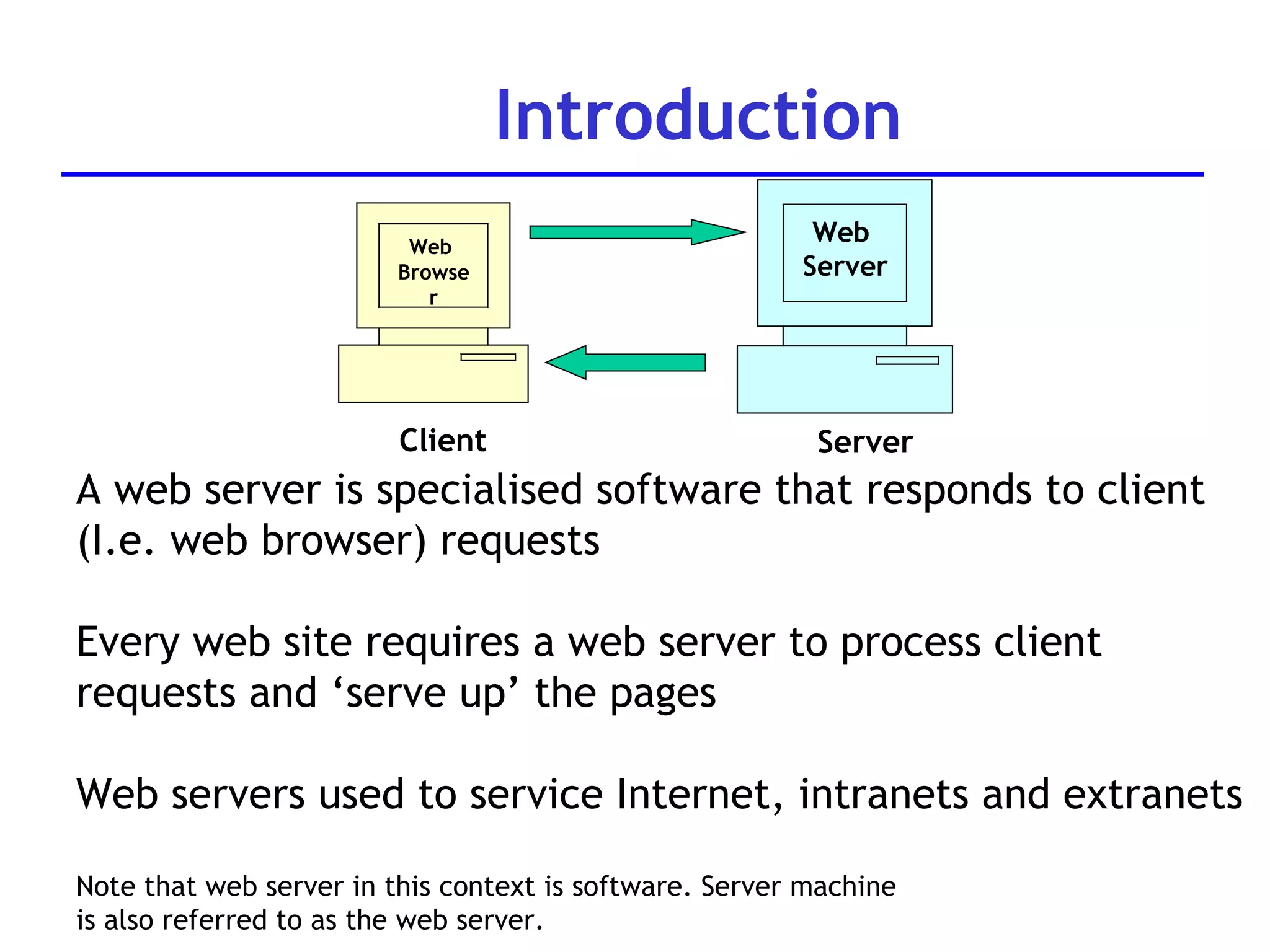
Introduction Web  Browser Client Web  Server Server A web server is specialised software that responds to client (I.e. web browser) requests Every web site requires a web server to process client requests and ‘serve up’ the pages Web servers used to service Internet, intranets and extranets Note that web server in this context is software. Server machine  is also referred to as the web server.
System architecture A web server is part of a multi-tier application (also called  n-tier application Functionality is divided into separate tiers or groupings Tiers can be on same computer or on separate computers Web applications are often three tiered: Information tier (also called data tier) Middle tier Client tier (user interface tier)
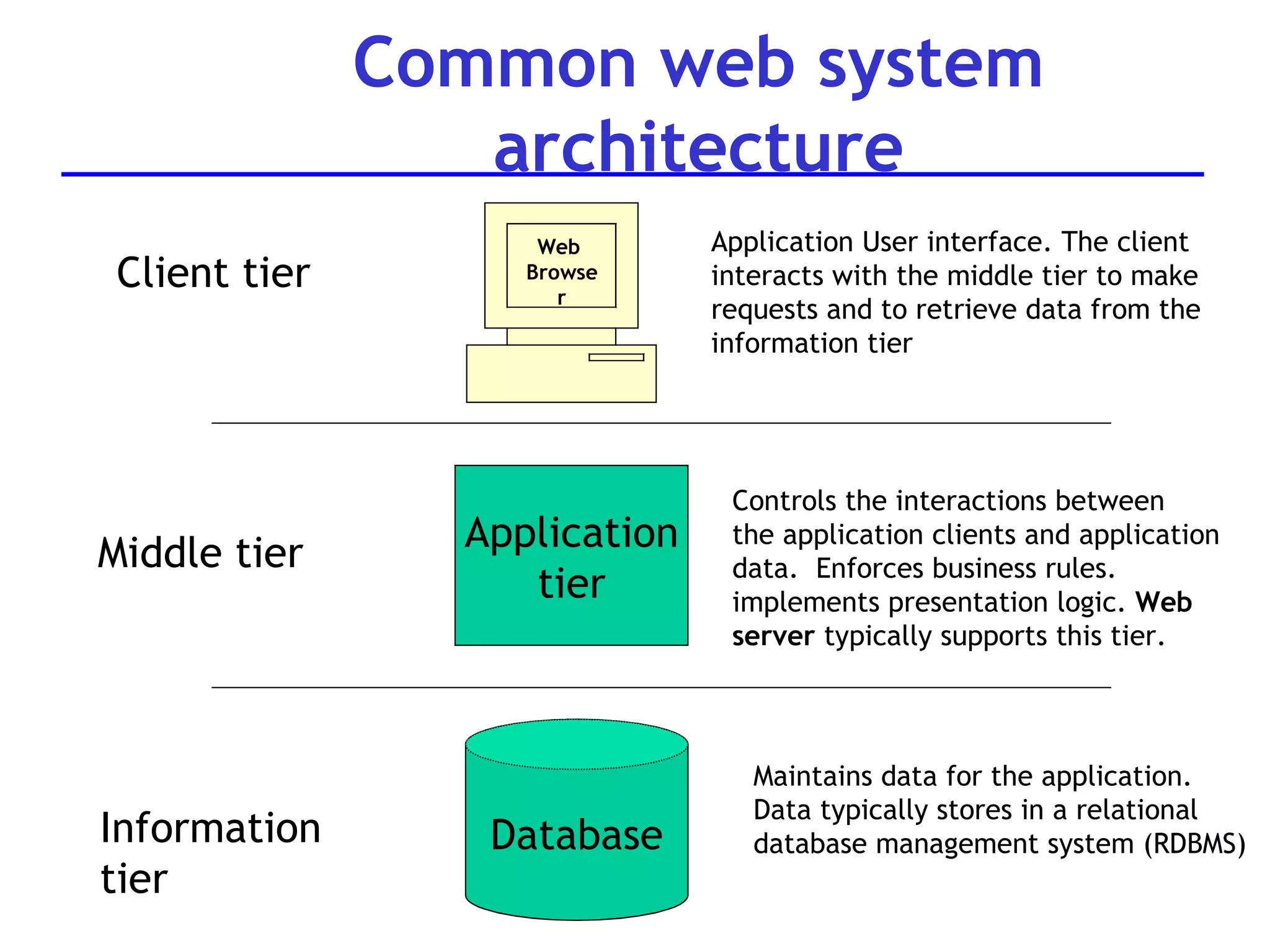
Common web system architecture Web  Browser Application tier Database Client tier Middle tier Information  tier Application User interface. The client interacts with the middle tier to make requests and to retrieve data from the information tier Controls the interactions between  the application clients and application data.  Enforces business rules.  implements presentation logic.  Web server  typically supports this tier. Maintains data for the application.  Data typically stores in a relational database management system (RDBMS)
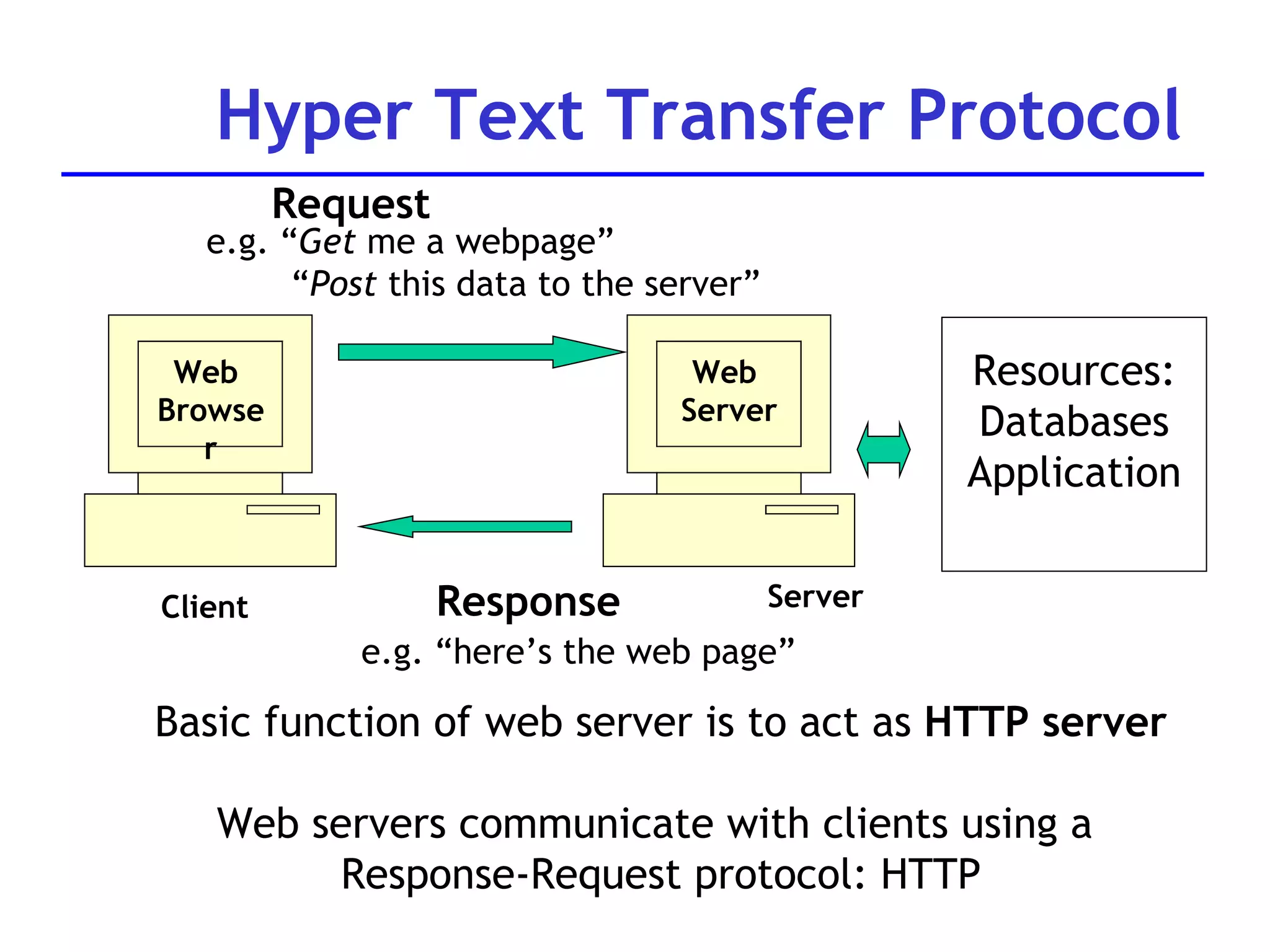
Hyper Text Transfer Protocol Resources: Databases Application e.g. “ Get  me a webpage” “ Post  this data to the server” Request e.g. “here’s the web page” Response Basic function of web server is to act as  HTTP server Web servers communicate with clients using a  Response-Request protocol: HTTP Web  Browser Client Web  Server Server
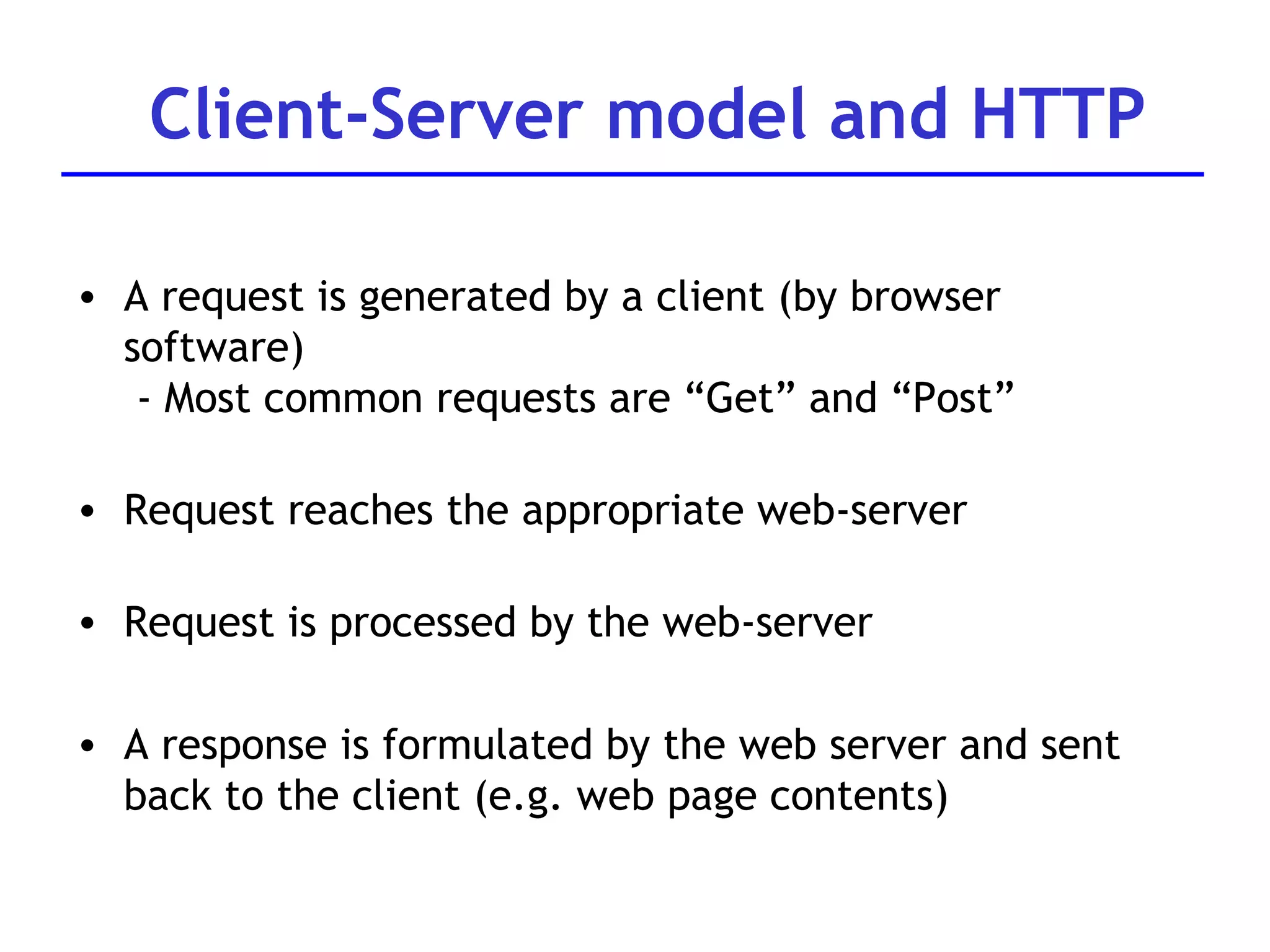
A request is generated by a client (by browser software)  - Most common requests are “Get” and “Post” Request reaches the appropriate web-server Request is processed by the web-server A response is formulated by the web server and sent back to the client (e.g. web page contents) Client-Server model and HTTP
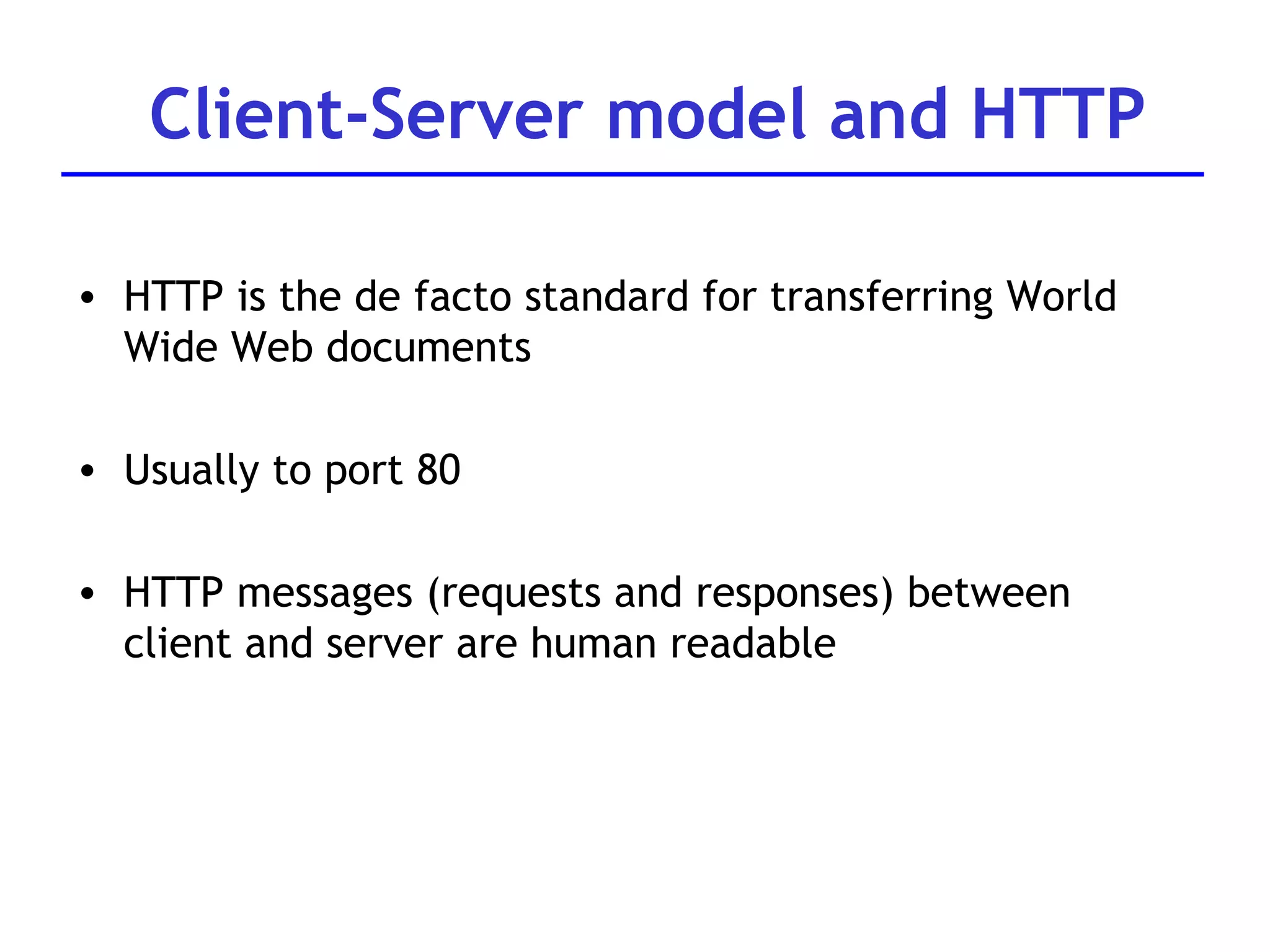
Client-Server model and HTTP HTTP is the de facto standard for transferring World Wide Web documents Usually to port 80 HTTP messages (requests and responses) between client and server are human readable
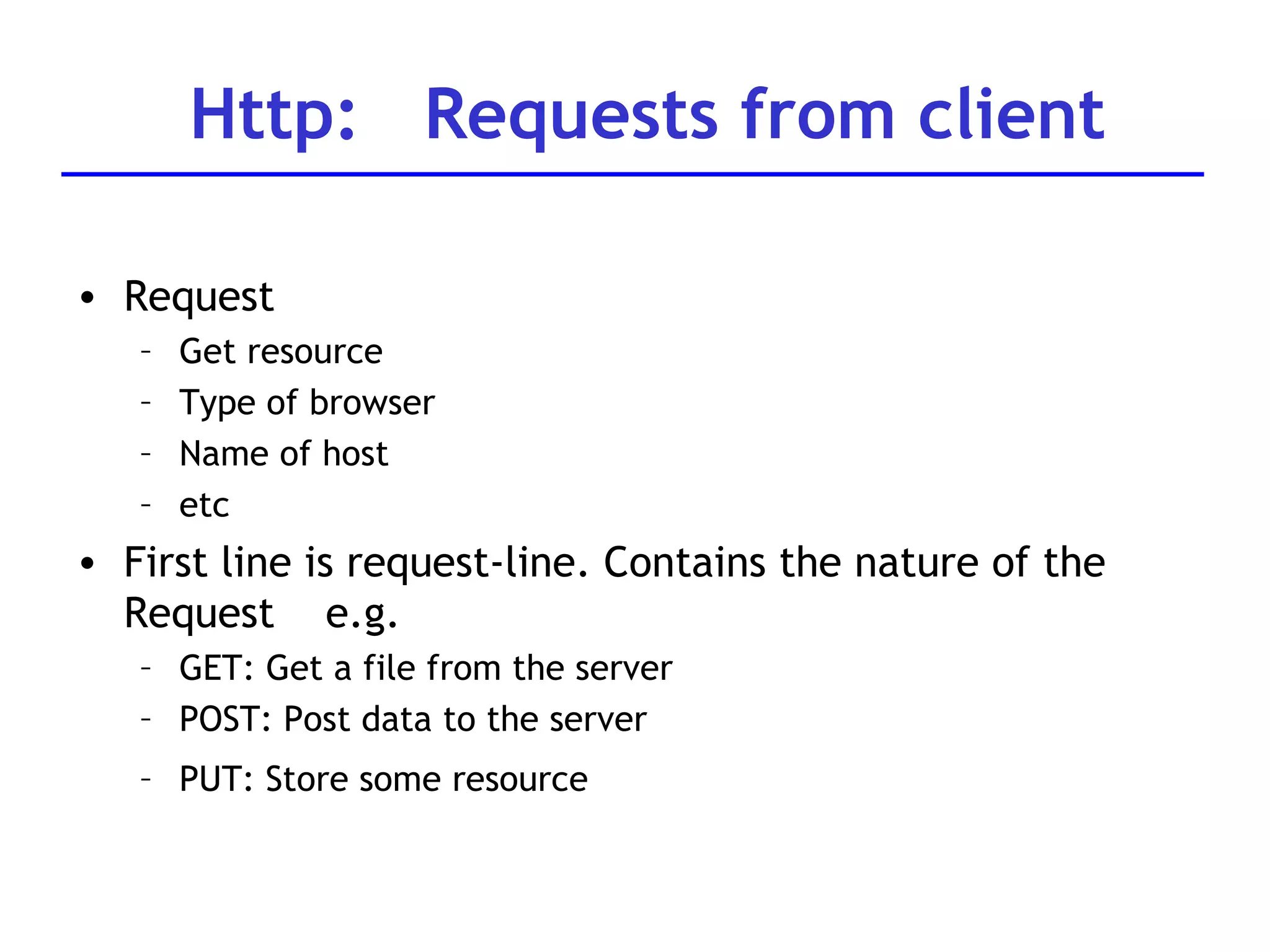
Request Get resource Type of browser Name of host etc First line is request-line. Contains the nature of the Request  e.g. GET: Get a file from the server  POST: Post data to the server PUT: Store some resource   Http:  Requests from client
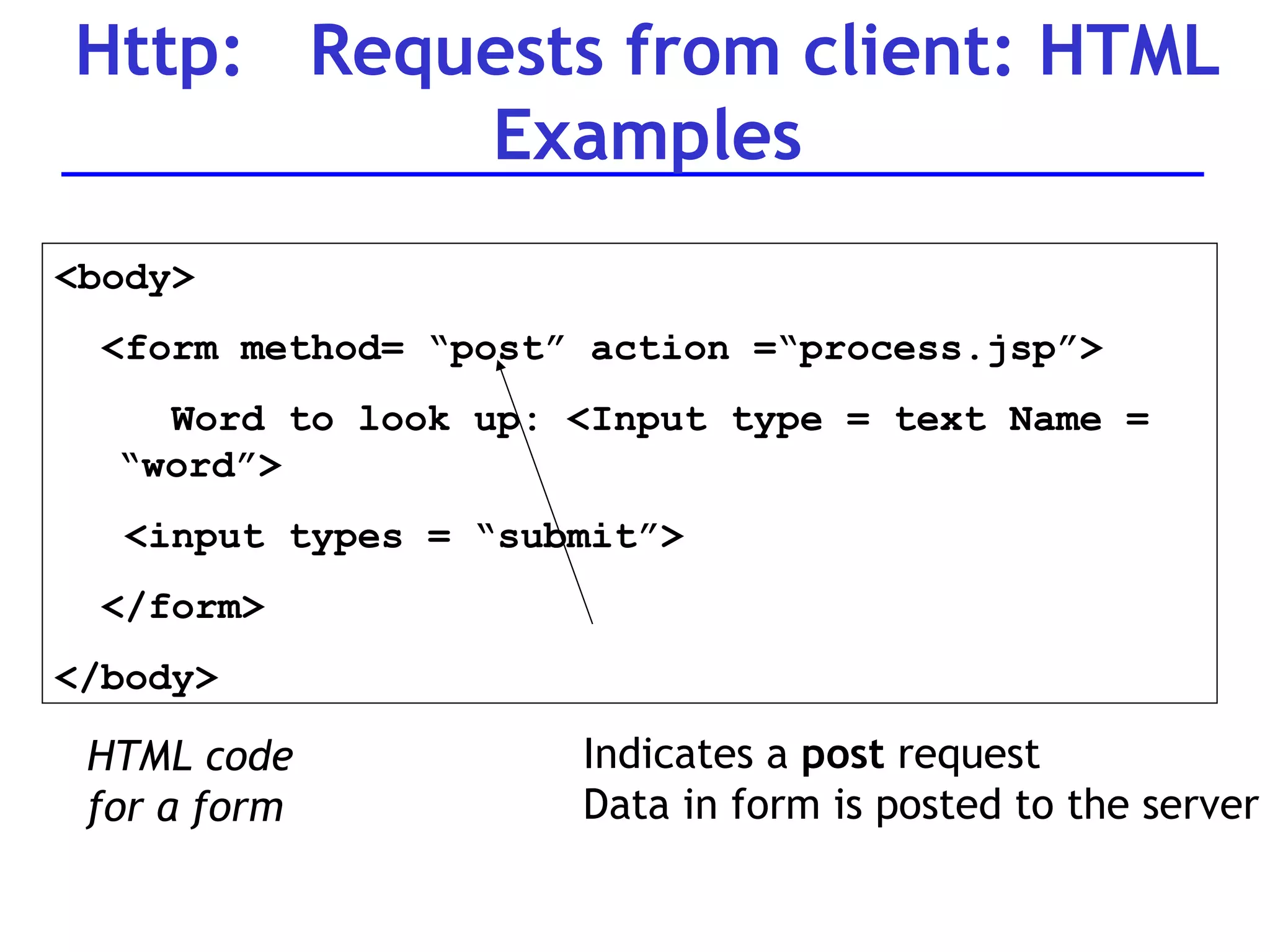
Http:  Requests from client: HTML Examples <body> <form method= “post” action =“process.jsp”> Word to look up: <Input type = text Name =  “word”>  <input types = “submit”> </form> </body> HTML code for a form Indicates a  post  request Data in form is posted to the server
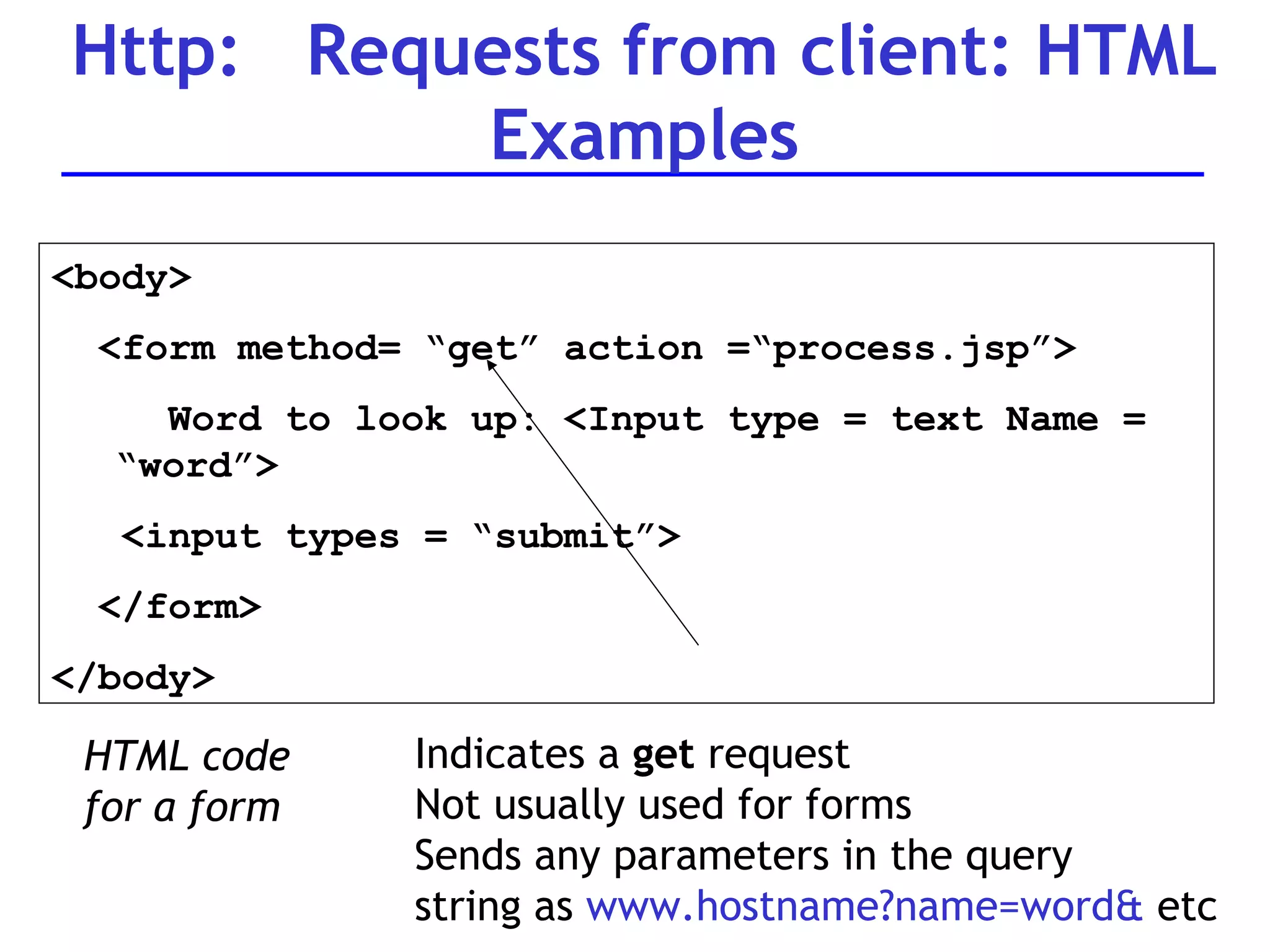
Http:  Requests from client: HTML Examples <body> <form method= “get” action =“process.jsp”> Word to look up: <Input type = text Name =  “word”>  <input types = “submit”> </form> </body> HTML code for a form Indicates a  get  request Not usually used for forms Sends any parameters in the query  string as  www.hostname?name=word&  etc
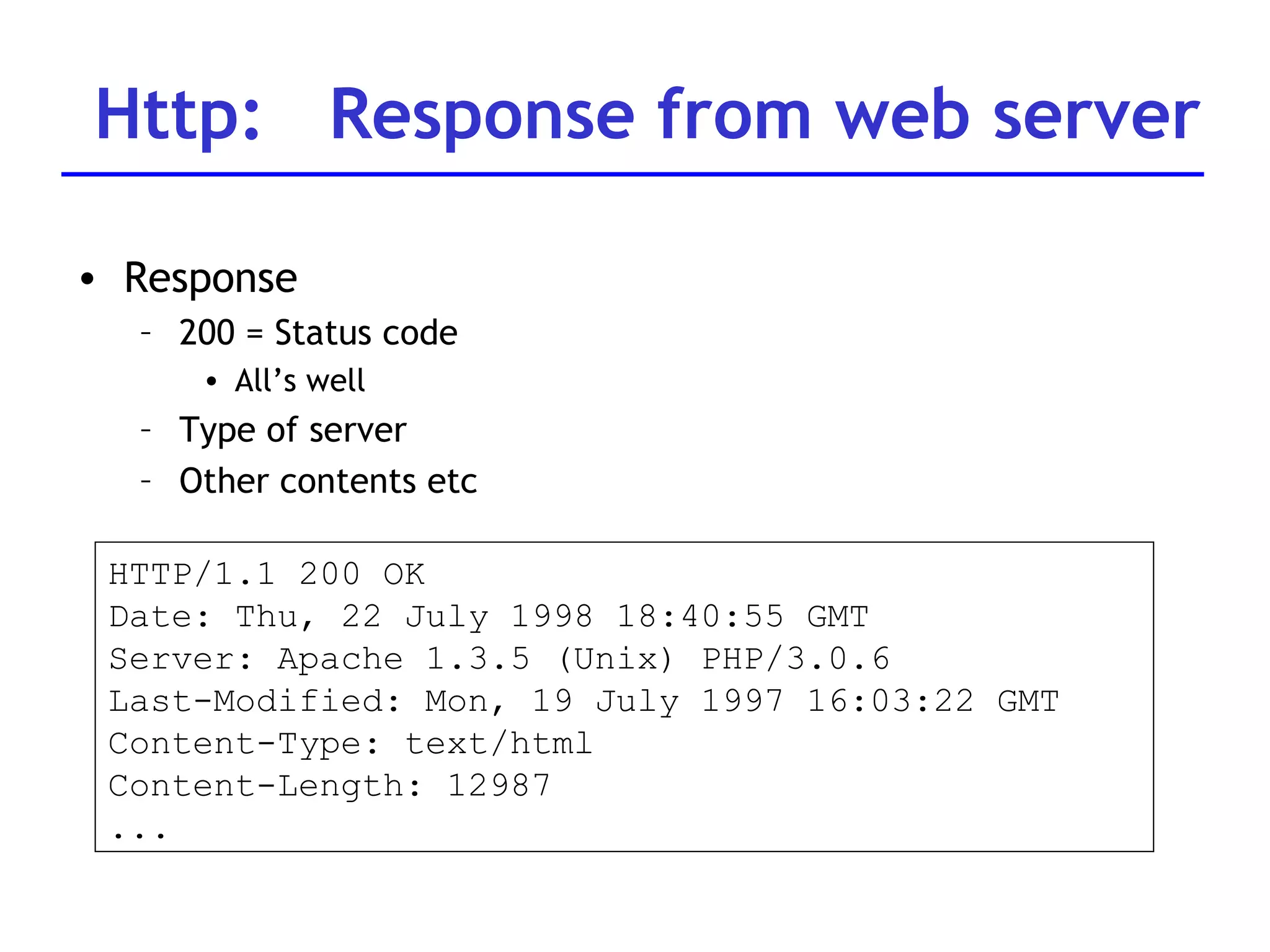
Http:  Response from web server Response 200 = Status code All’s well Type of server Other contents etc HTTP/1.1 200 OK Date: Thu, 22 July 1998 18:40:55 GMT Server: Apache 1.3.5 (Unix) PHP/3.0.6 Last-Modified: Mon, 19 July 1997 16:03:22 GMT Content-Type: text/html Content-Length: 12987 ...
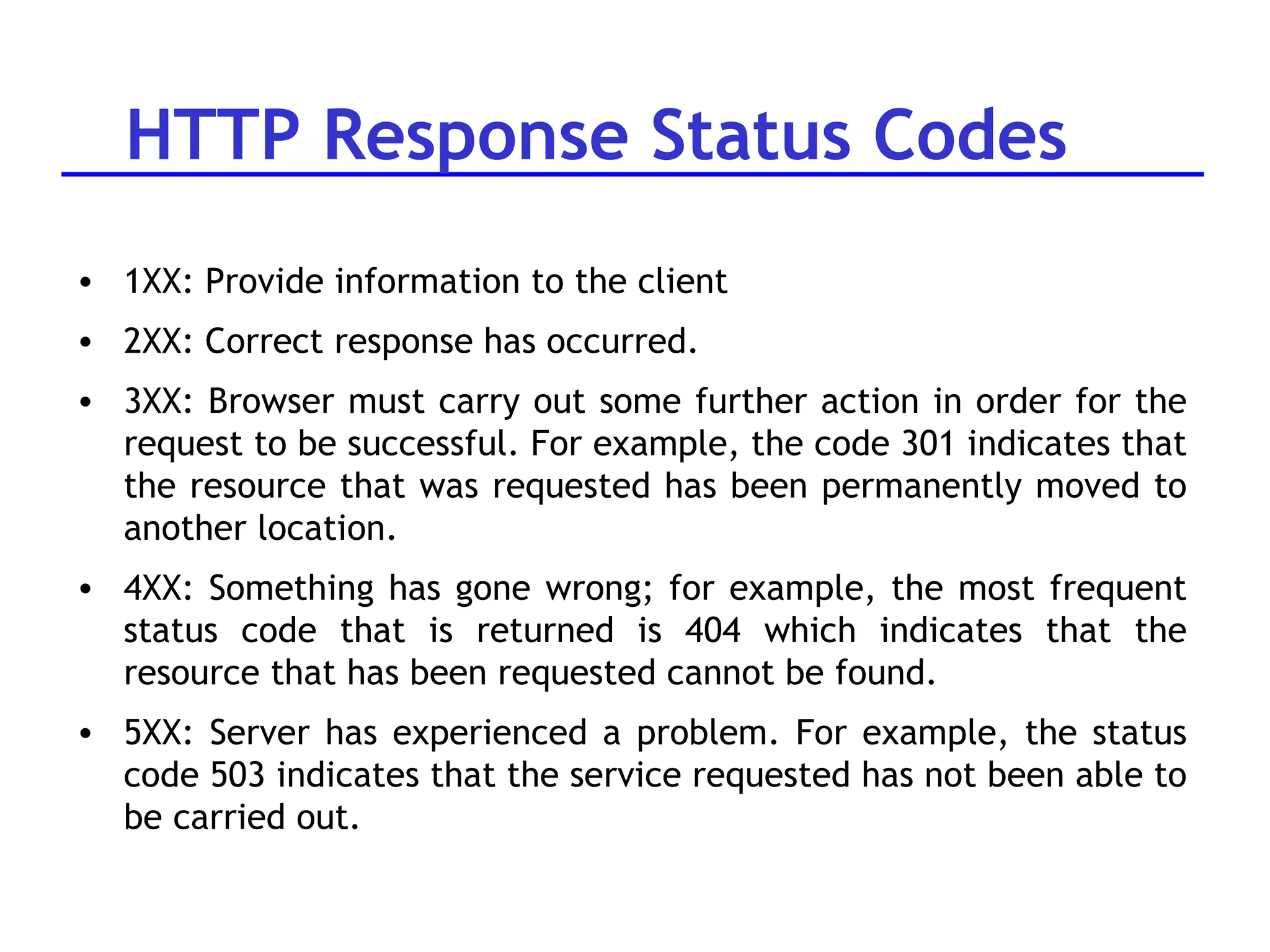
HTTP Response Status Codes 1XX: Provide information to the client 2XX: Correct response has occurred.  3XX: Browser must carry out some further action in order for the request to be successful. For example, the code 301 indicates that the resource that was requested has been permanently moved to another location.  4XX: Something has gone wrong; for example, the most frequent status code that is returned is 404 which indicates that the resource that has been requested cannot be found.  5XX: Server has experienced a problem. For example, the status code 503 indicates that the service requested has not been able to be carried out.
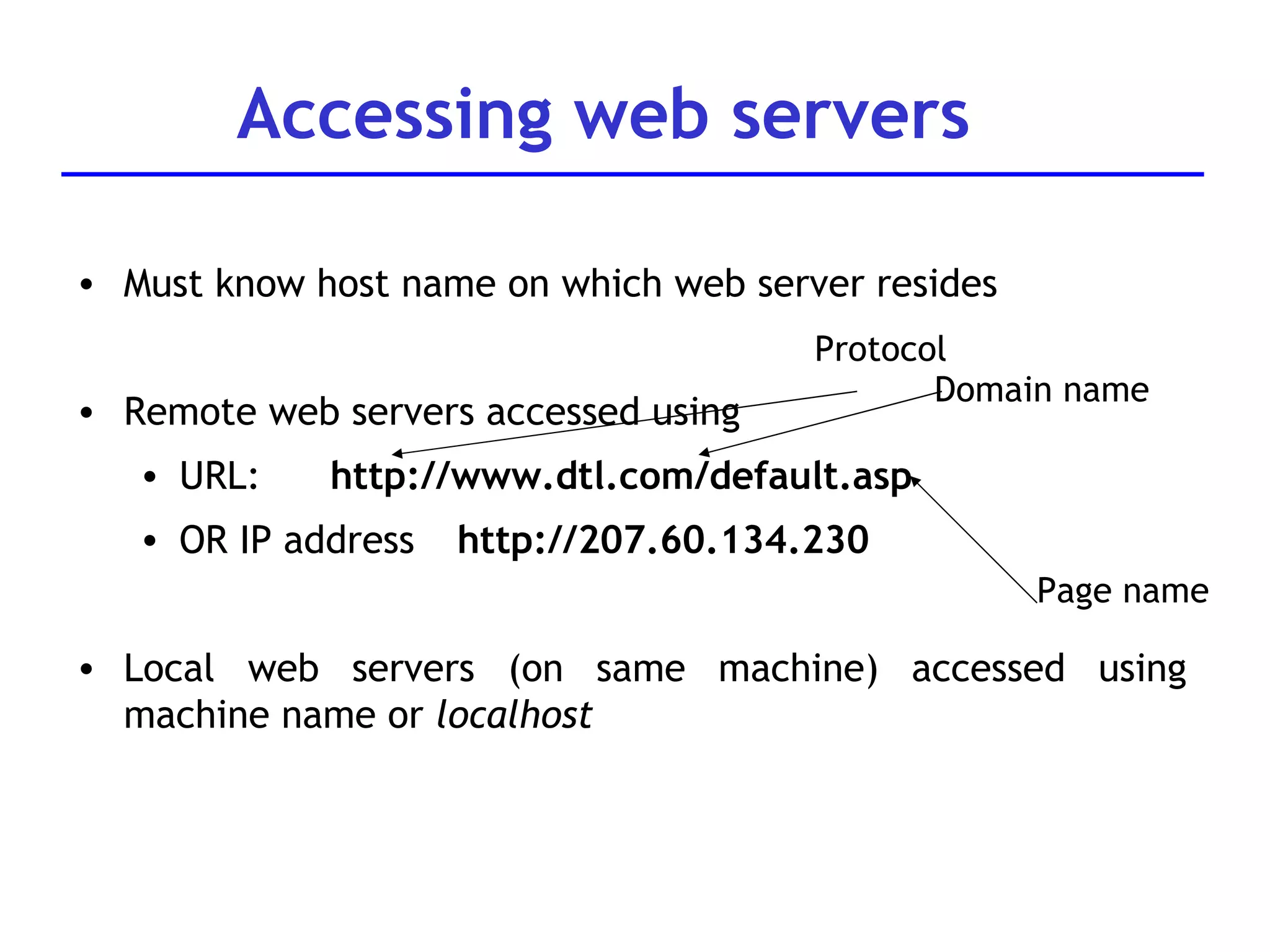
Accessing web servers Must know host name on which web server resides Remote web servers accessed using  URL:  http://www.dtl.com/default.asp OR IP address  http://207.60.134.230 Local web servers (on same machine) accessed using machine name or  localhost Protocol Domain name Page name
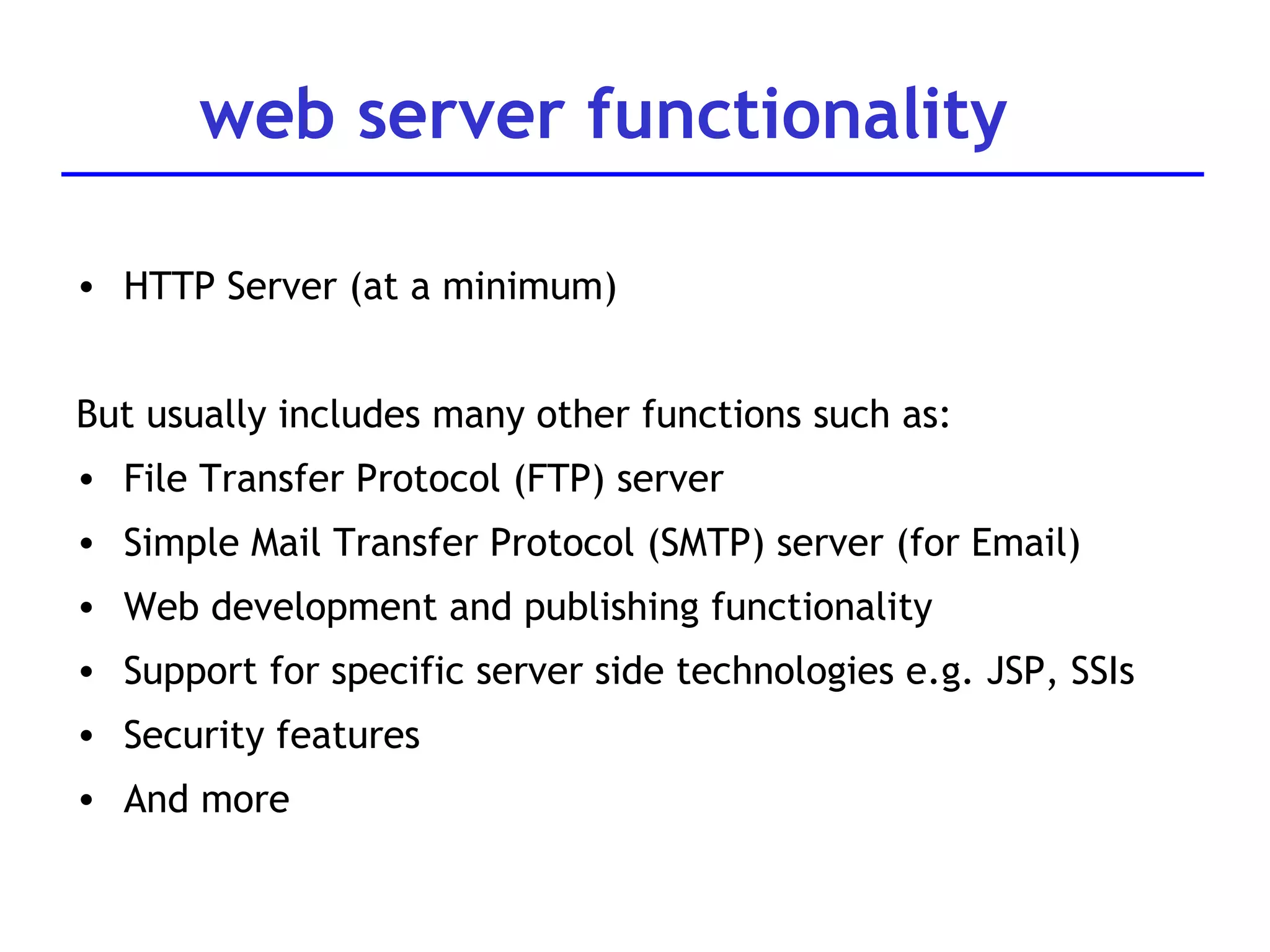
web server functionality HTTP Server (at a minimum) But usually includes many other functions such as: File Transfer Protocol (FTP) server Simple Mail Transfer Protocol (SMTP) server (for Email) Web development and publishing functionality Support for specific server side technologies e.g. JSP, SSIs Security features And more
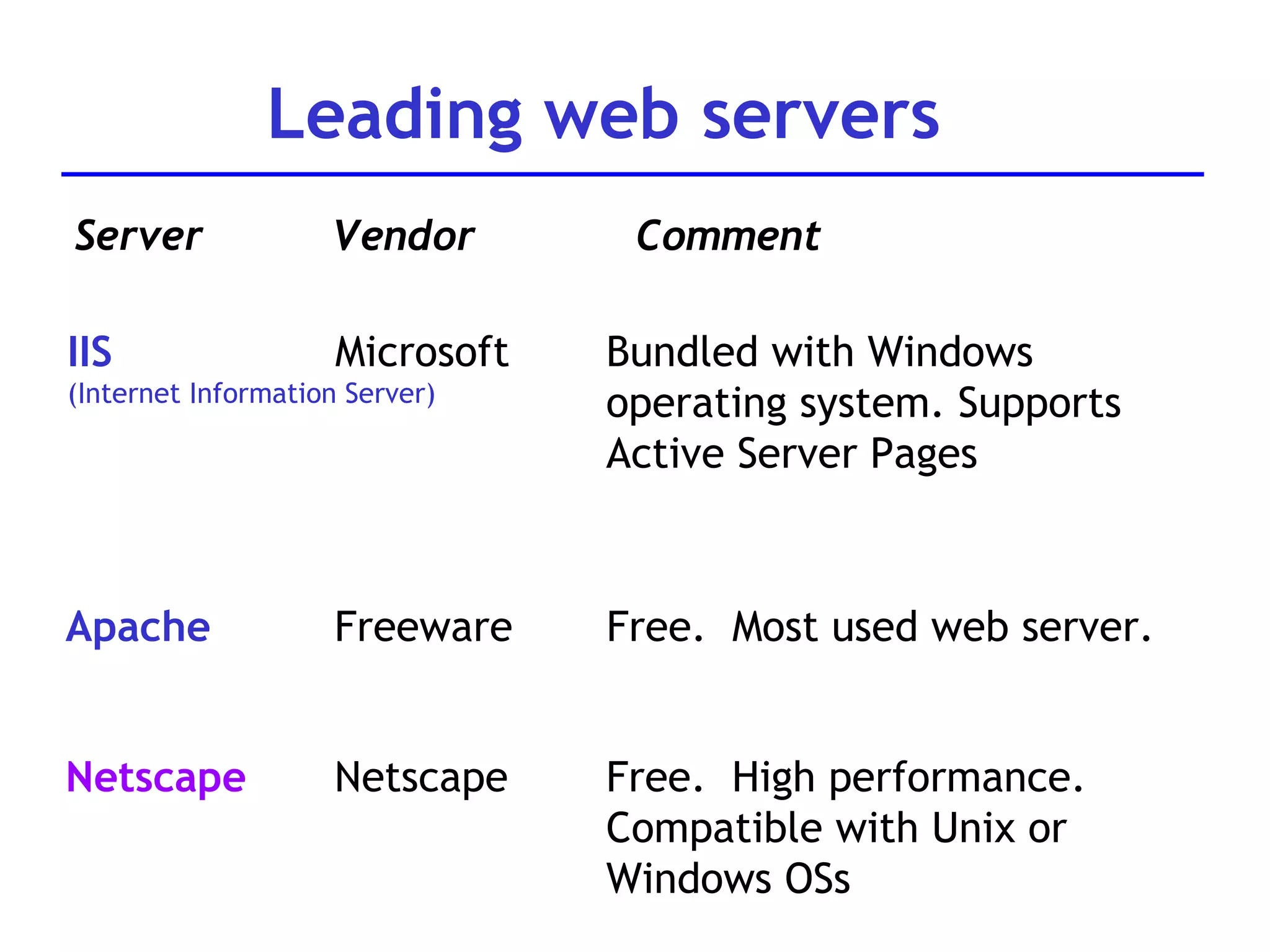
Leading web servers Server Vendor Comment IIS (Internet Information Server) Microsoft Bundled with Windows operating system. Supports Active Server Pages Apache Freeware Free.  Most used web server.  Netscape Netscape Free.  High performance. Compatible with Unix or  Windows OSs
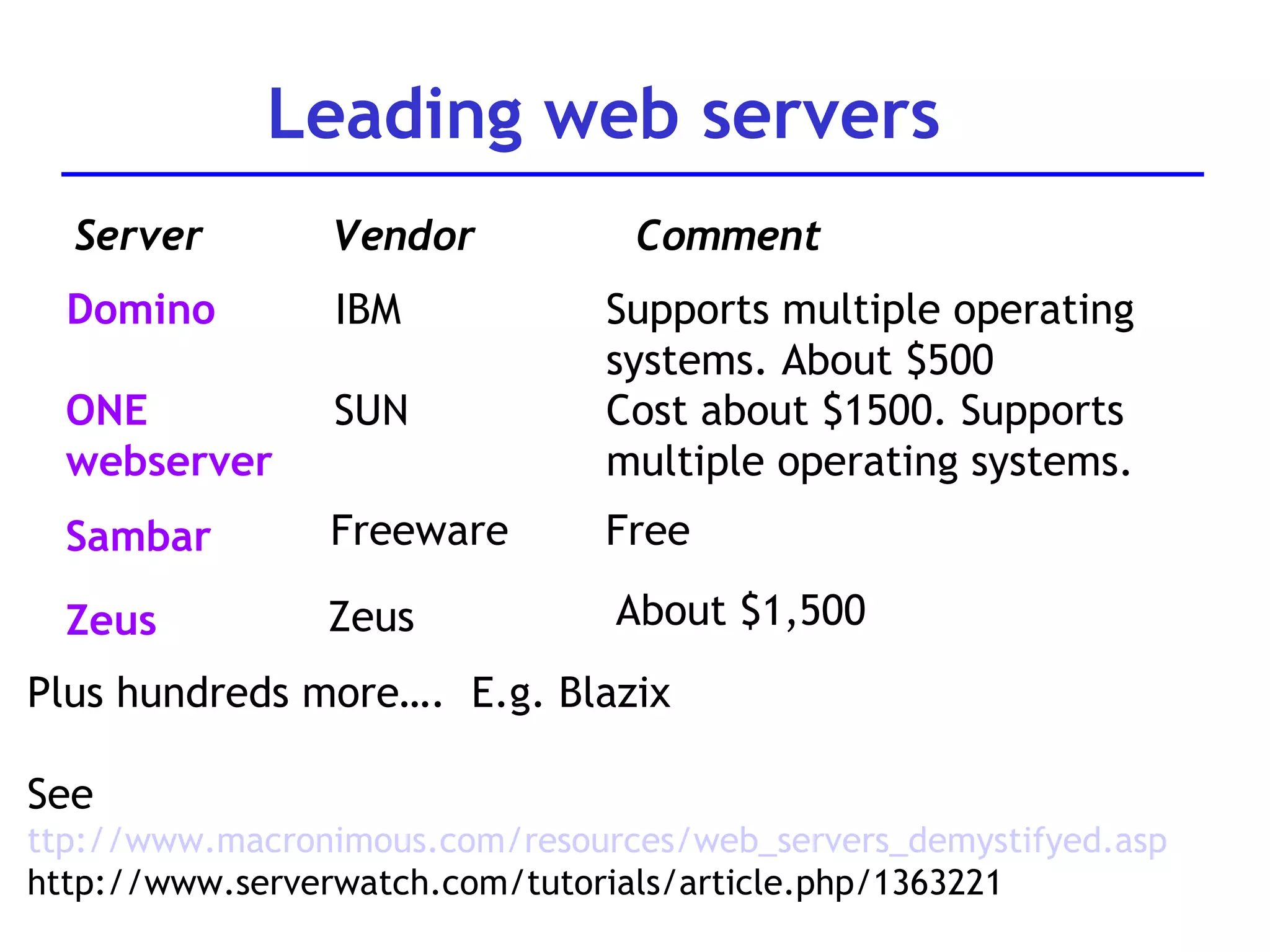
Leading web servers Server Vendor Comment Domino IBM Supports multiple operating systems. About $500 ONE  webserver SUN Cost about $1500. Supports multiple operating systems. Plus hundreds more….  E.g. Blazix See  ttp://www.macronimous.com/resources/web_servers_demystifyed.asp http://www.serverwatch.com/tutorials/article.php/1363221 Sambar Freeware Free Zeus Zeus About $1,500
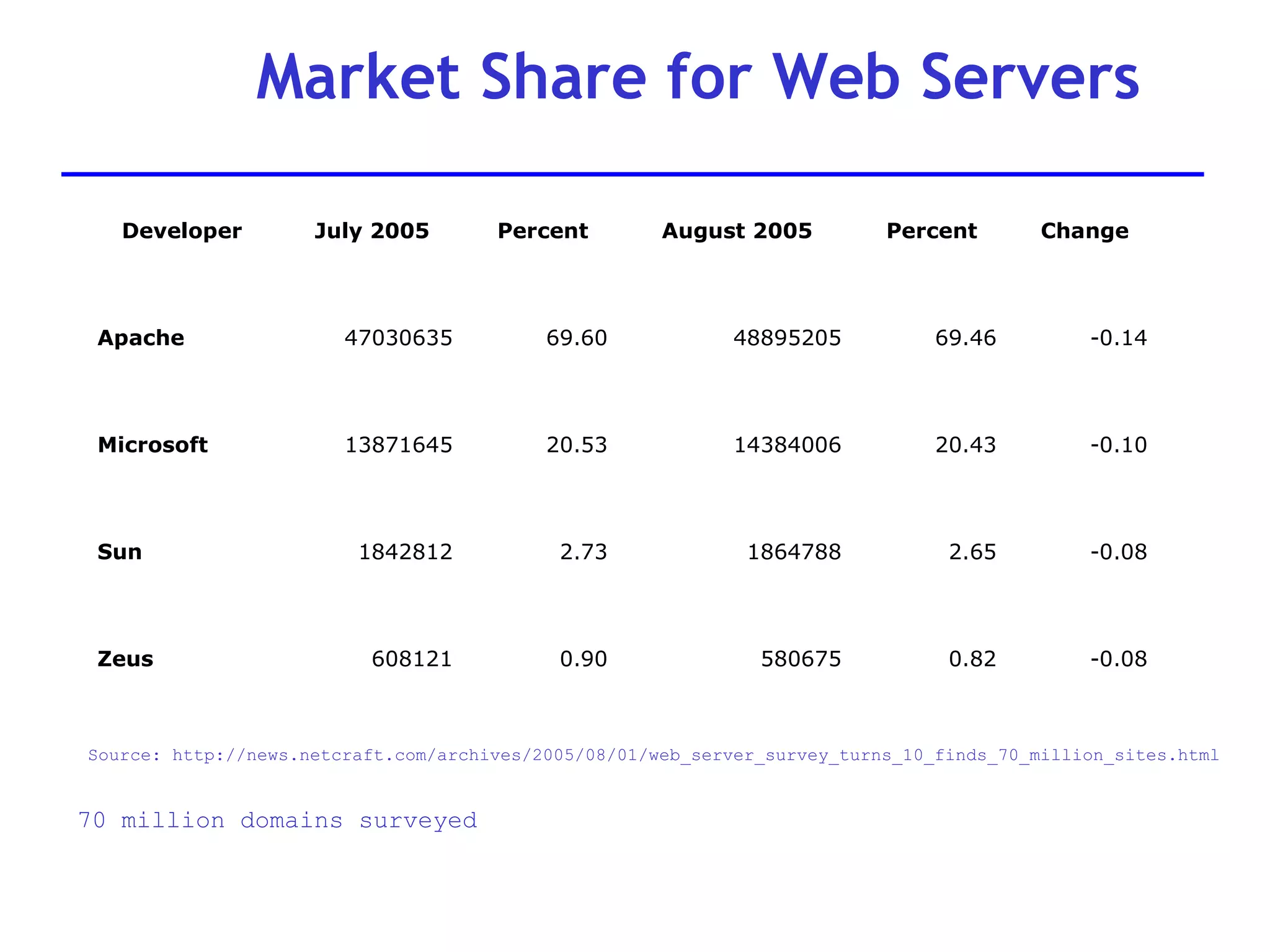
Market Share for Web Servers Source: http://news.netcraft.com/archives/2005/08/01/web_server_survey_turns_10_finds_70_million_sites.html 70 million domains surveyed -0.08 0.82 580675 0.90 608121 Zeus -0.08 2.65 1864788 2.73 1842812 Sun -0.10 20.43 14384006 20.53 13871645 Microsoft -0.14 69.46 48895205 69.60 47030635 Apache Change Percent August 2005 Percent July 2005 Developer
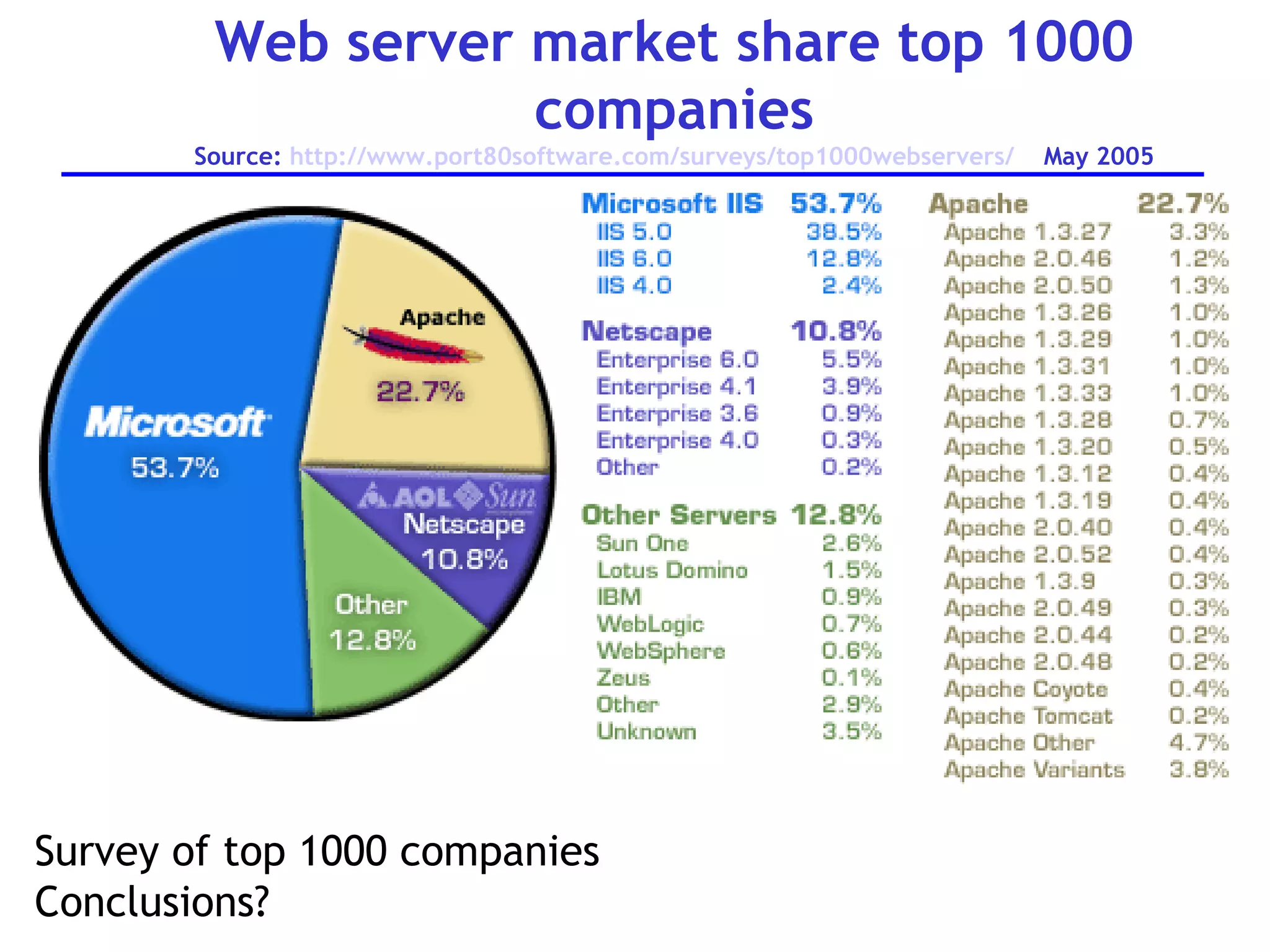
Web server market share top 1000 companies Source:  http://www.port80software.com/surveys/top1000webservers/   May 2005 Survey of top 1000 companies Conclusions?
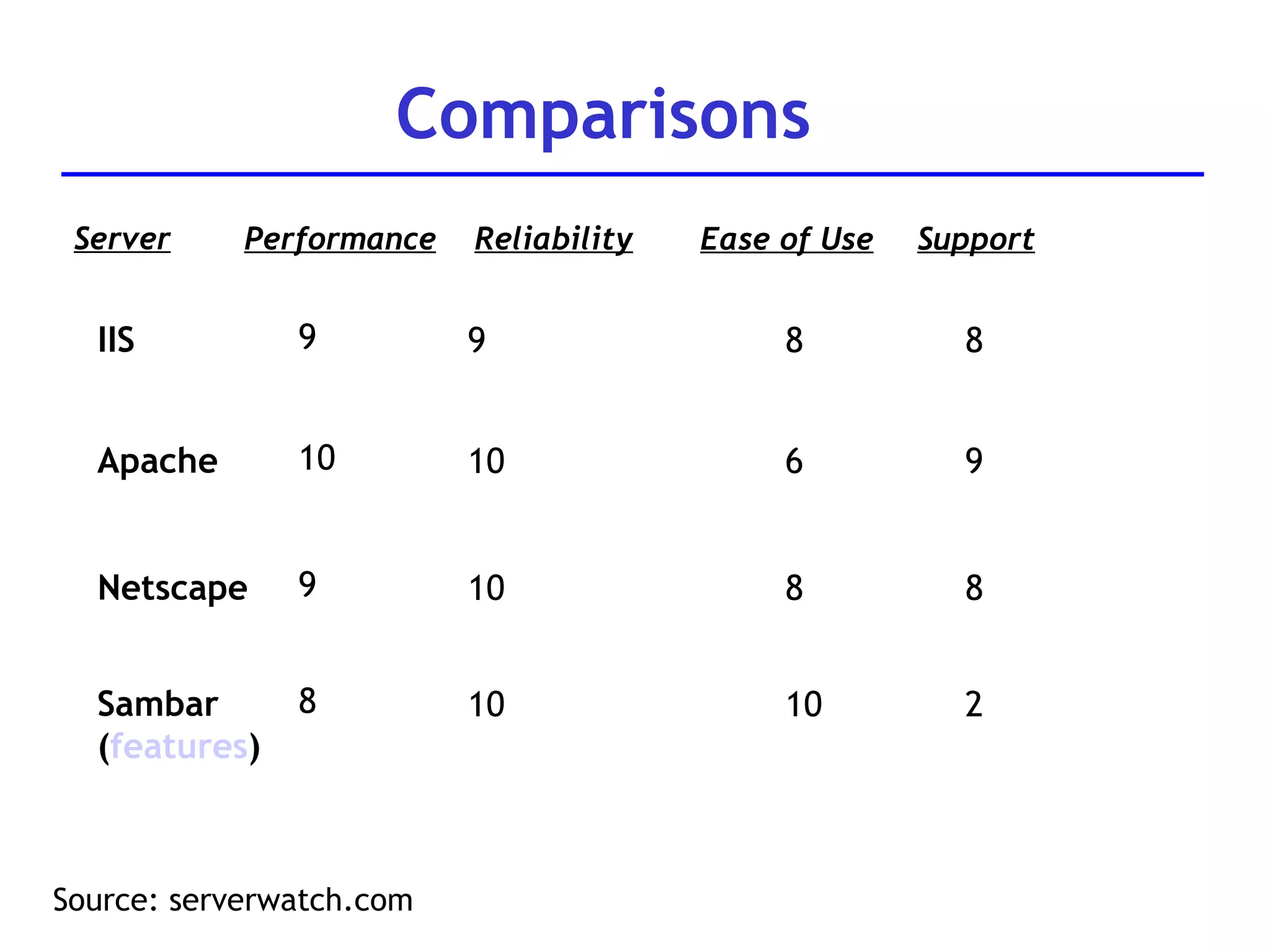
Comparisons Source: serverwatch.com Server Performance Reliability IIS 9 9 Ease of Use Support 8 8 Apache 10 10 6 9 Netscape 9 10 8 8 Sambar ( features ) 8 10 10 2
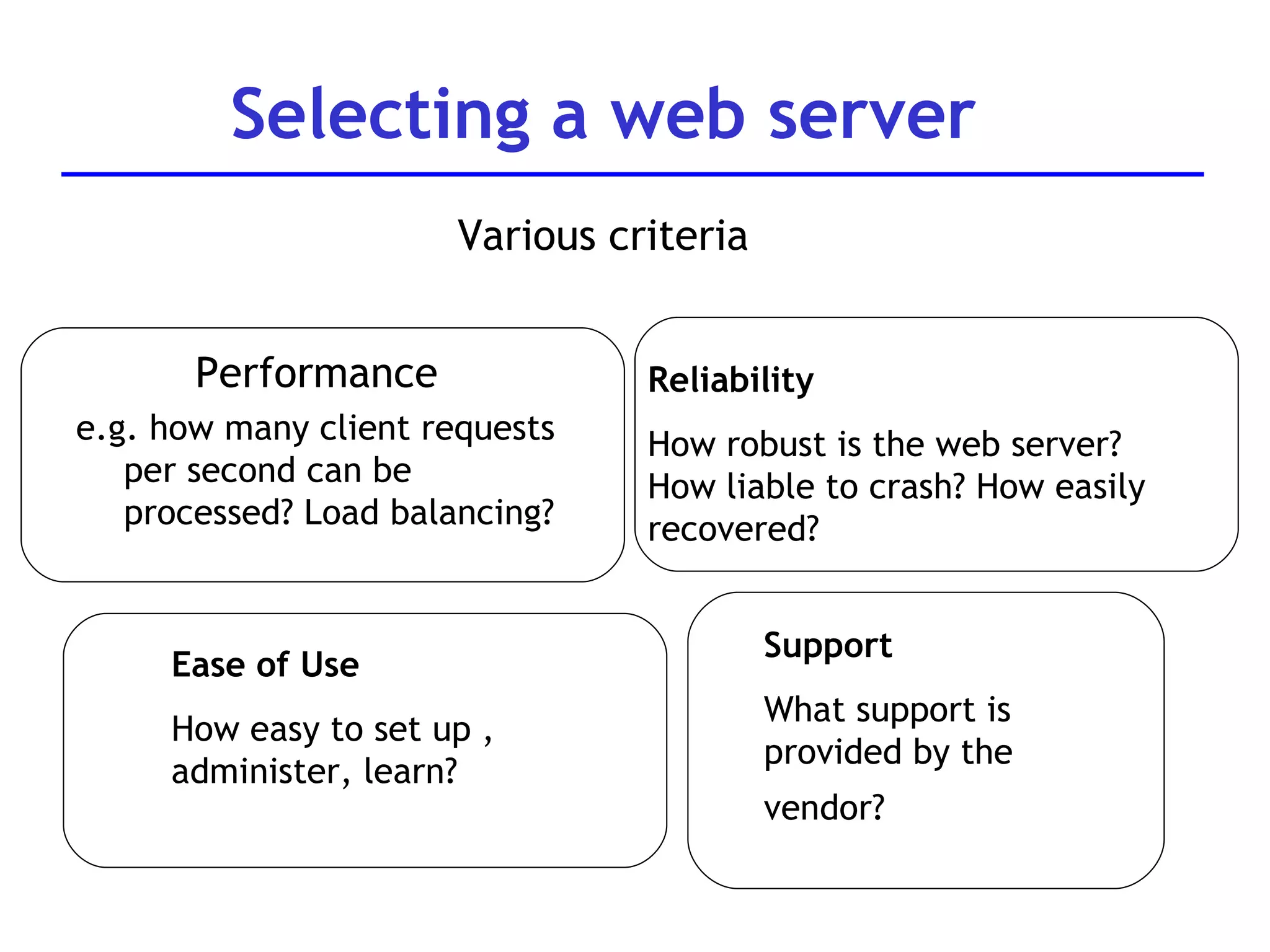
Selecting a web server Various criteria Performance  e.g. how many client requests per second can be processed? Load balancing? Ease of Use How easy to set up , administer, learn? Support What support is provided by the  vendor?  Reliability How robust is the web server? How liable to crash? How easily recovered?
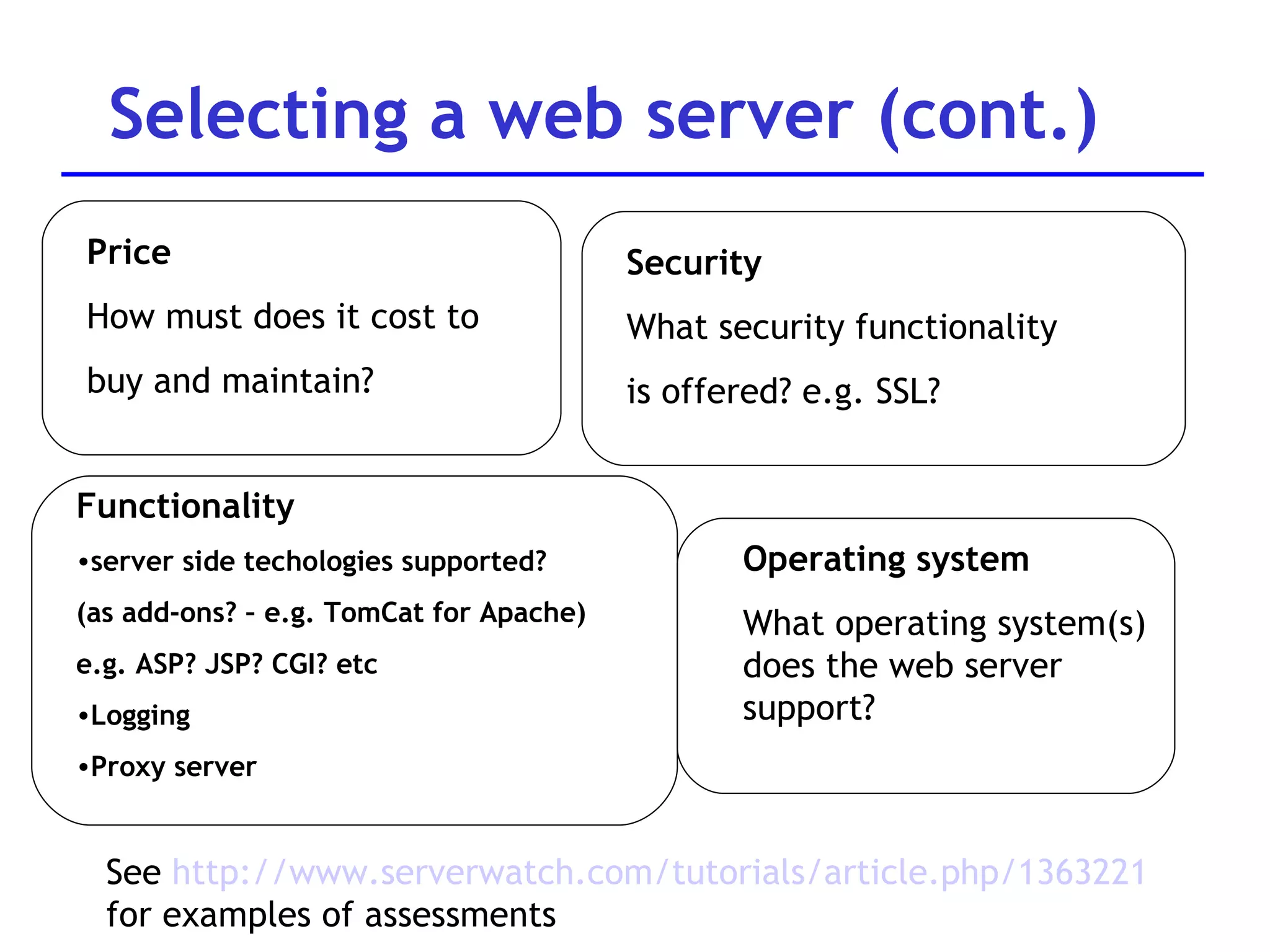
Selecting a web server (cont.) See  http://www.serverwatch.com/tutorials/article.php/1363221 for examples of assessments Functionality server side techologies supported?  (as add-ons? – e.g. TomCat for Apache) e.g. ASP? JSP? CGI? etc Logging Proxy server  Price How must does it cost to  buy and maintain? Operating system What operating system(s) does the web server support?  Security What security functionality is offered? e.g. SSL?
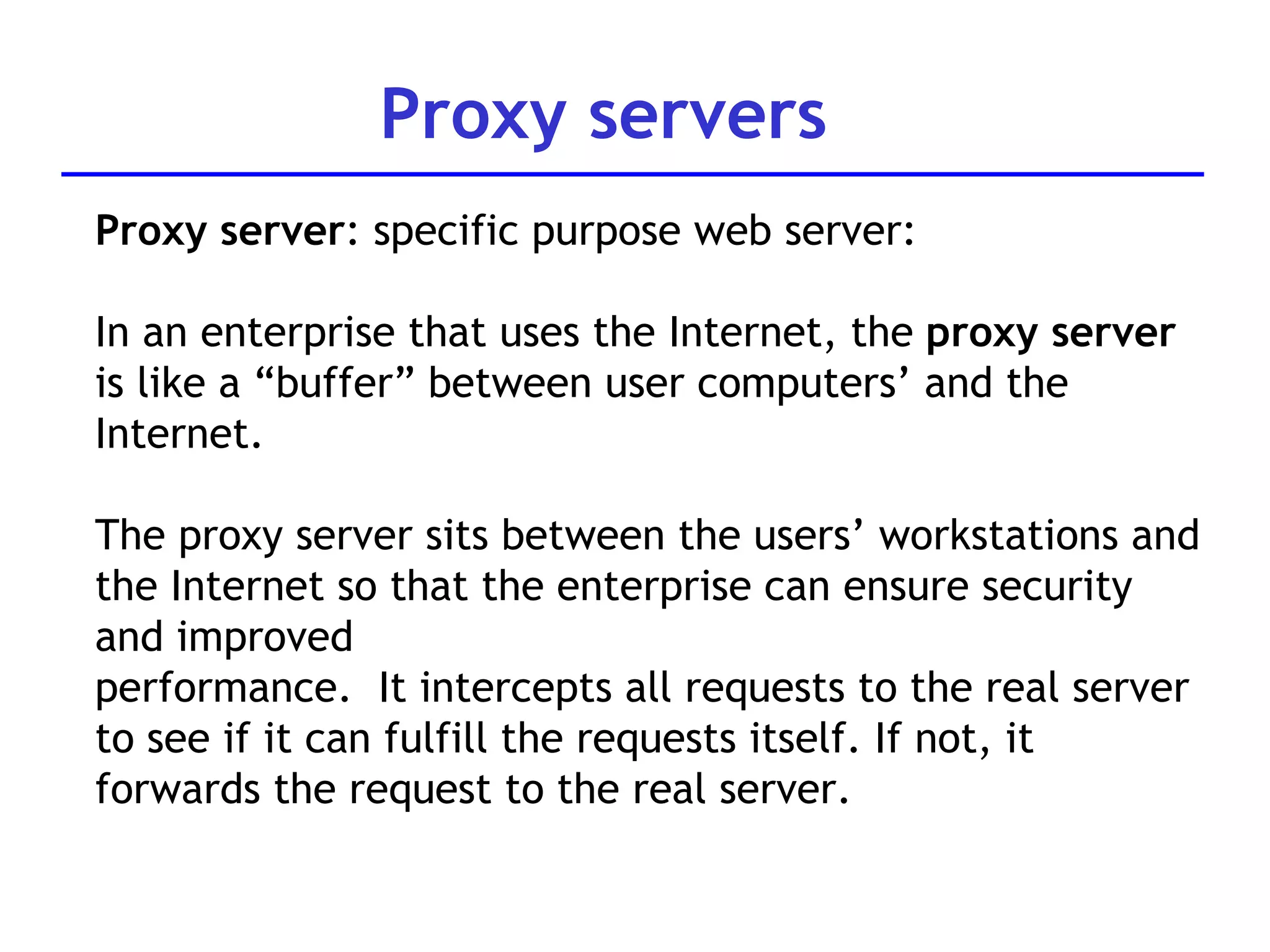
Proxy servers Proxy server : specific purpose web server: In an enterprise that uses the Internet, the  proxy server  is like a “buffer” between user computers’ and the Internet.  The proxy s erver sits between  the users’ workstations and the Internet so that the enterprise can ensure security and improved performance.  It intercepts all requests to the real server to see if   it can fulfill the requests itself. If not, it forwards the request to the real server.
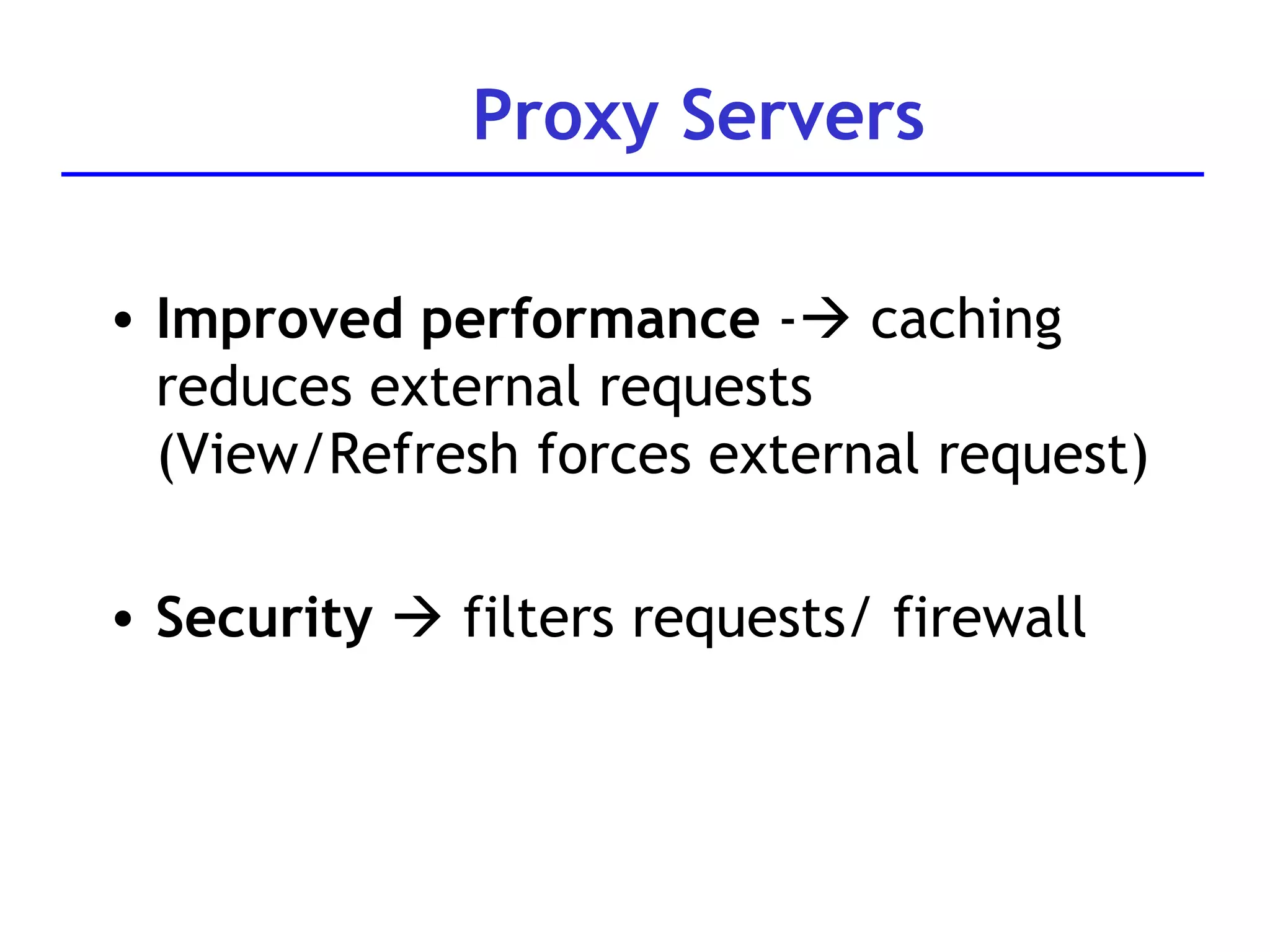
Proxy Servers Improved performance  -   caching reduces external requests  (View/Refresh forces external request) Security     filters requests/ firewall
Web servers More details on examples of web servers IIS Apache Blazix
Internet Information Server IIS – supplied by Microsoft Enterprise level web server Popular with large corporations Must run on Windows operating system Usually associated with web applications built using Active Server Pages Also supports CGI and Server side includes Scaled down version of IIS is called Personal Web Server (PWS) – good for small businesses, individuals
Apache web server Most popular web server (almost 70% of all web sites use it –  Apache.org July 2005 ) Freeware.  Frequent updates. Maintained by the Apache Software  Foundation  - Website www.apache.org Welcome! - The Apache Software  Foundation.htm Runs on Unix, Linux and Windows operating systems Supports a range of server-side technologies, but can require additional software installation To support Java server pages, need  Tomcat  with Apache
Blazix web server Lightweight web server (about 1.5M) Supports java technologies (JSP, servlets etc Similar to Tomcat in configuration and interface see directories.. Freeware Limited support Available at  www.blazix.com
Question Development selecting a new web server: Currently using websites built in JSP, running on Blazix web server, running on Linux servers.  The number of users is trebling every two months and they now want to upgrade to an industry standard web server.  Their parent company uses Internet Information Server and would like them to use IIS Considerations? Issues?
To support java server pages, require additional software:  Tomcat Tomcat  is a free open source implementation of java server pages and java servlets, developed as part of the Jakarta project  under the Apache Software Foundation  Tomcat can be used with Apache web server, or in standalone mode (It can also be installed to work with IIS or Netscape..) More info at: http://www.ccl.net/cca/software/UNIX/apache/tomcatfaq.shtml Apache web server: Tomcat
Tomcat Operation To use Tomcat web server working need to know about: Environment variables How to start and stop the server How to configure Tomcat to pick up web files from your directory
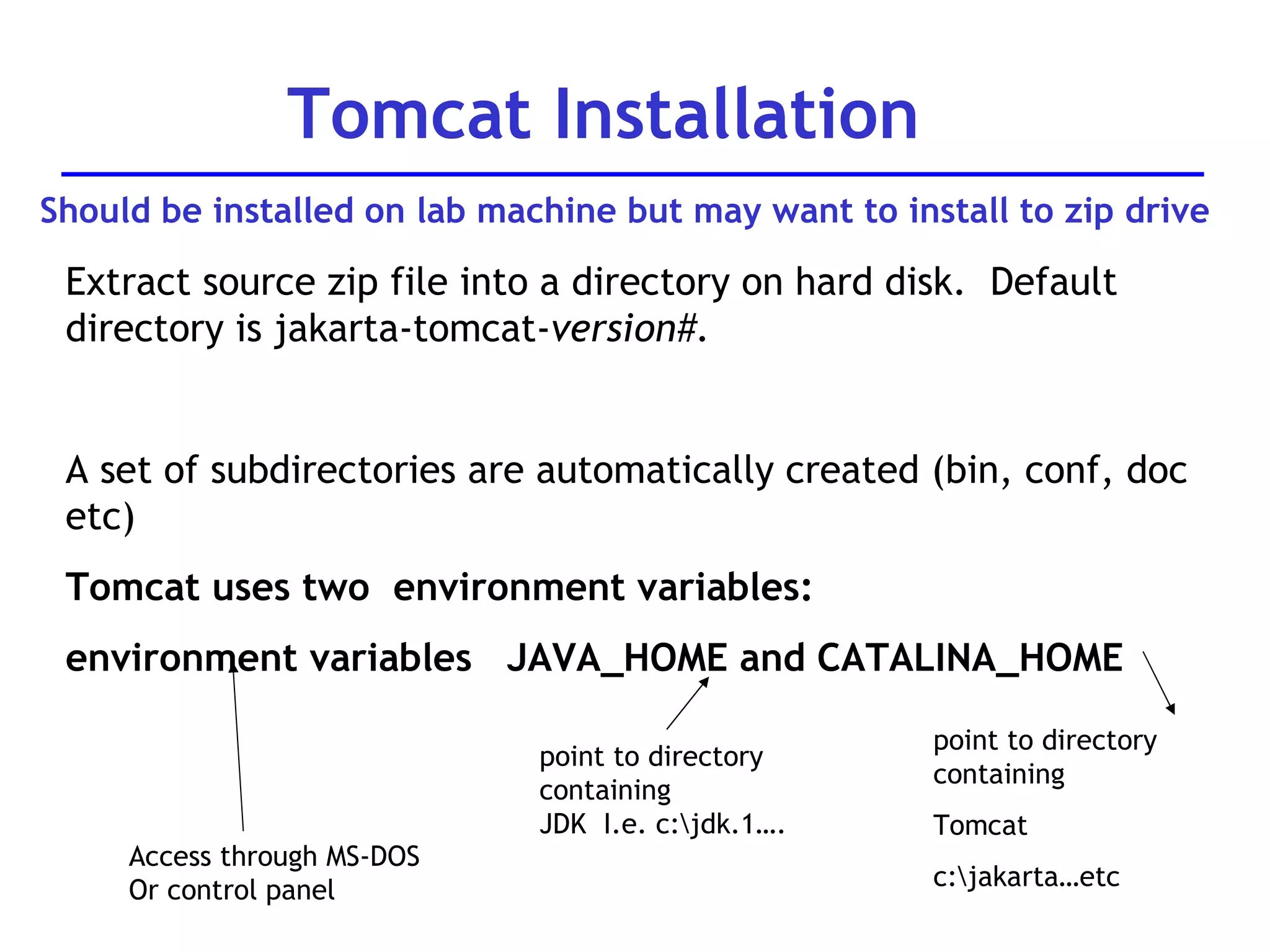
Extract source zip file into a directory on hard disk.  Default directory is jakarta-tomcat- version#. A set of subdirectories are automatically created (bin, conf, doc etc) Tomcat uses two  environment variables: environment variables  JAVA_HOME and CATALINA_HOME Tomcat Installation point to directory containing JDK  I.e. c:\jdk.1…. point to directory containing Tomcat c:\jakarta…etc Access through MS-DOS Or control panel Should be installed on lab machine but may want to install to zip drive
Tomcat environment variables Java_home  points to directory in which jdk is held Catalina_home  points to tomcat directory (e.g. c:\apache\tomcat 5.0) -  in Tomcat version 5, it should be automatically created. Both can be set through DOS e.g.  set Java_Home=C:\jdk1.4….. Will need to do this if either is incorrect on your machine OR if you’re installing Tomcat to a ZIP or USBkey drive. If installing to ZIP or USB key drive, could edit the startup.bat command so that it always sets the environment variables correctly (by adding the two SET commands)
From DOS prompt, go to directly where TomCat is installed e.g.  C:\jakarta-tomcat-…. Go to the subdirectory  \bin  To START: Type:  startup   into the DOS prompt This will start up Tomcat in another DOS window.  Tomcat server executes on TCP port 8080 (in case another  server is using the default port 80) Tomcat  - Starting up
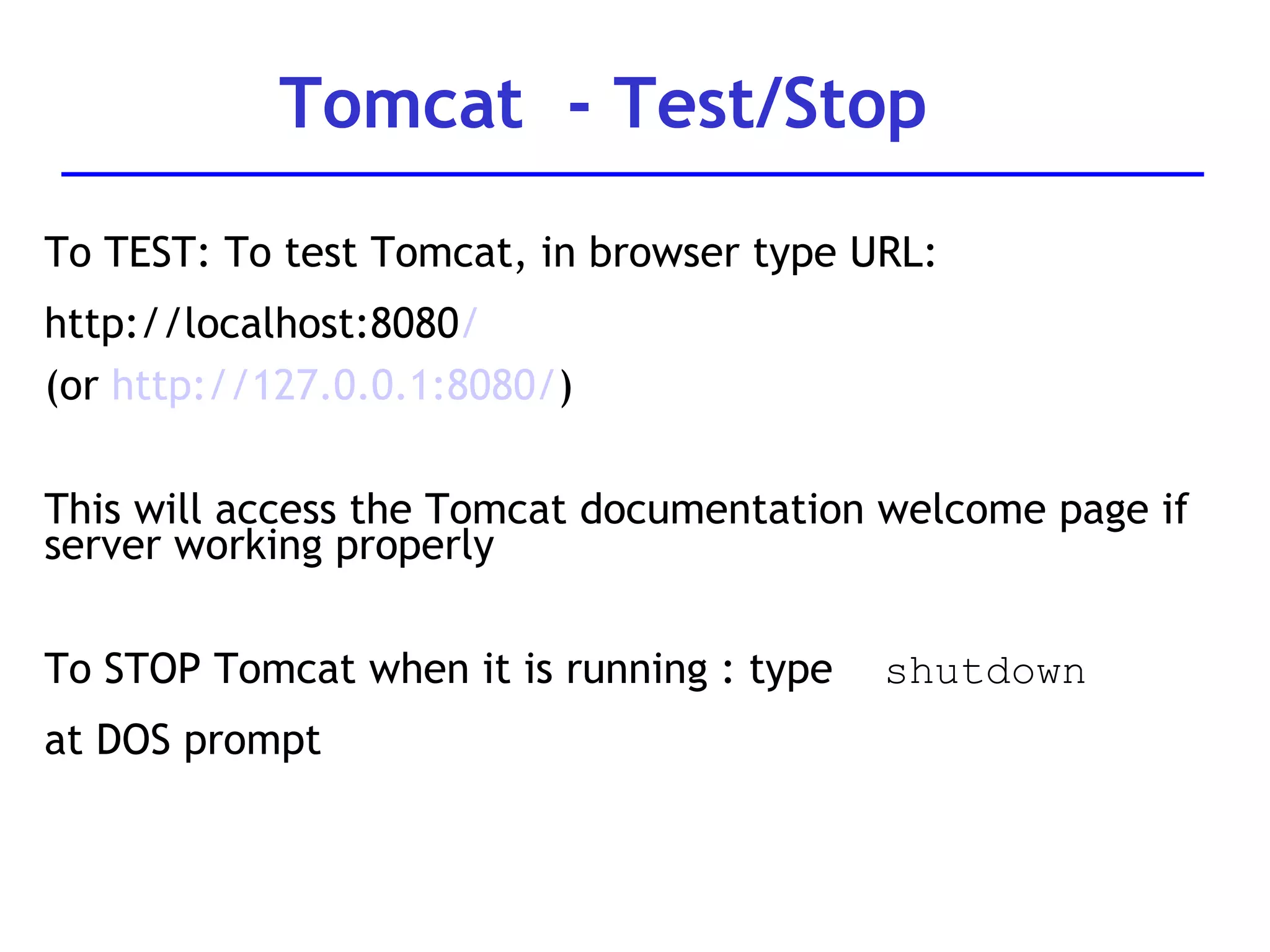
To TEST: To test Tomcat, in browser type URL:  http://localhost:8080 / (or  http://127.0.0.1:8080/ ) This will access the Tomcat documentation welcome page if server working properly To STOP Tomcat when it is running : type  shutdown   at DOS prompt Tomcat  - Test/Stop
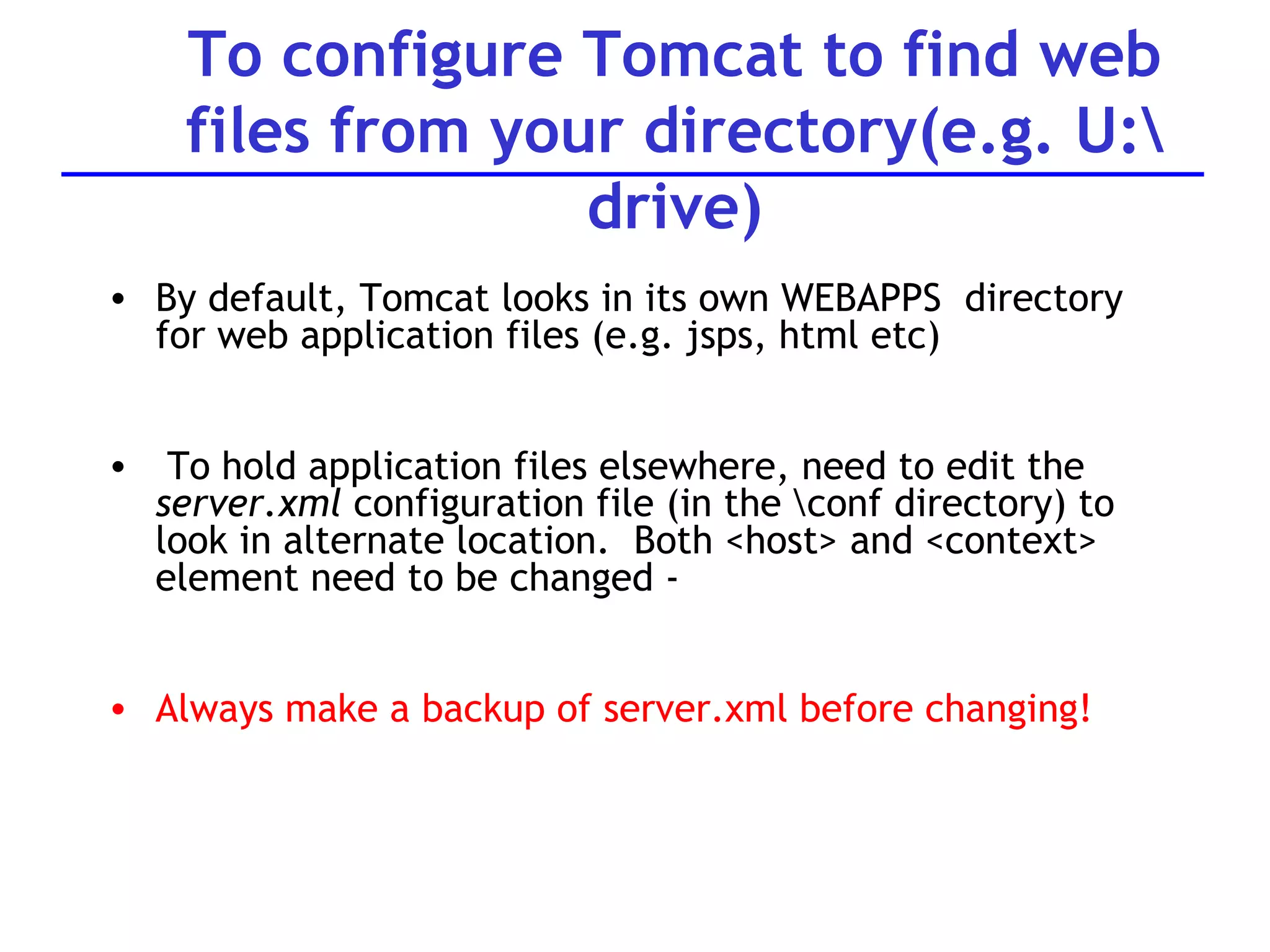
To configure Tomcat to find web files from your directory(e.g. U:\ drive) By default, Tomcat looks in its own WEBAPPS  directory for web application files (e.g. jsps, html etc) To hold application files elsewhere, need to edit the  server.xml  configuration file (in the \conf directory) to look in alternate location.  Both <host> and <context> element need to be changed -  Always make a backup of server.xml before changing!
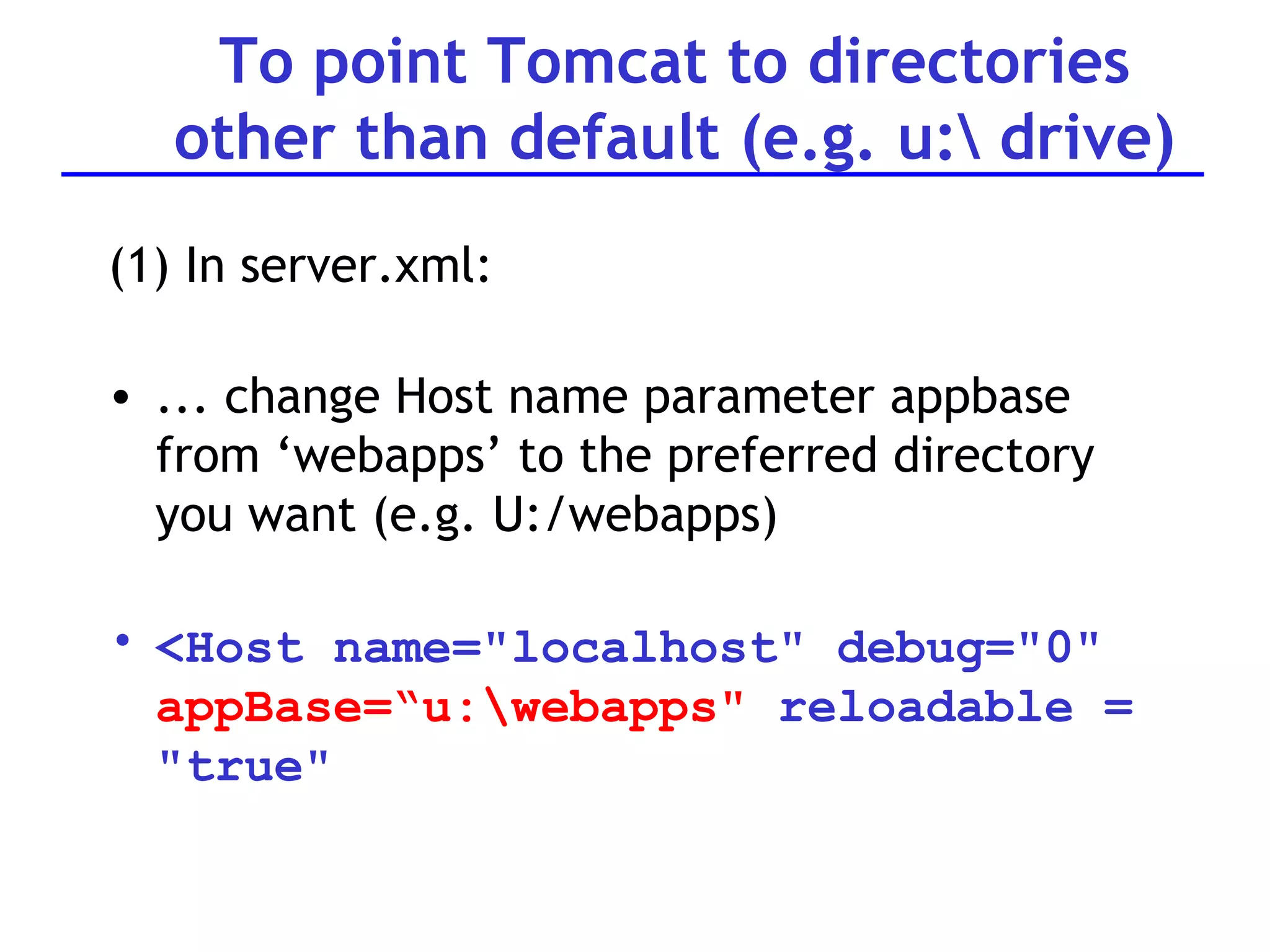
To point Tomcat to directories other than default (e.g. u:\ drive) (1) In server.xml: ... change Host name parameter appbase from ‘webapps’ to the preferred directory you want (e.g. U:/webapps) <Host name=&quot;localhost&quot; debug=&quot;0&quot;  appBase=“u:\webapps&quot;  reloadable = &quot;true&quot;
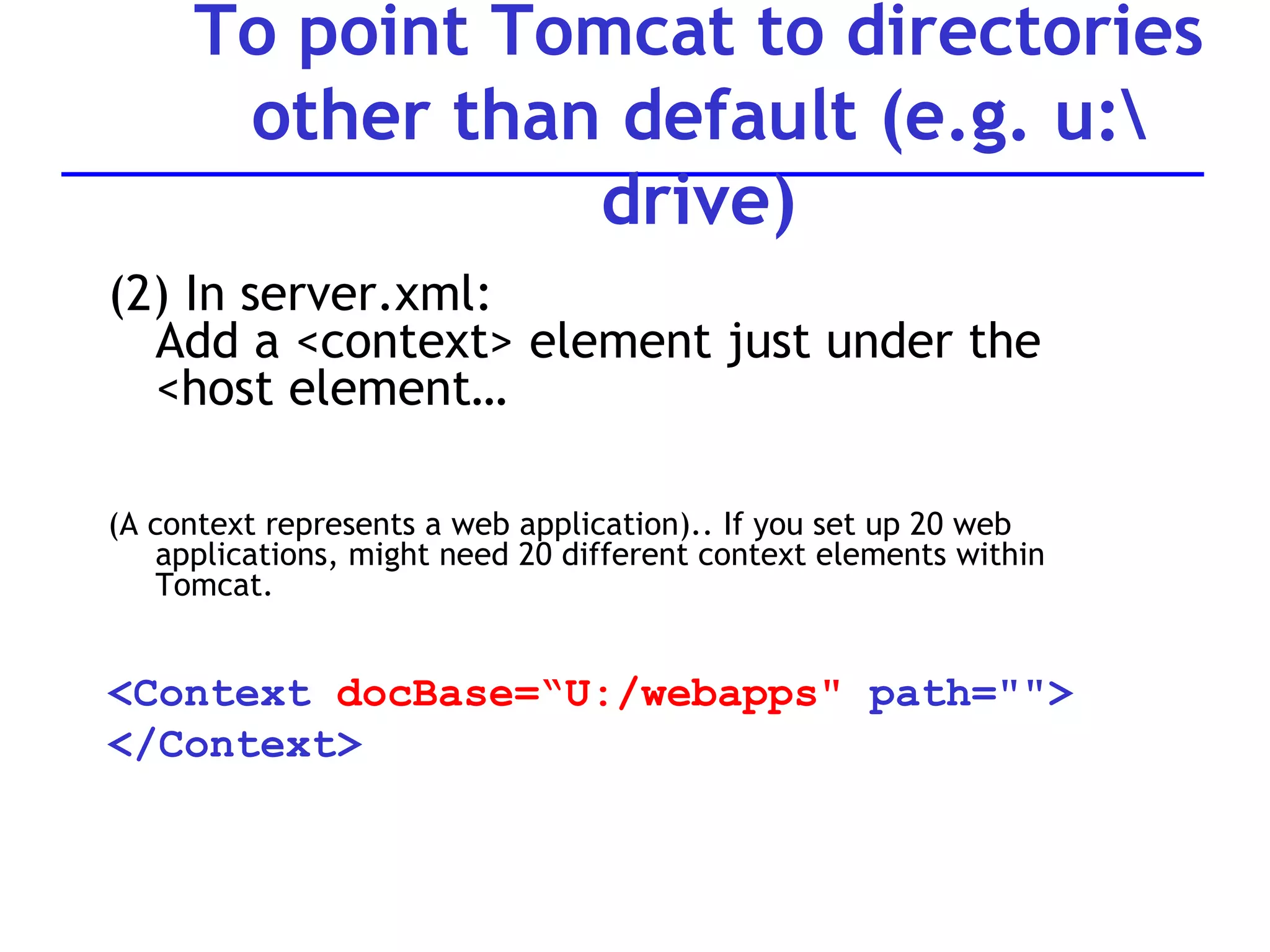
(2) In server.xml: Add a <context> element just under the <host element… (A context represents a web application).. If you set up 20 web applications, might need 20 different context elements within Tomcat. <Context  docBase=“U:/webapps&quot;  path=&quot;&quot;> </Context> To point Tomcat to directories other than default (e.g. u:\ drive)
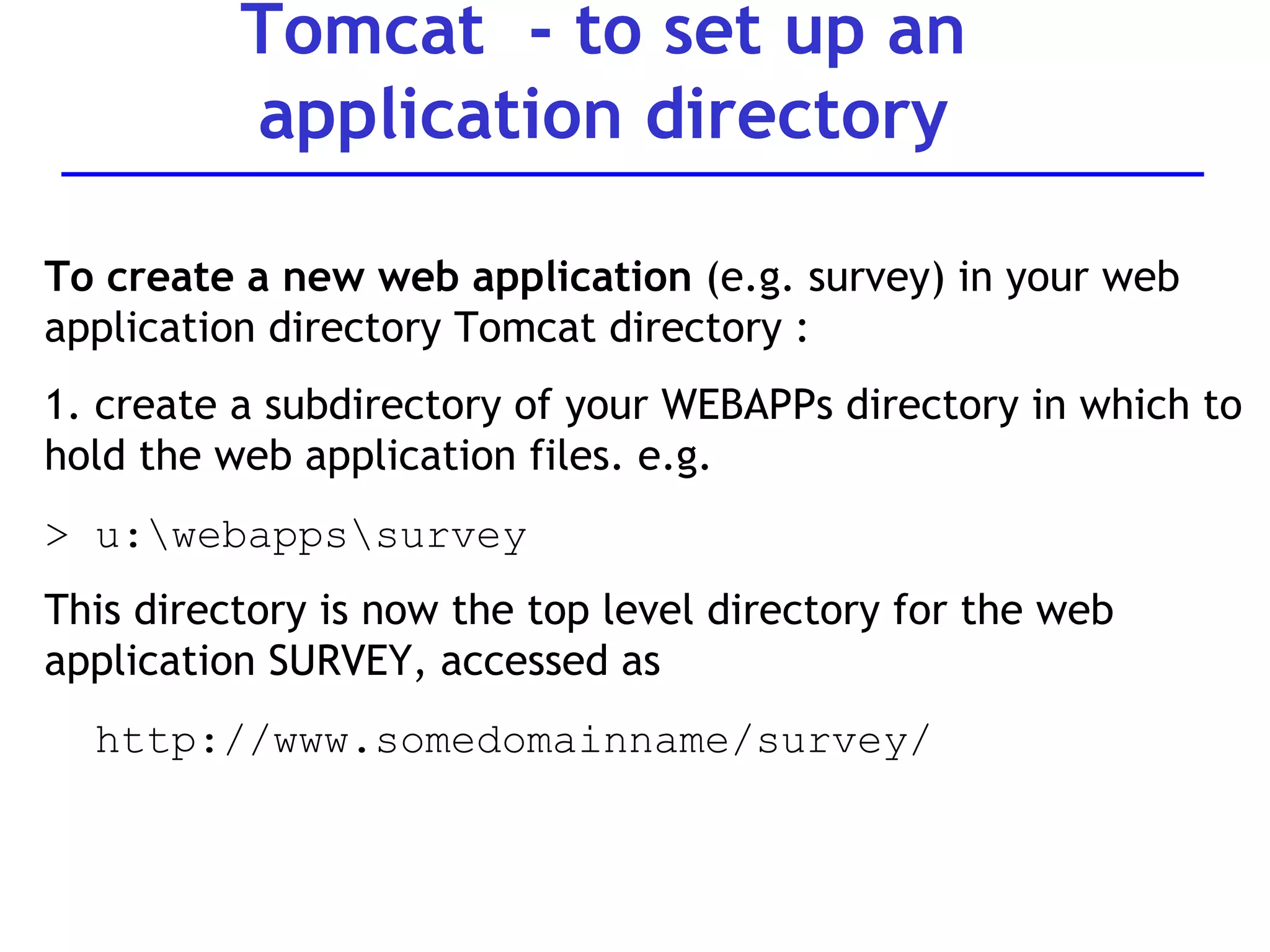
Tomcat  - to set up an application directory To create a new web application  (e.g. survey) in your web application directory Tomcat directory : 1. create a subdirectory of your WEBAPPs directory in which to hold the web application files. e.g.  > u:\webapps\survey This directory is now the top level directory for the web application SURVEY, accessed as  http://www.somedomainname/survey/
Tomcat  - setting up an application directory Create a special subdirectory of your web application directory called WEB-INF.  Special configuration files (e.g. Web.xml) are stored in this.  Don’t need the files now – but DO need the directory.  > f:\webapps\survey\WEB-INF 3. Test server by putting a html file into the main application directory (e.g. survey) and call it from browser  http://locahost:8080/survey/htmlfilename..
Typical Tomcat installation problems Environment variable java_home incorrect Not putting 8080 in URL  (http://localhost:8080) Not configuring server.xml to look at correct location of your web files Not starting the server… Not re-starting the server when you’ve added/ changed your files Not re-setting the environment variables when DOS session re-started

Web servers

  • 1.
  • 2.
    Introduction Web Browser Client Web Server Server A web server is specialised software that responds to client (I.e. web browser) requests Every web site requires a web server to process client requests and ‘serve up’ the pages Web servers used to service Internet, intranets and extranets Note that web server in this context is software. Server machine is also referred to as the web server.
  • 3.
    System architecture Aweb server is part of a multi-tier application (also called n-tier application Functionality is divided into separate tiers or groupings Tiers can be on same computer or on separate computers Web applications are often three tiered: Information tier (also called data tier) Middle tier Client tier (user interface tier)
  • 4.
    Common web systemarchitecture Web Browser Application tier Database Client tier Middle tier Information tier Application User interface. The client interacts with the middle tier to make requests and to retrieve data from the information tier Controls the interactions between the application clients and application data. Enforces business rules. implements presentation logic. Web server typically supports this tier. Maintains data for the application. Data typically stores in a relational database management system (RDBMS)
  • 5.
    Hyper Text TransferProtocol Resources: Databases Application e.g. “ Get me a webpage” “ Post this data to the server” Request e.g. “here’s the web page” Response Basic function of web server is to act as HTTP server Web servers communicate with clients using a Response-Request protocol: HTTP Web Browser Client Web Server Server
  • 6.
    A request isgenerated by a client (by browser software) - Most common requests are “Get” and “Post” Request reaches the appropriate web-server Request is processed by the web-server A response is formulated by the web server and sent back to the client (e.g. web page contents) Client-Server model and HTTP
  • 7.
    Client-Server model andHTTP HTTP is the de facto standard for transferring World Wide Web documents Usually to port 80 HTTP messages (requests and responses) between client and server are human readable
  • 8.
    Request Get resourceType of browser Name of host etc First line is request-line. Contains the nature of the Request e.g. GET: Get a file from the server POST: Post data to the server PUT: Store some resource Http: Requests from client
  • 9.
    Http: Requestsfrom client: HTML Examples <body> <form method= “post” action =“process.jsp”> Word to look up: <Input type = text Name = “word”> <input types = “submit”> </form> </body> HTML code for a form Indicates a post request Data in form is posted to the server
  • 10.
    Http: Requestsfrom client: HTML Examples <body> <form method= “get” action =“process.jsp”> Word to look up: <Input type = text Name = “word”> <input types = “submit”> </form> </body> HTML code for a form Indicates a get request Not usually used for forms Sends any parameters in the query string as www.hostname?name=word& etc
  • 11.
    Http: Responsefrom web server Response 200 = Status code All’s well Type of server Other contents etc HTTP/1.1 200 OK Date: Thu, 22 July 1998 18:40:55 GMT Server: Apache 1.3.5 (Unix) PHP/3.0.6 Last-Modified: Mon, 19 July 1997 16:03:22 GMT Content-Type: text/html Content-Length: 12987 ...
  • 12.
    HTTP Response StatusCodes 1XX: Provide information to the client 2XX: Correct response has occurred. 3XX: Browser must carry out some further action in order for the request to be successful. For example, the code 301 indicates that the resource that was requested has been permanently moved to another location. 4XX: Something has gone wrong; for example, the most frequent status code that is returned is 404 which indicates that the resource that has been requested cannot be found. 5XX: Server has experienced a problem. For example, the status code 503 indicates that the service requested has not been able to be carried out.
  • 13.
    Accessing web serversMust know host name on which web server resides Remote web servers accessed using URL: http://www.dtl.com/default.asp OR IP address http://207.60.134.230 Local web servers (on same machine) accessed using machine name or localhost Protocol Domain name Page name
  • 14.
    web server functionalityHTTP Server (at a minimum) But usually includes many other functions such as: File Transfer Protocol (FTP) server Simple Mail Transfer Protocol (SMTP) server (for Email) Web development and publishing functionality Support for specific server side technologies e.g. JSP, SSIs Security features And more
  • 15.
    Leading web serversServer Vendor Comment IIS (Internet Information Server) Microsoft Bundled with Windows operating system. Supports Active Server Pages Apache Freeware Free. Most used web server. Netscape Netscape Free. High performance. Compatible with Unix or Windows OSs
  • 16.
    Leading web serversServer Vendor Comment Domino IBM Supports multiple operating systems. About $500 ONE webserver SUN Cost about $1500. Supports multiple operating systems. Plus hundreds more…. E.g. Blazix See ttp://www.macronimous.com/resources/web_servers_demystifyed.asp http://www.serverwatch.com/tutorials/article.php/1363221 Sambar Freeware Free Zeus Zeus About $1,500
  • 17.
    Market Share forWeb Servers Source: http://news.netcraft.com/archives/2005/08/01/web_server_survey_turns_10_finds_70_million_sites.html 70 million domains surveyed -0.08 0.82 580675 0.90 608121 Zeus -0.08 2.65 1864788 2.73 1842812 Sun -0.10 20.43 14384006 20.53 13871645 Microsoft -0.14 69.46 48895205 69.60 47030635 Apache Change Percent August 2005 Percent July 2005 Developer
  • 18.
    Web server marketshare top 1000 companies Source: http://www.port80software.com/surveys/top1000webservers/ May 2005 Survey of top 1000 companies Conclusions?
  • 19.
    Comparisons Source: serverwatch.comServer Performance Reliability IIS 9 9 Ease of Use Support 8 8 Apache 10 10 6 9 Netscape 9 10 8 8 Sambar ( features ) 8 10 10 2
  • 20.
    Selecting a webserver Various criteria Performance e.g. how many client requests per second can be processed? Load balancing? Ease of Use How easy to set up , administer, learn? Support What support is provided by the vendor? Reliability How robust is the web server? How liable to crash? How easily recovered?
  • 21.
    Selecting a webserver (cont.) See http://www.serverwatch.com/tutorials/article.php/1363221 for examples of assessments Functionality server side techologies supported? (as add-ons? – e.g. TomCat for Apache) e.g. ASP? JSP? CGI? etc Logging Proxy server Price How must does it cost to buy and maintain? Operating system What operating system(s) does the web server support? Security What security functionality is offered? e.g. SSL?
  • 22.
    Proxy servers Proxyserver : specific purpose web server: In an enterprise that uses the Internet, the proxy server is like a “buffer” between user computers’ and the Internet. The proxy s erver sits between the users’ workstations and the Internet so that the enterprise can ensure security and improved performance. It intercepts all requests to the real server to see if it can fulfill the requests itself. If not, it forwards the request to the real server.
  • 23.
    Proxy Servers Improvedperformance -  caching reduces external requests (View/Refresh forces external request) Security  filters requests/ firewall
  • 24.
    Web servers Moredetails on examples of web servers IIS Apache Blazix
  • 25.
    Internet Information ServerIIS – supplied by Microsoft Enterprise level web server Popular with large corporations Must run on Windows operating system Usually associated with web applications built using Active Server Pages Also supports CGI and Server side includes Scaled down version of IIS is called Personal Web Server (PWS) – good for small businesses, individuals
  • 26.
    Apache web serverMost popular web server (almost 70% of all web sites use it – Apache.org July 2005 ) Freeware. Frequent updates. Maintained by the Apache Software Foundation - Website www.apache.org Welcome! - The Apache Software Foundation.htm Runs on Unix, Linux and Windows operating systems Supports a range of server-side technologies, but can require additional software installation To support Java server pages, need Tomcat with Apache
  • 27.
    Blazix web serverLightweight web server (about 1.5M) Supports java technologies (JSP, servlets etc Similar to Tomcat in configuration and interface see directories.. Freeware Limited support Available at www.blazix.com
  • 28.
    Question Development selectinga new web server: Currently using websites built in JSP, running on Blazix web server, running on Linux servers. The number of users is trebling every two months and they now want to upgrade to an industry standard web server. Their parent company uses Internet Information Server and would like them to use IIS Considerations? Issues?
  • 29.
    To support javaserver pages, require additional software: Tomcat Tomcat is a free open source implementation of java server pages and java servlets, developed as part of the Jakarta project under the Apache Software Foundation Tomcat can be used with Apache web server, or in standalone mode (It can also be installed to work with IIS or Netscape..) More info at: http://www.ccl.net/cca/software/UNIX/apache/tomcatfaq.shtml Apache web server: Tomcat
  • 30.
    Tomcat Operation Touse Tomcat web server working need to know about: Environment variables How to start and stop the server How to configure Tomcat to pick up web files from your directory
  • 31.
    Extract source zipfile into a directory on hard disk. Default directory is jakarta-tomcat- version#. A set of subdirectories are automatically created (bin, conf, doc etc) Tomcat uses two environment variables: environment variables JAVA_HOME and CATALINA_HOME Tomcat Installation point to directory containing JDK I.e. c:\jdk.1…. point to directory containing Tomcat c:\jakarta…etc Access through MS-DOS Or control panel Should be installed on lab machine but may want to install to zip drive
  • 32.
    Tomcat environment variablesJava_home points to directory in which jdk is held Catalina_home points to tomcat directory (e.g. c:\apache\tomcat 5.0) - in Tomcat version 5, it should be automatically created. Both can be set through DOS e.g. set Java_Home=C:\jdk1.4….. Will need to do this if either is incorrect on your machine OR if you’re installing Tomcat to a ZIP or USBkey drive. If installing to ZIP or USB key drive, could edit the startup.bat command so that it always sets the environment variables correctly (by adding the two SET commands)
  • 33.
    From DOS prompt,go to directly where TomCat is installed e.g. C:\jakarta-tomcat-…. Go to the subdirectory \bin To START: Type: startup into the DOS prompt This will start up Tomcat in another DOS window. Tomcat server executes on TCP port 8080 (in case another server is using the default port 80) Tomcat - Starting up
  • 34.
    To TEST: Totest Tomcat, in browser type URL: http://localhost:8080 / (or http://127.0.0.1:8080/ ) This will access the Tomcat documentation welcome page if server working properly To STOP Tomcat when it is running : type shutdown at DOS prompt Tomcat - Test/Stop
  • 35.
    To configure Tomcatto find web files from your directory(e.g. U:\ drive) By default, Tomcat looks in its own WEBAPPS directory for web application files (e.g. jsps, html etc) To hold application files elsewhere, need to edit the server.xml configuration file (in the \conf directory) to look in alternate location. Both <host> and <context> element need to be changed - Always make a backup of server.xml before changing!
  • 36.
    To point Tomcatto directories other than default (e.g. u:\ drive) (1) In server.xml: ... change Host name parameter appbase from ‘webapps’ to the preferred directory you want (e.g. U:/webapps) <Host name=&quot;localhost&quot; debug=&quot;0&quot; appBase=“u:\webapps&quot; reloadable = &quot;true&quot;
  • 37.
    (2) In server.xml:Add a <context> element just under the <host element… (A context represents a web application).. If you set up 20 web applications, might need 20 different context elements within Tomcat. <Context docBase=“U:/webapps&quot; path=&quot;&quot;> </Context> To point Tomcat to directories other than default (e.g. u:\ drive)
  • 38.
    Tomcat -to set up an application directory To create a new web application (e.g. survey) in your web application directory Tomcat directory : 1. create a subdirectory of your WEBAPPs directory in which to hold the web application files. e.g. > u:\webapps\survey This directory is now the top level directory for the web application SURVEY, accessed as http://www.somedomainname/survey/
  • 39.
    Tomcat -setting up an application directory Create a special subdirectory of your web application directory called WEB-INF. Special configuration files (e.g. Web.xml) are stored in this. Don’t need the files now – but DO need the directory. > f:\webapps\survey\WEB-INF 3. Test server by putting a html file into the main application directory (e.g. survey) and call it from browser http://locahost:8080/survey/htmlfilename..
  • 40.
    Typical Tomcat installationproblems Environment variable java_home incorrect Not putting 8080 in URL (http://localhost:8080) Not configuring server.xml to look at correct location of your web files Not starting the server… Not re-starting the server when you’ve added/ changed your files Not re-setting the environment variables when DOS session re-started