WEB
SERVER

 PRESENTED BY – SPRESENTED BY – SOURABH MULCHANDANI
 4TH YEAR , 7TH SEM EC (B)
 OURABH MULCHANDANI
 4TH YEAPRESENTED BY – SOURABH MULCHANDANI
 4TH YEAR , 7TH SEM EC (B)
 R , 7TH SEM EC (B)


                                                      PRESENTED BY – DARANIYA NIRAV
                                                                   - 090540107004
                                                                    3TH YEAR , 5TH SEM CE
What is web server
A web server can be referred to as either the
hardware (the computer) or the software (the
computer application)

That helps to deliver content that can be accessed
through the Internet.
History of web
servers first web server.
 The world's
   In 1989 Tim Berners-Lee proposed to
    his employer CERN (European
    Organization for Nuclear Research) a
    new project, which had the goal of
    easing the exchange of information
    between scientists by using a
    hypertext system. As a result of the
    implementation of this project, in 1990
    Berners-Lee wrote two programs:
.


       a browser called WorldWideWeb;

       the world's first web server, later known
        as CERN httpd, which ran on
        NeXTSTEP.
Use Of Web Server

 Host the websites.
 Data storage.
 To deliver web page on request of
  client.
 To deliver a HTML documents.
 To deliver images , videos etc.
 serving only a local network
 monitoring and/or administrating
.


    Ways To Request Content

     Hypertext Transfer Protocol(HTTP)
     File Transfer Protocol(FTP)
     Internet Message Access
      Protocol(IMAP)
Common features
 Virtual hosting to serve many Web sites
  using one IP address.
 Large file support to be able to serve files
  whose size is greater than 2 GB on 32 bit
  OS.
 Bandwidth throttling to limit the speed of
  responses in order to not saturate the
  network and to be able to serve more clients.
 Server-side scripting to generate dynamic
  Web pages, still keeping Web server and
  Web site implementations separate from
  each other.
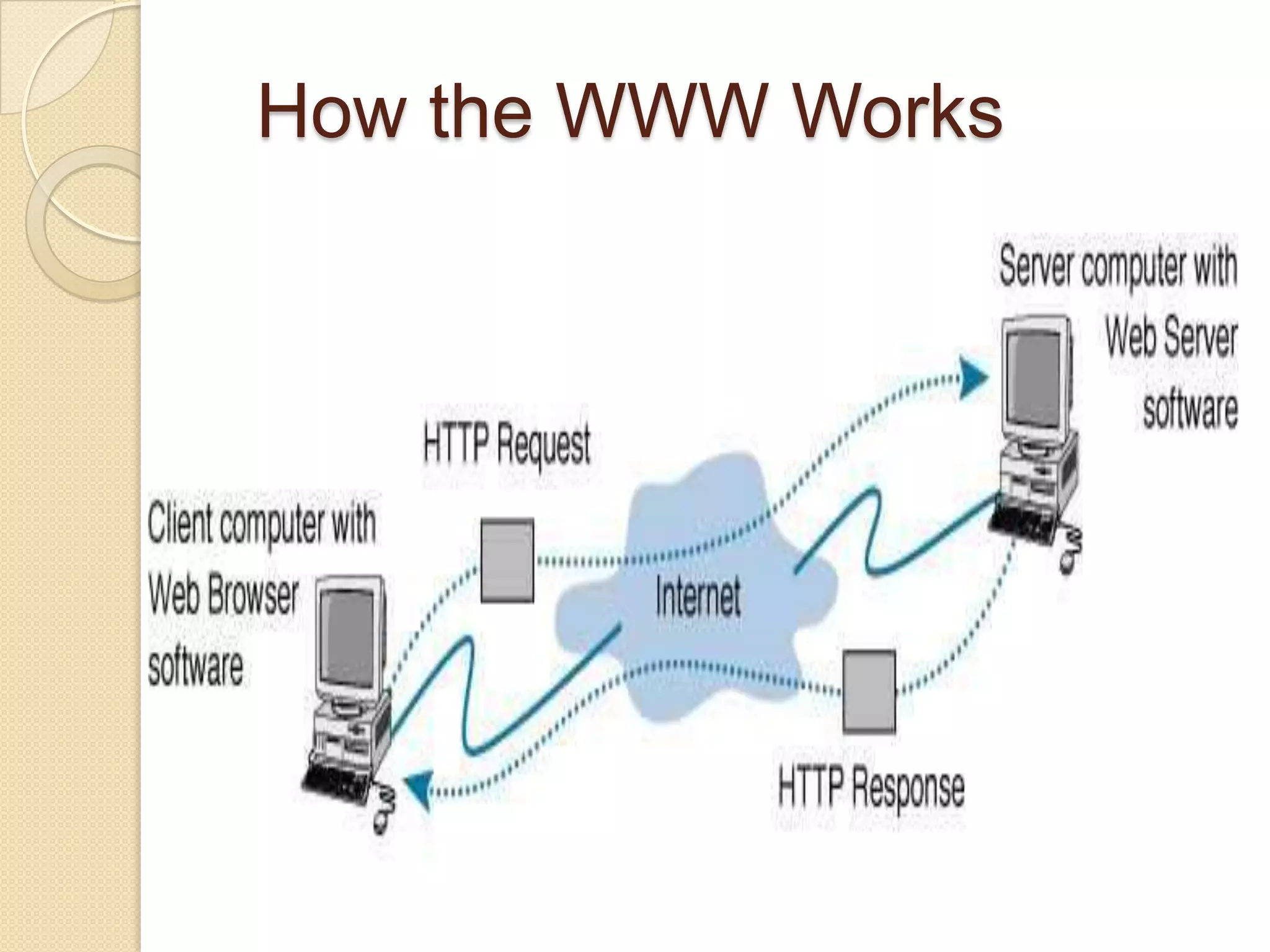
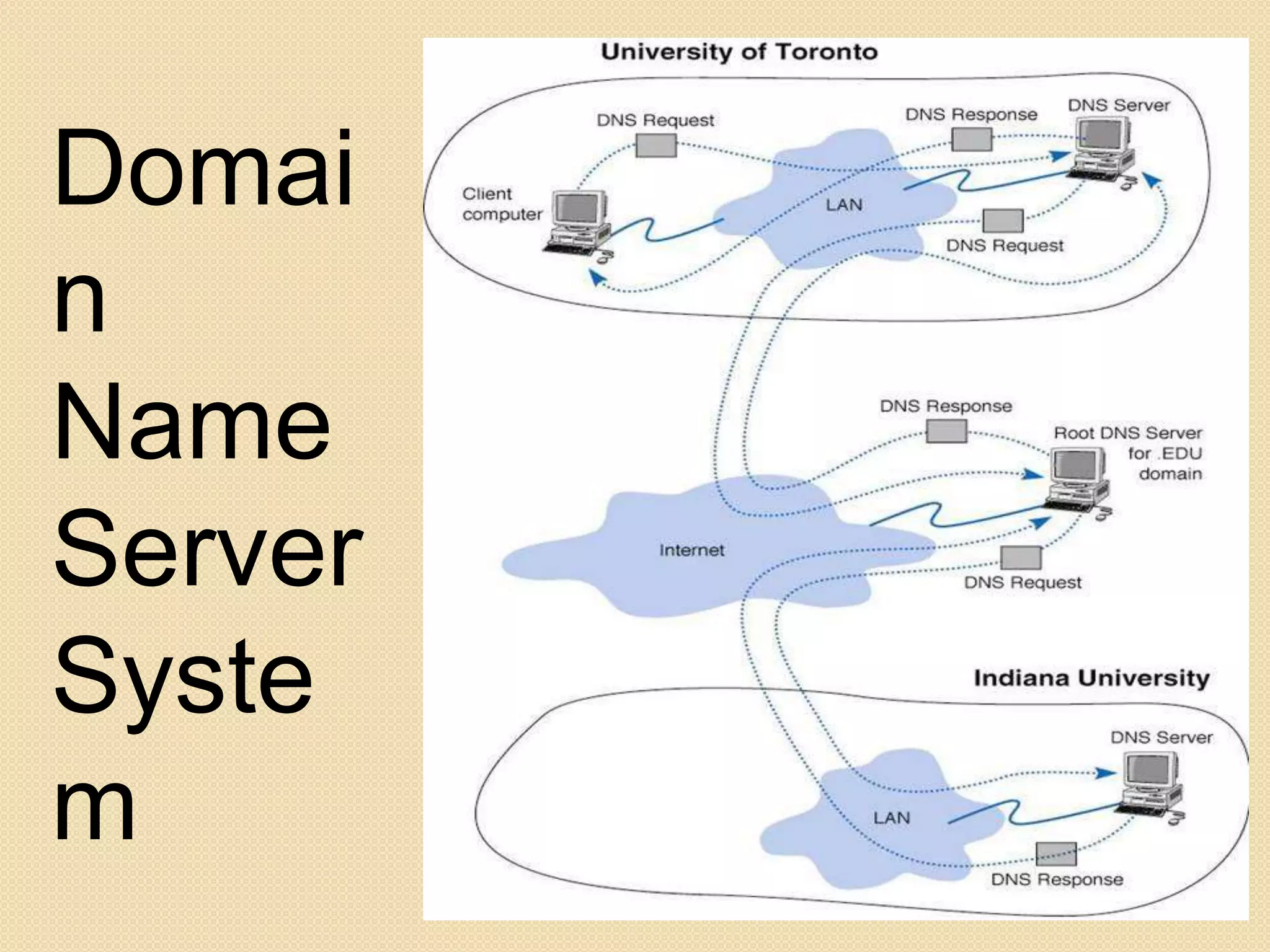
How the WWW Works
Domai
.


n
Name
Server
Syste
m
.       Example of an HTTP Request
               .
                    from a Web browser
Command                 URL                     HTTP version


                                                         ]- Request
GET http://www.kelley.indiana.edu/ardennis/home.htm HTTP/1.1
Date: Mon 06 Aug 2001 17:35:46 GMT                          Line
User-Agent: Mozilla/6.0 Web browser (this is Netscape)
                       ]-                                Request
Referer: http://www.indiana.edu/~aisdept/faculty.htm     Header


   URL that contained the link to the requested URL


                                                                 .
The Request

    When you sit down at your computer and
    point your browser to your favorite website
    there are several transactions that take
    place. First, your browser sends a request
    to the server. This request header has a
    defined format that is set by the W3C, the
    organization that establishes the standards
    for    communicating       through    HTTP
    (Hypertext Transfer Protocol) as well as
    other internet standards. This header looks
    similar to the following:
HTTP response from a Web server
HTTP version   Status code   Reason
    .
    .
HTTP/1.1      200        OK ]- Response Status
Date: Mon 06 Aug 2001 17:35:46 GMT ]- Date
Server: NCSA/1.3 ]- Web server                                   Response
Location: http:// www.kelley.indiana.edu/adennis/home.htm ]- URL Header
Content-type: text/html ]- Type of file
<html>
<head>
<title>Allen R. Dennis</title>
</head>
<body>                                                          Response
<H2> Allen R. Dennis </H2>                                      Body
<P>Welcome to the home page of Allen R. Dennis</P>

</body>
</html>
Developing a Response
   After it has this information parsed, it
    uses it to create a response header. First
    it will verify that the file exists and the
    user has permissions to view it. Next it
    will build the response header, and then
    send the header and the file (if
    applicable) to the client IP. A example
    header looks like this
Installing a web
server
         (Apache)
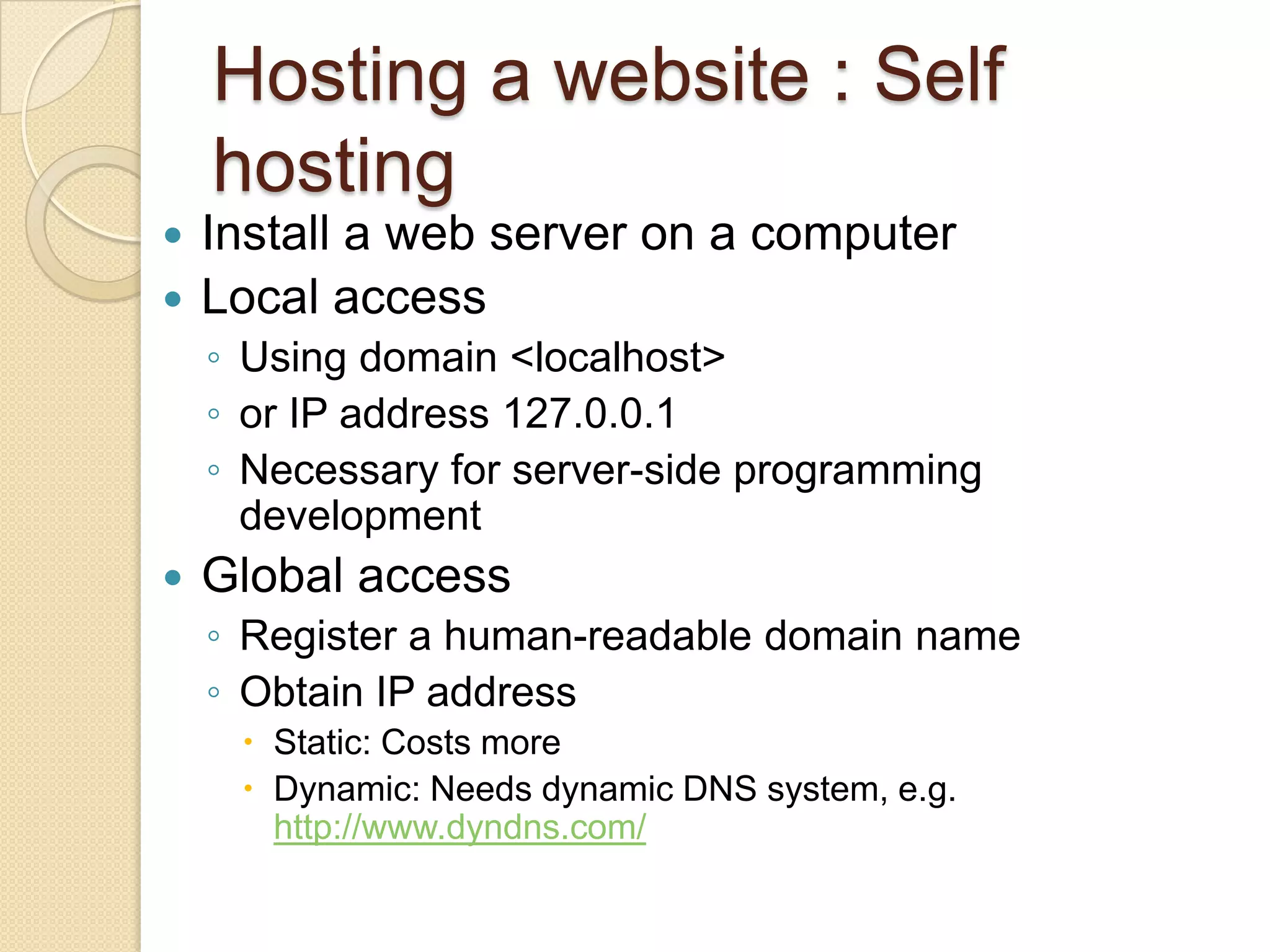
Hosting a website : Self
    hosting
 Install a web server on a computer
 Local access
    ◦ Using domain <localhost>
    ◦ or IP address 127.0.0.1
    ◦ Necessary for server-side programming
      development
   Global access
    ◦ Register a human-readable domain name
    ◦ Obtain IP address
      Static: Costs more
      Dynamic: Needs dynamic DNS system, e.g.
       http://www.dyndns.com/
.

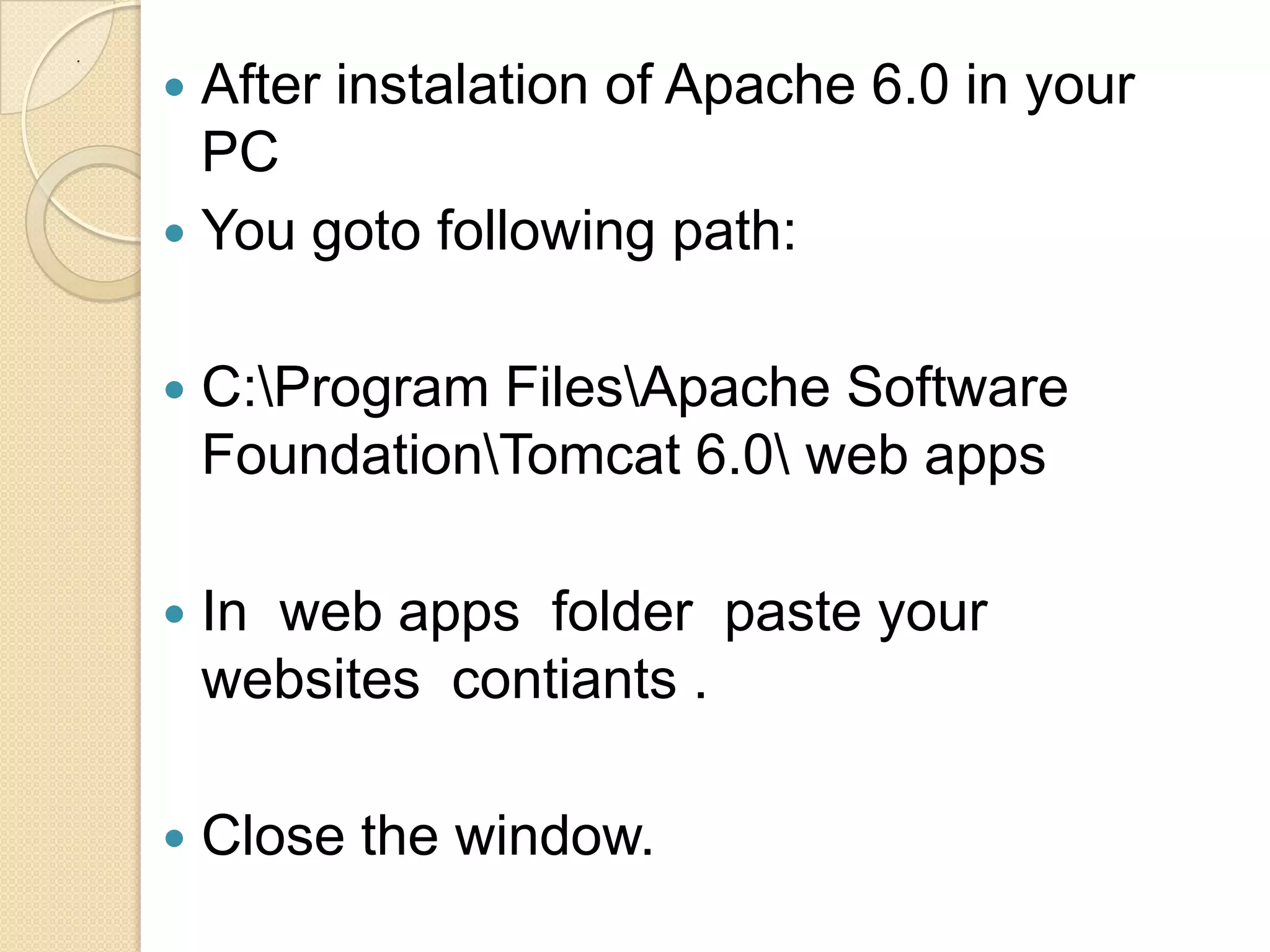
     After instalation of Apache 6.0 in your
      PC
     You goto following path:


       C:Program FilesApache Software
        FoundationTomcat 6.0 web apps

       In web apps folder paste your
        websites contiants .

       Close the window.
.


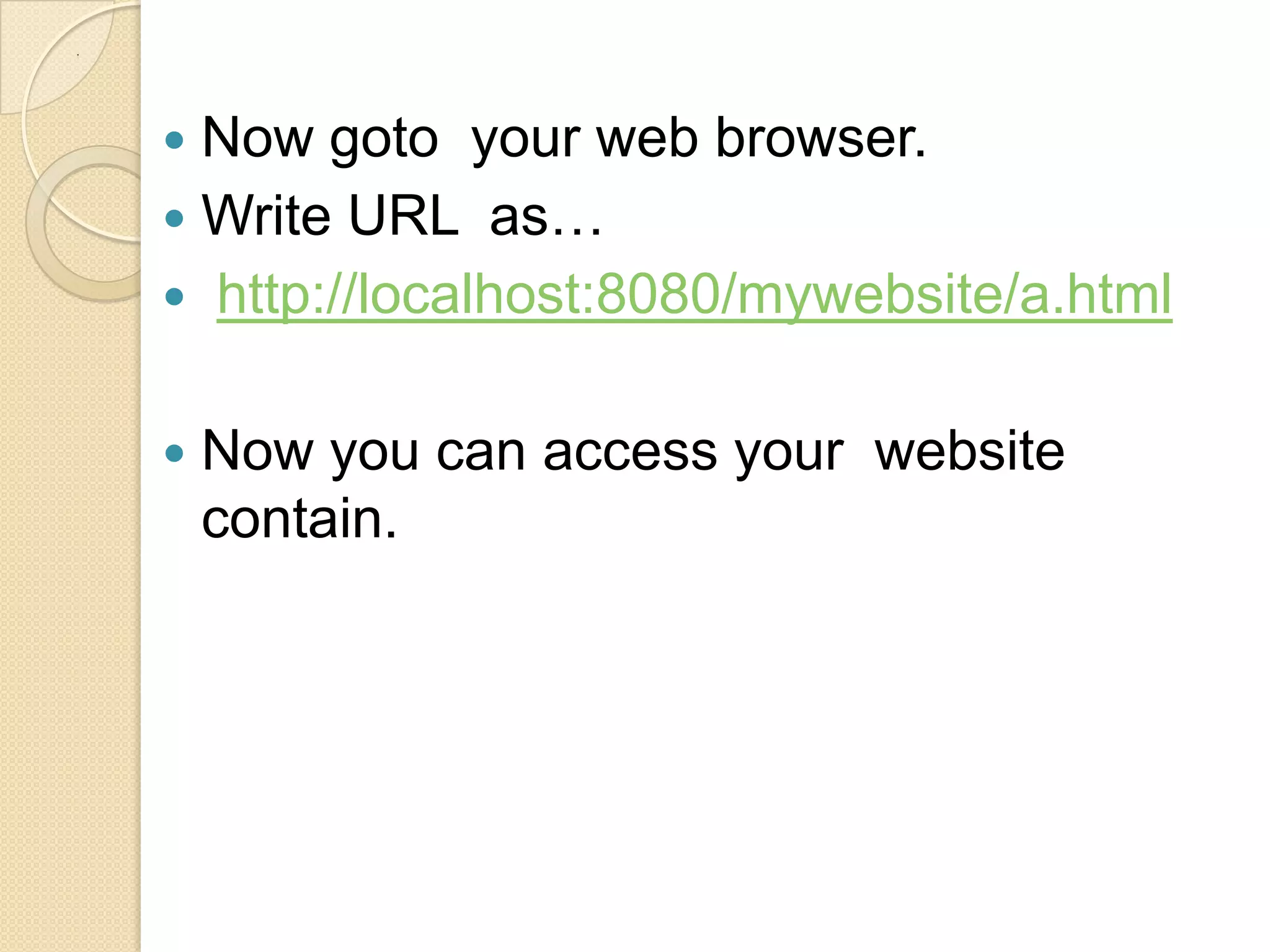
     Now goto your web browser.
     Write URL as…
     http://localhost:8080/mywebsite/a.html


       Now you can access your website
        contain.
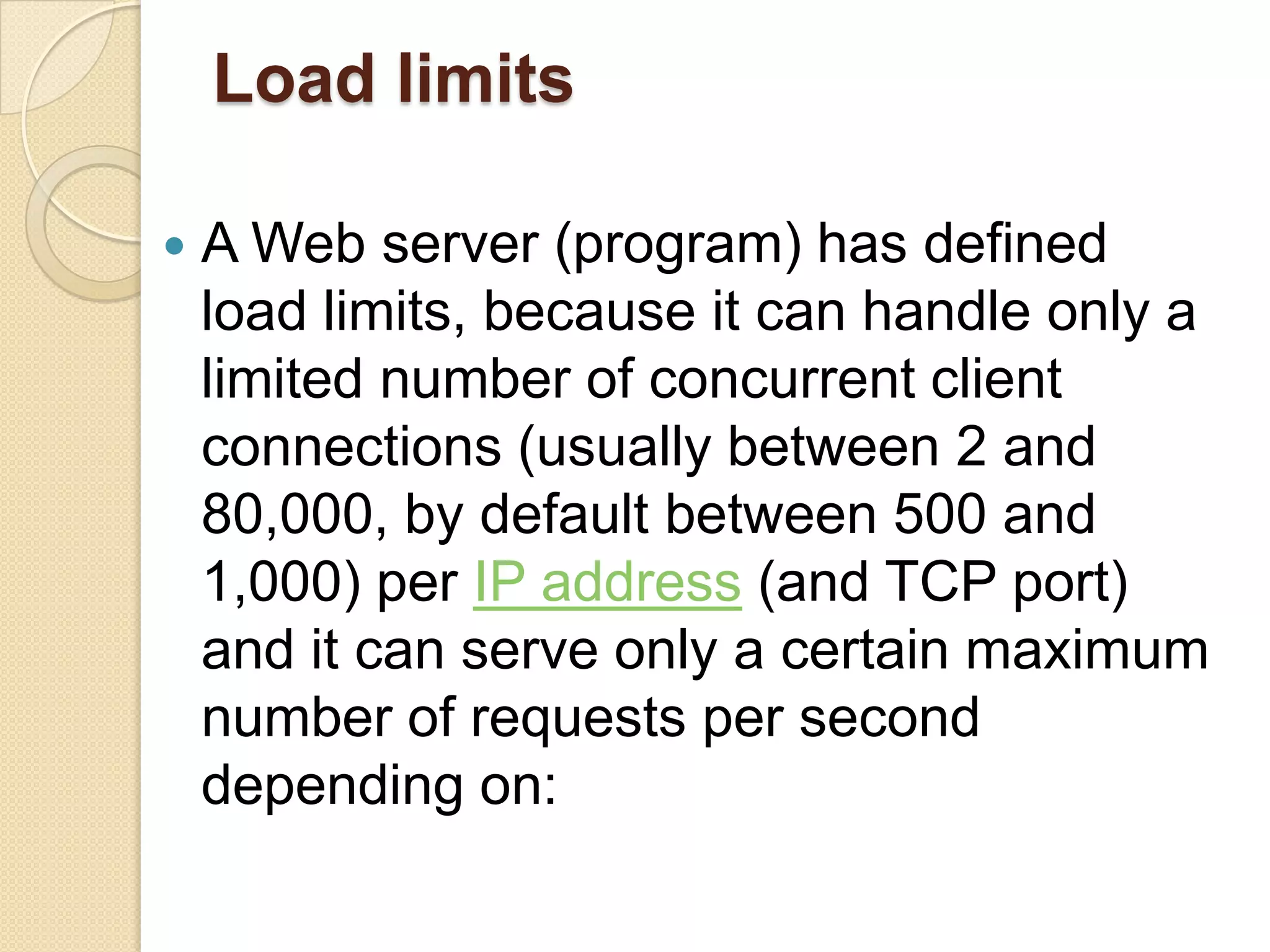
Load limits

   A Web server (program) has defined
    load limits, because it can handle only a
    limited number of concurrent client
    connections (usually between 2 and
    80,000, by default between 500 and
    1,000) per IP address (and TCP port)
    and it can serve only a certain maximum
    number of requests per second
    depending on:
.


     its own settings;
     the HTTP request type;
     content origin (static or dynamic);
     the fact that the served content is or is
      not cached;
     the hardware and software limitations
      of the OS where it is working;
     When a Web server is near to or over
      its limits, it becomes unresponsive.
Overload causes
At    any time web servers can be
  overloaded because of:
 Too much legitimate web traffic.
  Thousands or even millions of clients
  connecting to the web site in a short
  interval, e.g., Slashdot effect
 XSS viruses can cause high traffic
  because of millions of infected browsers
  and/or Web servers;
.


       Internet (network) slowdowns, so
        that client requests are served more
        slowly and the number of connections
        increases so much that server limits
        are reached;
Overload symptoms
 TCP connections are refused or reset
  (interrupted) before any content is sent
  to clients;
 in very rare cases, only partial contents
  are sent (but this behavior may well be
  considered a bug, even if it usually
  depends      on    unavailable    system
  resources).
Anti-overload techniques
To  partially overcome above load limits
  and to prevent overload, most popular
  Web sites use common techniques like:
 managing network traffic, by using:
 Firewalls to block unwanted traffic coming
  from bad IP sources or having bad patterns;

 HTTP traffic managers to drop, redirect or
  rewrite requests having bad HTTP patterns;
.


     deploying Web cache techniques
     using different domain names to serve
      different (static and dynamic) content
      by separate Web servers, i.e.:
        ◦ http://images.example.com
        ◦ http://www.example.com
     adding using more efficient computer
      programs for Web servers, etc.;
     more hardware resources (i.e. RAM,
      disks) to each computer;
.
.

Web server

  • 1.
    WEB SERVER PRESENTED BY– SPRESENTED BY – SOURABH MULCHANDANI 4TH YEAR , 7TH SEM EC (B) OURABH MULCHANDANI 4TH YEAPRESENTED BY – SOURABH MULCHANDANI 4TH YEAR , 7TH SEM EC (B) R , 7TH SEM EC (B) PRESENTED BY – DARANIYA NIRAV - 090540107004 3TH YEAR , 5TH SEM CE
  • 2.
    What is webserver A web server can be referred to as either the hardware (the computer) or the software (the computer application) That helps to deliver content that can be accessed through the Internet.
  • 3.
    History of web serversfirst web server.  The world's  In 1989 Tim Berners-Lee proposed to his employer CERN (European Organization for Nuclear Research) a new project, which had the goal of easing the exchange of information between scientists by using a hypertext system. As a result of the implementation of this project, in 1990 Berners-Lee wrote two programs:
  • 4.
    .  a browser called WorldWideWeb;  the world's first web server, later known as CERN httpd, which ran on NeXTSTEP.
  • 5.
    Use Of WebServer  Host the websites.  Data storage.  To deliver web page on request of client.  To deliver a HTML documents.  To deliver images , videos etc.  serving only a local network  monitoring and/or administrating
  • 6.
    . Ways To Request Content  Hypertext Transfer Protocol(HTTP)  File Transfer Protocol(FTP)  Internet Message Access Protocol(IMAP)
  • 7.
    Common features  Virtualhosting to serve many Web sites using one IP address.  Large file support to be able to serve files whose size is greater than 2 GB on 32 bit OS.  Bandwidth throttling to limit the speed of responses in order to not saturate the network and to be able to serve more clients.  Server-side scripting to generate dynamic Web pages, still keeping Web server and Web site implementations separate from each other.
  • 8.
  • 9.
  • 10.
    . Example of an HTTP Request  . from a Web browser Command URL HTTP version ]- Request GET http://www.kelley.indiana.edu/ardennis/home.htm HTTP/1.1 Date: Mon 06 Aug 2001 17:35:46 GMT Line User-Agent: Mozilla/6.0 Web browser (this is Netscape) ]- Request Referer: http://www.indiana.edu/~aisdept/faculty.htm Header URL that contained the link to the requested URL .
  • 11.
    The Request  When you sit down at your computer and point your browser to your favorite website there are several transactions that take place. First, your browser sends a request to the server. This request header has a defined format that is set by the W3C, the organization that establishes the standards for communicating through HTTP (Hypertext Transfer Protocol) as well as other internet standards. This header looks similar to the following:
  • 12.
    HTTP response froma Web server HTTP version Status code Reason . . HTTP/1.1 200 OK ]- Response Status Date: Mon 06 Aug 2001 17:35:46 GMT ]- Date Server: NCSA/1.3 ]- Web server Response Location: http:// www.kelley.indiana.edu/adennis/home.htm ]- URL Header Content-type: text/html ]- Type of file <html> <head> <title>Allen R. Dennis</title> </head> <body> Response <H2> Allen R. Dennis </H2> Body <P>Welcome to the home page of Allen R. Dennis</P> </body> </html>
  • 13.
    Developing a Response  After it has this information parsed, it uses it to create a response header. First it will verify that the file exists and the user has permissions to view it. Next it will build the response header, and then send the header and the file (if applicable) to the client IP. A example header looks like this
  • 14.
  • 15.
    Hosting a website: Self hosting  Install a web server on a computer  Local access ◦ Using domain <localhost> ◦ or IP address 127.0.0.1 ◦ Necessary for server-side programming development  Global access ◦ Register a human-readable domain name ◦ Obtain IP address  Static: Costs more  Dynamic: Needs dynamic DNS system, e.g. http://www.dyndns.com/
  • 16.
    .  After instalation of Apache 6.0 in your PC  You goto following path:  C:Program FilesApache Software FoundationTomcat 6.0 web apps  In web apps folder paste your websites contiants .  Close the window.
  • 17.
    .  Now goto your web browser.  Write URL as…  http://localhost:8080/mywebsite/a.html  Now you can access your website contain.
  • 18.
    Load limits  A Web server (program) has defined load limits, because it can handle only a limited number of concurrent client connections (usually between 2 and 80,000, by default between 500 and 1,000) per IP address (and TCP port) and it can serve only a certain maximum number of requests per second depending on:
  • 19.
    .  its own settings;  the HTTP request type;  content origin (static or dynamic);  the fact that the served content is or is not cached;  the hardware and software limitations of the OS where it is working;  When a Web server is near to or over its limits, it becomes unresponsive.
  • 20.
    Overload causes At any time web servers can be overloaded because of:  Too much legitimate web traffic. Thousands or even millions of clients connecting to the web site in a short interval, e.g., Slashdot effect  XSS viruses can cause high traffic because of millions of infected browsers and/or Web servers;
  • 21.
    .  Internet (network) slowdowns, so that client requests are served more slowly and the number of connections increases so much that server limits are reached;
  • 22.
    Overload symptoms  TCPconnections are refused or reset (interrupted) before any content is sent to clients;  in very rare cases, only partial contents are sent (but this behavior may well be considered a bug, even if it usually depends on unavailable system resources).
  • 23.
    Anti-overload techniques To partially overcome above load limits and to prevent overload, most popular Web sites use common techniques like:  managing network traffic, by using: Firewalls to block unwanted traffic coming from bad IP sources or having bad patterns; HTTP traffic managers to drop, redirect or rewrite requests having bad HTTP patterns;
  • 24.
    .  deploying Web cache techniques  using different domain names to serve different (static and dynamic) content by separate Web servers, i.e.: ◦ http://images.example.com ◦ http://www.example.com  adding using more efficient computer programs for Web servers, etc.;  more hardware resources (i.e. RAM, disks) to each computer;
  • 25.