Web servers handle client requests for resources on the internet by providing web pages, documents, and other files. They use the client/server model and communicate with clients using HTTP. A 3-tier architecture divides functionality into separate client, application, and database tiers. Popular web servers include Apache, Tomcat, IIS, and PWS.
In this document
Powered by AI
Introduction to web servers, including handling requests, global accessibility, and crucial elements of the HTTP protocol.
Definition and functionality of web servers, explaining how they respond to requests with documents via the HTTP protocol.
Explanation of HTTP request types like GET and POST, including their uses, characteristics, and caching mechanisms.
Description of the 3-tier system architecture involving client, middle, and information tiers, detailing their functions and interactions.
Methods to access both local and remote web servers, including domain names and IP addresses.
Detailed descriptions of popular web servers: Apache, Tomcat, IIS, and PWS, including their functions and user bases.
Recap of key topics discussed, covering web servers, HTTP request types, system architecture, and server examples.
1
Web Servers
• Howdo our requests
for resources on the
Internet get handled?
• Can they be located
anywhere? Global?
2.
2
Web Servers
• Lookingat ….
– Introduction to web servers
– HTTP request types
– 3-tier system architecture
– Accessing a web server (local and remote)
– Web server examples
• Apache
• Tomcat
• IIS
• PWS
3.
3
What is aweb server?
• Web server
– Specialized software that responds to client
requests by providing resources (web pages,
documents, etc..)
– Based on the client/server model
– When users enter URL into Web browsers, they
request specific documents from Web server
– Maps URL to file on server and returns requested
document to client
– Communicates with client using HTTP
• Protocol for transferring requests and files over the
Internet
4.
4
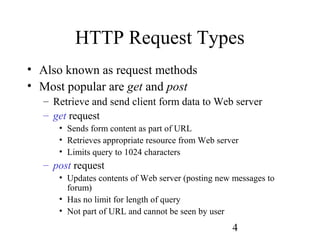
HTTP Request Types
•Also known as request methods
• Most popular are get and post
– Retrieve and send client form data to Web server
– get request
• Sends form content as part of URL
• Retrieves appropriate resource from Web server
• Limits query to 1024 characters
– post request
• Updates contents of Web server (posting new messages to
forum)
• Has no limit for length of query
• Not part of URL and cannot be seen by user
5.
5
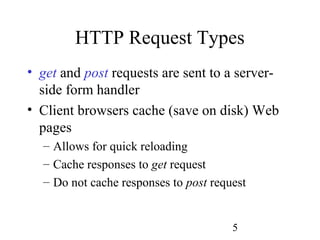
HTTP Request Types
•get and post requests are sent to a server-
side form handler
• Client browsers cache (save on disk) Web
pages
– Allows for quick reloading
– Cache responses to get request
– Do not cache responses to post request
6.
6
System Architecture
• Aweb server forms part of a multi-tier
application
– Divide functionality into separate tiers
• Logical groupings of functionality
• Can reside on same computer or on different
computers
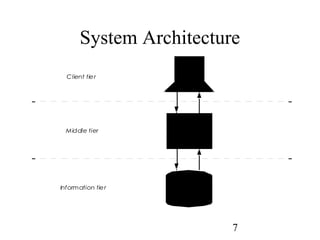
• What does a 3-tier architecture look like?
– let’s have a look
8
System Architecture
• Clienttier
– Referred to as the top tier
– Application’s user interface
– Users interact with application through user
interface
– Interacts with middle tier to make requests and
to retrieve data from information tier
– Displays data to user
9.
9
System Architecture
• Informationtier
– Referred to as data tier or bottom tier
– Maintains data for application
– Stores data in relational database management
system
• Middle tier
– Implements business logic and presentation logic
– Controls interactions between application clients
and application data
– Acts as intermediary between data in information
tier and application clients
10.
10
System Architecture
• Middletier, cont.
– Controller logic
• Processes client requests from top tier
• Retrieves data from database
– Presentation logic
• Processes data from information tier
• Presents content to client
– Business logic
• Enforces business rules
– Dictates how clients can access application data and how
applications process data
• Ensures data validity before updating database
11.
11
Accessing Web Server
•Requesting documents
– Must know machine name on which Web server
resides
– Through local Web servers or remote Web servers
– Through domain name or Internet Protocol (IP)
address
• Local Web server
– Resides on users’ machines
– Requests documents in two ways
• Machine name
• localhost
– Host name that references local machine
12.
12
Accessing Web Server
•Remote Web server
– Resides on different machines
– Accessing resources on remote web server
requires
• Domain name
– Represents group of hosts on Internet
– Combines with how name (www) and top-level domain to from
fully qualified host name
• Fully qualified host name
– Provides user friendly way to identify site on Internet
• IP address
– Unique address for locating computers on Internet
• DNS (see notes)
13.
13
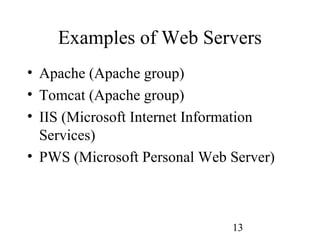
Examples of WebServers
• Apache (Apache group)
• Tomcat (Apache group)
• IIS (Microsoft Internet Information
Services)
• PWS (Microsoft Personal Web Server)
14.
14
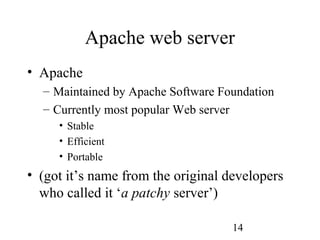
Apache web server
•Apache
– Maintained by Apache Software Foundation
– Currently most popular Web server
• Stable
• Efficient
• Portable
• (got it’s name from the original developers
who called it ‘a patchy server’)
15.
15
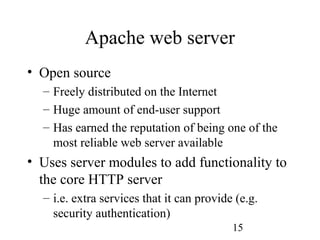
Apache web server
•Open source
– Freely distributed on the Internet
– Huge amount of end-user support
– Has earned the reputation of being one of the
most reliable web server available
• Uses server modules to add functionality to
the core HTTP server
– i.e. extra services that it can provide (e.g.
security authentication)
16.
16
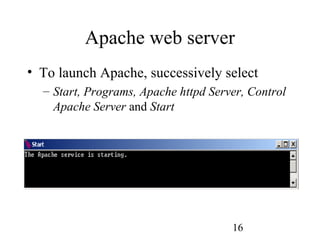
Apache web server
•To launch Apache, successively select
– Start, Programs, Apache httpd Server, Control
Apache Server and Start
17.
17
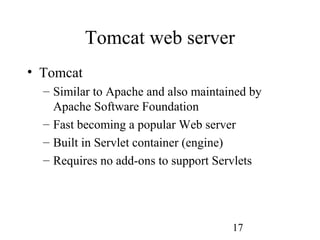
Tomcat web server
•Tomcat
– Similar to Apache and also maintained by
Apache Software Foundation
– Fast becoming a popular Web server
– Built in Servlet container (engine)
– Requires no add-ons to support Servlets
18.
18
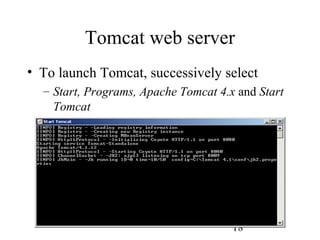
Tomcat web server
•To launch Tomcat, successively select
– Start, Programs, Apache Tomcat 4.x and Start
Tomcat
19.
19
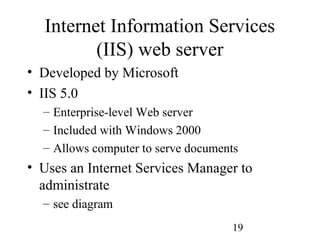
Internet Information Services
(IIS)web server
• Developed by Microsoft
• IIS 5.0
– Enterprise-level Web server
– Included with Windows 2000
– Allows computer to serve documents
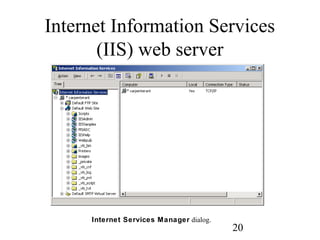
• Uses an Internet Services Manager to
administrate
– see diagram
21
Personal Web Server(PWS)
• PWS developed by Microsoft
• PWS
– Scaled-down version of IIS
– Intended for personal computers (PC)
– Ideal for educational institutions, small
businesses and individuals
– Does not require PC to be used exclusively as
Web server
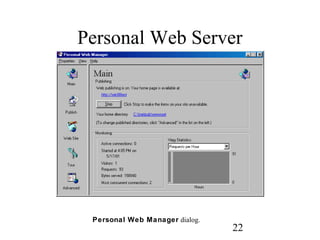
– A Personal Web Manager is used to
administrate it
23
References
• Check out
–http://www.apache.org
• Apache and Tomcat documentation
• Apache and Tomcat are free to download and install
– http://www.microsoft.com
• IIS and PWS documentation
24.
24
Summary
• We havelooked at:
– Introduction to web servers
– HTTP request types
– 3-tier system architecture
– Accessing a web server (local and remote)
– Web server examples