Apache HTTP Server Essentials
                   Jagat
           <jagat21@gmail.com>
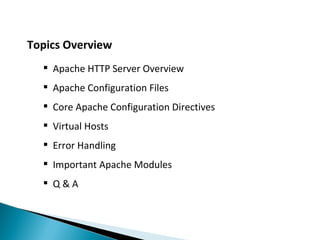
Topics Overview
   Apache HTTP Server Overview
   Apache Configuration Files
   Core Apache Configuration Directives
   Virtual Hosts
   Error Handling
   Important Apache Modules
   Q&A
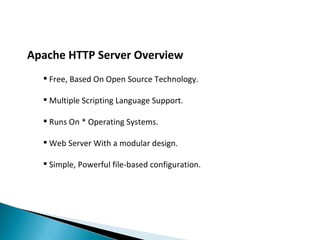
Apache HTTP Server Overview
   Free, Based On Open Source Technology.

   Multiple Scripting Language Support.

   Runs On * Operating Systems.

   Web Server With a modular design.

   Simple, Powerful file-based configuration.
Apache Configuration Files
    httpd.conf

    access.conf ( linux )

    .htaccess

    .htpasswd
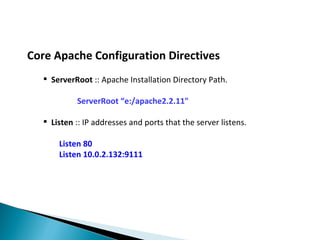
Core Apache Configuration Directives
   ServerRoot :: Apache Installation Directory Path.

           ServerRoot “e:/apache2.2.11"

   Listen :: IP addresses and ports that the server listens.

      Listen 80
      Listen 10.0.2.132:9111
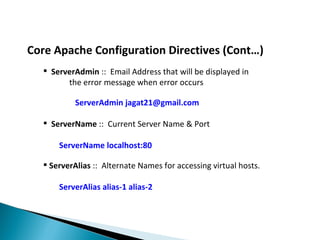
Core Apache Configuration Directives (Cont…)
   ServerAdmin :: Email Address that will be displayed in
        the error message when error occurs

           ServerAdmin jagat21@gmail.com

   ServerName :: Current Server Name & Port

      ServerName localhost:80

   ServerAlias :: Alternate Names for accessing virtual hosts.

      ServerAlias alias-1 alias-2
Core Apache Configuration Directives (Cont…)
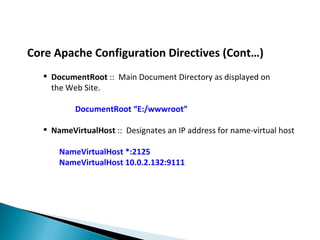
   DocumentRoot :: Main Document Directory as displayed on
    the Web Site.

          DocumentRoot “E:/wwwroot”

   NameVirtualHost :: Designates an IP address for name-virtual host

      NameVirtualHost *:2125
      NameVirtualHost 10.0.2.132:9111
Core Apache Configuration Directives (Cont…)
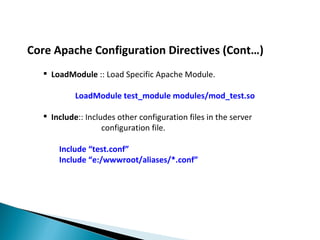
   LoadModule :: Load Specific Apache Module.

           LoadModule test_module modules/mod_test.so

   Include:: Includes other configuration files in the server
                   configuration file.

      Include “test.conf”
      Include “e:/wwwroot/aliases/*.conf”
Core Apache Configuration Directives (Cont…)
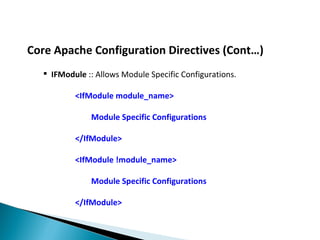
   IFModule :: Allows Module Specific Configurations.

          <IfModule module_name>

              Module Specific Configurations

          </IfModule>

          <IfModule !module_name>

              Module Specific Configurations

          </IfModule>
Core Apache Configuration Directives (Cont…)
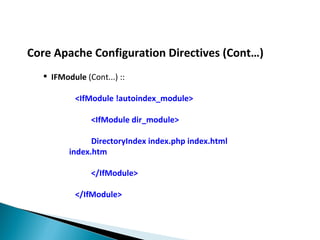
   IFModule (Cont...) ::

           <IfModule !autoindex_module>

               <IfModule dir_module>

               DirectoryIndex index.php index.html
         index.htm

               </IfModule>

           </IfModule>
Core Apache Configuration Directives (Cont…)
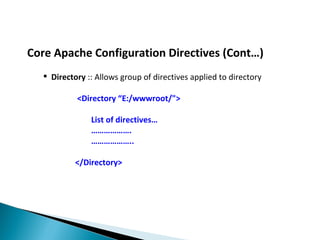
   Directory :: Allows group of directives applied to directory

           <Directory “E:/wwwroot/">

               List of directives…
               ……………….
               ………………..

           </Directory>
Core Apache Configuration Directives (Cont…)

    Access Control Directives ::
     Determines who is allowed to access the website and who
     is kept out.

     Access can be granted based on following criteria ::

         •   IP Address / Domain Name
         •   Date & Time
         •   Other User Defined Criteria
Core Apache Configuration Directives (Cont…)
   Order :: Defines ordering for allow & deny
          Order Allow,Deny
          Order Deny,Allow
   Allow :: Allows access from given IP Address or Domain Name
      Allow From all
      Allow From 192.168
   Deny :: Deny access from given IP Address or Domain Name
      Deny From 192.168
Core Apache Configuration Directives (Cont…)

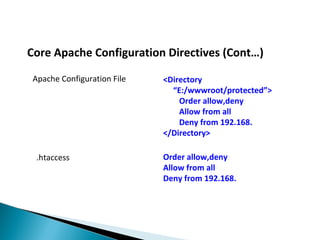
 Apache Configuration File   <Directory
                               “E:/wwwroot/protected”>
                                 Order allow,deny
                                 Allow from all
                                 Deny from 192.168.
                             </Directory>

  .htaccess                  Order allow,deny
                             Allow from all
                             Deny from 192.168.
Core Apache Configuration Directives (Cont…)
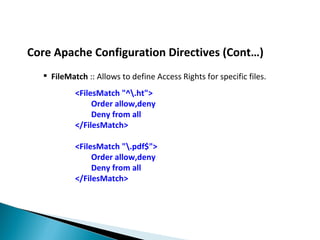
   FileMatch :: Allows to define Access Rights for specific files.
           <FilesMatch "^.ht">
                Order allow,deny
                Deny from all
           </FilesMatch>

           <FilesMatch ".pdf$">
                Order allow,deny
                Deny from all
           </FilesMatch>
Core Apache Configuration Directives (Cont…)
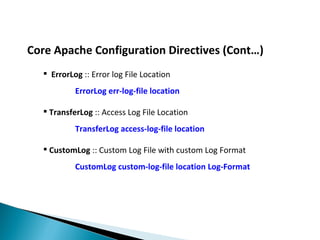
   ErrorLog :: Error log File Location
           ErrorLog err-log-file location

   TransferLog :: Access Log File Location
           TransferLog access-log-file location

   CustomLog :: Custom Log File with custom Log Format
           CustomLog custom-log-file location Log-Format
Core Apache Configuration Directives (Cont…)
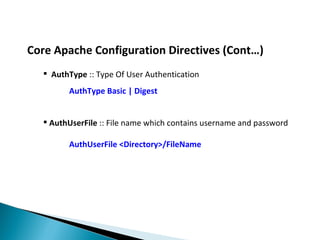
   AuthType :: Type Of User Authentication
        AuthType Basic | Digest


   AuthUserFile :: File name which contains username and password

        AuthUserFile <Directory>/FileName
Core Apache Configuration Directives (Cont…)
   AuthName :: Authorization Title used in HTTP Authentication
        AuthName Authentication Title


       Require :: Defines Type of Users/groups that can access
        Contents. Access Types can be :: group | user | valid-user.

        Require [Access Type] [ Access Name ]

        Require group admin
Virtual Hosts

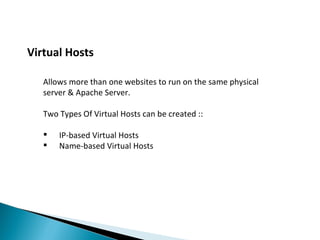
   Allows more than one websites to run on the same physical
   server & Apache Server.

   Two Types Of Virtual Hosts can be created ::

      IP-based Virtual Hosts
      Name-based Virtual Hosts
Virtual Host Related Directives
      <VirtualHost [IP ADDRESS:PORT] >

             ServerAdmin

             DocumentRoot

             ServerName

             ServerAlias

             ErrorLog
      </ VirtualHost >
Common Virtual Host Examples
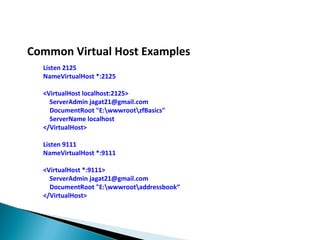
  Listen 2125
  NameVirtualHost *:2125

  <VirtualHost localhost:2125>
    ServerAdmin jagat21@gmail.com
    DocumentRoot "E:wwwrootzfBasics"
    ServerName localhost
  </VirtualHost>

  Listen 9111
  NameVirtualHost *:9111

  <VirtualHost *:9111>
    ServerAdmin jagat21@gmail.com
    DocumentRoot "E:wwwrootaddressbook“
  </VirtualHost>
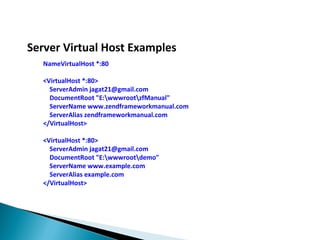
Server Virtual Host Examples
   NameVirtualHost *:80

   <VirtualHost *:80>
     ServerAdmin jagat21@gmail.com
     DocumentRoot "E:wwwrootzfManual"
     ServerName www.zendframeworkmanual.com
     ServerAlias zendframeworkmanual.com
   </VirtualHost>

   <VirtualHost *:80>
     ServerAdmin jagat21@gmail.com
     DocumentRoot "E:wwwrootdemo"
     ServerName www.example.com
     ServerAlias example.com
   </VirtualHost>
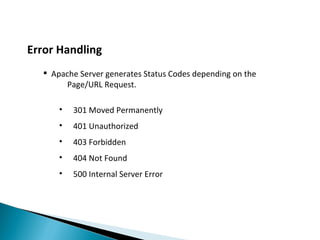
Error Handling
   Apache Server generates Status Codes depending on the
       Page/URL Request.

      •   301 Moved Permanently
      •   401 Unauthorized
      •   403 Forbidden
      •   404 Not Found
      •   500 Internal Server Error
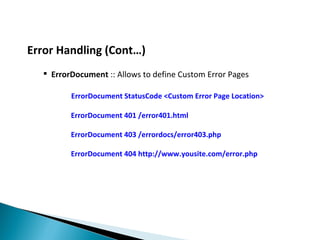
Error Handling (Cont…)
   ErrorDocument :: Allows to define Custom Error Pages

         ErrorDocument StatusCode <Custom Error Page Location>

         ErrorDocument 401 /error401.html

         ErrorDocument 403 /errordocs/error403.php

         ErrorDocument 404 http://www.yousite.com/error.php
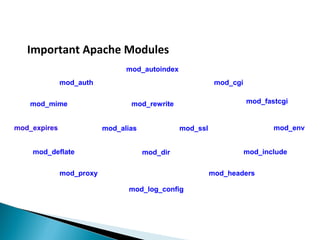
Important Apache Modules
                                mod_autoindex
              mod_auth                                     mod_cgi


    mod_mime                     mod_rewrite                         mod_fastcgi


mod_expires               mod_alias             mod_ssl                     mod_env


    mod_deflate                       mod_dir                        mod_include


              mod_proxy                                   mod_headers

                                mod_log_config
Q & A ::
Thank You


                    Jagat
            <jagat21@gmail.com>

Apache Server Tutorial

  • 1.
    Apache HTTP ServerEssentials Jagat <jagat21@gmail.com>
  • 2.
    Topics Overview  Apache HTTP Server Overview  Apache Configuration Files  Core Apache Configuration Directives  Virtual Hosts  Error Handling  Important Apache Modules  Q&A
  • 3.
    Apache HTTP ServerOverview  Free, Based On Open Source Technology.  Multiple Scripting Language Support.  Runs On * Operating Systems.  Web Server With a modular design.  Simple, Powerful file-based configuration.
  • 4.
    Apache Configuration Files  httpd.conf  access.conf ( linux )  .htaccess  .htpasswd
  • 5.
    Core Apache ConfigurationDirectives  ServerRoot :: Apache Installation Directory Path. ServerRoot “e:/apache2.2.11"  Listen :: IP addresses and ports that the server listens. Listen 80 Listen 10.0.2.132:9111
  • 6.
    Core Apache ConfigurationDirectives (Cont…)  ServerAdmin :: Email Address that will be displayed in the error message when error occurs ServerAdmin jagat21@gmail.com  ServerName :: Current Server Name & Port ServerName localhost:80  ServerAlias :: Alternate Names for accessing virtual hosts. ServerAlias alias-1 alias-2
  • 7.
    Core Apache ConfigurationDirectives (Cont…)  DocumentRoot :: Main Document Directory as displayed on the Web Site. DocumentRoot “E:/wwwroot”  NameVirtualHost :: Designates an IP address for name-virtual host NameVirtualHost *:2125 NameVirtualHost 10.0.2.132:9111
  • 8.
    Core Apache ConfigurationDirectives (Cont…)  LoadModule :: Load Specific Apache Module. LoadModule test_module modules/mod_test.so  Include:: Includes other configuration files in the server configuration file. Include “test.conf” Include “e:/wwwroot/aliases/*.conf”
  • 9.
    Core Apache ConfigurationDirectives (Cont…)  IFModule :: Allows Module Specific Configurations. <IfModule module_name> Module Specific Configurations </IfModule> <IfModule !module_name> Module Specific Configurations </IfModule>
  • 10.
    Core Apache ConfigurationDirectives (Cont…)  IFModule (Cont...) :: <IfModule !autoindex_module> <IfModule dir_module> DirectoryIndex index.php index.html index.htm </IfModule> </IfModule>
  • 11.
    Core Apache ConfigurationDirectives (Cont…)  Directory :: Allows group of directives applied to directory <Directory “E:/wwwroot/"> List of directives… ………………. ……………….. </Directory>
  • 12.
    Core Apache ConfigurationDirectives (Cont…)  Access Control Directives :: Determines who is allowed to access the website and who is kept out. Access can be granted based on following criteria :: • IP Address / Domain Name • Date & Time • Other User Defined Criteria
  • 13.
    Core Apache ConfigurationDirectives (Cont…)  Order :: Defines ordering for allow & deny Order Allow,Deny Order Deny,Allow  Allow :: Allows access from given IP Address or Domain Name Allow From all Allow From 192.168  Deny :: Deny access from given IP Address or Domain Name Deny From 192.168
  • 14.
    Core Apache ConfigurationDirectives (Cont…) Apache Configuration File <Directory “E:/wwwroot/protected”> Order allow,deny Allow from all Deny from 192.168. </Directory> .htaccess Order allow,deny Allow from all Deny from 192.168.
  • 15.
    Core Apache ConfigurationDirectives (Cont…)  FileMatch :: Allows to define Access Rights for specific files. <FilesMatch "^.ht"> Order allow,deny Deny from all </FilesMatch> <FilesMatch ".pdf$"> Order allow,deny Deny from all </FilesMatch>
  • 16.
    Core Apache ConfigurationDirectives (Cont…)  ErrorLog :: Error log File Location ErrorLog err-log-file location  TransferLog :: Access Log File Location TransferLog access-log-file location  CustomLog :: Custom Log File with custom Log Format CustomLog custom-log-file location Log-Format
  • 17.
    Core Apache ConfigurationDirectives (Cont…)  AuthType :: Type Of User Authentication AuthType Basic | Digest  AuthUserFile :: File name which contains username and password AuthUserFile <Directory>/FileName
  • 18.
    Core Apache ConfigurationDirectives (Cont…)  AuthName :: Authorization Title used in HTTP Authentication AuthName Authentication Title  Require :: Defines Type of Users/groups that can access Contents. Access Types can be :: group | user | valid-user. Require [Access Type] [ Access Name ] Require group admin
  • 19.
    Virtual Hosts Allows more than one websites to run on the same physical server & Apache Server. Two Types Of Virtual Hosts can be created ::  IP-based Virtual Hosts  Name-based Virtual Hosts
  • 20.
    Virtual Host RelatedDirectives <VirtualHost [IP ADDRESS:PORT] > ServerAdmin DocumentRoot ServerName ServerAlias ErrorLog </ VirtualHost >
  • 21.
    Common Virtual HostExamples Listen 2125 NameVirtualHost *:2125 <VirtualHost localhost:2125> ServerAdmin jagat21@gmail.com DocumentRoot "E:wwwrootzfBasics" ServerName localhost </VirtualHost> Listen 9111 NameVirtualHost *:9111 <VirtualHost *:9111> ServerAdmin jagat21@gmail.com DocumentRoot "E:wwwrootaddressbook“ </VirtualHost>
  • 22.
    Server Virtual HostExamples NameVirtualHost *:80 <VirtualHost *:80> ServerAdmin jagat21@gmail.com DocumentRoot "E:wwwrootzfManual" ServerName www.zendframeworkmanual.com ServerAlias zendframeworkmanual.com </VirtualHost> <VirtualHost *:80> ServerAdmin jagat21@gmail.com DocumentRoot "E:wwwrootdemo" ServerName www.example.com ServerAlias example.com </VirtualHost>
  • 23.
    Error Handling  Apache Server generates Status Codes depending on the Page/URL Request. • 301 Moved Permanently • 401 Unauthorized • 403 Forbidden • 404 Not Found • 500 Internal Server Error
  • 24.
    Error Handling (Cont…)  ErrorDocument :: Allows to define Custom Error Pages ErrorDocument StatusCode <Custom Error Page Location> ErrorDocument 401 /error401.html ErrorDocument 403 /errordocs/error403.php ErrorDocument 404 http://www.yousite.com/error.php
  • 25.
    Important Apache Modules mod_autoindex mod_auth mod_cgi mod_mime mod_rewrite mod_fastcgi mod_expires mod_alias mod_ssl mod_env mod_deflate mod_dir mod_include mod_proxy mod_headers mod_log_config
  • 26.
  • 27.
    Thank You Jagat <jagat21@gmail.com>