ComboBox Control
Prof. Neeraj Bhargava
Kapil Chauhan
Department of Computer Science
School of Engineering & Systems Sciences
MDS University, Ajmer
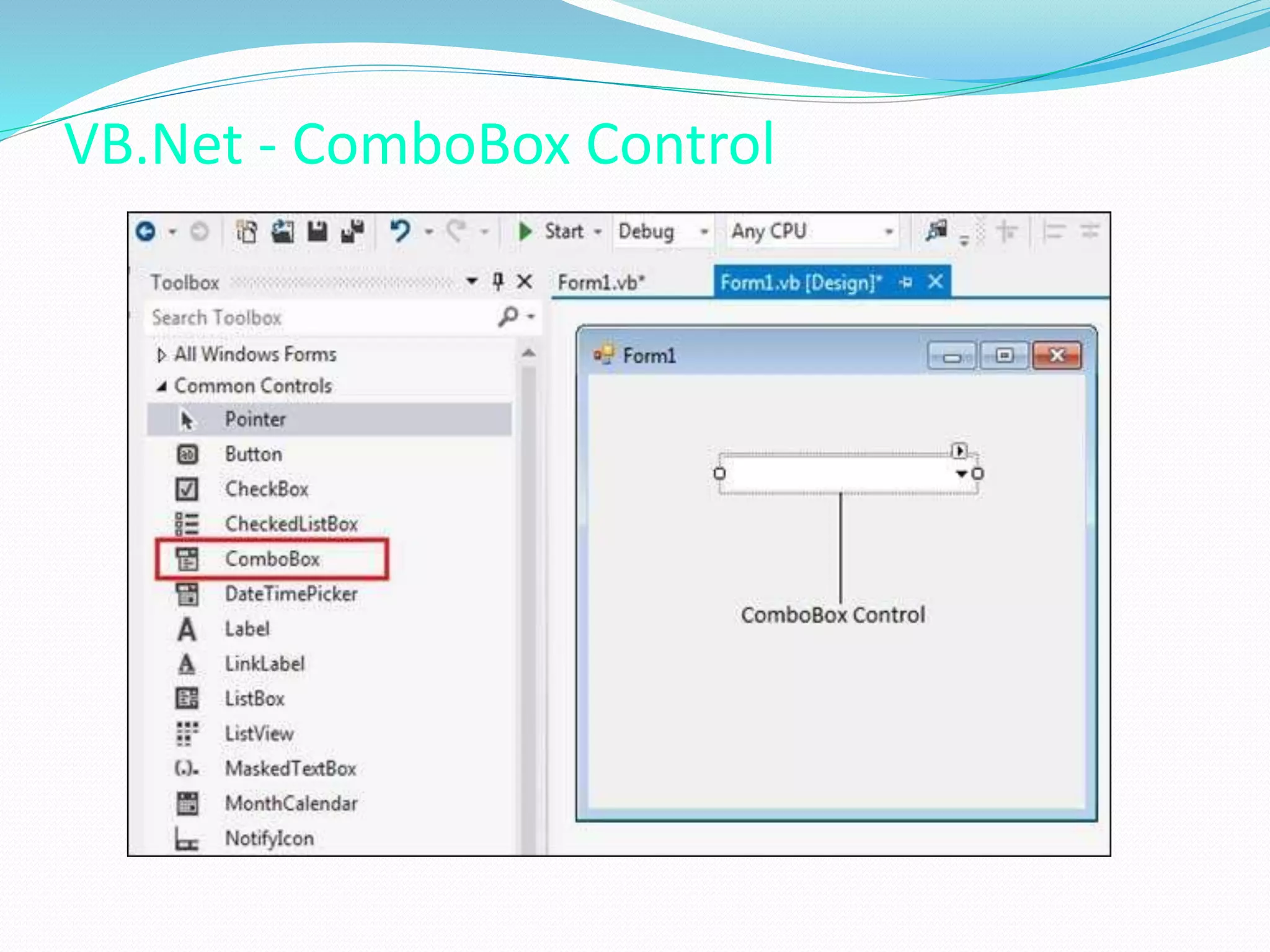
VB.Net - ComboBox Control
ComboBox Control
 The ComboBox control is used to display a drop-down
list of various items.
 It is a combination of a text box in which the user
enters an item and a drop-down list from which the
user selects an item.
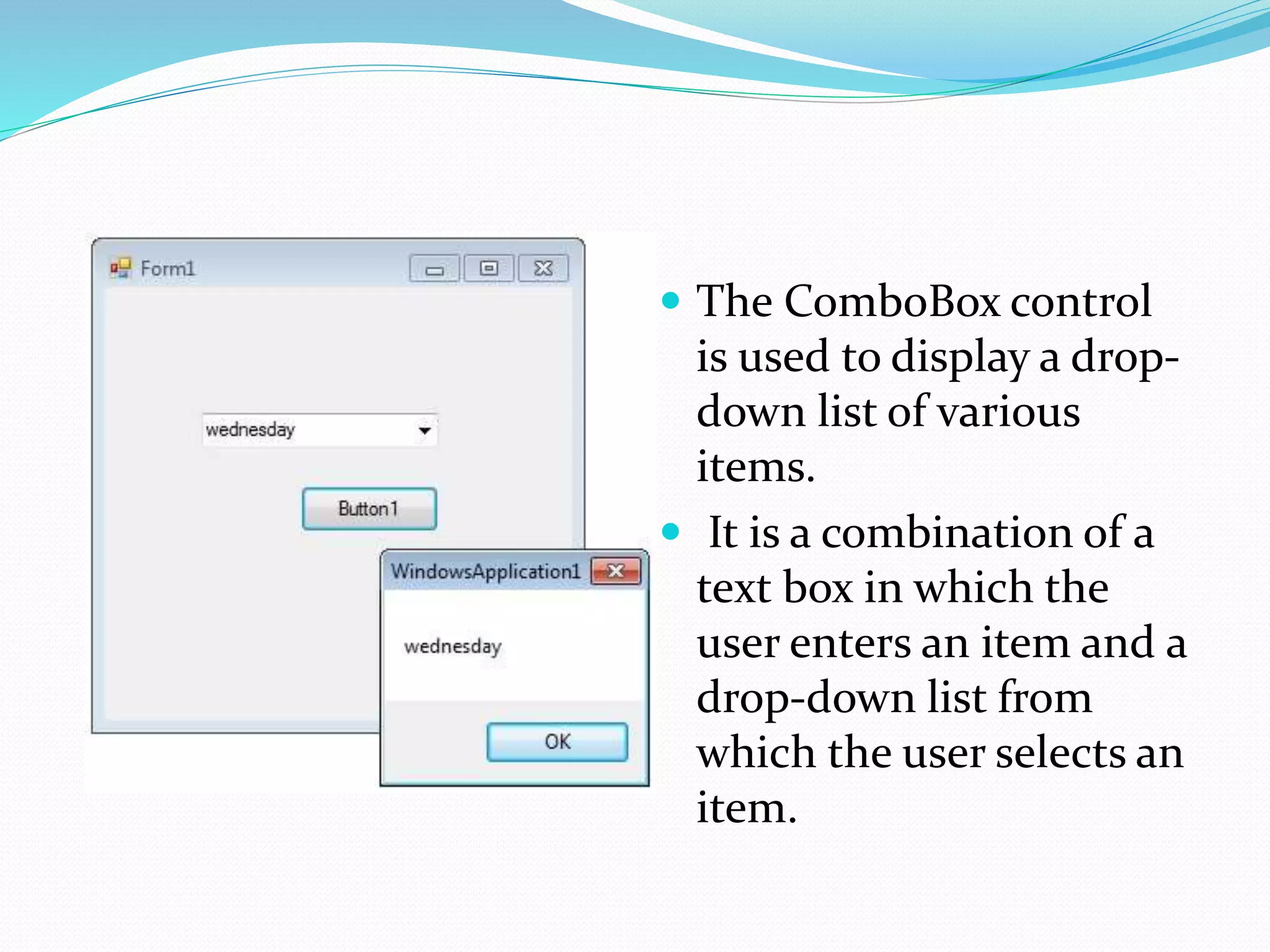
 The ComboBox control
is used to display a drop-
down list of various
items.
 It is a combination of a
text box in which the
user enters an item and a
drop-down list from
which the user selects an
item.
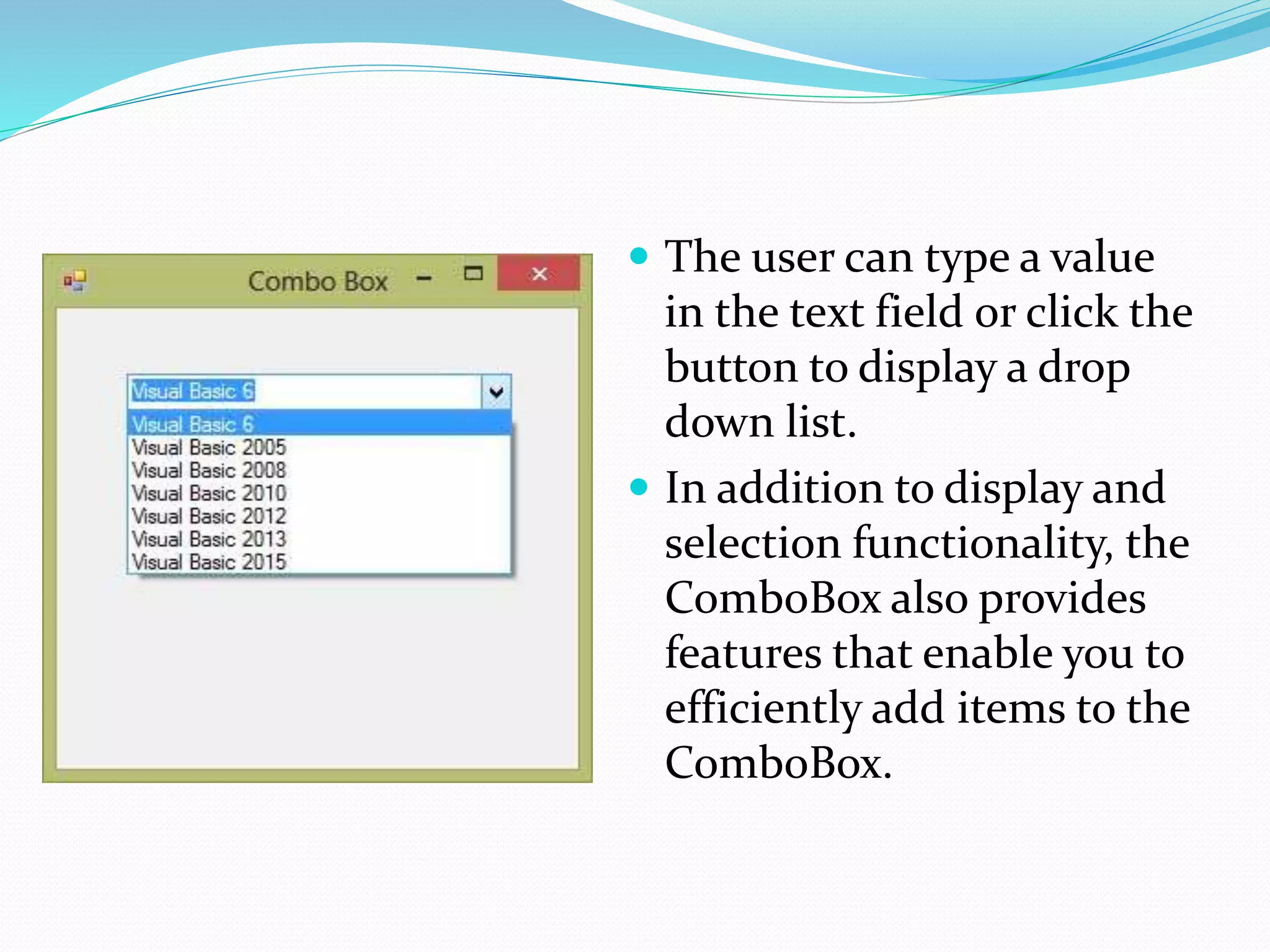
 The user can type a value
in the text field or click the
button to display a drop
down list.
 In addition to display and
selection functionality, the
ComboBox also provides
features that enable you to
efficiently add items to the
ComboBox.
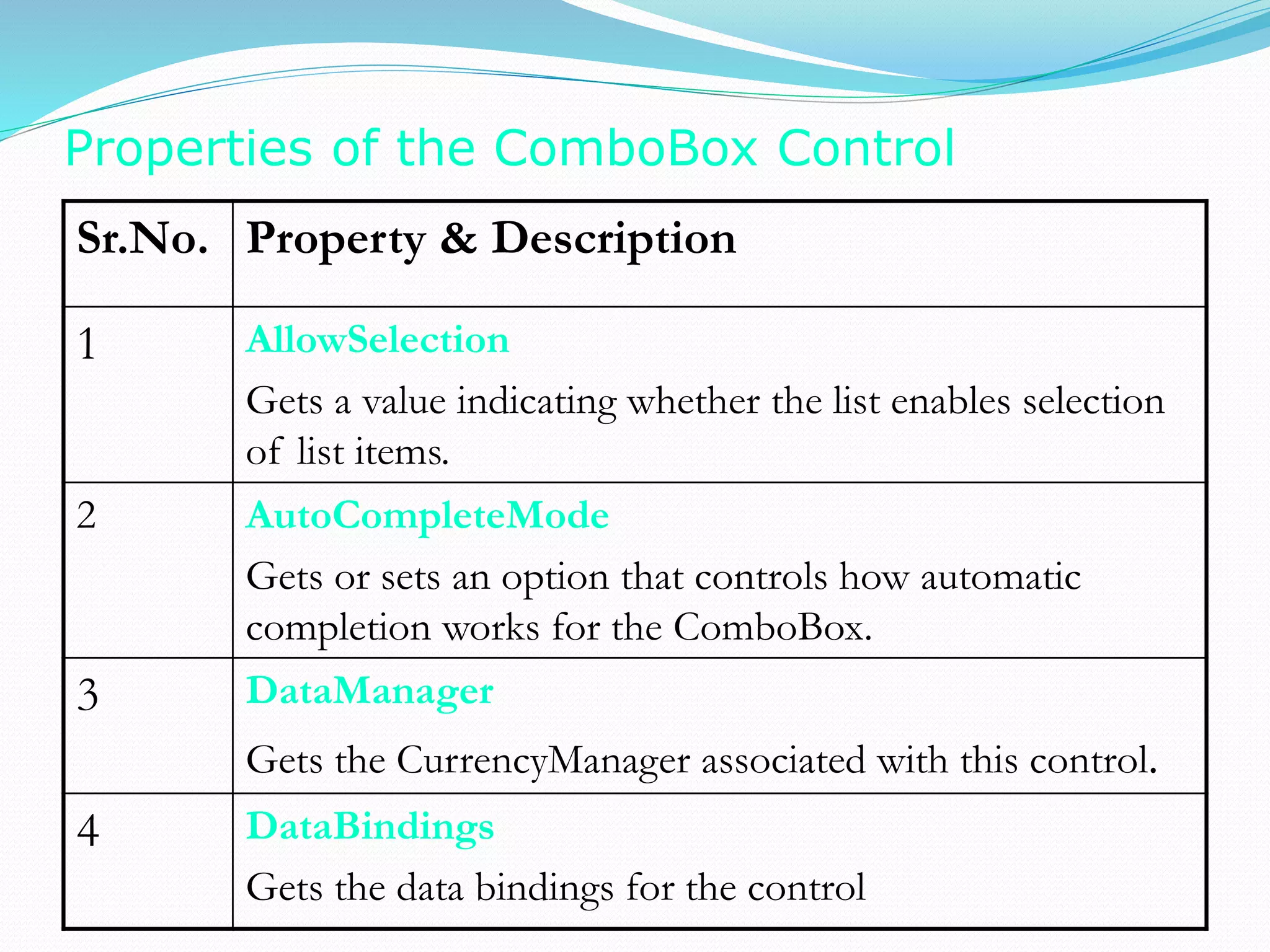
Properties of the ComboBox Control
Sr.No. Property & Description
1 AllowSelection
Gets a value indicating whether the list enables selection
of list items.
2 AutoCompleteMode
Gets or sets an option that controls how automatic
completion works for the ComboBox.
3 DataManager
Gets the CurrencyManager associated with this control.
4 DataBindings
Gets the data bindings for the control
5 DataSource
Gets or sets the data source for this ComboBox.
6 DropDownStyle
Gets or sets a value specifying the style of the combo box.
7 DropDownWidth
Gets or sets the width of the of the drop-down portion of a combo box.
8 FlatStyle
Gets or sets the appearance of the ComboBox.
9 ItemHeight
Gets or sets the height of an item in the combo box.
10 SelectedItem Gets or sets currently selected item in the ComboBox.
5DataSource
Gets or sets the data source for this ComboBox.
6DropDownStyle
Gets or sets a value specifying the style of the combo box.
7DropDownWidth
Gets or sets the width of the of the drop-down portion of a combo box.
8FlatStyle
Gets or sets the appearance of the ComboBox.
9ItemHeight
Gets or sets the height of an item in the combo box.
10SelectedItem
Gets or sets currently selected item in the ComboBox.
Methods of the ComboBox Control
Assignment
 Explain combobox in vb.net with suitable example and
discuss the following terms regarding combobox.
 (i) properties
 (ii)methods
 (iii) event

5. combobox

  • 1.
    ComboBox Control Prof. NeerajBhargava Kapil Chauhan Department of Computer Science School of Engineering & Systems Sciences MDS University, Ajmer
  • 2.
  • 3.
    ComboBox Control  TheComboBox control is used to display a drop-down list of various items.  It is a combination of a text box in which the user enters an item and a drop-down list from which the user selects an item.
  • 4.
     The ComboBoxcontrol is used to display a drop- down list of various items.  It is a combination of a text box in which the user enters an item and a drop-down list from which the user selects an item.
  • 5.
     The usercan type a value in the text field or click the button to display a drop down list.  In addition to display and selection functionality, the ComboBox also provides features that enable you to efficiently add items to the ComboBox.
  • 6.
    Properties of theComboBox Control Sr.No. Property & Description 1 AllowSelection Gets a value indicating whether the list enables selection of list items. 2 AutoCompleteMode Gets or sets an option that controls how automatic completion works for the ComboBox. 3 DataManager Gets the CurrencyManager associated with this control. 4 DataBindings Gets the data bindings for the control
  • 7.
    5 DataSource Gets orsets the data source for this ComboBox. 6 DropDownStyle Gets or sets a value specifying the style of the combo box. 7 DropDownWidth Gets or sets the width of the of the drop-down portion of a combo box. 8 FlatStyle Gets or sets the appearance of the ComboBox. 9 ItemHeight Gets or sets the height of an item in the combo box. 10 SelectedItem Gets or sets currently selected item in the ComboBox.
  • 8.
    5DataSource Gets or setsthe data source for this ComboBox. 6DropDownStyle Gets or sets a value specifying the style of the combo box. 7DropDownWidth Gets or sets the width of the of the drop-down portion of a combo box. 8FlatStyle Gets or sets the appearance of the ComboBox. 9ItemHeight Gets or sets the height of an item in the combo box. 10SelectedItem Gets or sets currently selected item in the ComboBox. Methods of the ComboBox Control
  • 9.
    Assignment  Explain comboboxin vb.net with suitable example and discuss the following terms regarding combobox.  (i) properties  (ii)methods  (iii) event