JSP - Client Request
Prof. Neeraj Bhargava
Kapil Chauhan
Department of Computer Science
School of Engineering & Systems Sciences
MDS University, Ajmer
JSP - Client Request
 When a browser requests for a Webpage, it sends a lot
of information to the web server. This information
cannot be read directly because this information
travels as a part of header of HTTP request.
Header Information
 Accept
This header specifies the MIME types that the browser
or other clients can handle. Values
of image/png or image/jpeg are the two most
common possibilities.
 Accept-Encoding
This header specifies the types of encodings that the
browser knows how to handle. Values
of zip or compress are the two most common
possibilities.
Header Information
 Accept-Language
This header specifies the client's preferred languages
in case the servlet can produce results in more than
one language.
 Authorization
This header is used by clients to identify themselves
when accessing password-protected webpages.
Header Information
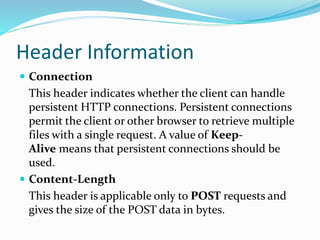
 Connection
This header indicates whether the client can handle
persistent HTTP connections. Persistent connections
permit the client or other browser to retrieve multiple
files with a single request. A value of Keep-
Alive means that persistent connections should be
used.
 Content-Length
This header is applicable only to POST requests and
gives the size of the POST data in bytes.
Header Information
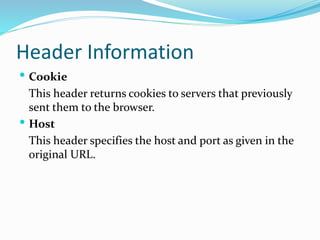
 Cookie
This header returns cookies to servers that previously
sent them to the browser.
 Host
This header specifies the host and port as given in the
original URL.
Method & Description
 Cookie[] getCookies()
Returns an array containing all of the Cookie objects
the client sent with this request.
 Enumeration getAttributeNames()
Returns an Enumeration containing the names of the
attributes available to this request.
Method & Description
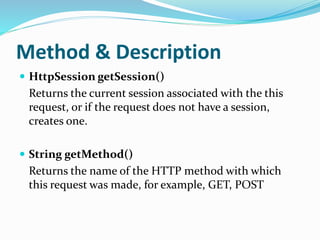
 HttpSession getSession()
Returns the current session associated with the this
request, or if the request does not have a session,
creates one.
 String getMethod()
Returns the name of the HTTP method with which
this request was made, for example, GET, POST
Method & Description
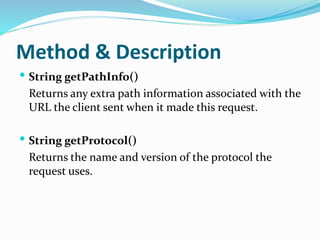
 String getPathInfo()
Returns any extra path information associated with the
URL the client sent when it made this request.
 String getProtocol()
Returns the name and version of the protocol the
request uses.
Assignment Question
 Explain JSP client request with suitable example and
describe
(i)header (ii) method.

JSP Client Request

  • 1.
    JSP - ClientRequest Prof. Neeraj Bhargava Kapil Chauhan Department of Computer Science School of Engineering & Systems Sciences MDS University, Ajmer
  • 2.
    JSP - ClientRequest  When a browser requests for a Webpage, it sends a lot of information to the web server. This information cannot be read directly because this information travels as a part of header of HTTP request.
  • 3.
    Header Information  Accept Thisheader specifies the MIME types that the browser or other clients can handle. Values of image/png or image/jpeg are the two most common possibilities.  Accept-Encoding This header specifies the types of encodings that the browser knows how to handle. Values of zip or compress are the two most common possibilities.
  • 4.
    Header Information  Accept-Language Thisheader specifies the client's preferred languages in case the servlet can produce results in more than one language.  Authorization This header is used by clients to identify themselves when accessing password-protected webpages.
  • 5.
    Header Information  Connection Thisheader indicates whether the client can handle persistent HTTP connections. Persistent connections permit the client or other browser to retrieve multiple files with a single request. A value of Keep- Alive means that persistent connections should be used.  Content-Length This header is applicable only to POST requests and gives the size of the POST data in bytes.
  • 6.
    Header Information  Cookie Thisheader returns cookies to servers that previously sent them to the browser.  Host This header specifies the host and port as given in the original URL.
  • 7.
    Method & Description Cookie[] getCookies() Returns an array containing all of the Cookie objects the client sent with this request.  Enumeration getAttributeNames() Returns an Enumeration containing the names of the attributes available to this request.
  • 8.
    Method & Description HttpSession getSession() Returns the current session associated with the this request, or if the request does not have a session, creates one.  String getMethod() Returns the name of the HTTP method with which this request was made, for example, GET, POST
  • 9.
    Method & Description String getPathInfo() Returns any extra path information associated with the URL the client sent when it made this request.  String getProtocol() Returns the name and version of the protocol the request uses.
  • 10.
    Assignment Question  ExplainJSP client request with suitable example and describe (i)header (ii) method.