JSP - Server Response
Prof. Neeraj Bhargava
Kapil Chauhan
Department of Computer Science
School of Engineering & Systems Sciences
MDS University, Ajmer
JSP - Server Response
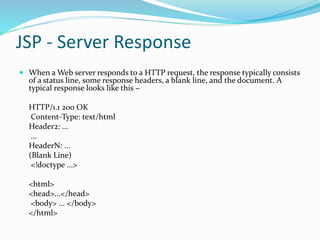
 When a Web server responds to a HTTP request, the response typically consists
of a status line, some response headers, a blank line, and the document. A
typical response looks like this −
HTTP/1.1 200 OK
Content-Type: text/html
Header2: ...
...
HeaderN: ...
(Blank Line)
<!doctype ...>
<html>
<head>...</head>
<body> ... </body>
</html>
Header & Description
 Allow
This header specifies the request methods (GET,
POST, etc.) that the server supports.
 Cache-Control
This header specifies the circumstances in which the
response document can safely be cached. It can have
values public, private or no-cache etc. Public means
document is cacheable, Private means document is for
a single user and can only be stored in private
(nonshared) caches.
Header & Description
 Connection
This header instructs the browser whether to use
persistent HTTP connections or not. A value
of close instructs the browser not to use persistent
HTTP connections and keep-alive means using
persistent connections.
 Expires
This header specifies the time at which the content
should be considered out-of-date and thus no longer
be cached.
Header & Description
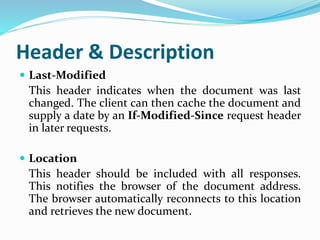
 Last-Modified
This header indicates when the document was last
changed. The client can then cache the document and
supply a date by an If-Modified-Since request header
in later requests.
 Location
This header should be included with all responses.
This notifies the browser of the document address.
The browser automatically reconnects to this location
and retrieves the new document.
Header & Description
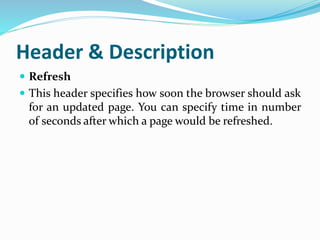
 Refresh
 This header specifies how soon the browser should ask
for an updated page. You can specify time in number
of seconds after which a page would be refreshed.
Method & Description
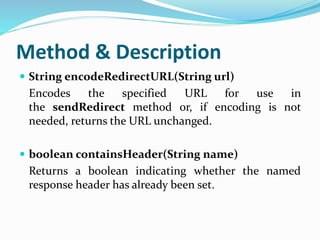
 String encodeRedirectURL(String url)
Encodes the specified URL for use in
the sendRedirect method or, if encoding is not
needed, returns the URL unchanged.
 boolean containsHeader(String name)
Returns a boolean indicating whether the named
response header has already been set.
Method & Description
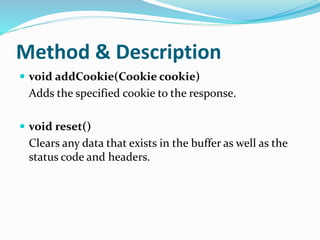
 void addCookie(Cookie cookie)
Adds the specified cookie to the response.
 void reset()
Clears any data that exists in the buffer as well as the
status code and headers.
Assignment
 Explain jsp server response with example and also
discuss header and method.

Jsp server response

  • 1.
    JSP - ServerResponse Prof. Neeraj Bhargava Kapil Chauhan Department of Computer Science School of Engineering & Systems Sciences MDS University, Ajmer
  • 2.
    JSP - ServerResponse  When a Web server responds to a HTTP request, the response typically consists of a status line, some response headers, a blank line, and the document. A typical response looks like this − HTTP/1.1 200 OK Content-Type: text/html Header2: ... ... HeaderN: ... (Blank Line) <!doctype ...> <html> <head>...</head> <body> ... </body> </html>
  • 3.
    Header & Description Allow This header specifies the request methods (GET, POST, etc.) that the server supports.  Cache-Control This header specifies the circumstances in which the response document can safely be cached. It can have values public, private or no-cache etc. Public means document is cacheable, Private means document is for a single user and can only be stored in private (nonshared) caches.
  • 4.
    Header & Description Connection This header instructs the browser whether to use persistent HTTP connections or not. A value of close instructs the browser not to use persistent HTTP connections and keep-alive means using persistent connections.  Expires This header specifies the time at which the content should be considered out-of-date and thus no longer be cached.
  • 5.
    Header & Description Last-Modified This header indicates when the document was last changed. The client can then cache the document and supply a date by an If-Modified-Since request header in later requests.  Location This header should be included with all responses. This notifies the browser of the document address. The browser automatically reconnects to this location and retrieves the new document.
  • 6.
    Header & Description Refresh  This header specifies how soon the browser should ask for an updated page. You can specify time in number of seconds after which a page would be refreshed.
  • 7.
    Method & Description String encodeRedirectURL(String url) Encodes the specified URL for use in the sendRedirect method or, if encoding is not needed, returns the URL unchanged.  boolean containsHeader(String name) Returns a boolean indicating whether the named response header has already been set.
  • 8.
    Method & Description void addCookie(Cookie cookie) Adds the specified cookie to the response.  void reset() Clears any data that exists in the buffer as well as the status code and headers.
  • 9.
    Assignment  Explain jspserver response with example and also discuss header and method.