Conditional Statement
Prepared By :- Rahul Sharma
Enrollment No. : 07521102013
Subject :- VB .NET
Faculty :- Mr. Neeraj Mishra
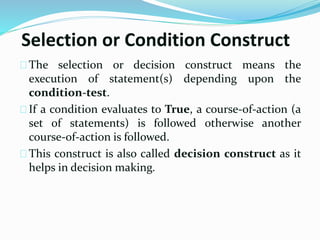
Selection or Condition Construct
The selection or decision construct means the
execution of statement(s) depending upon the
condition-test.
If a condition evaluates to True, a course-of-action (a
set of statements) is followed otherwise another
course-of-action is followed.
This construct is also called decision construct as it
helps in decision making.
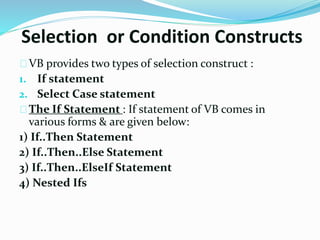
Selection or Condition Constructs
VB provides two types of selection construct :
1. If statement
2. Select Case statement
The If Statement : If statement of VB comes in
various forms & are given below:
1) If..Then Statement
2) If..Then..Else Statement
3) If..Then..ElseIf Statement
4) Nested Ifs
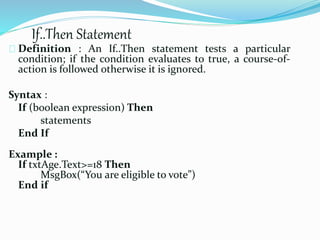
If..Then Statement
Definition : An If..Then statement tests a particular
condition; if the condition evaluates to true, a course-of-
action is followed otherwise it is ignored.
Syntax :
If (boolean expression) Then
statements
End If
Example :
If txtAge.Text>=18 Then
MsgBox(“You are eligible to vote”)
End if
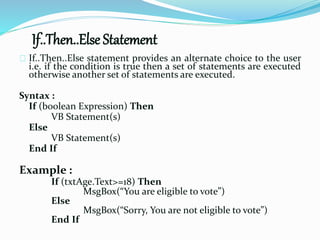
If..Then..Else Statement
If..Then..Else statement provides an alternate choice to the user
i.e. if the condition is true then a set of statements are executed
otherwise another set of statements are executed.
Syntax :
If (boolean Expression) Then
VB Statement(s)
Else
VB Statement(s)
End If
Example :
If (txtAge.Text>=18) Then
MsgBox(“You are eligible to vote”)
Else
MsgBox(“Sorry, You are not eligible to vote”)
End If
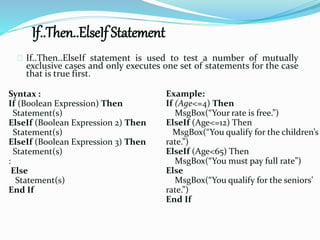
If..Then..ElseIf Statement
If..Then..ElseIf statement is used to test a number of mutually
exclusive cases and only executes one set of statements for the case
that is true first.
Example:
If (Age<=4) Then
MsgBox(“Your rate is free.”)
ElseIf (Age<=12) Then
MsgBox(“You qualify for the children’s
rate.”)
ElseIf (Age<65) Then
MsgBox(“You must pay full rate”)
Else
MsgBox(“You qualify for the seniors’
rate.”)
End If
Syntax :
If (Boolean Expression) Then
Statement(s)
ElseIf (Boolean Expression 2) Then
Statement(s)
ElseIf (Boolean Expression 3) Then
Statement(s)
:
Else
Statement(s)
End If
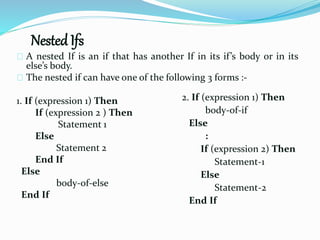
Nested Ifs
A nested If is an if that has another If in its if’s body or in its
else’s body.
The nested if can have one of the following 3 forms :-
1. If (expression 1) Then
If (expression 2 ) Then
Statement 1
Else
Statement 2
End If
Else
body-of-else
End If
2. If (expression 1) Then
body-of-if
Else
:
If (expression 2) Then
Statement-1
Else
Statement-2
End If
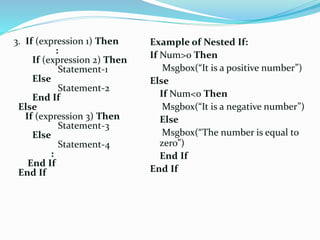
3. If (expression 1) Then
:
If (expression 2) Then
Statement-1
Else
Statement-2
End If
Else
If (expression 3) Then
Statement-3
Else
Statement-4
:
End If
End If
Example of Nested If:
If Num>0 Then
Msgbox(“It is a positive number”)
Else
If Num<0 Then
Msgbox(“It is a negative number”)
Else
Msgbox(“The number is equal to
zero”)
End If
End If
Select-Case Statement
Select-Case is a multiple branching statement and is
used to executed a set of statements depending upon
the value of the expression.
It is better to use Select-Case statement in comparison
to If..Then..ElseIf Statement when the number of
checks are more.
There are 3 different forms of using Select-Case
statements and are given below :
Different forms of Select-Case
Select Case Expression
Case Value
’visual basic statements
Case Value
’visual basic statements
Case Else
’visual basic statements
End Select
1. Select Case : Simplest Form [Exact match]
Example :
Select Case byMonth
Case 1,3,5,7,8,10,12
number_of_days=31
Case 2
number_of_days=28
Case Else
number_of_days=30
End Select
Select Case Expression
Case Is relation
’visual basic statements
Case Is relation
’visual basic statements
Case Else
’visual basic statements
End Select
Example:
Select Case marks
Case Is < 50
Result = “Fail”
Case Is < 60
Result = “Grade B”
Case Is < 75
Result = “Grade A”
Case Else
Result = “Grade A+”
End Select
2.Select Case : Second Form [Relational Test]
Select Case Expression
Case exp1 To exp2:
’visual basic statements
Case exp1 To exp2:
’visual basic statements
Case Else:
’visual basic statements
End Select
Example :
Select Case Age
Case 2 to 4 : Msgbox(“PreNursery”)
Case 4 to 6 : Msgbox(“Kindergarden”)
Case 6 to 10 : Msgbox(“Primary”)
Case Else : Msgbox(“Others”)
End Select
3.Select Case : Third Format [Range Check]
If and select statement

If and select statement

  • 1.
    Conditional Statement Prepared By:- Rahul Sharma Enrollment No. : 07521102013 Subject :- VB .NET Faculty :- Mr. Neeraj Mishra
  • 2.
    Selection or ConditionConstruct The selection or decision construct means the execution of statement(s) depending upon the condition-test. If a condition evaluates to True, a course-of-action (a set of statements) is followed otherwise another course-of-action is followed. This construct is also called decision construct as it helps in decision making.
  • 3.
    Selection or ConditionConstructs VB provides two types of selection construct : 1. If statement 2. Select Case statement The If Statement : If statement of VB comes in various forms & are given below: 1) If..Then Statement 2) If..Then..Else Statement 3) If..Then..ElseIf Statement 4) Nested Ifs
  • 4.
    If..Then Statement Definition :An If..Then statement tests a particular condition; if the condition evaluates to true, a course-of- action is followed otherwise it is ignored. Syntax : If (boolean expression) Then statements End If Example : If txtAge.Text>=18 Then MsgBox(“You are eligible to vote”) End if
  • 5.
    If..Then..Else Statement If..Then..Else statementprovides an alternate choice to the user i.e. if the condition is true then a set of statements are executed otherwise another set of statements are executed. Syntax : If (boolean Expression) Then VB Statement(s) Else VB Statement(s) End If Example : If (txtAge.Text>=18) Then MsgBox(“You are eligible to vote”) Else MsgBox(“Sorry, You are not eligible to vote”) End If
  • 6.
    If..Then..ElseIf Statement If..Then..ElseIf statementis used to test a number of mutually exclusive cases and only executes one set of statements for the case that is true first. Example: If (Age<=4) Then MsgBox(“Your rate is free.”) ElseIf (Age<=12) Then MsgBox(“You qualify for the children’s rate.”) ElseIf (Age<65) Then MsgBox(“You must pay full rate”) Else MsgBox(“You qualify for the seniors’ rate.”) End If Syntax : If (Boolean Expression) Then Statement(s) ElseIf (Boolean Expression 2) Then Statement(s) ElseIf (Boolean Expression 3) Then Statement(s) : Else Statement(s) End If
  • 7.
    Nested Ifs A nestedIf is an if that has another If in its if’s body or in its else’s body. The nested if can have one of the following 3 forms :- 1. If (expression 1) Then If (expression 2 ) Then Statement 1 Else Statement 2 End If Else body-of-else End If 2. If (expression 1) Then body-of-if Else : If (expression 2) Then Statement-1 Else Statement-2 End If
  • 8.
    3. If (expression1) Then : If (expression 2) Then Statement-1 Else Statement-2 End If Else If (expression 3) Then Statement-3 Else Statement-4 : End If End If Example of Nested If: If Num>0 Then Msgbox(“It is a positive number”) Else If Num<0 Then Msgbox(“It is a negative number”) Else Msgbox(“The number is equal to zero”) End If End If
  • 9.
    Select-Case Statement Select-Case isa multiple branching statement and is used to executed a set of statements depending upon the value of the expression. It is better to use Select-Case statement in comparison to If..Then..ElseIf Statement when the number of checks are more. There are 3 different forms of using Select-Case statements and are given below :
  • 10.
    Different forms ofSelect-Case Select Case Expression Case Value ’visual basic statements Case Value ’visual basic statements Case Else ’visual basic statements End Select 1. Select Case : Simplest Form [Exact match] Example : Select Case byMonth Case 1,3,5,7,8,10,12 number_of_days=31 Case 2 number_of_days=28 Case Else number_of_days=30 End Select
  • 11.
    Select Case Expression CaseIs relation ’visual basic statements Case Is relation ’visual basic statements Case Else ’visual basic statements End Select Example: Select Case marks Case Is < 50 Result = “Fail” Case Is < 60 Result = “Grade B” Case Is < 75 Result = “Grade A” Case Else Result = “Grade A+” End Select 2.Select Case : Second Form [Relational Test]
  • 12.
    Select Case Expression Caseexp1 To exp2: ’visual basic statements Case exp1 To exp2: ’visual basic statements Case Else: ’visual basic statements End Select Example : Select Case Age Case 2 to 4 : Msgbox(“PreNursery”) Case 4 to 6 : Msgbox(“Kindergarden”) Case 6 to 10 : Msgbox(“Primary”) Case Else : Msgbox(“Others”) End Select 3.Select Case : Third Format [Range Check]