Clustered computing 
with CoreOS, fleet and etcd 
DEVIEW 2014 
Jonathan Boulle 
CoreOS, Inc.
@baronboulle 
jonboulle 
Who am I? 
Jonathan Boulle
Jonathan Boulle 
@baronboulle 
jonboulle 
Who am I? 
South Africa -> Australia -> London -> San Francisco
Jonathan Boulle 
@baronboulle 
jonboulle 
Who am I? 
South Africa -> Australia -> London -> San Francisco 
Red Hat -> Twitter -> CoreOS
Jonathan Boulle 
@baronboulle 
jonboulle 
Who am I? 
South Africa -> Australia -> London -> San Francisco 
Red Hat -> Twitter -> CoreOS 
Linux, Python, Go, FOSS
Agenda
Agenda 
● CoreOS Linux
Agenda 
● CoreOS Linux 
– Securing the internet
Agenda 
● CoreOS Linux 
– Securing the internet 
– Application containers
Agenda 
● CoreOS Linux 
– Securing the internet 
– Application containers 
– Automatic updates
Agenda 
● CoreOS Linux 
– Securing the internet 
– Application containers 
– Automatic updates 
● fleet
Agenda 
● CoreOS Linux 
– Securing the internet 
– Application containers 
– Automatic updates 
● fleet 
– cluster-level init system
Agenda 
● CoreOS Linux 
– Securing the internet 
– Application containers 
– Automatic updates 
● fleet 
– cluster-level init system 
– etcd + systemd
Agenda 
● CoreOS Linux 
– Securing the internet 
– Application containers 
– Automatic updates 
● fleet 
– cluster-level init system 
– etcd + systemd 
● fleet and...
Agenda 
● CoreOS Linux 
– Securing the internet 
– Application containers 
– Automatic updates 
● fleet 
– cluster-level init system 
– etcd + systemd 
● fleet and... 
– systemd: the good, the bad
Agenda 
● CoreOS Linux 
– Securing the internet 
– Application containers 
– Automatic updates 
● fleet 
– cluster-level init system 
– etcd + systemd 
● fleet and... 
– systemd: the good, the bad 
– etcd: the good, the bad
Agenda 
● CoreOS Linux 
– Securing the internet 
– Application containers 
– Automatic updates 
● fleet 
– cluster-level init system 
– etcd + systemd 
● fleet and... 
– systemd: the good, the bad 
– etcd: the good, the bad 
– Golang: the good, the bad
Agenda 
● CoreOS Linux 
– Securing the internet 
– Application containers 
– Automatic updates 
● fleet 
– cluster-level init system 
– etcd + systemd 
● fleet and... 
– systemd: the good, the bad 
– etcd: the good, the bad 
– Golang: the good, the bad 
● Q&A
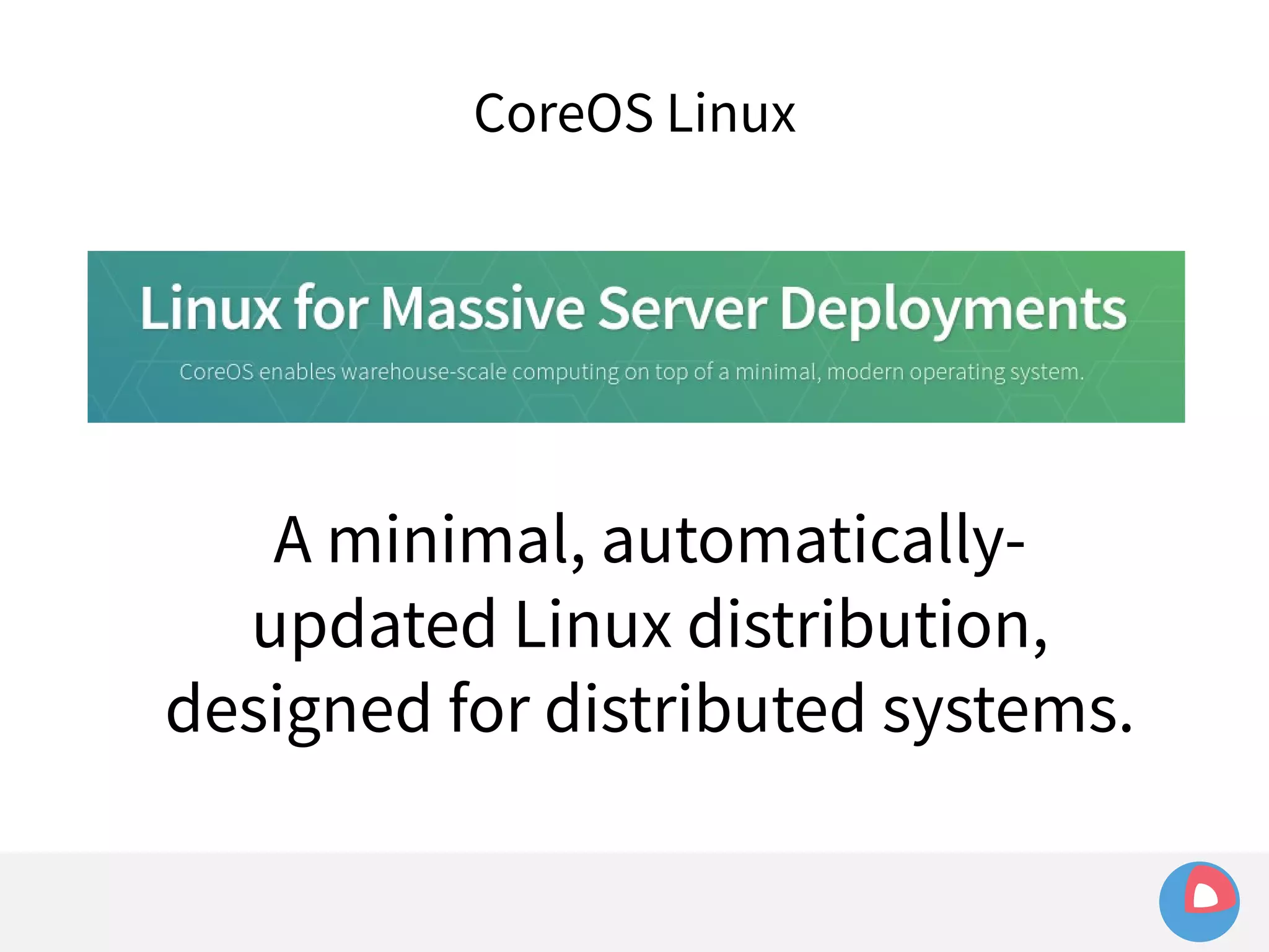
CoreOS Linux
CoreOS Linux
CoreOS Linux 
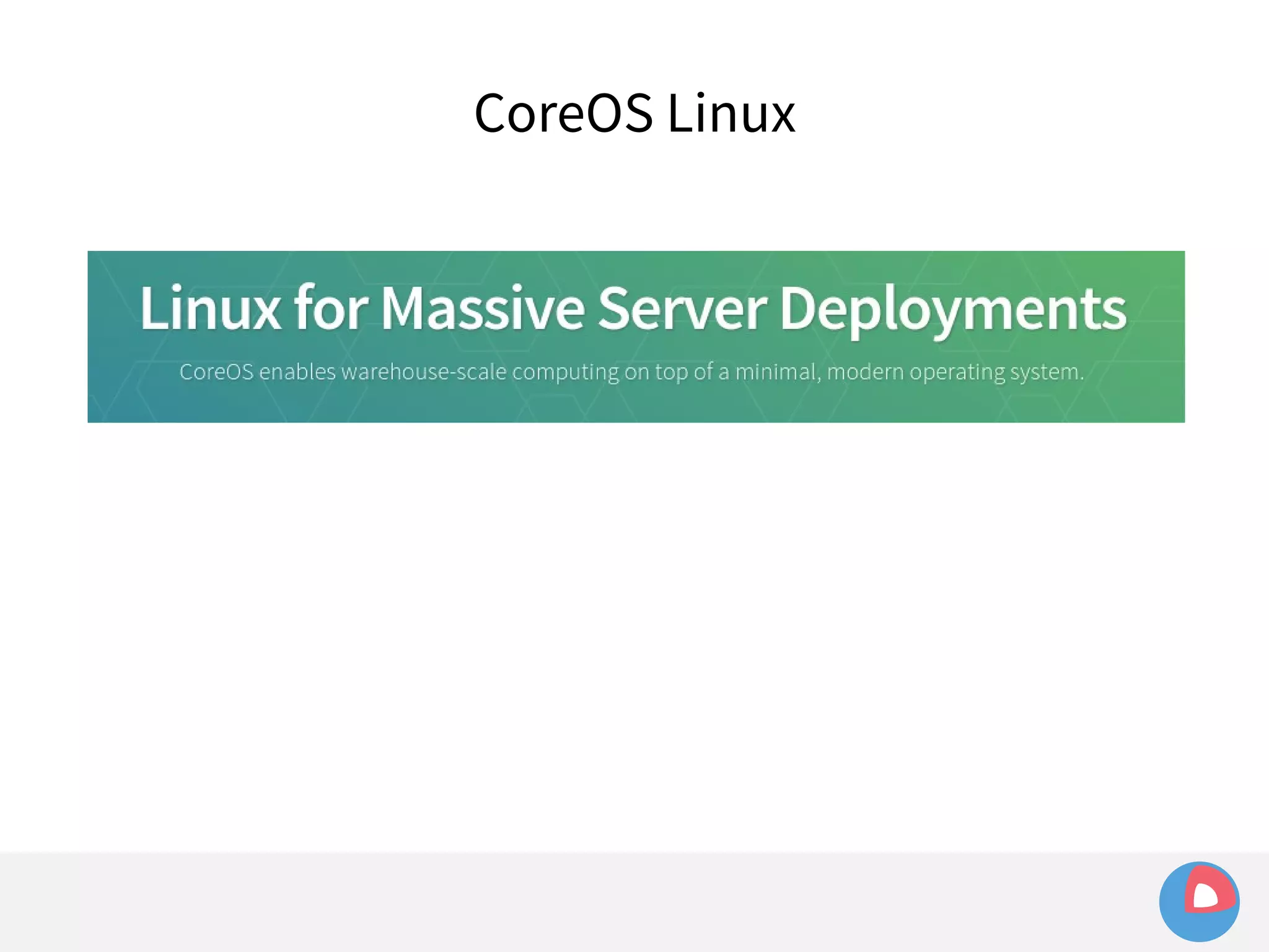
A minimal, automatically-updated 
Linux distribution, 
designed for distributed systems.
Why?
Why? 
● CoreOS mission: “Secure the internet”
Why? 
● CoreOS mission: “Secure the internet” 
● Status quo: set up a server and never touch it
Why? 
● CoreOS mission: “Secure the internet” 
● Status quo: set up a server and never touch it 
● Internet is full of servers running years-old 
software with dozens of vulnerabilities
Why? 
● CoreOS mission: “Secure the internet” 
● Status quo: set up a server and never touch it 
● Internet is full of servers running years-old 
software with dozens of vulnerabilities 
● CoreOS: make updating the default, seamless 
option
Why? 
● CoreOS mission: “Secure the internet” 
● Status quo: set up a server and never touch it 
● Internet is full of servers running years-old 
software with dozens of vulnerabilities 
● CoreOS: make updating the default, seamless 
option 
● Regular
Why? 
● CoreOS mission: “Secure the internet” 
● Status quo: set up a server and never touch it 
● Internet is full of servers running years-old software 
with dozens of vulnerabilities 
● CoreOS: make updating the default, seamless option 
● Regular 
● Reliable
Why? 
● CoreOS mission: “Secure the internet” 
● Status quo: set up a server and never touch it 
● Internet is full of servers running years-old software 
with dozens of vulnerabilities 
● CoreOS: make updating the default, seamless option 
● Regular 
● Reliable 
● Automatic
How do we achieve this?
How do we achieve this? 
● Containerization of applications
How do we achieve this? 
● Containerization of applications 
● Self-updating operating system
How do we achieve this? 
● Containerization of applications 
● Self-updating operating system 
● Distributed systems tooling to make applications 
resilient to updates
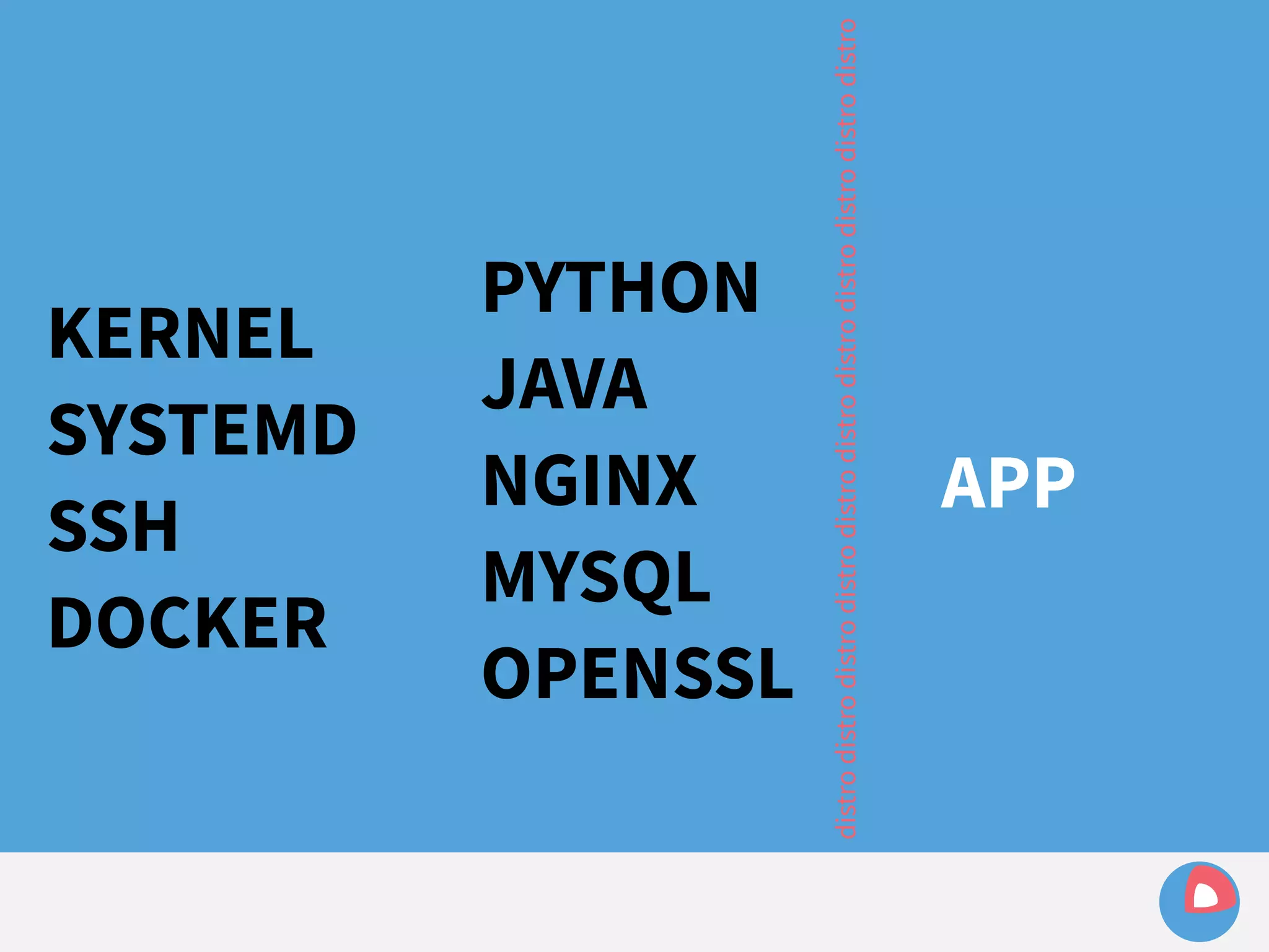
KERNEL 
SYSTEMD 
SSH 
DOCKER 
PYTHON 
JAVA 
NGINX 
MYSQL 
OPENSSL 
distro distro distro distro distro distro distro distro distro distro distro 
APP
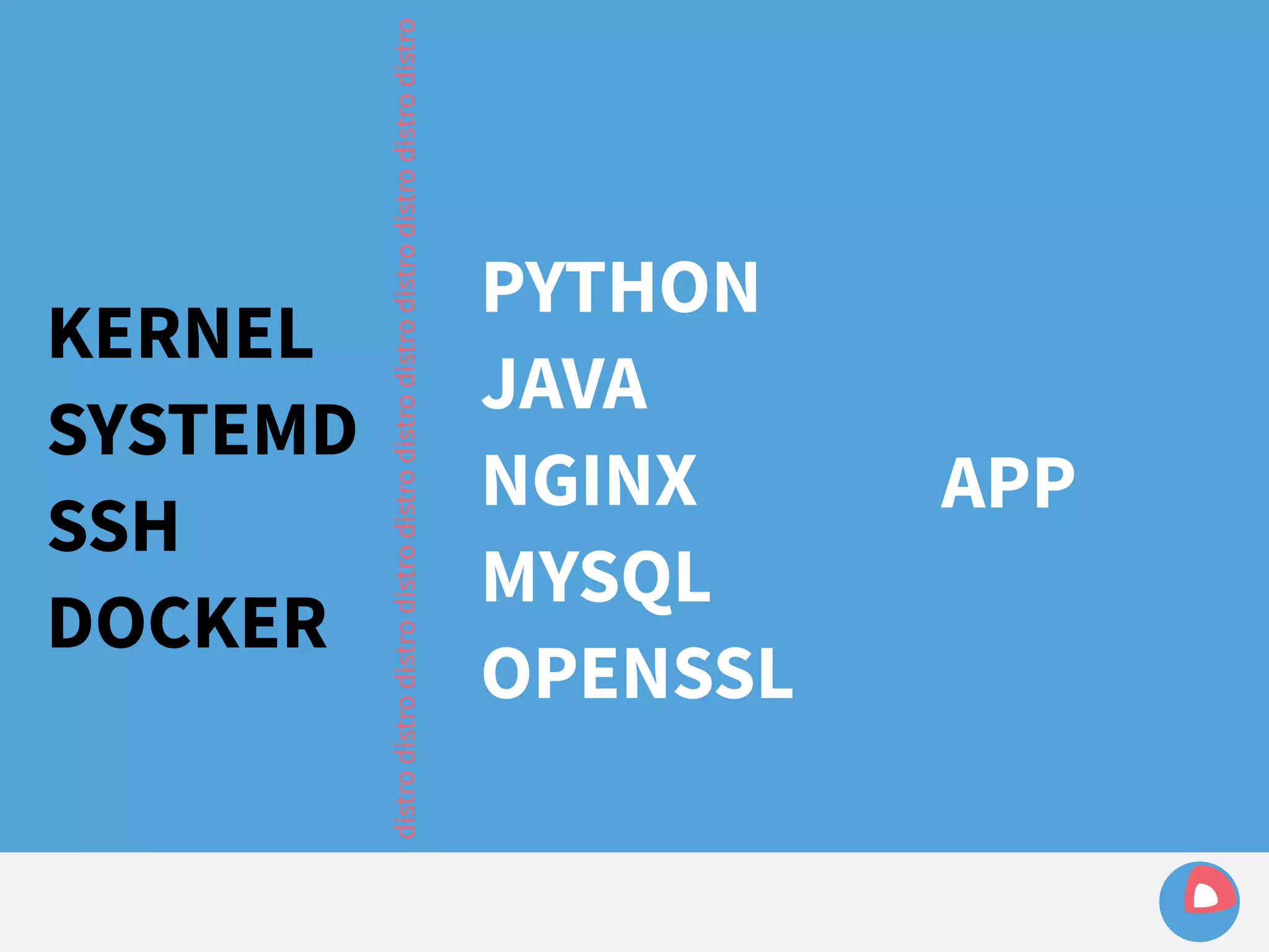
KERNEL 
SYSTEMD 
SSH 
DOCKER 
distro distro distro distro distro distro distro distro distro distro distro 
PYTHON 
JAVA 
NGINX 
MYSQL 
OPENSSL 
APP
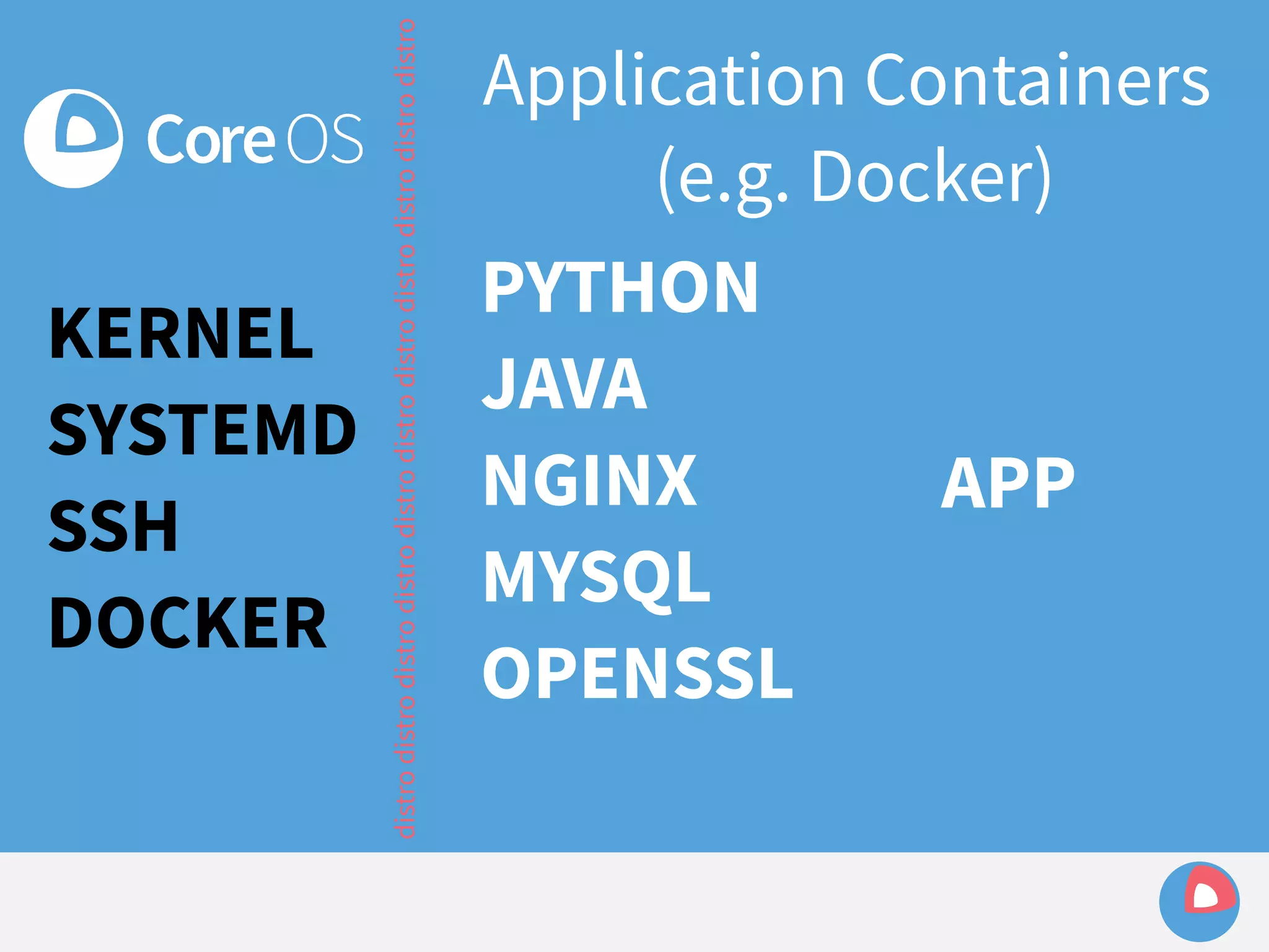
KERNEL 
SYSTEMD 
SSH 
DOCKER 
Application Containers 
(e.g. Docker) 
PYTHON 
JAVA 
NGINX 
MYSQL 
OPENSSL 
distro distro distro distro distro distro distro distro distro distro distro 
APP
KERNEL 
SYSTEMD 
SSH 
DOCKER 
- Minimal base OS (~100MB) 
- Vanilla upstream components 
wherever possible 
- Decoupled from applications 
- Automatic, atomic updates
Automatic updates
Automatic updates 
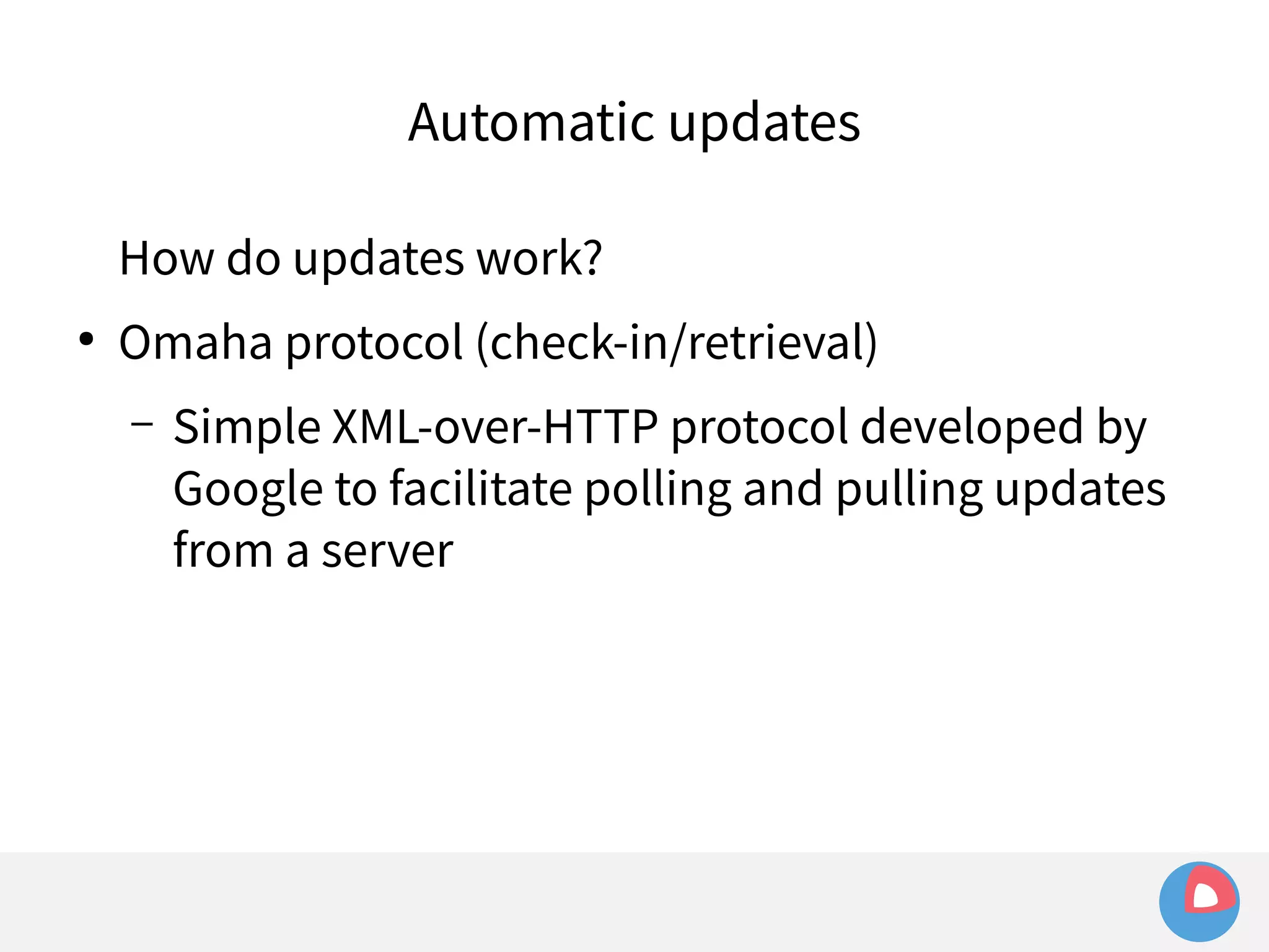
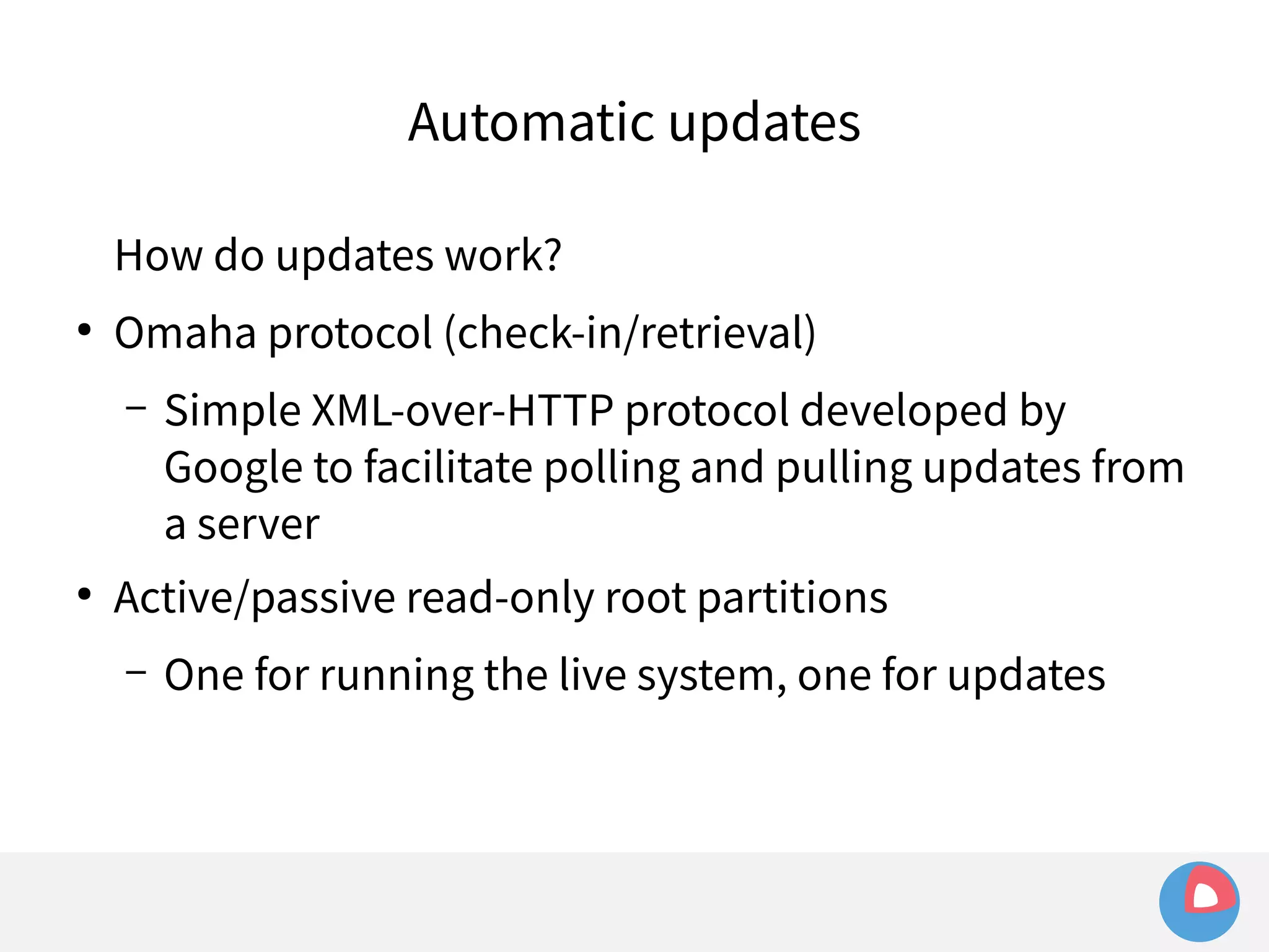
How do updates work?
Automatic updates 
How do updates work? 
● Omaha protocol (check-in/retrieval)
Automatic updates 
How do updates work? 
● Omaha protocol (check-in/retrieval) 
– Simple XML-over-HTTP protocol developed by 
Google to facilitate polling and pulling updates 
from a server
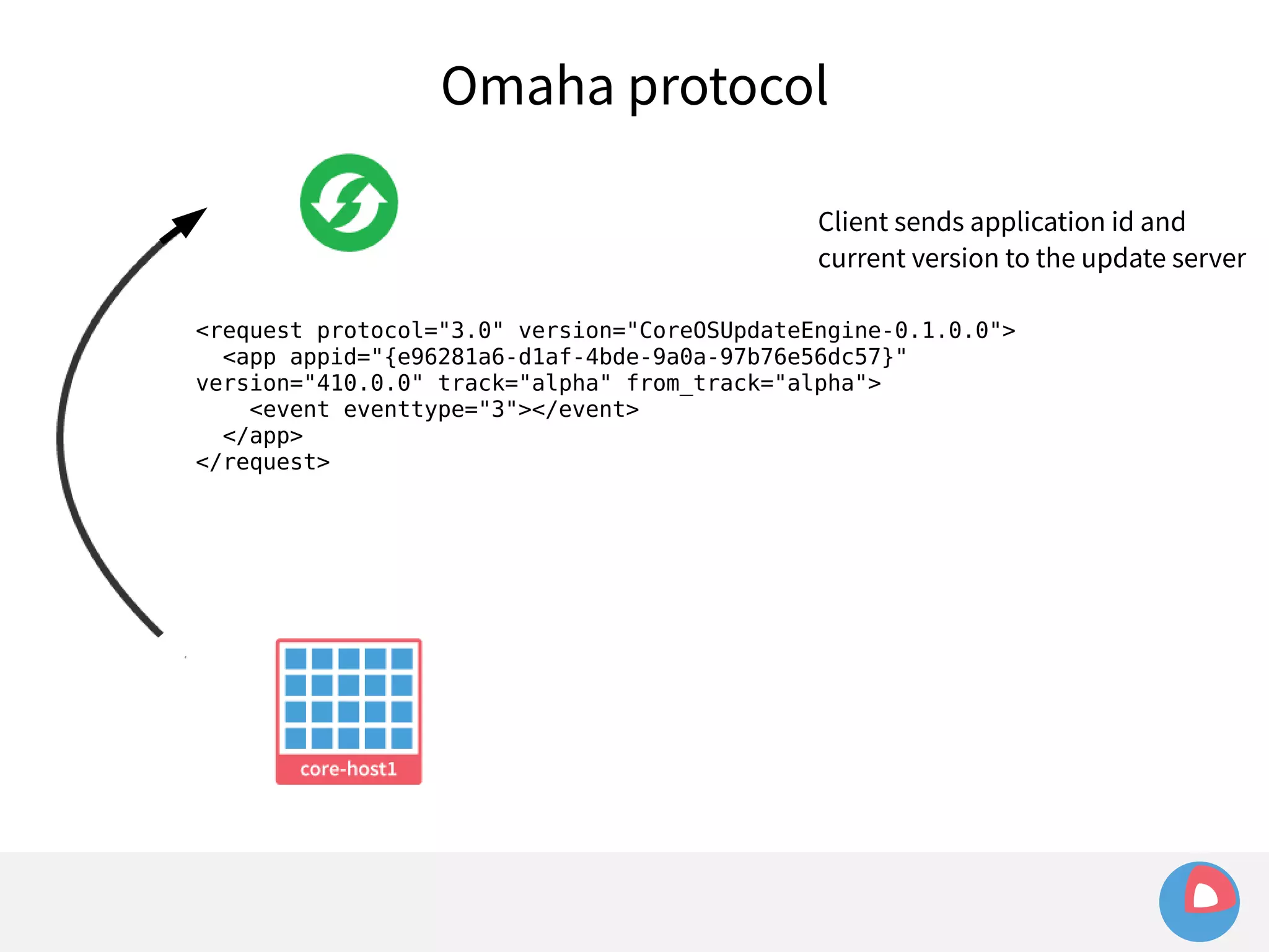
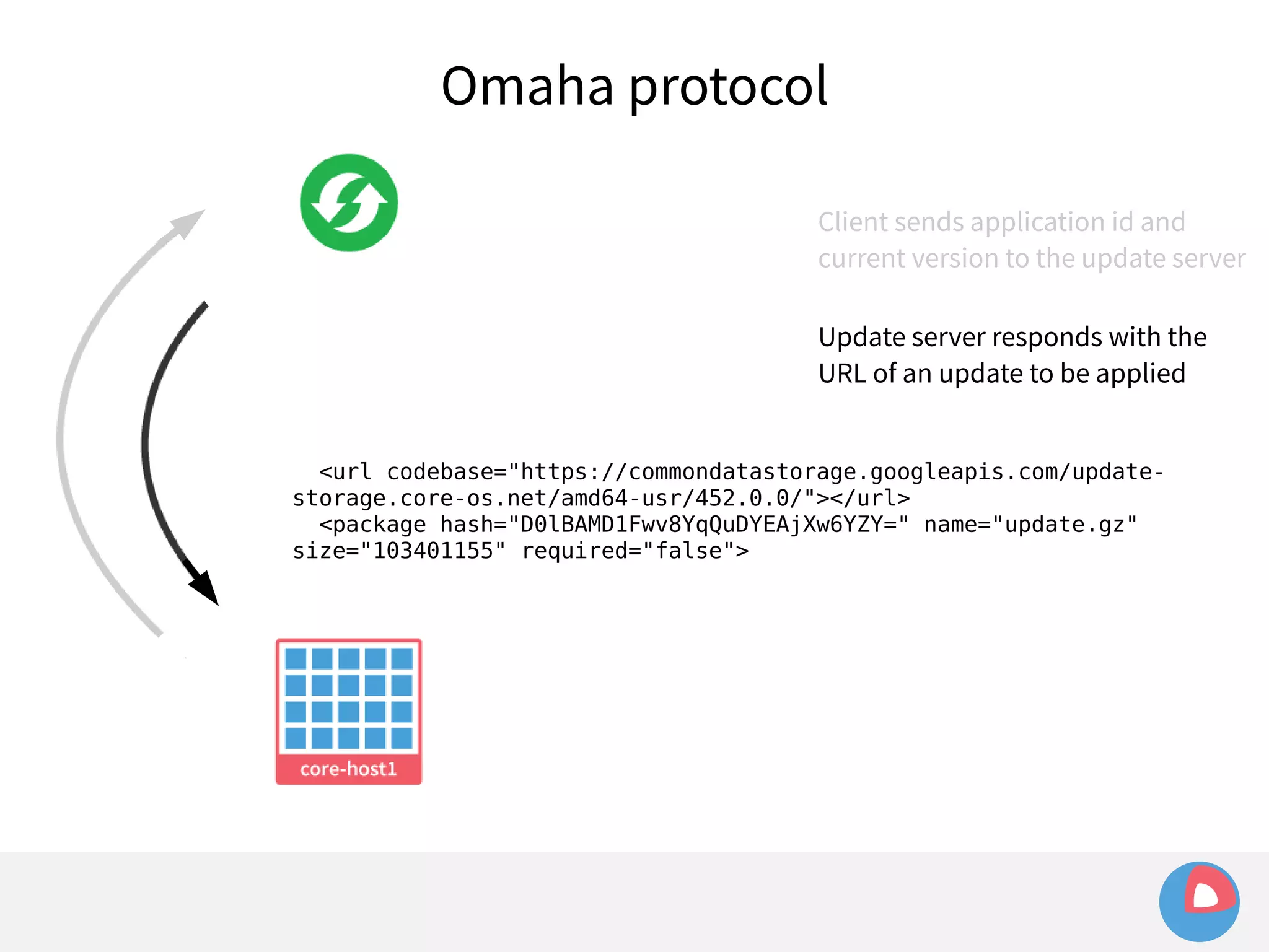
Omaha protocol 
Client sends application id and 
current version to the update server 
<request protocol="3.0" version="CoreOSUpdateEngine-0.1.0.0"> 
<app appid="{e96281a6-d1af-4bde-9a0a-97b76e56dc57}" 
version="410.0.0" track="alpha" from_track="alpha"> 
<event eventtype="3"></event> 
</app> 
</request>
Omaha protocol 
Client sends application id and 
current version to the update server 
Update server responds with the 
URL of an update to be applied 
<url codebase="https://commondatastorage.googleapis.com/update-storage. 
core-os.net/amd64-usr/452.0.0/"></url> 
<package hash="D0lBAMD1Fwv8YqQuDYEAjXw6YZY=" name="update.gz" 
size="103401155" required="false">
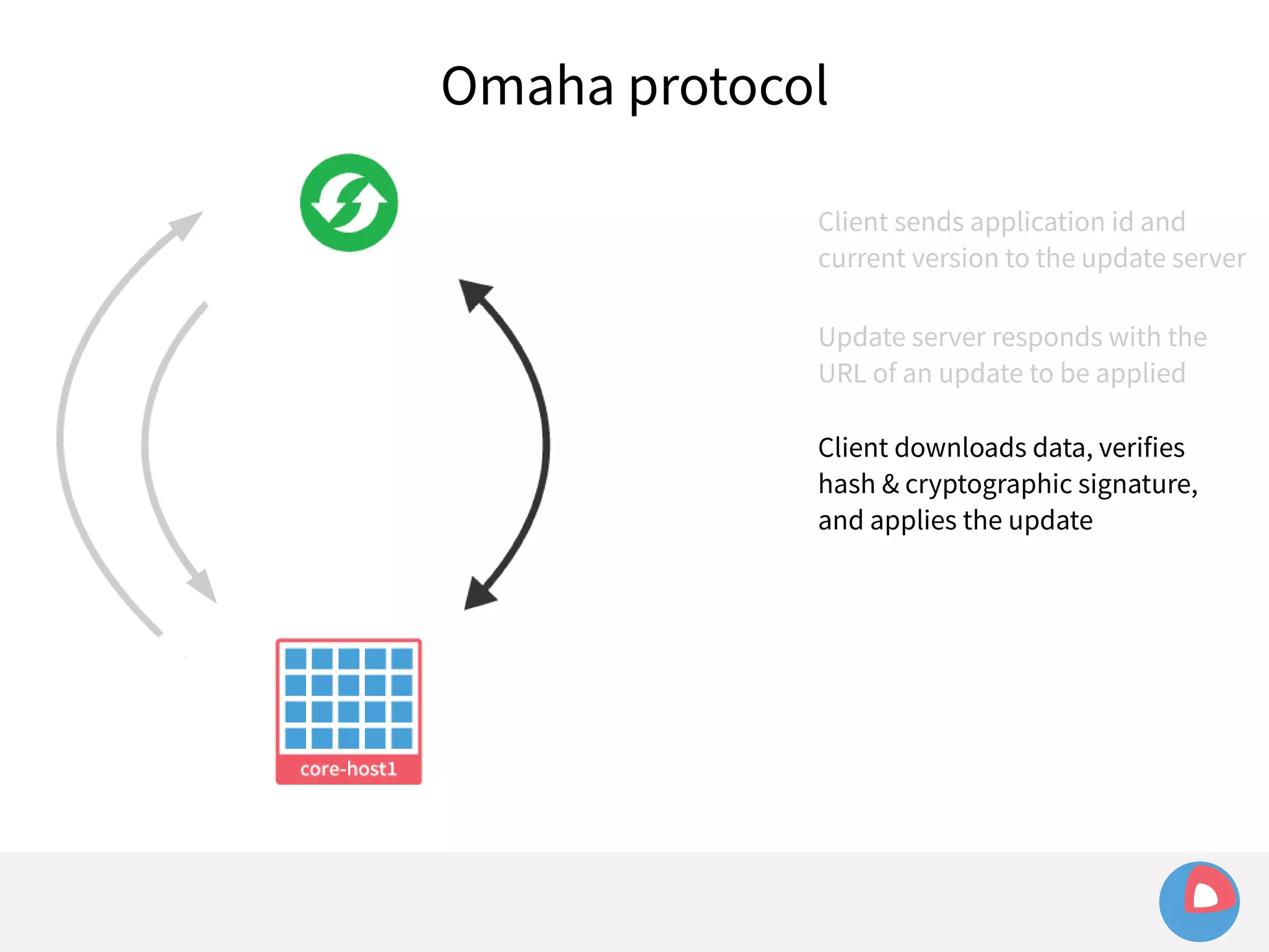
Omaha protocol 
Client sends application id and 
current version to the update server 
Update server responds with the 
URL of an update to be applied 
Client downloads data, verifies 
hash & cryptographic signature, 
and applies the update
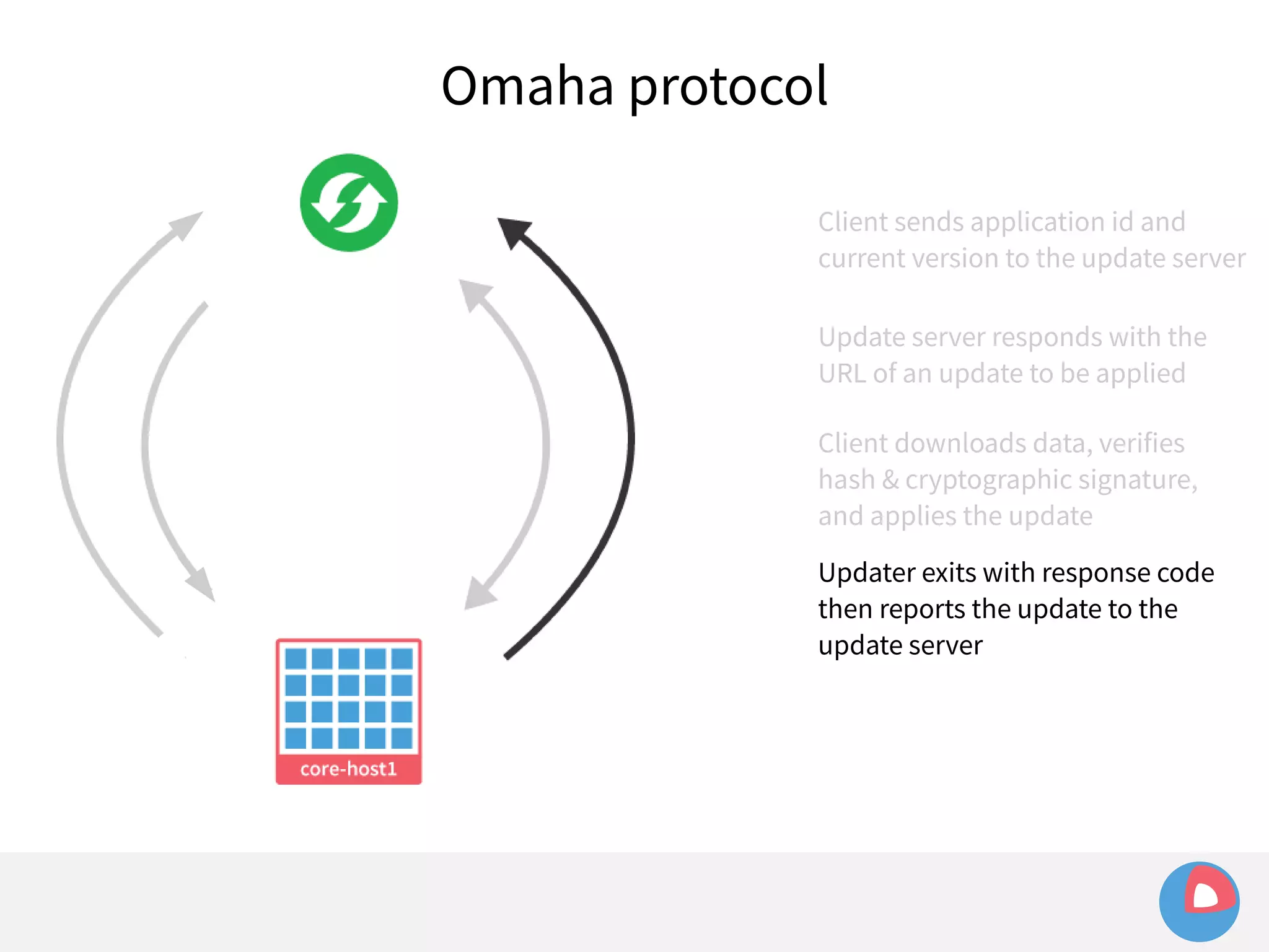
Omaha protocol 
Client sends application id and 
current version to the update server 
Update server responds with the 
URL of an update to be applied 
Client downloads data, verifies 
hash & cryptographic signature, 
and applies the update 
Updater exits with response code 
then reports the update to the 
update server
Automatic updates
Automatic updates 
How do updates work? 
● Omaha protocol (check-in/retrieval) 
– Simple XML-over-HTTP protocol developed by 
Google to facilitate polling and pulling updates 
from a server 
● Active/passive read-only root partitions
Automatic updates 
How do updates work? 
● Omaha protocol (check-in/retrieval) 
– Simple XML-over-HTTP protocol developed by 
Google to facilitate polling and pulling updates from 
a server 
● Active/passive read-only root partitions 
– One for running the live system, one for updates
Active/passive root partitions 
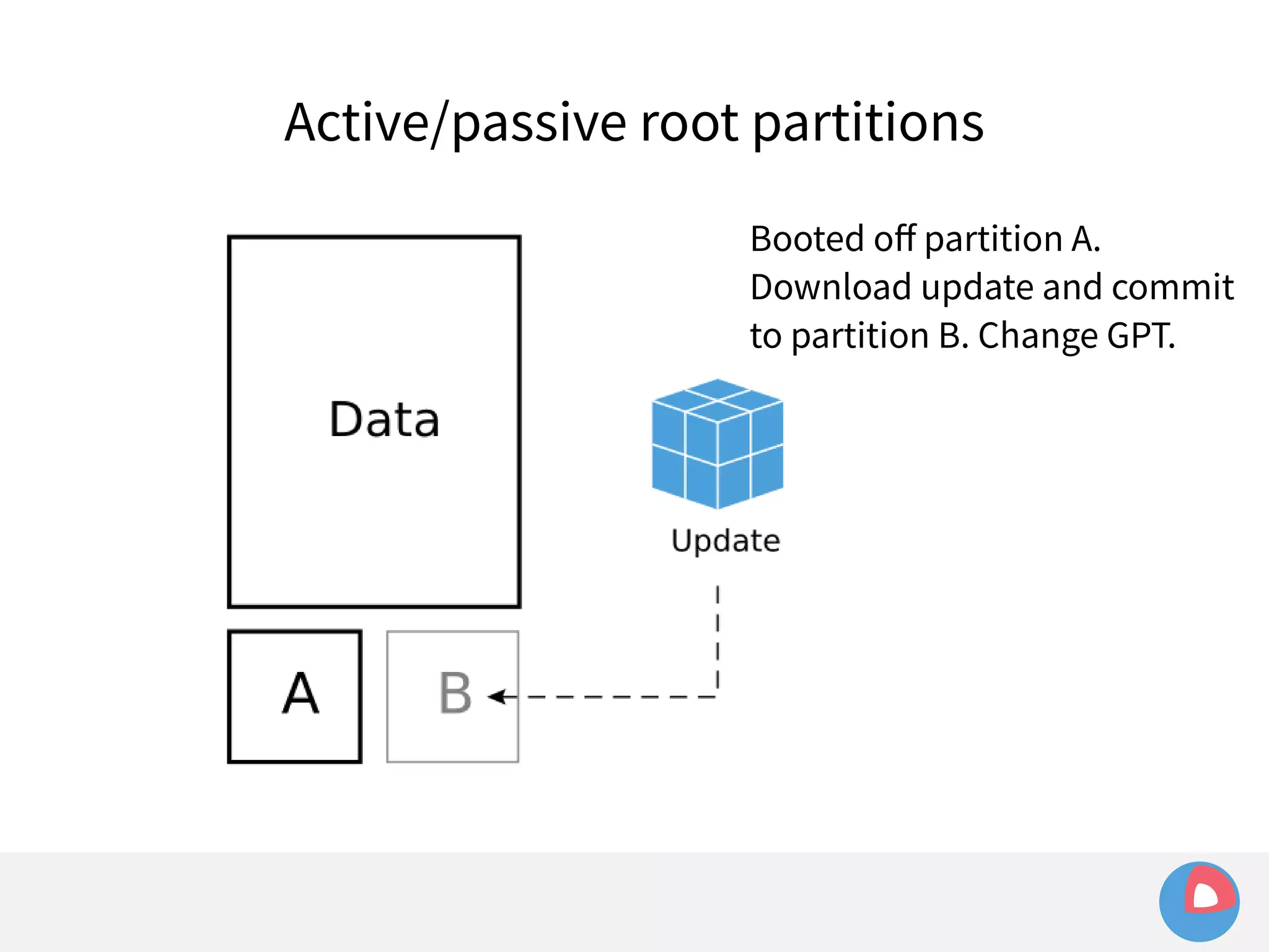
Booted off partition A. 
Download update and commit 
to partition B. Change GPT.
Active/passive root partitions 
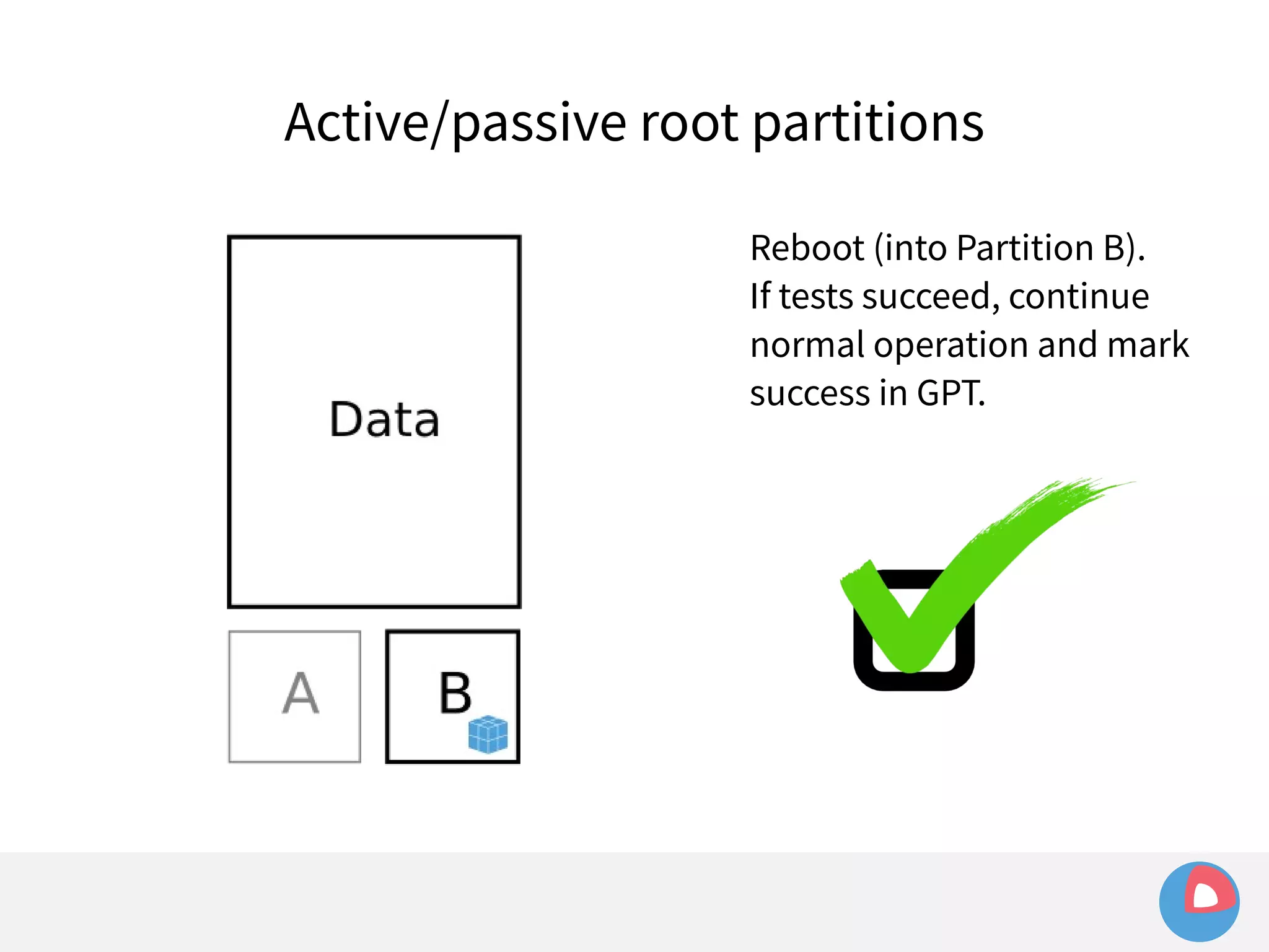
Reboot (into Partition B). 
If tests succeed, continue 
normal operation and mark 
success in GPT.
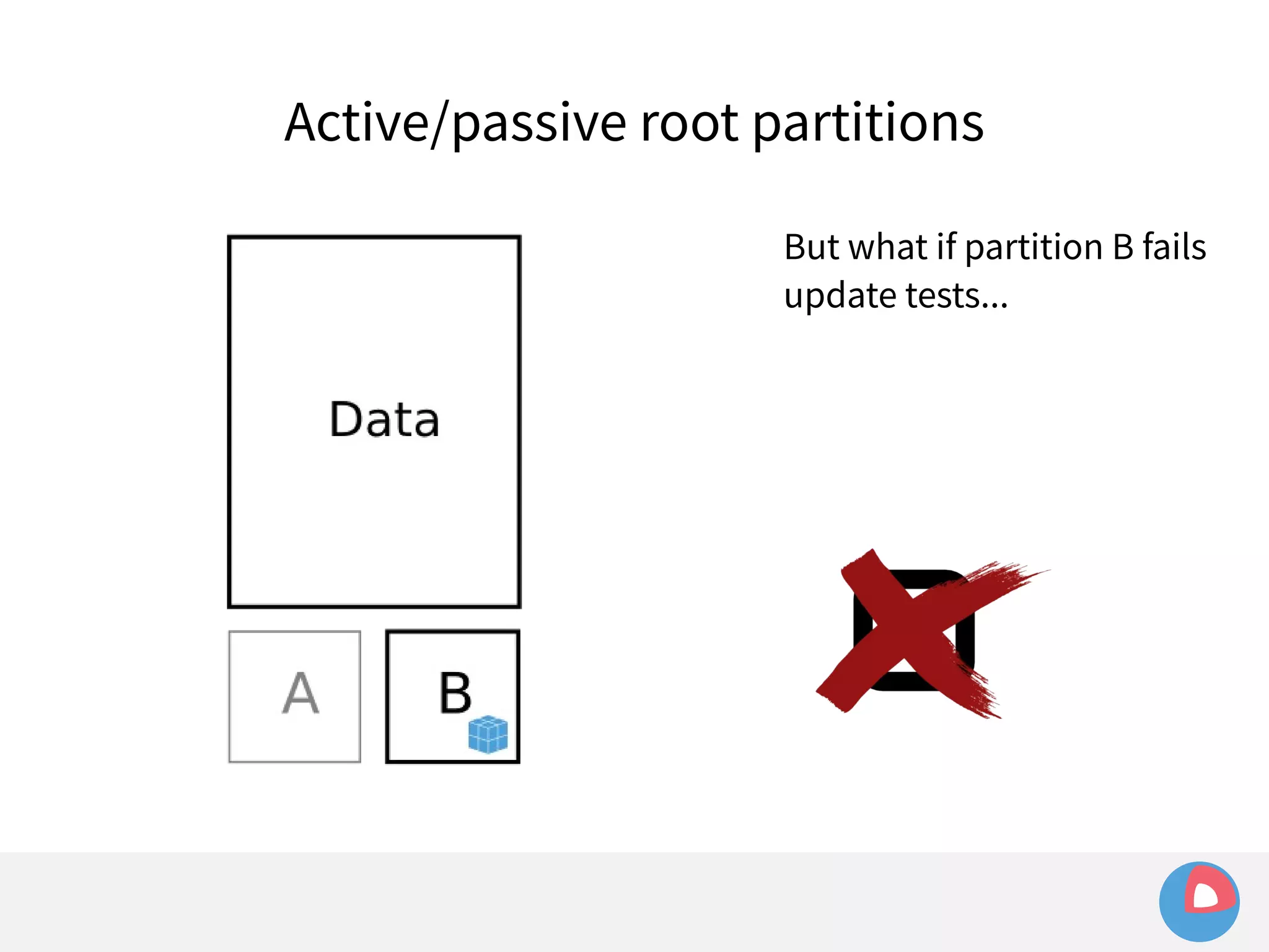
Active/passive root partitions 
But what if partition B fails 
update tests...
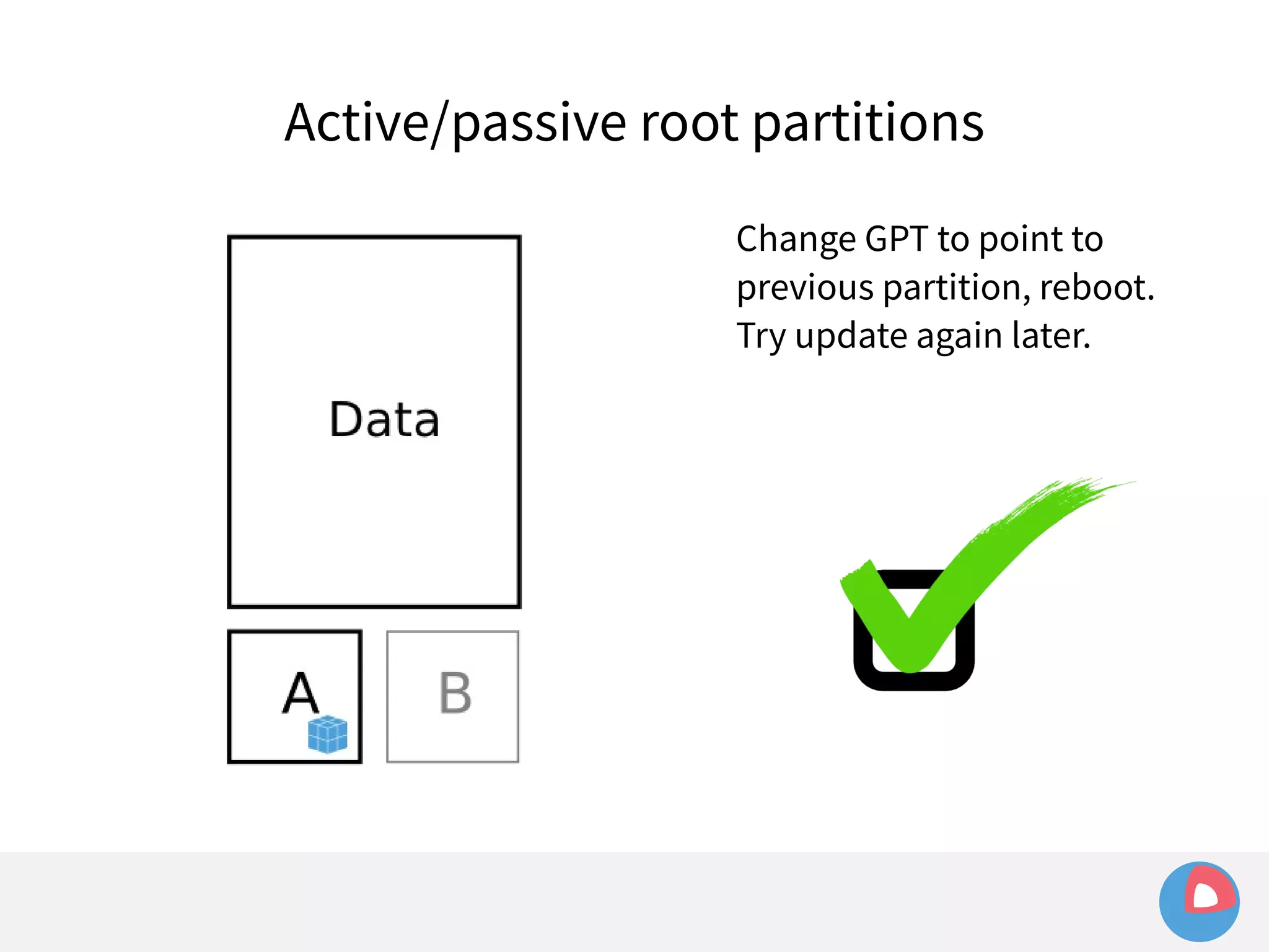
Active/passive root partitions 
Change GPT to point to 
previous partition, reboot. 
Try update again later.
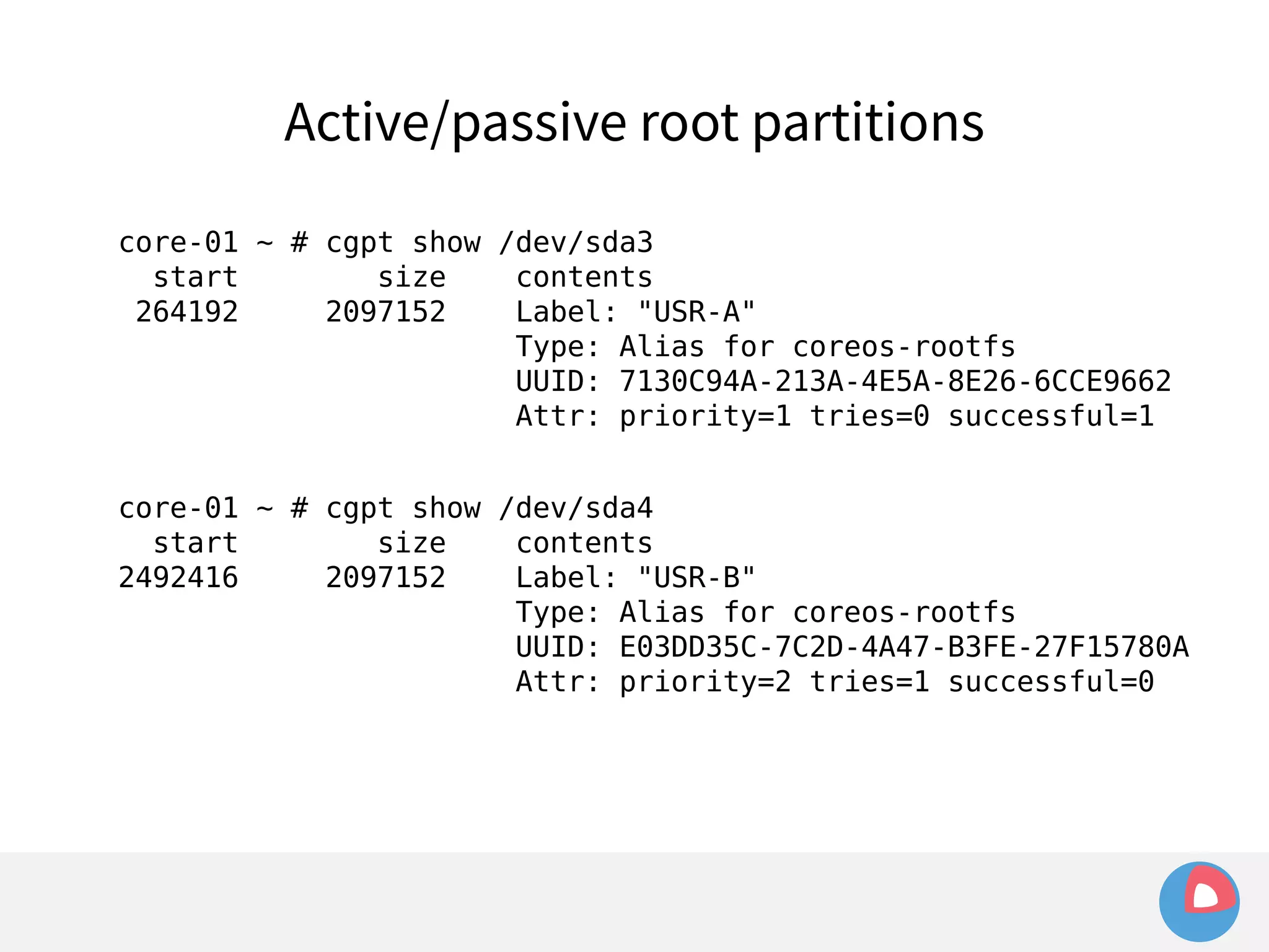
Active/passive root partitions 
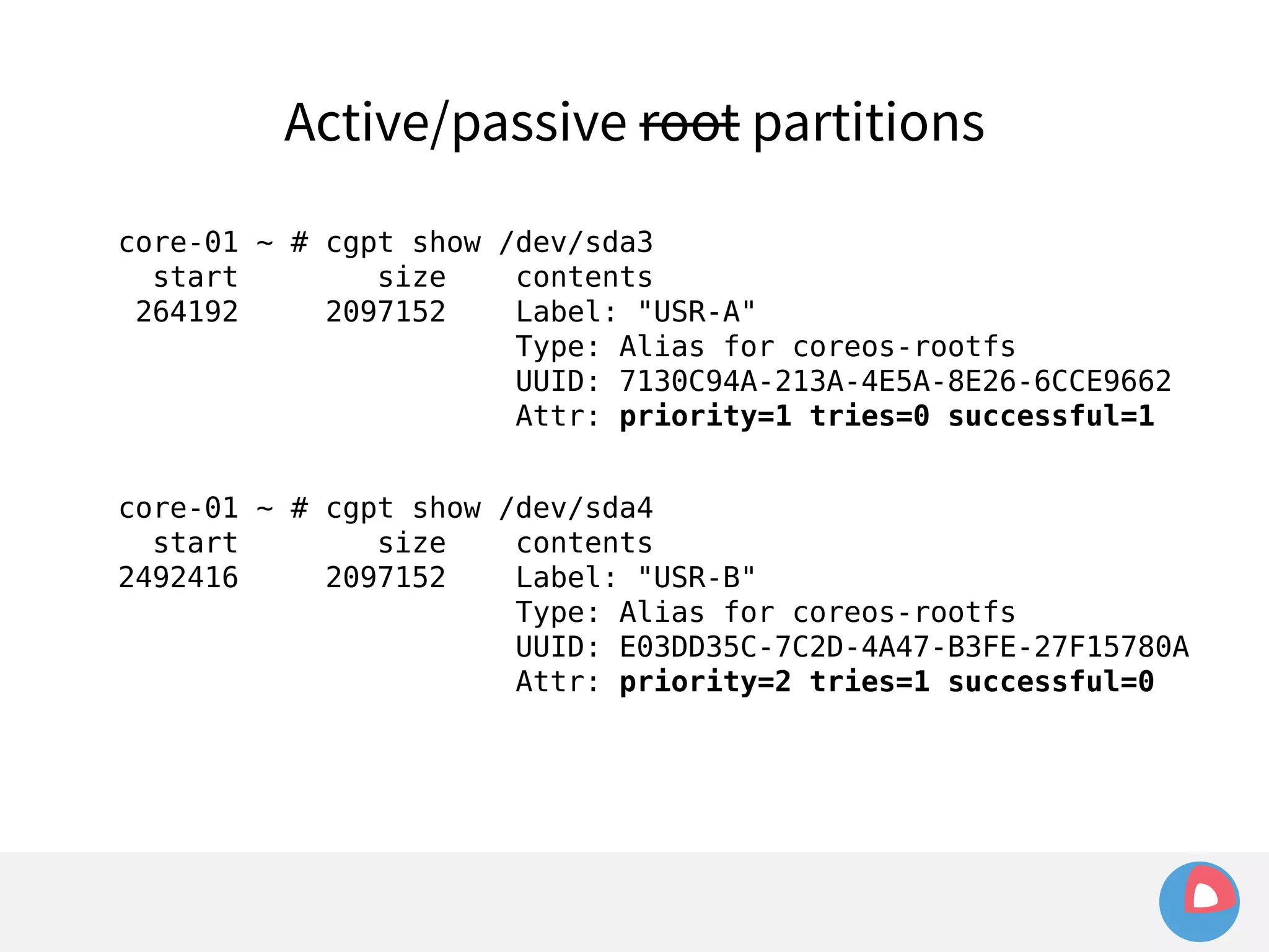
core-01 ~ # cgpt show /dev/sda3 
start size contents 
264192 2097152 Label: "USR-A" 
Type: Alias for coreos-rootfs 
UUID: 7130C94A-213A-4E5A-8E26-6CCE9662 
Attr: priority=1 tries=0 successful=1 
core-01 ~ # cgpt show /dev/sda4 
start size contents 
2492416 2097152 Label: "USR-B" 
Type: Alias for coreos-rootfs 
UUID: E03DD35C-7C2D-4A47-B3FE-27F15780A 
Attr: priority=2 tries=1 successful=0
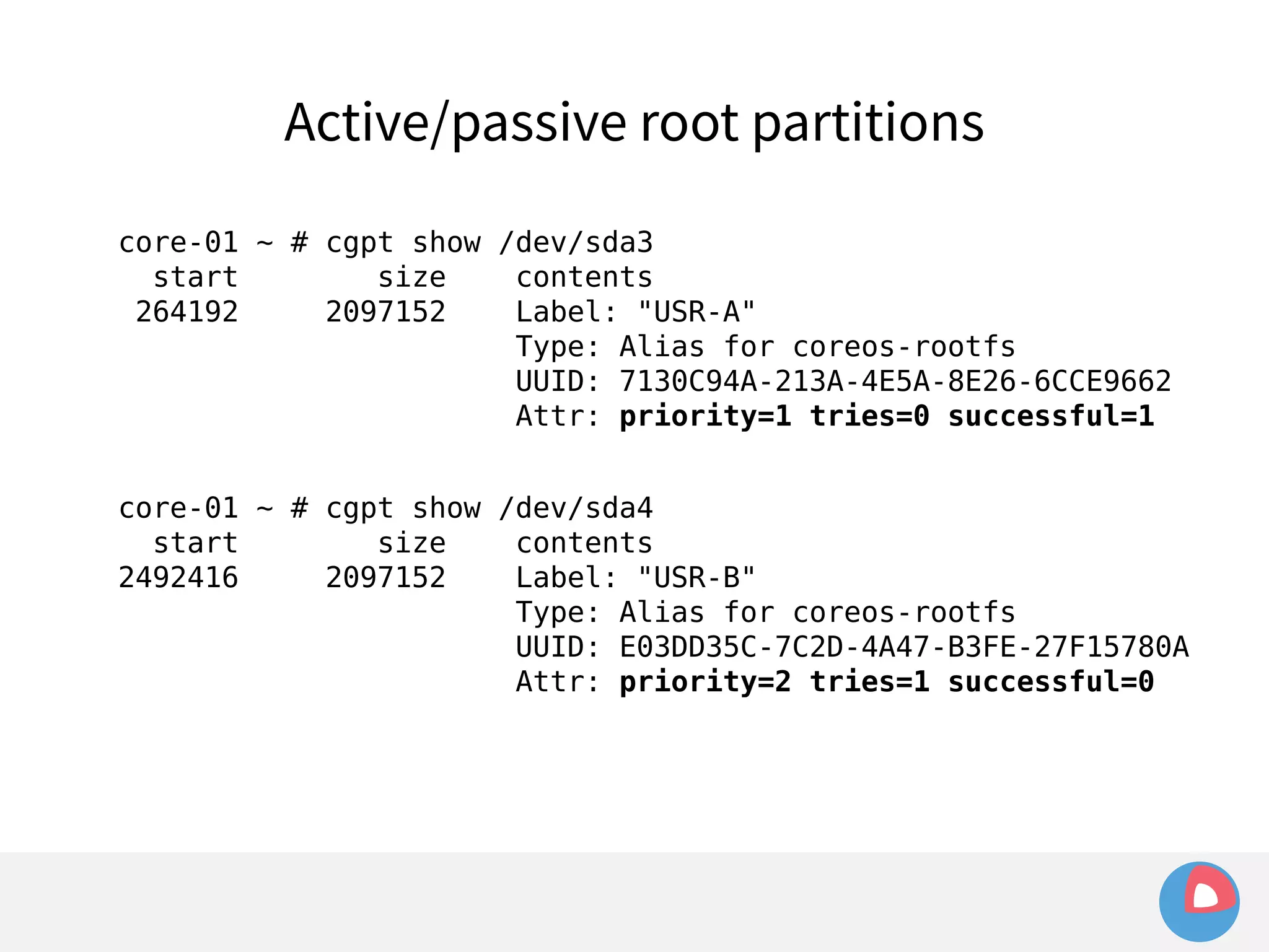
Active/passive root partitions 
core-01 ~ # cgpt show /dev/sda3 
start size contents 
264192 2097152 Label: "USR-A" 
Type: Alias for coreos-rootfs 
UUID: 7130C94A-213A-4E5A-8E26-6CCE9662 
Attr: priority=1 tries=0 successful=1 
core-01 ~ # cgpt show /dev/sda4 
start size contents 
2492416 2097152 Label: "USR-B" 
Type: Alias for coreos-rootfs 
UUID: E03DD35C-7C2D-4A47-B3FE-27F15780A 
Attr: priority=2 tries=1 successful=0
Active/passive root partitions 
core-01 ~ # cgpt show /dev/sda3 
start size contents 
264192 2097152 Label: "USR-A" 
Type: Alias for coreos-rootfs 
UUID: 7130C94A-213A-4E5A-8E26-6CCE9662 
Attr: priority=1 tries=0 successful=1 
core-01 ~ # cgpt show /dev/sda4 
start size contents 
2492416 2097152 Label: "USR-B" 
Type: Alias for coreos-rootfs 
UUID: E03DD35C-7C2D-4A47-B3FE-27F15780A 
Attr: priority=2 tries=1 successful=0
Active/passive /usr partitions 
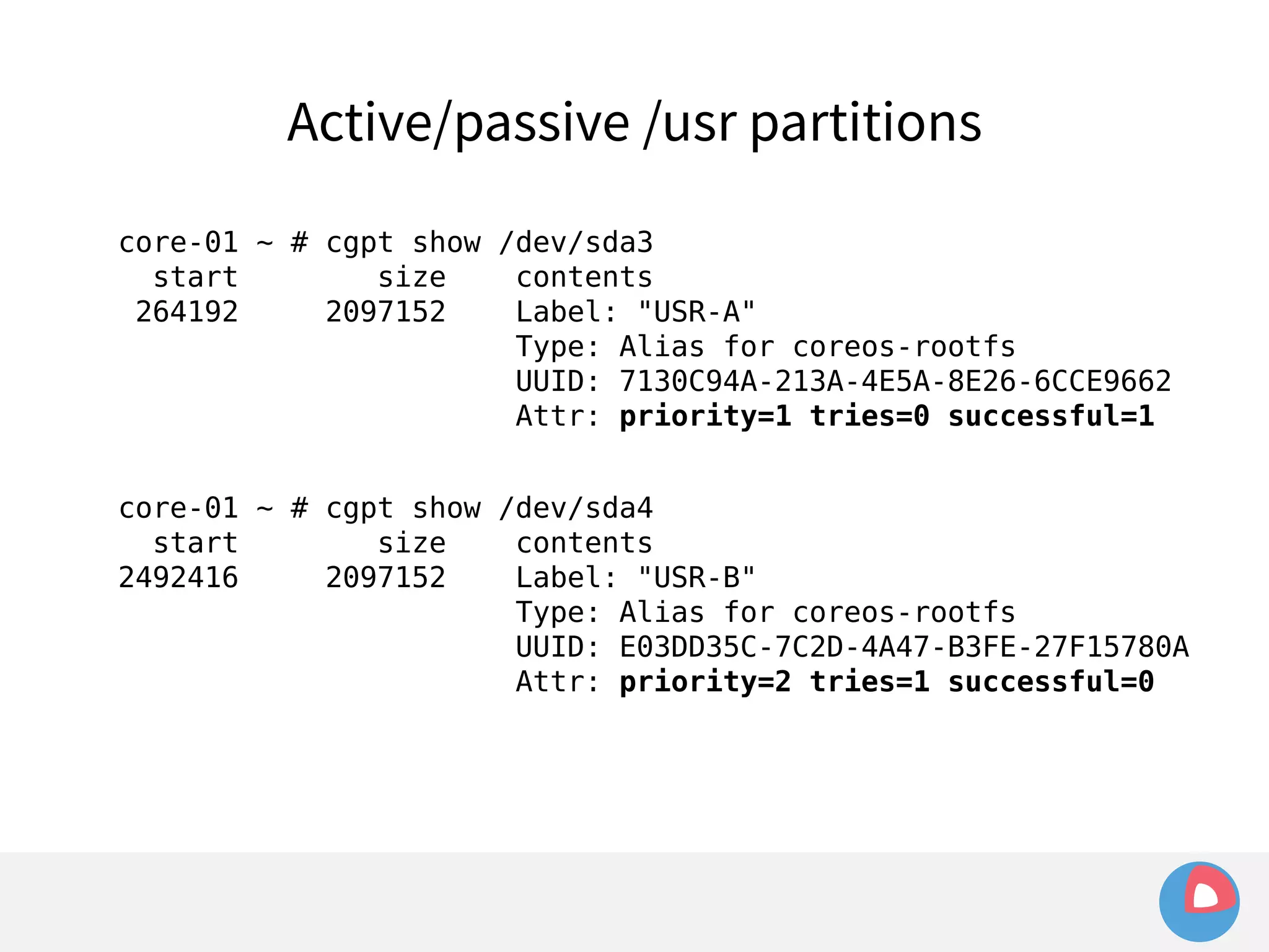
core-01 ~ # cgpt show /dev/sda3 
start size contents 
264192 2097152 Label: "USR-A" 
Type: Alias for coreos-rootfs 
UUID: 7130C94A-213A-4E5A-8E26-6CCE9662 
Attr: priority=1 tries=0 successful=1 
core-01 ~ # cgpt show /dev/sda4 
start size contents 
2492416 2097152 Label: "USR-B" 
Type: Alias for coreos-rootfs 
UUID: E03DD35C-7C2D-4A47-B3FE-27F15780A 
Attr: priority=2 tries=1 successful=0
Active/passive /usr partitions
Active/passive /usr partitions 
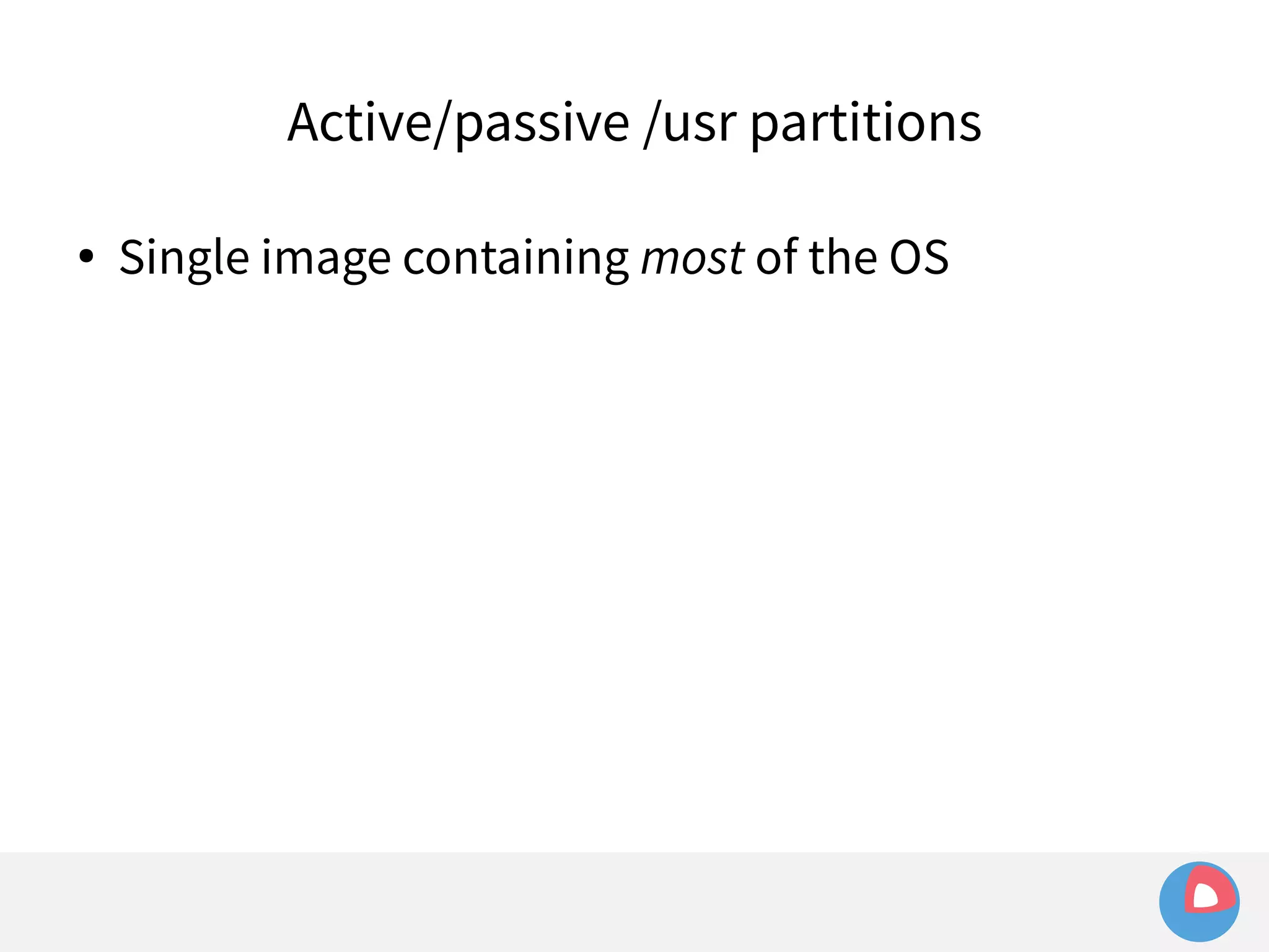
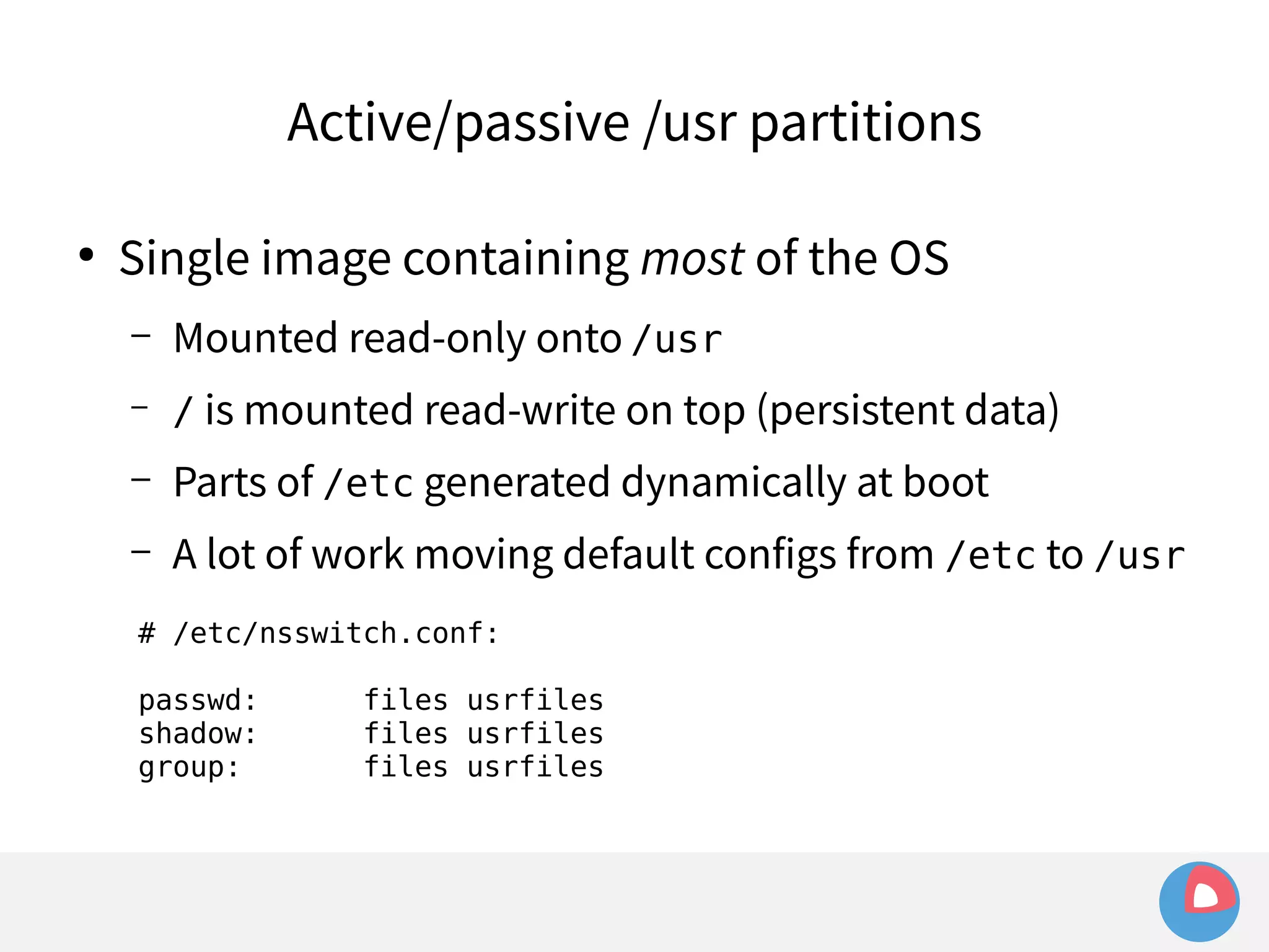
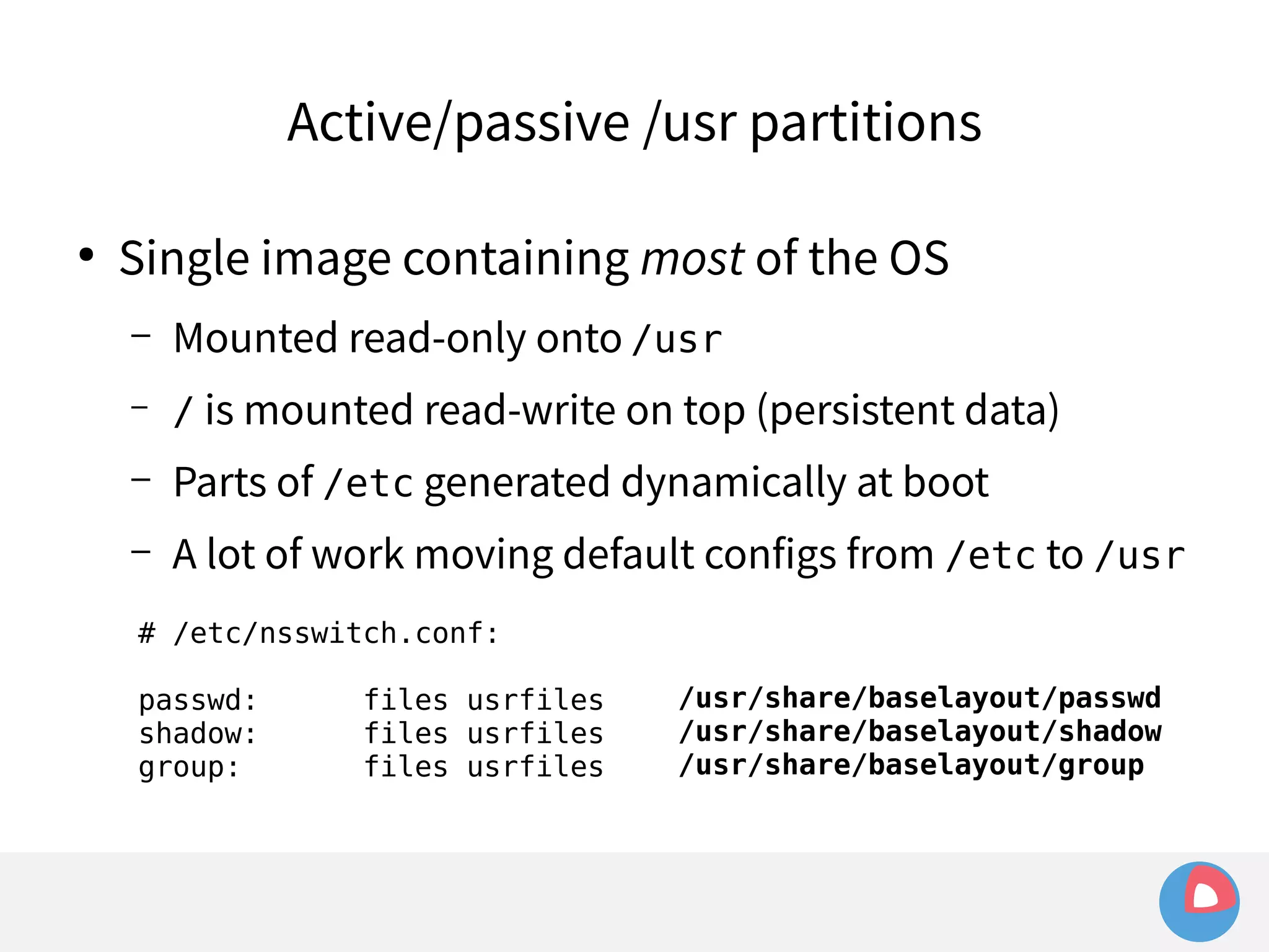
● Single image containing most of the OS
Active/passive /usr partitions 
● Single image containing most of the OS 
– Mounted read-only onto /usr
Active/passive /usr partitions 
● Single image containing most of the OS 
– Mounted read-only onto /usr 
– / is mounted read-write on top (persistent data)
Active/passive /usr partitions 
● Single image containing most of the OS 
– Mounted read-only onto /usr 
– / is mounted read-write on top (persistent data) 
– Parts of /etc generated dynamically at boot
Active/passive /usr partitions 
● Single image containing most of the OS 
– Mounted read-only onto /usr 
– / is mounted read-write on top (persistent data) 
– Parts of /etc generated dynamically at boot 
– A lot of work moving default configs from /etc to /usr
Active/passive /usr partitions 
● Single image containing most of the OS 
– Mounted read-only onto /usr 
– / is mounted read-write on top (persistent data) 
– Parts of /etc generated dynamically at boot 
– A lot of work moving default configs from /etc to /usr 
# /etc/nsswitch.conf: 
passwd: files usrfiles 
shadow: files usrfiles 
group: files usrfiles
Active/passive /usr partitions 
● Single image containing most of the OS 
– Mounted read-only onto /usr 
– / is mounted read-write on top (persistent data) 
– Parts of /etc generated dynamically at boot 
– A lot of work moving default configs from /etc to /usr 
# /etc/nsswitch.conf: 
passwd: files usrfiles 
/usr/share/baselayout/passwd 
shadow: files usrfiles 
/usr/share/baselayout/shadow 
group: files usrfiles 
/usr/share/baselayout/group
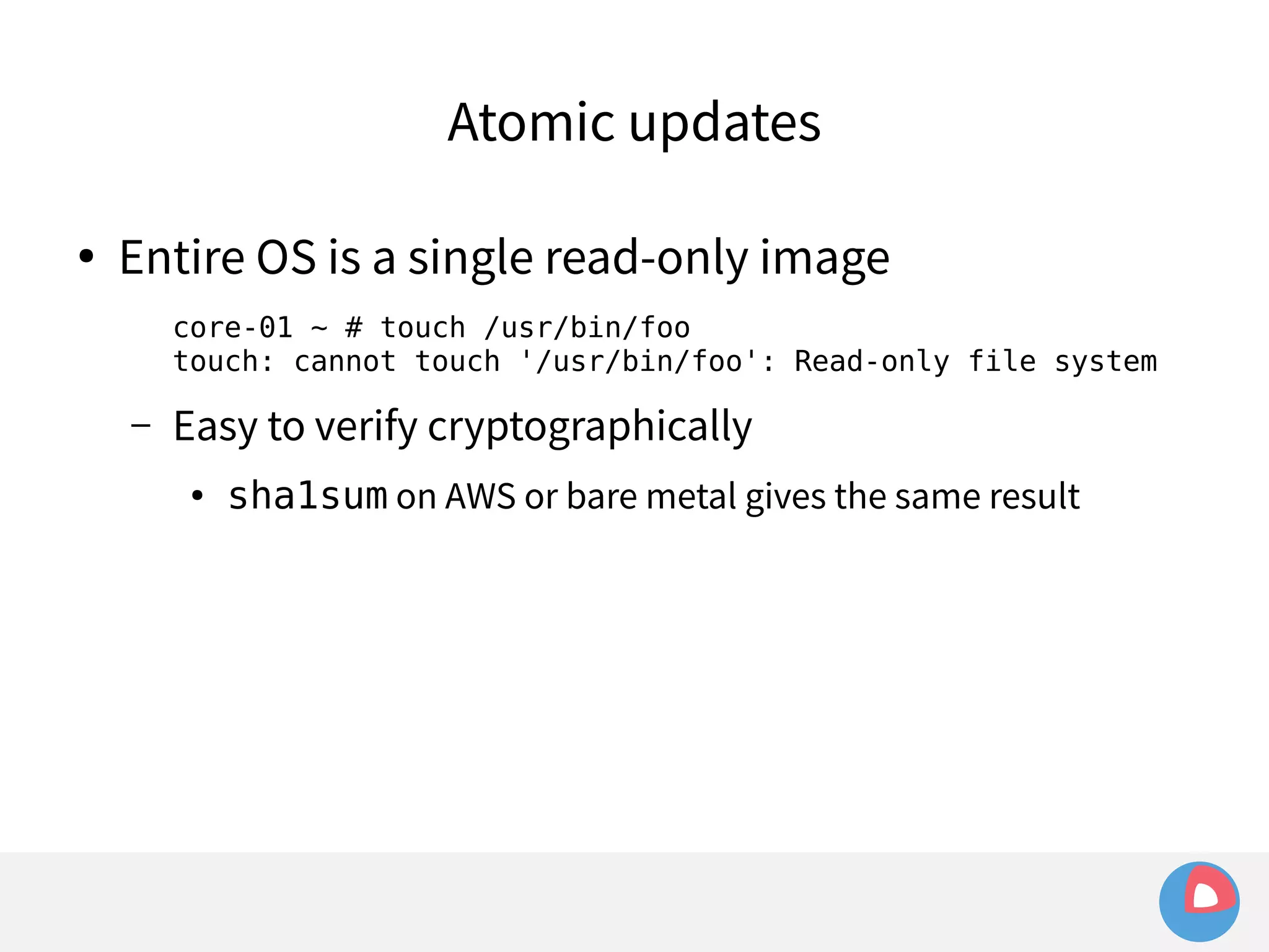
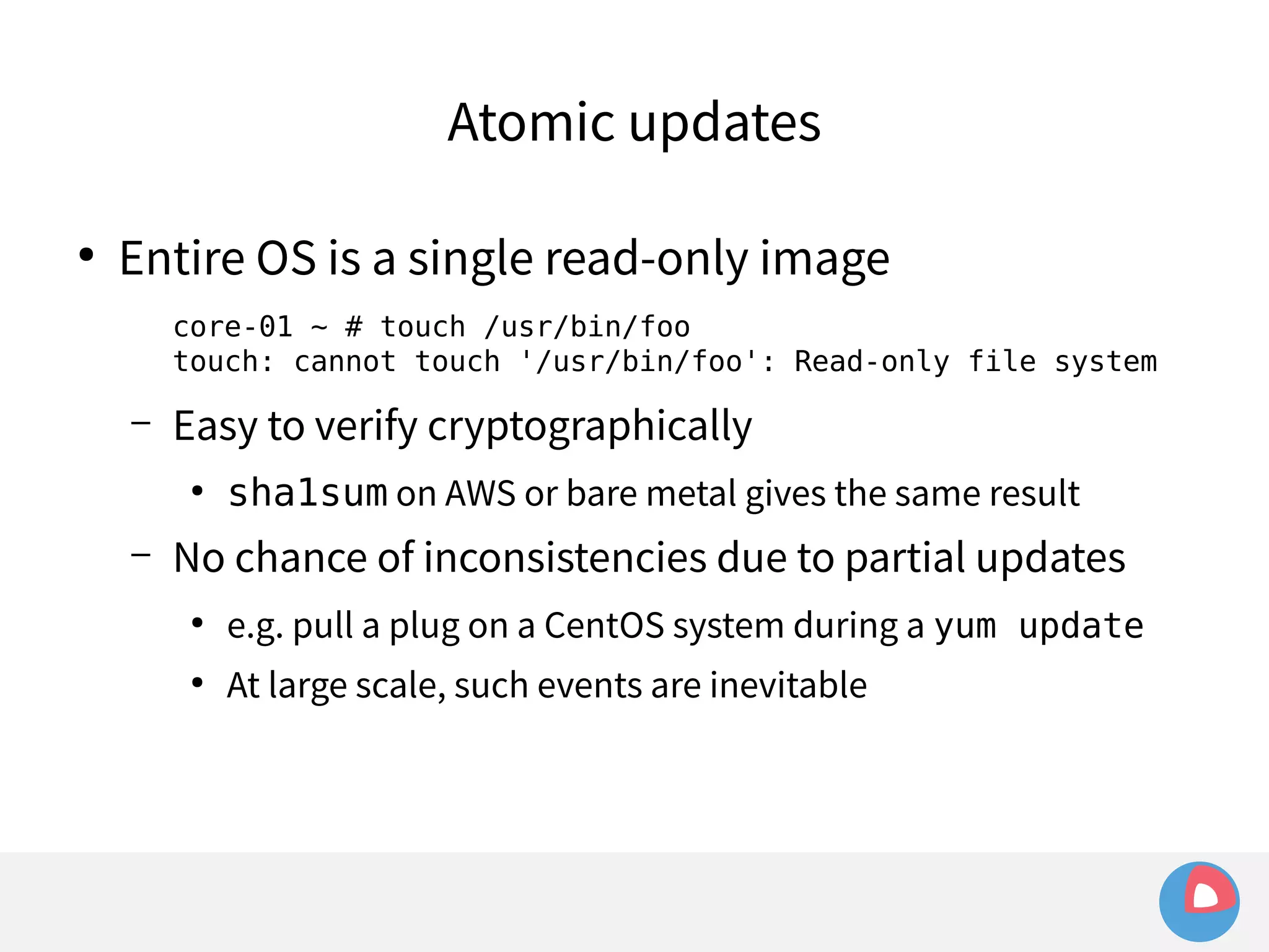
Atomic updates
Atomic updates 
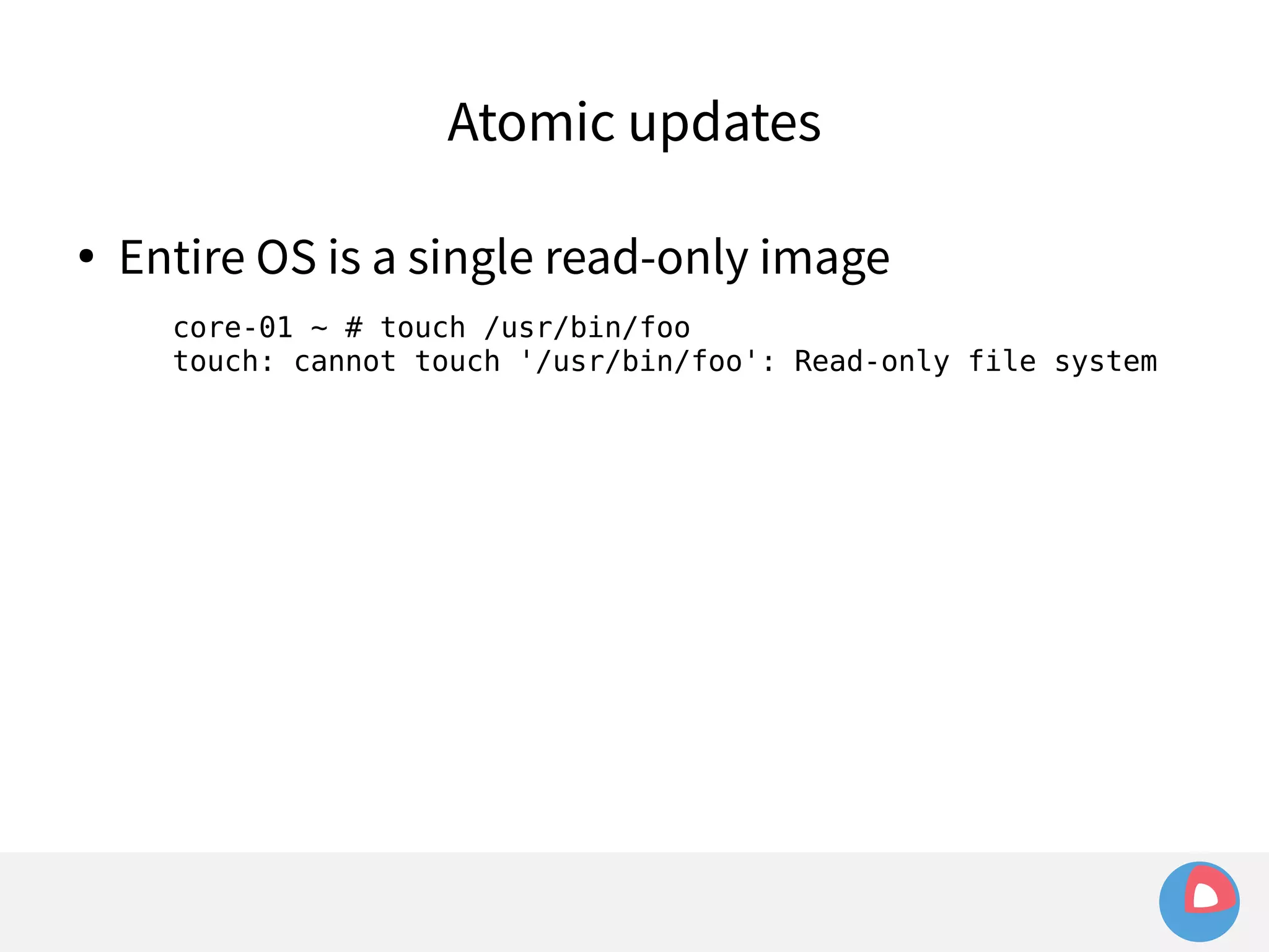
● Entire OS is a single read-only image 
core-01 ~ # touch /usr/bin/foo 
touch: cannot touch '/usr/bin/foo': Read-only file system
Atomic updates 
● Entire OS is a single read-only image 
core-01 ~ # touch /usr/bin/foo 
touch: cannot touch '/usr/bin/foo': Read-only file system 
– Easy to verify cryptographically 
● sha1sum on AWS or bare metal gives the same result
Atomic updates 
● Entire OS is a single read-only image 
core-01 ~ # touch /usr/bin/foo 
touch: cannot touch '/usr/bin/foo': Read-only file system 
– Easy to verify cryptographically 
● sha1sum on AWS or bare metal gives the same result 
– No chance of inconsistencies due to partial updates 
● e.g. pull a plug on a CentOS system during a yum update 
● At large scale, such events are inevitable
Automatic, atomic updates are great! But...
Automatic, atomic updates are great! But... 
● Problem:
Automatic, atomic updates are great! But... 
● Problem: 
– updates still require a reboot (to use new kernel and 
mount new filesystem)
Automatic, atomic updates are great! But... 
● Problem: 
– updates still require a reboot (to use new kernel and 
mount new filesystem) 
– Reboots cause application downtime...
Automatic, atomic updates are great! But... 
● Problem: 
– updates still require a reboot (to use new kernel and 
mount new filesystem) 
– Reboots cause application downtime... 
● Solution: fleet
Automatic, atomic updates are great! But... 
● Problem: 
– updates still require a reboot (to use new kernel and 
mount new filesystem) 
– Reboots cause application downtime... 
● Solution: fleet 
– Highly available, fault tolerant, distributed process 
scheduler
Automatic, atomic updates are great! But... 
● Problem: 
– updates still require a reboot (to use new kernel and 
mount new filesystem) 
– Reboots cause application downtime... 
● Solution: fleet 
– Highly available, fault tolerant, distributed process 
scheduler 
● ... The way to run applications on a CoreOS cluster
Automatic, atomic updates are great! But... 
● Problem: 
– updates still require a reboot (to use new kernel and mount 
new filesystem) 
– Reboots cause application downtime... 
● Solution: fleet 
– Highly available, fault tolerant, distributed process scheduler 
● ... The way to run applications on a CoreOS cluster 
– fleet keeps applications running during server downtime
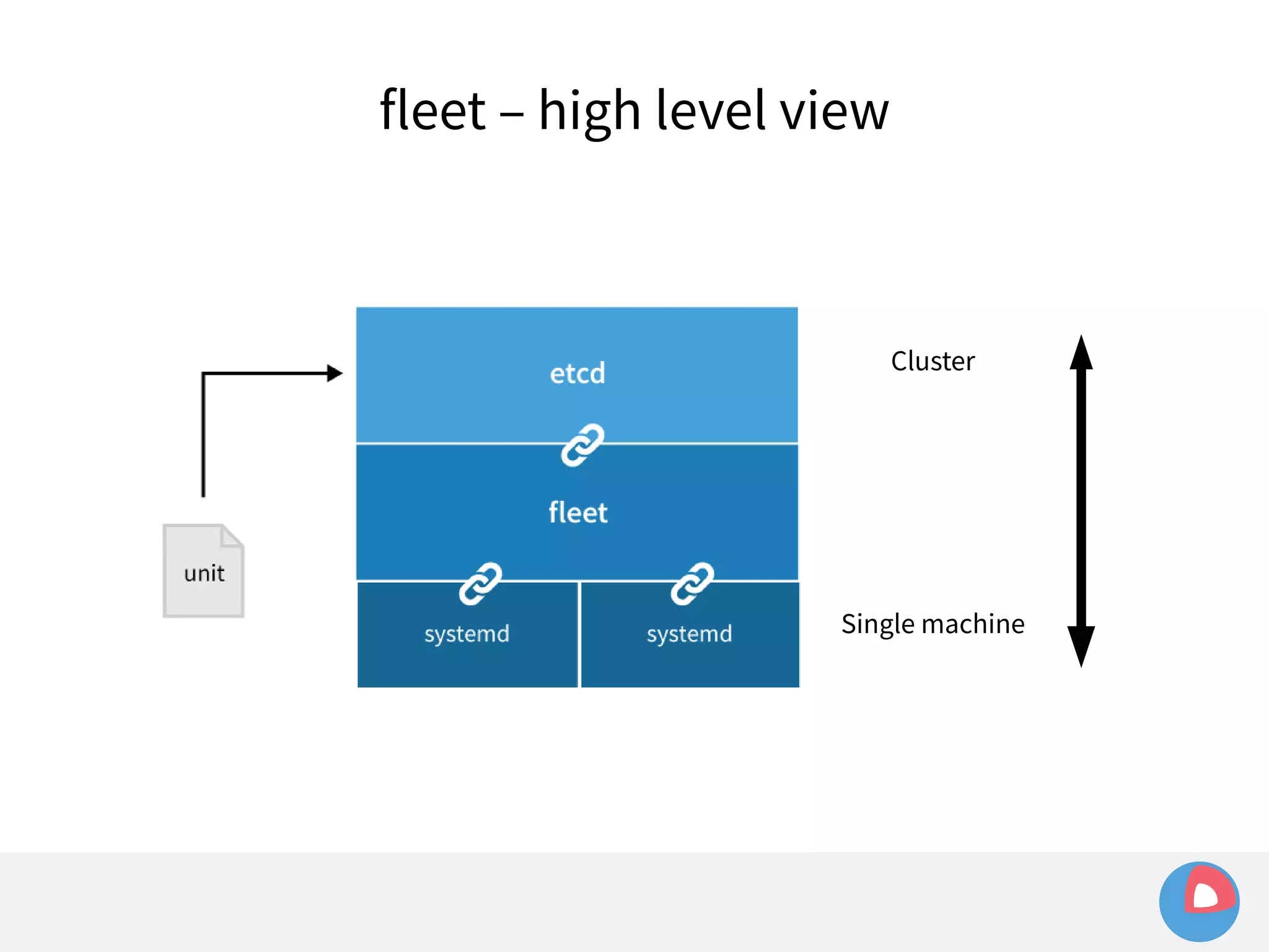
fleet – the “cluster-level init system”
fleet – the “cluster-level init system” 
 fleet is the abstraction between machine and 
application:
fleet – the “cluster-level init system” 
 fleet is the abstraction between machine and 
application: 
– init system manages process on a machine 
– fleet manages applications on a cluster of machines
fleet – the “cluster-level init system” 
 fleet is the abstraction between machine and 
application: 
– init system manages process on a machine 
– fleet manages applications on a cluster of machines 
 Similar to Mesos, but very different architecture 
(e.g. based on etcd/Raft, not Zookeeper/Paxos)
fleet – the “cluster-level init system” 
 fleet is the abstraction between machine and 
application: 
– init system manages process on a machine 
– fleet manages applications on a cluster of machines 
 Similar to Mesos, but very different architecture 
(e.g. based on etcd/Raft, not Zookeeper/Paxos) 
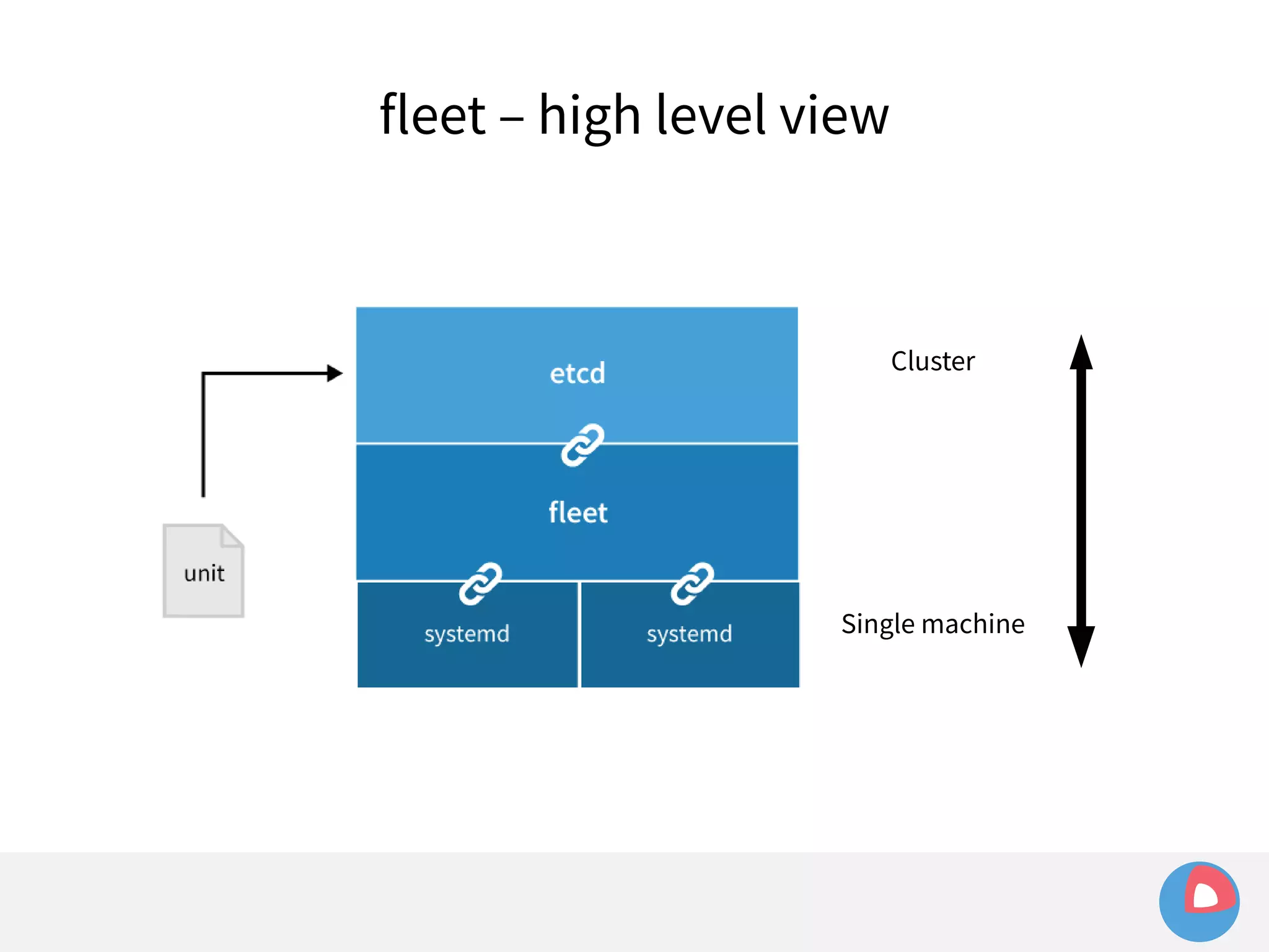
 Uses systemd for machine-level process 
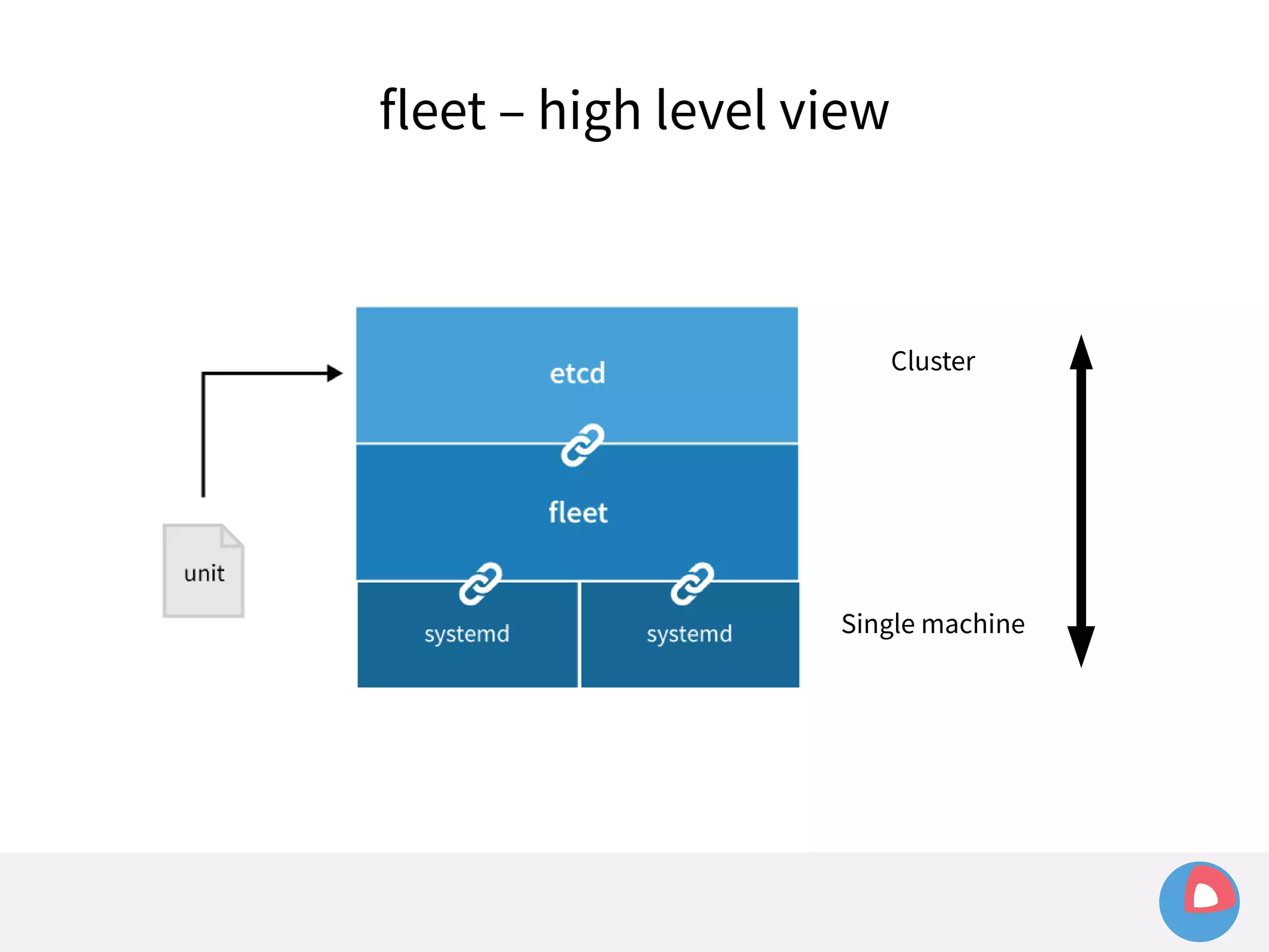
management, etcd for cluster-level co-ordination
fleet – low level view
fleet – low level view 
 fleetd binary (running on all CoreOS nodes)
fleet – low level view 
 fleetd binary (running on all CoreOS nodes) 
– encapsulates two roles:
fleet – low level view 
 fleetd binary (running on all CoreOS nodes) 
– encapsulates two roles: 
• engine (cluster-level unit scheduling – talks to etcd)
fleet – low level view 
 fleetd binary (running on all CoreOS nodes) 
– encapsulates two roles: 
• engine (cluster-level unit scheduling – talks to etcd) 
• agent (local unit management – talks to etcd and systemd)
fleet – low level view 
 fleetd binary (running on all CoreOS nodes) 
– encapsulates two roles: 
• engine (cluster-level unit scheduling – talks to etcd) 
• agent (local unit management – talks to etcd and systemd) 
 fleetctl command-line administration tool
fleet – low level view 
 fleetd binary (running on all CoreOS nodes) 
– encapsulates two roles: 
• engine (cluster-level unit scheduling – talks to etcd) 
• agent (local unit management – talks to etcd and systemd) 
 fleetctl command-line administration tool 
– create, destroy, start, stop units
fleet – low level view 
 fleetd binary (running on all CoreOS nodes) 
– encapsulates two roles: 
• engine (cluster-level unit scheduling – talks to etcd) 
• agent (local unit management – talks to etcd and systemd) 
 fleetctl command-line administration tool 
– create, destroy, start, stop units 
– Retrieve current status of units/machines in the cluster
fleet – low level view 
 fleetd binary (running on all CoreOS nodes) 
– encapsulates two roles: 
• engine (cluster-level unit scheduling – talks to etcd) 
• agent (local unit management – talks to etcd and systemd) 
 fleetctl command-line administration tool 
– create, destroy, start, stop units 
– Retrieve current status of units/machines in the cluster 
 HTTP API
fleet – high level view 
Cluster 
Single machine
systemd
systemd 
 Linux init system (PID 1) – manages processes
systemd 
 Linux init system (PID 1) – manages processes 
– Relatively new, replaces SysVinit, upstart, OpenRC, ...
systemd 
 Linux init system (PID 1) – manages processes 
– Relatively new, replaces SysVinit, upstart, OpenRC, ... 
– Being adopted by all major Linux distributions
systemd 
 Linux init system (PID 1) – manages processes 
– Relatively new, replaces SysVinit, upstart, OpenRC, ... 
– Being adopted by all major Linux distributions 
 Fundamental concept is the unit
systemd 
 Linux init system (PID 1) – manages processes 
– Relatively new, replaces SysVinit, upstart, OpenRC, ... 
– Being adopted by all major Linux distributions 
 Fundamental concept is the unit 
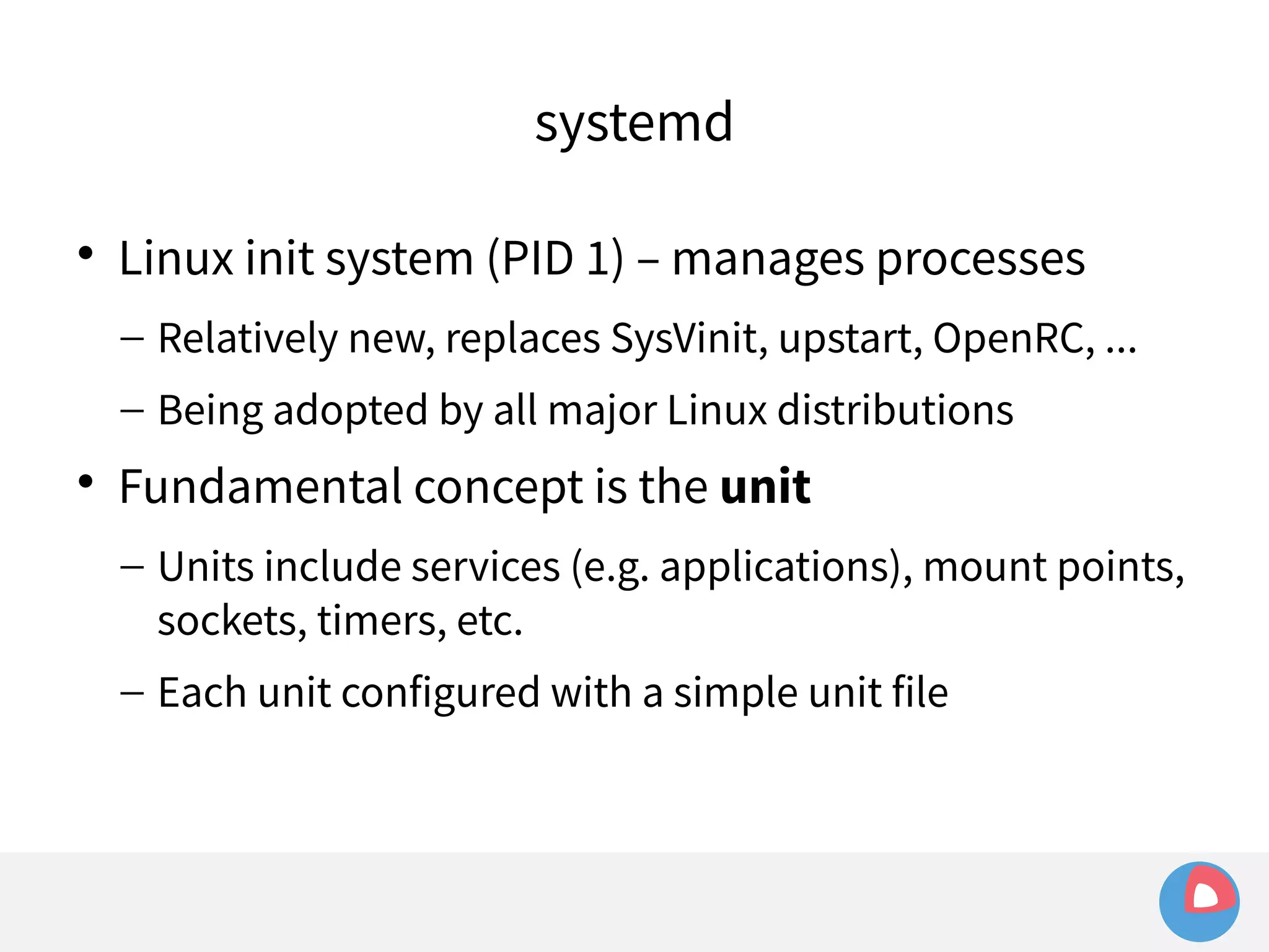
– Units include services (e.g. applications), mount points, 
sockets, timers, etc.
systemd 
 Linux init system (PID 1) – manages processes 
– Relatively new, replaces SysVinit, upstart, OpenRC, ... 
– Being adopted by all major Linux distributions 
 Fundamental concept is the unit 
– Units include services (e.g. applications), mount points, 
sockets, timers, etc. 
– Each unit configured with a simple unit file
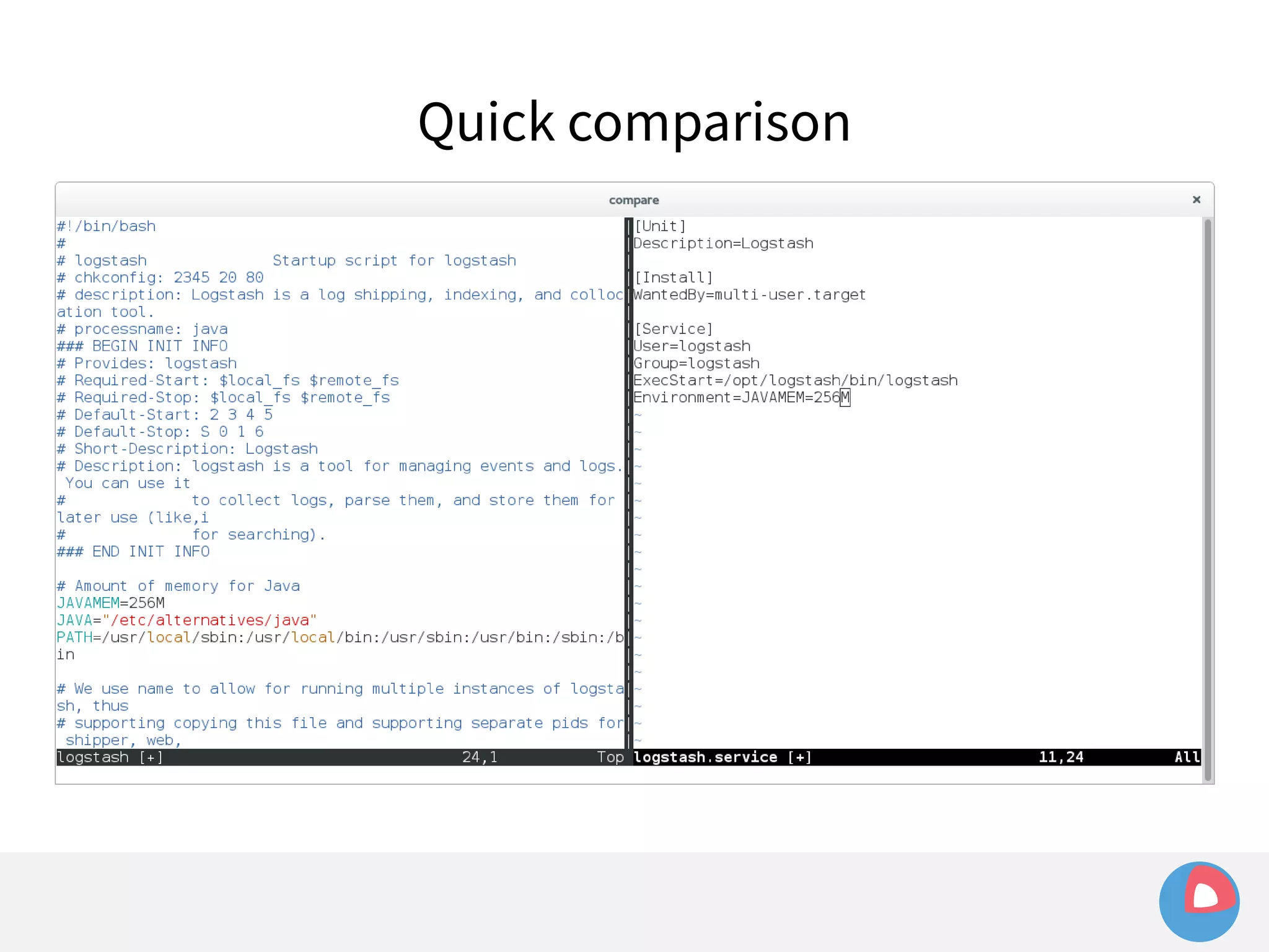
Quick comparison
fleet + systemd
fleet + systemd 
 systemd exposes a D-Bus interface
fleet + systemd 
 systemd exposes a D-Bus interface 
– D-Bus: message bus system for IPC on Linux
fleet + systemd 
 systemd exposes a D-Bus interface 
– D-Bus: message bus system for IPC on Linux 
– One-to-one messaging (methods), plus pub/sub abilities
fleet + systemd 
 systemd exposes a D-Bus interface 
– D-Bus: message bus system for IPC on Linux 
– One-to-one messaging (methods), plus pub/sub abilities 
 fleet uses godbus to communicate with systemd
fleet + systemd 
 systemd exposes a D-Bus interface 
– D-Bus: message bus system for IPC on Linux 
– One-to-one messaging (methods), plus pub/sub abilities 
 fleet uses godbus to communicate with systemd 
– Sending commands: StartUnit, StopUnit
fleet + systemd 
 systemd exposes a D-Bus interface 
– D-Bus: message bus system for IPC on Linux 
– One-to-one messaging (methods), plus pub/sub abilities 
 fleet uses godbus to communicate with systemd 
– Sending commands: StartUnit, StopUnit 
– Retrieving current state of units (to publish to the 
cluster)
systemd is great!
systemd is great! 
 Automatically handles:
systemd is great! 
 Automatically handles: 
– Process daemonization
systemd is great! 
 Automatically handles: 
– Process daemonization 
– Resource isolation/containment (cgroups)
systemd is great! 
 Automatically handles: 
– Process daemonization 
– Resource isolation/containment (cgroups) 
• e.g. MemoryLimit=512M
systemd is great! 
 Automatically handles: 
– Process daemonization 
– Resource isolation/containment (cgroups) 
• e.g. MemoryLimit=512M 
– Health-checking, restarting failed services
systemd is great! 
 Automatically handles: 
– Process daemonization 
– Resource isolation/containment (cgroups) 
• e.g. MemoryLimit=512M 
– Health-checking, restarting failed services 
– Logging (journal)
systemd is great! 
 Automatically handles: 
– Process daemonization 
– Resource isolation/containment (cgroups) 
• e.g. MemoryLimit=512M 
– Health-checking, restarting failed services 
– Logging (journal) 
• applications can just write to stdout, systemd adds metadata
systemd is great! 
 Automatically handles: 
– Process daemonization 
– Resource isolation/containment (cgroups) 
• e.g. MemoryLimit=512M 
– Health-checking, restarting failed services 
– Logging (journal) 
• applications can just write to stdout, systemd adds metadata 
– Timers, inter-unit dependencies, socket activation, ...
fleet + systemd
fleet + systemd 
 systemd takes care of things so we don't have to
fleet + systemd 
 systemd takes care of things so we don't have to 
 fleet configuration is just systemd unit files
fleet + systemd 
 systemd takes care of things so we don't have to 
 fleet configuration is just systemd unit files 
 fleet extends systemd to the cluster-level, and adds 
some features of its own (using [X-Fleet])
fleet + systemd 
 systemd takes care of things so we don't have to 
 fleet configuration is just systemd unit files 
 fleet extends systemd to the cluster-level, and adds 
some features of its own (using [X-Fleet]) 
– Template units (run n identical copies of a unit)
fleet + systemd 
 systemd takes care of things so we don't have to 
 fleet configuration is just systemd unit files 
 fleet extends systemd to the cluster-level, and adds 
some features of its own (using [X-Fleet]) 
– Template units (run n identical copies of a unit) 
– Global units (run a unit everywhere in the cluster)
fleet + systemd 
 systemd takes care of things so we don't have to 
 fleet configuration is just systemd unit files 
 fleet extends systemd to the cluster-level, and adds 
some features of its own (using [X-Fleet]) 
– Template units (run n identical copies of a unit) 
– Global units (run a unit everywhere in the cluster) 
– Machine metadata (run only on certain machines)
systemd is... not so great
systemd is... not so great 
 Problem: unreliable pub/sub
systemd is... not so great 
 Problem: unreliable pub/sub 
– fleet agent initially used a systemd D-Bus subscription 
to track unit status
systemd is... not so great 
 Problem: unreliable pub/sub 
– fleet agent initially used a systemd D-Bus subscription 
to track unit status 
– Every change in unit state in systemd triggers an event 
in fleet (e.g. “publish this new state to the cluster”)
systemd is... not so great 
 Problem: unreliable pub/sub 
– fleet agent initially used a systemd D-Bus subscription 
to track unit status 
– Every change in unit state in systemd triggers an event 
in fleet (e.g. “publish this new state to the cluster”) 
– Under heavy load, or byzantine conditions, unit state 
changes would be dropped
systemd is... not so great 
 Problem: unreliable pub/sub 
– fleet agent initially used a systemd D-Bus subscription 
to track unit status 
– Every change in unit state in systemd triggers an event 
in fleet (e.g. “publish this new state to the cluster”) 
– Under heavy load, or byzantine conditions, unit state 
changes would be dropped 
– As a result, unit state in the cluster became stale
systemd is... not so great
systemd is... not so great 
 Problem: unreliable pub/sub
systemd is... not so great 
 Problem: unreliable pub/sub 
 Solution: polling for unit states
systemd is... not so great 
 Problem: unreliable pub/sub 
 Solution: polling for unit states 
– Every n seconds, retrieve state of units from systemd, 
and synchronize with cluster
systemd is... not so great 
 Problem: unreliable pub/sub 
 Solution: polling for unit states 
– Every n seconds, retrieve state of units from systemd, 
and synchronize with cluster 
– Less efficient, but much more reliable
systemd is... not so great 
 Problem: unreliable pub/sub 
 Solution: polling for unit states 
– Every n seconds, retrieve state of units from systemd, 
and synchronize with cluster 
– Less efficient, but much more reliable 
– Optimize by caching state and only publishing changes
systemd is... not so great 
 Problem: unreliable pub/sub 
 Solution: polling for unit states 
– Every n seconds, retrieve state of units from systemd, 
and synchronize with cluster 
– Less efficient, but much more reliable 
– Optimize by caching state and only publishing changes 
– Any state inconsistencies are quickly fixed
systemd (and docker) are... not so great
systemd (and docker) are... not so great 
 Problem: poor integration with Docker
systemd (and docker) are... not so great 
 Problem: poor integration with Docker 
– Docker is de facto application container manager
systemd (and docker) are... not so great 
 Problem: poor integration with Docker 
– Docker is de facto application container manager 
– Docker and systemd do not always play nicely together..
systemd (and docker) are... not so great 
 Problem: poor integration with Docker 
– Docker is de facto application container manager 
– Docker and systemd do not always play nicely together.. 
– Both Docker and systemd manage cgroups and 
processes, and when the two are trying to manage the 
same thing, the results are mixed
systemd (and docker) are... not so great
systemd (and docker) are... not so great 
 Example: sending signals to a container
systemd (and docker) are... not so great 
 Example: sending signals to a container 
– Given a simple container: 
[Service] 
ExecStart=/usr/bin/docker run busybox /bin/bash -c  
"while true; do echo Hello World; sleep 1; done"
systemd (and docker) are... not so great 
 Example: sending signals to a container 
– Given a simple container: 
[Service] 
ExecStart=/usr/bin/docker run busybox /bin/bash -c  
"while true; do echo Hello World; sleep 1; done" 
– Try to kill it with systemctl kill hello.service
systemd (and docker) are... not so great 
 Example: sending signals to a container 
– Given a simple container: 
[Service] 
ExecStart=/usr/bin/docker run busybox /bin/bash -c  
"while true; do echo Hello World; sleep 1; done" 
– Try to kill it with systemctl kill hello.service 
– ... Nothing happens
systemd (and docker) are... not so great 
 Example: sending signals to a container 
– Given a simple container: 
[Service] 
ExecStart=/usr/bin/docker run busybox /bin/bash -c  
"while true; do echo Hello World; sleep 1; done" 
– Try to kill it with systemctl kill hello.service 
– ... Nothing happens 
– Kill command sends SIGTERM, but bash in a Docker 
container has PID1, which happily ignores the signal...
systemd (and docker) are... not so great
systemd (and docker) are... not so great 
 Example: sending signals to a container
systemd (and docker) are... not so great 
 Example: sending signals to a container 
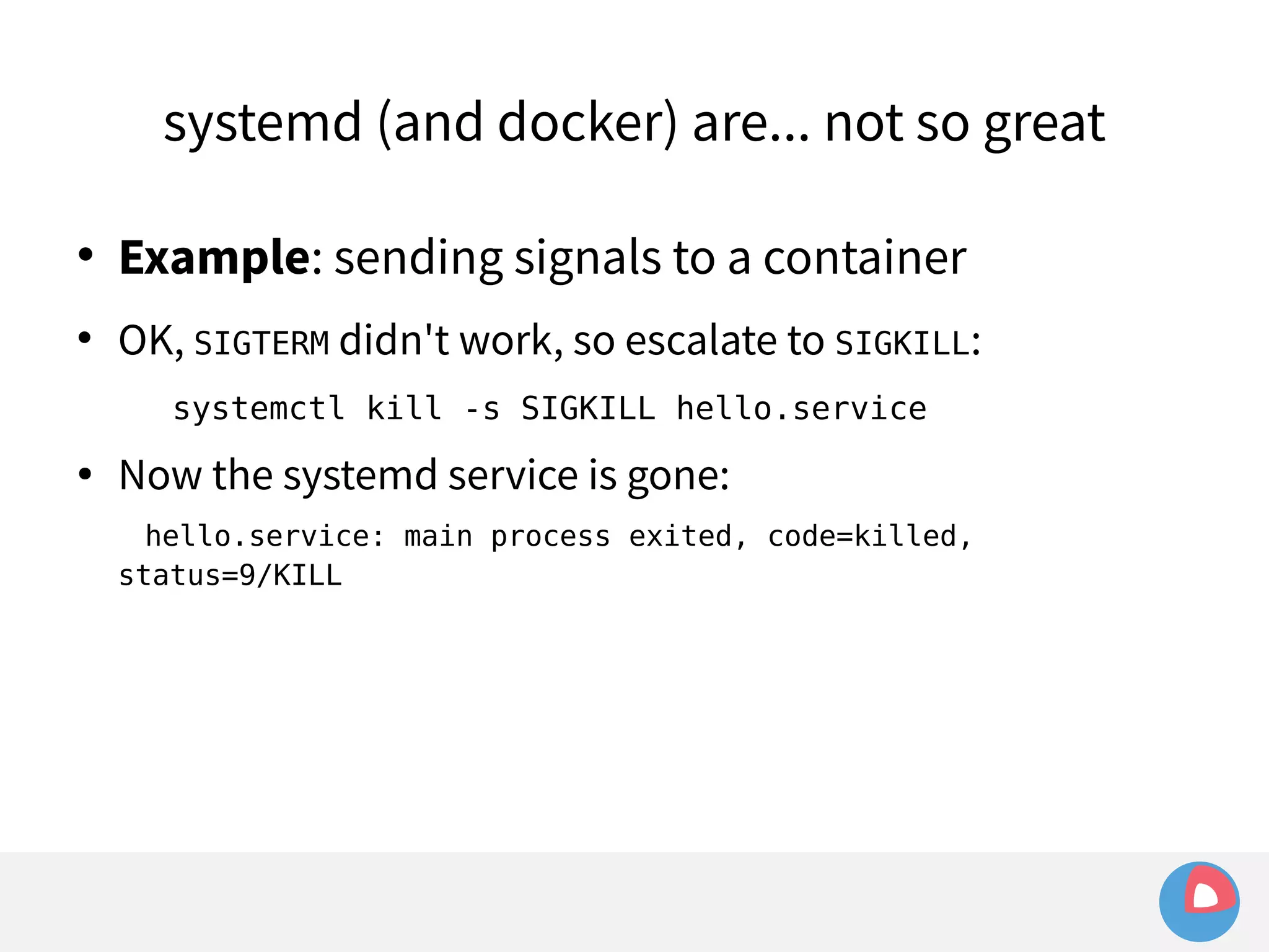
 OK, SIGTERM didn't work, so escalate to SIGKILL: 
systemctl kill -s SIGKILL hello.service
systemd (and docker) are... not so great 
 Example: sending signals to a container 
 OK, SIGTERM didn't work, so escalate to SIGKILL: 
systemctl kill -s SIGKILL hello.service 
● Now the systemd service is gone: 
hello.service: main process exited, code=killed, 
status=9/KILL
systemd (and docker) are... not so great 
 Example: sending signals to a container 
 OK, SIGTERM didn't work, so escalate to SIGKILL: 
systemctl kill -s SIGKILL hello.service 
● Now the systemd service is gone: 
hello.service: main process exited, code=killed, status=9/KILL 
● But... the Docker container still exists? 
# docker ps 
CONTAINER ID COMMAND STATUS NAMES 
7c7cf8ffabb6 /bin/sh -c 'while tr Up 31 seconds hello 
# ps -ef|grep '[d]ocker run' 
root 24231 1 0 03:49 ? 00:00:00 /usr/bin/docker run -name hello ...
systemd (and docker) are... not so great
systemd (and docker) are... not so great 
 Why?
systemd (and docker) are... not so great 
 Why? 
– Docker client does not run containers itself; it just sends 
a command to the Docker daemon which actually forks 
and starts running the container
systemd (and docker) are... not so great 
 Why? 
– Docker client does not run containers itself; it just sends 
a command to the Docker daemon which actually forks 
and starts running the container 
– systemd expects processes to fork directly so they will 
be contained under the same cgroup tree
systemd (and docker) are... not so great 
 Why? 
– Docker client does not run containers itself; it just sends 
a command to the Docker daemon which actually forks 
and starts running the container 
– systemd expects processes to fork directly so they will 
be contained under the same cgroup tree 
– Since the Docker daemon's cgroup is entirely separate, 
systemd cannot keep track of the forked container
systemd (and docker) are... not so great 
# systemctl cat hello.service 
[Service] 
ExecStart=/bin/bash -c 'while true; do echo Hello World; sleep 1; done' 
# systemd-cgls 
... 
├─hello.service 
│ ├─23201 /bin/bash -c while true; do echo Hello World; sleep 1; done 
│ └─24023 sleep 1
systemd (and docker) are... not so great 
# systemctl cat hello.service 
[Service] 
ExecStart=/usr/bin/docker run -name hello busybox /bin/sh -c  
"while true; do echo Hello World; sleep 1; done" 
# systemd-cgls 
... 
│ ├─hello.service 
│ │ └─24231 /usr/bin/docker run -name hello busybox /bin/sh -c while 
true; do echo Hello World; sleep 1; done 
... 
│ ├─docker- 
51a57463047b65487ec80a1dc8b8c9ea14a396c7a49c1e23919d50bdafd4fefb.scope 
│ │ ├─24240 /bin/sh -c while true; do echo Hello World; sleep 1; done 
│ │ └─24553 sleep 1
systemd (and docker) are... not so great
systemd (and docker) are... not so great 
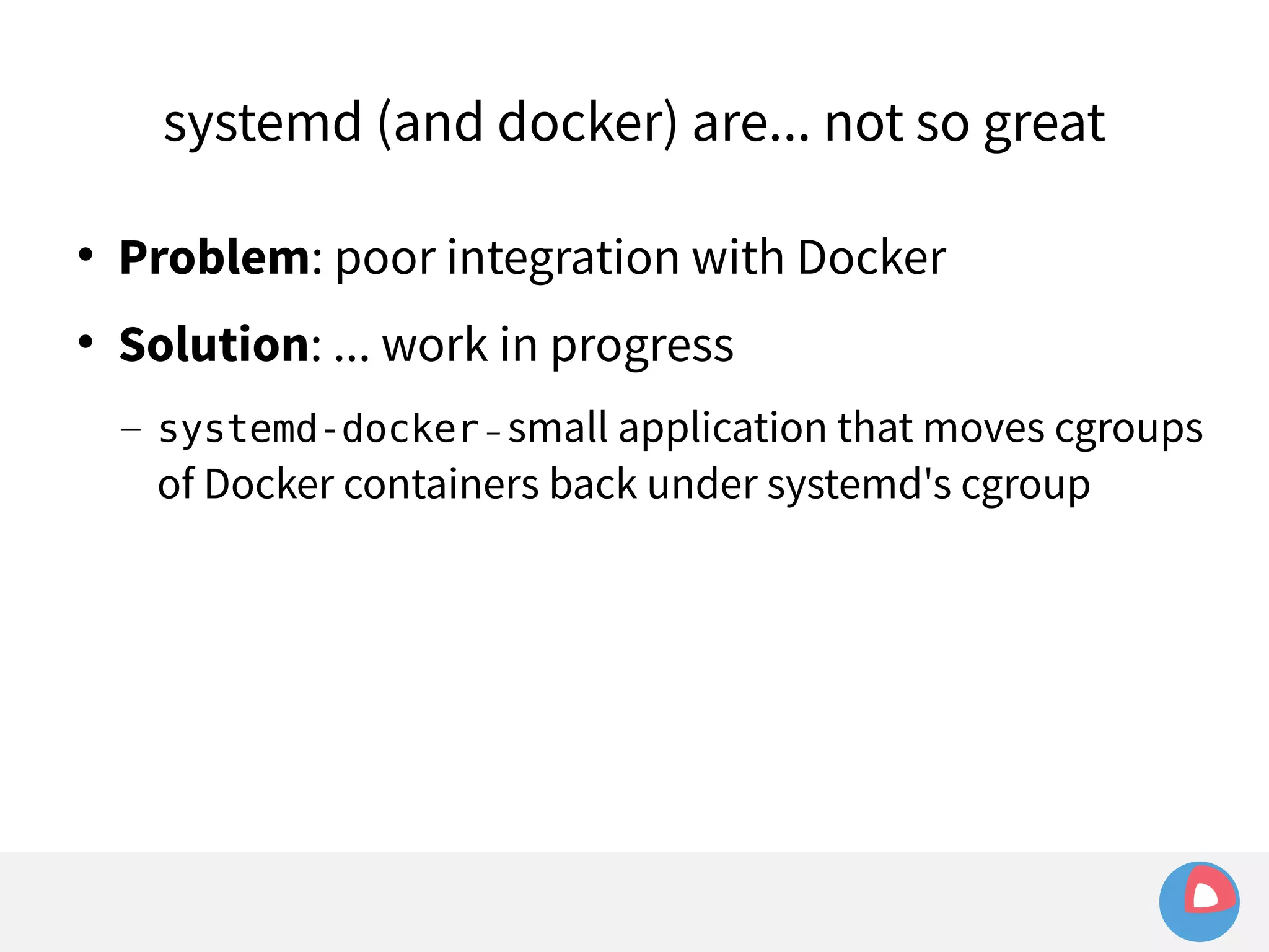
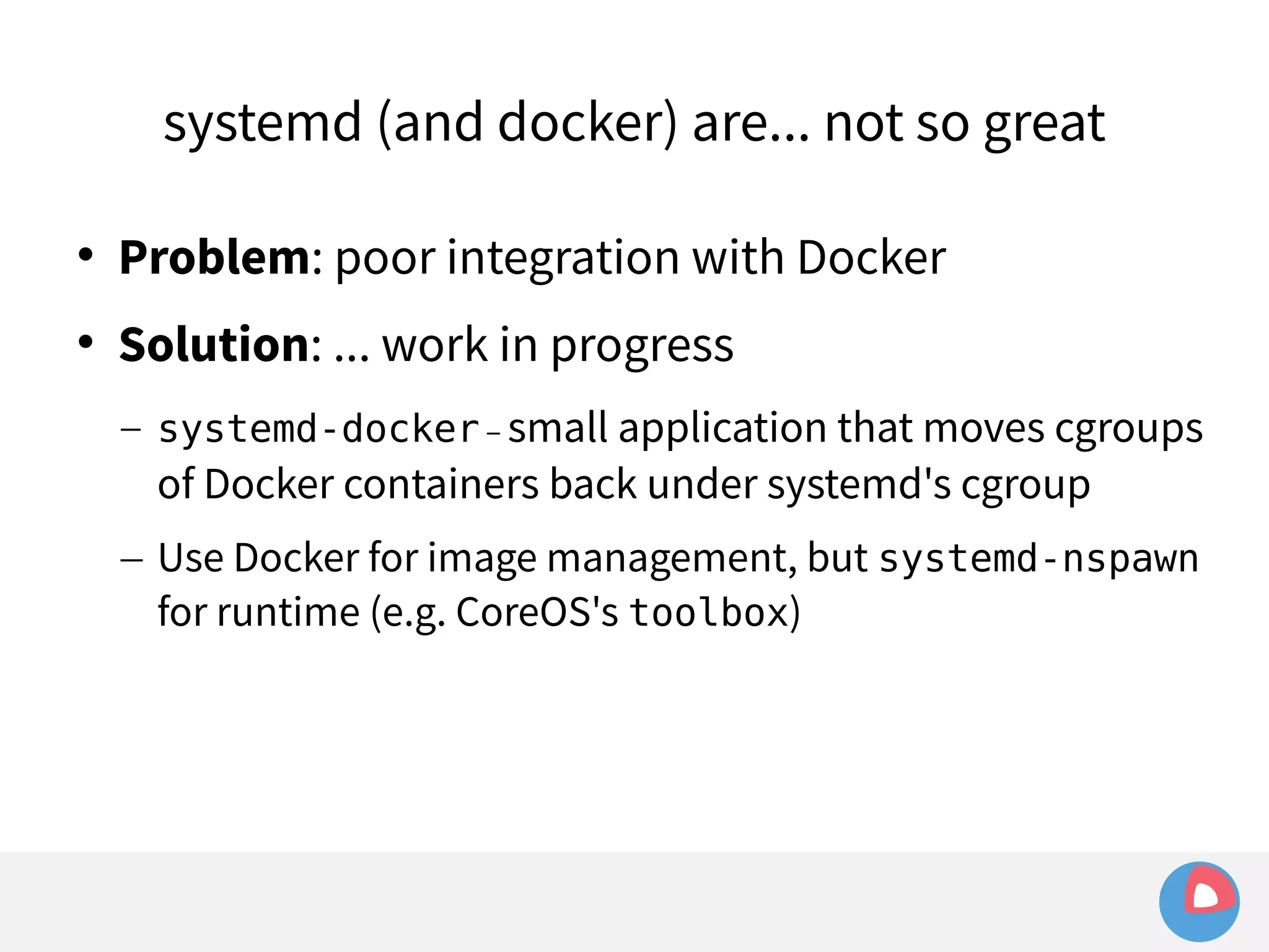
 Problem: poor integration with Docker 
 Solution: ... work in progress
systemd (and docker) are... not so great 
 Problem: poor integration with Docker 
 Solution: ... work in progress 
– systemd-docker – small application that moves cgroups 
of Docker containers back under systemd's cgroup
systemd (and docker) are... not so great 
 Problem: poor integration with Docker 
 Solution: ... work in progress 
– systemd-docker – small application that moves cgroups 
of Docker containers back under systemd's cgroup 
– Use Docker for image management, but systemd-nspawn 
for runtime (e.g. CoreOS's toolbox)
systemd (and docker) are... not so great 
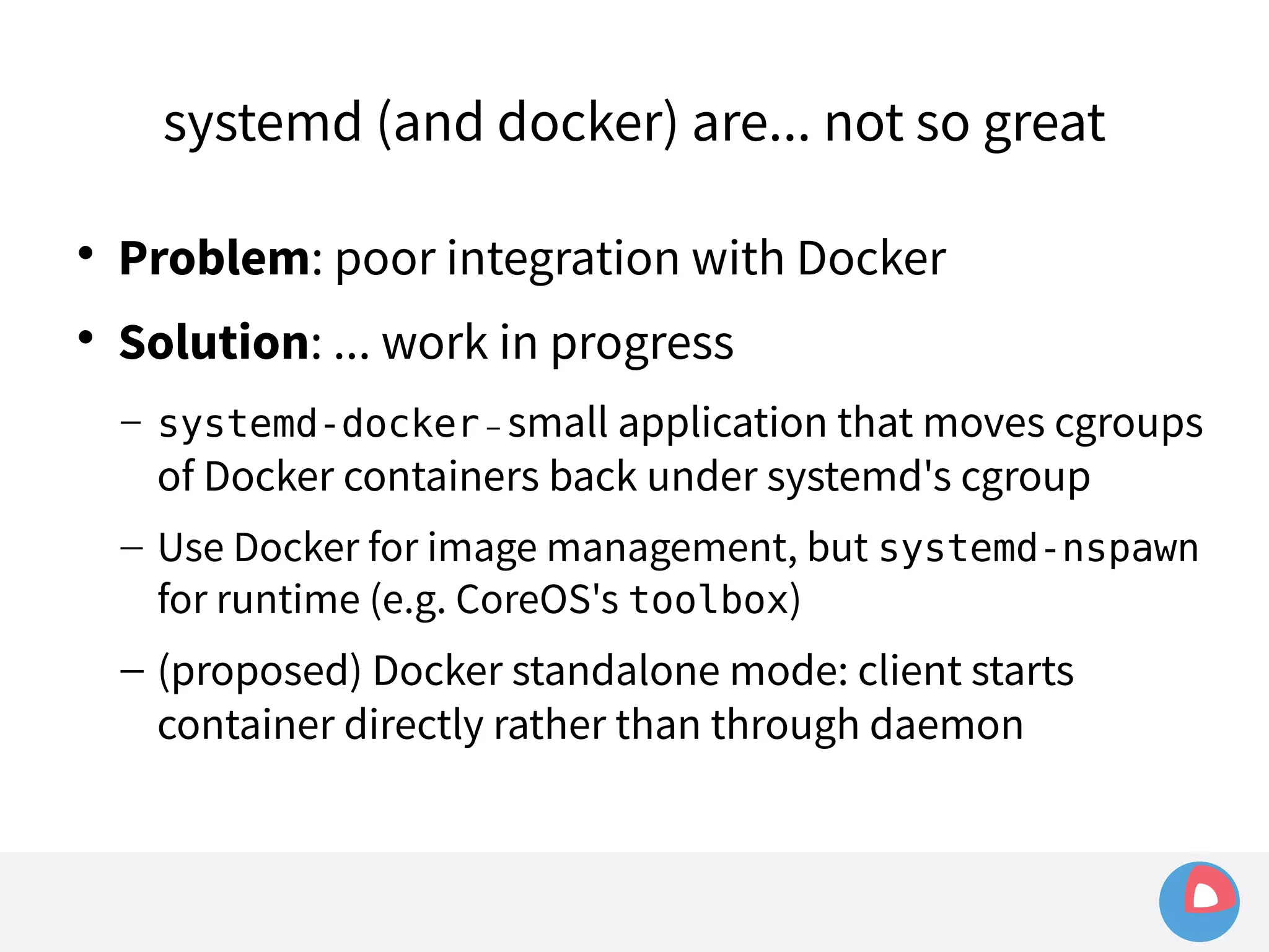
 Problem: poor integration with Docker 
 Solution: ... work in progress 
– systemd-docker – small application that moves cgroups 
of Docker containers back under systemd's cgroup 
– Use Docker for image management, but systemd-nspawn 
for runtime (e.g. CoreOS's toolbox) 
– (proposed) Docker standalone mode: client starts 
container directly rather than through daemon
fleet – high level view 
Cluster 
Single machine
etcd
etcd 
 A consistent, highly available key/value store
etcd 
 A consistent, highly available key/value store 
– Shared configuration, distributed locking, ...
etcd 
 A consistent, highly available key/value store 
– Shared configuration, distributed locking, ... 
 Driven by Raft
etcd 
 A consistent, highly available key/value store 
– Shared configuration, distributed locking, ... 
 Driven by Raft 
 Consensus algorithm similar to Paxos
etcd 
 A consistent, highly available key/value store 
– Shared configuration, distributed locking, ... 
 Driven by Raft 
 Consensus algorithm similar to Paxos 
 Designed for understandability and simplicity
etcd 
 A consistent, highly available key/value store 
– Shared configuration, distributed locking, ... 
 Driven by Raft 
 Consensus algorithm similar to Paxos 
 Designed for understandability and simplicity 
 Popular and widely used
etcd 
 A consistent, highly available key/value store 
– Shared configuration, distributed locking, ... 
 Driven by Raft 
 Consensus algorithm similar to Paxos 
 Designed for understandability and simplicity 
 Popular and widely used 
– Simple HTTP API + libraries in Go, Java, Python, Ruby, ...
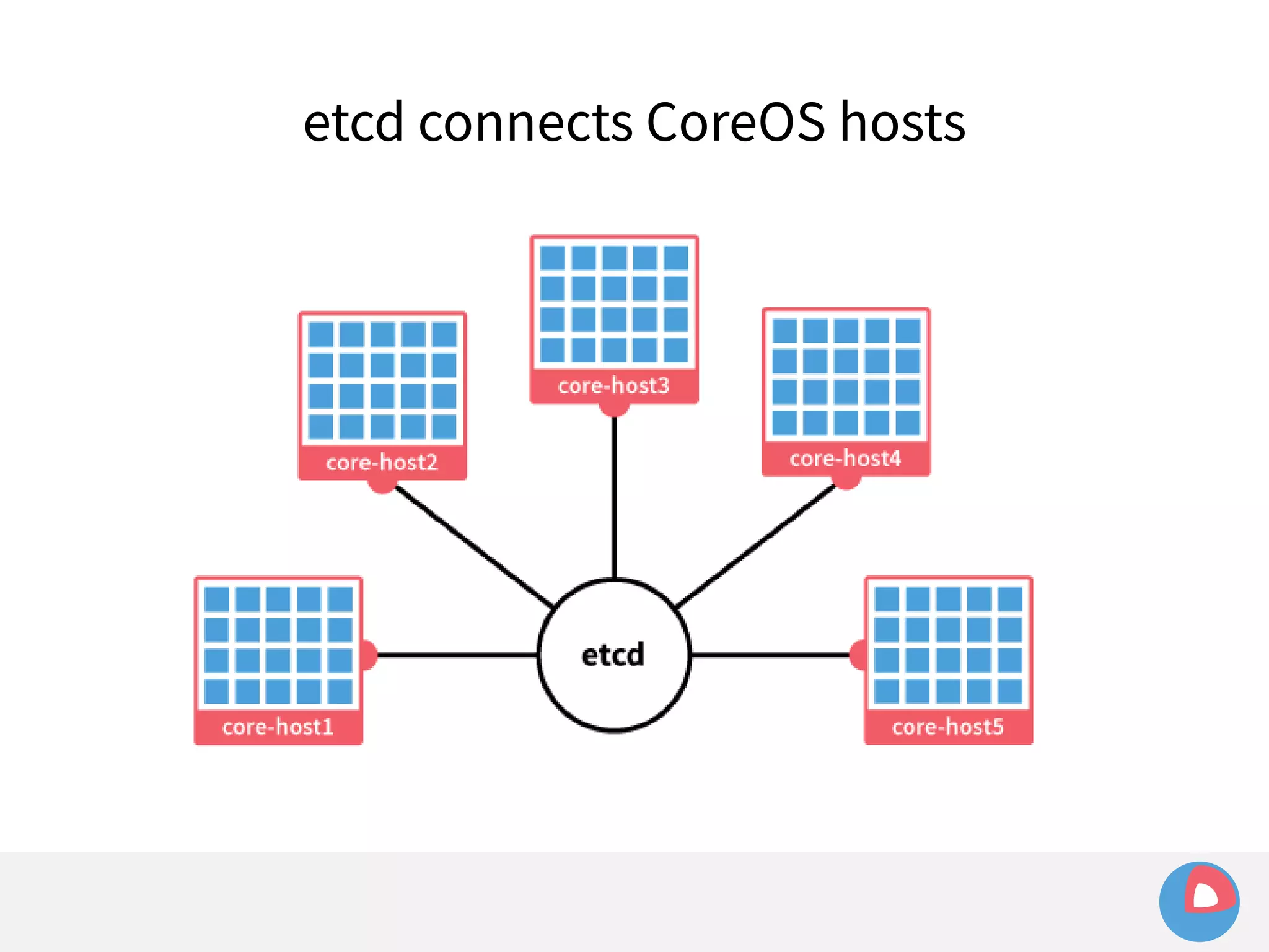
etcd connects CoreOS hosts
fleet + etcd
fleet + etcd 
● fleet needs a consistent view of the cluster to make 
scheduling decisions: etcd provides this view
fleet + etcd 
● fleet needs a consistent view of the cluster to make 
scheduling decisions: etcd provides this view 
– What units exist in the cluster?
fleet + etcd 
● fleet needs a consistent view of the cluster to make 
scheduling decisions: etcd provides this view 
– What units exist in the cluster? 
– What machines exist in the cluster?
fleet + etcd 
● fleet needs a consistent view of the cluster to make 
scheduling decisions: etcd provides this view 
– What units exist in the cluster? 
– What machines exist in the cluster? 
– What are their current states?
fleet + etcd 
● fleet needs a consistent view of the cluster to make 
scheduling decisions: etcd provides this view 
– What units exist in the cluster? 
– What machines exist in the cluster? 
– What are their current states? 
● All unit files, unit state, machine state and 
scheduling information is stored in etcd
etcd is great!
etcd is great! 
● Fast and simple API
etcd is great! 
● Fast and simple API 
● Handles all cluster-level/inter-machine 
communication so we don't have to
etcd is great! 
● Fast and simple API 
● Handles all cluster-level/inter-machine 
communication so we don't have to 
● Powerful primitives:
etcd is great! 
● Fast and simple API 
● Handles all cluster-level/inter-machine 
communication so we don't have to 
● Powerful primitives: 
– Compare-and-Swap allows for atomic operations and 
implementing locking behaviour
etcd is great! 
● Fast and simple API 
● Handles all cluster-level/inter-machine 
communication so we don't have to 
● Powerful primitives: 
– Compare-and-Swap allows for atomic operations and 
implementing locking behaviour 
– Watches (like pub-sub) provide event-driven behaviour
etcd is... not so great
etcd is... not so great 
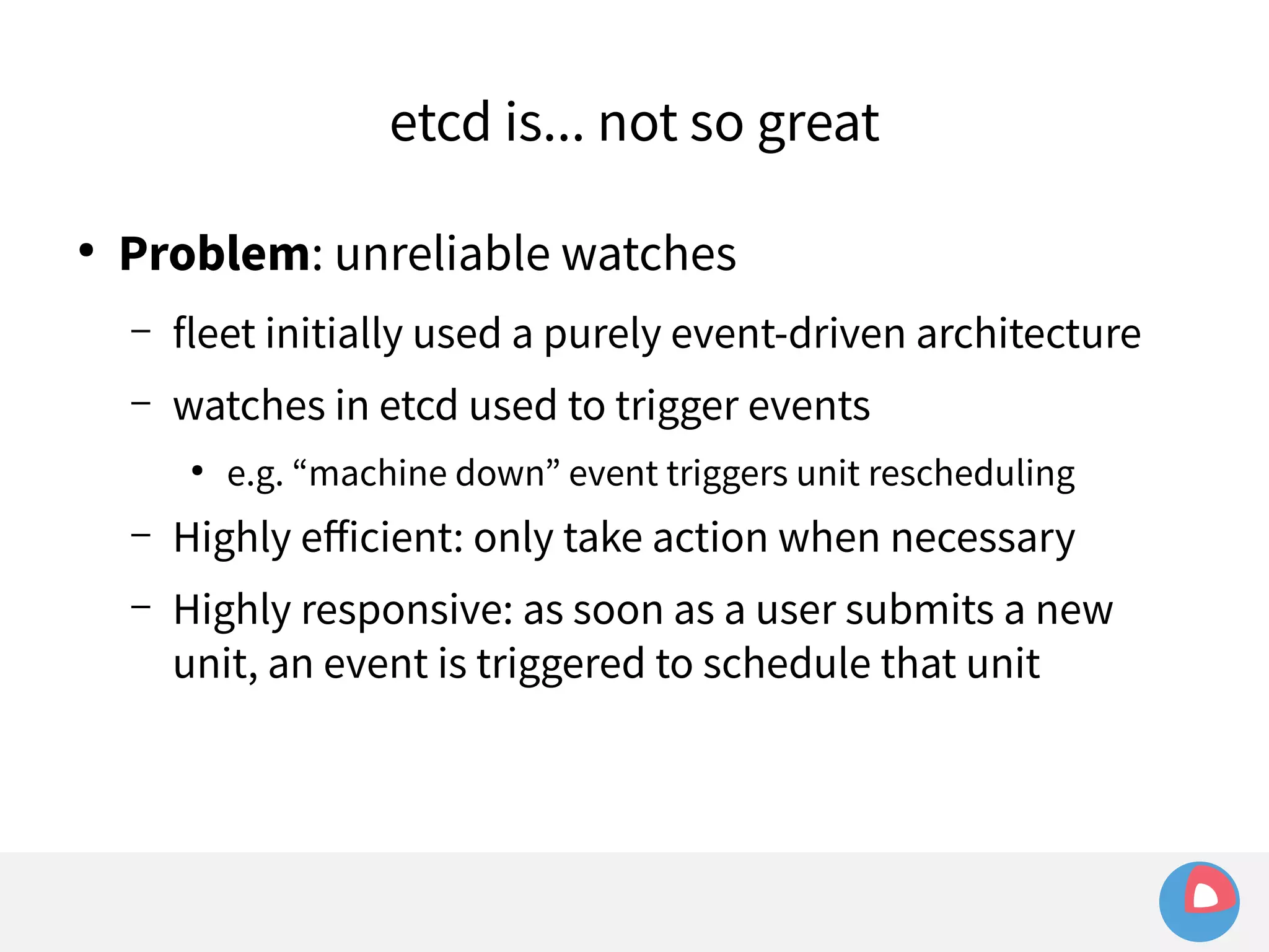
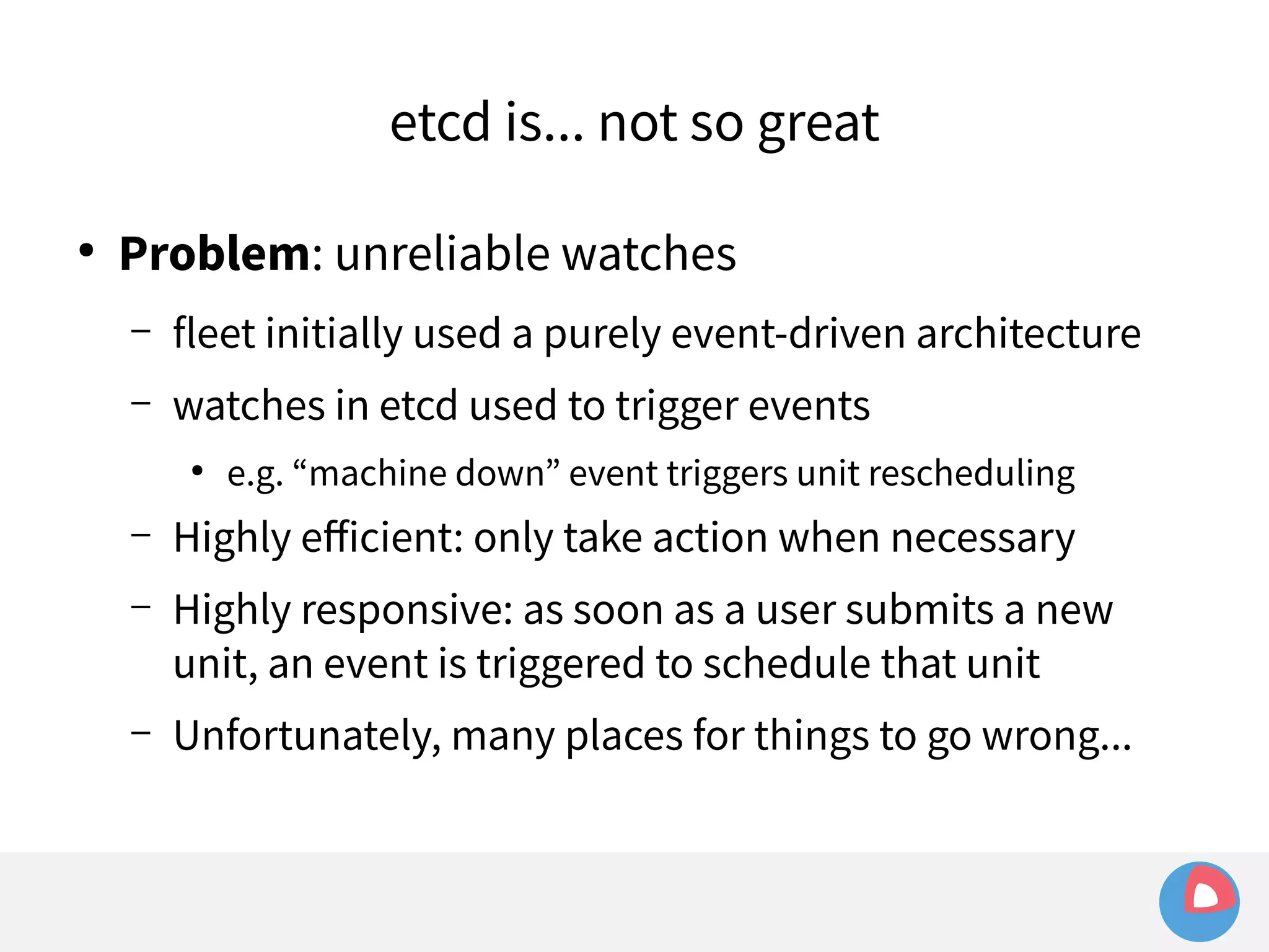
● Problem: unreliable watches
etcd is... not so great 
● Problem: unreliable watches 
– fleet initially used a purely event-driven architecture
etcd is... not so great 
● Problem: unreliable watches 
– fleet initially used a purely event-driven architecture 
– watches in etcd used to trigger events
etcd is... not so great 
● Problem: unreliable watches 
– fleet initially used a purely event-driven architecture 
– watches in etcd used to trigger events 
● e.g. “machine down” event triggers unit rescheduling
etcd is... not so great 
● Problem: unreliable watches 
– fleet initially used a purely event-driven architecture 
– watches in etcd used to trigger events 
● e.g. “machine down” event triggers unit rescheduling 
– Highly efficient: only take action when necessary
etcd is... not so great 
● Problem: unreliable watches 
– fleet initially used a purely event-driven architecture 
– watches in etcd used to trigger events 
● e.g. “machine down” event triggers unit rescheduling 
– Highly efficient: only take action when necessary 
– Highly responsive: as soon as a user submits a new 
unit, an event is triggered to schedule that unit
etcd is... not so great 
● Problem: unreliable watches 
– fleet initially used a purely event-driven architecture 
– watches in etcd used to trigger events 
● e.g. “machine down” event triggers unit rescheduling 
– Highly efficient: only take action when necessary 
– Highly responsive: as soon as a user submits a new 
unit, an event is triggered to schedule that unit 
– Unfortunately, many places for things to go wrong...
Unreliable watches
● Example: 
Unreliable watches
● Example: 
Unreliable watches 
– etcd is undergoing a leader election or otherwise 
unavailable, watches do not work during this period
● Example: 
Unreliable watches 
– etcd is undergoing a leader election or otherwise 
unavailable, watches do not work during this period 
– Change occurs (e.g. a machine leaves the cluster)
● Example: 
Unreliable watches 
– etcd is undergoing a leader election or otherwise 
unavailable, watches do not work during this period 
– Change occurs (e.g. a machine leaves the cluster) 
– Event is missed
● Example: 
Unreliable watches 
– etcd is undergoing a leader election or otherwise 
unavailable, watches do not work during this period 
– Change occurs (e.g. a machine leaves the cluster) 
– Event is missed 
– fleet doesn't know machine is lost!
● Example: 
Unreliable watches 
– etcd is undergoing a leader election or otherwise 
unavailable, watches do not work during this period 
– Change occurs (e.g. a machine leaves the cluster) 
– Event is missed 
– fleet doesn't know machine is lost! 
– Now fleet doesn't know to reschedule units that were 
running on that machine
etcd is... not so great
etcd is... not so great 
● Problem: limited event history
etcd is... not so great 
● Problem: limited event history 
– etcd retains a history of all events that occur
etcd is... not so great 
● Problem: limited event history 
– etcd retains a history of all events that occur 
– Can “watch” from an arbitrary point in the past, but..
etcd is... not so great 
● Problem: limited event history 
– etcd retains a history of all events that occur 
– Can “watch” from an arbitrary point in the past, but.. 
– History is a limited window!
etcd is... not so great 
● Problem: limited event history 
– etcd retains a history of all events that occur 
– Can “watch” from an arbitrary point in the past, but.. 
– History is a limited window! 
– With a busy cluster, watches can fall out of this window
etcd is... not so great 
● Problem: limited event history 
– etcd retains a history of all events that occur 
– Can “watch” from an arbitrary point in the past, but.. 
– History is a limited window! 
– With a busy cluster, watches can fall out of this window 
– Can't always replay event stream from the point we 
want to
Limited event history
● Example: 
Limited event history 
– etcd holds history of last 1000 events
● Example: 
Limited event history 
– etcd holds history of last 1000 events 
– fleet sets watch at i=100 to watch for machine loss
● Example: 
Limited event history 
– etcd holds history of last 1000 events 
– fleet sets watch at i=100 to watch for machine loss 
– Meanwhile, many changes occur in other parts of the 
keyspace, advancing index to i=1500
● Example: 
Limited event history 
– etcd holds history of last 1000 events 
– fleet sets watch at i=100 to watch for machine loss 
– Meanwhile, many changes occur in other parts of the 
keyspace, advancing index to i=1500 
– Leader election/network hiccup occurs and severs 
watch
● Example: 
Limited event history 
– etcd holds history of last 1000 events 
– fleet sets watch at i=100 to watch for machine loss 
– Meanwhile, many changes occur in other parts of the 
keyspace, advancing index to i=1500 
– Leader election/network hiccup occurs and severs 
watch 
– fleet tries to recreate watch at i=100 and fails:
● Example: 
Limited event history 
– etcd holds history of last 1000 events 
– fleet sets watch at i=100 to watch for machine loss 
– Meanwhile, many changes occur in other parts of the 
keyspace, advancing index to i=1500 
– Leader election/network hiccup occurs and severs watch 
– fleet tries to recreate watch at i=100 and fails: 
err="401: The event in requested index is outdated and 
cleared (the requested history has been cleared [1500/100])
etcd is... not so great
etcd is... not so great 
● Problem: unreliable watches 
– Missed events lead to unrecoverable situations 
● Problem: limited event history 
– Can't always replay entire event stream
etcd is... not so great 
● Problem: unreliable watches 
– Missed events lead to unrecoverable situations 
● Problem: limited event history 
– Can't always replay entire event stream 
● Solution: move to “reconciler” model
Reconciler model
Reconciler model 
In a loop, run periodically until stopped:
Reconciler model 
In a loop, run periodically until stopped: 
1.Retrieve current state (how the world is) and desired state 
(how the world should be) from datastore (etcd)
Reconciler model 
In a loop, run periodically until stopped: 
1.Retrieve current state (how the world is) and desired state 
(how the world should be) from datastore (etcd) 
2.Determine necessary actions to transform current state --> 
desired state
Reconciler model 
In a loop, run periodically until stopped: 
1.Retrieve current state (how the world is) and desired state 
(how the world should be) from datastore (etcd) 
2.Determine necessary actions to transform current state --> 
desired state 
3.Perform actions and save results as new current state
Reconciler model 
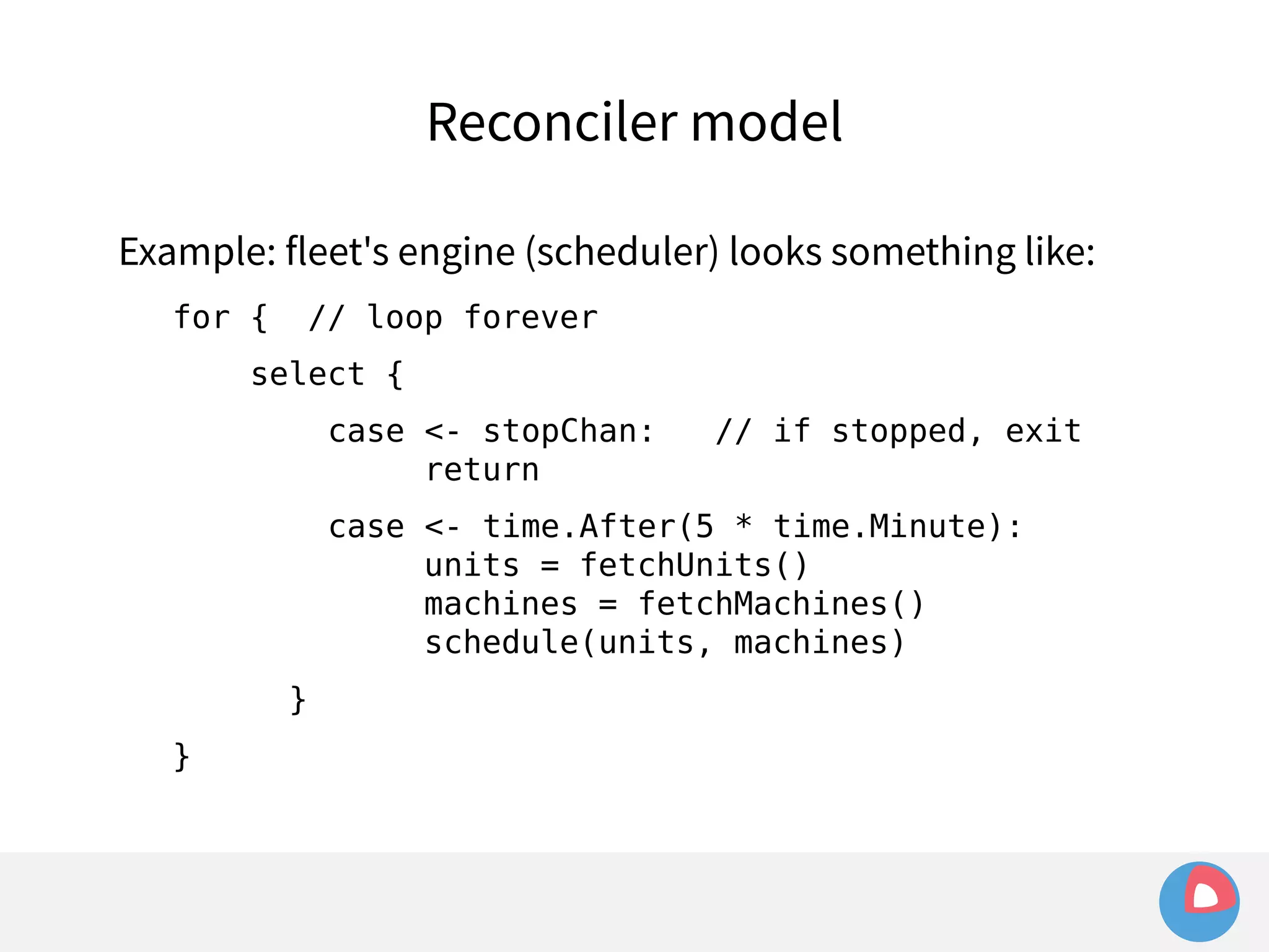
Example: fleet's engine (scheduler) looks something like: 
for { // loop forever 
select { 
case <- stopChan: // if stopped, exit 
return 
case <- time.After(5 * time.Minute): 
units = fetchUnits() 
machines = fetchMachines() 
schedule(units, machines) 
} 
}
etcd is... not so great
etcd is... not so great 
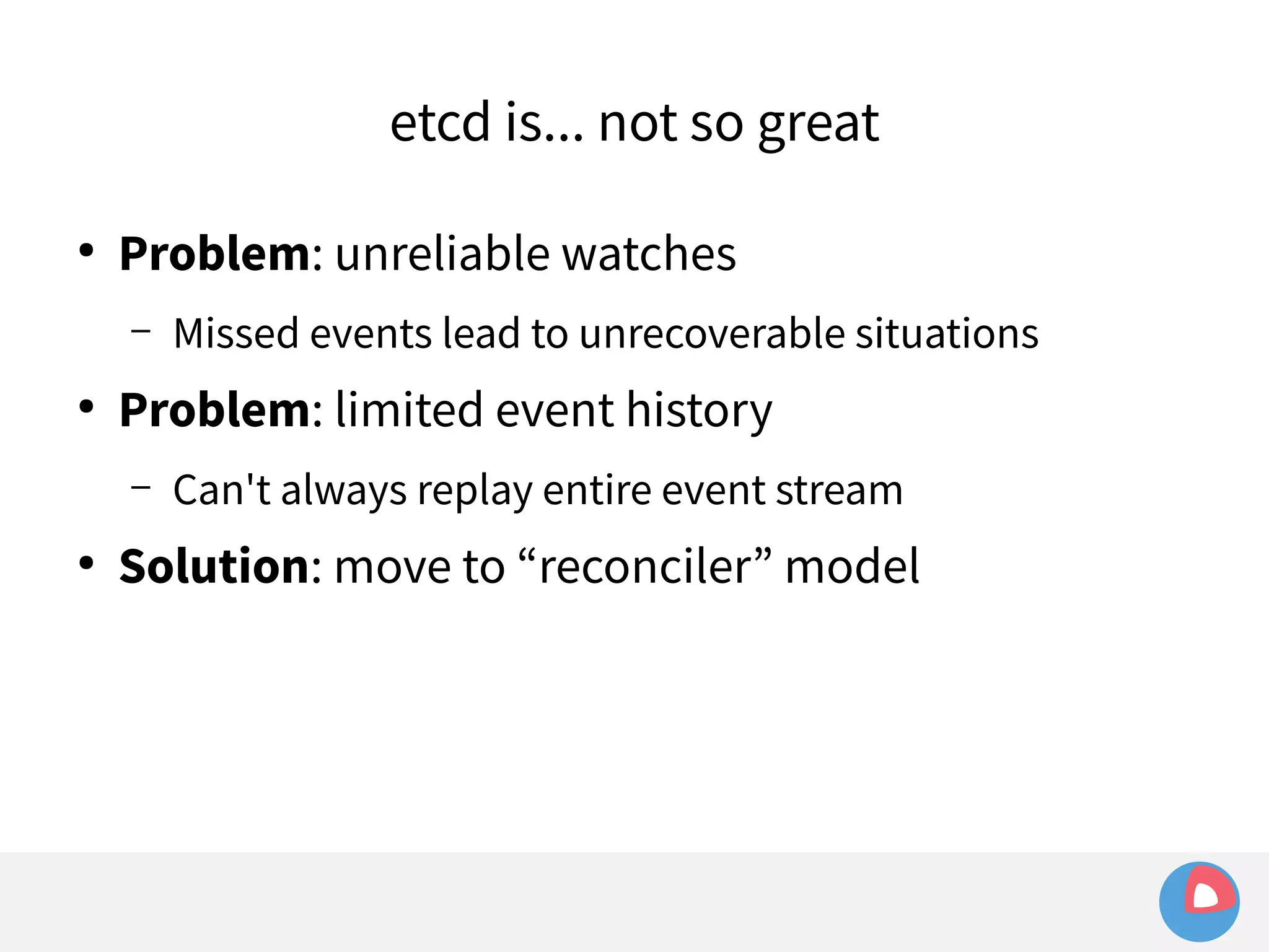
● Problem: unreliable watches 
– Missed events lead to unrecoverable situations 
● Problem: limited event history 
– Can't always replay entire event stream 
● Solution: move to “reconciler” model
etcd is... not so great 
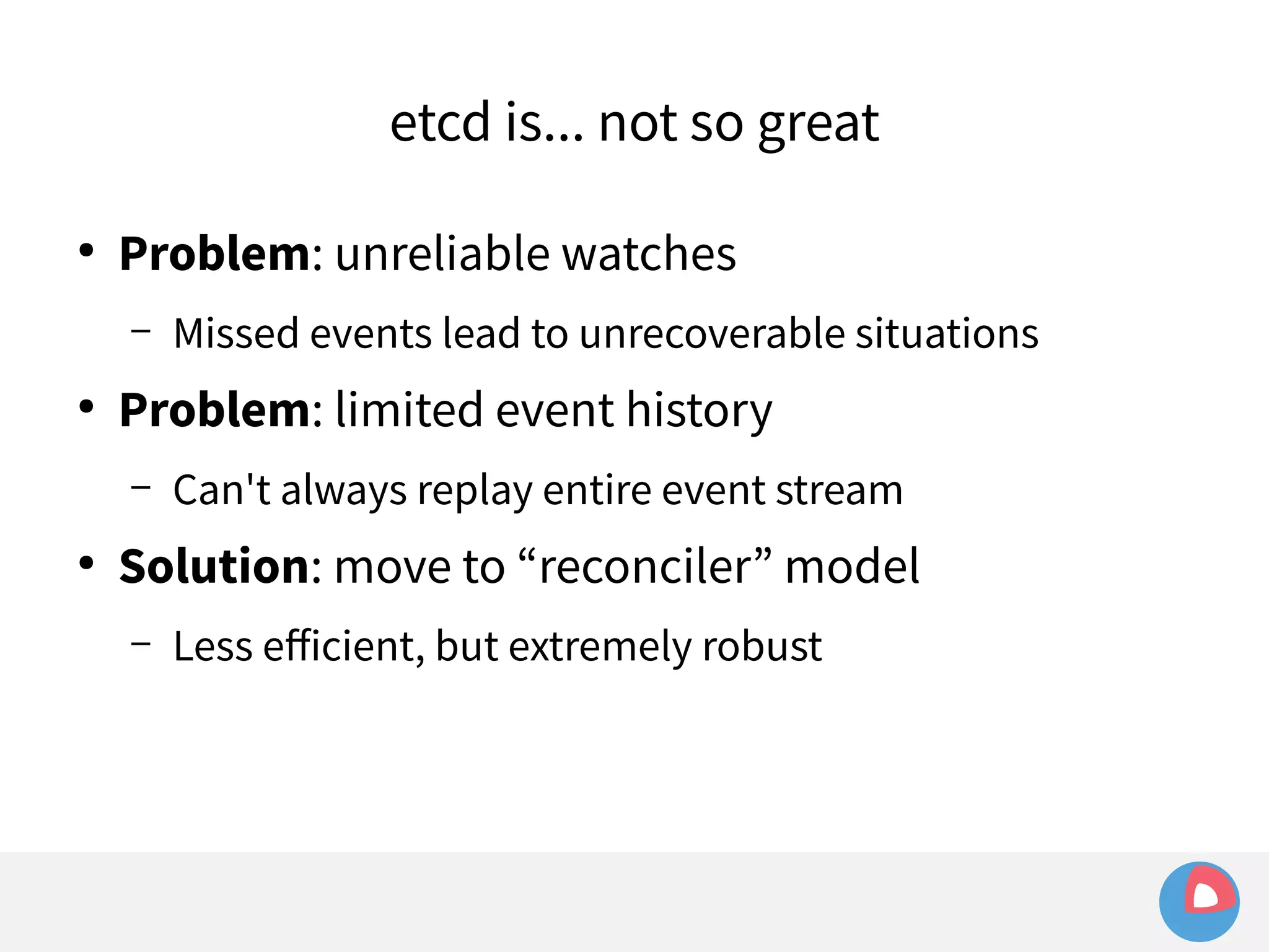
● Problem: unreliable watches 
– Missed events lead to unrecoverable situations 
● Problem: limited event history 
– Can't always replay entire event stream 
● Solution: move to “reconciler” model 
– Less efficient, but extremely robust
etcd is... not so great 
● Problem: unreliable watches 
– Missed events lead to unrecoverable situations 
● Problem: limited event history 
– Can't always replay entire event stream 
● Solution: move to “reconciler” model 
– Less efficient, but extremely robust 
– Still many paths for optimisation (e.g. using watches to 
trigger reconciliations)
fleet – high level view 
Cluster 
Single machine
golang
golang 
● Standard language for all CoreOS projects (above OS)
● Standard language for all CoreOS projects (above OS) 
– etcd 
golang
● Standard language for all CoreOS projects (above OS) 
– etcd 
– fleet 
golang
golang 
● Standard language for all CoreOS projects (above OS) 
– etcd 
– fleet 
– locksmith (semaphore for reboots during updates)
golang 
● Standard language for all CoreOS projects (above OS) 
– etcd 
– fleet 
– locksmith (semaphore for reboots during updates) 
– etcdctl, updatectl, coreos-cloudinit, ...
golang 
● Standard language for all CoreOS projects (above OS) 
– etcd 
– fleet 
– locksmith (semaphore for reboots during updates) 
– etcdctl, updatectl, coreos-cloudinit, ... 
● fleet is ~10k LOC (and another ~10k LOC tests)
Go is great!
● Fast! 
Go is great!
● Fast! 
Go is great! 
– to write (concise syntax)
● Fast! 
Go is great! 
– to write (concise syntax) 
– to compile (builds typically <1s)
● Fast! 
Go is great! 
– to write (concise syntax) 
– to compile (builds typically <1s) 
– to run tests (O(seconds), including with race detection)
● Fast! 
Go is great! 
– to write (concise syntax) 
– to compile (builds typically <1s) 
– to run tests (O(seconds), including with race detection) 
– Never underestimate power of rapid iteration
● Fast! 
Go is great! 
– to write (concise syntax) 
– to compile (builds typically <1s) 
– to run tests (O(seconds), including with race detection) 
– Never underestimate power of rapid iteration 
● Simple, powerful tooling
● Fast! 
Go is great! 
– to write (concise syntax) 
– to compile (builds typically <1s) 
– to run tests (O(seconds), including with race detection) 
– Never underestimate power of rapid iteration 
● Simple, powerful tooling 
– Built in package management, code coverage, etc.
Go is great!
Go is great! 
● Rich standard library
Go is great! 
● Rich standard library 
– “Batteries are included”
Go is great! 
● Rich standard library 
– “Batteries are included” 
– e.g.: completely self-hosted HTTP server, no need for 
reverse proxies or worker systems to serve many 
concurrent HTTP requests
Go is great! 
● Rich standard library 
– “Batteries are included” 
– e.g.: completely self-hosted HTTP server, no need for 
reverse proxies or worker systems to serve many 
concurrent HTTP requests 
● Static compilation into a single binary
Go is great! 
● Rich standard library 
– “Batteries are included” 
– e.g.: completely self-hosted HTTP server, no need for 
reverse proxies or worker systems to serve many 
concurrent HTTP requests 
● Static compilation into a single binary 
– Ideal for a minimal OS with no libraries
Go is... not so great
Go is... not so great 
● Problem: managing third-party dependencies
Go is... not so great 
● Problem: managing third-party dependencies 
– modular package management but: no versioning
Go is... not so great 
● Problem: managing third-party dependencies 
– modular package management but: no versioning 
– import “github.com/coreos/fleet” - which SHA?
Go is... not so great 
● Problem: managing third-party dependencies 
– modular package management but: no versioning 
– import “github.com/coreos/fleet” - which SHA? 
● Solution: vendoring :-/
Go is... not so great 
● Problem: managing third-party dependencies 
– modular package management but: no versioning 
– import “github.com/coreos/fleet” - which SHA? 
● Solution: vendoring :-/ 
– Copy entire source tree of dependencies into repository
Go is... not so great 
● Problem: managing third-party dependencies 
– modular package management but: no versioning 
– import “github.com/coreos/fleet” - which SHA? 
● Solution: vendoring :-/ 
– Copy entire source tree of dependencies into repository 
– Slowly maturing tooling: goven, third_party.go, Godep
Go is... not so great
Go is... not so great 
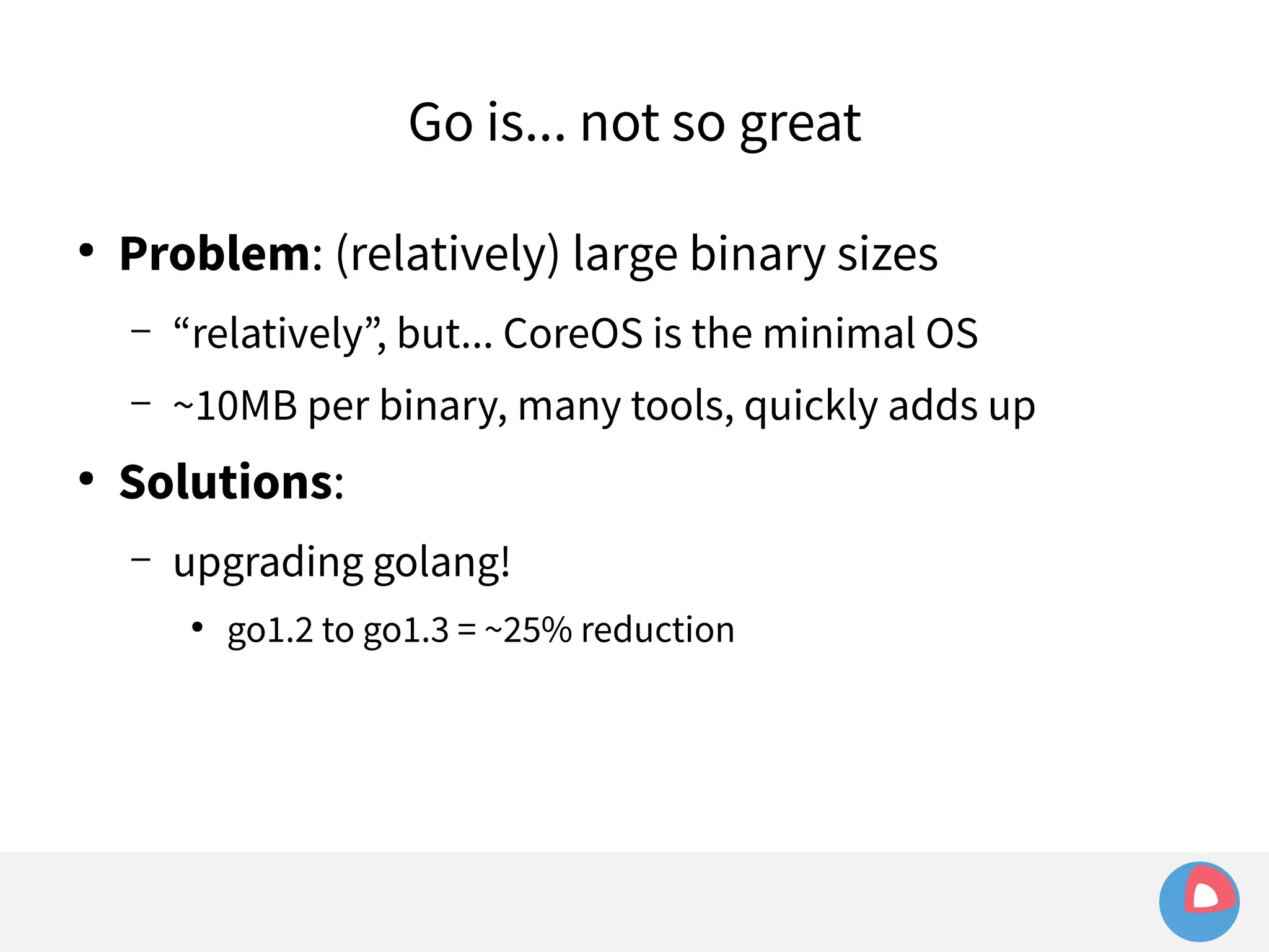
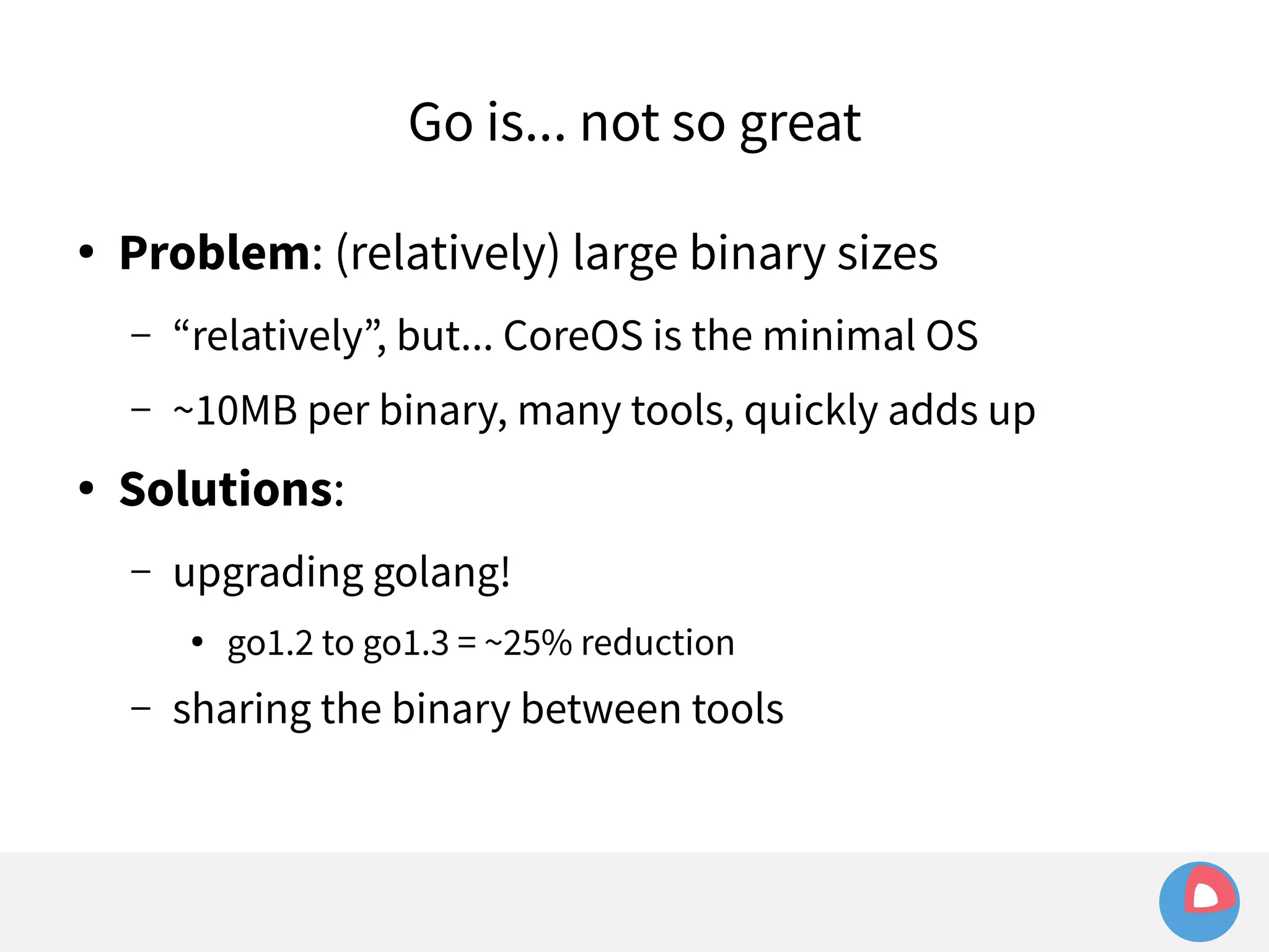
● Problem: (relatively) large binary sizes
Go is... not so great 
● Problem: (relatively) large binary sizes 
– “relatively”, but... CoreOS is the minimal OS
Go is... not so great 
● Problem: (relatively) large binary sizes 
– “relatively”, but... CoreOS is the minimal OS 
– ~10MB per binary, many tools, quickly adds up
● Problem: (relatively) large binary sizes 
– “relatively”, but... CoreOS is the minimal OS 
– ~10MB per binary, many tools, quickly adds up 
● Solutions: 
Go is... not so great
Go is... not so great 
● Problem: (relatively) large binary sizes 
– “relatively”, but... CoreOS is the minimal OS 
– ~10MB per binary, many tools, quickly adds up 
● Solutions: 
– upgrading golang!
Go is... not so great 
● Problem: (relatively) large binary sizes 
– “relatively”, but... CoreOS is the minimal OS 
– ~10MB per binary, many tools, quickly adds up 
● Solutions: 
– upgrading golang! 
● go1.2 to go1.3 = ~25% reduction
Go is... not so great 
● Problem: (relatively) large binary sizes 
– “relatively”, but... CoreOS is the minimal OS 
– ~10MB per binary, many tools, quickly adds up 
● Solutions: 
– upgrading golang! 
● go1.2 to go1.3 = ~25% reduction 
– sharing the binary between tools
Sharing a binary
Sharing a binary 
● client/daemon often share much of the same code
Sharing a binary 
● client/daemon often share much of the same code 
– Encapsulate multiple tools in one binary, symlink the 
different command names, switch off command name
Sharing a binary 
● client/daemon often share much of the same code 
– Encapsulate multiple tools in one binary, symlink the 
different command names, switch off command name 
– Example: fleetd/fleetctl
Sharing a binary 
● client/daemon often share much of the same code 
– Encapsulate multiple tools in one binary, symlink the 
different command names, switch off command name 
– Example: fleetd/fleetctl 
func main() { 
switch os.Args[0] { 
case “fleetctl”: 
Fleetctl() 
case “fleetd”: 
Fleetd() 
} 
}
Sharing a binary 
● client/daemon often share much of the same code 
– Encapsulate multiple tools in one binary, symlink the 
different command names, switch off command name 
– Example: fleetd/fleetctl 
func main() { 
switch os.Args[0] { 
case “fleetctl”: 
Fleetctl() 
case “fleetd”: 
Fleetd() 
} 
} 
Before: 
9150032 fleetctl 
8567416 fleetd 
After: 
11052256 fleetctl 
8 fleetd -> fleetctl
Go is... not so great
Go is... not so great 
● Problem: young language => immature libraries
Go is... not so great 
● Problem: young language => immature libraries 
– CLI frameworks
Go is... not so great 
● Problem: young language => immature libraries 
– CLI frameworks 
– godbus, go-systemd, go-etcd :-(
● Problem: young language => immature libraries 
– CLI frameworks 
– godbus, go-systemd, go-etcd :-( 
● Solutions: 
Go is... not so great
Go is... not so great 
● Problem: young language => immature libraries 
– CLI frameworks 
– godbus, go-systemd, go-etcd :-( 
● Solutions: 
– Keep it simple
Go is... not so great 
● Problem: young language => immature libraries 
– CLI frameworks 
– godbus, go-systemd, go-etcd :-( 
● Solutions: 
– Keep it simple 
– Roll your own (e.g. fleetctl's command line)
type Command struct { 
Name string 
Summary string 
Usage string 
Description string 
Flags flag.FlagSet 
Run func(args []string) int 
} 
fleetctl CLI
Wrap up/recap
Wrap up/recap 
 CoreOS Linux
Wrap up/recap 
 CoreOS Linux 
– Minimal OS with cluster capabilities built-in
Wrap up/recap 
 CoreOS Linux 
– Minimal OS with cluster capabilities built-in 
– Containerized applications --> a[u]tom[at]ic updates
Wrap up/recap 
 CoreOS Linux 
– Minimal OS with cluster capabilities built-in 
– Containerized applications --> a[u]tom[at]ic updates 
 fleet
Wrap up/recap 
 CoreOS Linux 
– Minimal OS with cluster capabilities built-in 
– Containerized applications --> a[u]tom[at]ic updates 
 fleet 
– Simple, powerful cluster-level application manager
Wrap up/recap 
 CoreOS Linux 
– Minimal OS with cluster capabilities built-in 
– Containerized applications --> a[u]tom[at]ic updates 
 fleet 
– Simple, powerful cluster-level application manager 
– Glue between local init system (systemd) and cluster-level 
awareness (etcd)
Wrap up/recap 
 CoreOS Linux 
– Minimal OS with cluster capabilities built-in 
– Containerized applications --> a[u]tom[at]ic updates 
 fleet 
– Simple, powerful cluster-level application manager 
– Glue between local init system (systemd) and cluster-level 
awareness (etcd) 
– golang++
Questions?
Thank you :-) 
● Everything is open source – join us! 
– https://github.com/coreos 
● Any more questions, feel free to email 
– jonathan.boulle@coreos.com 
● CoreOS stickers!
References 
● CoreOS updates 
https://coreos.com/using-coreos/updates/ 
● Omaha protocol 
https://code.google.com/p/omaha/wiki/ServerProtocol 
● Raft algorithm 
http://raftconsensus.github.io/
References 
● fleet 
https://github.com/coreos/fleet 
● etcd 
https://github.com/coreos/etcd 
● toolbox 
https://github.com/coreos/toolbox 
● systemd-docker 
https://github.com/ibuildthecloud/systemd-docker 
● systemd-nspawn 
http://0pointer.de/public/systemd-man/systemd-nspawn.html
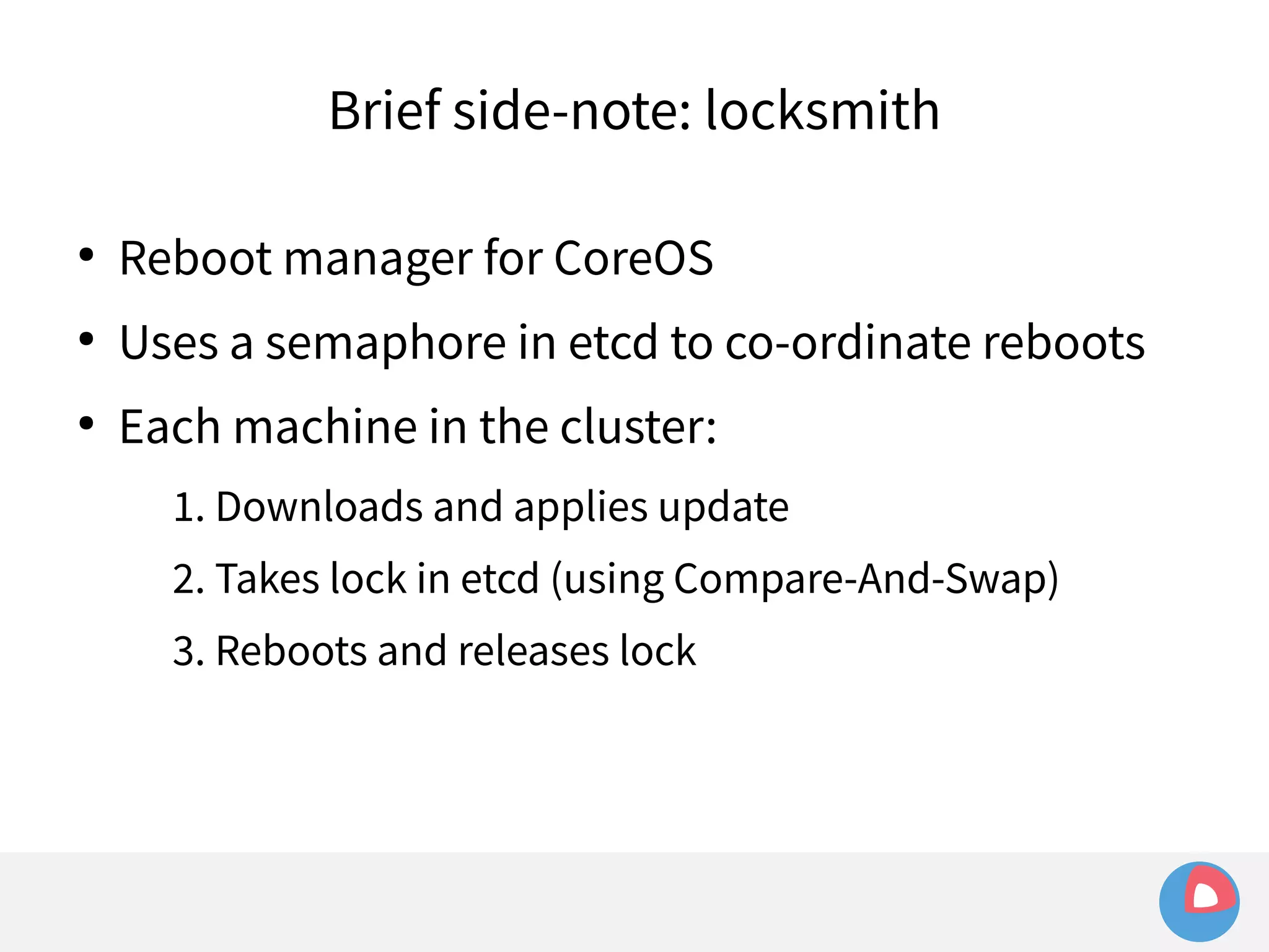
Brief side-note: locksmith 
● Reboot manager for CoreOS 
● Uses a semaphore in etcd to co-ordinate reboots 
● Each machine in the cluster: 
1. Downloads and applies update 
2. Takes lock in etcd (using Compare-And-Swap) 
3. Reboots and releases lock

[2C4]Clustered computing with CoreOS, fleet and etcd

  • 1.
    Clustered computing withCoreOS, fleet and etcd DEVIEW 2014 Jonathan Boulle CoreOS, Inc.
  • 2.
    @baronboulle jonboulle Whoam I? Jonathan Boulle
  • 3.
    Jonathan Boulle @baronboulle jonboulle Who am I? South Africa -> Australia -> London -> San Francisco
  • 4.
    Jonathan Boulle @baronboulle jonboulle Who am I? South Africa -> Australia -> London -> San Francisco Red Hat -> Twitter -> CoreOS
  • 5.
    Jonathan Boulle @baronboulle jonboulle Who am I? South Africa -> Australia -> London -> San Francisco Red Hat -> Twitter -> CoreOS Linux, Python, Go, FOSS
  • 6.
  • 7.
  • 8.
    Agenda ● CoreOSLinux – Securing the internet
  • 9.
    Agenda ● CoreOSLinux – Securing the internet – Application containers
  • 10.
    Agenda ● CoreOSLinux – Securing the internet – Application containers – Automatic updates
  • 11.
    Agenda ● CoreOSLinux – Securing the internet – Application containers – Automatic updates ● fleet
  • 12.
    Agenda ● CoreOSLinux – Securing the internet – Application containers – Automatic updates ● fleet – cluster-level init system
  • 13.
    Agenda ● CoreOSLinux – Securing the internet – Application containers – Automatic updates ● fleet – cluster-level init system – etcd + systemd
  • 14.
    Agenda ● CoreOSLinux – Securing the internet – Application containers – Automatic updates ● fleet – cluster-level init system – etcd + systemd ● fleet and...
  • 15.
    Agenda ● CoreOSLinux – Securing the internet – Application containers – Automatic updates ● fleet – cluster-level init system – etcd + systemd ● fleet and... – systemd: the good, the bad
  • 16.
    Agenda ● CoreOSLinux – Securing the internet – Application containers – Automatic updates ● fleet – cluster-level init system – etcd + systemd ● fleet and... – systemd: the good, the bad – etcd: the good, the bad
  • 17.
    Agenda ● CoreOSLinux – Securing the internet – Application containers – Automatic updates ● fleet – cluster-level init system – etcd + systemd ● fleet and... – systemd: the good, the bad – etcd: the good, the bad – Golang: the good, the bad
  • 18.
    Agenda ● CoreOSLinux – Securing the internet – Application containers – Automatic updates ● fleet – cluster-level init system – etcd + systemd ● fleet and... – systemd: the good, the bad – etcd: the good, the bad – Golang: the good, the bad ● Q&A
  • 19.
  • 20.
  • 21.
    CoreOS Linux Aminimal, automatically-updated Linux distribution, designed for distributed systems.
  • 22.
  • 23.
    Why? ● CoreOSmission: “Secure the internet”
  • 24.
    Why? ● CoreOSmission: “Secure the internet” ● Status quo: set up a server and never touch it
  • 25.
    Why? ● CoreOSmission: “Secure the internet” ● Status quo: set up a server and never touch it ● Internet is full of servers running years-old software with dozens of vulnerabilities
  • 26.
    Why? ● CoreOSmission: “Secure the internet” ● Status quo: set up a server and never touch it ● Internet is full of servers running years-old software with dozens of vulnerabilities ● CoreOS: make updating the default, seamless option
  • 27.
    Why? ● CoreOSmission: “Secure the internet” ● Status quo: set up a server and never touch it ● Internet is full of servers running years-old software with dozens of vulnerabilities ● CoreOS: make updating the default, seamless option ● Regular
  • 28.
    Why? ● CoreOSmission: “Secure the internet” ● Status quo: set up a server and never touch it ● Internet is full of servers running years-old software with dozens of vulnerabilities ● CoreOS: make updating the default, seamless option ● Regular ● Reliable
  • 29.
    Why? ● CoreOSmission: “Secure the internet” ● Status quo: set up a server and never touch it ● Internet is full of servers running years-old software with dozens of vulnerabilities ● CoreOS: make updating the default, seamless option ● Regular ● Reliable ● Automatic
  • 30.
    How do weachieve this?
  • 31.
    How do weachieve this? ● Containerization of applications
  • 32.
    How do weachieve this? ● Containerization of applications ● Self-updating operating system
  • 33.
    How do weachieve this? ● Containerization of applications ● Self-updating operating system ● Distributed systems tooling to make applications resilient to updates
  • 34.
    KERNEL SYSTEMD SSH DOCKER PYTHON JAVA NGINX MYSQL OPENSSL distro distro distro distro distro distro distro distro distro distro distro APP
  • 35.
    KERNEL SYSTEMD SSH DOCKER distro distro distro distro distro distro distro distro distro distro distro PYTHON JAVA NGINX MYSQL OPENSSL APP
  • 36.
    KERNEL SYSTEMD SSH DOCKER Application Containers (e.g. Docker) PYTHON JAVA NGINX MYSQL OPENSSL distro distro distro distro distro distro distro distro distro distro distro APP
  • 37.
    KERNEL SYSTEMD SSH DOCKER - Minimal base OS (~100MB) - Vanilla upstream components wherever possible - Decoupled from applications - Automatic, atomic updates
  • 38.
  • 39.
    Automatic updates Howdo updates work?
  • 40.
    Automatic updates Howdo updates work? ● Omaha protocol (check-in/retrieval)
  • 41.
    Automatic updates Howdo updates work? ● Omaha protocol (check-in/retrieval) – Simple XML-over-HTTP protocol developed by Google to facilitate polling and pulling updates from a server
  • 42.
    Omaha protocol Clientsends application id and current version to the update server <request protocol="3.0" version="CoreOSUpdateEngine-0.1.0.0"> <app appid="{e96281a6-d1af-4bde-9a0a-97b76e56dc57}" version="410.0.0" track="alpha" from_track="alpha"> <event eventtype="3"></event> </app> </request>
  • 43.
    Omaha protocol Clientsends application id and current version to the update server Update server responds with the URL of an update to be applied <url codebase="https://commondatastorage.googleapis.com/update-storage. core-os.net/amd64-usr/452.0.0/"></url> <package hash="D0lBAMD1Fwv8YqQuDYEAjXw6YZY=" name="update.gz" size="103401155" required="false">
  • 44.
    Omaha protocol Clientsends application id and current version to the update server Update server responds with the URL of an update to be applied Client downloads data, verifies hash & cryptographic signature, and applies the update
  • 45.
    Omaha protocol Clientsends application id and current version to the update server Update server responds with the URL of an update to be applied Client downloads data, verifies hash & cryptographic signature, and applies the update Updater exits with response code then reports the update to the update server
  • 46.
  • 47.
    Automatic updates Howdo updates work? ● Omaha protocol (check-in/retrieval) – Simple XML-over-HTTP protocol developed by Google to facilitate polling and pulling updates from a server ● Active/passive read-only root partitions
  • 48.
    Automatic updates Howdo updates work? ● Omaha protocol (check-in/retrieval) – Simple XML-over-HTTP protocol developed by Google to facilitate polling and pulling updates from a server ● Active/passive read-only root partitions – One for running the live system, one for updates
  • 49.
    Active/passive root partitions Booted off partition A. Download update and commit to partition B. Change GPT.
  • 50.
    Active/passive root partitions Reboot (into Partition B). If tests succeed, continue normal operation and mark success in GPT.
  • 51.
    Active/passive root partitions But what if partition B fails update tests...
  • 52.
    Active/passive root partitions Change GPT to point to previous partition, reboot. Try update again later.
  • 53.
    Active/passive root partitions core-01 ~ # cgpt show /dev/sda3 start size contents 264192 2097152 Label: "USR-A" Type: Alias for coreos-rootfs UUID: 7130C94A-213A-4E5A-8E26-6CCE9662 Attr: priority=1 tries=0 successful=1 core-01 ~ # cgpt show /dev/sda4 start size contents 2492416 2097152 Label: "USR-B" Type: Alias for coreos-rootfs UUID: E03DD35C-7C2D-4A47-B3FE-27F15780A Attr: priority=2 tries=1 successful=0
  • 54.
    Active/passive root partitions core-01 ~ # cgpt show /dev/sda3 start size contents 264192 2097152 Label: "USR-A" Type: Alias for coreos-rootfs UUID: 7130C94A-213A-4E5A-8E26-6CCE9662 Attr: priority=1 tries=0 successful=1 core-01 ~ # cgpt show /dev/sda4 start size contents 2492416 2097152 Label: "USR-B" Type: Alias for coreos-rootfs UUID: E03DD35C-7C2D-4A47-B3FE-27F15780A Attr: priority=2 tries=1 successful=0
  • 55.
    Active/passive root partitions core-01 ~ # cgpt show /dev/sda3 start size contents 264192 2097152 Label: "USR-A" Type: Alias for coreos-rootfs UUID: 7130C94A-213A-4E5A-8E26-6CCE9662 Attr: priority=1 tries=0 successful=1 core-01 ~ # cgpt show /dev/sda4 start size contents 2492416 2097152 Label: "USR-B" Type: Alias for coreos-rootfs UUID: E03DD35C-7C2D-4A47-B3FE-27F15780A Attr: priority=2 tries=1 successful=0
  • 56.
    Active/passive /usr partitions core-01 ~ # cgpt show /dev/sda3 start size contents 264192 2097152 Label: "USR-A" Type: Alias for coreos-rootfs UUID: 7130C94A-213A-4E5A-8E26-6CCE9662 Attr: priority=1 tries=0 successful=1 core-01 ~ # cgpt show /dev/sda4 start size contents 2492416 2097152 Label: "USR-B" Type: Alias for coreos-rootfs UUID: E03DD35C-7C2D-4A47-B3FE-27F15780A Attr: priority=2 tries=1 successful=0
  • 57.
  • 58.
    Active/passive /usr partitions ● Single image containing most of the OS
  • 59.
    Active/passive /usr partitions ● Single image containing most of the OS – Mounted read-only onto /usr
  • 60.
    Active/passive /usr partitions ● Single image containing most of the OS – Mounted read-only onto /usr – / is mounted read-write on top (persistent data)
  • 61.
    Active/passive /usr partitions ● Single image containing most of the OS – Mounted read-only onto /usr – / is mounted read-write on top (persistent data) – Parts of /etc generated dynamically at boot
  • 62.
    Active/passive /usr partitions ● Single image containing most of the OS – Mounted read-only onto /usr – / is mounted read-write on top (persistent data) – Parts of /etc generated dynamically at boot – A lot of work moving default configs from /etc to /usr
  • 63.
    Active/passive /usr partitions ● Single image containing most of the OS – Mounted read-only onto /usr – / is mounted read-write on top (persistent data) – Parts of /etc generated dynamically at boot – A lot of work moving default configs from /etc to /usr # /etc/nsswitch.conf: passwd: files usrfiles shadow: files usrfiles group: files usrfiles
  • 64.
    Active/passive /usr partitions ● Single image containing most of the OS – Mounted read-only onto /usr – / is mounted read-write on top (persistent data) – Parts of /etc generated dynamically at boot – A lot of work moving default configs from /etc to /usr # /etc/nsswitch.conf: passwd: files usrfiles /usr/share/baselayout/passwd shadow: files usrfiles /usr/share/baselayout/shadow group: files usrfiles /usr/share/baselayout/group
  • 65.
  • 66.
    Atomic updates ●Entire OS is a single read-only image core-01 ~ # touch /usr/bin/foo touch: cannot touch '/usr/bin/foo': Read-only file system
  • 67.
    Atomic updates ●Entire OS is a single read-only image core-01 ~ # touch /usr/bin/foo touch: cannot touch '/usr/bin/foo': Read-only file system – Easy to verify cryptographically ● sha1sum on AWS or bare metal gives the same result
  • 68.
    Atomic updates ●Entire OS is a single read-only image core-01 ~ # touch /usr/bin/foo touch: cannot touch '/usr/bin/foo': Read-only file system – Easy to verify cryptographically ● sha1sum on AWS or bare metal gives the same result – No chance of inconsistencies due to partial updates ● e.g. pull a plug on a CentOS system during a yum update ● At large scale, such events are inevitable
  • 69.
    Automatic, atomic updatesare great! But...
  • 70.
    Automatic, atomic updatesare great! But... ● Problem:
  • 71.
    Automatic, atomic updatesare great! But... ● Problem: – updates still require a reboot (to use new kernel and mount new filesystem)
  • 72.
    Automatic, atomic updatesare great! But... ● Problem: – updates still require a reboot (to use new kernel and mount new filesystem) – Reboots cause application downtime...
  • 73.
    Automatic, atomic updatesare great! But... ● Problem: – updates still require a reboot (to use new kernel and mount new filesystem) – Reboots cause application downtime... ● Solution: fleet
  • 74.
    Automatic, atomic updatesare great! But... ● Problem: – updates still require a reboot (to use new kernel and mount new filesystem) – Reboots cause application downtime... ● Solution: fleet – Highly available, fault tolerant, distributed process scheduler
  • 75.
    Automatic, atomic updatesare great! But... ● Problem: – updates still require a reboot (to use new kernel and mount new filesystem) – Reboots cause application downtime... ● Solution: fleet – Highly available, fault tolerant, distributed process scheduler ● ... The way to run applications on a CoreOS cluster
  • 76.
    Automatic, atomic updatesare great! But... ● Problem: – updates still require a reboot (to use new kernel and mount new filesystem) – Reboots cause application downtime... ● Solution: fleet – Highly available, fault tolerant, distributed process scheduler ● ... The way to run applications on a CoreOS cluster – fleet keeps applications running during server downtime
  • 77.
    fleet – the“cluster-level init system”
  • 78.
    fleet – the“cluster-level init system”  fleet is the abstraction between machine and application:
  • 79.
    fleet – the“cluster-level init system”  fleet is the abstraction between machine and application: – init system manages process on a machine – fleet manages applications on a cluster of machines
  • 80.
    fleet – the“cluster-level init system”  fleet is the abstraction between machine and application: – init system manages process on a machine – fleet manages applications on a cluster of machines  Similar to Mesos, but very different architecture (e.g. based on etcd/Raft, not Zookeeper/Paxos)
  • 81.
    fleet – the“cluster-level init system”  fleet is the abstraction between machine and application: – init system manages process on a machine – fleet manages applications on a cluster of machines  Similar to Mesos, but very different architecture (e.g. based on etcd/Raft, not Zookeeper/Paxos)  Uses systemd for machine-level process management, etcd for cluster-level co-ordination
  • 82.
    fleet – lowlevel view
  • 83.
    fleet – lowlevel view  fleetd binary (running on all CoreOS nodes)
  • 84.
    fleet – lowlevel view  fleetd binary (running on all CoreOS nodes) – encapsulates two roles:
  • 85.
    fleet – lowlevel view  fleetd binary (running on all CoreOS nodes) – encapsulates two roles: • engine (cluster-level unit scheduling – talks to etcd)
  • 86.
    fleet – lowlevel view  fleetd binary (running on all CoreOS nodes) – encapsulates two roles: • engine (cluster-level unit scheduling – talks to etcd) • agent (local unit management – talks to etcd and systemd)
  • 87.
    fleet – lowlevel view  fleetd binary (running on all CoreOS nodes) – encapsulates two roles: • engine (cluster-level unit scheduling – talks to etcd) • agent (local unit management – talks to etcd and systemd)  fleetctl command-line administration tool
  • 88.
    fleet – lowlevel view  fleetd binary (running on all CoreOS nodes) – encapsulates two roles: • engine (cluster-level unit scheduling – talks to etcd) • agent (local unit management – talks to etcd and systemd)  fleetctl command-line administration tool – create, destroy, start, stop units
  • 89.
    fleet – lowlevel view  fleetd binary (running on all CoreOS nodes) – encapsulates two roles: • engine (cluster-level unit scheduling – talks to etcd) • agent (local unit management – talks to etcd and systemd)  fleetctl command-line administration tool – create, destroy, start, stop units – Retrieve current status of units/machines in the cluster
  • 90.
    fleet – lowlevel view  fleetd binary (running on all CoreOS nodes) – encapsulates two roles: • engine (cluster-level unit scheduling – talks to etcd) • agent (local unit management – talks to etcd and systemd)  fleetctl command-line administration tool – create, destroy, start, stop units – Retrieve current status of units/machines in the cluster  HTTP API
  • 91.
    fleet – highlevel view Cluster Single machine
  • 92.
  • 93.
    systemd  Linuxinit system (PID 1) – manages processes
  • 94.
    systemd  Linuxinit system (PID 1) – manages processes – Relatively new, replaces SysVinit, upstart, OpenRC, ...
  • 95.
    systemd  Linuxinit system (PID 1) – manages processes – Relatively new, replaces SysVinit, upstart, OpenRC, ... – Being adopted by all major Linux distributions
  • 96.
    systemd  Linuxinit system (PID 1) – manages processes – Relatively new, replaces SysVinit, upstart, OpenRC, ... – Being adopted by all major Linux distributions  Fundamental concept is the unit
  • 97.
    systemd  Linuxinit system (PID 1) – manages processes – Relatively new, replaces SysVinit, upstart, OpenRC, ... – Being adopted by all major Linux distributions  Fundamental concept is the unit – Units include services (e.g. applications), mount points, sockets, timers, etc.
  • 98.
    systemd  Linuxinit system (PID 1) – manages processes – Relatively new, replaces SysVinit, upstart, OpenRC, ... – Being adopted by all major Linux distributions  Fundamental concept is the unit – Units include services (e.g. applications), mount points, sockets, timers, etc. – Each unit configured with a simple unit file
  • 99.
  • 100.
  • 101.
    fleet + systemd  systemd exposes a D-Bus interface
  • 102.
    fleet + systemd  systemd exposes a D-Bus interface – D-Bus: message bus system for IPC on Linux
  • 103.
    fleet + systemd  systemd exposes a D-Bus interface – D-Bus: message bus system for IPC on Linux – One-to-one messaging (methods), plus pub/sub abilities
  • 104.
    fleet + systemd  systemd exposes a D-Bus interface – D-Bus: message bus system for IPC on Linux – One-to-one messaging (methods), plus pub/sub abilities  fleet uses godbus to communicate with systemd
  • 105.
    fleet + systemd  systemd exposes a D-Bus interface – D-Bus: message bus system for IPC on Linux – One-to-one messaging (methods), plus pub/sub abilities  fleet uses godbus to communicate with systemd – Sending commands: StartUnit, StopUnit
  • 106.
    fleet + systemd  systemd exposes a D-Bus interface – D-Bus: message bus system for IPC on Linux – One-to-one messaging (methods), plus pub/sub abilities  fleet uses godbus to communicate with systemd – Sending commands: StartUnit, StopUnit – Retrieving current state of units (to publish to the cluster)
  • 107.
  • 108.
    systemd is great!  Automatically handles:
  • 109.
    systemd is great!  Automatically handles: – Process daemonization
  • 110.
    systemd is great!  Automatically handles: – Process daemonization – Resource isolation/containment (cgroups)
  • 111.
    systemd is great!  Automatically handles: – Process daemonization – Resource isolation/containment (cgroups) • e.g. MemoryLimit=512M
  • 112.
    systemd is great!  Automatically handles: – Process daemonization – Resource isolation/containment (cgroups) • e.g. MemoryLimit=512M – Health-checking, restarting failed services
  • 113.
    systemd is great!  Automatically handles: – Process daemonization – Resource isolation/containment (cgroups) • e.g. MemoryLimit=512M – Health-checking, restarting failed services – Logging (journal)
  • 114.
    systemd is great!  Automatically handles: – Process daemonization – Resource isolation/containment (cgroups) • e.g. MemoryLimit=512M – Health-checking, restarting failed services – Logging (journal) • applications can just write to stdout, systemd adds metadata
  • 115.
    systemd is great!  Automatically handles: – Process daemonization – Resource isolation/containment (cgroups) • e.g. MemoryLimit=512M – Health-checking, restarting failed services – Logging (journal) • applications can just write to stdout, systemd adds metadata – Timers, inter-unit dependencies, socket activation, ...
  • 116.
  • 117.
    fleet + systemd  systemd takes care of things so we don't have to
  • 118.
    fleet + systemd  systemd takes care of things so we don't have to  fleet configuration is just systemd unit files
  • 119.
    fleet + systemd  systemd takes care of things so we don't have to  fleet configuration is just systemd unit files  fleet extends systemd to the cluster-level, and adds some features of its own (using [X-Fleet])
  • 120.
    fleet + systemd  systemd takes care of things so we don't have to  fleet configuration is just systemd unit files  fleet extends systemd to the cluster-level, and adds some features of its own (using [X-Fleet]) – Template units (run n identical copies of a unit)
  • 121.
    fleet + systemd  systemd takes care of things so we don't have to  fleet configuration is just systemd unit files  fleet extends systemd to the cluster-level, and adds some features of its own (using [X-Fleet]) – Template units (run n identical copies of a unit) – Global units (run a unit everywhere in the cluster)
  • 122.
    fleet + systemd  systemd takes care of things so we don't have to  fleet configuration is just systemd unit files  fleet extends systemd to the cluster-level, and adds some features of its own (using [X-Fleet]) – Template units (run n identical copies of a unit) – Global units (run a unit everywhere in the cluster) – Machine metadata (run only on certain machines)
  • 123.
  • 124.
    systemd is... notso great  Problem: unreliable pub/sub
  • 125.
    systemd is... notso great  Problem: unreliable pub/sub – fleet agent initially used a systemd D-Bus subscription to track unit status
  • 126.
    systemd is... notso great  Problem: unreliable pub/sub – fleet agent initially used a systemd D-Bus subscription to track unit status – Every change in unit state in systemd triggers an event in fleet (e.g. “publish this new state to the cluster”)
  • 127.
    systemd is... notso great  Problem: unreliable pub/sub – fleet agent initially used a systemd D-Bus subscription to track unit status – Every change in unit state in systemd triggers an event in fleet (e.g. “publish this new state to the cluster”) – Under heavy load, or byzantine conditions, unit state changes would be dropped
  • 128.
    systemd is... notso great  Problem: unreliable pub/sub – fleet agent initially used a systemd D-Bus subscription to track unit status – Every change in unit state in systemd triggers an event in fleet (e.g. “publish this new state to the cluster”) – Under heavy load, or byzantine conditions, unit state changes would be dropped – As a result, unit state in the cluster became stale
  • 129.
  • 130.
    systemd is... notso great  Problem: unreliable pub/sub
  • 131.
    systemd is... notso great  Problem: unreliable pub/sub  Solution: polling for unit states
  • 132.
    systemd is... notso great  Problem: unreliable pub/sub  Solution: polling for unit states – Every n seconds, retrieve state of units from systemd, and synchronize with cluster
  • 133.
    systemd is... notso great  Problem: unreliable pub/sub  Solution: polling for unit states – Every n seconds, retrieve state of units from systemd, and synchronize with cluster – Less efficient, but much more reliable
  • 134.
    systemd is... notso great  Problem: unreliable pub/sub  Solution: polling for unit states – Every n seconds, retrieve state of units from systemd, and synchronize with cluster – Less efficient, but much more reliable – Optimize by caching state and only publishing changes
  • 135.
    systemd is... notso great  Problem: unreliable pub/sub  Solution: polling for unit states – Every n seconds, retrieve state of units from systemd, and synchronize with cluster – Less efficient, but much more reliable – Optimize by caching state and only publishing changes – Any state inconsistencies are quickly fixed
  • 136.
    systemd (and docker)are... not so great
  • 137.
    systemd (and docker)are... not so great  Problem: poor integration with Docker
  • 138.
    systemd (and docker)are... not so great  Problem: poor integration with Docker – Docker is de facto application container manager
  • 139.
    systemd (and docker)are... not so great  Problem: poor integration with Docker – Docker is de facto application container manager – Docker and systemd do not always play nicely together..
  • 140.
    systemd (and docker)are... not so great  Problem: poor integration with Docker – Docker is de facto application container manager – Docker and systemd do not always play nicely together.. – Both Docker and systemd manage cgroups and processes, and when the two are trying to manage the same thing, the results are mixed
  • 141.
    systemd (and docker)are... not so great
  • 142.
    systemd (and docker)are... not so great  Example: sending signals to a container
  • 143.
    systemd (and docker)are... not so great  Example: sending signals to a container – Given a simple container: [Service] ExecStart=/usr/bin/docker run busybox /bin/bash -c "while true; do echo Hello World; sleep 1; done"
  • 144.
    systemd (and docker)are... not so great  Example: sending signals to a container – Given a simple container: [Service] ExecStart=/usr/bin/docker run busybox /bin/bash -c "while true; do echo Hello World; sleep 1; done" – Try to kill it with systemctl kill hello.service
  • 145.
    systemd (and docker)are... not so great  Example: sending signals to a container – Given a simple container: [Service] ExecStart=/usr/bin/docker run busybox /bin/bash -c "while true; do echo Hello World; sleep 1; done" – Try to kill it with systemctl kill hello.service – ... Nothing happens
  • 146.
    systemd (and docker)are... not so great  Example: sending signals to a container – Given a simple container: [Service] ExecStart=/usr/bin/docker run busybox /bin/bash -c "while true; do echo Hello World; sleep 1; done" – Try to kill it with systemctl kill hello.service – ... Nothing happens – Kill command sends SIGTERM, but bash in a Docker container has PID1, which happily ignores the signal...
  • 147.
    systemd (and docker)are... not so great
  • 148.
    systemd (and docker)are... not so great  Example: sending signals to a container
  • 149.
    systemd (and docker)are... not so great  Example: sending signals to a container  OK, SIGTERM didn't work, so escalate to SIGKILL: systemctl kill -s SIGKILL hello.service
  • 150.
    systemd (and docker)are... not so great  Example: sending signals to a container  OK, SIGTERM didn't work, so escalate to SIGKILL: systemctl kill -s SIGKILL hello.service ● Now the systemd service is gone: hello.service: main process exited, code=killed, status=9/KILL
  • 151.
    systemd (and docker)are... not so great  Example: sending signals to a container  OK, SIGTERM didn't work, so escalate to SIGKILL: systemctl kill -s SIGKILL hello.service ● Now the systemd service is gone: hello.service: main process exited, code=killed, status=9/KILL ● But... the Docker container still exists? # docker ps CONTAINER ID COMMAND STATUS NAMES 7c7cf8ffabb6 /bin/sh -c 'while tr Up 31 seconds hello # ps -ef|grep '[d]ocker run' root 24231 1 0 03:49 ? 00:00:00 /usr/bin/docker run -name hello ...
  • 152.
    systemd (and docker)are... not so great
  • 153.
    systemd (and docker)are... not so great  Why?
  • 154.
    systemd (and docker)are... not so great  Why? – Docker client does not run containers itself; it just sends a command to the Docker daemon which actually forks and starts running the container
  • 155.
    systemd (and docker)are... not so great  Why? – Docker client does not run containers itself; it just sends a command to the Docker daemon which actually forks and starts running the container – systemd expects processes to fork directly so they will be contained under the same cgroup tree
  • 156.
    systemd (and docker)are... not so great  Why? – Docker client does not run containers itself; it just sends a command to the Docker daemon which actually forks and starts running the container – systemd expects processes to fork directly so they will be contained under the same cgroup tree – Since the Docker daemon's cgroup is entirely separate, systemd cannot keep track of the forked container
  • 157.
    systemd (and docker)are... not so great # systemctl cat hello.service [Service] ExecStart=/bin/bash -c 'while true; do echo Hello World; sleep 1; done' # systemd-cgls ... ├─hello.service │ ├─23201 /bin/bash -c while true; do echo Hello World; sleep 1; done │ └─24023 sleep 1
  • 158.
    systemd (and docker)are... not so great # systemctl cat hello.service [Service] ExecStart=/usr/bin/docker run -name hello busybox /bin/sh -c "while true; do echo Hello World; sleep 1; done" # systemd-cgls ... │ ├─hello.service │ │ └─24231 /usr/bin/docker run -name hello busybox /bin/sh -c while true; do echo Hello World; sleep 1; done ... │ ├─docker- 51a57463047b65487ec80a1dc8b8c9ea14a396c7a49c1e23919d50bdafd4fefb.scope │ │ ├─24240 /bin/sh -c while true; do echo Hello World; sleep 1; done │ │ └─24553 sleep 1
  • 159.
    systemd (and docker)are... not so great
  • 160.
    systemd (and docker)are... not so great  Problem: poor integration with Docker  Solution: ... work in progress
  • 161.
    systemd (and docker)are... not so great  Problem: poor integration with Docker  Solution: ... work in progress – systemd-docker – small application that moves cgroups of Docker containers back under systemd's cgroup
  • 162.
    systemd (and docker)are... not so great  Problem: poor integration with Docker  Solution: ... work in progress – systemd-docker – small application that moves cgroups of Docker containers back under systemd's cgroup – Use Docker for image management, but systemd-nspawn for runtime (e.g. CoreOS's toolbox)
  • 163.
    systemd (and docker)are... not so great  Problem: poor integration with Docker  Solution: ... work in progress – systemd-docker – small application that moves cgroups of Docker containers back under systemd's cgroup – Use Docker for image management, but systemd-nspawn for runtime (e.g. CoreOS's toolbox) – (proposed) Docker standalone mode: client starts container directly rather than through daemon
  • 164.
    fleet – highlevel view Cluster Single machine
  • 165.
  • 166.
    etcd  Aconsistent, highly available key/value store
  • 167.
    etcd  Aconsistent, highly available key/value store – Shared configuration, distributed locking, ...
  • 168.
    etcd  Aconsistent, highly available key/value store – Shared configuration, distributed locking, ...  Driven by Raft
  • 169.
    etcd  Aconsistent, highly available key/value store – Shared configuration, distributed locking, ...  Driven by Raft  Consensus algorithm similar to Paxos
  • 170.
    etcd  Aconsistent, highly available key/value store – Shared configuration, distributed locking, ...  Driven by Raft  Consensus algorithm similar to Paxos  Designed for understandability and simplicity
  • 171.
    etcd  Aconsistent, highly available key/value store – Shared configuration, distributed locking, ...  Driven by Raft  Consensus algorithm similar to Paxos  Designed for understandability and simplicity  Popular and widely used
  • 172.
    etcd  Aconsistent, highly available key/value store – Shared configuration, distributed locking, ...  Driven by Raft  Consensus algorithm similar to Paxos  Designed for understandability and simplicity  Popular and widely used – Simple HTTP API + libraries in Go, Java, Python, Ruby, ...
  • 173.
  • 174.
  • 175.
    fleet + etcd ● fleet needs a consistent view of the cluster to make scheduling decisions: etcd provides this view
  • 176.
    fleet + etcd ● fleet needs a consistent view of the cluster to make scheduling decisions: etcd provides this view – What units exist in the cluster?
  • 177.
    fleet + etcd ● fleet needs a consistent view of the cluster to make scheduling decisions: etcd provides this view – What units exist in the cluster? – What machines exist in the cluster?
  • 178.
    fleet + etcd ● fleet needs a consistent view of the cluster to make scheduling decisions: etcd provides this view – What units exist in the cluster? – What machines exist in the cluster? – What are their current states?
  • 179.
    fleet + etcd ● fleet needs a consistent view of the cluster to make scheduling decisions: etcd provides this view – What units exist in the cluster? – What machines exist in the cluster? – What are their current states? ● All unit files, unit state, machine state and scheduling information is stored in etcd
  • 180.
  • 181.
    etcd is great! ● Fast and simple API
  • 182.
    etcd is great! ● Fast and simple API ● Handles all cluster-level/inter-machine communication so we don't have to
  • 183.
    etcd is great! ● Fast and simple API ● Handles all cluster-level/inter-machine communication so we don't have to ● Powerful primitives:
  • 184.
    etcd is great! ● Fast and simple API ● Handles all cluster-level/inter-machine communication so we don't have to ● Powerful primitives: – Compare-and-Swap allows for atomic operations and implementing locking behaviour
  • 185.
    etcd is great! ● Fast and simple API ● Handles all cluster-level/inter-machine communication so we don't have to ● Powerful primitives: – Compare-and-Swap allows for atomic operations and implementing locking behaviour – Watches (like pub-sub) provide event-driven behaviour
  • 186.
  • 187.
    etcd is... notso great ● Problem: unreliable watches
  • 188.
    etcd is... notso great ● Problem: unreliable watches – fleet initially used a purely event-driven architecture
  • 189.
    etcd is... notso great ● Problem: unreliable watches – fleet initially used a purely event-driven architecture – watches in etcd used to trigger events
  • 190.
    etcd is... notso great ● Problem: unreliable watches – fleet initially used a purely event-driven architecture – watches in etcd used to trigger events ● e.g. “machine down” event triggers unit rescheduling
  • 191.
    etcd is... notso great ● Problem: unreliable watches – fleet initially used a purely event-driven architecture – watches in etcd used to trigger events ● e.g. “machine down” event triggers unit rescheduling – Highly efficient: only take action when necessary
  • 192.
    etcd is... notso great ● Problem: unreliable watches – fleet initially used a purely event-driven architecture – watches in etcd used to trigger events ● e.g. “machine down” event triggers unit rescheduling – Highly efficient: only take action when necessary – Highly responsive: as soon as a user submits a new unit, an event is triggered to schedule that unit
  • 193.
    etcd is... notso great ● Problem: unreliable watches – fleet initially used a purely event-driven architecture – watches in etcd used to trigger events ● e.g. “machine down” event triggers unit rescheduling – Highly efficient: only take action when necessary – Highly responsive: as soon as a user submits a new unit, an event is triggered to schedule that unit – Unfortunately, many places for things to go wrong...
  • 194.
  • 195.
  • 196.
    ● Example: Unreliablewatches – etcd is undergoing a leader election or otherwise unavailable, watches do not work during this period
  • 197.
    ● Example: Unreliablewatches – etcd is undergoing a leader election or otherwise unavailable, watches do not work during this period – Change occurs (e.g. a machine leaves the cluster)
  • 198.
    ● Example: Unreliablewatches – etcd is undergoing a leader election or otherwise unavailable, watches do not work during this period – Change occurs (e.g. a machine leaves the cluster) – Event is missed
  • 199.
    ● Example: Unreliablewatches – etcd is undergoing a leader election or otherwise unavailable, watches do not work during this period – Change occurs (e.g. a machine leaves the cluster) – Event is missed – fleet doesn't know machine is lost!
  • 200.
    ● Example: Unreliablewatches – etcd is undergoing a leader election or otherwise unavailable, watches do not work during this period – Change occurs (e.g. a machine leaves the cluster) – Event is missed – fleet doesn't know machine is lost! – Now fleet doesn't know to reschedule units that were running on that machine
  • 201.
  • 202.
    etcd is... notso great ● Problem: limited event history
  • 203.
    etcd is... notso great ● Problem: limited event history – etcd retains a history of all events that occur
  • 204.
    etcd is... notso great ● Problem: limited event history – etcd retains a history of all events that occur – Can “watch” from an arbitrary point in the past, but..
  • 205.
    etcd is... notso great ● Problem: limited event history – etcd retains a history of all events that occur – Can “watch” from an arbitrary point in the past, but.. – History is a limited window!
  • 206.
    etcd is... notso great ● Problem: limited event history – etcd retains a history of all events that occur – Can “watch” from an arbitrary point in the past, but.. – History is a limited window! – With a busy cluster, watches can fall out of this window
  • 207.
    etcd is... notso great ● Problem: limited event history – etcd retains a history of all events that occur – Can “watch” from an arbitrary point in the past, but.. – History is a limited window! – With a busy cluster, watches can fall out of this window – Can't always replay event stream from the point we want to
  • 208.
  • 209.
    ● Example: Limitedevent history – etcd holds history of last 1000 events
  • 210.
    ● Example: Limitedevent history – etcd holds history of last 1000 events – fleet sets watch at i=100 to watch for machine loss
  • 211.
    ● Example: Limitedevent history – etcd holds history of last 1000 events – fleet sets watch at i=100 to watch for machine loss – Meanwhile, many changes occur in other parts of the keyspace, advancing index to i=1500
  • 212.
    ● Example: Limitedevent history – etcd holds history of last 1000 events – fleet sets watch at i=100 to watch for machine loss – Meanwhile, many changes occur in other parts of the keyspace, advancing index to i=1500 – Leader election/network hiccup occurs and severs watch
  • 213.
    ● Example: Limitedevent history – etcd holds history of last 1000 events – fleet sets watch at i=100 to watch for machine loss – Meanwhile, many changes occur in other parts of the keyspace, advancing index to i=1500 – Leader election/network hiccup occurs and severs watch – fleet tries to recreate watch at i=100 and fails:
  • 214.
    ● Example: Limitedevent history – etcd holds history of last 1000 events – fleet sets watch at i=100 to watch for machine loss – Meanwhile, many changes occur in other parts of the keyspace, advancing index to i=1500 – Leader election/network hiccup occurs and severs watch – fleet tries to recreate watch at i=100 and fails: err="401: The event in requested index is outdated and cleared (the requested history has been cleared [1500/100])
  • 215.
  • 216.
    etcd is... notso great ● Problem: unreliable watches – Missed events lead to unrecoverable situations ● Problem: limited event history – Can't always replay entire event stream
  • 217.
    etcd is... notso great ● Problem: unreliable watches – Missed events lead to unrecoverable situations ● Problem: limited event history – Can't always replay entire event stream ● Solution: move to “reconciler” model
  • 218.
  • 219.
    Reconciler model Ina loop, run periodically until stopped:
  • 220.
    Reconciler model Ina loop, run periodically until stopped: 1.Retrieve current state (how the world is) and desired state (how the world should be) from datastore (etcd)
  • 221.
    Reconciler model Ina loop, run periodically until stopped: 1.Retrieve current state (how the world is) and desired state (how the world should be) from datastore (etcd) 2.Determine necessary actions to transform current state --> desired state
  • 222.
    Reconciler model Ina loop, run periodically until stopped: 1.Retrieve current state (how the world is) and desired state (how the world should be) from datastore (etcd) 2.Determine necessary actions to transform current state --> desired state 3.Perform actions and save results as new current state
  • 223.
    Reconciler model Example:fleet's engine (scheduler) looks something like: for { // loop forever select { case <- stopChan: // if stopped, exit return case <- time.After(5 * time.Minute): units = fetchUnits() machines = fetchMachines() schedule(units, machines) } }
  • 224.
  • 225.
    etcd is... notso great ● Problem: unreliable watches – Missed events lead to unrecoverable situations ● Problem: limited event history – Can't always replay entire event stream ● Solution: move to “reconciler” model
  • 226.
    etcd is... notso great ● Problem: unreliable watches – Missed events lead to unrecoverable situations ● Problem: limited event history – Can't always replay entire event stream ● Solution: move to “reconciler” model – Less efficient, but extremely robust
  • 227.
    etcd is... notso great ● Problem: unreliable watches – Missed events lead to unrecoverable situations ● Problem: limited event history – Can't always replay entire event stream ● Solution: move to “reconciler” model – Less efficient, but extremely robust – Still many paths for optimisation (e.g. using watches to trigger reconciliations)
  • 228.
    fleet – highlevel view Cluster Single machine
  • 229.
  • 230.
    golang ● Standardlanguage for all CoreOS projects (above OS)
  • 231.
    ● Standard languagefor all CoreOS projects (above OS) – etcd golang
  • 232.
    ● Standard languagefor all CoreOS projects (above OS) – etcd – fleet golang
  • 233.
    golang ● Standardlanguage for all CoreOS projects (above OS) – etcd – fleet – locksmith (semaphore for reboots during updates)
  • 234.
    golang ● Standardlanguage for all CoreOS projects (above OS) – etcd – fleet – locksmith (semaphore for reboots during updates) – etcdctl, updatectl, coreos-cloudinit, ...
  • 235.
    golang ● Standardlanguage for all CoreOS projects (above OS) – etcd – fleet – locksmith (semaphore for reboots during updates) – etcdctl, updatectl, coreos-cloudinit, ... ● fleet is ~10k LOC (and another ~10k LOC tests)
  • 236.
  • 237.
    ● Fast! Gois great!
  • 238.
    ● Fast! Gois great! – to write (concise syntax)
  • 239.
    ● Fast! Gois great! – to write (concise syntax) – to compile (builds typically <1s)
  • 240.
    ● Fast! Gois great! – to write (concise syntax) – to compile (builds typically <1s) – to run tests (O(seconds), including with race detection)
  • 241.
    ● Fast! Gois great! – to write (concise syntax) – to compile (builds typically <1s) – to run tests (O(seconds), including with race detection) – Never underestimate power of rapid iteration
  • 242.
    ● Fast! Gois great! – to write (concise syntax) – to compile (builds typically <1s) – to run tests (O(seconds), including with race detection) – Never underestimate power of rapid iteration ● Simple, powerful tooling
  • 243.
    ● Fast! Gois great! – to write (concise syntax) – to compile (builds typically <1s) – to run tests (O(seconds), including with race detection) – Never underestimate power of rapid iteration ● Simple, powerful tooling – Built in package management, code coverage, etc.
  • 244.
  • 245.
    Go is great! ● Rich standard library
  • 246.
    Go is great! ● Rich standard library – “Batteries are included”
  • 247.
    Go is great! ● Rich standard library – “Batteries are included” – e.g.: completely self-hosted HTTP server, no need for reverse proxies or worker systems to serve many concurrent HTTP requests
  • 248.
    Go is great! ● Rich standard library – “Batteries are included” – e.g.: completely self-hosted HTTP server, no need for reverse proxies or worker systems to serve many concurrent HTTP requests ● Static compilation into a single binary
  • 249.
    Go is great! ● Rich standard library – “Batteries are included” – e.g.: completely self-hosted HTTP server, no need for reverse proxies or worker systems to serve many concurrent HTTP requests ● Static compilation into a single binary – Ideal for a minimal OS with no libraries
  • 250.
    Go is... notso great
  • 251.
    Go is... notso great ● Problem: managing third-party dependencies
  • 252.
    Go is... notso great ● Problem: managing third-party dependencies – modular package management but: no versioning
  • 253.
    Go is... notso great ● Problem: managing third-party dependencies – modular package management but: no versioning – import “github.com/coreos/fleet” - which SHA?
  • 254.
    Go is... notso great ● Problem: managing third-party dependencies – modular package management but: no versioning – import “github.com/coreos/fleet” - which SHA? ● Solution: vendoring :-/
  • 255.
    Go is... notso great ● Problem: managing third-party dependencies – modular package management but: no versioning – import “github.com/coreos/fleet” - which SHA? ● Solution: vendoring :-/ – Copy entire source tree of dependencies into repository
  • 256.
    Go is... notso great ● Problem: managing third-party dependencies – modular package management but: no versioning – import “github.com/coreos/fleet” - which SHA? ● Solution: vendoring :-/ – Copy entire source tree of dependencies into repository – Slowly maturing tooling: goven, third_party.go, Godep
  • 257.
    Go is... notso great
  • 258.
    Go is... notso great ● Problem: (relatively) large binary sizes
  • 259.
    Go is... notso great ● Problem: (relatively) large binary sizes – “relatively”, but... CoreOS is the minimal OS
  • 260.
    Go is... notso great ● Problem: (relatively) large binary sizes – “relatively”, but... CoreOS is the minimal OS – ~10MB per binary, many tools, quickly adds up
  • 261.
    ● Problem: (relatively)large binary sizes – “relatively”, but... CoreOS is the minimal OS – ~10MB per binary, many tools, quickly adds up ● Solutions: Go is... not so great
  • 262.
    Go is... notso great ● Problem: (relatively) large binary sizes – “relatively”, but... CoreOS is the minimal OS – ~10MB per binary, many tools, quickly adds up ● Solutions: – upgrading golang!
  • 263.
    Go is... notso great ● Problem: (relatively) large binary sizes – “relatively”, but... CoreOS is the minimal OS – ~10MB per binary, many tools, quickly adds up ● Solutions: – upgrading golang! ● go1.2 to go1.3 = ~25% reduction
  • 264.
    Go is... notso great ● Problem: (relatively) large binary sizes – “relatively”, but... CoreOS is the minimal OS – ~10MB per binary, many tools, quickly adds up ● Solutions: – upgrading golang! ● go1.2 to go1.3 = ~25% reduction – sharing the binary between tools
  • 265.
  • 266.
    Sharing a binary ● client/daemon often share much of the same code
  • 267.
    Sharing a binary ● client/daemon often share much of the same code – Encapsulate multiple tools in one binary, symlink the different command names, switch off command name
  • 268.
    Sharing a binary ● client/daemon often share much of the same code – Encapsulate multiple tools in one binary, symlink the different command names, switch off command name – Example: fleetd/fleetctl
  • 269.
    Sharing a binary ● client/daemon often share much of the same code – Encapsulate multiple tools in one binary, symlink the different command names, switch off command name – Example: fleetd/fleetctl func main() { switch os.Args[0] { case “fleetctl”: Fleetctl() case “fleetd”: Fleetd() } }
  • 270.
    Sharing a binary ● client/daemon often share much of the same code – Encapsulate multiple tools in one binary, symlink the different command names, switch off command name – Example: fleetd/fleetctl func main() { switch os.Args[0] { case “fleetctl”: Fleetctl() case “fleetd”: Fleetd() } } Before: 9150032 fleetctl 8567416 fleetd After: 11052256 fleetctl 8 fleetd -> fleetctl
  • 271.
    Go is... notso great
  • 272.
    Go is... notso great ● Problem: young language => immature libraries
  • 273.
    Go is... notso great ● Problem: young language => immature libraries – CLI frameworks
  • 274.
    Go is... notso great ● Problem: young language => immature libraries – CLI frameworks – godbus, go-systemd, go-etcd :-(
  • 275.
    ● Problem: younglanguage => immature libraries – CLI frameworks – godbus, go-systemd, go-etcd :-( ● Solutions: Go is... not so great
  • 276.
    Go is... notso great ● Problem: young language => immature libraries – CLI frameworks – godbus, go-systemd, go-etcd :-( ● Solutions: – Keep it simple
  • 277.
    Go is... notso great ● Problem: young language => immature libraries – CLI frameworks – godbus, go-systemd, go-etcd :-( ● Solutions: – Keep it simple – Roll your own (e.g. fleetctl's command line)
  • 278.
    type Command struct{ Name string Summary string Usage string Description string Flags flag.FlagSet Run func(args []string) int } fleetctl CLI
  • 279.
  • 280.
    Wrap up/recap CoreOS Linux
  • 281.
    Wrap up/recap CoreOS Linux – Minimal OS with cluster capabilities built-in
  • 282.
    Wrap up/recap CoreOS Linux – Minimal OS with cluster capabilities built-in – Containerized applications --> a[u]tom[at]ic updates
  • 283.
    Wrap up/recap CoreOS Linux – Minimal OS with cluster capabilities built-in – Containerized applications --> a[u]tom[at]ic updates  fleet
  • 284.
    Wrap up/recap CoreOS Linux – Minimal OS with cluster capabilities built-in – Containerized applications --> a[u]tom[at]ic updates  fleet – Simple, powerful cluster-level application manager
  • 285.
    Wrap up/recap CoreOS Linux – Minimal OS with cluster capabilities built-in – Containerized applications --> a[u]tom[at]ic updates  fleet – Simple, powerful cluster-level application manager – Glue between local init system (systemd) and cluster-level awareness (etcd)
  • 286.
    Wrap up/recap CoreOS Linux – Minimal OS with cluster capabilities built-in – Containerized applications --> a[u]tom[at]ic updates  fleet – Simple, powerful cluster-level application manager – Glue between local init system (systemd) and cluster-level awareness (etcd) – golang++
  • 287.
  • 288.
    Thank you :-) ● Everything is open source – join us! – https://github.com/coreos ● Any more questions, feel free to email – jonathan.boulle@coreos.com ● CoreOS stickers!
  • 289.
    References ● CoreOSupdates https://coreos.com/using-coreos/updates/ ● Omaha protocol https://code.google.com/p/omaha/wiki/ServerProtocol ● Raft algorithm http://raftconsensus.github.io/
  • 290.
    References ● fleet https://github.com/coreos/fleet ● etcd https://github.com/coreos/etcd ● toolbox https://github.com/coreos/toolbox ● systemd-docker https://github.com/ibuildthecloud/systemd-docker ● systemd-nspawn http://0pointer.de/public/systemd-man/systemd-nspawn.html
  • 291.
    Brief side-note: locksmith ● Reboot manager for CoreOS ● Uses a semaphore in etcd to co-ordinate reboots ● Each machine in the cluster: 1. Downloads and applies update 2. Takes lock in etcd (using Compare-And-Swap) 3. Reboots and releases lock