Download as PDF, PPTX



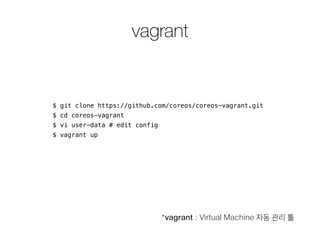


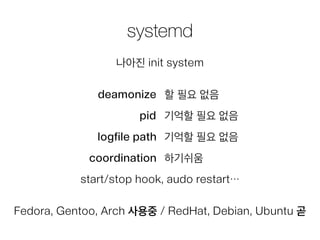
![systemd
시작 - systemctl start [service]
종료 - systemctl stop [service]
강제종료 - systemctl kill [service]
상태보기 - systemctl status [service]
로그보기 - journalctl -u [service]](https://image.slidesharecdn.com/coreos-140823062241-phpapp01/85/CoreOS-18-320.jpg)
![sample.service
[Unit]
Description=My Service 1
Requires=docker.service
After=docker.service
!
[Service]
ExecStart=/usr/bin/docker run --rm --name app1 busybox
/bin/sh -c "while true; do echo Hello World; sleep 1; done"
ExecStop=/usr/bin/docker kill app1
ExecStartPre / ExecStart / ExecStartPost / ExecReload / ExecStop / ExecStopPost / RestartSec](https://image.slidesharecdn.com/coreos-140823062241-phpapp01/85/CoreOS-19-320.jpg)

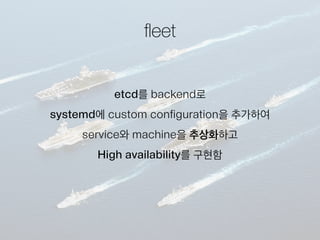
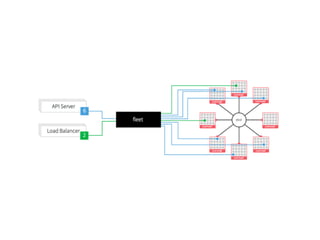
![fleet
서버리스트 - fleetctl list-machines
유닛리스트 - fleetctl list-units
시작 - fleetctl start [service]
종료 - fleetctl stop [service]
제거 - fleetctl destroy [service]
상태보기 - fleetctl status [service]
로그보기 - fleetctl journal [service]
remote
ssh-add ~/.ssh/id_rsa
export FLEETCTL_TUNNEL=172.17.8.101](https://image.slidesharecdn.com/coreos-140823062241-phpapp01/85/CoreOS-23-320.jpg)
![sample.1.service
[Unit]
Description=My Service 1
Requires=docker.service
After=docker.service
!
[Service]
ExecStart=/usr/bin/docker run --rm --name app1 busybox
/bin/sh -c "while true; do echo Hello World; sleep 1; done"
ExecStop=/usr/bin/docker kill app1
!
[X-Fleet]
X-Conflicts=sample.*.service](https://image.slidesharecdn.com/coreos-140823062241-phpapp01/85/CoreOS-24-320.jpg)

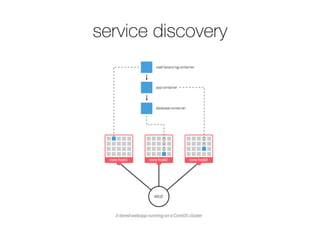
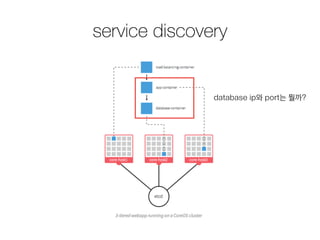
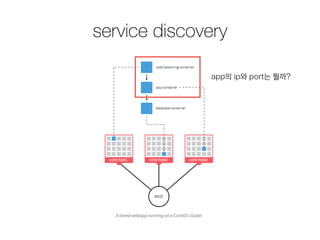
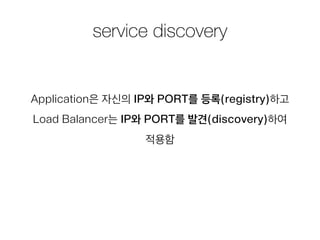
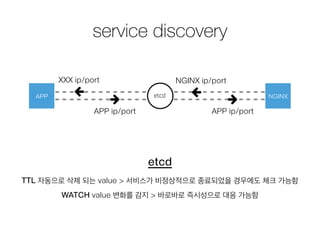
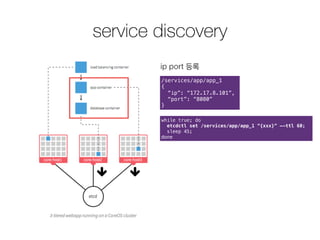
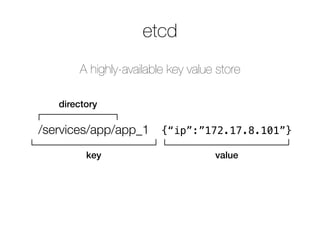
![service discovery
ip port 발견
/services/app/app_1
{
“ip”: “172.17.8.101”,
“port”: “8080”
}
설정 적용
upstream web_application {
<% infos.each do |info| %>
server <%= info["ip"] %>:<%= info["port"] %>;
<% end %>
}
서비스 재시작
$ nginx -s reload](https://image.slidesharecdn.com/coreos-140823062241-phpapp01/85/CoreOS-32-320.jpg)
![sidekick
[Unit]
Description=Announce web_1
BindsTo=web.1.service
!
[Service]
ExecStart=/bin/sh -c “WEB_SERVICE_IP=$(…) && WEB_SERVICE_PORT=$
(…) && while true; do etcdctl set /services/web/web_1 "{ "ip
": "$WEB_SERVICE_IP", "port":
"$WEB_SERVICE_PORT" }" --ttl 60; sleep 45; done"
ExecStop=/usr/bin/etcdctl rm /services/web/web_1
!
[X-Fleet]
X-ConditionMachineOf=web.1.service](https://image.slidesharecdn.com/coreos-140823062241-phpapp01/85/CoreOS-33-320.jpg)



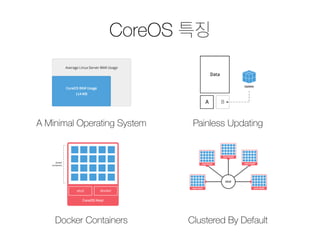
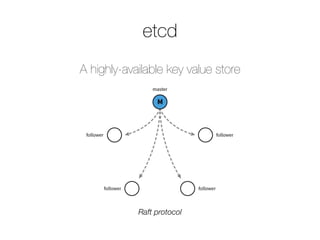
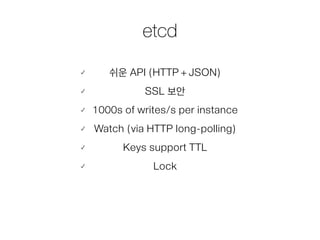
The document outlines the deployment of Docker containers using CoreOS, presented at a meetup in 2014. It introduces CoreOS's features, such as its minimal operating system and painless updating, and explains its components, including etcd and systemd for service management. Additionally, it discusses the service discovery aspect using etcd to manage application IPs and ports dynamically.


![[1A6]Docker로 보는 서버 운영의 미래](https://cdn.slidesharecdn.com/ss_thumbnails/1a6docker-140928071104-phpapp02-thumbnail.jpg?width=640&height=640&fit=bounds)


![[115] clean fe development_윤지수](https://cdn.slidesharecdn.com/ss_thumbnails/115cleanfedevelopment-161023163916-thumbnail.jpg?width=640&height=640&fit=bounds)


![[145]5년간의네이버웹엔진개발삽질기그리고 김효](https://cdn.slidesharecdn.com/ss_thumbnails/1455-161023163929-thumbnail.jpg?width=640&height=640&fit=bounds)
![[113]apache zeppelin 이문수](https://cdn.slidesharecdn.com/ss_thumbnails/113apachezeppelin-161023163318-thumbnail.jpg?width=640&height=640&fit=bounds)


![[OpenInfra Days Korea 2018] Day 2 - E4 - 딥다이브: immutable Kubernetes architecture](https://cdn.slidesharecdn.com/ss_thumbnails/e41530linuxkit-k8s-180704110158-thumbnail.jpg?width=640&height=640&fit=bounds)


