Algorithmic Problem
Solving
Algorithms
An algorithm is an ordered set of unambiguous
steps that describes a process
Examples from real life:
Recipes
Project directions - chemistry lab, writing prompt
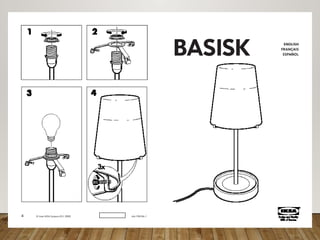
Instruction manual (IKEA)
Algorithms Express Solutions to
Computational Problems
Algorithms are expressed and implemented using
languages
 Possibilities: natural language, pseudocode, visual and textual
programming languages
 Different languages may be more suitable for solving different
problems
 The choice of language can affect clarity or readability, but not
whether a solution exists
Algorithms can solve many, but not all, problems
 Many problems can be solved in a reasonable time
 Some require heuristic (approximate) approaches to solve them
in a reasonable time
 Some problems cannot be solved using any algorithm
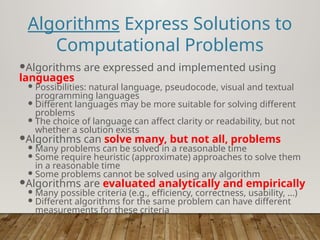
Algorithms are evaluated analytically and empirically
 Many possible criteria (e.g., efficiency, correctness, usability, ...)
 Different algorithms for the same problem can have different
measurements for these criteria
Algorithms:
Syntax and Semantics
Before you can write an algorithm, you have to have
a language in which to express it
Basic components of every algorithmic language:
“Primitive” actions
Conditionals: if <condition> then <actions>
Loops: repeat <actions> until <condition>
Variables: places to store information
Input and output: ways to get information into the
algorithm and to return information to the invoker
Functions: ways to group instructions into a “macro-
action” or “subgoal”
.
constructs for algorithm
development
When developing algorithms, we have 3 control
structures available to us
1. Sequence (i.e. one line after the other)
2. Decision making (e.g. using if/else constructs)
3. Looping (e.g. using while loops)
.
Example – Sequential
Develop an algorithm that will calculate an hourly
employee’s weekly pay
Step 1 : Understand the problem
Input : pay rate and number of hours
Process: pay = rate * hours
Output: pay
.
Algorithm – Calculate pay
Plain English
Ask for the pay rate and the number of hours worked.
Multiply the pay rate by the number of hours. The
result is the pay
Pseudocode - looks like code, but not a real language
1. Variables: hours, rate, pay
2. Display “Number of hours worked: ”
3. Get hours
4. Display “Amount paid per hour: ”
5. Get rate
6. pay = hours * rate
7. Display “The pay is $” , pay
Notice the importance of order and lack of ambiguity
Start
End
EXAMPLE - FLOWCHART
Display “Number
of hours
worked: ”
Get hours
Display
“Amount paid
per hour: ”
Get rate
pay = hours * rate
Display “The
pay is $”, pay
.
Example – Decision Making
Develop an algorithm that will figure out if a number is
positive
Step 1 : Understand the problem
Input : The number
Process: Is it greater than zero?
Output: Message that number is positive or non-
positive
.
Algorithm
Plain English
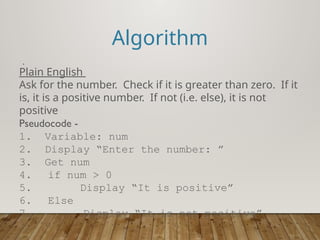
Ask for the number. Check if it is greater than zero. If it
is, it is a positive number. If not (i.e. else), it is not
positive
Pseudocode -
1. Variable: num
2. Display “Enter the number: ”
3. Get num
4. if num > 0
5. Display “It is positive”
6. Else
7. Display “It is not positive”
Flowcharts-Decision Making
Example
If num > 0 display “Positive”
Else (that means 0 or negative) display “Not Positive”
num >0?
Display
“positive”
Display “Not
positive”
True False
Looping
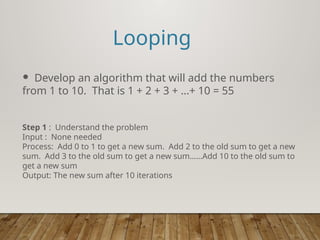
 Develop an algorithm that will add the numbers
from 1 to 10. That is 1 + 2 + 3 + …+ 10 = 55
Step 1 : Understand the problem
Input : None needed
Process: Add 0 to 1 to get a new sum. Add 2 to the old sum to get a new
sum. Add 3 to the old sum to get a new sum……Add 10 to the old sum to
get a new sum
Output: The new sum after 10 iterations
.
Algorithm
Plain English
Start count at 1. Add to the sum (originally zero) to get
a new sum. Increment the count. Repeat the last two
steps 10 times
Pseudocode -
While_Example
1. Numeric Variables: counter = 1, sum = 0
2. While counter <= 10:
3. sum = sum + counter
4. counter = counter + 1
5. EndWhile
6. Display “ The sum is”, sum
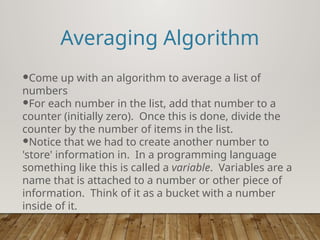
Averaging Algorithm
Come up with an algorithm to average a list of
numbers
For each number in the list, add that number to a
counter (initially zero). Once this is done, divide the
counter by the number of items in the list.
Notice that we had to create another number to
'store' information in. In a programming language
something like this is called a variable. Variables are a
name that is attached to a number or other piece of
information. Think of it as a bucket with a number
inside of it.
Averaging Algorithm
A more programmatic version of the algorithm:
Average(listOfNumbers, length)
Create a variable called counter starting at zero
For each number in listOfNumbers:
Add that number to counter
Set counter to (counter / length)
Return counter
Averaging Algorithm
What the algorithm looks like in python:
def average(listOfNumbers, length):
counter = 0
for currentNumber in listOfNumbers:
counter = counter + currentNumber
counter = counter / length
return counter
ALGORITHMS BASIC PRESENTATION FOR EVERYONE TO UNDERSTAND

  • 1.
  • 2.
    Algorithms An algorithm isan ordered set of unambiguous steps that describes a process Examples from real life: Recipes Project directions - chemistry lab, writing prompt Instruction manual (IKEA)
  • 7.
    Algorithms Express Solutionsto Computational Problems Algorithms are expressed and implemented using languages  Possibilities: natural language, pseudocode, visual and textual programming languages  Different languages may be more suitable for solving different problems  The choice of language can affect clarity or readability, but not whether a solution exists Algorithms can solve many, but not all, problems  Many problems can be solved in a reasonable time  Some require heuristic (approximate) approaches to solve them in a reasonable time  Some problems cannot be solved using any algorithm Algorithms are evaluated analytically and empirically  Many possible criteria (e.g., efficiency, correctness, usability, ...)  Different algorithms for the same problem can have different measurements for these criteria
  • 8.
    Algorithms: Syntax and Semantics Beforeyou can write an algorithm, you have to have a language in which to express it Basic components of every algorithmic language: “Primitive” actions Conditionals: if <condition> then <actions> Loops: repeat <actions> until <condition> Variables: places to store information Input and output: ways to get information into the algorithm and to return information to the invoker Functions: ways to group instructions into a “macro- action” or “subgoal”
  • 9.
    . constructs for algorithm development Whendeveloping algorithms, we have 3 control structures available to us 1. Sequence (i.e. one line after the other) 2. Decision making (e.g. using if/else constructs) 3. Looping (e.g. using while loops)
  • 10.
    . Example – Sequential Developan algorithm that will calculate an hourly employee’s weekly pay Step 1 : Understand the problem Input : pay rate and number of hours Process: pay = rate * hours Output: pay
  • 11.
    . Algorithm – Calculatepay Plain English Ask for the pay rate and the number of hours worked. Multiply the pay rate by the number of hours. The result is the pay Pseudocode - looks like code, but not a real language 1. Variables: hours, rate, pay 2. Display “Number of hours worked: ” 3. Get hours 4. Display “Amount paid per hour: ” 5. Get rate 6. pay = hours * rate 7. Display “The pay is $” , pay Notice the importance of order and lack of ambiguity
  • 12.
    Start End EXAMPLE - FLOWCHART Display“Number of hours worked: ” Get hours Display “Amount paid per hour: ” Get rate pay = hours * rate Display “The pay is $”, pay
  • 13.
    . Example – DecisionMaking Develop an algorithm that will figure out if a number is positive Step 1 : Understand the problem Input : The number Process: Is it greater than zero? Output: Message that number is positive or non- positive
  • 14.
    . Algorithm Plain English Ask forthe number. Check if it is greater than zero. If it is, it is a positive number. If not (i.e. else), it is not positive Pseudocode - 1. Variable: num 2. Display “Enter the number: ” 3. Get num 4. if num > 0 5. Display “It is positive” 6. Else 7. Display “It is not positive”
  • 15.
    Flowcharts-Decision Making Example If num> 0 display “Positive” Else (that means 0 or negative) display “Not Positive” num >0? Display “positive” Display “Not positive” True False
  • 16.
    Looping  Develop analgorithm that will add the numbers from 1 to 10. That is 1 + 2 + 3 + …+ 10 = 55 Step 1 : Understand the problem Input : None needed Process: Add 0 to 1 to get a new sum. Add 2 to the old sum to get a new sum. Add 3 to the old sum to get a new sum……Add 10 to the old sum to get a new sum Output: The new sum after 10 iterations
  • 17.
    . Algorithm Plain English Start countat 1. Add to the sum (originally zero) to get a new sum. Increment the count. Repeat the last two steps 10 times Pseudocode - While_Example 1. Numeric Variables: counter = 1, sum = 0 2. While counter <= 10: 3. sum = sum + counter 4. counter = counter + 1 5. EndWhile 6. Display “ The sum is”, sum
  • 18.
    Averaging Algorithm Come upwith an algorithm to average a list of numbers For each number in the list, add that number to a counter (initially zero). Once this is done, divide the counter by the number of items in the list. Notice that we had to create another number to 'store' information in. In a programming language something like this is called a variable. Variables are a name that is attached to a number or other piece of information. Think of it as a bucket with a number inside of it.
  • 19.
    Averaging Algorithm A moreprogrammatic version of the algorithm: Average(listOfNumbers, length) Create a variable called counter starting at zero For each number in listOfNumbers: Add that number to counter Set counter to (counter / length) Return counter
  • 20.
    Averaging Algorithm What thealgorithm looks like in python: def average(listOfNumbers, length): counter = 0 for currentNumber in listOfNumbers: counter = counter + currentNumber counter = counter / length return counter