U-WIN for Routine Immunization
Overview & Workflow of Modules
PILLAR 1
Innovative, technology-based, health
system strengthening tool which was rolled
out in 2015 with Technical Support from
UNDP under GAVI HSS support.
eVIN is rolled out 36 States and UTs and
digitizing the vaccine stocks and storage
temperatures in more than 29,500 Cold
Chain points in the Country
PILLAR 2

 Co-WIN platform is a state of the art
digital solution from the Government of
India to achieve universal vaccination
against COVID-19.
 Co-WIN has been developed for
empowering both citizens as well as
Health Care Workers
PILLAR 3
Digital solution for Universal Immunization
Program - facilitate tracking of every
pregnant woman, new born, child &
adolescent vaccination,
Planning vaccination sessions, updating
vaccination status digitally on real time
basis from the last mile of service delivery
by the Vaccinator.
BACKGROUND FOR U-WIN
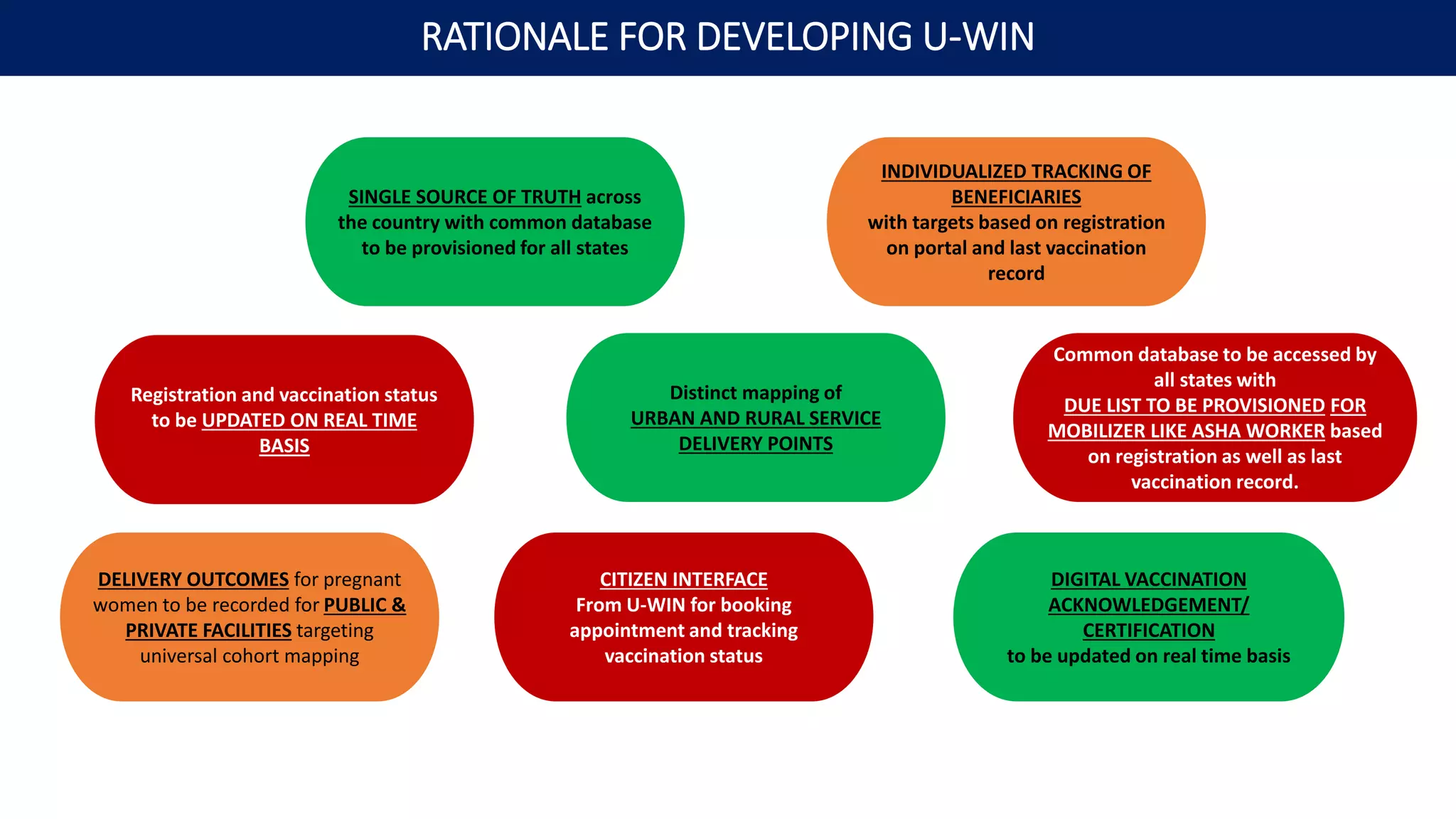
SINGLE SOURCE OF TRUTH across
the country with common database
to be provisioned for all states
DELIVERY OUTCOMES for pregnant
women to be recorded for PUBLIC &
PRIVATE FACILITIES targeting
universal cohort mapping
INDIVIDUALIZED TRACKING OF
BENEFICIARIES
with targets based on registration
on portal and last vaccination
record
Registration and vaccination status
to be UPDATED ON REAL TIME
BASIS
Common database to be accessed by
all states with
DUE LIST TO BE PROVISIONED FOR
MOBILIZER LIKE ASHA WORKER based
on registration as well as last
vaccination record.
CITIZEN INTERFACE
From U-WIN for booking
appointment and tracking
vaccination status
Distinct mapping of
URBAN AND RURAL SERVICE
DELIVERY POINTS
DIGITAL VACCINATION
ACKNOWLEDGEMENT/
CERTIFICATION
to be updated on real time basis
RATIONALE FOR DEVELOPING U-WIN
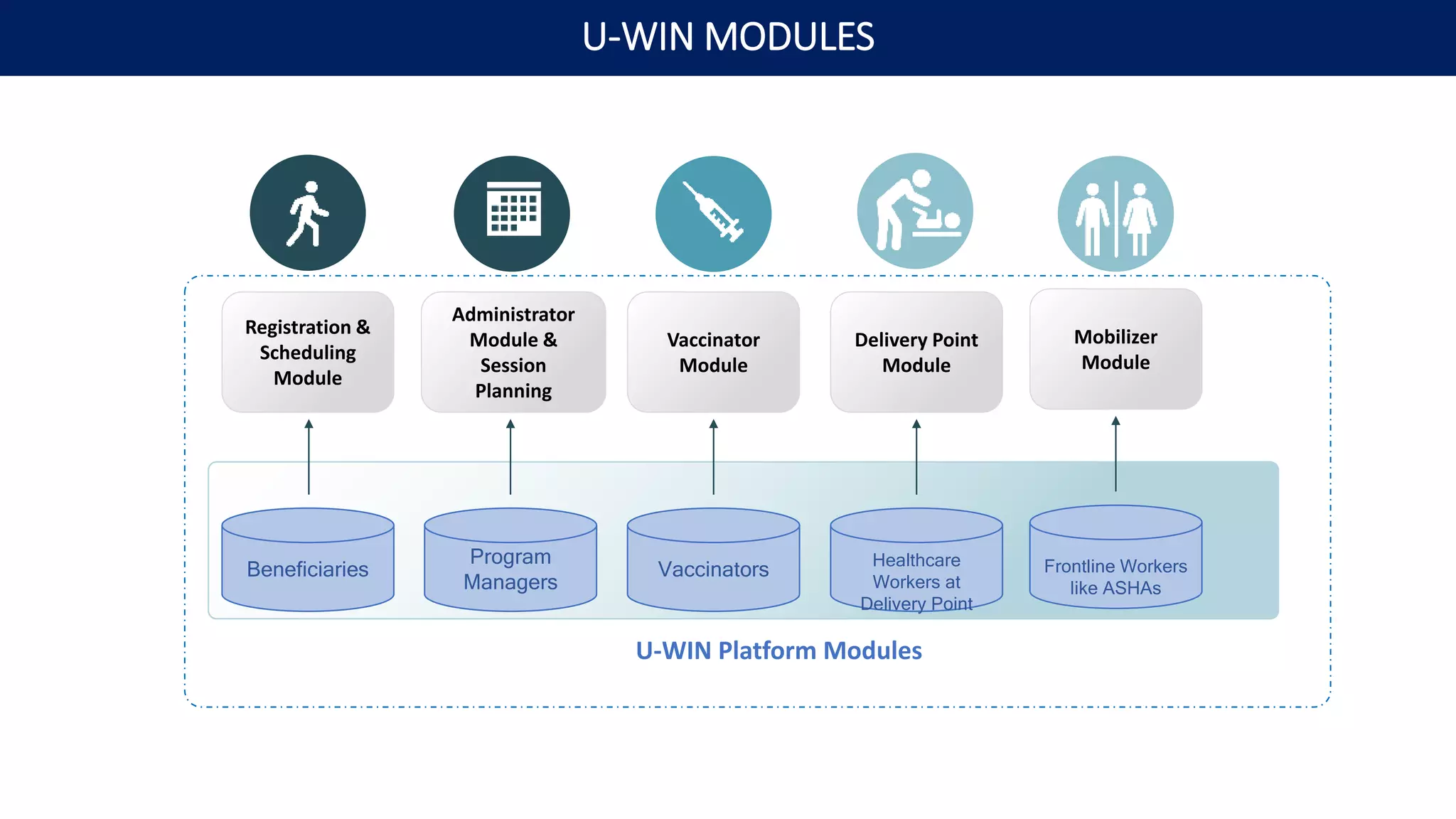
Beneficiaries
Program
Managers
Vaccinators Healthcare
Workers at
Delivery Point
Registration &
Scheduling
Module
Administrator
Module &
Session
Planning
Vaccinator
Module
Delivery Point
Module
U-WIN Platform Modules
Frontline Workers
like ASHAs
Mobilizer
Module
U-WIN MODULES
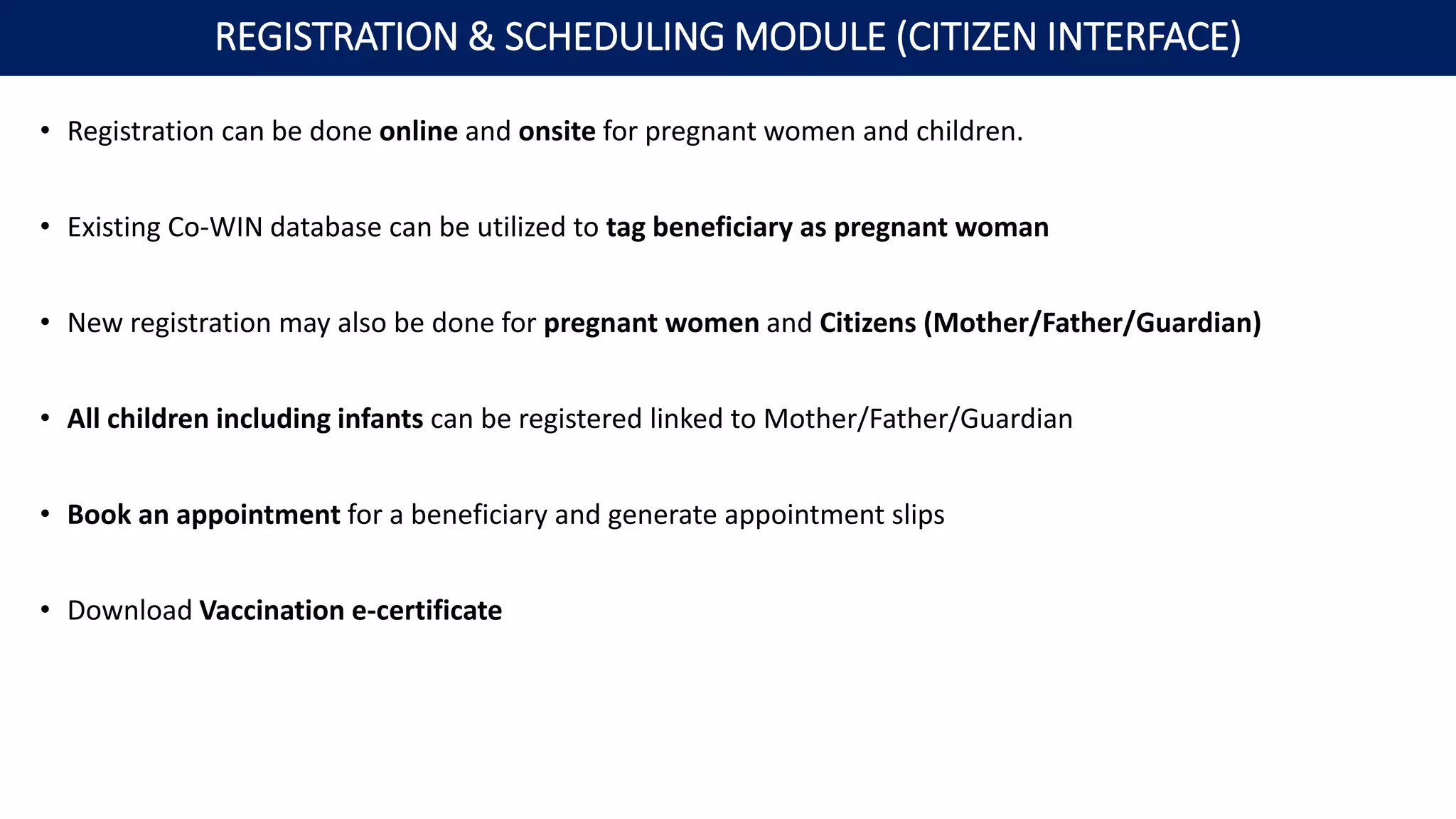
• Registration can be done online and onsite for pregnant women and children.
• Existing Co-WIN database can be utilized to tag beneficiary as pregnant woman
• New registration may also be done for pregnant women and Citizens (Mother/Father/Guardian)
• All children including infants can be registered linked to Mother/Father/Guardian
• Book an appointment for a beneficiary and generate appointment slips
• Download Vaccination e-certificate
REGISTRATION & SCHEDULING MODULE (CITIZEN INTERFACE)
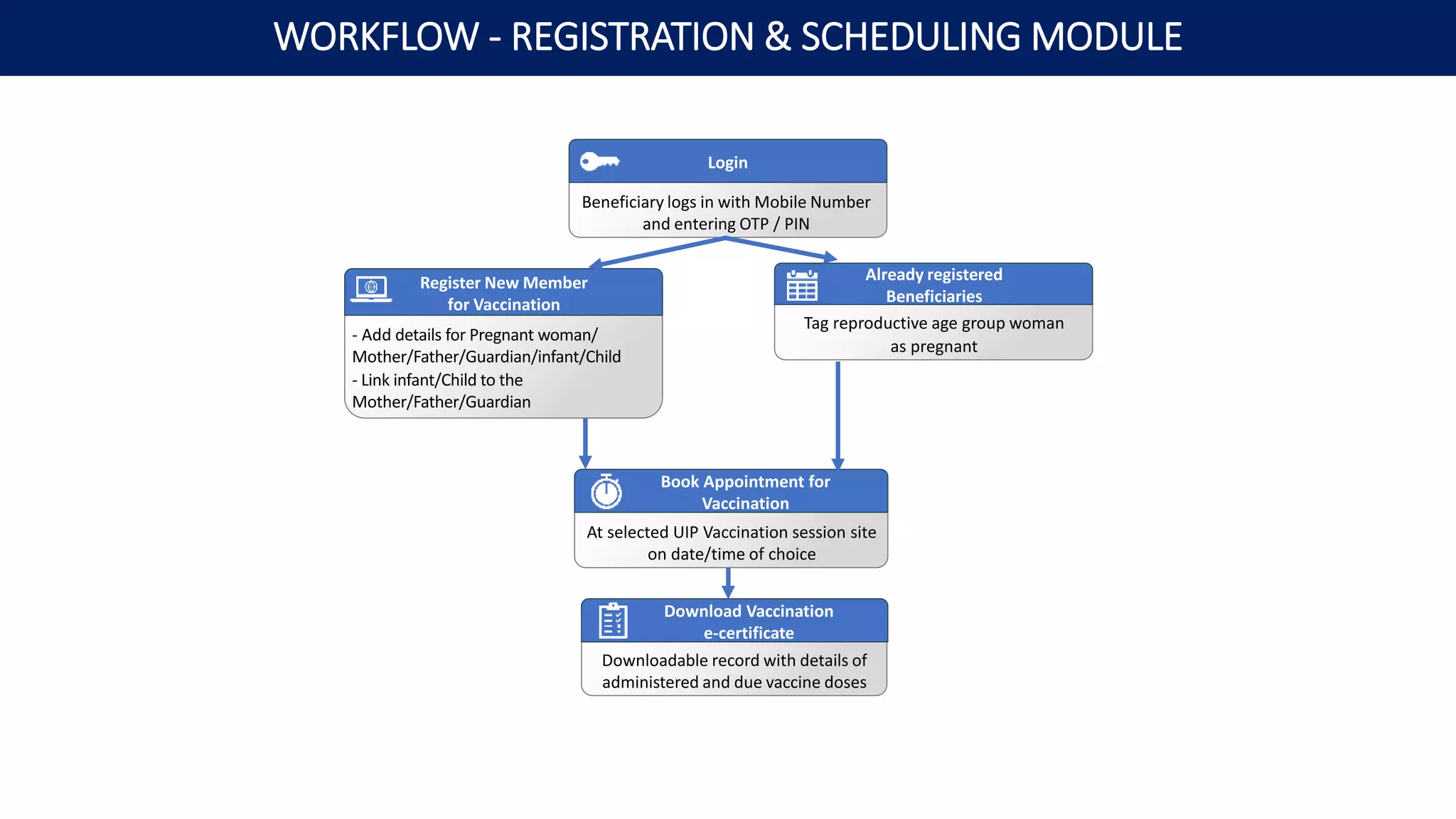
Beneficiary logs in with Mobile Number
and entering OTP / PIN
Login
- Add details for Pregnant woman/
Mother/Father/Guardian/infant/Child
- Link infant/Child to the
Mother/Father/Guardian
Register New Member
for Vaccination
Tag reproductive age group woman
as pregnant
Already registered
Beneficiaries
Downloadable record with details of
administered and due vaccine doses
Download Vaccination
e-certificate
At selected UIP Vaccination session site
on date/time of choice
Book Appointment for
Vaccination
WORKFLOW - REGISTRATION & SCHEDULING MODULE
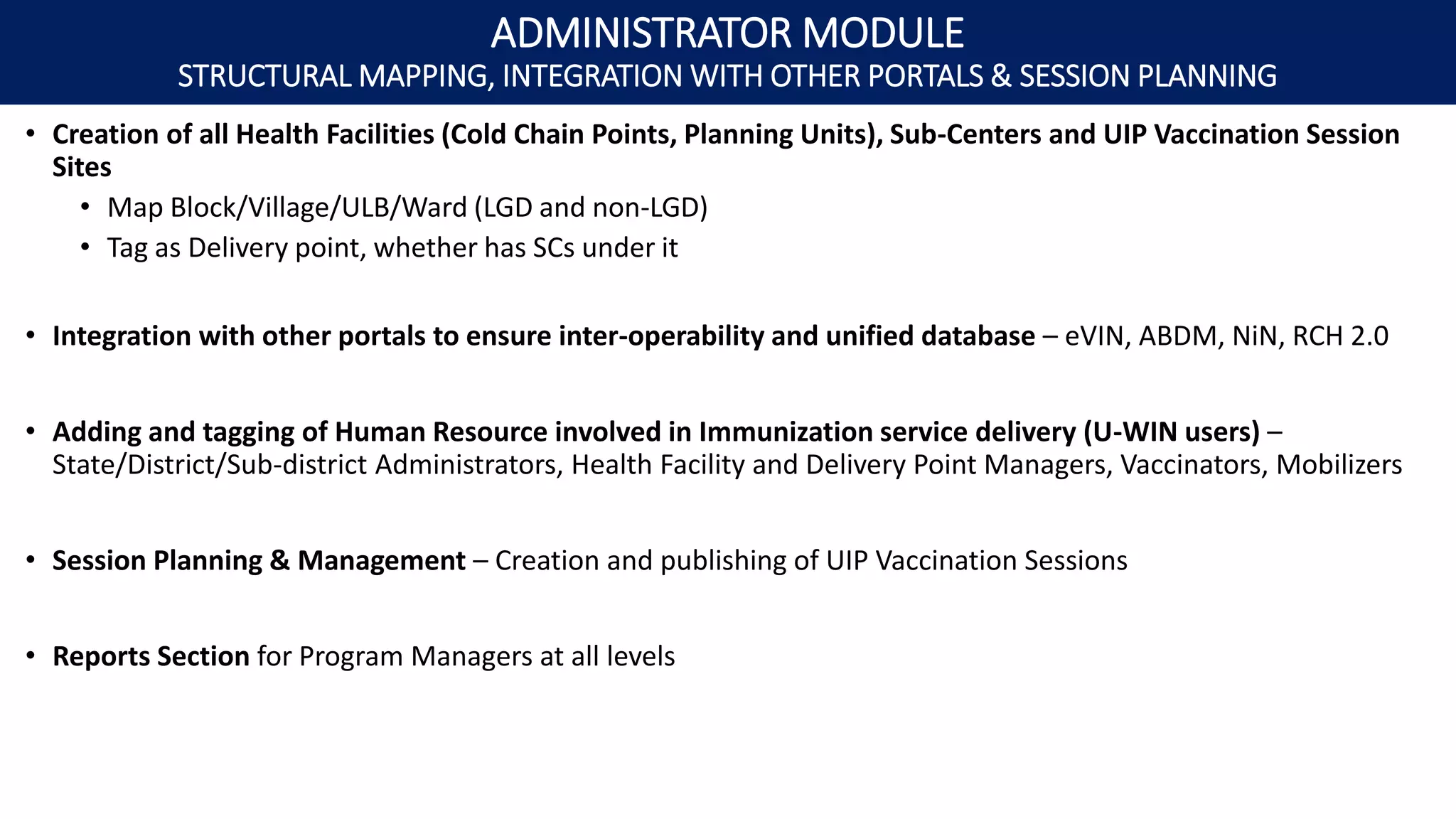
• Creation of all Health Facilities (Cold Chain Points, Planning Units), Sub-Centers and UIP Vaccination Session
Sites
• Map Block/Village/ULB/Ward (LGD and non-LGD)
• Tag as Delivery point, whether has SCs under it
• Integration with other portals to ensure inter-operability and unified database – eVIN, ABDM, NiN, RCH 2.0
• Adding and tagging of Human Resource involved in Immunization service delivery (U-WIN users) –
State/District/Sub-district Administrators, Health Facility and Delivery Point Managers, Vaccinators, Mobilizers
• Session Planning & Management – Creation and publishing of UIP Vaccination Sessions
• Reports Section for Program Managers at all levels
ADMINISTRATOR MODULE
STRUCTURAL MAPPING, INTEGRATION WITH OTHER PORTALS & SESSION PLANNING
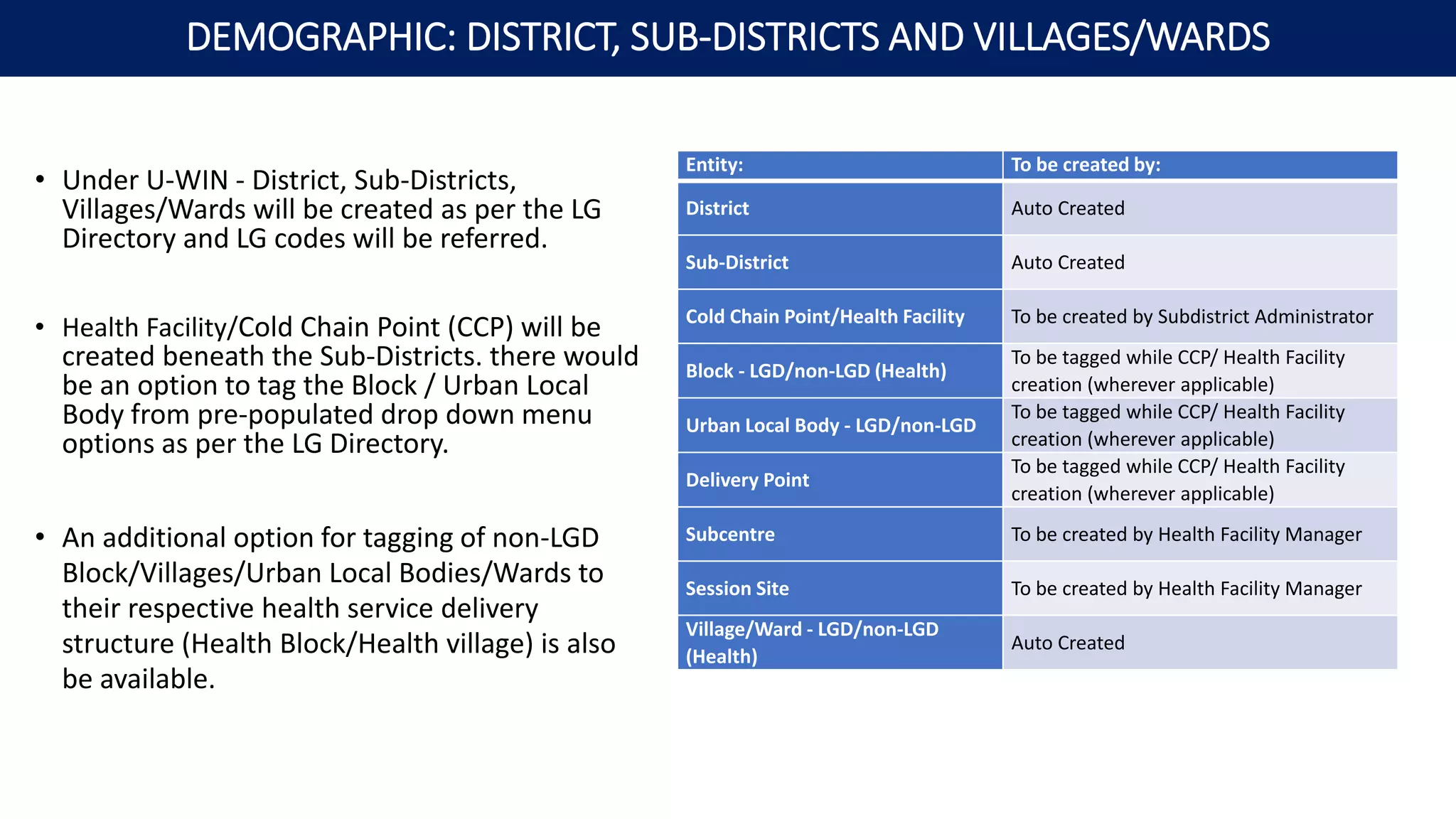
• Under U-WIN - District, Sub-Districts,
Villages/Wards will be created as per the LG
Directory and LG codes will be referred.
• Health Facility/Cold Chain Point (CCP) will be
created beneath the Sub-Districts. there would
be an option to tag the Block / Urban Local
Body from pre-populated drop down menu
options as per the LG Directory.
• An additional option for tagging of non-LGD
Block/Villages/Urban Local Bodies/Wards to
their respective health service delivery
structure (Health Block/Health village) is also
be available.
Entity: To be created by:
District Auto Created
Sub-District Auto Created
Cold Chain Point/Health Facility To be created by Subdistrict Administrator
Block - LGD/non-LGD (Health)
To be tagged while CCP/ Health Facility
creation (wherever applicable)
Urban Local Body - LGD/non-LGD
To be tagged while CCP/ Health Facility
creation (wherever applicable)
Delivery Point
To be tagged while CCP/ Health Facility
creation (wherever applicable)
Subcentre To be created by Health Facility Manager
Session Site To be created by Health Facility Manager
Village/Ward - LGD/non-LGD
(Health)
Auto Created
DEMOGRAPHIC: DISTRICT, SUB-DISTRICTS AND VILLAGES/WARDS
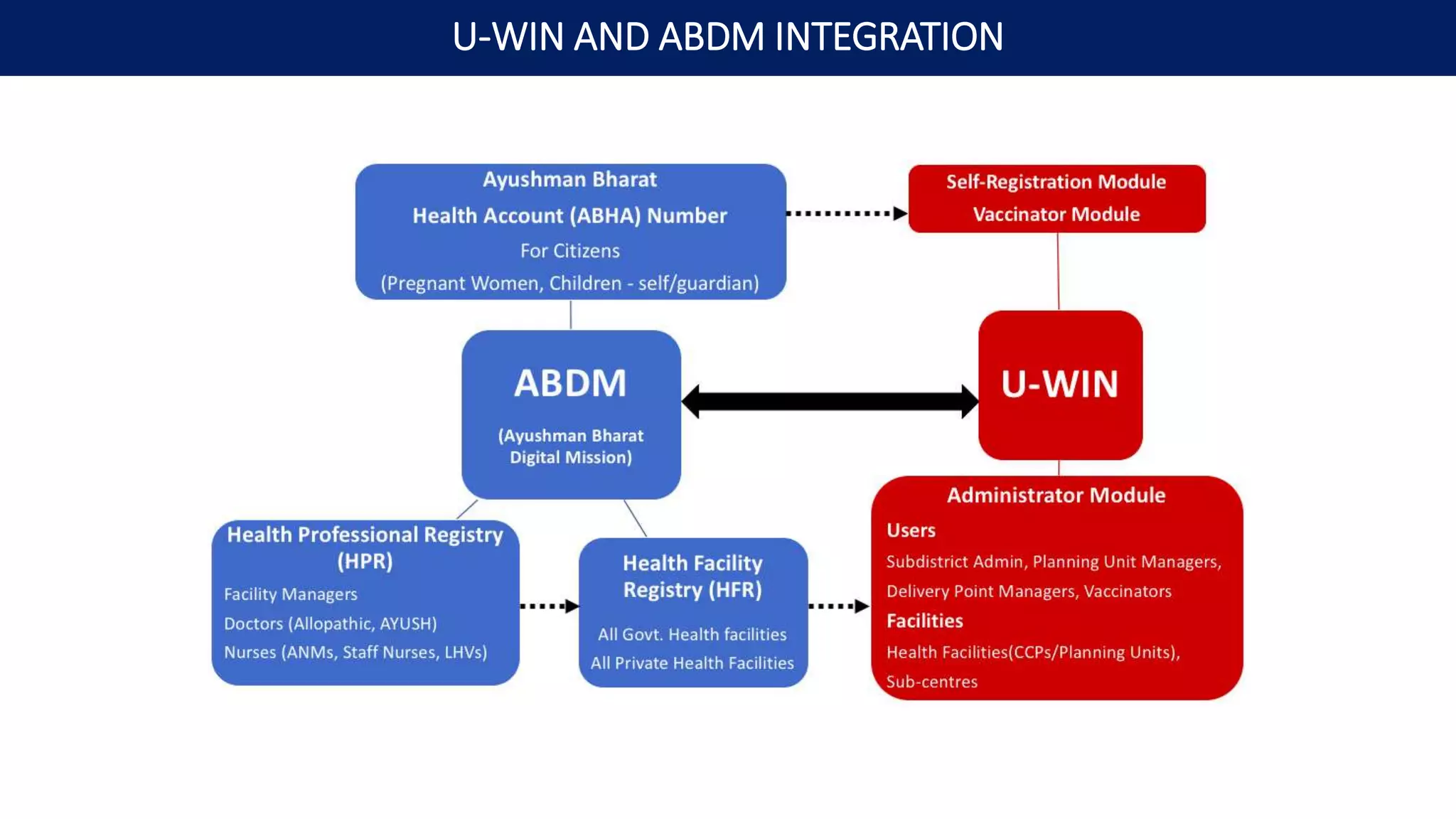
U-WIN AND ABDM INTEGRATION
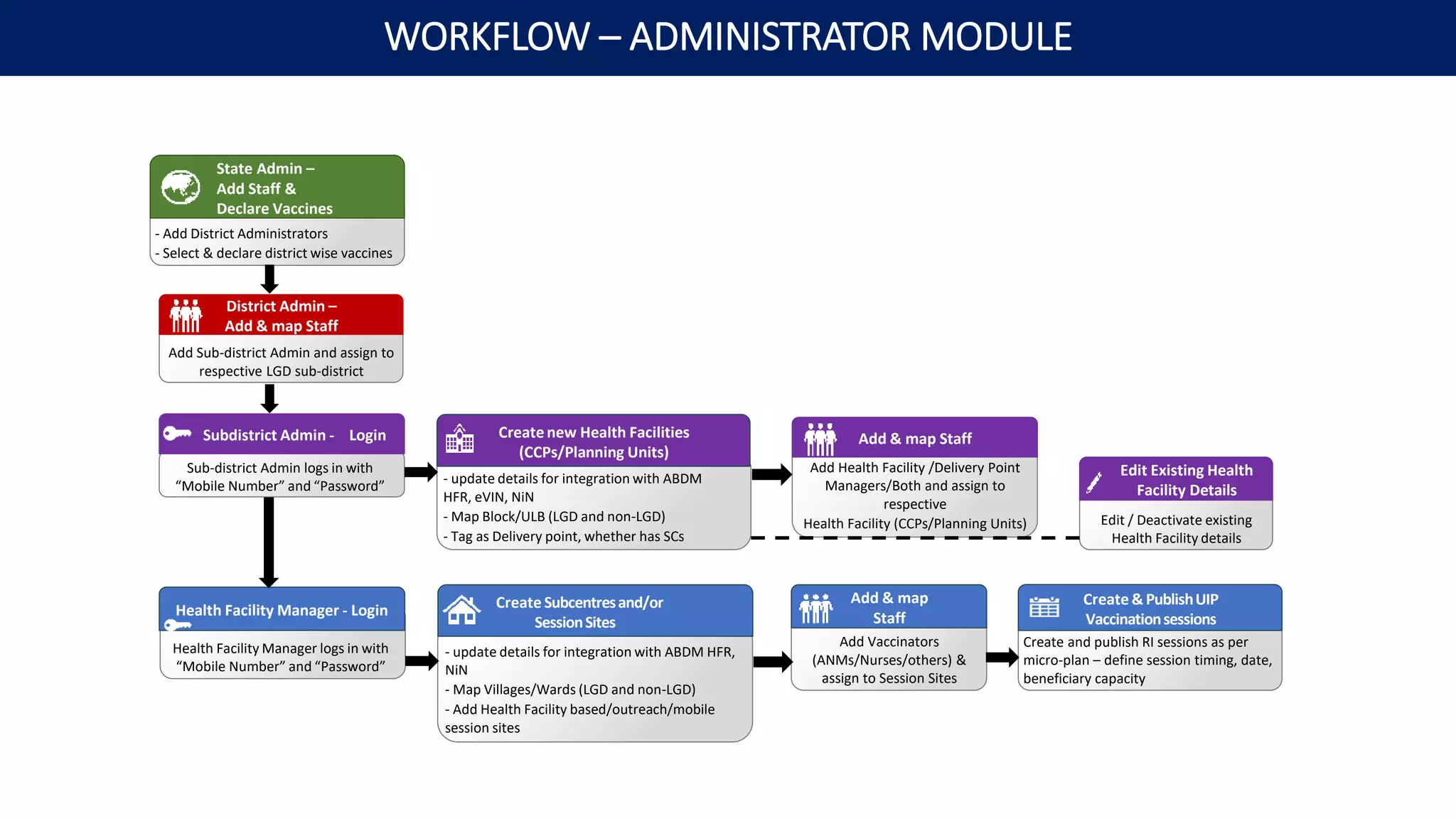
- Add District Administrators
- Select & declare district wise vaccines
State Admin –
Add Staff &
Declare Vaccines
Add Sub-district Admin and assign to
respective LGD sub-district
District Admin –
Add & map Staff
- update details for integration with ABDM
HFR, eVIN, NiN
- Map Block/ULB (LGD and non-LGD)
- Tag as Delivery point, whether has SCs
Create new Health Facilities
(CCPs/Planning Units)
Add Health Facility /Delivery Point
Managers/Both and assign to
respective
Health Facility (CCPs/Planning Units)
Add & map Staff
Sub-district Admin logs in with
“Mobile Number” and “Password”
Subdistrict Admin - Login
Edit / Deactivate existing
Health Facility details
Edit Existing Health
Facility Details
Health Facility Manager logs in with
“Mobile Number” and “Password”
Health Facility Manager - Login
- update details for integration with ABDM HFR,
NiN
- Map Villages/Wards (LGD and non-LGD)
- Add Health Facility based/outreach/mobile
session sites
Create Subcentresand/or
SessionSites
Add Vaccinators
(ANMs/Nurses/others) &
assign to Session Sites
Add & map
Staff
Create and publish RI sessions as per
micro-plan – define session timing, date,
beneficiary capacity
Create & PublishUIP
Vaccinationsessions
WORKFLOW – ADMINISTRATOR MODULE
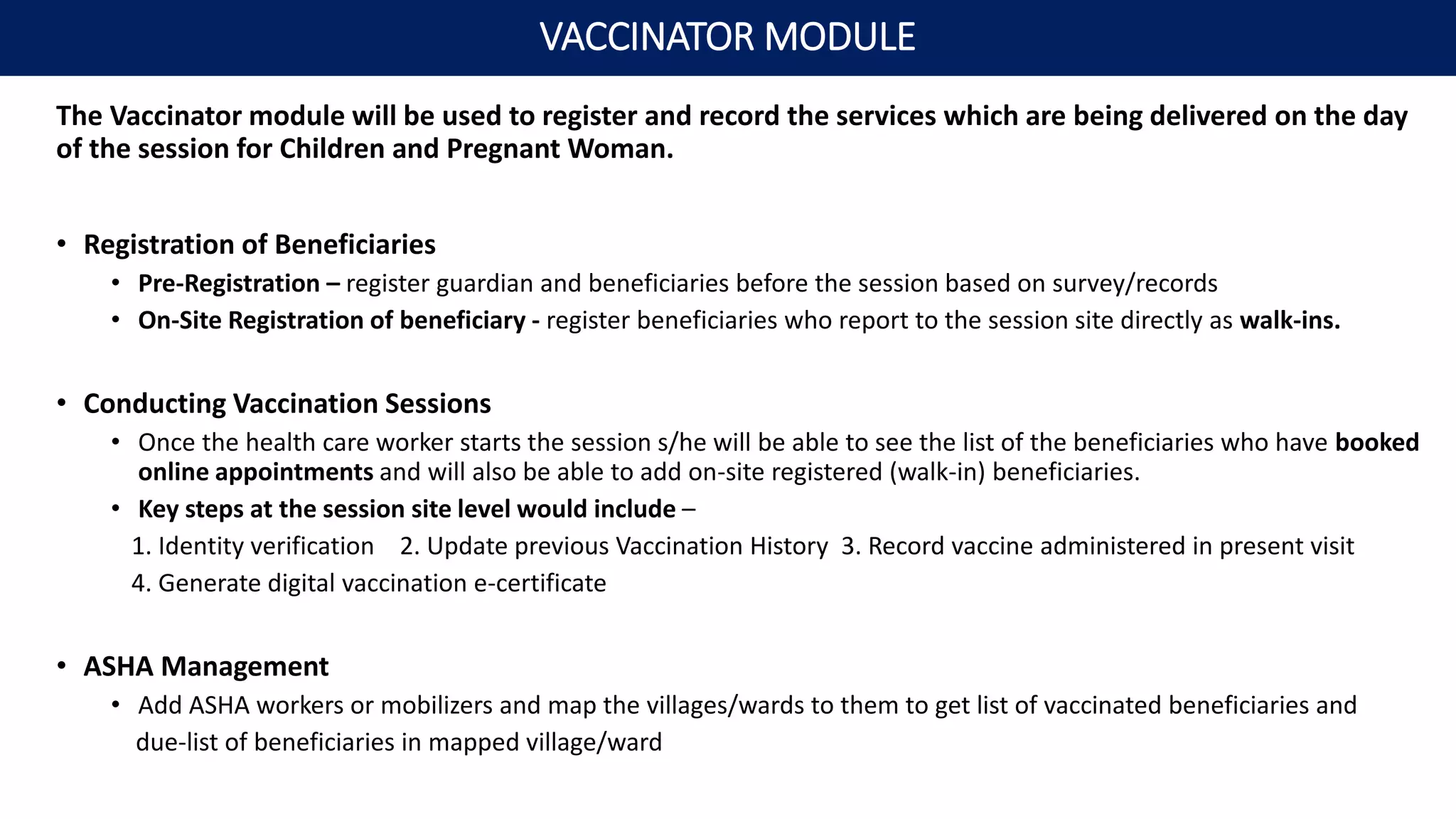
The Vaccinator module will be used to register and record the services which are being delivered on the day
of the session for Children and Pregnant Woman.
• Registration of Beneficiaries
• Pre-Registration – register guardian and beneficiaries before the session based on survey/records
• On-Site Registration of beneficiary - register beneficiaries who report to the session site directly as walk-ins.
• Conducting Vaccination Sessions
• Once the health care worker starts the session s/he will be able to see the list of the beneficiaries who have booked
online appointments and will also be able to add on-site registered (walk-in) beneficiaries.
• Key steps at the session site level would include –
1. Identity verification 2. Update previous Vaccination History 3. Record vaccine administered in present visit
4. Generate digital vaccination e-certificate
• ASHA Management
• Add ASHA workers or mobilizers and map the villages/wards to them to get list of vaccinated beneficiaries and
due-list of beneficiaries in mapped village/ward
VACCINATOR MODULE
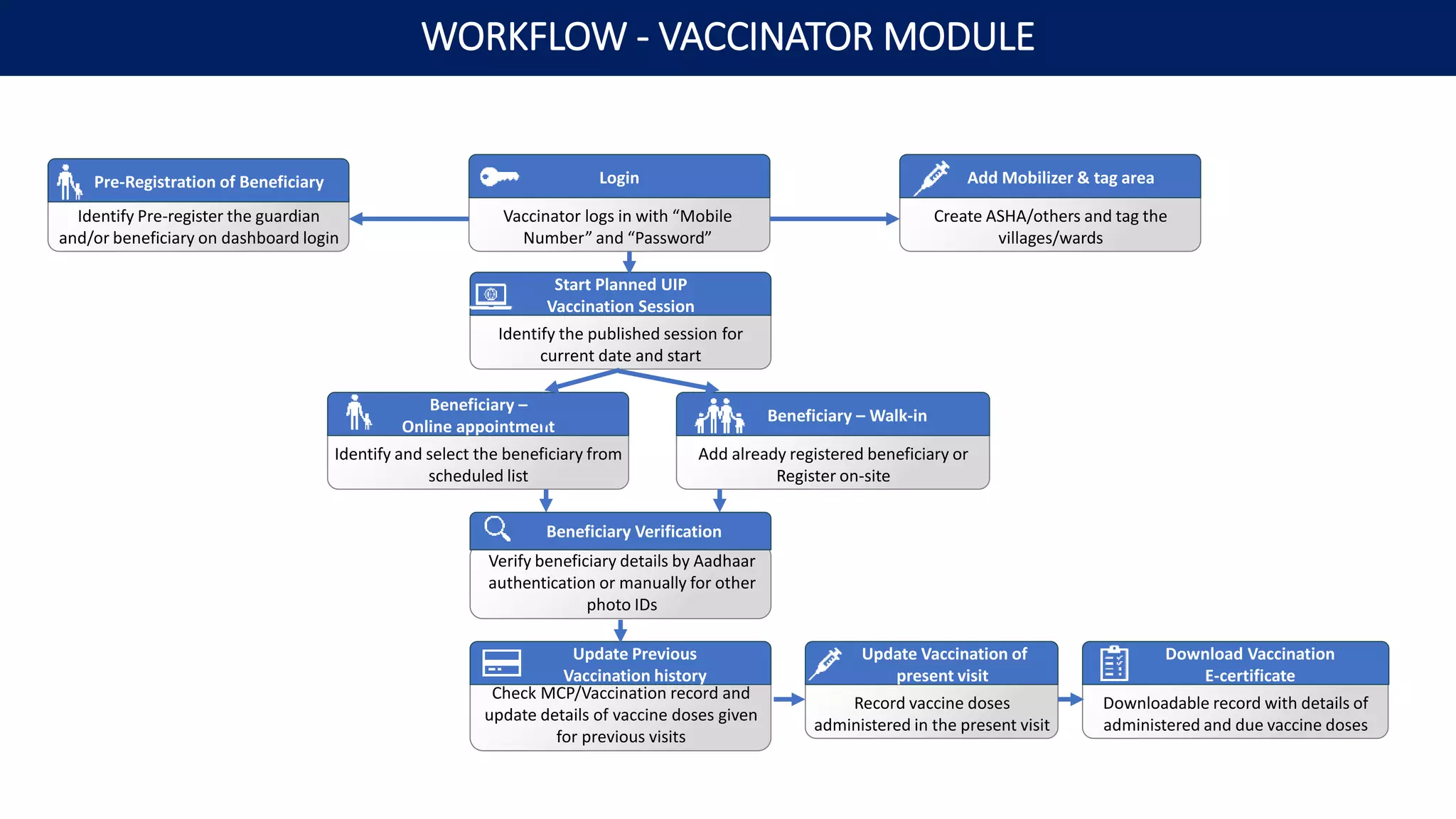
Identify Pre-register the guardian
and/or beneficiary on dashboard login
Vaccinator logs in with “Mobile
Number” and “Password”
Login
Identify the published session for
current date and start
Start Planned UIP
Vaccination Session
Identify and select the beneficiary from
scheduled list
Beneficiary –
Online appointment
Create ASHA/others and tag the
villages/wards
Add Mobilizer & tag area
Verify beneficiary details by Aadhaar
authentication or manually for other
photo IDs
Beneficiary Verification
Add already registered beneficiary or
Register on-site
Beneficiary – Walk-in
Check MCP/Vaccination record and
update details of vaccine doses given
for previous visits
Update Previous
Vaccination history
Downloadable record with details of
administered and due vaccine doses
Download Vaccination
E-certificate
Record vaccine doses
administered in the present visit
Update Vaccination of
present visit
WORKFLOW - VACCINATOR MODULE
Pre-Registration of Beneficiary
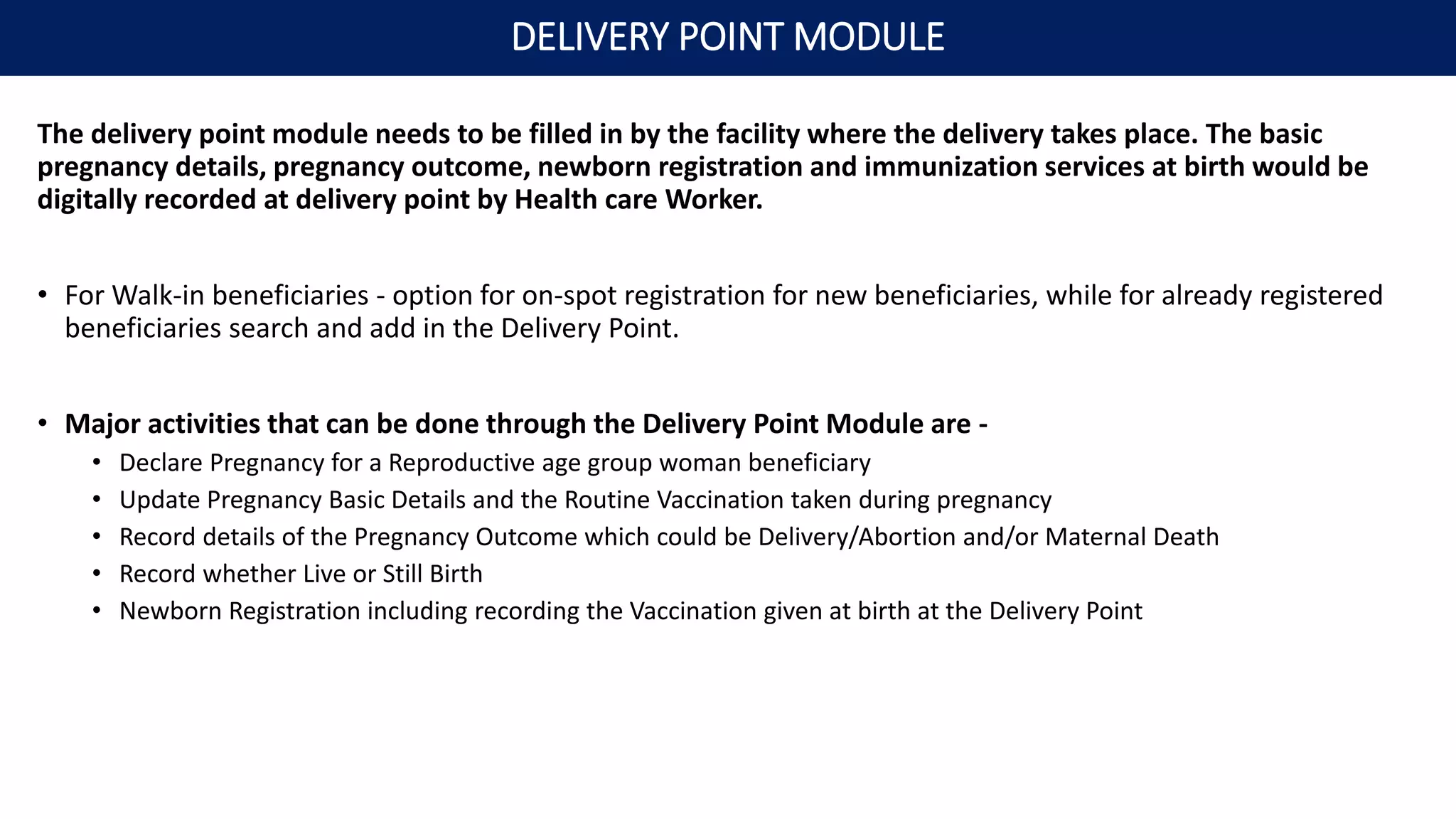
The delivery point module needs to be filled in by the facility where the delivery takes place. The basic
pregnancy details, pregnancy outcome, newborn registration and immunization services at birth would be
digitally recorded at delivery point by Health care Worker.
• For Walk-in beneficiaries - option for on-spot registration for new beneficiaries, while for already registered
beneficiaries search and add in the Delivery Point.
• Major activities that can be done through the Delivery Point Module are -
• Declare Pregnancy for a Reproductive age group woman beneficiary
• Update Pregnancy Basic Details and the Routine Vaccination taken during pregnancy
• Record details of the Pregnancy Outcome which could be Delivery/Abortion and/or Maternal Death
• Record whether Live or Still Birth
• Newborn Registration including recording the Vaccination given at birth at the Delivery Point
DELIVERY POINT MODULE
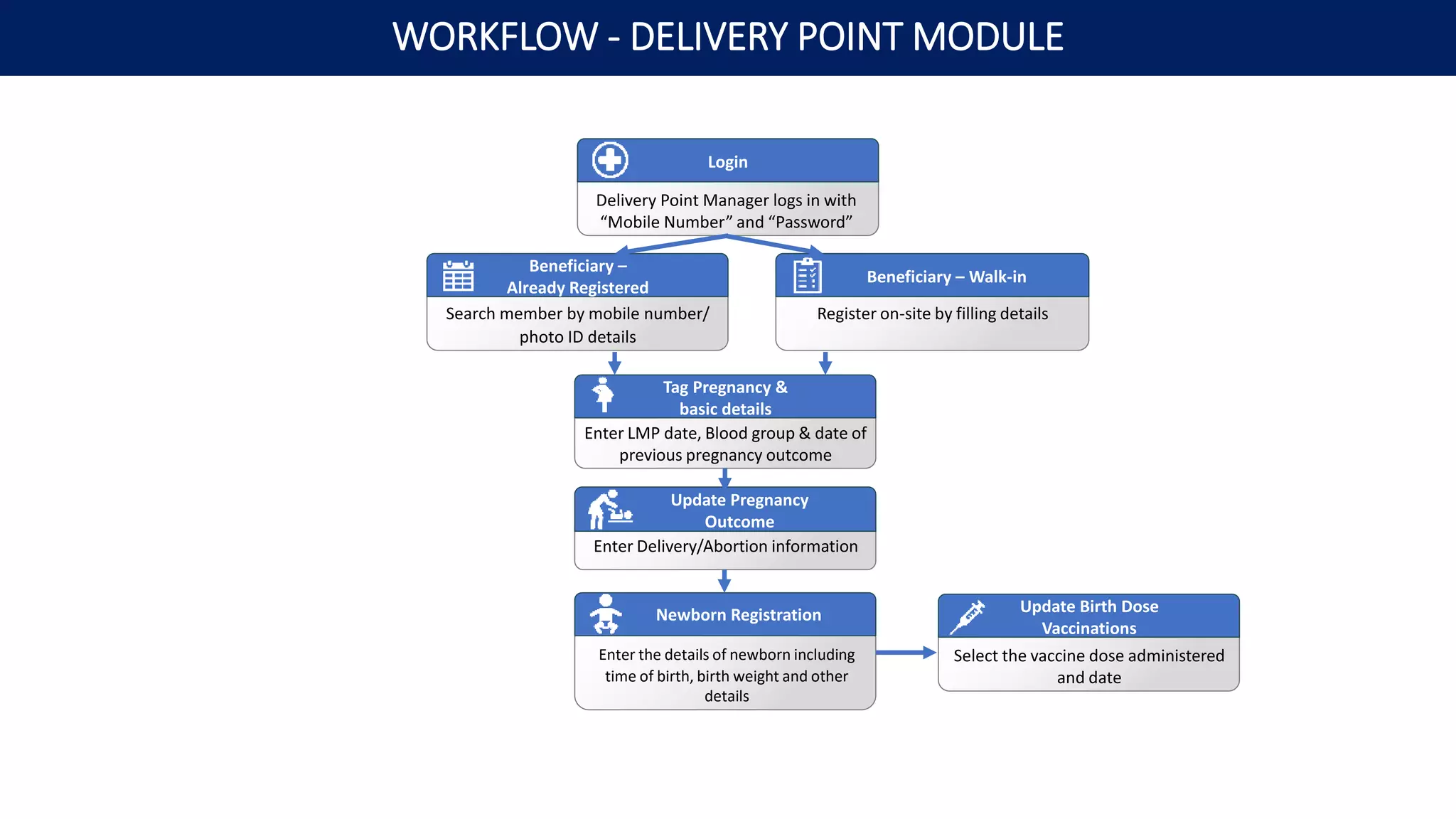
Delivery Point Manager logs in with
“Mobile Number” and “Password”
Login
Enter LMP date, Blood group & date of
previous pregnancy outcome
Tag Pregnancy &
basic details
Enter the details of newborn including
time of birth, birth weight and other
details
Newborn Registration
Enter Delivery/Abortion information
Update Pregnancy
Outcome
Search member by mobile number/
photo ID details
Beneficiary –
Already Registered
Register on-site by filling details
Beneficiary – Walk-in
Select the vaccine dose administered
and date
Update Birth Dose
Vaccinations
WORKFLOW - DELIVERY POINT MODULE
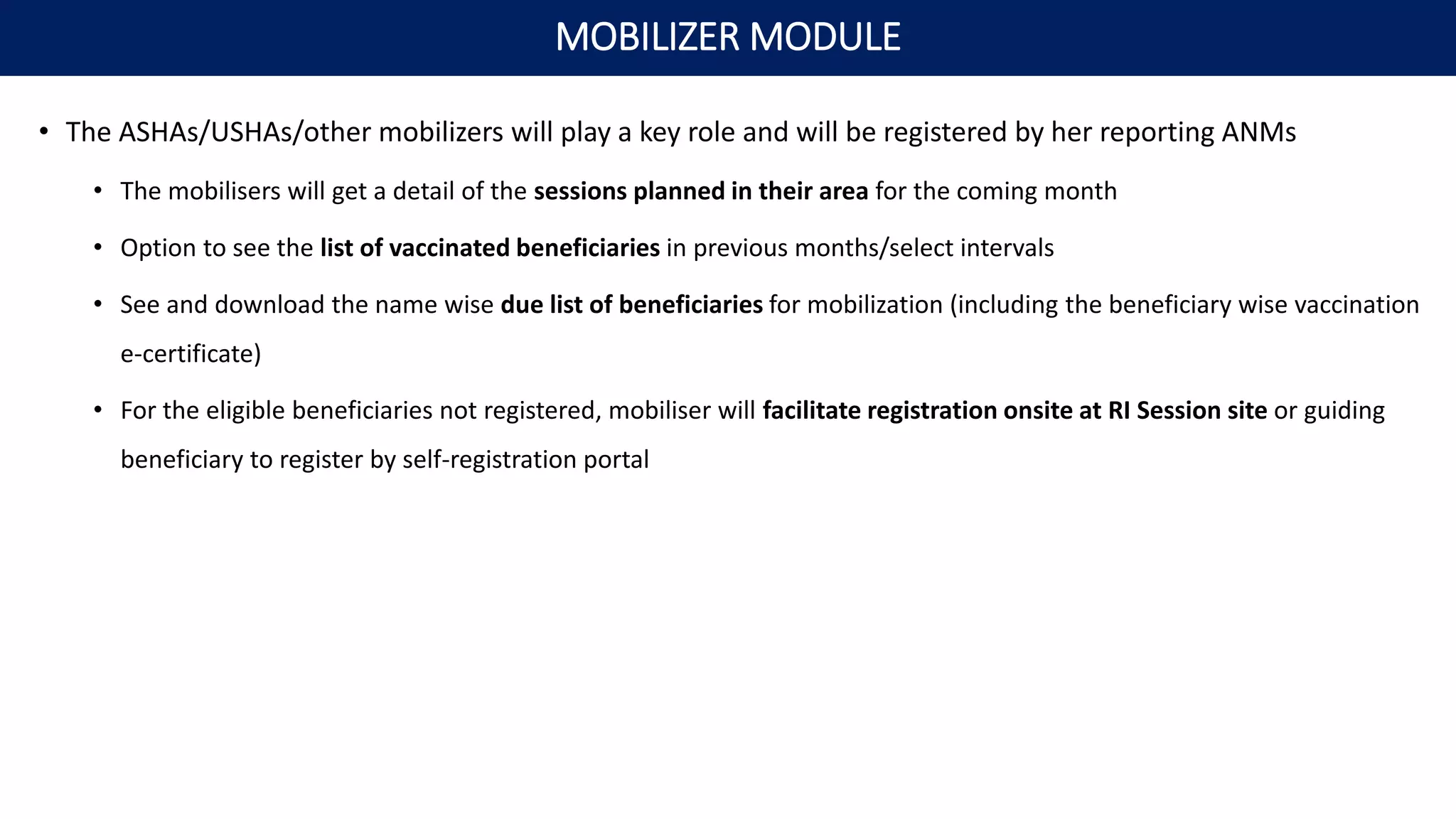
• The ASHAs/USHAs/other mobilizers will play a key role and will be registered by her reporting ANMs
• The mobilisers will get a detail of the sessions planned in their area for the coming month
• Option to see the list of vaccinated beneficiaries in previous months/select intervals
• See and download the name wise due list of beneficiaries for mobilization (including the beneficiary wise vaccination
e-certificate)
• For the eligible beneficiaries not registered, mobiliser will facilitate registration onsite at RI Session site or guiding
beneficiary to register by self-registration portal
MOBILIZER MODULE
THANK YOU

1.Overview & Workflow of Modules.pptx

  • 1.
    U-WIN for RoutineImmunization Overview & Workflow of Modules
  • 2.
    PILLAR 1 Innovative, technology-based,health system strengthening tool which was rolled out in 2015 with Technical Support from UNDP under GAVI HSS support. eVIN is rolled out 36 States and UTs and digitizing the vaccine stocks and storage temperatures in more than 29,500 Cold Chain points in the Country PILLAR 2   Co-WIN platform is a state of the art digital solution from the Government of India to achieve universal vaccination against COVID-19.  Co-WIN has been developed for empowering both citizens as well as Health Care Workers PILLAR 3 Digital solution for Universal Immunization Program - facilitate tracking of every pregnant woman, new born, child & adolescent vaccination, Planning vaccination sessions, updating vaccination status digitally on real time basis from the last mile of service delivery by the Vaccinator. BACKGROUND FOR U-WIN
  • 3.
    SINGLE SOURCE OFTRUTH across the country with common database to be provisioned for all states DELIVERY OUTCOMES for pregnant women to be recorded for PUBLIC & PRIVATE FACILITIES targeting universal cohort mapping INDIVIDUALIZED TRACKING OF BENEFICIARIES with targets based on registration on portal and last vaccination record Registration and vaccination status to be UPDATED ON REAL TIME BASIS Common database to be accessed by all states with DUE LIST TO BE PROVISIONED FOR MOBILIZER LIKE ASHA WORKER based on registration as well as last vaccination record. CITIZEN INTERFACE From U-WIN for booking appointment and tracking vaccination status Distinct mapping of URBAN AND RURAL SERVICE DELIVERY POINTS DIGITAL VACCINATION ACKNOWLEDGEMENT/ CERTIFICATION to be updated on real time basis RATIONALE FOR DEVELOPING U-WIN
  • 4.
    Beneficiaries Program Managers Vaccinators Healthcare Workers at DeliveryPoint Registration & Scheduling Module Administrator Module & Session Planning Vaccinator Module Delivery Point Module U-WIN Platform Modules Frontline Workers like ASHAs Mobilizer Module U-WIN MODULES
  • 5.
    • Registration canbe done online and onsite for pregnant women and children. • Existing Co-WIN database can be utilized to tag beneficiary as pregnant woman • New registration may also be done for pregnant women and Citizens (Mother/Father/Guardian) • All children including infants can be registered linked to Mother/Father/Guardian • Book an appointment for a beneficiary and generate appointment slips • Download Vaccination e-certificate REGISTRATION & SCHEDULING MODULE (CITIZEN INTERFACE)
  • 6.
    Beneficiary logs inwith Mobile Number and entering OTP / PIN Login - Add details for Pregnant woman/ Mother/Father/Guardian/infant/Child - Link infant/Child to the Mother/Father/Guardian Register New Member for Vaccination Tag reproductive age group woman as pregnant Already registered Beneficiaries Downloadable record with details of administered and due vaccine doses Download Vaccination e-certificate At selected UIP Vaccination session site on date/time of choice Book Appointment for Vaccination WORKFLOW - REGISTRATION & SCHEDULING MODULE
  • 7.
    • Creation ofall Health Facilities (Cold Chain Points, Planning Units), Sub-Centers and UIP Vaccination Session Sites • Map Block/Village/ULB/Ward (LGD and non-LGD) • Tag as Delivery point, whether has SCs under it • Integration with other portals to ensure inter-operability and unified database – eVIN, ABDM, NiN, RCH 2.0 • Adding and tagging of Human Resource involved in Immunization service delivery (U-WIN users) – State/District/Sub-district Administrators, Health Facility and Delivery Point Managers, Vaccinators, Mobilizers • Session Planning & Management – Creation and publishing of UIP Vaccination Sessions • Reports Section for Program Managers at all levels ADMINISTRATOR MODULE STRUCTURAL MAPPING, INTEGRATION WITH OTHER PORTALS & SESSION PLANNING
  • 8.
    • Under U-WIN- District, Sub-Districts, Villages/Wards will be created as per the LG Directory and LG codes will be referred. • Health Facility/Cold Chain Point (CCP) will be created beneath the Sub-Districts. there would be an option to tag the Block / Urban Local Body from pre-populated drop down menu options as per the LG Directory. • An additional option for tagging of non-LGD Block/Villages/Urban Local Bodies/Wards to their respective health service delivery structure (Health Block/Health village) is also be available. Entity: To be created by: District Auto Created Sub-District Auto Created Cold Chain Point/Health Facility To be created by Subdistrict Administrator Block - LGD/non-LGD (Health) To be tagged while CCP/ Health Facility creation (wherever applicable) Urban Local Body - LGD/non-LGD To be tagged while CCP/ Health Facility creation (wherever applicable) Delivery Point To be tagged while CCP/ Health Facility creation (wherever applicable) Subcentre To be created by Health Facility Manager Session Site To be created by Health Facility Manager Village/Ward - LGD/non-LGD (Health) Auto Created DEMOGRAPHIC: DISTRICT, SUB-DISTRICTS AND VILLAGES/WARDS
  • 9.
    U-WIN AND ABDMINTEGRATION
  • 10.
    - Add DistrictAdministrators - Select & declare district wise vaccines State Admin – Add Staff & Declare Vaccines Add Sub-district Admin and assign to respective LGD sub-district District Admin – Add & map Staff - update details for integration with ABDM HFR, eVIN, NiN - Map Block/ULB (LGD and non-LGD) - Tag as Delivery point, whether has SCs Create new Health Facilities (CCPs/Planning Units) Add Health Facility /Delivery Point Managers/Both and assign to respective Health Facility (CCPs/Planning Units) Add & map Staff Sub-district Admin logs in with “Mobile Number” and “Password” Subdistrict Admin - Login Edit / Deactivate existing Health Facility details Edit Existing Health Facility Details Health Facility Manager logs in with “Mobile Number” and “Password” Health Facility Manager - Login - update details for integration with ABDM HFR, NiN - Map Villages/Wards (LGD and non-LGD) - Add Health Facility based/outreach/mobile session sites Create Subcentresand/or SessionSites Add Vaccinators (ANMs/Nurses/others) & assign to Session Sites Add & map Staff Create and publish RI sessions as per micro-plan – define session timing, date, beneficiary capacity Create & PublishUIP Vaccinationsessions WORKFLOW – ADMINISTRATOR MODULE
  • 11.
    The Vaccinator modulewill be used to register and record the services which are being delivered on the day of the session for Children and Pregnant Woman. • Registration of Beneficiaries • Pre-Registration – register guardian and beneficiaries before the session based on survey/records • On-Site Registration of beneficiary - register beneficiaries who report to the session site directly as walk-ins. • Conducting Vaccination Sessions • Once the health care worker starts the session s/he will be able to see the list of the beneficiaries who have booked online appointments and will also be able to add on-site registered (walk-in) beneficiaries. • Key steps at the session site level would include – 1. Identity verification 2. Update previous Vaccination History 3. Record vaccine administered in present visit 4. Generate digital vaccination e-certificate • ASHA Management • Add ASHA workers or mobilizers and map the villages/wards to them to get list of vaccinated beneficiaries and due-list of beneficiaries in mapped village/ward VACCINATOR MODULE
  • 12.
    Identify Pre-register theguardian and/or beneficiary on dashboard login Vaccinator logs in with “Mobile Number” and “Password” Login Identify the published session for current date and start Start Planned UIP Vaccination Session Identify and select the beneficiary from scheduled list Beneficiary – Online appointment Create ASHA/others and tag the villages/wards Add Mobilizer & tag area Verify beneficiary details by Aadhaar authentication or manually for other photo IDs Beneficiary Verification Add already registered beneficiary or Register on-site Beneficiary – Walk-in Check MCP/Vaccination record and update details of vaccine doses given for previous visits Update Previous Vaccination history Downloadable record with details of administered and due vaccine doses Download Vaccination E-certificate Record vaccine doses administered in the present visit Update Vaccination of present visit WORKFLOW - VACCINATOR MODULE Pre-Registration of Beneficiary
  • 13.
    The delivery pointmodule needs to be filled in by the facility where the delivery takes place. The basic pregnancy details, pregnancy outcome, newborn registration and immunization services at birth would be digitally recorded at delivery point by Health care Worker. • For Walk-in beneficiaries - option for on-spot registration for new beneficiaries, while for already registered beneficiaries search and add in the Delivery Point. • Major activities that can be done through the Delivery Point Module are - • Declare Pregnancy for a Reproductive age group woman beneficiary • Update Pregnancy Basic Details and the Routine Vaccination taken during pregnancy • Record details of the Pregnancy Outcome which could be Delivery/Abortion and/or Maternal Death • Record whether Live or Still Birth • Newborn Registration including recording the Vaccination given at birth at the Delivery Point DELIVERY POINT MODULE
  • 14.
    Delivery Point Managerlogs in with “Mobile Number” and “Password” Login Enter LMP date, Blood group & date of previous pregnancy outcome Tag Pregnancy & basic details Enter the details of newborn including time of birth, birth weight and other details Newborn Registration Enter Delivery/Abortion information Update Pregnancy Outcome Search member by mobile number/ photo ID details Beneficiary – Already Registered Register on-site by filling details Beneficiary – Walk-in Select the vaccine dose administered and date Update Birth Dose Vaccinations WORKFLOW - DELIVERY POINT MODULE
  • 15.
    • The ASHAs/USHAs/othermobilizers will play a key role and will be registered by her reporting ANMs • The mobilisers will get a detail of the sessions planned in their area for the coming month • Option to see the list of vaccinated beneficiaries in previous months/select intervals • See and download the name wise due list of beneficiaries for mobilization (including the beneficiary wise vaccination e-certificate) • For the eligible beneficiaries not registered, mobiliser will facilitate registration onsite at RI Session site or guiding beneficiary to register by self-registration portal MOBILIZER MODULE
  • 16.