Introduction
What is Web?
 The Web, or World Wide Web (W3), is basically
a system of Internet servers that support specially
formatted documents.
 The Web is the common name for the World Wide Web, a
subset of the Internet consisting of the pages that can be
accessed by a Web browser.
 Some people assume that Web is the same as the Internet,
and use these terms interchangeably.
Internet and WWW
Inter-network and World Wide Web
Interlinked hypertext documents
accessed using HTTP Protocol
Client - Server architecture
Some historical details
 Start of standard groups
 TCP
 handles conversion between messages and streams packets
 IP
 handles addressing of packets across networks
 TCP/IP
 enables packets to be sent across multiple networks using multiple standards
 Telnet
 One of the earliest standards for exchanging transmission, directly connect accounts
on different systems.
 SMTP
 specifies another way of direct connection
Some historical details
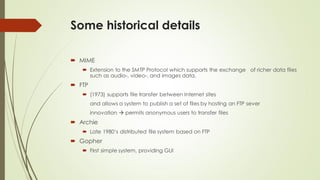
 MIME
 Extension to the SMTP Protocol which supports the exchange of richer data files
such as audio-, video-, and images data.
 FTP
 (1973) supports file transfer between Internet sites
and allows a system to publish a set of files by hosting an FTP sever
innovation  permits anonymous users to transfer files
 Archie
 Late 1980‘s distributed file system based on FTP
 Gopher
 First simple system, providing GUI
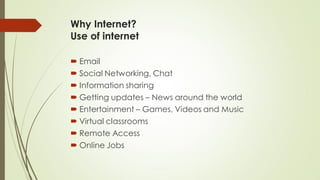
Why Internet?
Use of internet
 Email
 Social Networking, Chat
 Information sharing
 Getting updates – News around the world
 Entertainment – Games, Videos and Music
 Virtual classrooms
 Remote Access
 Online Jobs
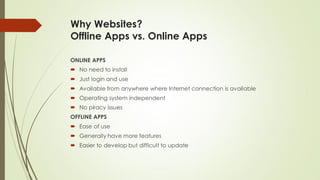
Why Websites?
Offline Apps vs. Online Apps
ONLINE APPS
 No need to install
 Just login and use
 Available from anywhere where Internet connection is available
 Operating system independent
 No piracy issues
OFFLINE APPS
 Ease of use
 Generally have more features
 Easier to develop but difficult to update
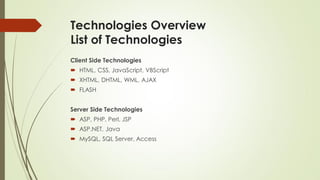
Technologies Overview
List of Technologies
Client Side Technologies
 HTML, CSS, JavaScript, VBScript
 XHTML, DHTML, WML, AJAX
 FLASH
Server Side Technologies
 ASP, PHP, Perl, JSP
 ASP.NET, Java
 MySQL, SQL Server, Access
Technologies Overview
List of Technologies
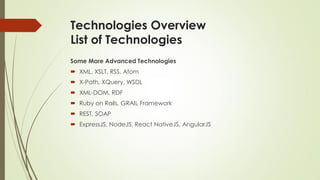
Some More Advanced Technologies
 XML, XSLT, RSS, Atom
 X-Path, XQuery, WSDL
 XML-DOM, RDF
 Ruby on Rails, GRAIL Framework
 REST, SOAP
 ExpressJS, NodeJS, React NativeJS, AngularJS
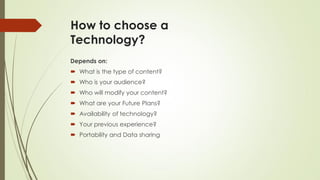
How to choose a
Technology?
Depends on:
 What is the type of content?
 Who is your audience?
 Who will modify your content?
 What are your Future Plans?
 Availability of technology?
 Your previous experience?
 Portability and Data sharing
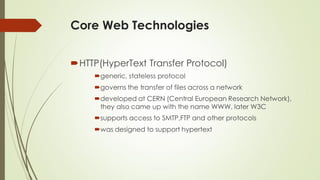
Core Web Technologies
HTTP(HyperText Transfer Protocol)
generic, stateless protocol
governs the transfer of files across a network
developed at CERN (Central European Research Network),
they also came up with the name WWW, later W3C
supports access to SMTP,FTP and other protocols
was designed to support hypertext
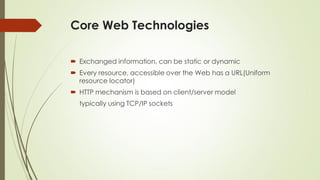
Core Web Technologies
 Exchanged information, can be static or dynamic
 Every resource, accessible over the Web has a URL(Uniform
resource locator)
 HTTP mechanism is based on client/server model
typically using TCP/IP sockets
Core Web Technologies
 since Version 1.1 HTTP requires servers to support persistent
connections, to minimize overhead associated with
opening and closing connections.
 Typical methods on the server side are:
 OPTIONS
 send information about the communication options
 GET
 retrieve document or document produced by a program
 POST
 Append or attach information
 PUT
 Store information
 DELETE
 Delete the resource indicated in the request
Core Web Technologies
 Another limitation HTTP is stateless
 Does not provide storing of information between requests
 No indication of any relationship between two different requests
 cookies, small data structures that a web server requests the
HTTP client to store on the local machine,
are used to maintain state information
e.g. cookies store recently view items on a web shop
Some Web Terms
 Web Standards
 Web Browser
 Web Services
 Web Server
 Web Page
 Web Hosting
 Web Storage
 Web Stack
 Web Site
 Web Application
 Web Portal
Web Engineering
 Web Engineering is the application of systematic, disciplined and
quantifiable approaches to development, operation, and
maintenance of Web-based applications.
 It is both a pro-active approach and a growing collection of
theoretical and empirical research in Web application
development.

1 web technologies

  • 1.
  • 2.
    What is Web? The Web, or World Wide Web (W3), is basically a system of Internet servers that support specially formatted documents.  The Web is the common name for the World Wide Web, a subset of the Internet consisting of the pages that can be accessed by a Web browser.  Some people assume that Web is the same as the Internet, and use these terms interchangeably.
  • 3.
    Internet and WWW Inter-networkand World Wide Web Interlinked hypertext documents accessed using HTTP Protocol Client - Server architecture
  • 4.
    Some historical details Start of standard groups  TCP  handles conversion between messages and streams packets  IP  handles addressing of packets across networks  TCP/IP  enables packets to be sent across multiple networks using multiple standards  Telnet  One of the earliest standards for exchanging transmission, directly connect accounts on different systems.  SMTP  specifies another way of direct connection
  • 5.
    Some historical details MIME  Extension to the SMTP Protocol which supports the exchange of richer data files such as audio-, video-, and images data.  FTP  (1973) supports file transfer between Internet sites and allows a system to publish a set of files by hosting an FTP sever innovation  permits anonymous users to transfer files  Archie  Late 1980‘s distributed file system based on FTP  Gopher  First simple system, providing GUI
  • 6.
    Why Internet? Use ofinternet  Email  Social Networking, Chat  Information sharing  Getting updates – News around the world  Entertainment – Games, Videos and Music  Virtual classrooms  Remote Access  Online Jobs
  • 7.
    Why Websites? Offline Appsvs. Online Apps ONLINE APPS  No need to install  Just login and use  Available from anywhere where Internet connection is available  Operating system independent  No piracy issues OFFLINE APPS  Ease of use  Generally have more features  Easier to develop but difficult to update
  • 8.
    Technologies Overview List ofTechnologies Client Side Technologies  HTML, CSS, JavaScript, VBScript  XHTML, DHTML, WML, AJAX  FLASH Server Side Technologies  ASP, PHP, Perl, JSP  ASP.NET, Java  MySQL, SQL Server, Access
  • 9.
    Technologies Overview List ofTechnologies Some More Advanced Technologies  XML, XSLT, RSS, Atom  X-Path, XQuery, WSDL  XML-DOM, RDF  Ruby on Rails, GRAIL Framework  REST, SOAP  ExpressJS, NodeJS, React NativeJS, AngularJS
  • 10.
    How to choosea Technology? Depends on:  What is the type of content?  Who is your audience?  Who will modify your content?  What are your Future Plans?  Availability of technology?  Your previous experience?  Portability and Data sharing
  • 11.
    Core Web Technologies HTTP(HyperTextTransfer Protocol) generic, stateless protocol governs the transfer of files across a network developed at CERN (Central European Research Network), they also came up with the name WWW, later W3C supports access to SMTP,FTP and other protocols was designed to support hypertext
  • 12.
    Core Web Technologies Exchanged information, can be static or dynamic  Every resource, accessible over the Web has a URL(Uniform resource locator)  HTTP mechanism is based on client/server model typically using TCP/IP sockets
  • 13.
    Core Web Technologies since Version 1.1 HTTP requires servers to support persistent connections, to minimize overhead associated with opening and closing connections.  Typical methods on the server side are:  OPTIONS  send information about the communication options  GET  retrieve document or document produced by a program  POST  Append or attach information  PUT  Store information  DELETE  Delete the resource indicated in the request
  • 14.
    Core Web Technologies Another limitation HTTP is stateless  Does not provide storing of information between requests  No indication of any relationship between two different requests  cookies, small data structures that a web server requests the HTTP client to store on the local machine, are used to maintain state information e.g. cookies store recently view items on a web shop
  • 15.
    Some Web Terms Web Standards  Web Browser  Web Services  Web Server  Web Page  Web Hosting  Web Storage  Web Stack  Web Site  Web Application  Web Portal
  • 16.
    Web Engineering  WebEngineering is the application of systematic, disciplined and quantifiable approaches to development, operation, and maintenance of Web-based applications.  It is both a pro-active approach and a growing collection of theoretical and empirical research in Web application development.