More Information in Images
More Information in Images We found out last time: How pixels in an image have different ‘shades’ depending on the number of bits Binary numbers represent decimal values in digital systems The number of alternatives is 2 n  for n bits 10101 = 21  what is the number of alternatives? Hint, it’s 5 bits…
 
More Information in Images We will find out today: How to calculate the data capacity needed to store an image How to calculate data transfer rates How to use Logarithms to calculate values
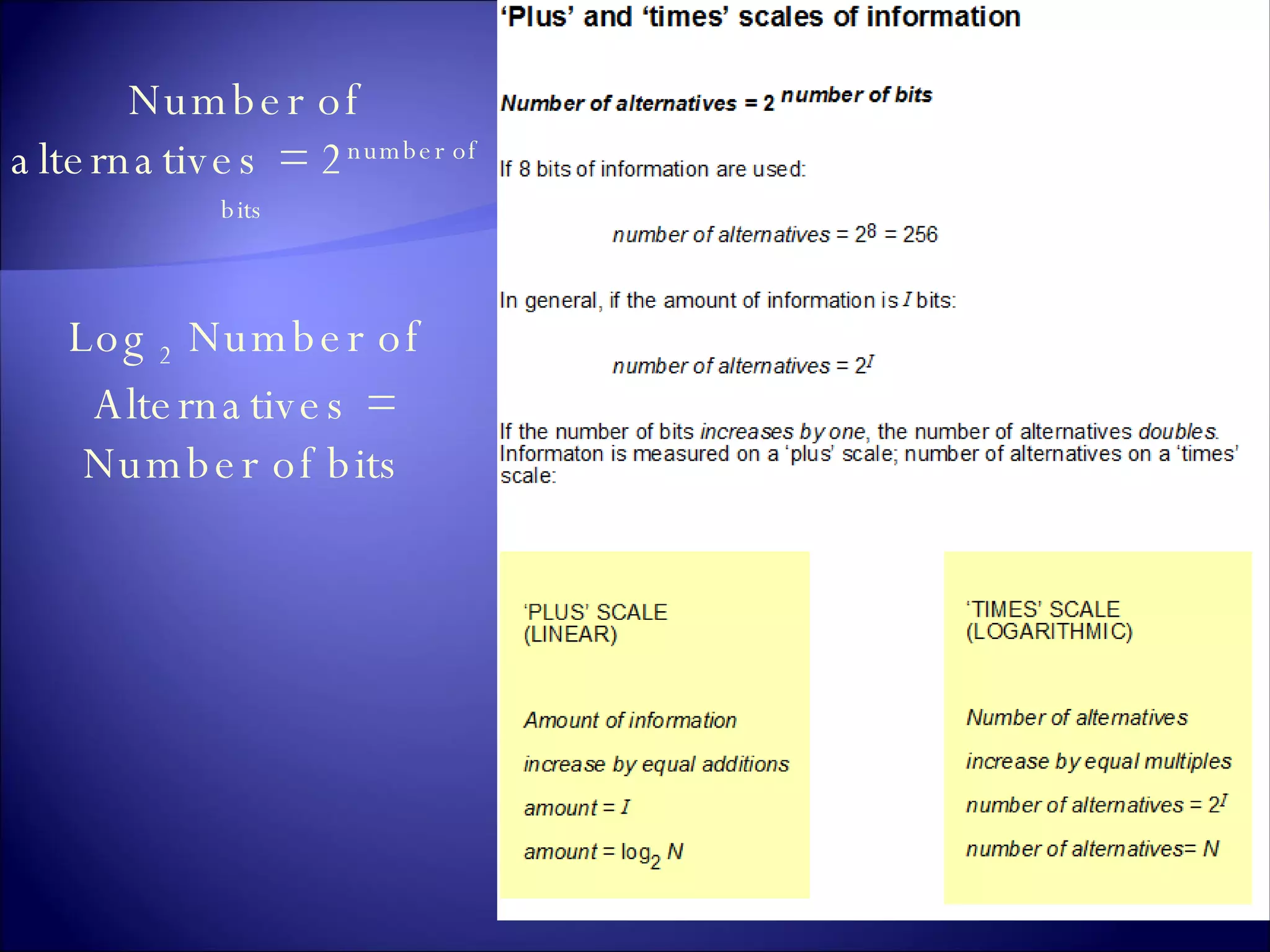
Number of alternatives = 2 number of bits Log  2  Number of Alternatives = Number of bits
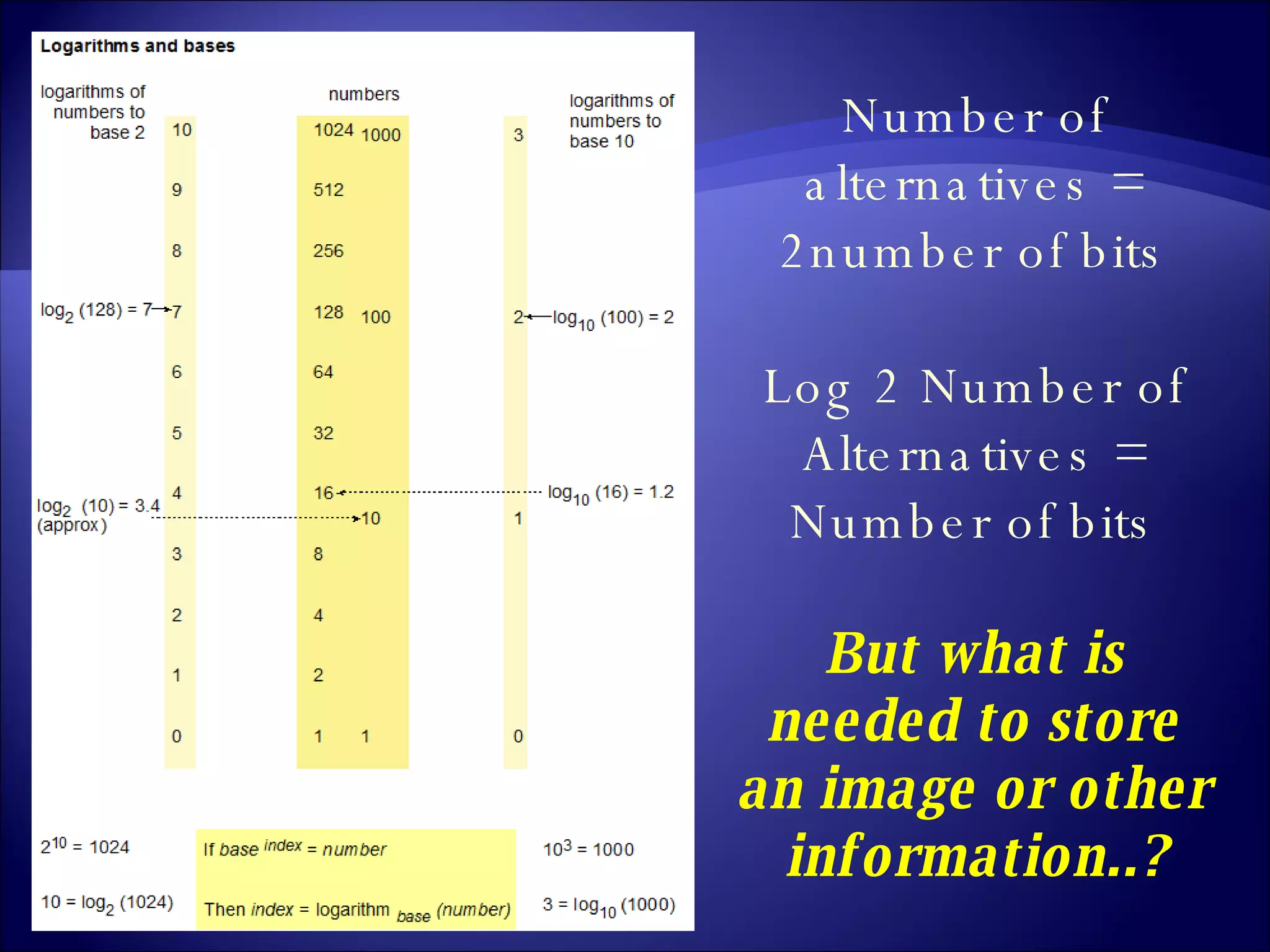
Number of alternatives = 2number of bits Log 2 Number of Alternatives = Number of bits But what is needed to store an image or other information..?
Capacity How much data is needed to store an image??? Windows tells us the size of a file, but why is it that value? Remember 1 Byte = 8 bits ( Bi nary Digi ts )
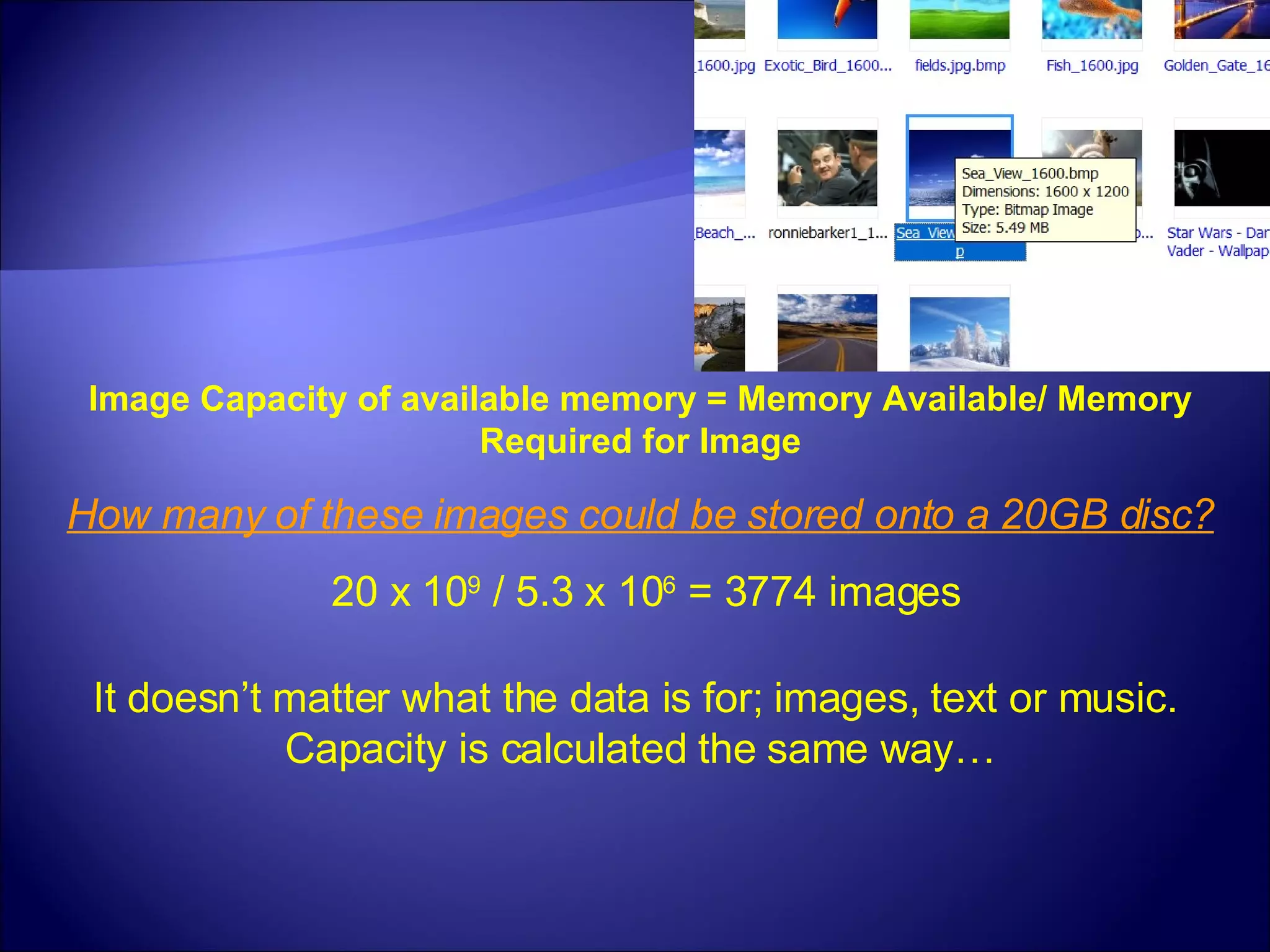
Data Required in Bits = Number of pixels x bits per pixel Data required in Bytes = Data required in Bits / 8 For image above Number of Pixels = 1600 x 1200 = 1.92 Million Bits per pixel = 22 (there are 4.2 million alternatives) Data required in Bits = 1.92M x 22 = 42.3Mbits Data required in Bytes = 42.3M/8 = 5.3MB
Image Capacity of available memory = Memory Available/ Memory Required for Image How many of these images could be stored onto a 20GB disc? 20 x 10 9  / 5.3 x 10 6  = 3774 images It doesn’t matter what the data is for; images, text or music.  Capacity is calculated the same way…
Data Transfer 100011110100010101 How long would it take to send a bit stream…? It depends on the data rate… Time to transfer =  Amount of Data Data Transfer rate

1

  • 1.
  • 2.
    More Information inImages We found out last time: How pixels in an image have different ‘shades’ depending on the number of bits Binary numbers represent decimal values in digital systems The number of alternatives is 2 n for n bits 10101 = 21 what is the number of alternatives? Hint, it’s 5 bits…
  • 3.
  • 4.
    More Information inImages We will find out today: How to calculate the data capacity needed to store an image How to calculate data transfer rates How to use Logarithms to calculate values
  • 5.
    Number of alternatives= 2 number of bits Log 2 Number of Alternatives = Number of bits
  • 6.
    Number of alternatives= 2number of bits Log 2 Number of Alternatives = Number of bits But what is needed to store an image or other information..?
  • 7.
    Capacity How muchdata is needed to store an image??? Windows tells us the size of a file, but why is it that value? Remember 1 Byte = 8 bits ( Bi nary Digi ts )
  • 8.
    Data Required inBits = Number of pixels x bits per pixel Data required in Bytes = Data required in Bits / 8 For image above Number of Pixels = 1600 x 1200 = 1.92 Million Bits per pixel = 22 (there are 4.2 million alternatives) Data required in Bits = 1.92M x 22 = 42.3Mbits Data required in Bytes = 42.3M/8 = 5.3MB
  • 9.
    Image Capacity ofavailable memory = Memory Available/ Memory Required for Image How many of these images could be stored onto a 20GB disc? 20 x 10 9 / 5.3 x 10 6 = 3774 images It doesn’t matter what the data is for; images, text or music. Capacity is calculated the same way…
  • 10.
    Data Transfer 100011110100010101How long would it take to send a bit stream…? It depends on the data rate… Time to transfer = Amount of Data Data Transfer rate