Operating System
 Operating system is a collection of
programs that control all hardware and
other resources in the computer
system.
 Computer is useless without Operating
system
 Act as a Interface between User and
computer
 When computer is ON ,OS will first load
into the main memory
Jothishdl@gmail.com
Functions of OS
File management
Operating system creates and manages the
directory system on the secondary storage
devices
Text editor
Used to create simple text file
Running multiple programs simultaneously
 Display and deal with errors when it happens
 Act as a communication link between users
 System protectionJothishdl@gmail.com
Popular Operating systems for PC
DOS
Windows95
Windows XP
Windows vista
Windows 7
Windows 8
Linux
Jothishdl@gmail.com
Types of operating System
GUI-Graphical User Interface
Contains graphics and icons and is commonly navigated
using by mouse
Multi User:A multi user operating system allows for
multiple user to use the same computer at the same
time
Multi-processing: operating system compatible of
supporting and utilizing more than one computer
processor
Multi tasking: Operating system that allow multiple
DOS
Disk Operating System
It is single user operating system
Versions : 2.0,3.0,5.0,6.0.6.2,7.0
jothishdl@gmail.com
Windows
User’s friendly support graphical
mode
 multi user operating system
Jothishdl@gmail.com
Contents of windows
 Desktop
Screen that you can starting windows
 Icons
Small graphical pictures that represents a file ,application ,device,etc.
 Menu
List of related commands that used to perform tasks in windows and
windows application
 Taskbar
Long horizontal bar at the bottom of the screen
 Window
Window is a boxed area in which view programs, files ,folders, drives etc
 File
File is a collection of text or any type of data stored on a storage device
Jothishdl@gmail.com
TUX
Jothishdl@gmail.com
What is Ubuntu? "ഉമുണ്ടു-ൻഗുമുണ്ടു-ൻഗബണ്ടു"
'(umuntu ngumuntu ngabantu')
•Ubuntu is a Linux-based Operating System
•It is Most Popular Linux Distribution.
•It is open sourced
Cost free
non-proprietary
•Strong focus on
Usability
Easy to installation
One user (initially— you can add more users
OPEN SOURCE
• Run for any purpose
• Study source code
• Modify source code
• Distribute and Publish
ORIGIN
• Ubuntu is an African concept
meaning “humanity toward
others”
• It is developed under Debian
Project.(Largest Linux software
development community)
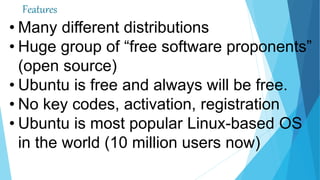
Features
• Many different distributions
• Huge group of “free software proponents”
(open source)
• Ubuntu is free and always will be free.
• No key codes, activation, registration
• Ubuntu is most popular Linux-based OS
in the world (10 million users now)
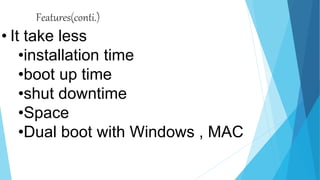
Features(conti.)
• It take less
•installation time
•boot up time
•shut downtime
•Space
•Dual boot with Windows , MAC
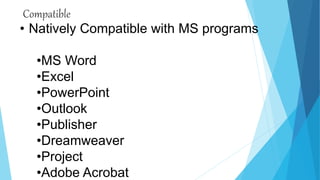
Compatible
• Natively Compatible with MS programs
•MS Word
•Excel
•PowerPoint
•Outlook
•Publisher
•Dreamweaver
•Project
•Adobe Acrobat

0perating

  • 1.
    Operating System  Operatingsystem is a collection of programs that control all hardware and other resources in the computer system.  Computer is useless without Operating system  Act as a Interface between User and computer  When computer is ON ,OS will first load into the main memory Jothishdl@gmail.com
  • 2.
    Functions of OS Filemanagement Operating system creates and manages the directory system on the secondary storage devices Text editor Used to create simple text file Running multiple programs simultaneously  Display and deal with errors when it happens  Act as a communication link between users  System protectionJothishdl@gmail.com
  • 3.
    Popular Operating systemsfor PC DOS Windows95 Windows XP Windows vista Windows 7 Windows 8 Linux Jothishdl@gmail.com
  • 4.
    Types of operatingSystem GUI-Graphical User Interface Contains graphics and icons and is commonly navigated using by mouse Multi User:A multi user operating system allows for multiple user to use the same computer at the same time Multi-processing: operating system compatible of supporting and utilizing more than one computer processor Multi tasking: Operating system that allow multiple
  • 5.
    DOS Disk Operating System Itis single user operating system Versions : 2.0,3.0,5.0,6.0.6.2,7.0 jothishdl@gmail.com
  • 6.
    Windows User’s friendly supportgraphical mode  multi user operating system Jothishdl@gmail.com
  • 7.
    Contents of windows Desktop Screen that you can starting windows  Icons Small graphical pictures that represents a file ,application ,device,etc.  Menu List of related commands that used to perform tasks in windows and windows application  Taskbar Long horizontal bar at the bottom of the screen  Window Window is a boxed area in which view programs, files ,folders, drives etc  File File is a collection of text or any type of data stored on a storage device Jothishdl@gmail.com
  • 8.
  • 9.
    What is Ubuntu?"ഉമുണ്ടു-ൻഗുമുണ്ടു-ൻഗബണ്ടു" '(umuntu ngumuntu ngabantu') •Ubuntu is a Linux-based Operating System •It is Most Popular Linux Distribution. •It is open sourced Cost free non-proprietary •Strong focus on Usability Easy to installation One user (initially— you can add more users
  • 10.
    OPEN SOURCE • Runfor any purpose • Study source code • Modify source code • Distribute and Publish
  • 11.
    ORIGIN • Ubuntu isan African concept meaning “humanity toward others” • It is developed under Debian Project.(Largest Linux software development community)
  • 12.
    Features • Many differentdistributions • Huge group of “free software proponents” (open source) • Ubuntu is free and always will be free. • No key codes, activation, registration • Ubuntu is most popular Linux-based OS in the world (10 million users now)
  • 13.
    Features(conti.) • It takeless •installation time •boot up time •shut downtime •Space •Dual boot with Windows , MAC
  • 14.
    Compatible • Natively Compatiblewith MS programs •MS Word •Excel •PowerPoint •Outlook •Publisher •Dreamweaver •Project •Adobe Acrobat