HTTP	
  

Jussi	
  Pohjolainen	
  
HTTP	
  network	
  protocol	
  
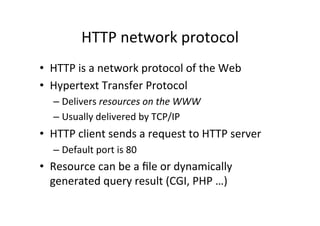
•  HTTP	
  is	
  a	
  network	
  protocol	
  of	
  the	
  Web	
  
•  Hypertext	
  Transfer	
  Protocol	
  
    –  Delivers	
  resources	
  on	
  the	
  WWW	
  
    –  Usually	
  delivered	
  by	
  TCP/IP	
  
•  HTTP	
  client	
  sends	
  a	
  request	
  to	
  HTTP	
  server	
  
    –  Default	
  port	
  is	
  80	
  
•  Resource	
  can	
  be	
  a	
  file	
  or	
  dynamically	
  
   generated	
  query	
  result	
  (CGI,	
  PHP	
  …)	
  
Structure	
  of	
  HTTP	
  
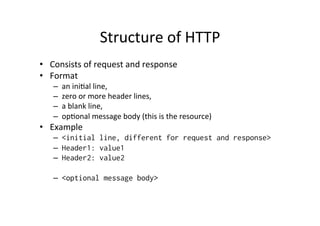
•  Consists	
  of	
  request	
  and	
  response	
  
•  Format	
  
    –    an	
  iniPal	
  line,	
  
    –    zero	
  or	
  more	
  header	
  lines,	
  
    –    a	
  blank	
  line,	
  
    –    opPonal	
  message	
  body	
  (this	
  is	
  the	
  resource)	
  
•  Example	
  
    –  <initial line, different for request and response>
    –  Header1: value1
    –  Header2: value2

    –  <optional message body>
IniPal	
  Request	
  Line	
  
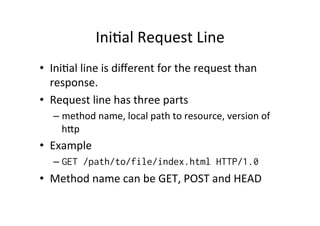
•  IniPal	
  line	
  is	
  different	
  for	
  the	
  request	
  than	
  
   response.	
  	
  
•  Request	
  line	
  has	
  three	
  parts	
  
    –  method	
  name,	
  local	
  path	
  to	
  resource,	
  version	
  of	
  
       hVp	
  
•  Example	
  
    –  GET /path/to/file/index.html HTTP/1.0
•  Method	
  name	
  can	
  be	
  GET,	
  POST	
  and	
  HEAD
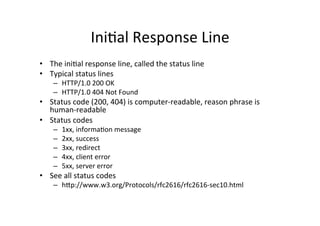
IniPal	
  Response	
  Line	
  
•  The	
  iniPal	
  response	
  line,	
  called	
  the	
  status	
  line	
  
•  Typical	
  status	
  lines	
  
      –  HTTP/1.0	
  200	
  OK	
  
      –  HTTP/1.0	
  404	
  Not	
  Found	
  
•  Status	
  code	
  (200,	
  404)	
  is	
  computer-­‐readable,	
  reason	
  phrase	
  is	
  
   human-­‐readable	
  
•  Status	
  codes	
  
      –    1xx,	
  informaPon	
  message	
  
      –    2xx,	
  success	
  
      –    3xx,	
  redirect	
  
      –    4xx,	
  client	
  error	
  
      –    5xx,	
  server	
  error	
  
•  See	
  all	
  status	
  codes	
  
      –  hVp://www.w3.org/Protocols/rfc2616/rfc2616-­‐sec10.html	
  
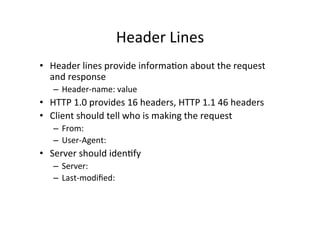
Header	
  Lines	
  
•  Header	
  lines	
  provide	
  informaPon	
  about	
  the	
  request	
  
   and	
  response	
  
    –  Header-­‐name:	
  value	
  
•  HTTP	
  1.0	
  provides	
  16	
  headers,	
  HTTP	
  1.1	
  46	
  headers	
  
•  Client	
  should	
  tell	
  who	
  is	
  making	
  the	
  request	
  
    –  From:	
  
    –  User-­‐Agent:	
  
•  Server	
  should	
  idenPfy	
  
    –  Server:	
  
    –  Last-­‐modified:	


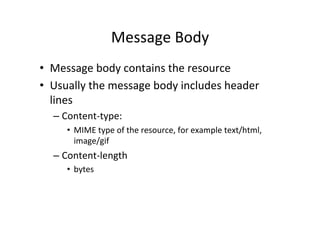
Message	
  Body	
  
•  Message	
  body	
  contains	
  the	
  resource	
  
•  Usually	
  the	
  message	
  body	
  includes	
  header	
  
   lines	
  
   –  Content-­‐type:	
  	
  
       •  MIME	
  type	
  of	
  the	
  resource,	
  for	
  example	
  text/html,	
  
          image/gif	
  
   –  Content-­‐length	
  
       •  bytes	
  
Sample	
  Exchange	
  
KK605406LS-2:~ pohjus$ telnet www.jmarshall.com 80
Trying 192.220.73.220...
Connected to www.jmarshall.com.
Escape character is '^]'.
GET /index.html HTTP/1.0

HTTP/1.1 200 OK
Date: Mon, 18 Mar 2013 09:51:18 GMT
Server: Apache/1.3.42 (Unix) mod_auth_tkt/2.1.0 FrontPage/5.0.2.2635 mod_ssl/2.8.31
OpenSSL/0.9.8r
Last-Modified: Mon, 04 Feb 2013 20:21:01 GMT
ETag: "1d697f5-9f3-5110182d"
Accept-Ranges: bytes
Content-Length: 2547
Connection: close
Content-Type: text/html

<html>
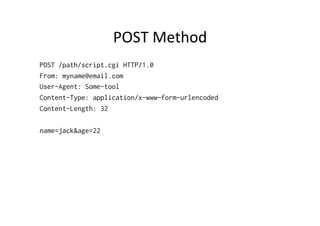
POST	
  Method	
  
POST /path/script.cgi HTTP/1.0
From: myname@email.com
User-Agent: Some-tool
Content-Type: application/x-www-form-urlencoded
Content-Length: 32

name=jack&age=22
Exercise	
  
1.  Use	
  telnet	
  to	
  make	
  a	
  connecPon	
  to	
  site,	
  see	
  
    response	
  
2.  Use	
  some	
  live	
  hVp	
  extension	
  in	
  browser	
  to	
  
    see	
  hVp	
  informaPon	
  
3.  Make	
  a	
  HTTP	
  GET	
  to	
  
    www.whaPsmybrowser.com.	
  Fake	
  your	
  
    "browser".	
  

About Http Connection

  • 1.
  • 2.
    HTTP  network  protocol   •  HTTP  is  a  network  protocol  of  the  Web   •  Hypertext  Transfer  Protocol   –  Delivers  resources  on  the  WWW   –  Usually  delivered  by  TCP/IP   •  HTTP  client  sends  a  request  to  HTTP  server   –  Default  port  is  80   •  Resource  can  be  a  file  or  dynamically   generated  query  result  (CGI,  PHP  …)  
  • 3.
    Structure  of  HTTP   •  Consists  of  request  and  response   •  Format   –  an  iniPal  line,   –  zero  or  more  header  lines,   –  a  blank  line,   –  opPonal  message  body  (this  is  the  resource)   •  Example   –  <initial line, different for request and response> –  Header1: value1 –  Header2: value2 –  <optional message body>
  • 4.
    IniPal  Request  Line   •  IniPal  line  is  different  for  the  request  than   response.     •  Request  line  has  three  parts   –  method  name,  local  path  to  resource,  version  of   hVp   •  Example   –  GET /path/to/file/index.html HTTP/1.0 •  Method  name  can  be  GET,  POST  and  HEAD
  • 5.
    IniPal  Response  Line   •  The  iniPal  response  line,  called  the  status  line   •  Typical  status  lines   –  HTTP/1.0  200  OK   –  HTTP/1.0  404  Not  Found   •  Status  code  (200,  404)  is  computer-­‐readable,  reason  phrase  is   human-­‐readable   •  Status  codes   –  1xx,  informaPon  message   –  2xx,  success   –  3xx,  redirect   –  4xx,  client  error   –  5xx,  server  error   •  See  all  status  codes   –  hVp://www.w3.org/Protocols/rfc2616/rfc2616-­‐sec10.html  
  • 6.
    Header  Lines   • Header  lines  provide  informaPon  about  the  request   and  response   –  Header-­‐name:  value   •  HTTP  1.0  provides  16  headers,  HTTP  1.1  46  headers   •  Client  should  tell  who  is  making  the  request   –  From:   –  User-­‐Agent:   •  Server  should  idenPfy   –  Server:   –  Last-­‐modified:      
  • 7.
    Message  Body   • Message  body  contains  the  resource   •  Usually  the  message  body  includes  header   lines   –  Content-­‐type:     •  MIME  type  of  the  resource,  for  example  text/html,   image/gif   –  Content-­‐length   •  bytes  
  • 8.
    Sample  Exchange   KK605406LS-2:~pohjus$ telnet www.jmarshall.com 80 Trying 192.220.73.220... Connected to www.jmarshall.com. Escape character is '^]'. GET /index.html HTTP/1.0 HTTP/1.1 200 OK Date: Mon, 18 Mar 2013 09:51:18 GMT Server: Apache/1.3.42 (Unix) mod_auth_tkt/2.1.0 FrontPage/5.0.2.2635 mod_ssl/2.8.31 OpenSSL/0.9.8r Last-Modified: Mon, 04 Feb 2013 20:21:01 GMT ETag: "1d697f5-9f3-5110182d" Accept-Ranges: bytes Content-Length: 2547 Connection: close Content-Type: text/html <html>
  • 9.
    POST  Method   POST/path/script.cgi HTTP/1.0 From: myname@email.com User-Agent: Some-tool Content-Type: application/x-www-form-urlencoded Content-Length: 32 name=jack&age=22
  • 10.
    Exercise   1.  Use  telnet  to  make  a  connecPon  to  site,  see   response   2.  Use  some  live  hVp  extension  in  browser  to   see  hVp  informaPon   3.  Make  a  HTTP  GET  to   www.whaPsmybrowser.com.  Fake  your   "browser".