Korea UniversityKorea University
Jung Lee, Computer Graphics LaboratoryJung Lee, Computer Graphics Laboratory
Visible-Surface Detection Methods
Donald Hearn, M. Pauline Baker
<Computer Graphics>
2001/08/03
Jung Lee, Computer Graphics LaboratoryJung Lee, Computer Graphics Laboratory
Korea UniversityKorea University
2
ContentsContents
 Abstract
 Introduction
 Back-Face Detection
 Depth-Buffer Method
 A-Buffer Method
 Scan-Line Method
 Depth-Sorting Method
 BSP-Tree Method
 Area-Subdivision
Method
 Octree Method
 Ray-Casting Method
 Image-Space Method vs.
Object-Space Method
 Curved Surfaces
 Wireframe Methods
 Summary
Jung Lee, Computer Graphics LaboratoryJung Lee, Computer Graphics Laboratory
Korea UniversityKorea University
3
AbstractAbstract
 Hidden-surface elimination methods
 Identifying visible parts of a scene from a viewpoint
 Numerous algorithms
• More memory - storage
• More processing time – execution time
• Only for special types of objects - constraints
 Deciding a method for a particular application
• Complexity of the scene
• Type of objects
• Available equipment
• Static or animated scene
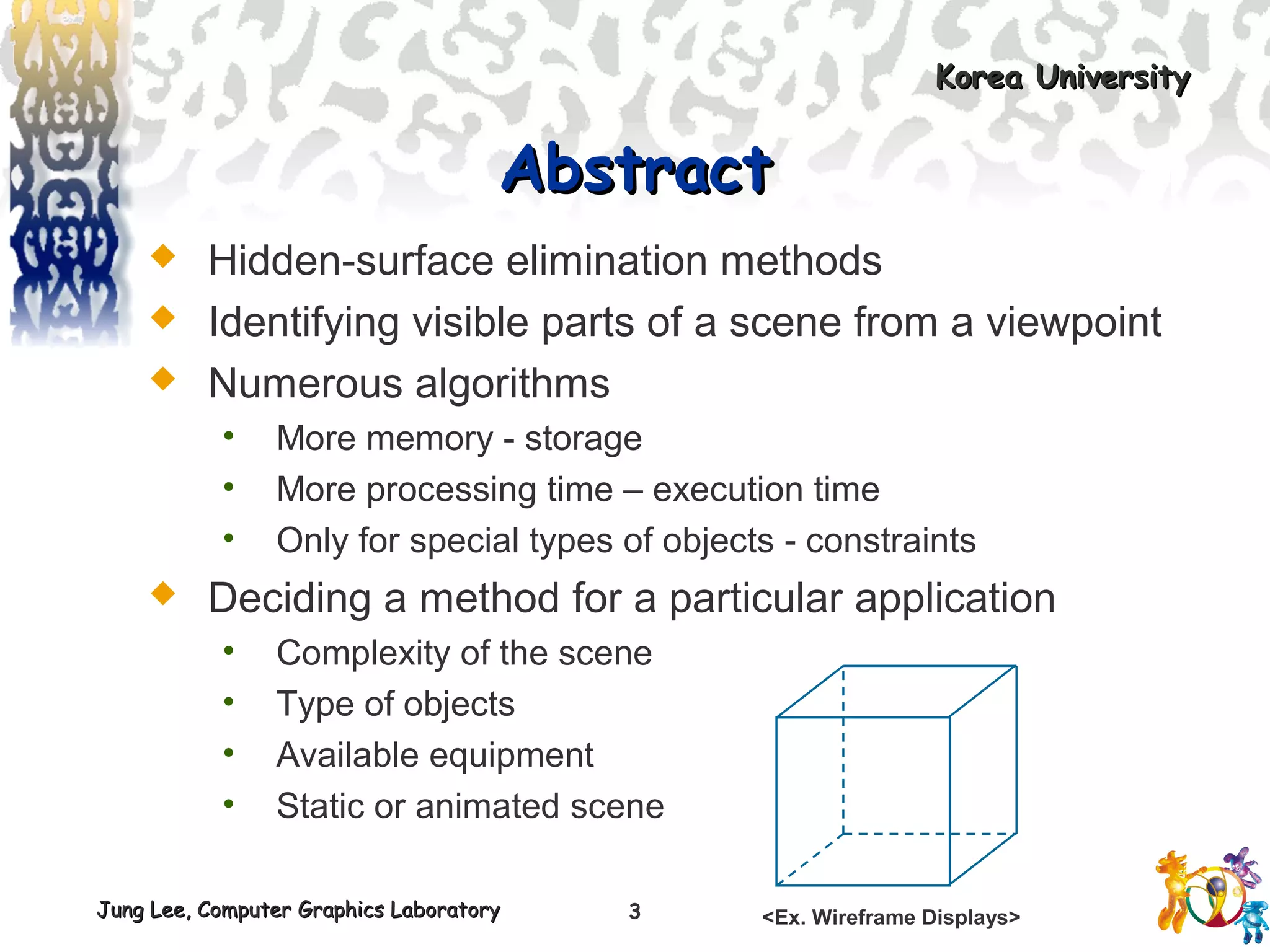
<Ex. Wireframe Displays>
Korea UniversityKorea University
Jung Lee, Computer Graphics LaboratoryJung Lee, Computer Graphics Laboratory
Introduction
Jung Lee, Computer Graphics LaboratoryJung Lee, Computer Graphics Laboratory
Korea UniversityKorea University
5
Classification of Visible-SurfaceClassification of Visible-Surface
Detection AlgorithmsDetection Algorithms
 Object-space methods vs. Image-space methods
• Object definition directly vs. their projected images
• Most visible-surface algorithms use image-space methods
• Object-space can be used effectively in some cases
 Ex) Line-display algorithms
 Object-space methods
• Compares objects and parts of objects to each other
 Image-space methods
• Point by point at each pixel position on the projection plane
Jung Lee, Computer Graphics LaboratoryJung Lee, Computer Graphics Laboratory
Korea UniversityKorea University
6
Sorting and Coherence MethodsSorting and Coherence Methods
 To improve performance
 Sorting
• Facilitate depth comparisons
 Ordering the surfaces according to their distance from
the viewplane
 Coherence
• Take advantage of regularity
 Epipolar geometry
 Topological coherence
Korea UniversityKorea University
Jung Lee, Computer Graphics LaboratoryJung Lee, Computer Graphics Laboratory
Back-Face Detection
Jung Lee, Computer Graphics LaboratoryJung Lee, Computer Graphics Laboratory
Korea UniversityKorea University
8
Inside-outside testInside-outside test
 A point (x, y, z) is “inside” a surface with plane
parameters A, B, C, and D if
 The polygon is a back face if
• V is a vector in the viewing direction from the eye(camera)
• N is the normal vector to a polygon surface
0<+++ DCzByAx
0>⋅ NV V
N = (A, B, C)
Jung Lee, Computer Graphics LaboratoryJung Lee, Computer Graphics Laboratory
Korea UniversityKorea University
9
Advanced ConfigurationAdvanced Configuration
 In the case of concave polyhedron
• Need more tests
 Determine faces totally or partly obscured by other faces
• In general, back-face removal can be expected to eliminate
about half of the surfaces from further visibility tests
<View of a concave polyhedron with
one face partially hidden by other surfaces>
Korea UniversityKorea University
Jung Lee, Computer Graphics LaboratoryJung Lee, Computer Graphics Laboratory
Depth-Buffer Method
Jung Lee, Computer Graphics LaboratoryJung Lee, Computer Graphics Laboratory
Korea UniversityKorea University
11
CharacteristicsCharacteristics
 Commonly used image-space approach
 Compares depths of each pixel on the projection
plane
• Referred to as the z-buffer method
 Usually applied to scenes of polygonal surfaces
• Depth values can be computed very quickly
• Easy to implement
Yv
Xv
Zv
S1
S2
S3
(x, y)
Jung Lee, Computer Graphics LaboratoryJung Lee, Computer Graphics Laboratory
Korea UniversityKorea University
12
Depth Buffer & Refresh BufferDepth Buffer & Refresh Buffer
 Two buffer areas are required
• Depth buffer
 Store depth values for each (x, y) position
 All positions are initialized to minimum depth
 Usually 0 – most distant depth from the viewplane
• Refresh buffer
 Stores the intensity values for each position
 All positions are initialized to the background intensity
Jung Lee, Computer Graphics LaboratoryJung Lee, Computer Graphics Laboratory
Korea UniversityKorea University
13
AlgorithmAlgorithm
 Initialize the depth buffer and refresh buffer
depth(x, y) = 0, refresh(x, y) = Ibackgnd
 For each position on each polygon surface
• Calculate the depth for each (x, y) position on the polygon
• If z > depth(x, y), then set
depth(x, y) = z, refresh(x, y) = Isurf(x, y)
 Advanced
• With resolution of 1024 by 1024
 Over a million positions in the depth buffer
• Process one section of the scene at a time
 Need a smaller depth buffer
 The buffer is reused for the next section
Korea UniversityKorea University
Jung Lee, Computer Graphics LaboratoryJung Lee, Computer Graphics Laboratory
Scan-Line Method
Jung Lee, Computer Graphics LaboratoryJung Lee, Computer Graphics Laboratory
Korea UniversityKorea University
19
CharacteristicsCharacteristics
 Extension of the scan-line algorithm for filling
polygon interiors
• For all polygons intersecting each scan line
 Processed from left to right
 Depth calculations for each overlapping surface
 The intensity of the nearest position is entered into the
refresh buffer
Jung Lee, Computer Graphics LaboratoryJung Lee, Computer Graphics Laboratory
Korea UniversityKorea University
20
Tables for The Various SurfacesTables for The Various Surfaces
 Edge table
• Coordinate endpoints for each line
• Slope of each line
• Pointers into the polygon table
 Identify the surfaces bounded by each line
 Polygon table
• Coefficients of the plane equation for each surface
• Intensity information for the surfaces
• Pointers into the edge table
Jung Lee, Computer Graphics LaboratoryJung Lee, Computer Graphics Laboratory
Korea UniversityKorea University
21
Active List & FlagActive List & Flag
 Active list
• Contain only edges across the current scan line
• Sorted in order of increasing x
 Flag for each surface
• Indicate whether inside or outside of the surface
• At the leftmost boundary of a surface
 The surface flag is turned on
• At the rightmost boundary of a surface
 The surface flag is turned off
Jung Lee, Computer Graphics LaboratoryJung Lee, Computer Graphics Laboratory
Korea UniversityKorea University
22
ExampleExample
 Active list for scan line 1
• Edge table
 AB, BC, EH, and FG
 Between AB and BC, only
the flag for surface S1 is on
 No depth calculations are necessary
 Intensity for surface S1 is entered into the refresh buffer
 Similarly, between EH and FG, only the flag for S2 is on
xv
yv
A
B
S1
E
F
S2
H
D
C
G
Scan line 1
Scan line 2
Scan line 3
Jung Lee, Computer Graphics LaboratoryJung Lee, Computer Graphics Laboratory
Korea UniversityKorea University
23
Example(cont.)Example(cont.)
 For scan line 2, 3
• AD, EH, BC, and FG
 Between AD and EH, only the flag for S1 is on
 Between EH and BC, the flags for both surfaces are on
 Depth calculation is needed
 Intensities for S1 are loaded into the refresh buffer until
BC
• Take advantage of coherence
 Pass from one scan line to next
 Scan line 3 has the same active list as scan line 2
 Unnecessary to make depth calculations between EH
and BC
Jung Lee, Computer Graphics LaboratoryJung Lee, Computer Graphics Laboratory
Korea UniversityKorea University
24
DrawbackDrawback
 Only if surfaces don’t cut through or
otherwise cyclically overlap each other
• If any kind of cyclic overlap is present
 Divide the surfaces
Korea UniversityKorea University
Jung Lee, Computer Graphics LaboratoryJung Lee, Computer Graphics Laboratory
Depth-Sorting Method
Jung Lee, Computer Graphics LaboratoryJung Lee, Computer Graphics Laboratory
Korea UniversityKorea University
26
OperationsOperations
 Image-space and object-space operations
• Sorting operations in both image and object-
space
• The scan conversion of polygon surfaces in
image-space
 Basic functions
• Surfaces are sorted in order of decreasing depth
• Surfaces are scan-converted in order, starting
with the surface of greatest depth
Jung Lee, Computer Graphics LaboratoryJung Lee, Computer Graphics Laboratory
Korea UniversityKorea University
27
AlgorithmAlgorithm
 Referred to as the painter’s algorithm
• In creating an oil painting
 First paints the background colors
 The most distant objects are added
 Then the nearer objects, and so forth
 Finally, the foregrounds are painted over all objects
• Each layer of paint covers up the previous layer
 Process
• Sort surfaces according to their distance from the
viewplane
• The intensities for the farthest surface are then entered
into the refresh buffer
• Taking each succeeding surface in decreasing depth order
Jung Lee, Computer Graphics LaboratoryJung Lee, Computer Graphics Laboratory
Korea UniversityKorea University
28
Overlapping TestsOverlapping Tests
 Tests for each surface that overlaps with S
• The bounding rectangle in the xy plane for the two
surfaces do not overlap (1)
• Surface S is completely behind the overlapping surface
relative to the viewing position (2)
• The overlapping surface is completely in front of S relative
to the viewing position (3)
• The projections of the two surfaces onto the viewplane do
not overlap (4)
 If all the surfaces pass at least one of the tests, none
of them is behind S
• No reordering is then necessary and S is scan converted
Easy
Difficult
Jung Lee, Computer Graphics LaboratoryJung Lee, Computer Graphics Laboratory
Korea UniversityKorea University
29
Overlapping Test ExamplesOverlapping Test Examples
zv
xv
S
S’
zv
xv
S
S’
zv
xv
zv
xv
S
S’
(1) (2)
(3) (4)
Jung Lee, Computer Graphics LaboratoryJung Lee, Computer Graphics Laboratory
Korea UniversityKorea University
30
Surface ReorderingSurface Reordering
 If all four tests fail with S’
• Interchange surfaces S and S’ in the sorted list
• Repeat the tests for each surface that is
reordered in the list
zv
xv
SS’
<S  S’> zv
xv
S
S’
S’’
<S  S’’, then S’’  S’>
Jung Lee, Computer Graphics LaboratoryJung Lee, Computer Graphics Laboratory
Korea UniversityKorea University
31
DrawbackDrawback
 If two or more surfaces alternately obscure
each other
• Infinite loop
• Flag any surface that has been reordered to a
farther depth
 It can’t be moved again
• If an attempt to switch the surface a second time
 Divide it into two parts to eliminate the cyclic loop
 The original surface is then replaced by the two new
surfaces
Korea UniversityKorea University
Jung Lee, Computer Graphics LaboratoryJung Lee, Computer Graphics Laboratory
Summary
Jung Lee, Computer Graphics LaboratoryJung Lee, Computer Graphics Laboratory
Korea UniversityKorea University
53
Comparison(1 / 2)Comparison(1 / 2)
 Back-face detection methods
• Fast and effective as an initial screening
 Eliminate many polygons from further visibility tests
• In general, this can’t completely identify all
hidden surfaces
 Depth-buffer(z-buffer) method
• Fast and simple
• Two buffers
 Refresh buffer for the pixel intensities
 Depth buffer for the depth of the visible surface
Jung Lee, Computer Graphics LaboratoryJung Lee, Computer Graphics Laboratory
Korea UniversityKorea University
54
Comparison(2 / 2)Comparison(2 / 2)
 A-buffer method
• An improvement on the depth-buffer approach
• Additional information
 Antialiased and transparent surfaces
 Other visible-surface detection schemes
• Scan-line method
• Depth-sorting method(painter’s algorithm)
• BSP-tree method
• Area subdivision method
• Octree methods
• Ray casting

Sr 01-40 good

  • 1.
    Korea UniversityKorea University JungLee, Computer Graphics LaboratoryJung Lee, Computer Graphics Laboratory Visible-Surface Detection Methods Donald Hearn, M. Pauline Baker <Computer Graphics> 2001/08/03
  • 2.
    Jung Lee, ComputerGraphics LaboratoryJung Lee, Computer Graphics Laboratory Korea UniversityKorea University 2 ContentsContents  Abstract  Introduction  Back-Face Detection  Depth-Buffer Method  A-Buffer Method  Scan-Line Method  Depth-Sorting Method  BSP-Tree Method  Area-Subdivision Method  Octree Method  Ray-Casting Method  Image-Space Method vs. Object-Space Method  Curved Surfaces  Wireframe Methods  Summary
  • 3.
    Jung Lee, ComputerGraphics LaboratoryJung Lee, Computer Graphics Laboratory Korea UniversityKorea University 3 AbstractAbstract  Hidden-surface elimination methods  Identifying visible parts of a scene from a viewpoint  Numerous algorithms • More memory - storage • More processing time – execution time • Only for special types of objects - constraints  Deciding a method for a particular application • Complexity of the scene • Type of objects • Available equipment • Static or animated scene <Ex. Wireframe Displays>
  • 4.
    Korea UniversityKorea University JungLee, Computer Graphics LaboratoryJung Lee, Computer Graphics Laboratory Introduction
  • 5.
    Jung Lee, ComputerGraphics LaboratoryJung Lee, Computer Graphics Laboratory Korea UniversityKorea University 5 Classification of Visible-SurfaceClassification of Visible-Surface Detection AlgorithmsDetection Algorithms  Object-space methods vs. Image-space methods • Object definition directly vs. their projected images • Most visible-surface algorithms use image-space methods • Object-space can be used effectively in some cases  Ex) Line-display algorithms  Object-space methods • Compares objects and parts of objects to each other  Image-space methods • Point by point at each pixel position on the projection plane
  • 6.
    Jung Lee, ComputerGraphics LaboratoryJung Lee, Computer Graphics Laboratory Korea UniversityKorea University 6 Sorting and Coherence MethodsSorting and Coherence Methods  To improve performance  Sorting • Facilitate depth comparisons  Ordering the surfaces according to their distance from the viewplane  Coherence • Take advantage of regularity  Epipolar geometry  Topological coherence
  • 7.
    Korea UniversityKorea University JungLee, Computer Graphics LaboratoryJung Lee, Computer Graphics Laboratory Back-Face Detection
  • 8.
    Jung Lee, ComputerGraphics LaboratoryJung Lee, Computer Graphics Laboratory Korea UniversityKorea University 8 Inside-outside testInside-outside test  A point (x, y, z) is “inside” a surface with plane parameters A, B, C, and D if  The polygon is a back face if • V is a vector in the viewing direction from the eye(camera) • N is the normal vector to a polygon surface 0<+++ DCzByAx 0>⋅ NV V N = (A, B, C)
  • 9.
    Jung Lee, ComputerGraphics LaboratoryJung Lee, Computer Graphics Laboratory Korea UniversityKorea University 9 Advanced ConfigurationAdvanced Configuration  In the case of concave polyhedron • Need more tests  Determine faces totally or partly obscured by other faces • In general, back-face removal can be expected to eliminate about half of the surfaces from further visibility tests <View of a concave polyhedron with one face partially hidden by other surfaces>
  • 10.
    Korea UniversityKorea University JungLee, Computer Graphics LaboratoryJung Lee, Computer Graphics Laboratory Depth-Buffer Method
  • 11.
    Jung Lee, ComputerGraphics LaboratoryJung Lee, Computer Graphics Laboratory Korea UniversityKorea University 11 CharacteristicsCharacteristics  Commonly used image-space approach  Compares depths of each pixel on the projection plane • Referred to as the z-buffer method  Usually applied to scenes of polygonal surfaces • Depth values can be computed very quickly • Easy to implement Yv Xv Zv S1 S2 S3 (x, y)
  • 12.
    Jung Lee, ComputerGraphics LaboratoryJung Lee, Computer Graphics Laboratory Korea UniversityKorea University 12 Depth Buffer & Refresh BufferDepth Buffer & Refresh Buffer  Two buffer areas are required • Depth buffer  Store depth values for each (x, y) position  All positions are initialized to minimum depth  Usually 0 – most distant depth from the viewplane • Refresh buffer  Stores the intensity values for each position  All positions are initialized to the background intensity
  • 13.
    Jung Lee, ComputerGraphics LaboratoryJung Lee, Computer Graphics Laboratory Korea UniversityKorea University 13 AlgorithmAlgorithm  Initialize the depth buffer and refresh buffer depth(x, y) = 0, refresh(x, y) = Ibackgnd  For each position on each polygon surface • Calculate the depth for each (x, y) position on the polygon • If z > depth(x, y), then set depth(x, y) = z, refresh(x, y) = Isurf(x, y)  Advanced • With resolution of 1024 by 1024  Over a million positions in the depth buffer • Process one section of the scene at a time  Need a smaller depth buffer  The buffer is reused for the next section
  • 14.
    Korea UniversityKorea University JungLee, Computer Graphics LaboratoryJung Lee, Computer Graphics Laboratory Scan-Line Method
  • 15.
    Jung Lee, ComputerGraphics LaboratoryJung Lee, Computer Graphics Laboratory Korea UniversityKorea University 19 CharacteristicsCharacteristics  Extension of the scan-line algorithm for filling polygon interiors • For all polygons intersecting each scan line  Processed from left to right  Depth calculations for each overlapping surface  The intensity of the nearest position is entered into the refresh buffer
  • 16.
    Jung Lee, ComputerGraphics LaboratoryJung Lee, Computer Graphics Laboratory Korea UniversityKorea University 20 Tables for The Various SurfacesTables for The Various Surfaces  Edge table • Coordinate endpoints for each line • Slope of each line • Pointers into the polygon table  Identify the surfaces bounded by each line  Polygon table • Coefficients of the plane equation for each surface • Intensity information for the surfaces • Pointers into the edge table
  • 17.
    Jung Lee, ComputerGraphics LaboratoryJung Lee, Computer Graphics Laboratory Korea UniversityKorea University 21 Active List & FlagActive List & Flag  Active list • Contain only edges across the current scan line • Sorted in order of increasing x  Flag for each surface • Indicate whether inside or outside of the surface • At the leftmost boundary of a surface  The surface flag is turned on • At the rightmost boundary of a surface  The surface flag is turned off
  • 18.
    Jung Lee, ComputerGraphics LaboratoryJung Lee, Computer Graphics Laboratory Korea UniversityKorea University 22 ExampleExample  Active list for scan line 1 • Edge table  AB, BC, EH, and FG  Between AB and BC, only the flag for surface S1 is on  No depth calculations are necessary  Intensity for surface S1 is entered into the refresh buffer  Similarly, between EH and FG, only the flag for S2 is on xv yv A B S1 E F S2 H D C G Scan line 1 Scan line 2 Scan line 3
  • 19.
    Jung Lee, ComputerGraphics LaboratoryJung Lee, Computer Graphics Laboratory Korea UniversityKorea University 23 Example(cont.)Example(cont.)  For scan line 2, 3 • AD, EH, BC, and FG  Between AD and EH, only the flag for S1 is on  Between EH and BC, the flags for both surfaces are on  Depth calculation is needed  Intensities for S1 are loaded into the refresh buffer until BC • Take advantage of coherence  Pass from one scan line to next  Scan line 3 has the same active list as scan line 2  Unnecessary to make depth calculations between EH and BC
  • 20.
    Jung Lee, ComputerGraphics LaboratoryJung Lee, Computer Graphics Laboratory Korea UniversityKorea University 24 DrawbackDrawback  Only if surfaces don’t cut through or otherwise cyclically overlap each other • If any kind of cyclic overlap is present  Divide the surfaces
  • 21.
    Korea UniversityKorea University JungLee, Computer Graphics LaboratoryJung Lee, Computer Graphics Laboratory Depth-Sorting Method
  • 22.
    Jung Lee, ComputerGraphics LaboratoryJung Lee, Computer Graphics Laboratory Korea UniversityKorea University 26 OperationsOperations  Image-space and object-space operations • Sorting operations in both image and object- space • The scan conversion of polygon surfaces in image-space  Basic functions • Surfaces are sorted in order of decreasing depth • Surfaces are scan-converted in order, starting with the surface of greatest depth
  • 23.
    Jung Lee, ComputerGraphics LaboratoryJung Lee, Computer Graphics Laboratory Korea UniversityKorea University 27 AlgorithmAlgorithm  Referred to as the painter’s algorithm • In creating an oil painting  First paints the background colors  The most distant objects are added  Then the nearer objects, and so forth  Finally, the foregrounds are painted over all objects • Each layer of paint covers up the previous layer  Process • Sort surfaces according to their distance from the viewplane • The intensities for the farthest surface are then entered into the refresh buffer • Taking each succeeding surface in decreasing depth order
  • 24.
    Jung Lee, ComputerGraphics LaboratoryJung Lee, Computer Graphics Laboratory Korea UniversityKorea University 28 Overlapping TestsOverlapping Tests  Tests for each surface that overlaps with S • The bounding rectangle in the xy plane for the two surfaces do not overlap (1) • Surface S is completely behind the overlapping surface relative to the viewing position (2) • The overlapping surface is completely in front of S relative to the viewing position (3) • The projections of the two surfaces onto the viewplane do not overlap (4)  If all the surfaces pass at least one of the tests, none of them is behind S • No reordering is then necessary and S is scan converted Easy Difficult
  • 25.
    Jung Lee, ComputerGraphics LaboratoryJung Lee, Computer Graphics Laboratory Korea UniversityKorea University 29 Overlapping Test ExamplesOverlapping Test Examples zv xv S S’ zv xv S S’ zv xv zv xv S S’ (1) (2) (3) (4)
  • 26.
    Jung Lee, ComputerGraphics LaboratoryJung Lee, Computer Graphics Laboratory Korea UniversityKorea University 30 Surface ReorderingSurface Reordering  If all four tests fail with S’ • Interchange surfaces S and S’ in the sorted list • Repeat the tests for each surface that is reordered in the list zv xv SS’ <S  S’> zv xv S S’ S’’ <S  S’’, then S’’  S’>
  • 27.
    Jung Lee, ComputerGraphics LaboratoryJung Lee, Computer Graphics Laboratory Korea UniversityKorea University 31 DrawbackDrawback  If two or more surfaces alternately obscure each other • Infinite loop • Flag any surface that has been reordered to a farther depth  It can’t be moved again • If an attempt to switch the surface a second time  Divide it into two parts to eliminate the cyclic loop  The original surface is then replaced by the two new surfaces
  • 28.
    Korea UniversityKorea University JungLee, Computer Graphics LaboratoryJung Lee, Computer Graphics Laboratory Summary
  • 29.
    Jung Lee, ComputerGraphics LaboratoryJung Lee, Computer Graphics Laboratory Korea UniversityKorea University 53 Comparison(1 / 2)Comparison(1 / 2)  Back-face detection methods • Fast and effective as an initial screening  Eliminate many polygons from further visibility tests • In general, this can’t completely identify all hidden surfaces  Depth-buffer(z-buffer) method • Fast and simple • Two buffers  Refresh buffer for the pixel intensities  Depth buffer for the depth of the visible surface
  • 30.
    Jung Lee, ComputerGraphics LaboratoryJung Lee, Computer Graphics Laboratory Korea UniversityKorea University 54 Comparison(2 / 2)Comparison(2 / 2)  A-buffer method • An improvement on the depth-buffer approach • Additional information  Antialiased and transparent surfaces  Other visible-surface detection schemes • Scan-line method • Depth-sorting method(painter’s algorithm) • BSP-tree method • Area subdivision method • Octree methods • Ray casting