Computer as… ICT  Tutor  Teacher’s tool Cooperative Learning
Computer as Information and Communication Technology
A device that computes, especially a programmable electronic machine that performs high-speed mathematical or logical operations or that assembles, stores, correlates, or otherwise processes information.  One who computes.  (American Heritage Dictionary, 4 th  ed. Pub. 2000) DEFINITION
is recognized as the third revolution in education. 1 st  was the invention of the printing  press. 2 nd  the introduction of libraries. 3 rd  the invention of the computer.
Review of Computer from Ed Tech 1 third revolution in education.   especially so with the advent of the microcomputer in 1975.Thus emerged  computer technology in education.
computer-assisted introduction (CAI) was introduced using the principle of individualized learning through a positive climate that includes realism and appeal with drill exercises that uses color, music and animation.
But the evolving pace of innovation in today’s Information Age is so dynamic that within the first decade of the 21st century, computer technology in education has matured to transform    into an educative information and communication technology (ICT) in education.
Through computer technology, educators saw the amplification of learning among computer literacy.  like…  reading, the modern student can now  interact with computer message, even  respond to question or to computer  commands.  writing, the learner can form messages  using computer language or program.
Means Information Communications Technology Covers any product that will store, retrieve, manipulate, transmits or receives information electronically in a digital form.    Ex. personal computers, digital television, email, robots. Is concerned with the storage, retrieval, manipulation, transmission or receipt of digital data. Importantly, it is also concerned with the way these different uses can work with each other  What is ICT?
Consider the following important topics that deal with the way ICT is used and managed in an organisation The nature of information (the "I" in ICT) this covers topics such as the meaning and value of  information; how information is controlled; the  limitations of ICT; legal considerations Management of information    this covers how data is captured, verified and stored for    effective use; the manipulation, processing and  distribution of  information; keeping information secure;  designing networks to share information Information systems strategy  this considers how ICT can be used within a business or organization as part of achieving goals and objectives
Instructional media consist of audio-visual aids that served to enhance and enrich the teaching-learning process.  Examples are the blackboard, photo, film and video. educational communication media comprise the media of communication to audiences including learners using the print, film, radio, television or satellite means of communication.  Examples. distance learning was implemented using  correspondence, radio, television, or the computer  satellite system.
Close to the turn of the 21st century, however, such a distinction merged owing to the advent of the microprocessor, also known as the personal computer (PC). This is due to the fact that the PC user at home, office and school has before him a tool for both audio-visual creations and media communication.
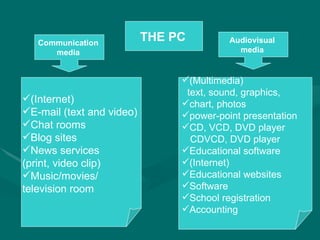
THE PC   Audiovisual  media  Communication  media   (Internet) E-mail (text and video)  Chat rooms  Blog sites  News services  (print, video clip)  Music/movies/ television room  (Multimedia) text, sound, graphics, chart, photos power-point presentation CD, VCD, DVD player CDVCD, DVD player Educational software (Internet) Educational websites Software School registration Accounting
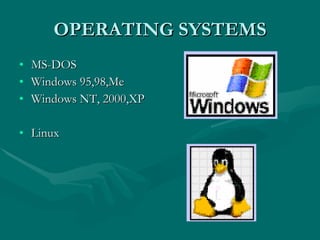
OPERATING SYSTEMS MS-DOS Windows 95,98,Me Windows NT, 2000,XP Linux
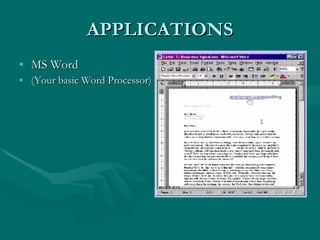
APPLICATIONS MS Word (Your basic Word Processor)
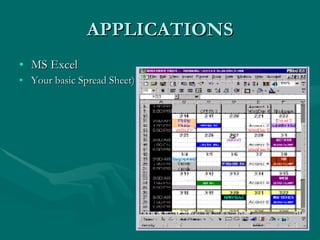
APPLICATIONS MS Excel Your basic Spread Sheet)
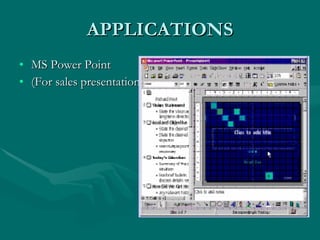
APPLICATIONS MS Power Point (For sales presentations)
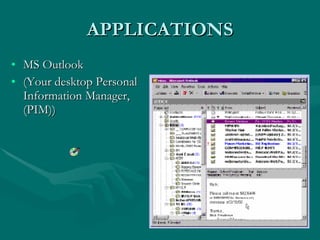
APPLICATIONS MS Outlook (Your desktop Personal Information Manager, (PIM))
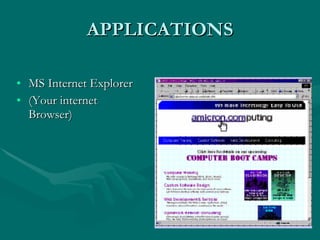
APPLICATIONS MS Internet Explorer (Your internet Browser)
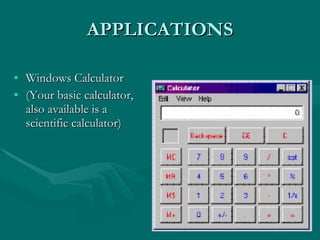
APPLICATIONS Windows Calculator (Your basic calculator, also available is a scientific calculator)
APPLICATIONS WordPerfect  Adobe Acrobat Lotus 1-2-3  Photoshop QuickBooks  Notepad CorelDraw  WinZip HyperCam  Media Player Photo Paint  StarCraft ETC.   ETC . ETC.   ETC .  Ad Infinitum
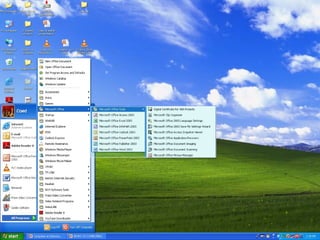
Programs (capabilities) normally installed in an ordinary modern PC. Microsoft Office - program for composing text, graphics, photos into letters, articles, reports, etc. Power-point - for preparing lecture presentations Excel - for spreadsheets and similar graphic sheets Internet Explorer - Access to the internet Yahoo or Google - Website; e-mail, chat rooms, blog sites, news service (private/video) educational software etc.
 
Programs (capabilities) normally installed in an ordinary modern PC Adobe Reader - Graphics/photo composition and editing MSN – Mail/chat messaging Windows media player – CD, VCD player Cyberlink Power – DVD player Windows media player – Editing film/video GameHouse  - Video games

Computer as information and communication technology

  • 1.
    Computer as… ICT Tutor Teacher’s tool Cooperative Learning
  • 2.
    Computer as Informationand Communication Technology
  • 3.
    A device thatcomputes, especially a programmable electronic machine that performs high-speed mathematical or logical operations or that assembles, stores, correlates, or otherwise processes information. One who computes. (American Heritage Dictionary, 4 th ed. Pub. 2000) DEFINITION
  • 4.
    is recognized asthe third revolution in education. 1 st was the invention of the printing press. 2 nd the introduction of libraries. 3 rd the invention of the computer.
  • 5.
    Review of Computerfrom Ed Tech 1 third revolution in education.  especially so with the advent of the microcomputer in 1975.Thus emerged computer technology in education.
  • 6.
    computer-assisted introduction (CAI)was introduced using the principle of individualized learning through a positive climate that includes realism and appeal with drill exercises that uses color, music and animation.
  • 7.
    But the evolvingpace of innovation in today’s Information Age is so dynamic that within the first decade of the 21st century, computer technology in education has matured to transform  into an educative information and communication technology (ICT) in education.
  • 8.
    Through computer technology,educators saw the amplification of learning among computer literacy. like… reading, the modern student can now interact with computer message, even respond to question or to computer commands. writing, the learner can form messages using computer language or program.
  • 9.
    Means Information CommunicationsTechnology Covers any product that will store, retrieve, manipulate, transmits or receives information electronically in a digital form. Ex. personal computers, digital television, email, robots. Is concerned with the storage, retrieval, manipulation, transmission or receipt of digital data. Importantly, it is also concerned with the way these different uses can work with each other What is ICT?
  • 10.
    Consider the followingimportant topics that deal with the way ICT is used and managed in an organisation The nature of information (the "I" in ICT) this covers topics such as the meaning and value of information; how information is controlled; the limitations of ICT; legal considerations Management of information this covers how data is captured, verified and stored for effective use; the manipulation, processing and distribution of information; keeping information secure; designing networks to share information Information systems strategy this considers how ICT can be used within a business or organization as part of achieving goals and objectives
  • 11.
    Instructional media consistof audio-visual aids that served to enhance and enrich the teaching-learning process. Examples are the blackboard, photo, film and video. educational communication media comprise the media of communication to audiences including learners using the print, film, radio, television or satellite means of communication. Examples. distance learning was implemented using correspondence, radio, television, or the computer satellite system.
  • 12.
    Close to theturn of the 21st century, however, such a distinction merged owing to the advent of the microprocessor, also known as the personal computer (PC). This is due to the fact that the PC user at home, office and school has before him a tool for both audio-visual creations and media communication.
  • 13.
    THE PC Audiovisual media Communication media (Internet) E-mail (text and video) Chat rooms Blog sites News services (print, video clip) Music/movies/ television room (Multimedia) text, sound, graphics, chart, photos power-point presentation CD, VCD, DVD player CDVCD, DVD player Educational software (Internet) Educational websites Software School registration Accounting
  • 14.
    OPERATING SYSTEMS MS-DOSWindows 95,98,Me Windows NT, 2000,XP Linux
  • 15.
    APPLICATIONS MS Word(Your basic Word Processor)
  • 16.
    APPLICATIONS MS ExcelYour basic Spread Sheet)
  • 17.
    APPLICATIONS MS PowerPoint (For sales presentations)
  • 18.
    APPLICATIONS MS Outlook(Your desktop Personal Information Manager, (PIM))
  • 19.
    APPLICATIONS MS InternetExplorer (Your internet Browser)
  • 20.
    APPLICATIONS Windows Calculator(Your basic calculator, also available is a scientific calculator)
  • 21.
    APPLICATIONS WordPerfect Adobe Acrobat Lotus 1-2-3 Photoshop QuickBooks Notepad CorelDraw WinZip HyperCam Media Player Photo Paint StarCraft ETC. ETC . ETC. ETC . Ad Infinitum
  • 22.
    Programs (capabilities) normallyinstalled in an ordinary modern PC. Microsoft Office - program for composing text, graphics, photos into letters, articles, reports, etc. Power-point - for preparing lecture presentations Excel - for spreadsheets and similar graphic sheets Internet Explorer - Access to the internet Yahoo or Google - Website; e-mail, chat rooms, blog sites, news service (private/video) educational software etc.
  • 23.
  • 24.
    Programs (capabilities) normallyinstalled in an ordinary modern PC Adobe Reader - Graphics/photo composition and editing MSN – Mail/chat messaging Windows media player – CD, VCD player Cyberlink Power – DVD player Windows media player – Editing film/video GameHouse - Video games