



Chapter 3: Project Management
Objectives Become familiar with estimation. Be able to create a project workplan. Understand why project teams use timeboxing. Become familiar with how to staff a project. Understand how computer-aided software engineering, standards, and documentation improve the efficiency of a project. Understand how to reduce risk on a project.
Project Management The discipline of planning, organizing, and managing resources to bring about the successful completion of specific project goals and objectives Cost Schedule Performance
IDENTIFYING PROJECT SIZE
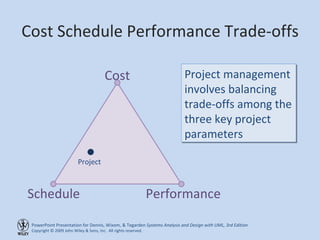
Cost Schedule Performance Trade-offs Cost Schedule Performance Project management involves balancing trade-offs among the three key project parameters Project
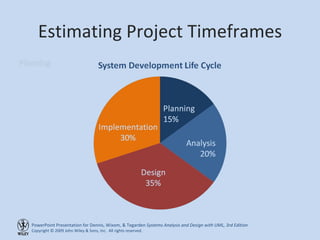
Estimating Project Timeframes
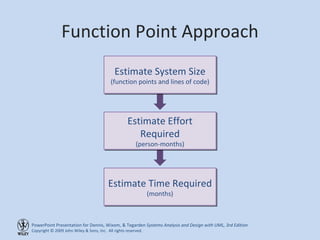
Function Point Approach Estimate System Size (function points and lines of code) Estimate Effort Required (person-months) Estimate Time Required (months)
CREATING AND MANAGING THE WORKPLAN
Developing Work Plans A  work plan , is a dynamic schedule that records and keeps track of all  tasks  to be accomplished over the course of the project Created after a project manager has a general idea of the project’s size and rough schedule The work plan is usually the main item in a project management software application
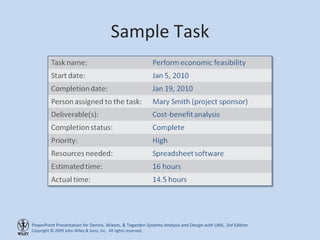
Sample Task
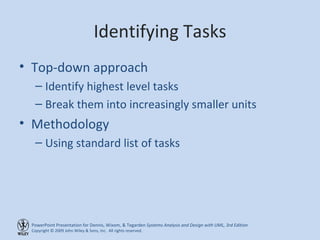
Identifying Tasks Top-down approach Identify highest level tasks Break them into increasingly smaller units Methodology Using standard list of tasks
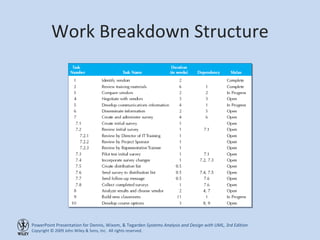
Work Breakdown Structure
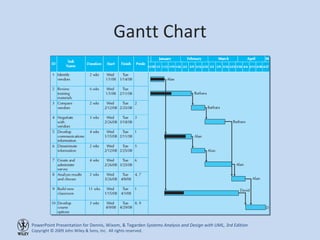
Gantt Chart
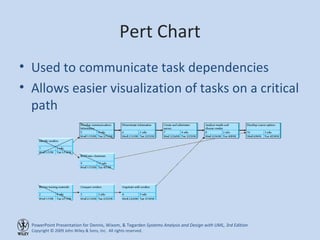
Pert Chart Used to communicate task dependencies Allows easier visualization of tasks on a critical path
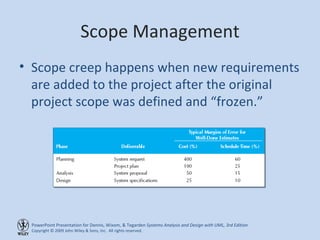
Scope Management Scope creep happens when new requirements are added to the project after the original project scope was defined and “frozen.”
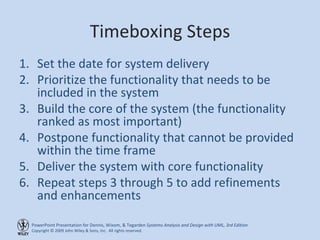
Timeboxing Steps Set the date for system delivery Prioritize the functionality that needs to be included in the system Build the core of the system (the functionality ranked as most important) Postpone functionality that cannot be provided within the time frame Deliver the system with core functionality Repeat steps 3 through 5 to add refinements and enhancements
STAFFING THE PROJECT
Staffing the Project Determine average number of people needed Divide total person-months of effort by the optimal schedule Adding more people will not reduce schedule Create a staffing plan Roles required for the project Reporting structure
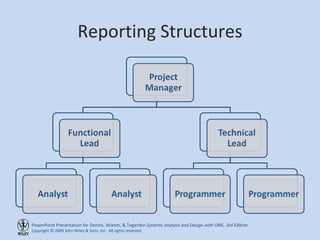
Reporting Structures
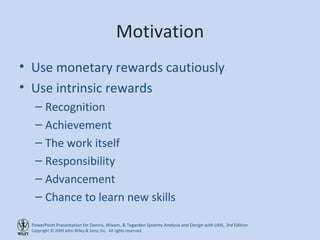
Motivation Use monetary rewards cautiously Use intrinsic rewards Recognition Achievement The work itself Responsibility Advancement Chance to learn new skills
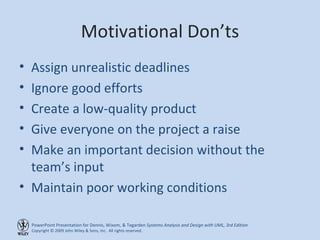
Motivational Don’ts Assign unrealistic deadlines Ignore good efforts Create a low-quality product Give everyone on the project a raise Make an important decision without the team’s input Maintain poor working conditions
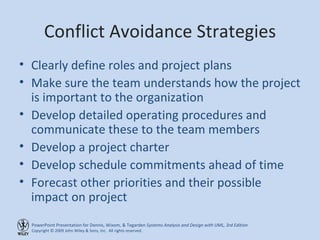
Conflict Avoidance Strategies Clearly define roles and project plans Make sure the team understands how the project is important to the organization Develop detailed operating procedures and communicate these to the team members Develop a project charter Develop schedule commitments ahead of time Forecast other priorities and their possible impact on project
COORDINATING PROJECT ACTIVITIES
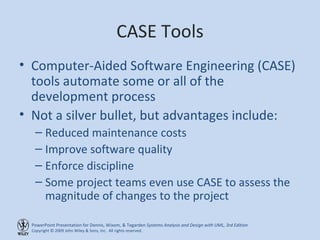
CASE Tools Computer-Aided Software Engineering (CASE) tools automate some or all of the development process Not a silver bullet, but advantages include: Reduced maintenance costs Improve software quality Enforce discipline Some project teams even use CASE to assess the magnitude of changes to the project
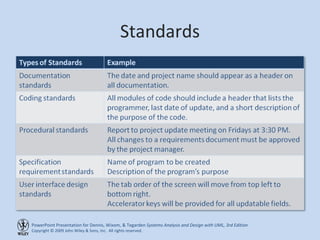
Standards
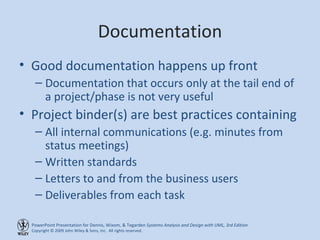
Documentation Good documentation happens up front Documentation that occurs only at the tail end of a project/phase is not very useful Project binder(s) are best practices containing All internal communications (e.g. minutes from status meetings) Written standards Letters to and from the business users Deliverables from each task
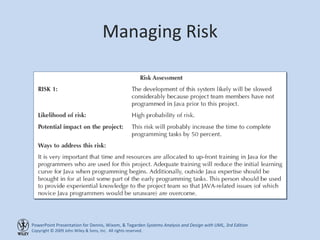
Managing Risk
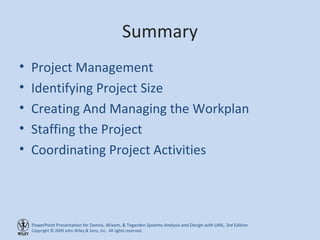
Summary Project Management Identifying Project Size Creating And Managing the Workplan Staffing the Project Coordinating Project Activities

Ch03

  • 1.
  • 2.
    Objectives Become familiarwith estimation. Be able to create a project workplan. Understand why project teams use timeboxing. Become familiar with how to staff a project. Understand how computer-aided software engineering, standards, and documentation improve the efficiency of a project. Understand how to reduce risk on a project.
  • 3.
    Project Management Thediscipline of planning, organizing, and managing resources to bring about the successful completion of specific project goals and objectives Cost Schedule Performance
  • 4.
  • 5.
    Cost Schedule PerformanceTrade-offs Cost Schedule Performance Project management involves balancing trade-offs among the three key project parameters Project
  • 6.
  • 7.
    Function Point ApproachEstimate System Size (function points and lines of code) Estimate Effort Required (person-months) Estimate Time Required (months)
  • 8.
  • 9.
    Developing Work PlansA work plan , is a dynamic schedule that records and keeps track of all tasks to be accomplished over the course of the project Created after a project manager has a general idea of the project’s size and rough schedule The work plan is usually the main item in a project management software application
  • 10.
  • 11.
    Identifying Tasks Top-downapproach Identify highest level tasks Break them into increasingly smaller units Methodology Using standard list of tasks
  • 12.
  • 13.
  • 14.
    Pert Chart Usedto communicate task dependencies Allows easier visualization of tasks on a critical path
  • 15.
    Scope Management Scopecreep happens when new requirements are added to the project after the original project scope was defined and “frozen.”
  • 16.
    Timeboxing Steps Setthe date for system delivery Prioritize the functionality that needs to be included in the system Build the core of the system (the functionality ranked as most important) Postpone functionality that cannot be provided within the time frame Deliver the system with core functionality Repeat steps 3 through 5 to add refinements and enhancements
  • 17.
  • 18.
    Staffing the ProjectDetermine average number of people needed Divide total person-months of effort by the optimal schedule Adding more people will not reduce schedule Create a staffing plan Roles required for the project Reporting structure
  • 19.
  • 20.
    Motivation Use monetaryrewards cautiously Use intrinsic rewards Recognition Achievement The work itself Responsibility Advancement Chance to learn new skills
  • 21.
    Motivational Don’ts Assignunrealistic deadlines Ignore good efforts Create a low-quality product Give everyone on the project a raise Make an important decision without the team’s input Maintain poor working conditions
  • 22.
    Conflict Avoidance StrategiesClearly define roles and project plans Make sure the team understands how the project is important to the organization Develop detailed operating procedures and communicate these to the team members Develop a project charter Develop schedule commitments ahead of time Forecast other priorities and their possible impact on project
  • 23.
  • 24.
    CASE Tools Computer-AidedSoftware Engineering (CASE) tools automate some or all of the development process Not a silver bullet, but advantages include: Reduced maintenance costs Improve software quality Enforce discipline Some project teams even use CASE to assess the magnitude of changes to the project
  • 25.
  • 26.
    Documentation Good documentationhappens up front Documentation that occurs only at the tail end of a project/phase is not very useful Project binder(s) are best practices containing All internal communications (e.g. minutes from status meetings) Written standards Letters to and from the business users Deliverables from each task
  • 27.
  • 28.
    Summary Project ManagementIdentifying Project Size Creating And Managing the Workplan Staffing the Project Coordinating Project Activities