Computing Degree Projects Project Planning & Control Chris Casey ( [email_address] ) http:// www.uclan.ac.uk/computing/staff/ccasey/project/index.htm
Why Plan? Ensure feasibility Schedule actions Allow monitoring & control Take action when things go wrong Don’t ignore problem symptoms Provide starting point for evaluation
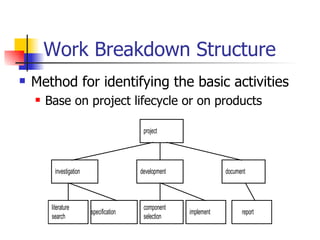
Work Breakdown Structure Method for identifying the basic activities Base on project lifecycle or on products
Gantt Charts Shows dependencies between activities Shows parallel activities Easy monitoring - can mark progress & elapsed time on diagram Allows determination of the Critical Path
Drawing up a plan Define an outline set of requirements Produce a rough system design break down into modules  Produce an outline WBS Create an outline Gantt Chart in MS Project Show the dependencies between tasks Estimate the time required for each task Examine all the risk factors  & deadlines Adjust Gantt Chart to meet deadlines
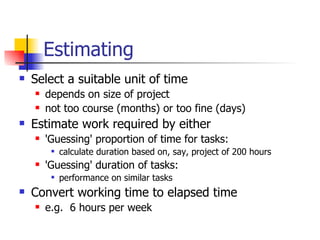
Estimating Select a suitable unit of time depends on size of project not too course (months) or too fine (days) Estimate work required by either 'Guessing' proportion of time for tasks: calculate duration based on, say, project of 200 hours 'Guessing' duration of tasks: performance on similar tasks Convert working time to elapsed time e.g.  6 hours per week
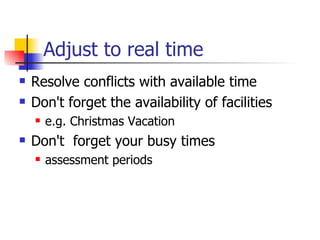
Adjust to real time Resolve conflicts with available time Don't forget the availability of facilities e.g. Christmas Vacation Don't  forget your busy times assessment periods
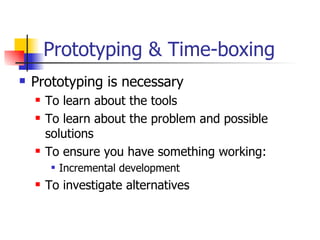
Prototyping & Time-boxing Prototyping is necessary To learn about the tools To learn about the problem and possible solutions To ensure you have something working: Incremental development To investigate alternatives
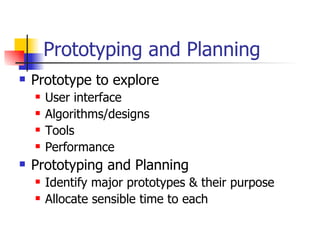
Prototyping and Planning  Prototype to explore User interface Algorithms/designs Tools Performance Prototyping and Planning Identify major prototypes & their purpose Allocate sensible time to each
Timeboxing Identify potential prototype requirements Prioritise requirements (MoSCoW analysis) Identify time limit for the prototype Implement all “Must have” and as many “Should have” as possible in the time box Move to next prototype
Risk Analysis Risk Assessment Identify potential problems Classify seriousness and probability watch for the 'job-stoppers' Can use a simple 4 point scale for each & multiply Prioritise Risk Elimination Alter the plan to avoid the risk  e.g. change the tools to ensure availability
Handling Risk Risk Reduction Reduce the consequences or chance of a risk e.g. don't base all objectives on a risky outcome e.g. allow extra time for complex programming & plan to research appropriate algorithms Risk Management Plan to investigate & to take avoiding action e.g. investigate whether data communication works Plan for problem occurring  e.g. send questionnaires early & have alternative
Technical Plans How do you know you can do your project? The Technical plan shows you understand the problem  you can see ways of solving it Best approach given current knowledge:  may turn out to be wrong “Advice to someone starting your project"
Technical Plan Contents Lifecycle details what sort of prototyping? Discussion of alternatives: design methods design ideas tools & techniques implementation alternatives Risks what could cause you problems? what are you doing about it
Technical Plan Guidance Sufficient information to convince me that the project is appropriately challenging you can handle it
Monitoring Milestones significant, specific, measurable events try to have about 1 each fortnight/week Keep a diary To-Do list & ideas for future work Significant problems, solutions, alternatives Choices and reasons Notes of meetings (See Record of Supervision) References to papers & web sites
Change control Written record - in diary or in comments changes to objectives changes to specification, design and code Discuss significant changes to objectives with supervisor
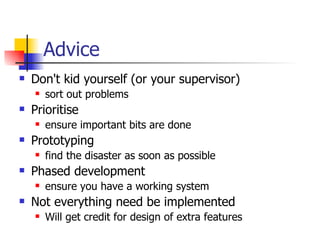
Advice Don't kid yourself (or your supervisor) sort out problems Prioritise ensure important bits are done Prototyping find the disaster as soon as possible Phased development ensure you have a working system Not everything need be implemented Will get credit for design of extra features
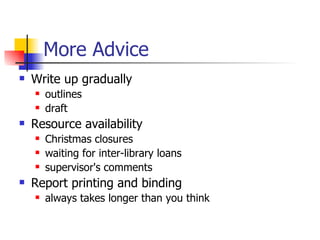
More Advice Write up gradually outlines draft Resource availability Christmas closures waiting for inter-library loans supervisor's comments Report printing and binding always takes longer than you think
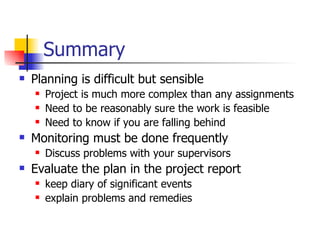
Summary Planning is difficult but sensible Project is much more complex than any assignments Need to be reasonably sure the work is feasible Need to know if you are falling behind Monitoring must be done frequently Discuss problems with your supervisors Evaluate the plan in the project report keep diary of significant events explain problems and remedies

Project Planning

  • 1.
    Computing Degree ProjectsProject Planning & Control Chris Casey ( [email_address] ) http:// www.uclan.ac.uk/computing/staff/ccasey/project/index.htm
  • 2.
    Why Plan? Ensurefeasibility Schedule actions Allow monitoring & control Take action when things go wrong Don’t ignore problem symptoms Provide starting point for evaluation
  • 3.
    Work Breakdown StructureMethod for identifying the basic activities Base on project lifecycle or on products
  • 4.
    Gantt Charts Showsdependencies between activities Shows parallel activities Easy monitoring - can mark progress & elapsed time on diagram Allows determination of the Critical Path
  • 5.
    Drawing up aplan Define an outline set of requirements Produce a rough system design break down into modules Produce an outline WBS Create an outline Gantt Chart in MS Project Show the dependencies between tasks Estimate the time required for each task Examine all the risk factors & deadlines Adjust Gantt Chart to meet deadlines
  • 6.
    Estimating Select asuitable unit of time depends on size of project not too course (months) or too fine (days) Estimate work required by either 'Guessing' proportion of time for tasks: calculate duration based on, say, project of 200 hours 'Guessing' duration of tasks: performance on similar tasks Convert working time to elapsed time e.g. 6 hours per week
  • 7.
    Adjust to realtime Resolve conflicts with available time Don't forget the availability of facilities e.g. Christmas Vacation Don't forget your busy times assessment periods
  • 8.
    Prototyping & Time-boxingPrototyping is necessary To learn about the tools To learn about the problem and possible solutions To ensure you have something working: Incremental development To investigate alternatives
  • 9.
    Prototyping and Planning Prototype to explore User interface Algorithms/designs Tools Performance Prototyping and Planning Identify major prototypes & their purpose Allocate sensible time to each
  • 10.
    Timeboxing Identify potentialprototype requirements Prioritise requirements (MoSCoW analysis) Identify time limit for the prototype Implement all “Must have” and as many “Should have” as possible in the time box Move to next prototype
  • 11.
    Risk Analysis RiskAssessment Identify potential problems Classify seriousness and probability watch for the 'job-stoppers' Can use a simple 4 point scale for each & multiply Prioritise Risk Elimination Alter the plan to avoid the risk e.g. change the tools to ensure availability
  • 12.
    Handling Risk RiskReduction Reduce the consequences or chance of a risk e.g. don't base all objectives on a risky outcome e.g. allow extra time for complex programming & plan to research appropriate algorithms Risk Management Plan to investigate & to take avoiding action e.g. investigate whether data communication works Plan for problem occurring e.g. send questionnaires early & have alternative
  • 13.
    Technical Plans Howdo you know you can do your project? The Technical plan shows you understand the problem you can see ways of solving it Best approach given current knowledge: may turn out to be wrong “Advice to someone starting your project"
  • 14.
    Technical Plan ContentsLifecycle details what sort of prototyping? Discussion of alternatives: design methods design ideas tools & techniques implementation alternatives Risks what could cause you problems? what are you doing about it
  • 15.
    Technical Plan GuidanceSufficient information to convince me that the project is appropriately challenging you can handle it
  • 16.
    Monitoring Milestones significant,specific, measurable events try to have about 1 each fortnight/week Keep a diary To-Do list & ideas for future work Significant problems, solutions, alternatives Choices and reasons Notes of meetings (See Record of Supervision) References to papers & web sites
  • 17.
    Change control Writtenrecord - in diary or in comments changes to objectives changes to specification, design and code Discuss significant changes to objectives with supervisor
  • 18.
    Advice Don't kidyourself (or your supervisor) sort out problems Prioritise ensure important bits are done Prototyping find the disaster as soon as possible Phased development ensure you have a working system Not everything need be implemented Will get credit for design of extra features
  • 19.
    More Advice Writeup gradually outlines draft Resource availability Christmas closures waiting for inter-library loans supervisor's comments Report printing and binding always takes longer than you think
  • 20.
    Summary Planning isdifficult but sensible Project is much more complex than any assignments Need to be reasonably sure the work is feasible Need to know if you are falling behind Monitoring must be done frequently Discuss problems with your supervisors Evaluate the plan in the project report keep diary of significant events explain problems and remedies