Principles of Design
The basic principles of design that appear in
every well-designed piece of work.
•Balance
•Movement
•Repetition/Rhythm
•Emphasis
•Contrast
•Unity
•Alignment
Principles of Design
How we apply the
Principles of design
determines how
successful we are in
creating a work of art.
 The principles of good
design are the tools used
by an artist or designer to
create an effective
composition or design.
 They are rules to help
guide a designer how to
arrange the various
elements of a
composition in relation to
each other and the overall
design.
Balance
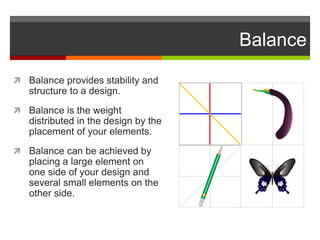
 Balance provides stability and
structure to a design.
 Balance is the weight
distributed in the design by the
placement of your elements.
 Balance can be achieved by
placing a large element on
one side of your design and
several small elements on the
other side.
Balance
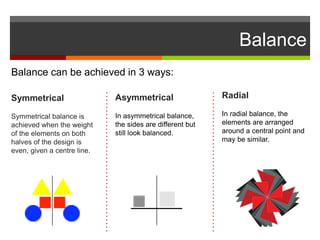
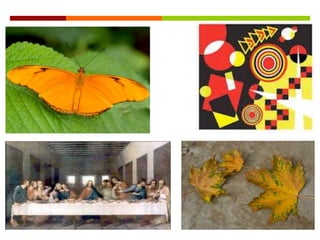
Balance can be achieved in 3 ways:
Symmetrical
Symmetrical balance is
achieved when the weight
of the elements on both
halves of the design is
even, given a centre line.
Asymmetrical
In asymmetrical balance,
the sides are different but
still look balanced.
Radial
In radial balance, the
elements are arranged
around a central point and
may be similar.
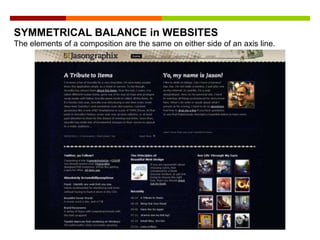
SYMMETRICAL BALANCE in WEBSITES
The elements of a composition are the same on either side of an axis line.
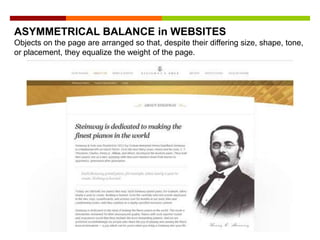
ASYMMETRICAL BALANCE in WEBSITES
Objects on the page are arranged so that, despite their differing size, shape, tone,
or placement, they equalize the weight of the page.
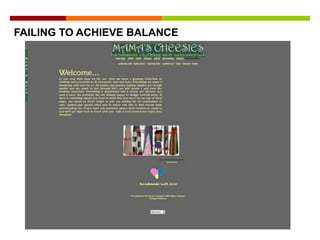
FAILING TO ACHIEVE BALANCE
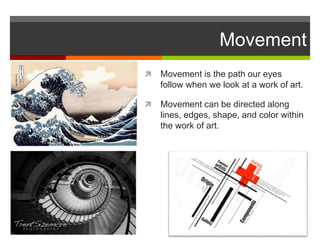
Movement
 Movement is the path our eyes
follow when we look at a work of art.
 Movement can be directed along
lines, edges, shape, and color within
the work of art.
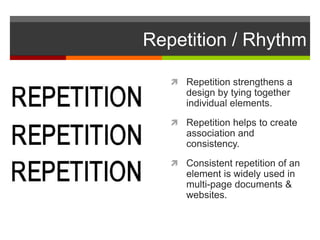
Repetition / Rhythm
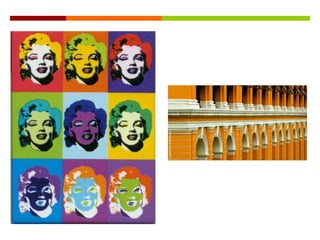
 Repetition strengthens a
design by tying together
individual elements.
 Repetition helps to create
association and
consistency.
 Consistent repetition of an
element is widely used in
multi-page documents &
websites.

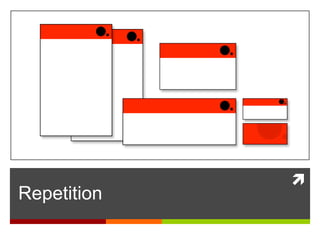
Repetition
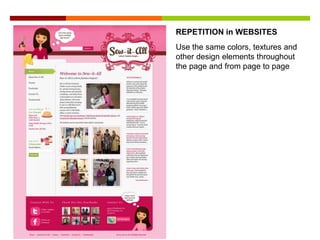
Use the same colors, textures and
other design elements throughout
the page and from page to page
REPETITION in WEBSITES
Emphasis
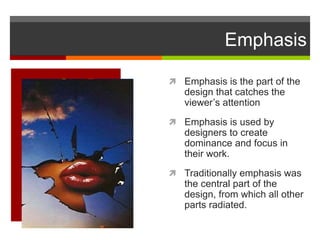
 Emphasis is the part of the
design that catches the
viewer’s attention
 Emphasis is used by
designers to create
dominance and focus in
their work.
 Traditionally emphasis was
the central part of the
design, from which all other
parts radiated.
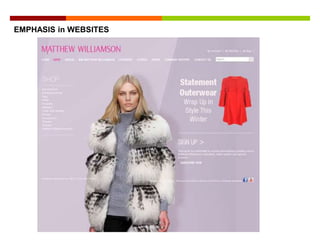
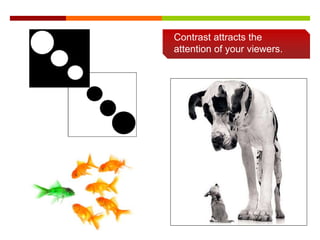
Contrast attracts the
attention of your viewers.
EMPHASIS in WEBSITES
Contrast attracts the
attention of your viewers.
FAILING TO ACIEVE EMPHASIS in WEBSITES
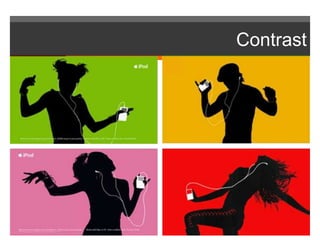
Contrast
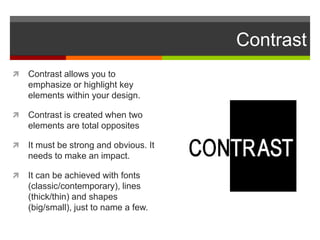
 Contrast allows you to
emphasize or highlight key
elements within your design.
 Contrast is created when two
elements are total opposites
 It must be strong and obvious. It
needs to make an impact.
 It can be achieved with fonts
(classic/contemporary), lines
(thick/thin) and shapes
(big/small), just to name a few.
Contrast attracts the
attention of your viewers.
Contrast
Contrast attracts the
attention of your viewers.
CONTRAST in
WEBSITES
Contrast attracts the
attention of your viewers.
CONTRAST in WEBSITES
Unity
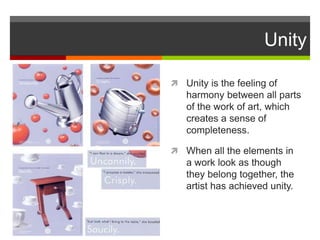
 Unity is the feeling of
harmony between all parts
of the work of art, which
creates a sense of
completeness.
 When all the elements in
a work look as though
they belong together, the
artist has achieved unity.
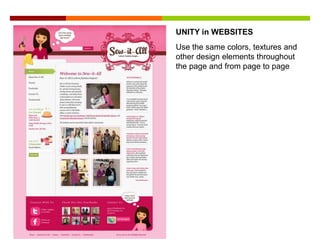
Use the same colors, textures and
other design elements throughout
the page and from page to page
UNITY in WEBSITES
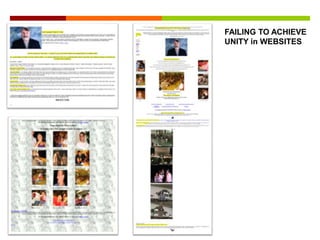
FAILING TO ACHIEVE
UNITY in WEBSITES
Alignment
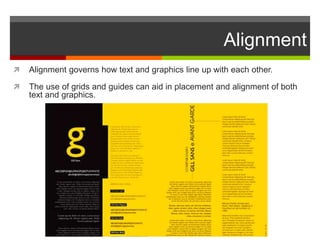
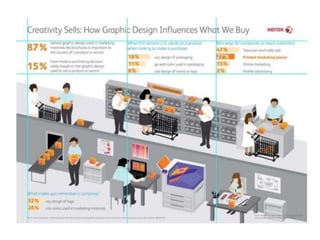
 Alignment governs how text and graphics line up with each other.
 The use of grids and guides can aid in placement and alignment of both
text and graphics.
Alignment
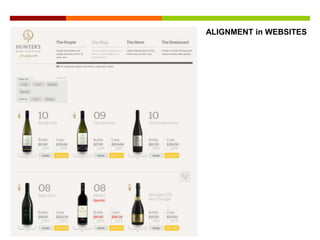
ALIGNMENT in WEBSITES
In Conclusion…
The difference between a weak design and a strong one is
completely dependent upon the artist's knowledge of the design
principles and how well he/she applies them.
All art, whether it is Web design, industrial design, fine art,
sculpture, commercial art, or graphic art, is subject to the same
principles of good design.

Design Principles

  • 1.
    Principles of Design Thebasic principles of design that appear in every well-designed piece of work. •Balance •Movement •Repetition/Rhythm •Emphasis •Contrast •Unity •Alignment
  • 2.
    Principles of Design Howwe apply the Principles of design determines how successful we are in creating a work of art.  The principles of good design are the tools used by an artist or designer to create an effective composition or design.  They are rules to help guide a designer how to arrange the various elements of a composition in relation to each other and the overall design.
  • 3.
    Balance  Balance providesstability and structure to a design.  Balance is the weight distributed in the design by the placement of your elements.  Balance can be achieved by placing a large element on one side of your design and several small elements on the other side.
  • 4.
    Balance Balance can beachieved in 3 ways: Symmetrical Symmetrical balance is achieved when the weight of the elements on both halves of the design is even, given a centre line. Asymmetrical In asymmetrical balance, the sides are different but still look balanced. Radial In radial balance, the elements are arranged around a central point and may be similar.
  • 6.
    SYMMETRICAL BALANCE inWEBSITES The elements of a composition are the same on either side of an axis line.
  • 7.
    ASYMMETRICAL BALANCE inWEBSITES Objects on the page are arranged so that, despite their differing size, shape, tone, or placement, they equalize the weight of the page.
  • 8.
  • 9.
    Movement  Movement isthe path our eyes follow when we look at a work of art.  Movement can be directed along lines, edges, shape, and color within the work of art.
  • 10.
    Repetition / Rhythm Repetition strengthens a design by tying together individual elements.  Repetition helps to create association and consistency.  Consistent repetition of an element is widely used in multi-page documents & websites.
  • 11.
  • 13.
    Use the samecolors, textures and other design elements throughout the page and from page to page REPETITION in WEBSITES
  • 14.
    Emphasis  Emphasis isthe part of the design that catches the viewer’s attention  Emphasis is used by designers to create dominance and focus in their work.  Traditionally emphasis was the central part of the design, from which all other parts radiated.
  • 15.
    Contrast attracts the attentionof your viewers. EMPHASIS in WEBSITES
  • 16.
    Contrast attracts the attentionof your viewers. FAILING TO ACIEVE EMPHASIS in WEBSITES
  • 17.
    Contrast  Contrast allowsyou to emphasize or highlight key elements within your design.  Contrast is created when two elements are total opposites  It must be strong and obvious. It needs to make an impact.  It can be achieved with fonts (classic/contemporary), lines (thick/thin) and shapes (big/small), just to name a few.
  • 18.
  • 19.
  • 20.
    Contrast attracts the attentionof your viewers. CONTRAST in WEBSITES
  • 21.
    Contrast attracts the attentionof your viewers. CONTRAST in WEBSITES
  • 22.
    Unity  Unity isthe feeling of harmony between all parts of the work of art, which creates a sense of completeness.  When all the elements in a work look as though they belong together, the artist has achieved unity.
  • 23.
    Use the samecolors, textures and other design elements throughout the page and from page to page UNITY in WEBSITES
  • 24.
  • 25.
    Alignment  Alignment governshow text and graphics line up with each other.  The use of grids and guides can aid in placement and alignment of both text and graphics.
  • 26.
  • 27.
  • 28.
    In Conclusion… The differencebetween a weak design and a strong one is completely dependent upon the artist's knowledge of the design principles and how well he/she applies them. All art, whether it is Web design, industrial design, fine art, sculpture, commercial art, or graphic art, is subject to the same principles of good design.