7
ADDING IMAGES
OVERVIEW
• Web image formats
• The img element
• Attributes for the img element
• Adding an SVG to a page
Web Image Formats
Image formats appropriate for web pages:
• PNG
• JPEG
• GIF
• SVG
• WebP (up and coming, not yet widely supported)
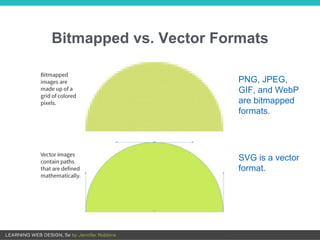
Bitmapped vs. Vector Formats
PNG, JPEG,
GIF, and WebP
are bitmapped
formats.
SVG is a vector
format.
The img Element
<img src="" alt="">
• Embed images on the page with the empty img element.
• The src and alt attributes are required.
• img can be used for PNG, JPEG, GIF, and SVG.
NOTE: Special markup is recommended for experimenting with cutting-
edge image formats like WebP.
The img Element (cont’d)
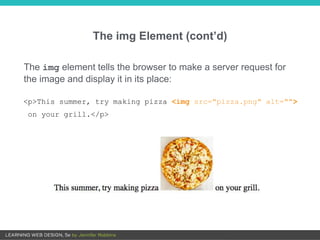
<p>This summer, try making pizza <img src="pizza.png" alt="">
on your grill.</p>
The img element tells the browser to make a server request for
the image and display it in its place:
The src attribute
• The value is the location (URL) of the image file.
• Use the relative pathname conventions to point to the image
on the server.
PERFORMANCE TIP: Take advantage of caching (temporary storage).
For the same image used repeatedly, using the same pathname
reduces the number of calls to the server.
<img src="/images/icon/next.png" alt="Next">
The alt Attribute
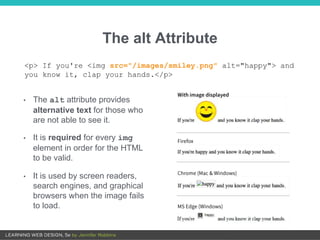
• The alt attribute provides
alternative text for those who
are not able to see it.
• It is required for every img
element in order for the HTML
to be valid.
• It is used by screen readers,
search engines, and graphical
browsers when the image fails
to load.
<p> If you're <img src="/images/smiley.png" alt="happy"> and
you know it, clap your hands.</p>
Alternative Text Tips
• Alternative text (alt text) should convey the same information and
function as the image.
• If the image is purely decorative and shouldn’t be read aloud, include
the alt attribute with an empty value:
<img src="flowers.svg" alt="">
• Consider what the alt text would sound like when read aloud by a
screen reader. Is it helpful or a hindrance?
• When an image is used as a link, the alt text serves as the linked text.
Write what you’d want the link to say, don’t just describe the image.
• Avoid starting alt text with “An image of” or “Graphic of”.
width and height Attributes
• The width and height attributes set the dimensions of the image
on the page in number of pixels.
• They help the browser maintain space for the image in the layout
while the files load.
• Don’t use width and height attributes if you are sizing the image
with style sheets or if the size changes in a responsive layout.
• If the attribute values do not match the dimensions of the image,
the image will resize and may be distorted or blurry.
<img src="flowers.svg" alt="" width="120" height="160">
Adding SVG Images
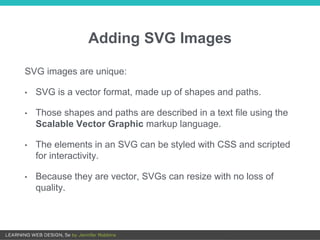
SVG images are unique:
• SVG is a vector format, made up of shapes and paths.
• Those shapes and paths are described in a text file using the
Scalable Vector Graphic markup language.
• The elements in an SVG can be styled with CSS and scripted
for interactivity.
• Because they are vector, SVGs can resize with no loss of
quality.
SVG Example
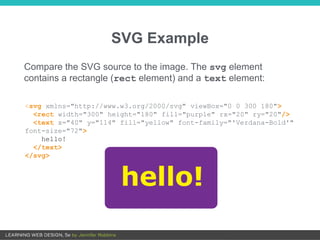
<svg xmlns="http://www.w3.org/2000/svg" viewBox="0 0 300 180">
<rect width="300" height="180" fill="purple" rx="20" ry="20"/>
<text x="40" y="114" fill="yellow" font-family="'Verdana-Bold'"
font-size="72">
hello!
</text>
</svg>
Compare the SVG source to the image. The svg element
contains a rectangle (rect element) and a text element:
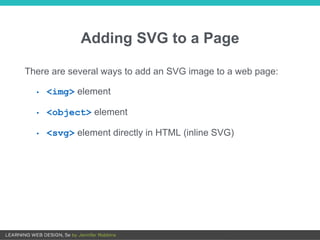
Adding SVG to a Page
There are several ways to add an SVG image to a web page:
• <img> element
• <object> element
• <svg> element directly in HTML (inline SVG)
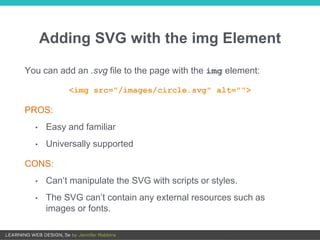
Adding SVG with the img Element
You can add an .svg file to the page with the img element:
<img src="/images/circle.svg" alt="">
PROS:
• Easy and familiar
• Universally supported
CONS:
• Can’t manipulate the SVG with scripts or styles.
• The SVG can’t contain any external resources such as
images or fonts.
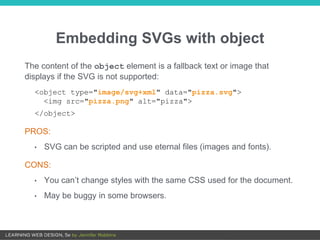
Embedding SVGs with object
The content of the object element is a fallback text or image that
displays if the SVG is not supported:
<object type="image/svg+xml" data="pizza.svg">
<img src="pizza.png" alt="pizza">
</object>
PROS:
• SVG can be scripted and use eternal files (images and fonts).
CONS:
• You can’t change styles with the same CSS used for the document.
• May be buggy in some browsers.
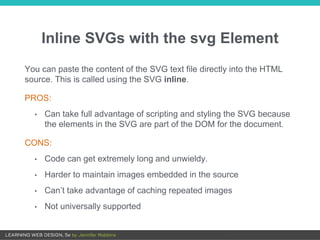
Inline SVGs with the svg Element
You can paste the content of the SVG text file directly into the HTML
source. This is called using the SVG inline.
PROS:
• Can take full advantage of scripting and styling the SVG because
the elements in the SVG are part of the DOM for the document.
CONS:
• Code can get extremely long and unwieldy.
• Harder to maintain images embedded in the source
• Can’t take advantage of caching repeated images
• Not universally supported
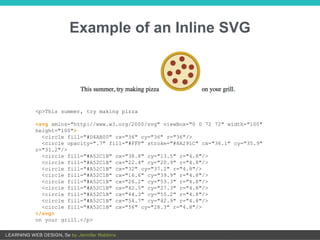
Example of an Inline SVG
<p>This summer, try making pizza
<svg xmlns="http://www.w3.org/2000/svg" viewBox="0 0 72 72" width="100"
height="100">
<circle fill="#D4AB00" cx="36" cy="36" r="36"/>
<circle opacity=".7" fill="#FFF" stroke="#8A291C" cx="36.1" cy="35.9"
r="31.2"/>
<circle fill="#A52C1B" cx="38.8" cy="13.5" r="4.8"/>
<circle fill="#A52C1B" cx="22.4" cy="20.9" r="4.8"/>
<circle fill="#A52C1B" cx="32" cy="37.2" r="4.8"/>
<circle fill="#A52C1B" cx="16.6" cy="39.9" r="4.8"/>
<circle fill="#A52C1B" cx="26.2" cy="53.3" r="4.8"/>
<circle fill="#A52C1B" cx="42.5" cy="27.3" r="4.8"/>
<circle fill="#A52C1B" cx="44.3" cy="55.2" r="4.8"/>
<circle fill="#A52C1B" cx="54.7" cy="42.9" r="4.8"/>
<circle fill="#A52C1B" cx="56" cy="28.3" r="4.8"/>
</svg>
on your grill.</p>

Chapter 7: Images

  • 1.
  • 2.
    OVERVIEW • Web imageformats • The img element • Attributes for the img element • Adding an SVG to a page
  • 3.
    Web Image Formats Imageformats appropriate for web pages: • PNG • JPEG • GIF • SVG • WebP (up and coming, not yet widely supported)
  • 4.
    Bitmapped vs. VectorFormats PNG, JPEG, GIF, and WebP are bitmapped formats. SVG is a vector format.
  • 5.
    The img Element <imgsrc="" alt=""> • Embed images on the page with the empty img element. • The src and alt attributes are required. • img can be used for PNG, JPEG, GIF, and SVG. NOTE: Special markup is recommended for experimenting with cutting- edge image formats like WebP.
  • 6.
    The img Element(cont’d) <p>This summer, try making pizza <img src="pizza.png" alt=""> on your grill.</p> The img element tells the browser to make a server request for the image and display it in its place:
  • 7.
    The src attribute •The value is the location (URL) of the image file. • Use the relative pathname conventions to point to the image on the server. PERFORMANCE TIP: Take advantage of caching (temporary storage). For the same image used repeatedly, using the same pathname reduces the number of calls to the server. <img src="/images/icon/next.png" alt="Next">
  • 8.
    The alt Attribute •The alt attribute provides alternative text for those who are not able to see it. • It is required for every img element in order for the HTML to be valid. • It is used by screen readers, search engines, and graphical browsers when the image fails to load. <p> If you're <img src="/images/smiley.png" alt="happy"> and you know it, clap your hands.</p>
  • 9.
    Alternative Text Tips •Alternative text (alt text) should convey the same information and function as the image. • If the image is purely decorative and shouldn’t be read aloud, include the alt attribute with an empty value: <img src="flowers.svg" alt=""> • Consider what the alt text would sound like when read aloud by a screen reader. Is it helpful or a hindrance? • When an image is used as a link, the alt text serves as the linked text. Write what you’d want the link to say, don’t just describe the image. • Avoid starting alt text with “An image of” or “Graphic of”.
  • 10.
    width and heightAttributes • The width and height attributes set the dimensions of the image on the page in number of pixels. • They help the browser maintain space for the image in the layout while the files load. • Don’t use width and height attributes if you are sizing the image with style sheets or if the size changes in a responsive layout. • If the attribute values do not match the dimensions of the image, the image will resize and may be distorted or blurry. <img src="flowers.svg" alt="" width="120" height="160">
  • 11.
    Adding SVG Images SVGimages are unique: • SVG is a vector format, made up of shapes and paths. • Those shapes and paths are described in a text file using the Scalable Vector Graphic markup language. • The elements in an SVG can be styled with CSS and scripted for interactivity. • Because they are vector, SVGs can resize with no loss of quality.
  • 12.
    SVG Example <svg xmlns="http://www.w3.org/2000/svg"viewBox="0 0 300 180"> <rect width="300" height="180" fill="purple" rx="20" ry="20"/> <text x="40" y="114" fill="yellow" font-family="'Verdana-Bold'" font-size="72"> hello! </text> </svg> Compare the SVG source to the image. The svg element contains a rectangle (rect element) and a text element:
  • 13.
    Adding SVG toa Page There are several ways to add an SVG image to a web page: • <img> element • <object> element • <svg> element directly in HTML (inline SVG)
  • 14.
    Adding SVG withthe img Element You can add an .svg file to the page with the img element: <img src="/images/circle.svg" alt=""> PROS: • Easy and familiar • Universally supported CONS: • Can’t manipulate the SVG with scripts or styles. • The SVG can’t contain any external resources such as images or fonts.
  • 15.
    Embedding SVGs withobject The content of the object element is a fallback text or image that displays if the SVG is not supported: <object type="image/svg+xml" data="pizza.svg"> <img src="pizza.png" alt="pizza"> </object> PROS: • SVG can be scripted and use eternal files (images and fonts). CONS: • You can’t change styles with the same CSS used for the document. • May be buggy in some browsers.
  • 16.
    Inline SVGs withthe svg Element You can paste the content of the SVG text file directly into the HTML source. This is called using the SVG inline. PROS: • Can take full advantage of scripting and styling the SVG because the elements in the SVG are part of the DOM for the document. CONS: • Code can get extremely long and unwieldy. • Harder to maintain images embedded in the source • Can’t take advantage of caching repeated images • Not universally supported
  • 17.
    Example of anInline SVG <p>This summer, try making pizza <svg xmlns="http://www.w3.org/2000/svg" viewBox="0 0 72 72" width="100" height="100"> <circle fill="#D4AB00" cx="36" cy="36" r="36"/> <circle opacity=".7" fill="#FFF" stroke="#8A291C" cx="36.1" cy="35.9" r="31.2"/> <circle fill="#A52C1B" cx="38.8" cy="13.5" r="4.8"/> <circle fill="#A52C1B" cx="22.4" cy="20.9" r="4.8"/> <circle fill="#A52C1B" cx="32" cy="37.2" r="4.8"/> <circle fill="#A52C1B" cx="16.6" cy="39.9" r="4.8"/> <circle fill="#A52C1B" cx="26.2" cy="53.3" r="4.8"/> <circle fill="#A52C1B" cx="42.5" cy="27.3" r="4.8"/> <circle fill="#A52C1B" cx="44.3" cy="55.2" r="4.8"/> <circle fill="#A52C1B" cx="54.7" cy="42.9" r="4.8"/> <circle fill="#A52C1B" cx="56" cy="28.3" r="4.8"/> </svg> on your grill.</p>