Crosswalks

 March 25, 2013
 Richard Sapon-White

                       1
Overview
 Crosswalk   definition and description
 Issues


                                           2
Interoperability

Search interoperability
 The ability to perform a search over
  diverse sets of metadata records to
  obtain meaningful results
Today’s session focuses on sets of
  records using different metadata
  schemes

                                         3
Definition
 An  authoritative mapping from the
  metadata elements of one scheme to
  the elements of another
 Example:

  Dublin Core to MARC Crosswalk


                                       4
Reciprocal Crosswalks
 Two  crosswalks are needed to map
  from metadata scheme A to scheme B
AND
  from scheme B to scheme A
 With two crosswalks, “round-trip”
  mapping results in loss or distortion of
  information
                                             5
More Examples
 Library
      of Congress has crosswalks for
 MARC21 to/from
  – DC (Dublin Core)
  – FGDC Content Standards for Geospatial
    Metadata (Federal Geographic Data
    Committee)
  – GILS (Global Information Locator Service)
  – ONIX ((ONline Information eXchange)
                                                6
Uses of Crosswalks
 Record   exchange
 Union catalogs
 Metadata harvesting
 Search engines: query fields with
  similar content in different databases
 Aid to understanding unfamiliar
  schemes
                                           7
Complexities of Crosswalk
Creation
   No standard format for metadata schemes
    – Different properties of elements are specified
    – Same properties may employ different terms
   Some elements may map to multiple
    elements in a second scheme, or vice versa
   Elements may be repeatable in one scheme,
    non-repeatable in another


                                                       8
Complexities of Crosswalk
Creation (cont.)
 Source  scheme may specify an element
  for which there is no comparable
  element in the target scheme
 Differences in content rules (e.g., use of
  a controlled vocabulary) or data
  representation (e.g., Michał Kowalski
  vs. Kowalski, Michał)

                                           9
Issues in Crosswalking Content
Metadata Standards
Barriers to creating crosswalks
1. Lack of common terminology between
   metadata schemes
2. Metadata standards are not organized in
   the same way

Margaret St. Pierre and William LaPlant
http://www.niso.org/publications/white_papers/crosswalk/ (1998)


                                                                  10
St. Pierre and LaPlant (cont.)
Barriers to mapping
 One-to-many mapping: source field contains
  multiple keywords while target field is
  repeatable with one keyword per field
 Many-to-one mapping: results in loss of
  information
 Source element does not map to any element
  in target
 Mandatory element in target without any
  element in source
                                           11
Example
 Dublin Core element “Creator” – an
  uncontrolled name
 Creator did not map to MARC
 MARC name fields defined as main or
  added entries (1xx, 7xx) - content
  defined by AACR2
 To develop a crosswalk, a new 720 field
  was added to MARC
                                       12
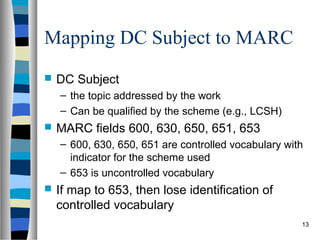
Mapping DC Subject to MARC
   DC Subject
    – the topic addressed by the work
    – Can be qualified by the scheme (e.g., LCSH)
   MARC fields 600, 630, 650, 651, 653
    – 600, 630, 650, 651 are controlled vocabulary with
      indicator for the scheme used
    – 653 is uncontrolled vocabulary
   If map to 653, then lose identification of
    controlled vocabulary
                                                      13
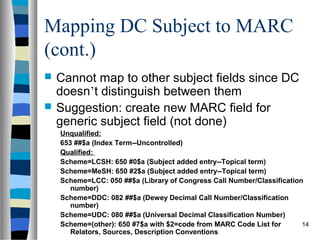
Mapping DC Subject to MARC
(cont.)
   Cannot map to other subject fields since DC
    doesn’t distinguish between them
   Suggestion: create new MARC field for
    generic subject field (not done)
    Unqualified:
    653 ##$a (Index Term--Uncontrolled)
    Qualified:
    Scheme=LCSH: 650 #0$a (Subject added entry--Topical term)
    Scheme=MeSH: 650 #2$a (Subject added entry--Topical term)
    Scheme=LCC: 050 ##$a (Library of Congress Call Number/Classification
       number)
    Scheme=DDC: 082 ##$a (Dewey Decimal Call Number/Classification
       number)
    Scheme=UDC: 080 ##$a (Universal Decimal Classification Number)
    Scheme=(other): 650 #7$a with $2=code from MARC Code List for       14
       Relators, Sources, Description Conventions
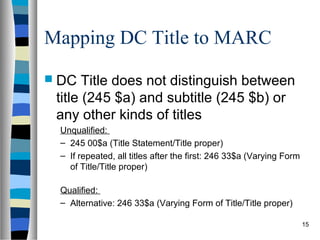
Mapping DC Title to MARC
 DC   Title does not distinguish between
 title (245 $a) and subtitle (245 $b) or
 any other kinds of titles
 Unqualified:
 – 245 00$a (Title Statement/Title proper)
 – If repeated, all titles after the first: 246 33$a (Varying Form
   of Title/Title proper)

 Qualified:
 – Alternative: 246 33$a (Varying Form of Title/Title proper)

                                                                     15
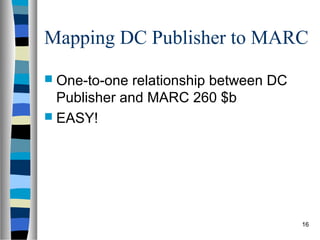
Mapping DC Publisher to MARC
 One-to-one  relationship between DC
  Publisher and MARC 260 $b
 EASY!


                                        16
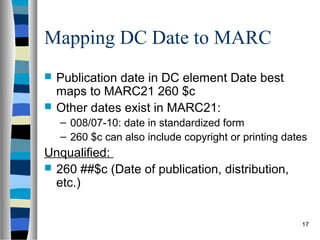
Mapping DC Date to MARC
   Publication date in DC element Date best
    maps to MARC21 260 $c
   Other dates exist in MARC21:
    – 008/07-10: date in standardized form
    – 260 $c can also include copyright or printing dates
Unqualified:
 260 ##$c (Date of publication, distribution,
  etc.)


                                                       17
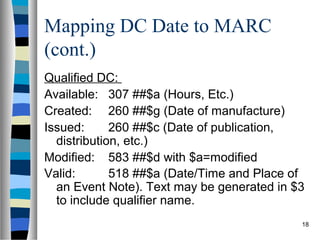
Mapping DC Date to MARC
(cont.)
Qualified DC:
Available: 307 ##$a (Hours, Etc.)
Created: 260 ##$g (Date of manufacture)
Issued:      260 ##$c (Date of publication,
  distribution, etc.)
Modified: 583 ##$d with $a=modified
Valid:       518 ##$a (Date/Time and Place of
  an Event Note). Text may be generated in $3
  to include qualifier name.
                                            18
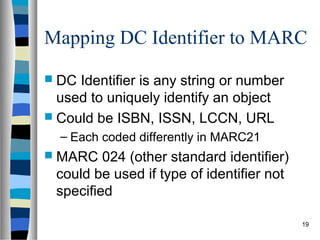
Mapping DC Identifier to MARC
 DC Identifier is any string or number
  used to uniquely identify an object
 Could be ISBN, ISSN, LCCN, URL
  – Each coded differently in MARC21
 MARC   024 (other standard identifier)
 could be used if type of identifier not
 specified

                                           19
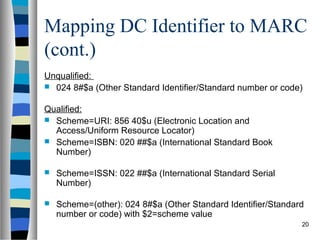
Mapping DC Identifier to MARC
(cont.)
Unqualified:
 024 8#$a (Other Standard Identifier/Standard number or code)


Qualified:
 Scheme=URI: 856 40$u (Electronic Location and
  Access/Uniform Resource Locator)
 Scheme=ISBN: 020 ##$a (International Standard Book
  Number)

   Scheme=ISSN: 022 ##$a (International Standard Serial
    Number)

   Scheme=(other): 024 8#$a (Other Standard Identifier/Standard
    number or code) with $2=scheme value
                                                               20
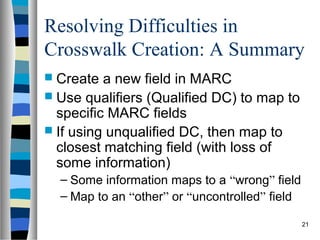
Resolving Difficulties in
Crosswalk Creation: A Summary
 Create  a new field in MARC
 Use qualifiers (Qualified DC) to map to
  specific MARC fields
 If using unqualified DC, then map to
  closest matching field (with loss of
  some information)
  – Some information maps to a “wrong” field
  – Map to an “other” or “uncontrolled” field

                                                21
Introduction to MarcEdit, from first run to philosophy


 Terry Reese
 Gray Family Chair for Innovative
 Library Services
 Oregon State University
 Email: terry.reese@oregonstate.edu
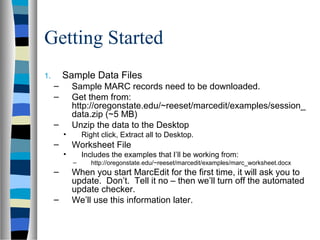
Getting Started
1.       Sample Data Files
     –       Sample MARC records need to be downloaded.
     –       Get them from:
             http://oregonstate.edu/~reeset/marcedit/examples/session_
             data.zip (~5 MB)
     –       Unzip the data to the Desktop
         •       Right click, Extract all to Desktop.
     –       Worksheet File
         •       Includes the examples that I’ll be working from:
             –      http://oregonstate.edu/~reeset/marcedit/examples/marc_worksheet.docx
     –       When you start MarcEdit for the first time, it will ask you to
             update. Don’t. Tell it no – then we’ll turn off the automated
             update checker.
     –       We’ll use this information later.
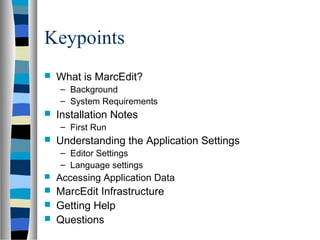
Keypoints
   What is MarcEdit?
    – Background
    – System Requirements
   Installation Notes
    – First Run
   Understanding the Application Settings
    – Editor Settings
    – Language settings
   Accessing Application Data
   MarcEdit Infrastructure
   Getting Help
   Questions
What is MarcEdit?
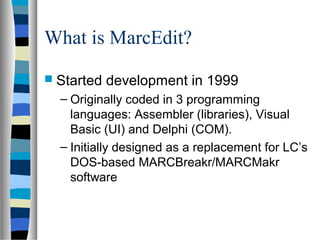
 Started   development in 1999
  – Originally coded in 3 programming
    languages: Assembler (libraries), Visual
    Basic (UI) and Delphi (COM).
  – Initially designed as a replacement for LC’s
    DOS-based MARCBreakr/MARCMakr
    software
What is MarcEdit?
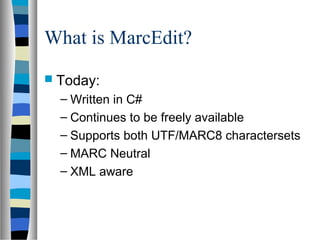
 Today:
  – Written in C#
  – Continues to be freely available
  – Supports both UTF/MARC8 charactersets
  – MARC Neutral
  – XML aware
Installing MarcEdit
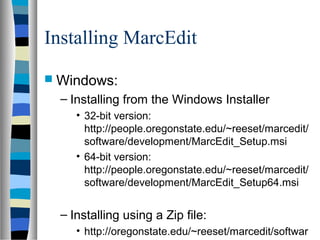
 Windows:
  – Installing from the Windows Installer
     • 32-bit version:
       http://people.oregonstate.edu/~reeset/marcedit/
       software/development/MarcEdit_Setup.msi
     • 64-bit version:
       http://people.oregonstate.edu/~reeset/marcedit/
       software/development/MarcEdit_Setup64.msi


  – Installing using a Zip file:
     • http://oregonstate.edu/~reeset/marcedit/softwar
Setting up MarcEdit
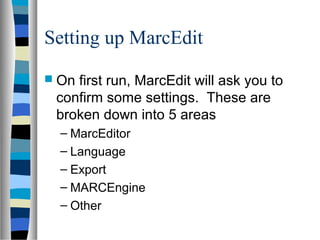
 Onfirst run, MarcEdit will ask you to
 confirm some settings. These are
 broken down into 5 areas
  – MarcEditor
  – Language
  – Export
  – MARCEngine
  – Other
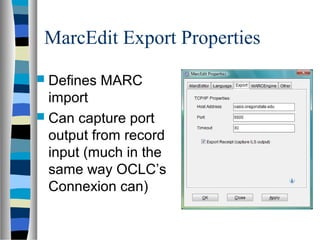
MarcEdit Export Properties
 Defines   MARC
  import
 Can capture port
  output from record
  input (much in the
  same way OCLC’s
  Connexion can)
MARC Conversions
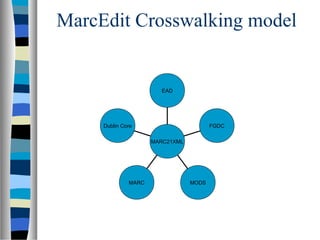
MarcEdit: crosswalking design

   MarcEdit   model:
    – So long as a schema has been
      mapped to MARCXML, any
      metadata combination could be
      utilized. This means that no more
      than two tranformations will ever
      take place. Example: MODS 
      MARCXML  EAD
MarcEdit: crosswalking design

    MarcEdit   Crosswalk model
     – Pro
       • Crosswalks need not be directly related
         to each other
       • Requires crosswalker to know specific
         knowledge of only one schema
     – Con
       • each known crosswalk must be mapped
         to MARCXML.
MarcEdit Crosswalking model


                       EAD


     Dublin Core                        FGDC

                     MARC21XML


              MARC               MODS
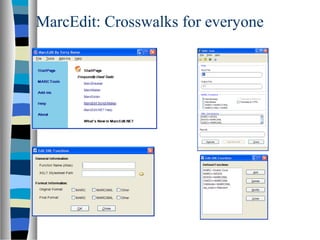
MarcEdit: Crosswalks for everyone


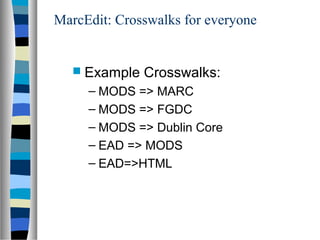
    Example   Crosswalks:
     – MODS => MARC
     – MODS => FGDC
     – MODS => Dublin Core
     – EAD => MODS
     – EAD=>HTML
MarcEdit: Crosswalks for everyone

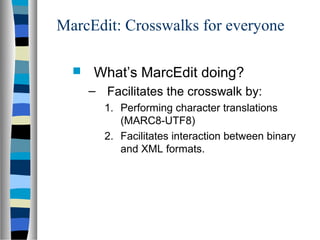
     What’s MarcEdit doing?
      – Facilitates the crosswalk by:
        1. Performing character translations
           (MARC8-UTF8)
        2. Facilitates interaction between binary
           and XML formats.
Examples
 Project
       Gutenburg RDF => MARC
 EAD=>MARC
MarcEdit Demo
 http://people.oregonstate.edu/~reeset/m
 arcedit/html/index.php


                                       38

Metadata crosswalks

  • 1.
    Crosswalks March 25,2013 Richard Sapon-White 1
  • 2.
    Overview  Crosswalk definition and description  Issues 2
  • 3.
    Interoperability Search interoperability  Theability to perform a search over diverse sets of metadata records to obtain meaningful results Today’s session focuses on sets of records using different metadata schemes 3
  • 4.
    Definition  An authoritative mapping from the metadata elements of one scheme to the elements of another  Example: Dublin Core to MARC Crosswalk 4
  • 5.
    Reciprocal Crosswalks  Two crosswalks are needed to map from metadata scheme A to scheme B AND from scheme B to scheme A  With two crosswalks, “round-trip” mapping results in loss or distortion of information 5
  • 6.
    More Examples  Library of Congress has crosswalks for MARC21 to/from – DC (Dublin Core) – FGDC Content Standards for Geospatial Metadata (Federal Geographic Data Committee) – GILS (Global Information Locator Service) – ONIX ((ONline Information eXchange) 6
  • 7.
    Uses of Crosswalks Record exchange  Union catalogs  Metadata harvesting  Search engines: query fields with similar content in different databases  Aid to understanding unfamiliar schemes 7
  • 8.
    Complexities of Crosswalk Creation  No standard format for metadata schemes – Different properties of elements are specified – Same properties may employ different terms  Some elements may map to multiple elements in a second scheme, or vice versa  Elements may be repeatable in one scheme, non-repeatable in another 8
  • 9.
    Complexities of Crosswalk Creation(cont.)  Source scheme may specify an element for which there is no comparable element in the target scheme  Differences in content rules (e.g., use of a controlled vocabulary) or data representation (e.g., Michał Kowalski vs. Kowalski, Michał) 9
  • 10.
    Issues in CrosswalkingContent Metadata Standards Barriers to creating crosswalks 1. Lack of common terminology between metadata schemes 2. Metadata standards are not organized in the same way Margaret St. Pierre and William LaPlant http://www.niso.org/publications/white_papers/crosswalk/ (1998) 10
  • 11.
    St. Pierre andLaPlant (cont.) Barriers to mapping  One-to-many mapping: source field contains multiple keywords while target field is repeatable with one keyword per field  Many-to-one mapping: results in loss of information  Source element does not map to any element in target  Mandatory element in target without any element in source 11
  • 12.
    Example  Dublin Coreelement “Creator” – an uncontrolled name  Creator did not map to MARC  MARC name fields defined as main or added entries (1xx, 7xx) - content defined by AACR2  To develop a crosswalk, a new 720 field was added to MARC 12
  • 13.
    Mapping DC Subjectto MARC  DC Subject – the topic addressed by the work – Can be qualified by the scheme (e.g., LCSH)  MARC fields 600, 630, 650, 651, 653 – 600, 630, 650, 651 are controlled vocabulary with indicator for the scheme used – 653 is uncontrolled vocabulary  If map to 653, then lose identification of controlled vocabulary 13
  • 14.
    Mapping DC Subjectto MARC (cont.)  Cannot map to other subject fields since DC doesn’t distinguish between them  Suggestion: create new MARC field for generic subject field (not done) Unqualified: 653 ##$a (Index Term--Uncontrolled) Qualified: Scheme=LCSH: 650 #0$a (Subject added entry--Topical term) Scheme=MeSH: 650 #2$a (Subject added entry--Topical term) Scheme=LCC: 050 ##$a (Library of Congress Call Number/Classification number) Scheme=DDC: 082 ##$a (Dewey Decimal Call Number/Classification number) Scheme=UDC: 080 ##$a (Universal Decimal Classification Number) Scheme=(other): 650 #7$a with $2=code from MARC Code List for 14 Relators, Sources, Description Conventions
  • 15.
    Mapping DC Titleto MARC  DC Title does not distinguish between title (245 $a) and subtitle (245 $b) or any other kinds of titles Unqualified: – 245 00$a (Title Statement/Title proper) – If repeated, all titles after the first: 246 33$a (Varying Form of Title/Title proper) Qualified: – Alternative: 246 33$a (Varying Form of Title/Title proper) 15
  • 16.
    Mapping DC Publisherto MARC  One-to-one relationship between DC Publisher and MARC 260 $b  EASY! 16
  • 17.
    Mapping DC Dateto MARC  Publication date in DC element Date best maps to MARC21 260 $c  Other dates exist in MARC21: – 008/07-10: date in standardized form – 260 $c can also include copyright or printing dates Unqualified:  260 ##$c (Date of publication, distribution, etc.) 17
  • 18.
    Mapping DC Dateto MARC (cont.) Qualified DC: Available: 307 ##$a (Hours, Etc.) Created: 260 ##$g (Date of manufacture) Issued: 260 ##$c (Date of publication, distribution, etc.) Modified: 583 ##$d with $a=modified Valid: 518 ##$a (Date/Time and Place of an Event Note). Text may be generated in $3 to include qualifier name. 18
  • 19.
    Mapping DC Identifierto MARC  DC Identifier is any string or number used to uniquely identify an object  Could be ISBN, ISSN, LCCN, URL – Each coded differently in MARC21  MARC 024 (other standard identifier) could be used if type of identifier not specified 19
  • 20.
    Mapping DC Identifierto MARC (cont.) Unqualified:  024 8#$a (Other Standard Identifier/Standard number or code) Qualified:  Scheme=URI: 856 40$u (Electronic Location and Access/Uniform Resource Locator)  Scheme=ISBN: 020 ##$a (International Standard Book Number)  Scheme=ISSN: 022 ##$a (International Standard Serial Number)  Scheme=(other): 024 8#$a (Other Standard Identifier/Standard number or code) with $2=scheme value 20
  • 21.
    Resolving Difficulties in CrosswalkCreation: A Summary  Create a new field in MARC  Use qualifiers (Qualified DC) to map to specific MARC fields  If using unqualified DC, then map to closest matching field (with loss of some information) – Some information maps to a “wrong” field – Map to an “other” or “uncontrolled” field 21
  • 22.
    Introduction to MarcEdit,from first run to philosophy Terry Reese Gray Family Chair for Innovative Library Services Oregon State University Email: terry.reese@oregonstate.edu
  • 23.
    Getting Started 1. Sample Data Files – Sample MARC records need to be downloaded. – Get them from: http://oregonstate.edu/~reeset/marcedit/examples/session_ data.zip (~5 MB) – Unzip the data to the Desktop • Right click, Extract all to Desktop. – Worksheet File • Includes the examples that I’ll be working from: – http://oregonstate.edu/~reeset/marcedit/examples/marc_worksheet.docx – When you start MarcEdit for the first time, it will ask you to update. Don’t. Tell it no – then we’ll turn off the automated update checker. – We’ll use this information later.
  • 24.
    Keypoints  What is MarcEdit? – Background – System Requirements  Installation Notes – First Run  Understanding the Application Settings – Editor Settings – Language settings  Accessing Application Data  MarcEdit Infrastructure  Getting Help  Questions
  • 25.
    What is MarcEdit? Started development in 1999 – Originally coded in 3 programming languages: Assembler (libraries), Visual Basic (UI) and Delphi (COM). – Initially designed as a replacement for LC’s DOS-based MARCBreakr/MARCMakr software
  • 26.
    What is MarcEdit? Today: – Written in C# – Continues to be freely available – Supports both UTF/MARC8 charactersets – MARC Neutral – XML aware
  • 27.
    Installing MarcEdit  Windows: – Installing from the Windows Installer • 32-bit version: http://people.oregonstate.edu/~reeset/marcedit/ software/development/MarcEdit_Setup.msi • 64-bit version: http://people.oregonstate.edu/~reeset/marcedit/ software/development/MarcEdit_Setup64.msi – Installing using a Zip file: • http://oregonstate.edu/~reeset/marcedit/softwar
  • 28.
    Setting up MarcEdit Onfirst run, MarcEdit will ask you to confirm some settings. These are broken down into 5 areas – MarcEditor – Language – Export – MARCEngine – Other
  • 29.
    MarcEdit Export Properties Defines MARC import  Can capture port output from record input (much in the same way OCLC’s Connexion can)
  • 30.
  • 31.
    MarcEdit: crosswalking design  MarcEdit model: – So long as a schema has been mapped to MARCXML, any metadata combination could be utilized. This means that no more than two tranformations will ever take place. Example: MODS  MARCXML  EAD
  • 32.
    MarcEdit: crosswalking design  MarcEdit Crosswalk model – Pro • Crosswalks need not be directly related to each other • Requires crosswalker to know specific knowledge of only one schema – Con • each known crosswalk must be mapped to MARCXML.
  • 33.
    MarcEdit Crosswalking model EAD Dublin Core FGDC MARC21XML MARC MODS
  • 34.
  • 35.
    MarcEdit: Crosswalks foreveryone  Example Crosswalks: – MODS => MARC – MODS => FGDC – MODS => Dublin Core – EAD => MODS – EAD=>HTML
  • 36.
    MarcEdit: Crosswalks foreveryone  What’s MarcEdit doing? – Facilitates the crosswalk by: 1. Performing character translations (MARC8-UTF8) 2. Facilitates interaction between binary and XML formats.
  • 37.
    Examples  Project Gutenburg RDF => MARC  EAD=>MARC
  • 38.

Editor's Notes

  • #13 Would like to now consider Caplan and Guenther’s paper describing the DC to MARC crosswalk mapping at its beginnings in 1996. What follows are specific fields, the problems raised by C&G, and how they were resolved in the current crosswalk. Will then try to summarize how these issues in crosswalks were resolved
  • #16 So there is loss of information – lose the distinction between title and subtitle – an imperfect conversion
  • #26 Why did I need to develop a replacement to the DOS-based utility? I’ve always done a lot of consulting work and the DOS-based tools was always my favorite tools. But as I moved to an NT-based system, I started to have more trouble with all DOS software so I decided to develop a windows alternative. Originally, I’d planned on just creating MarcEdit for my own use, but in June 2000, OSU needed to do a large call number flipping project and when I showed MarcEdit to a collegie, Kyle Banerjee, he convinced me that I should make this program available to the public.
  • #31 This is really the heart of MarcEdit All utilities and functions interact with the MARCEngine in some fashion.