Photographic PrinciplesDigital Photography Basics
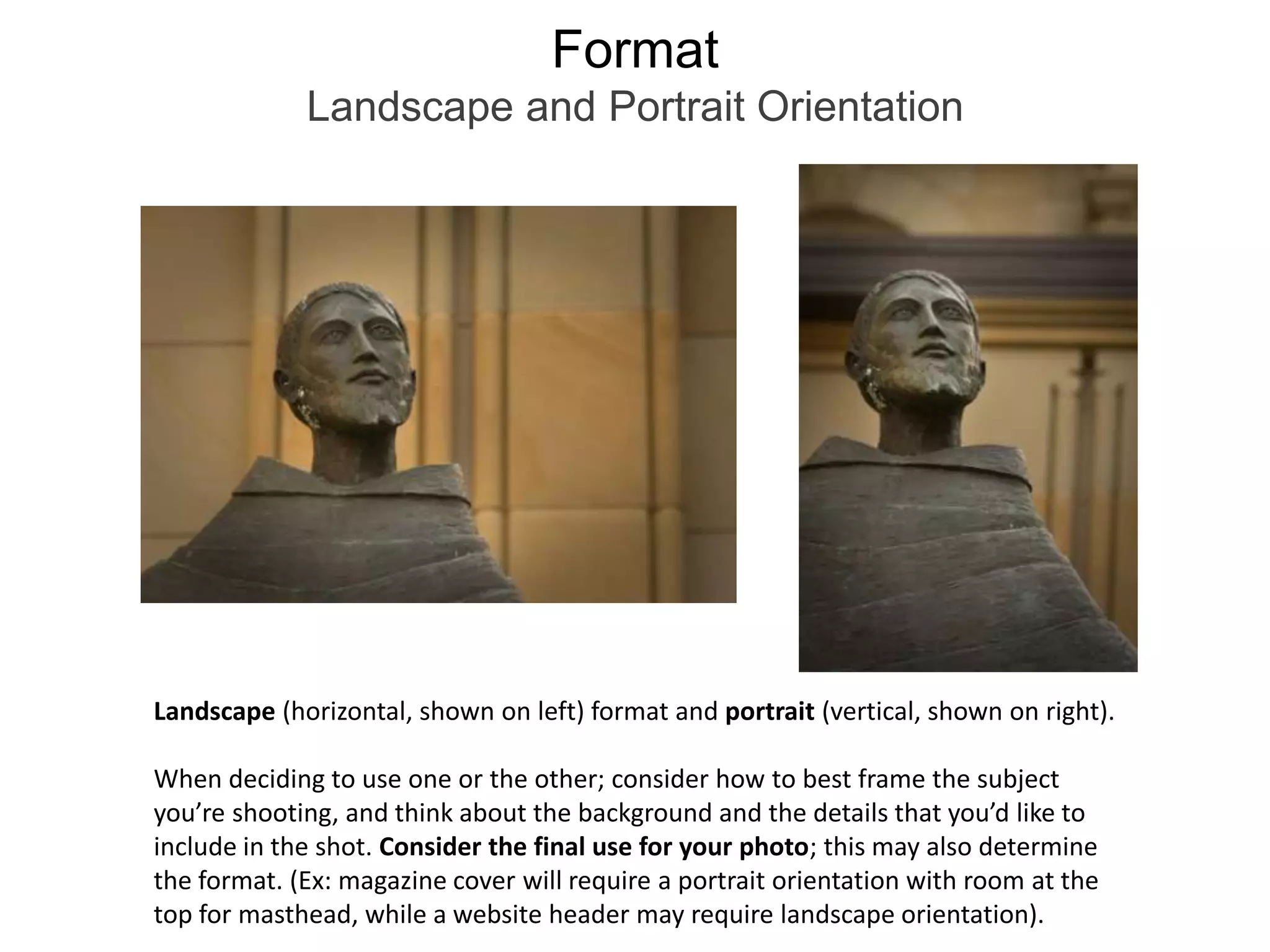
FormatLandscape and Portrait OrientationLandscape (horizontal, shown on left) format and portrait (vertical, shown on right). When deciding to use one or the other; consider how to best frame the subject you’re shooting, and think about the background and the details that you’d like to include in the shot. Consider the final use for your photo; this may also determine the format. (Ex: magazine cover will require a portrait orientation with room at the top for masthead, while a website header may require landscape orientation).
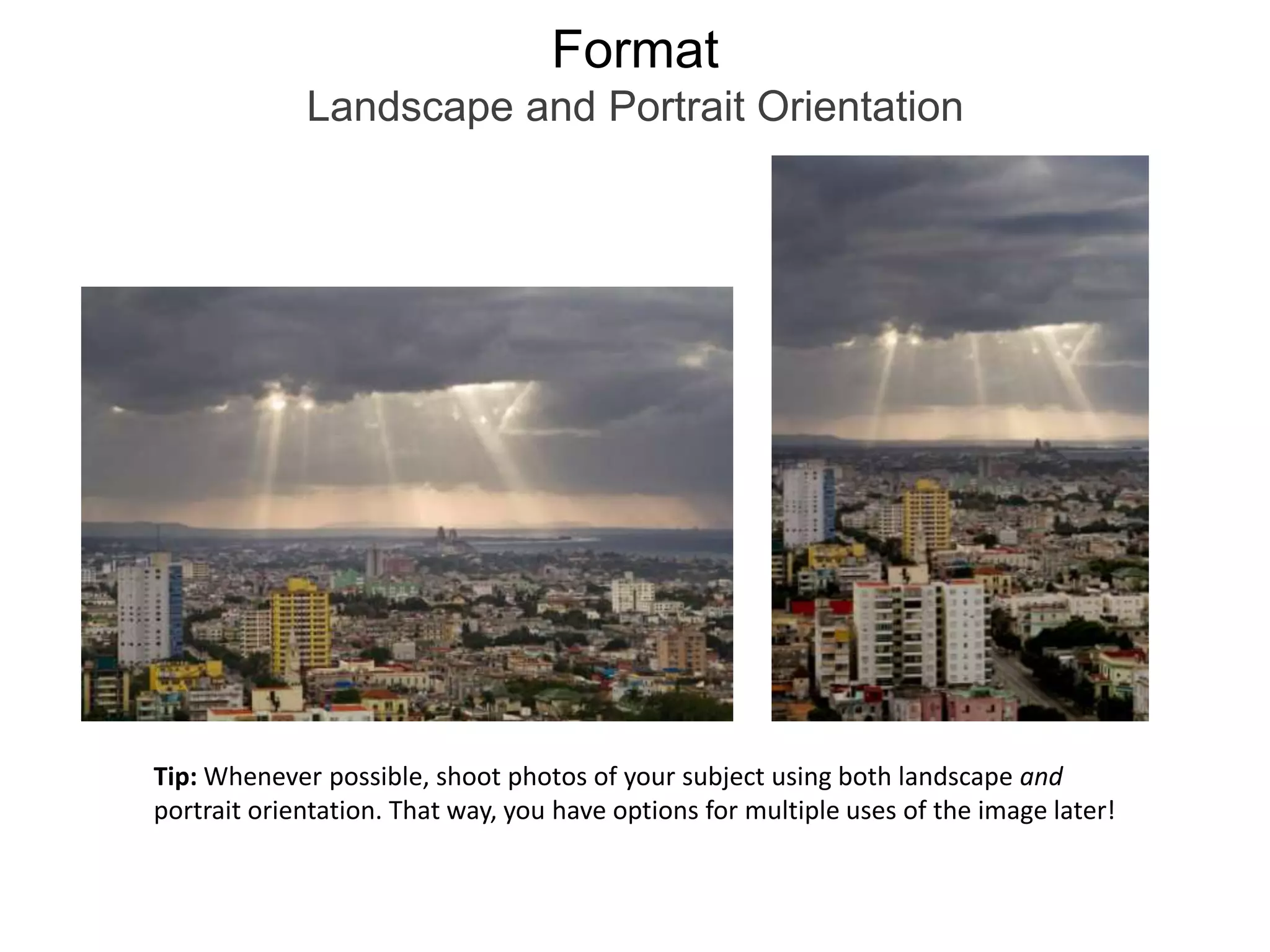
FormatLandscape and Portrait OrientationTip: Whenever possible, shoot photos of your subject using both landscape and portrait orientation. That way, you have options for multiple uses of the image later!
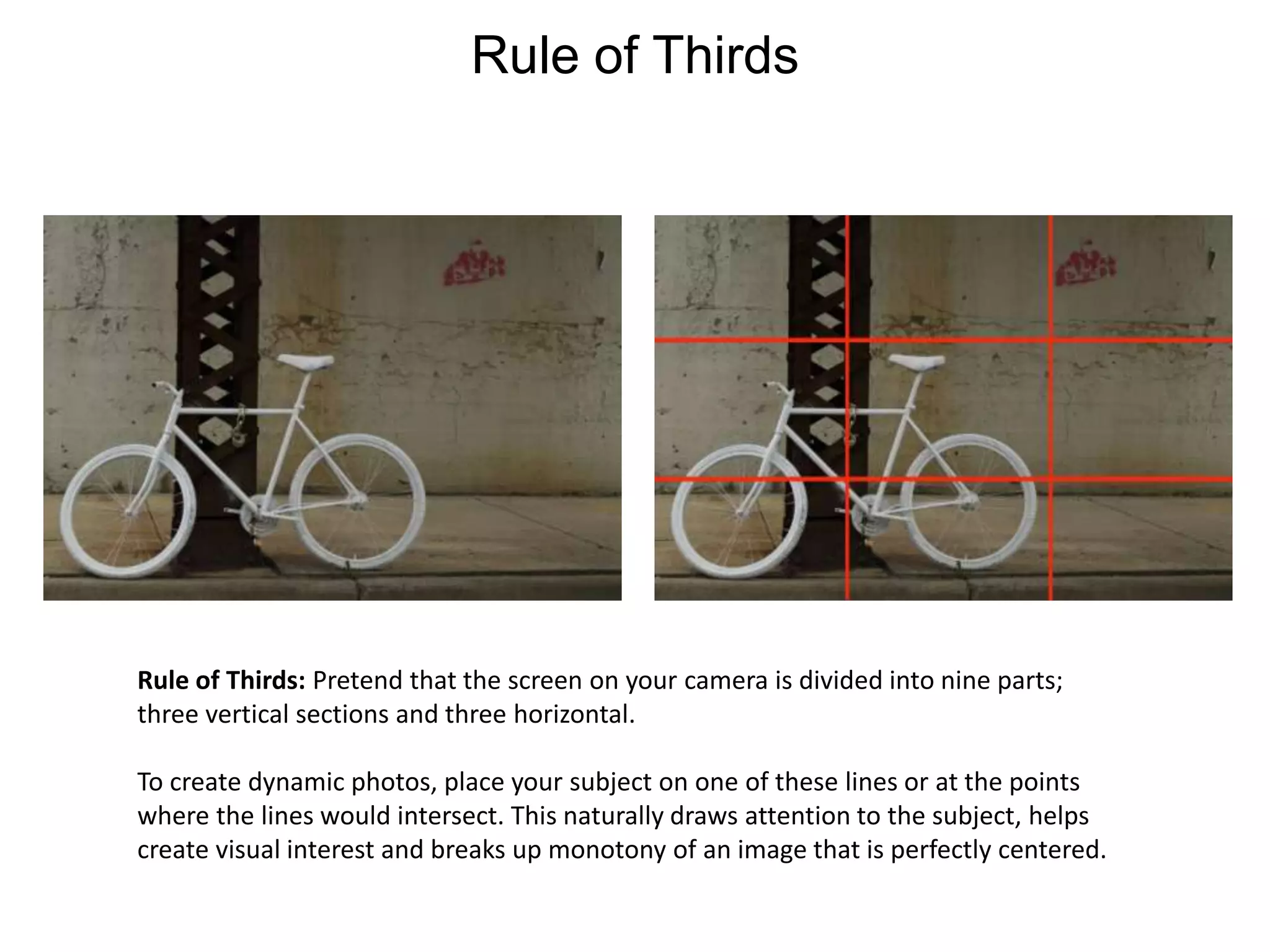
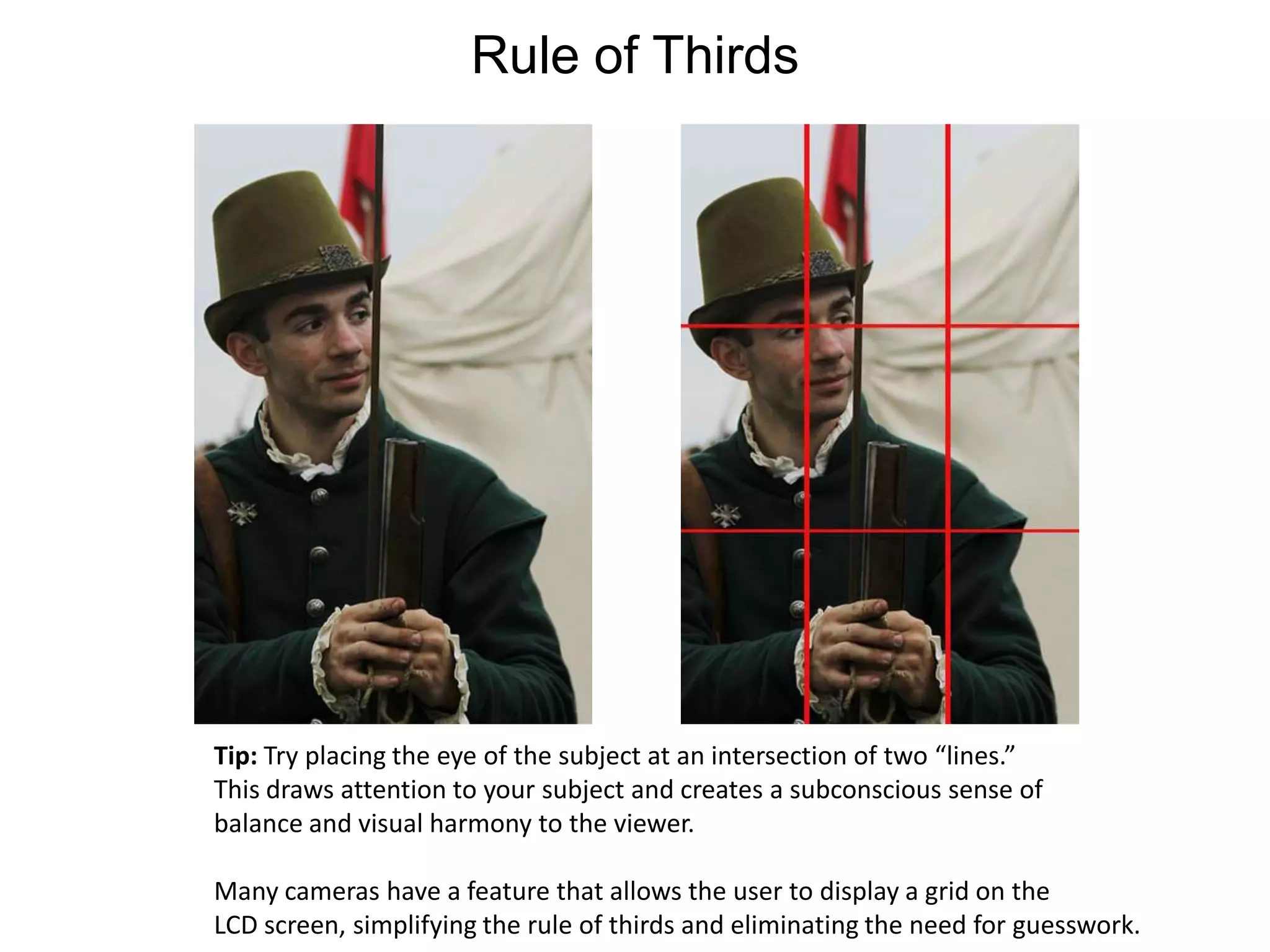
Rule of ThirdsRule of Thirds: Pretend that the screen on your camera is divided into nine parts; three vertical sections and three horizontal. To create dynamic photos, place your subject on one of these lines or at the points where the lines would intersect. This naturally draws attention to the subject, helps create visual interest and breaks up monotony of an image that is perfectly centered.
Rule of ThirdsTip: Try placing the eye of the subject at an intersection of two “lines.”This draws attention to your subject and creates a subconscious sense ofbalance and visual harmony to the viewer.Many cameras have a feature that allows the user to display a grid on the LCD screen, simplifying the rule of thirds and eliminating the need for guesswork.
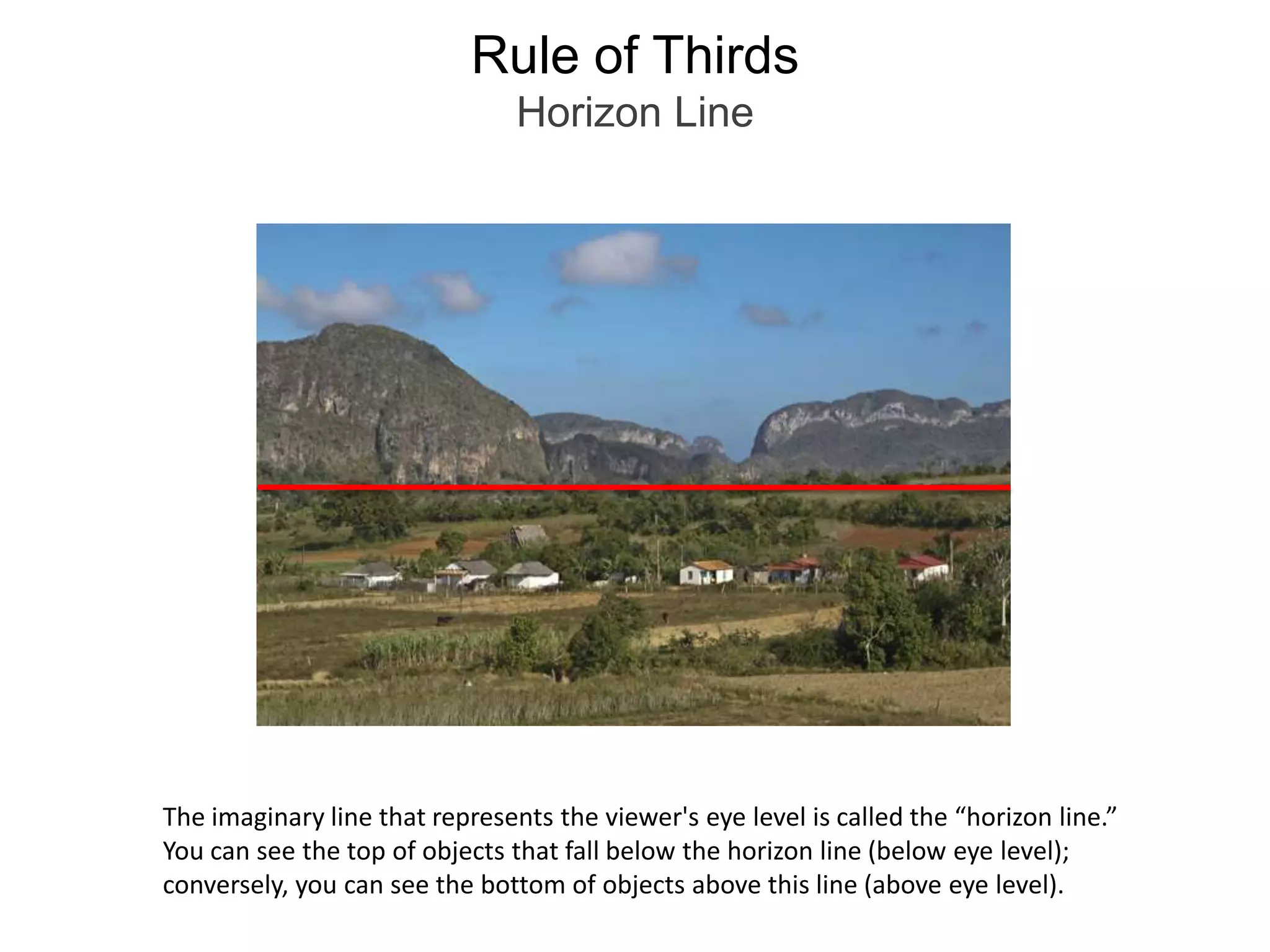
Rule of ThirdsHorizon LineThe imaginary line that represents the viewer's eye level is called the “horizon line.”You can see the top of objects that fall below the horizon line (below eye level); conversely, you can see the bottom of objects above this line (above eye level).
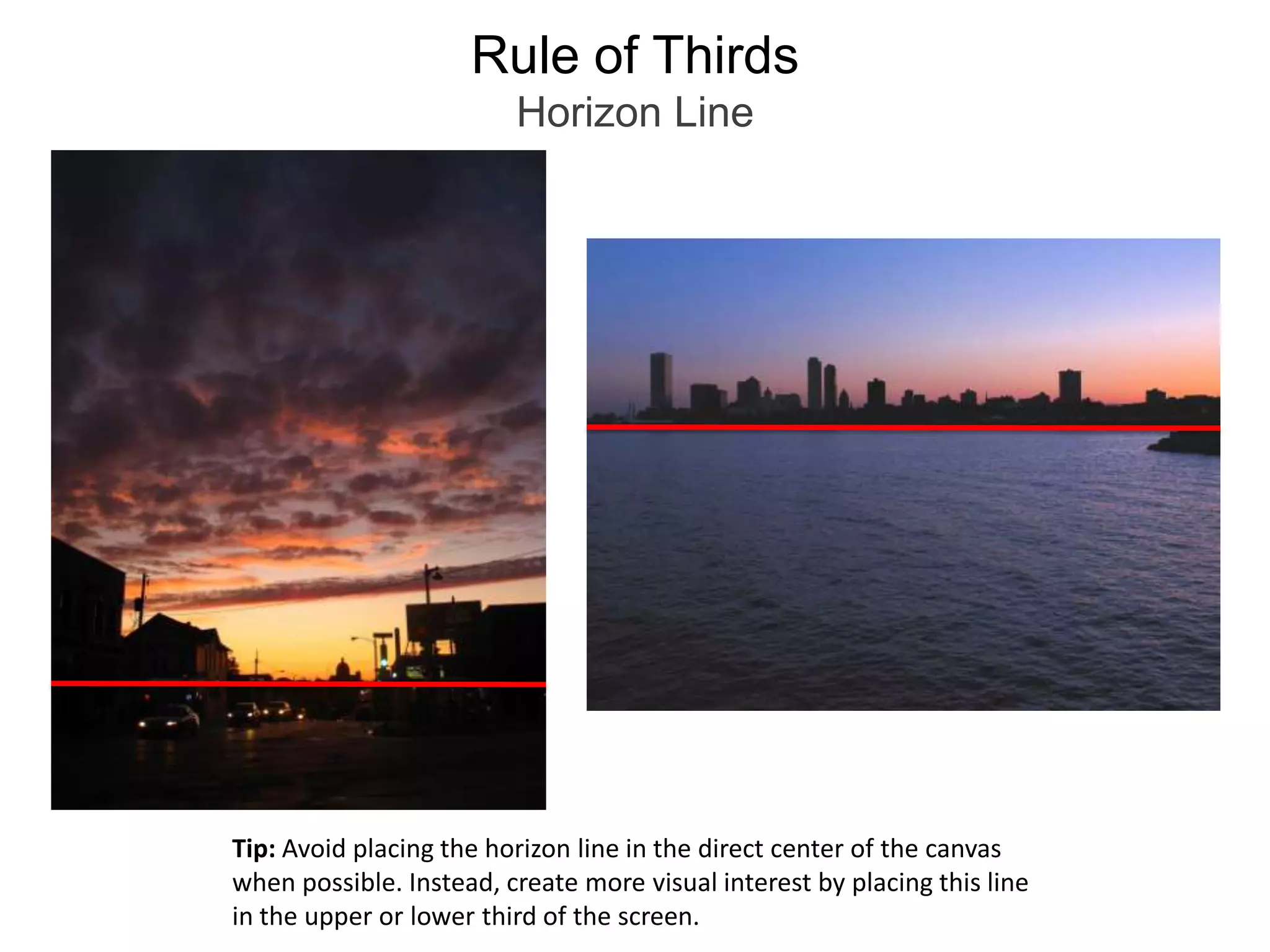
Rule of ThirdsHorizon LineTip: Avoid placing the horizon line in the direct center of the canvas when possible. Instead, create more visual interest by placing this line in the upper or lower third of the screen.
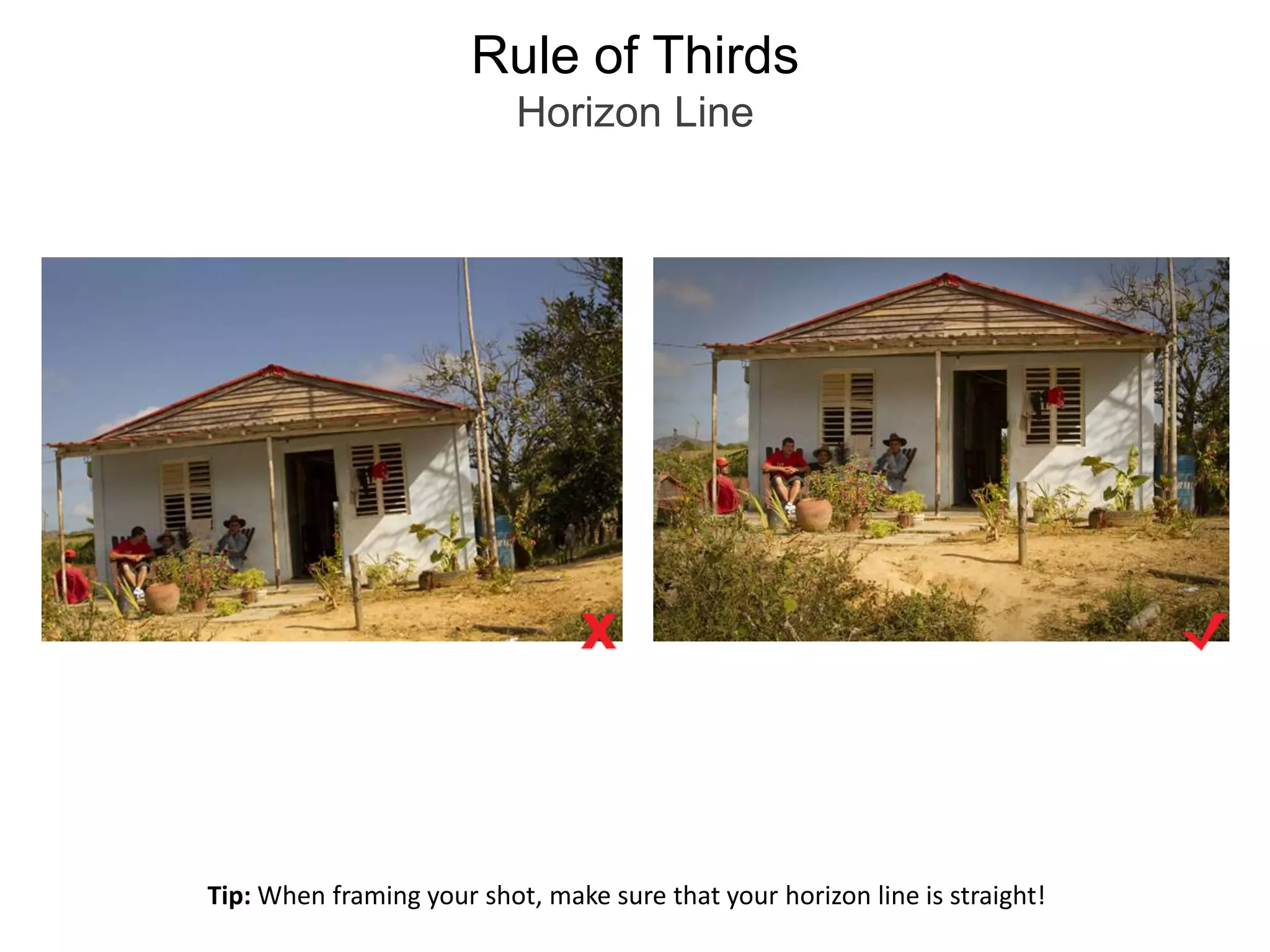
Rule of ThirdsHorizon LineTip: When framing your shot, make sure that your horizon line is straight!
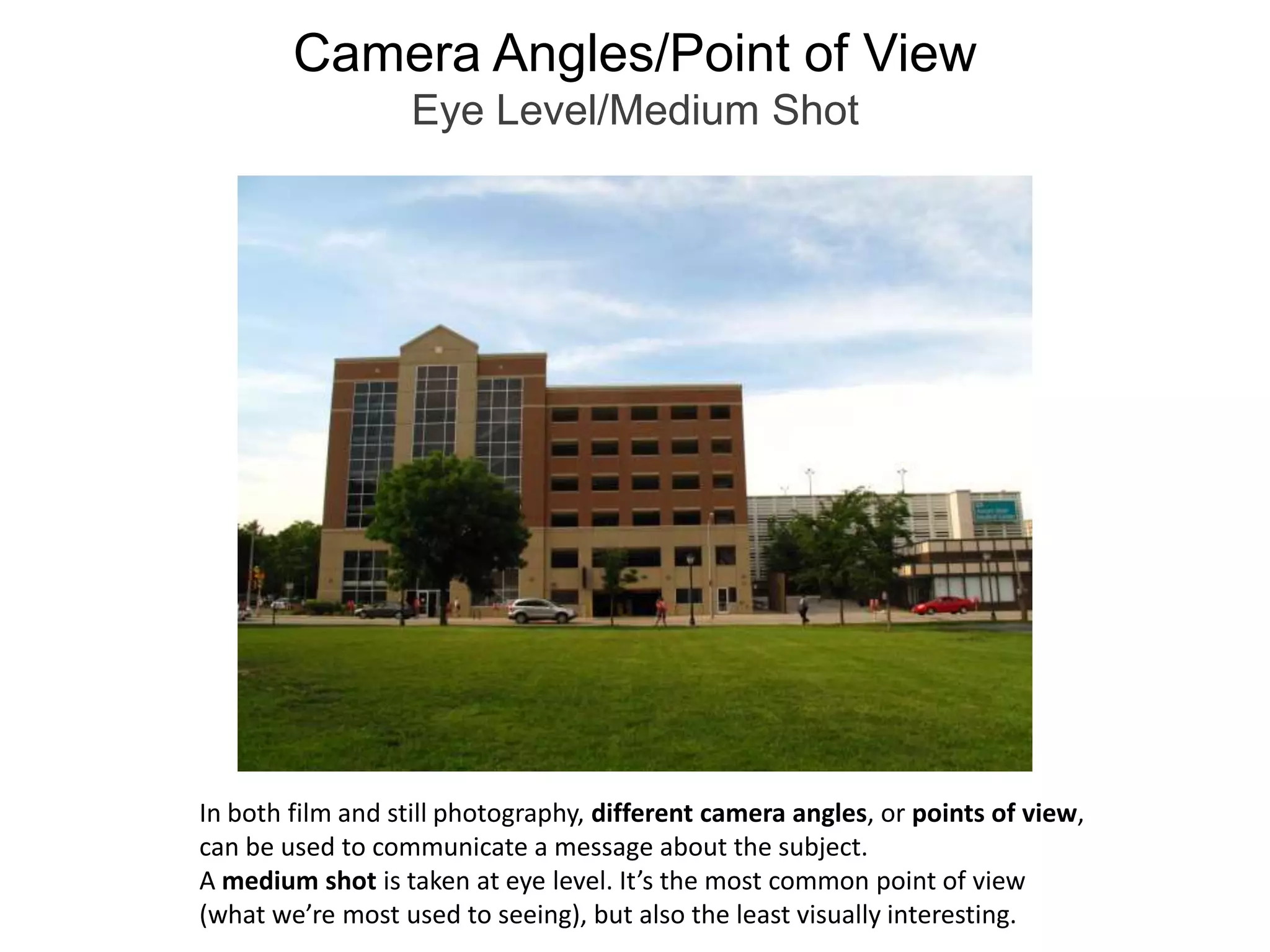
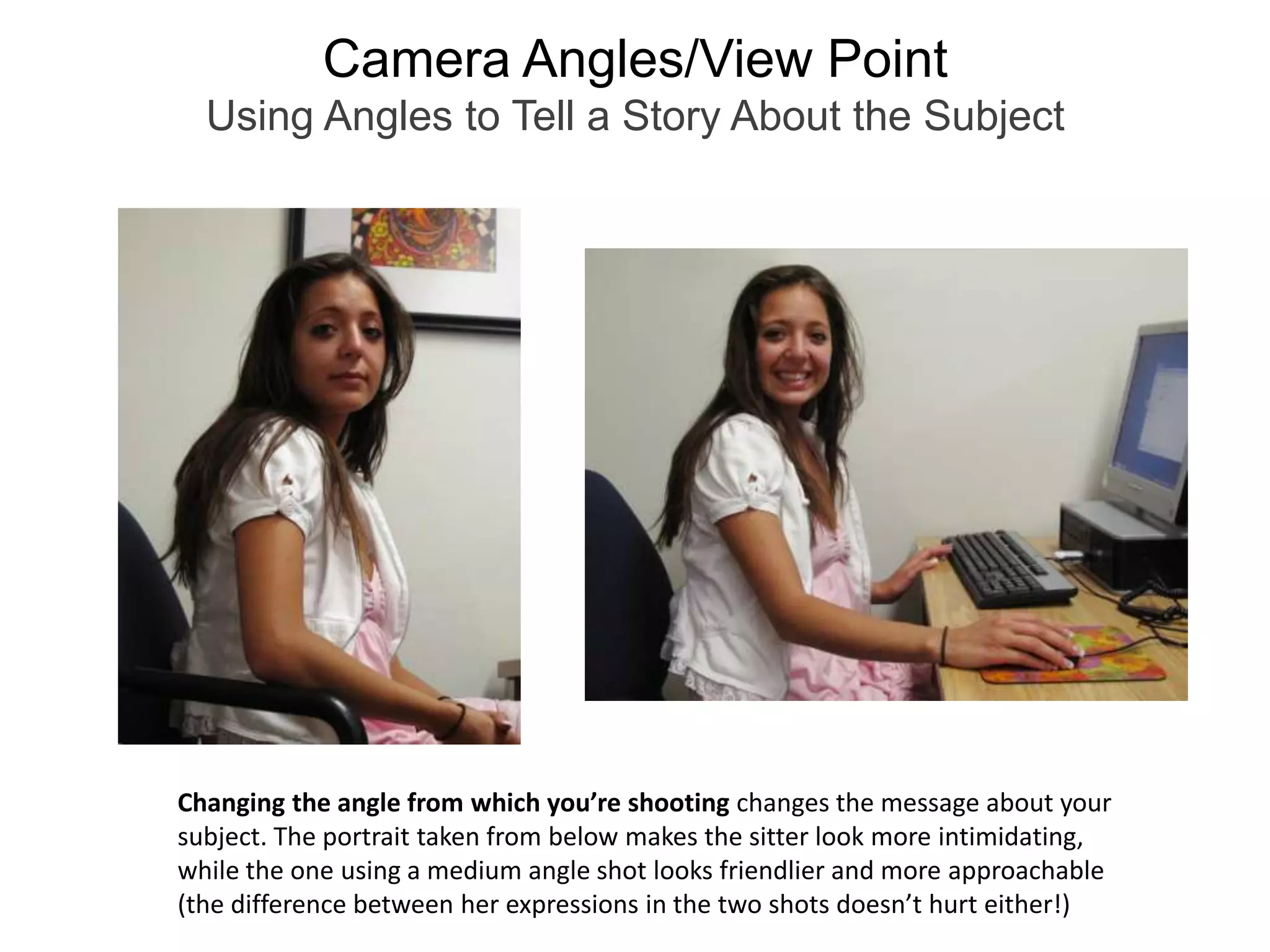
Camera Angles/Point of ViewEye Level/Medium ShotIn both film and still photography, different camera angles, or points of view, can be used to communicate a message about the subject.   A medium shot is taken at eye level. It’s the most common point of view (what we’re most used to seeing), but also the least visually interesting.
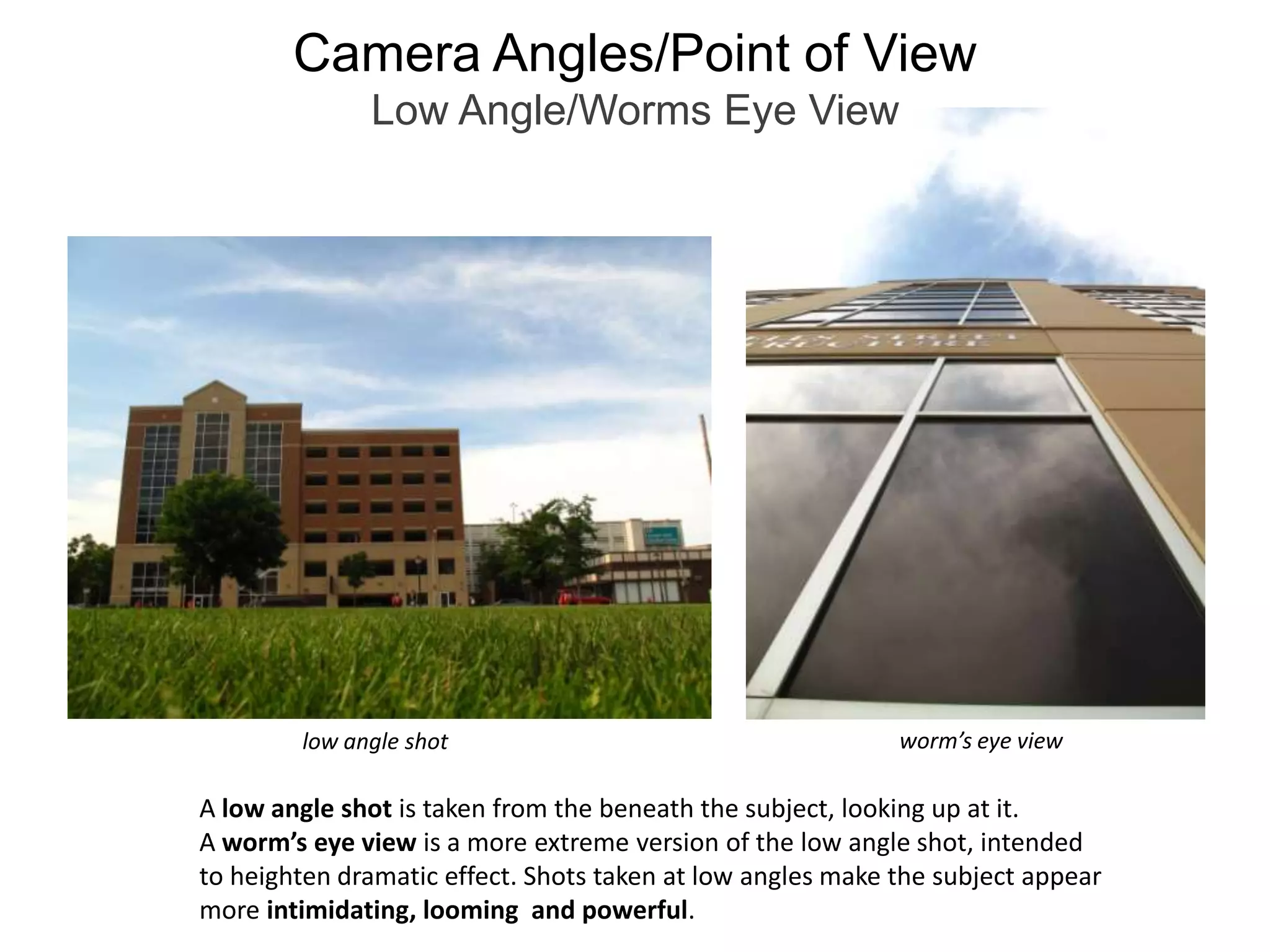
Camera Angles/Point of ViewLow Angle/Worms Eye Viewworm’s eye viewlow angle shotA low angle shot is taken from the beneath the subject, looking up at it.A worm’s eye view is a more extreme version of the low angle shot, intendedto heighten dramatic effect. Shots taken at low angles make the subject appear more intimidating, looming  and powerful.
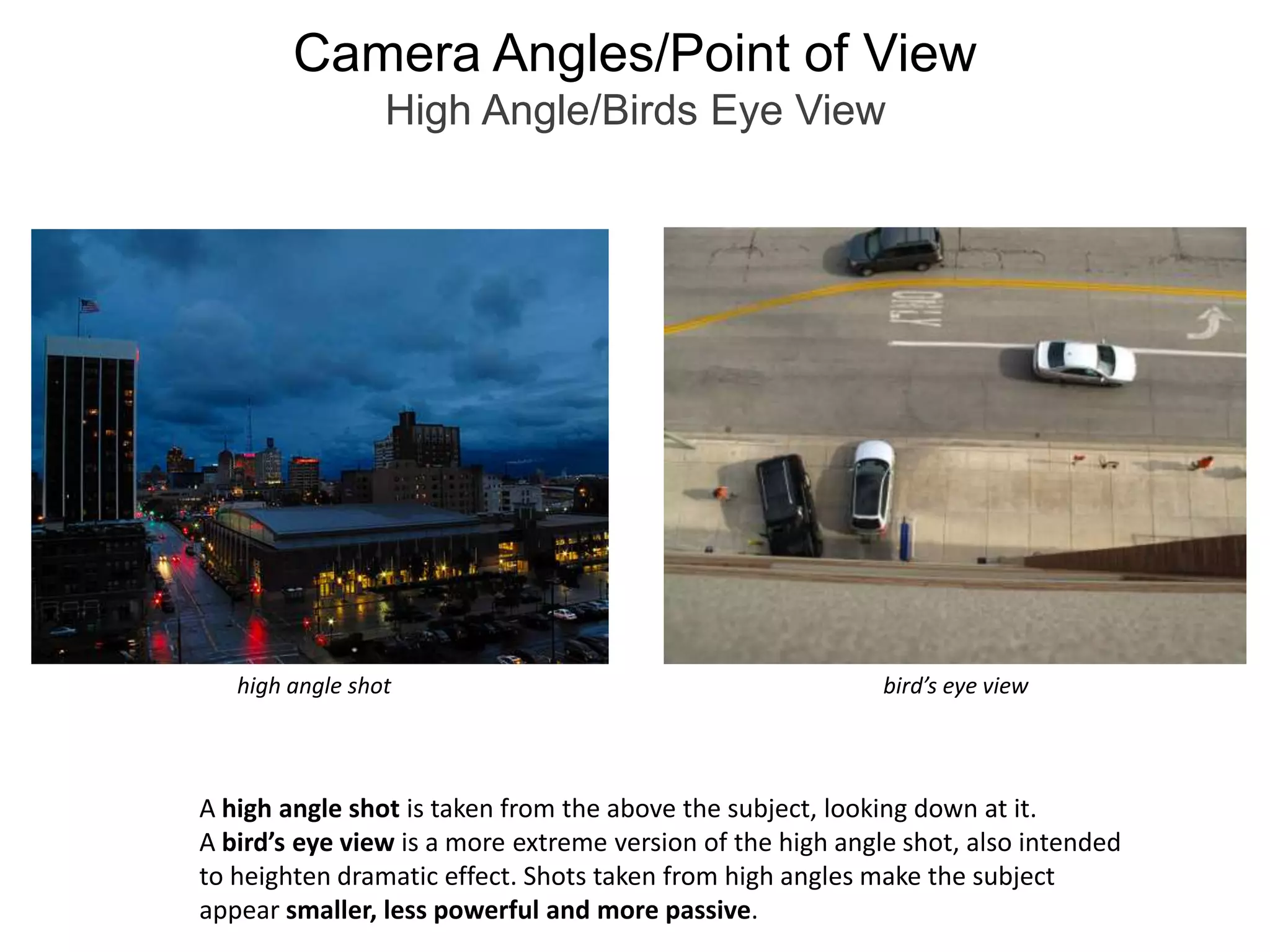
Camera Angles/Point of ViewHigh Angle/Birds Eye Viewbird’s eye viewhigh angle shotA high angle shot is taken from the above the subject, looking down at it.A bird’s eye view is a more extreme version of the high angle shot, also intendedto heighten dramatic effect. Shots taken from high angles make the subject appear smaller, less powerful and more passive.
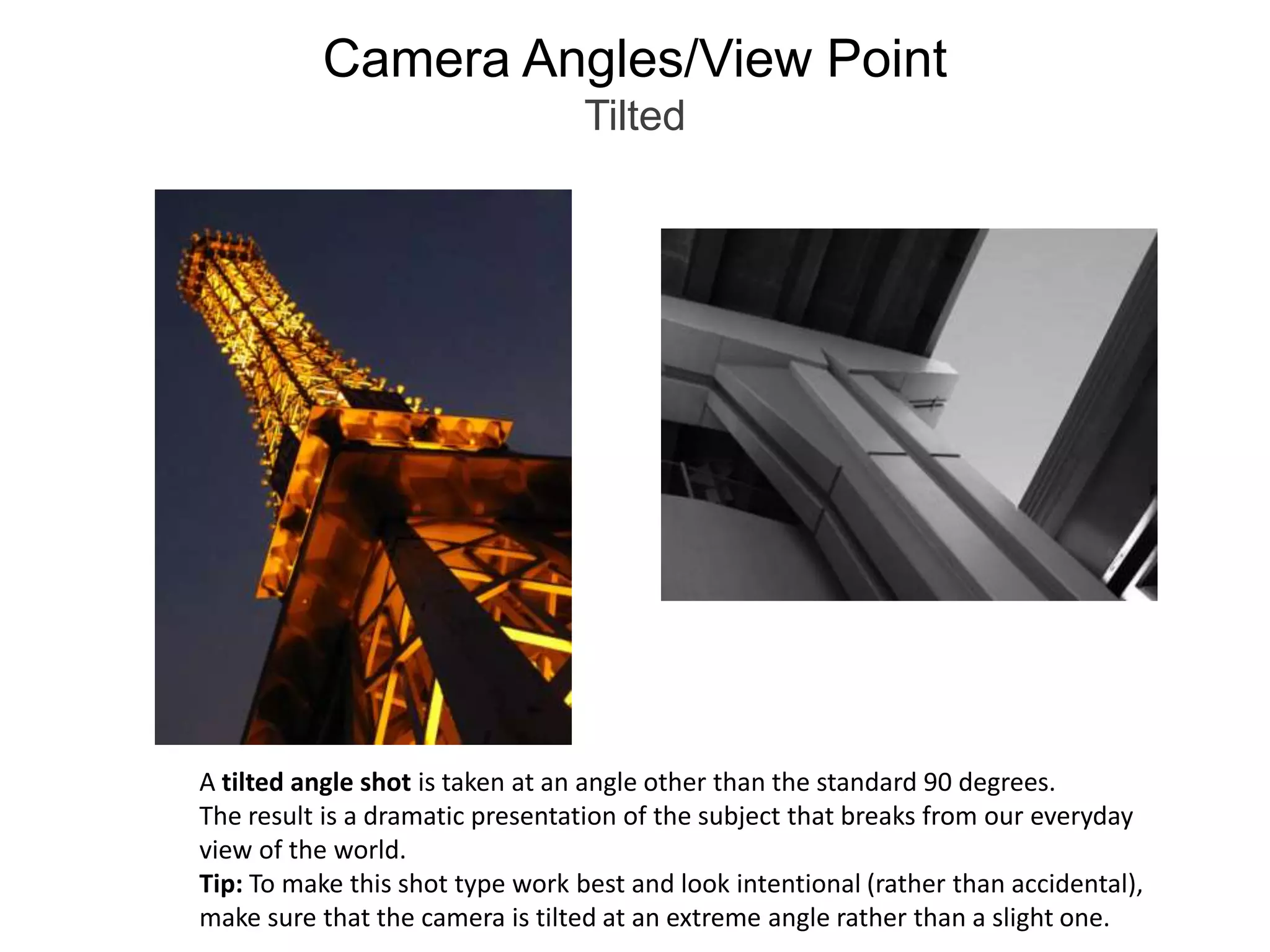
Camera Angles/View PointTiltedA tilted angle shot is taken at an angle other than the standard 90 degrees. The result is a dramatic presentation of the subject that breaks from our everyday view of the world.Tip: To make this shot type work best and look intentional (rather than accidental), make sure that the camera is tilted at an extreme angle rather than a slight one.
Camera Angles/View PointUsing Angles to Tell a Story About the SubjectChanging the angle from which you’re shooting changes the message about your subject. The portrait taken from below makes the sitter look more intimidating, while the one using a medium angle shot looks friendlier and more approachable(the difference between her expressions in the two shots doesn’t hurt either!)
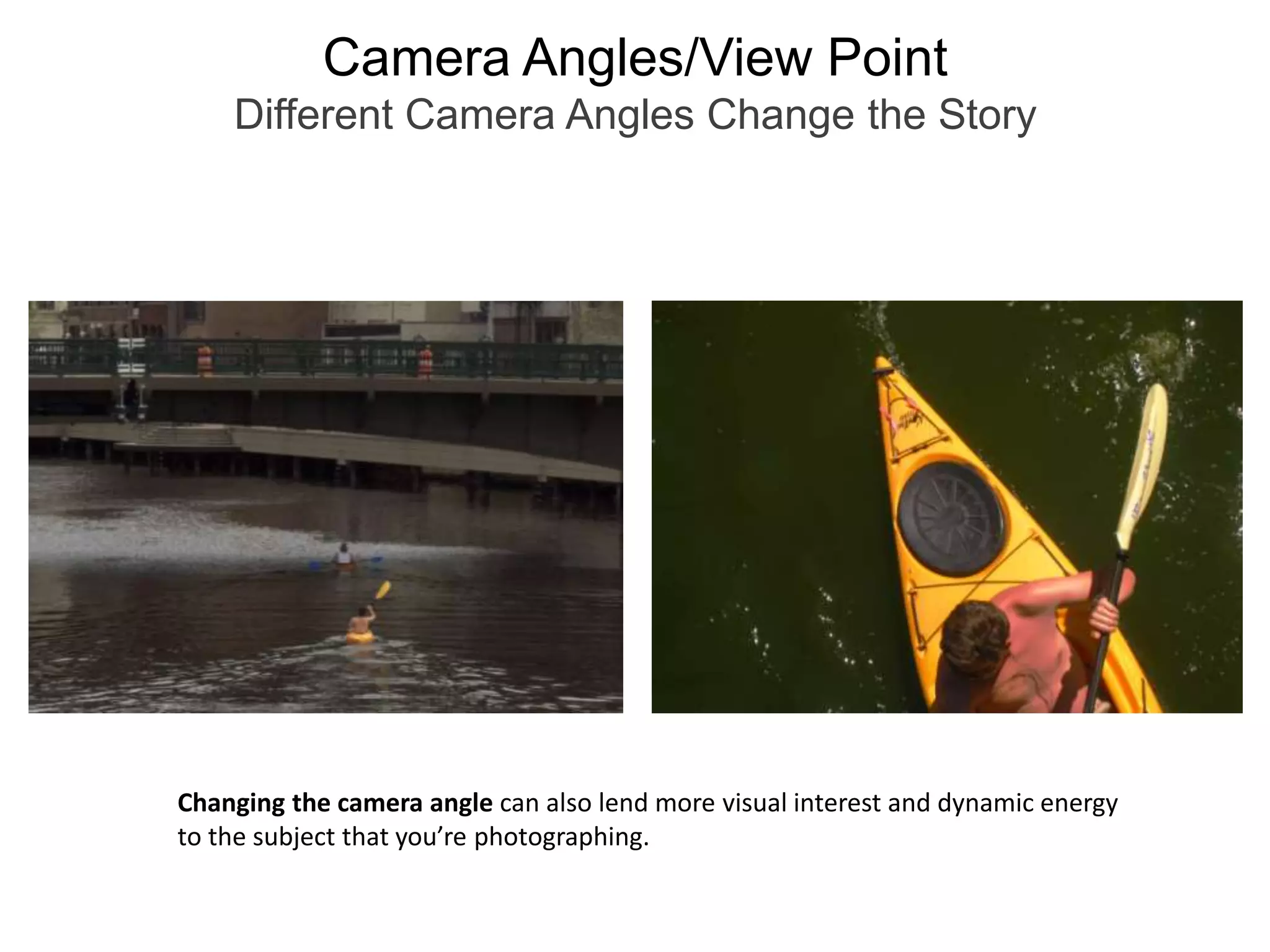
Camera Angles/View PointDifferent Camera Angles Change the StoryChanging the camera angle can also lend more visual interest and dynamic energy to the subject that you’re photographing.
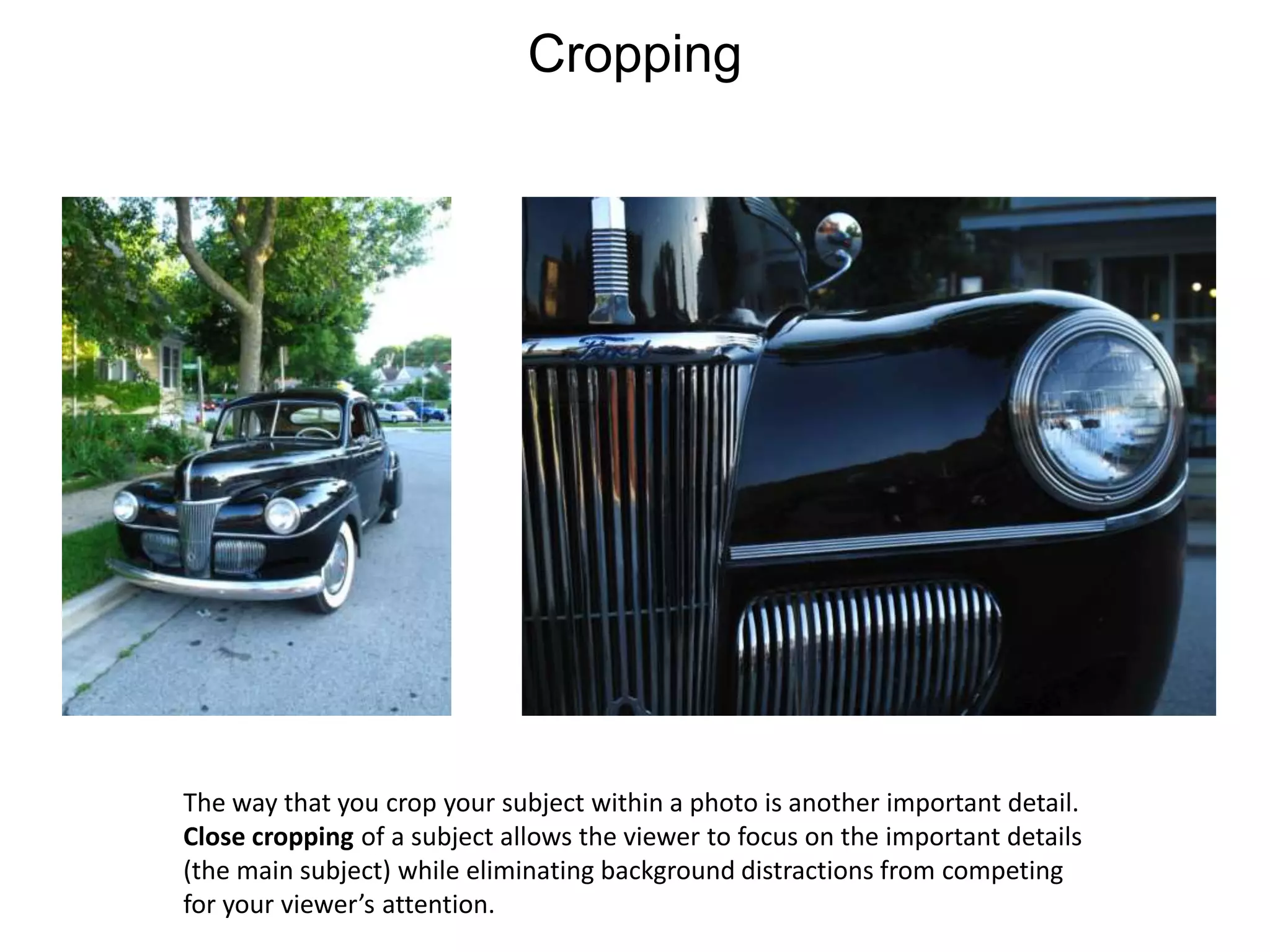
CroppingThe way that you crop your subject within a photo is another important detail.Close cropping of a subject allows the viewer to focus on the important details(the main subject) while eliminating background distractions from competing for your viewer’s attention.
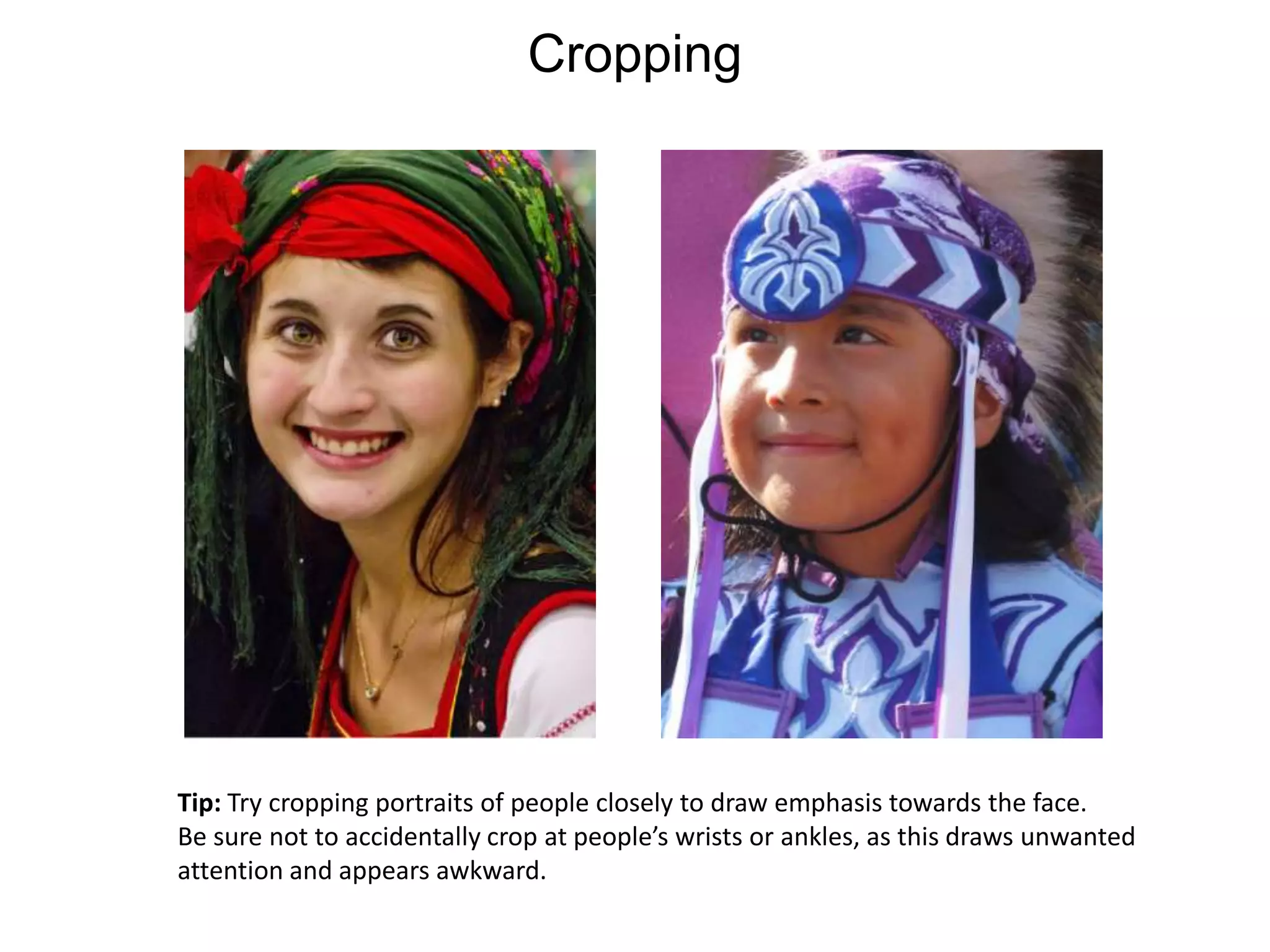
CroppingTip: Try cropping portraits of people closely to draw emphasis towards the face.Be sure not to accidentally crop at people’s wrists or ankles, as this draws unwantedattention and appears awkward.
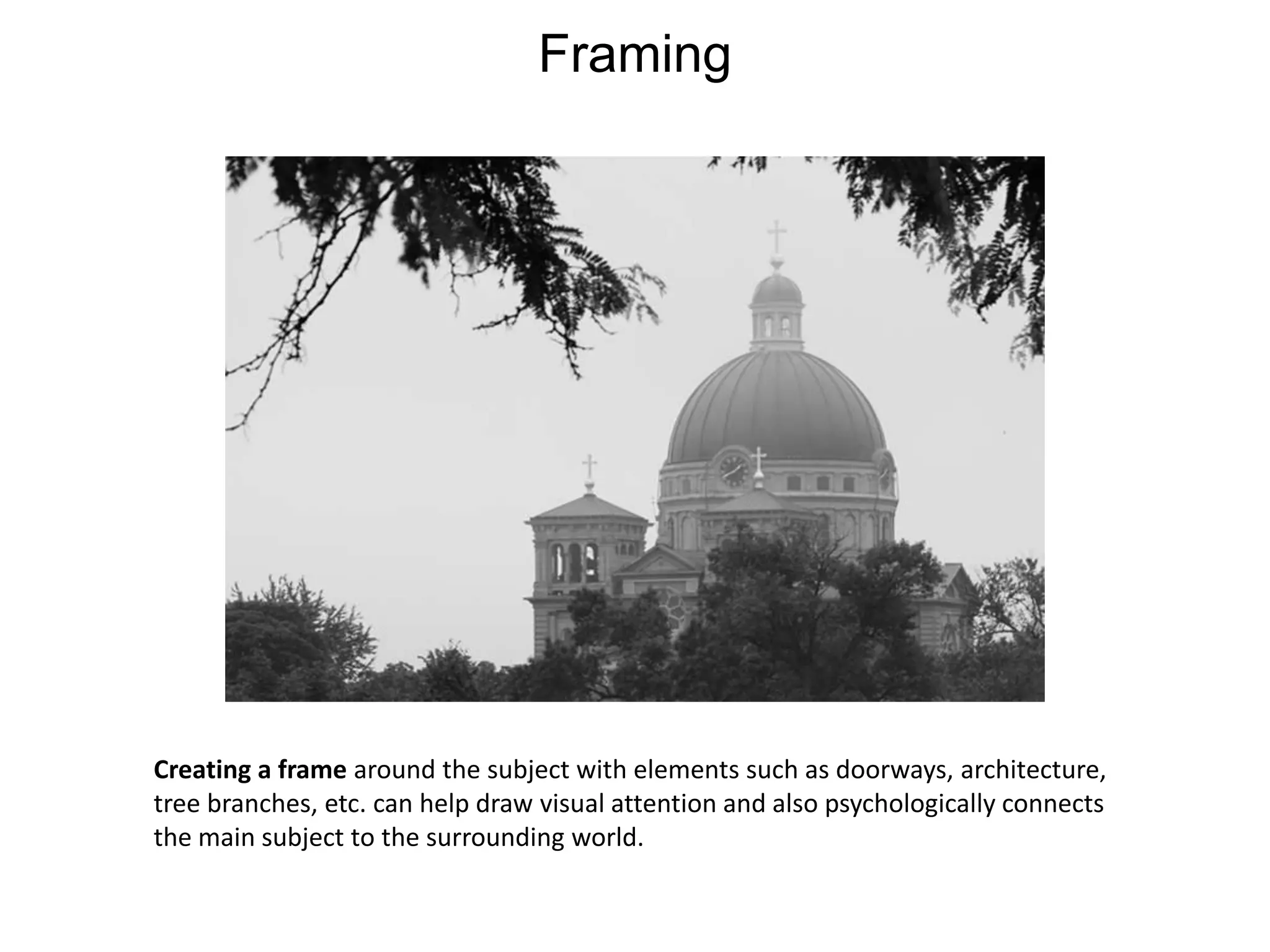
FramingCreating a frame around the subject with elements such as doorways, architecture, tree branches, etc. can help draw visual attention and also psychologically connects the main subject to the surrounding world.
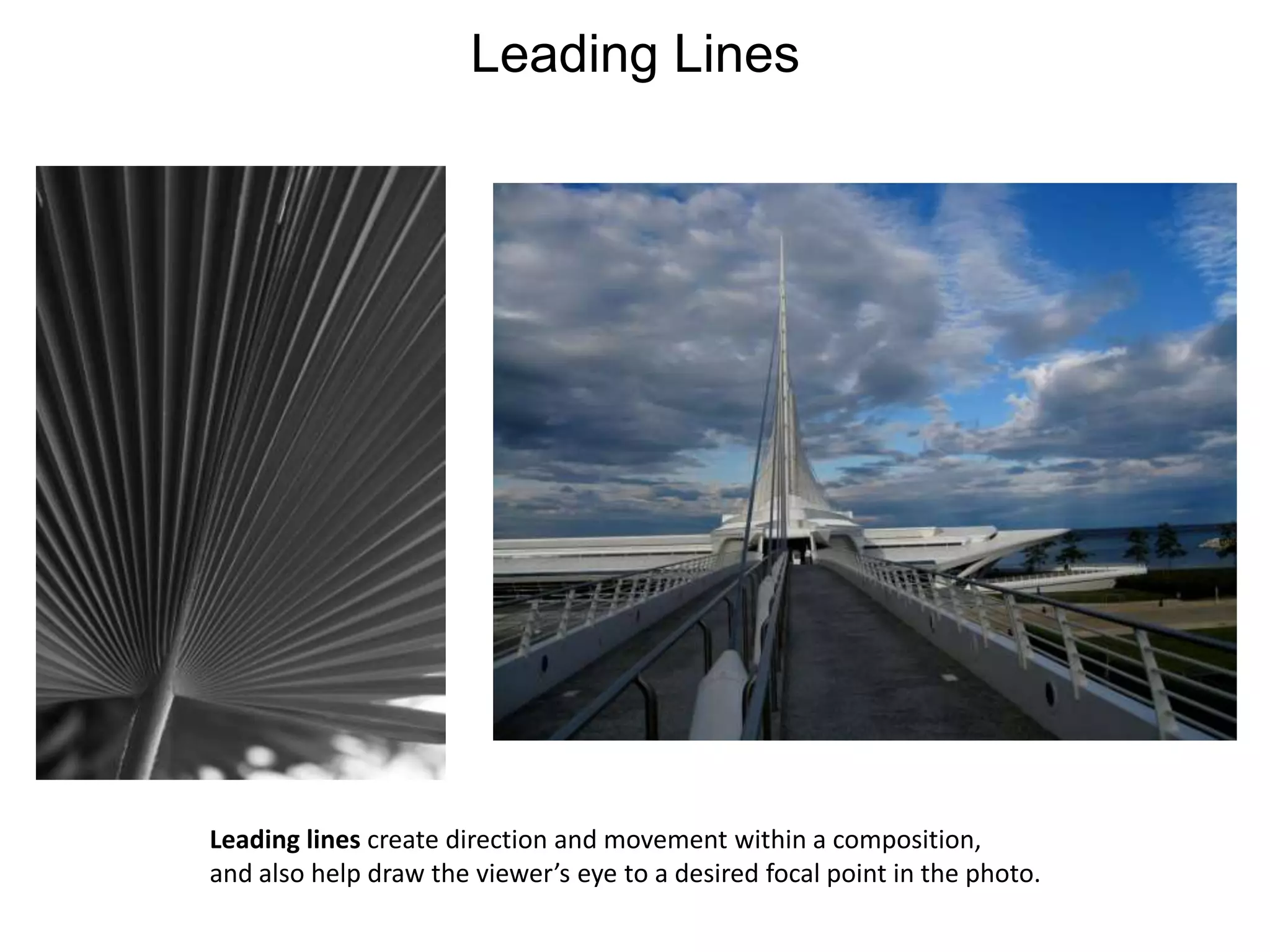
Leading LinesLeading lines create direction and movement within a composition, and also help draw the viewer’s eye to a desired focal point in the photo.
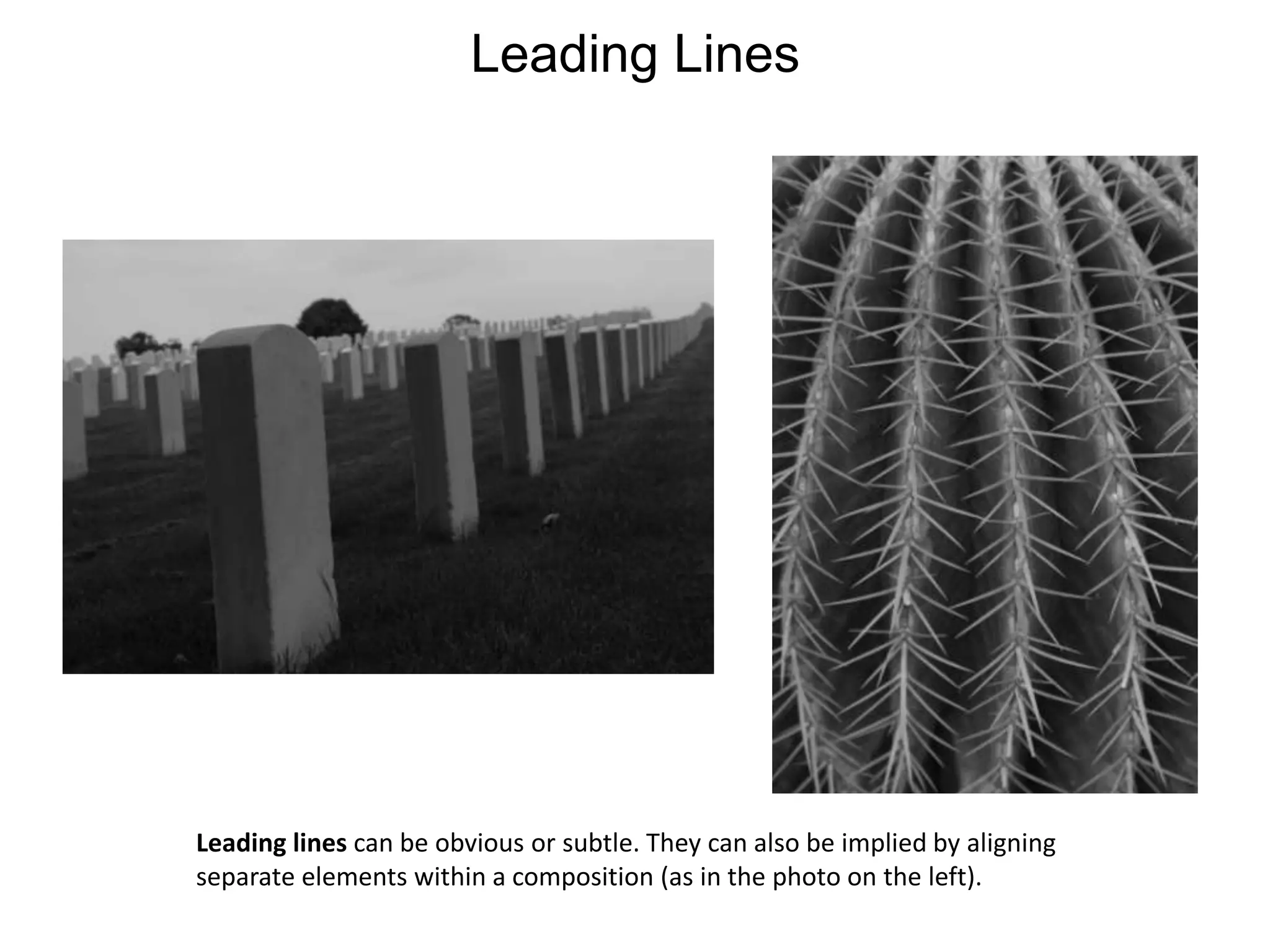
Leading LinesLeading lines can be obvious or subtle. They can also be implied by aligning separate elements within a composition (as in the photo on the left).
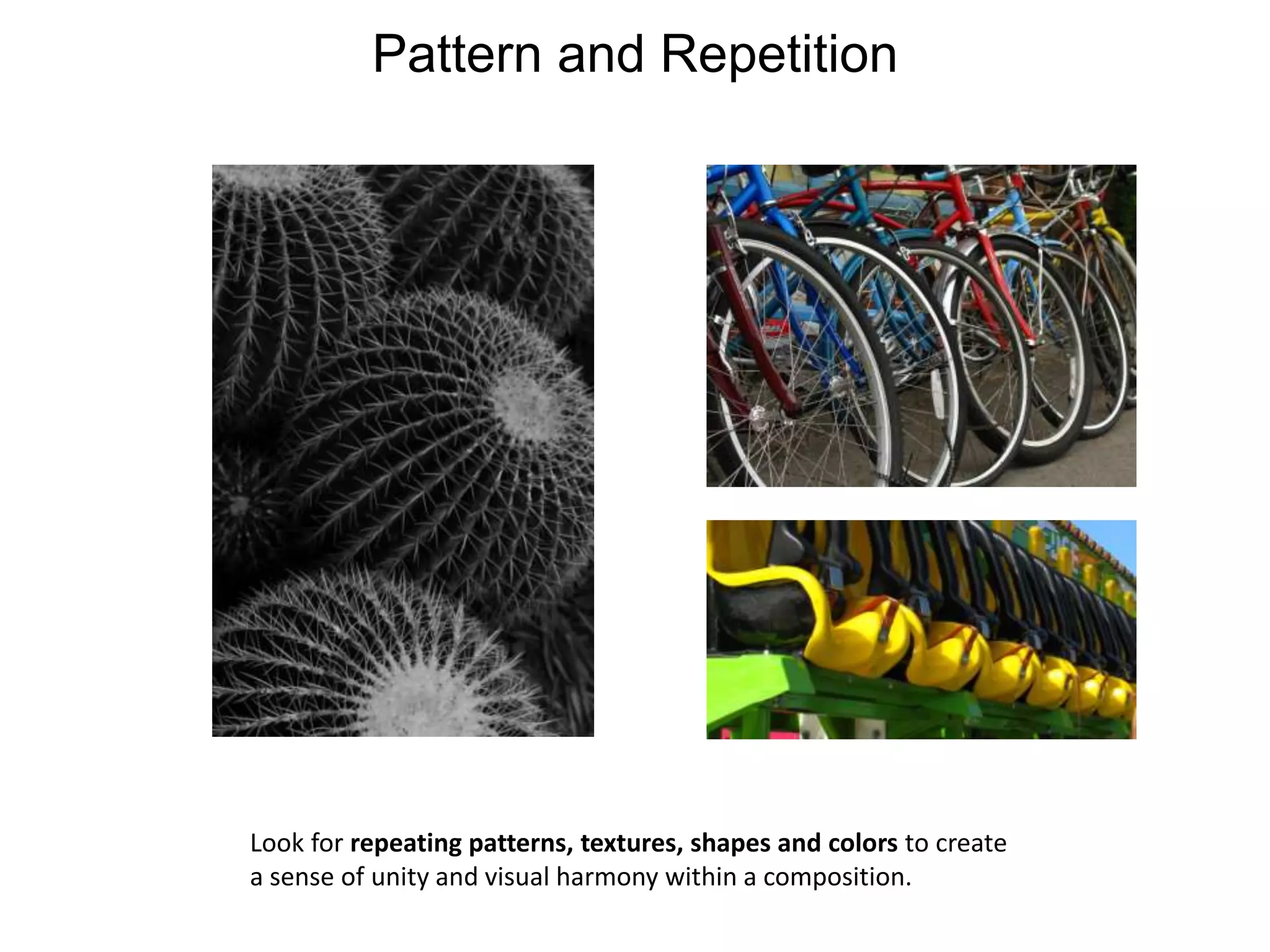
Pattern and RepetitionLook for repeating patterns, textures, shapes and colors to create a sense of unity and visual harmony within a composition.
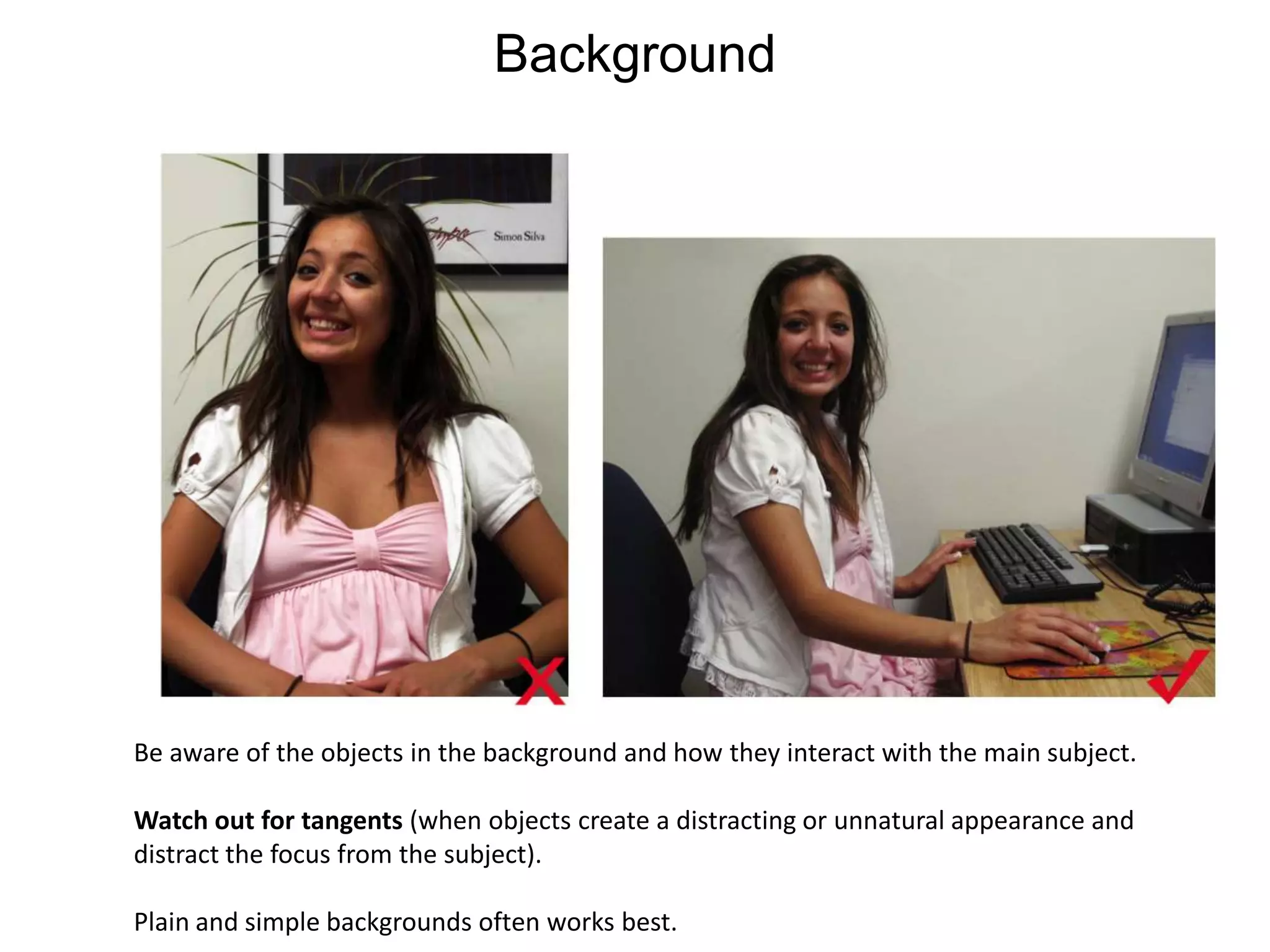
BackgroundBe aware of the objects in the background and how they interact with the main subject. Watch out for tangents (when objects create a distracting or unnatural appearance and distract the focus from the subject). Plain and simple backgrounds often works best.
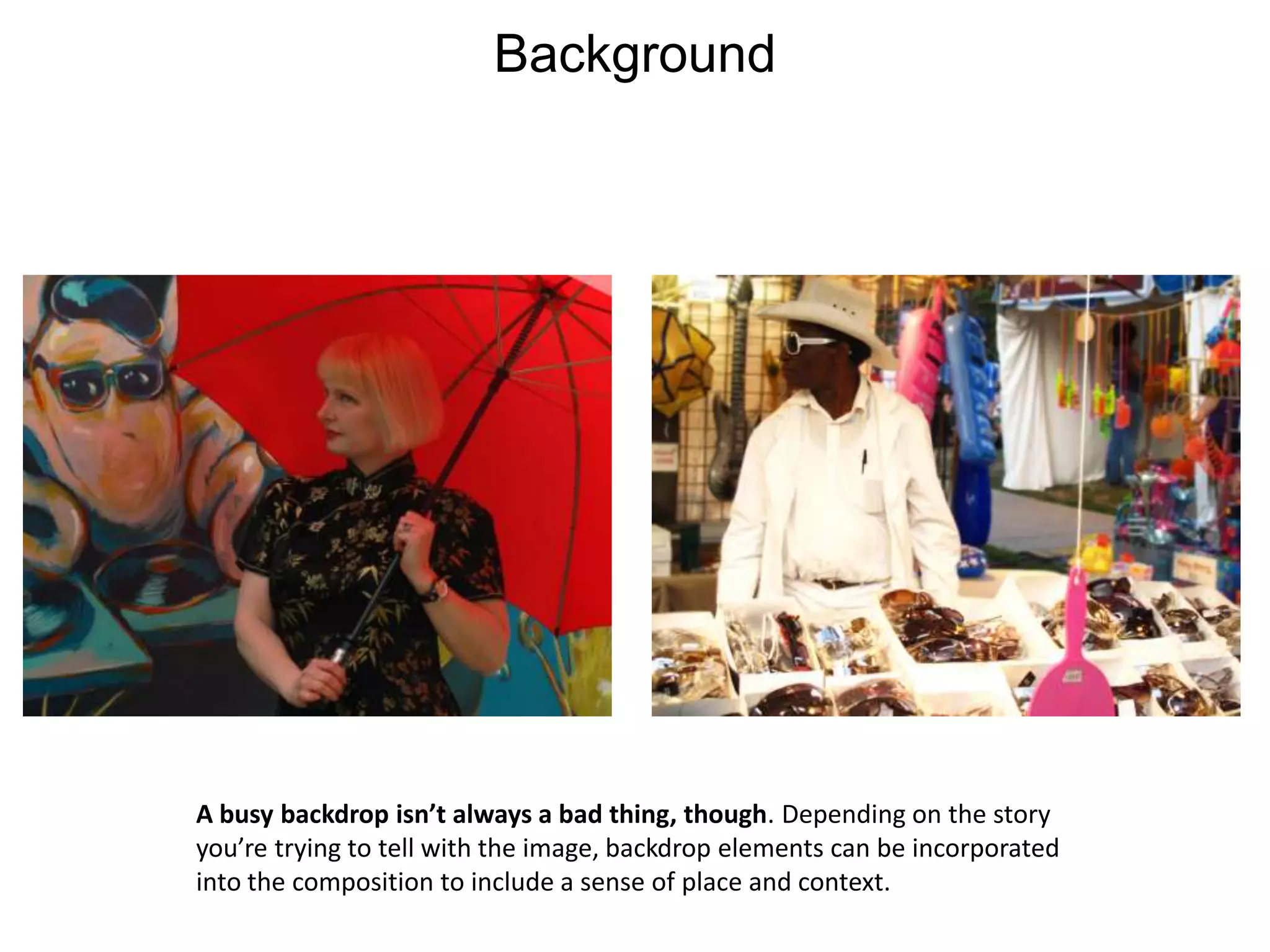
BackgroundA busy backdrop isn’t always a bad thing, though. Depending on the story you’re trying to tell with the image, backdrop elements can be incorporated into the composition to include a sense of place and context.
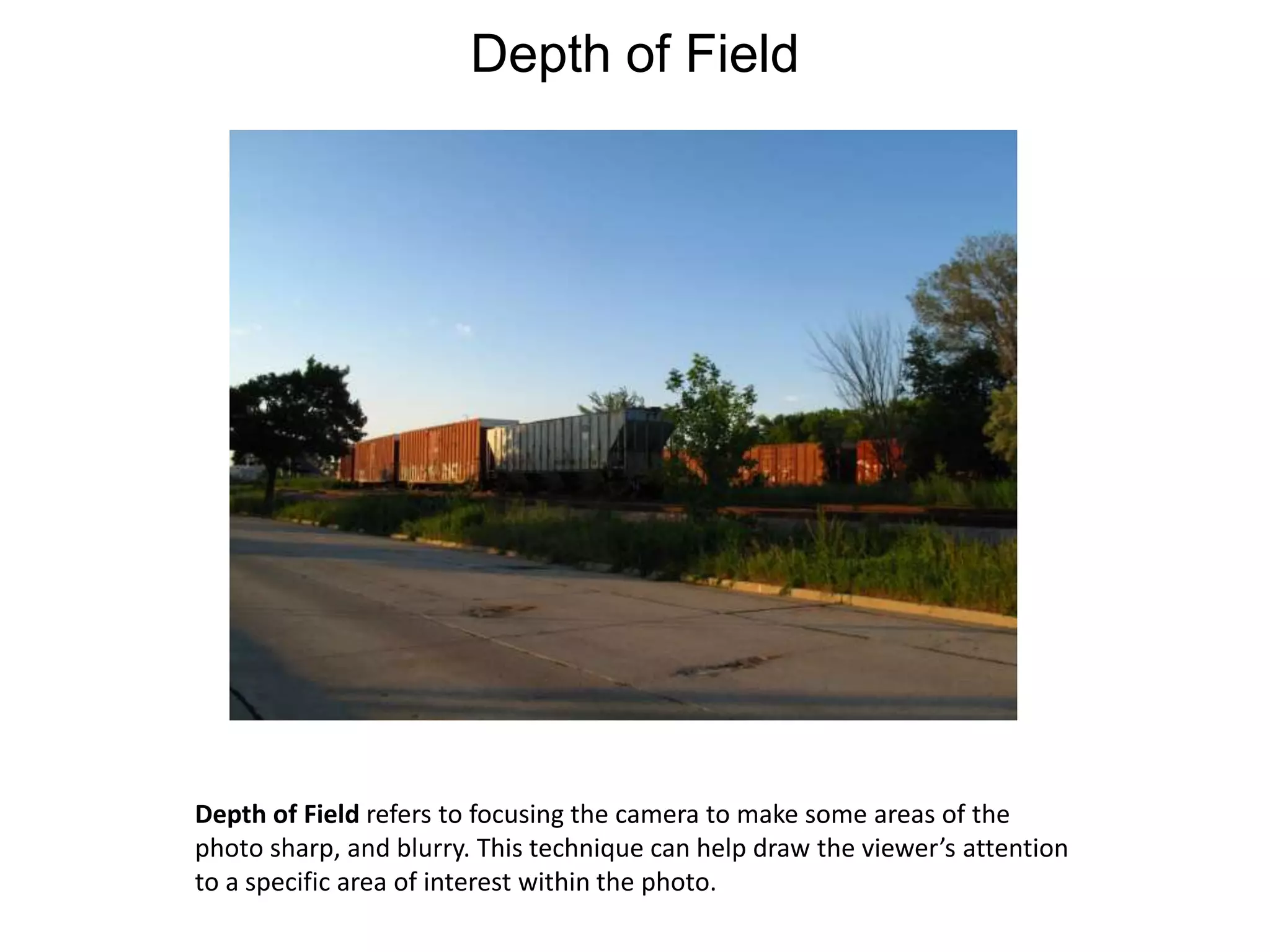
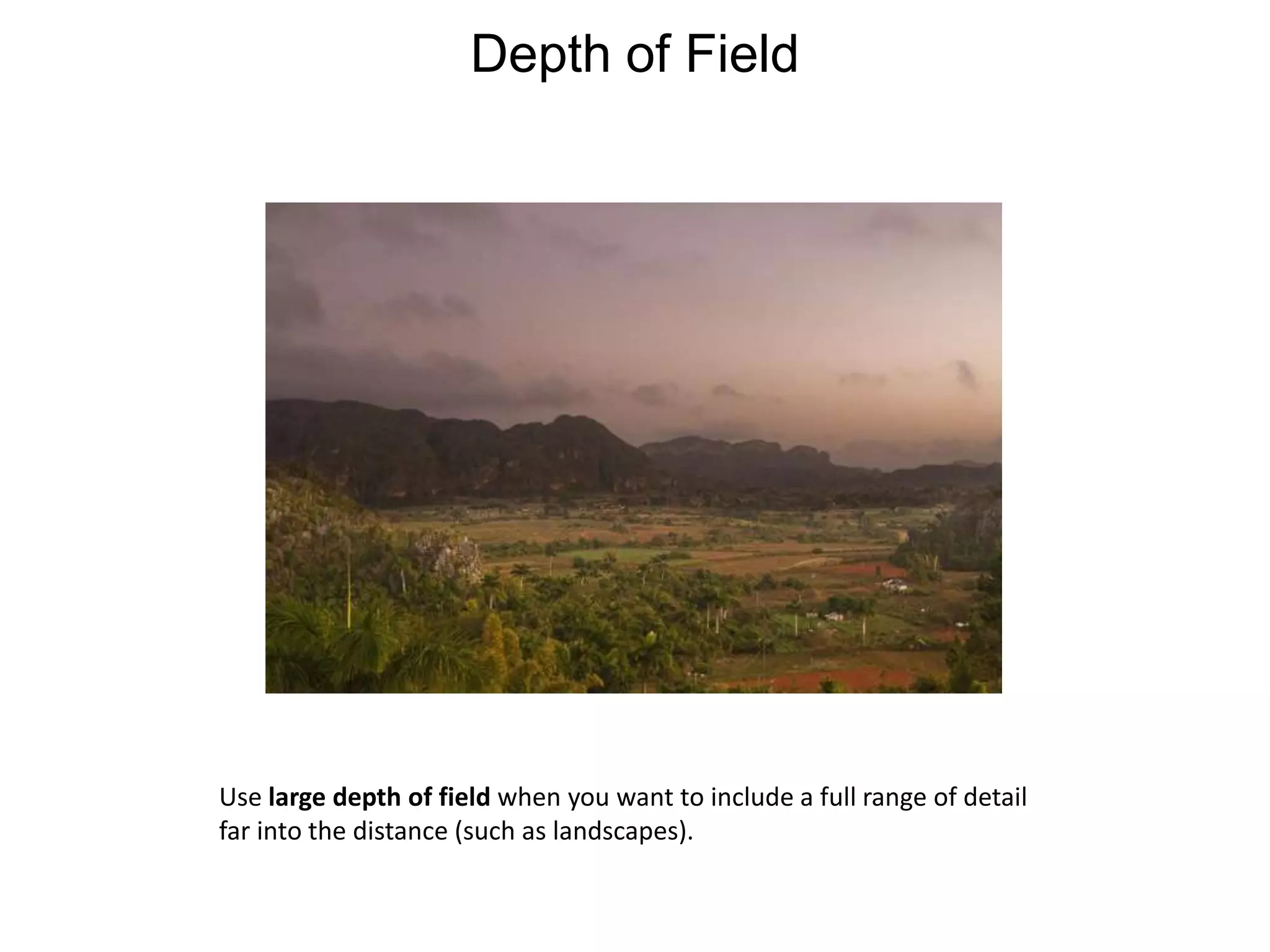
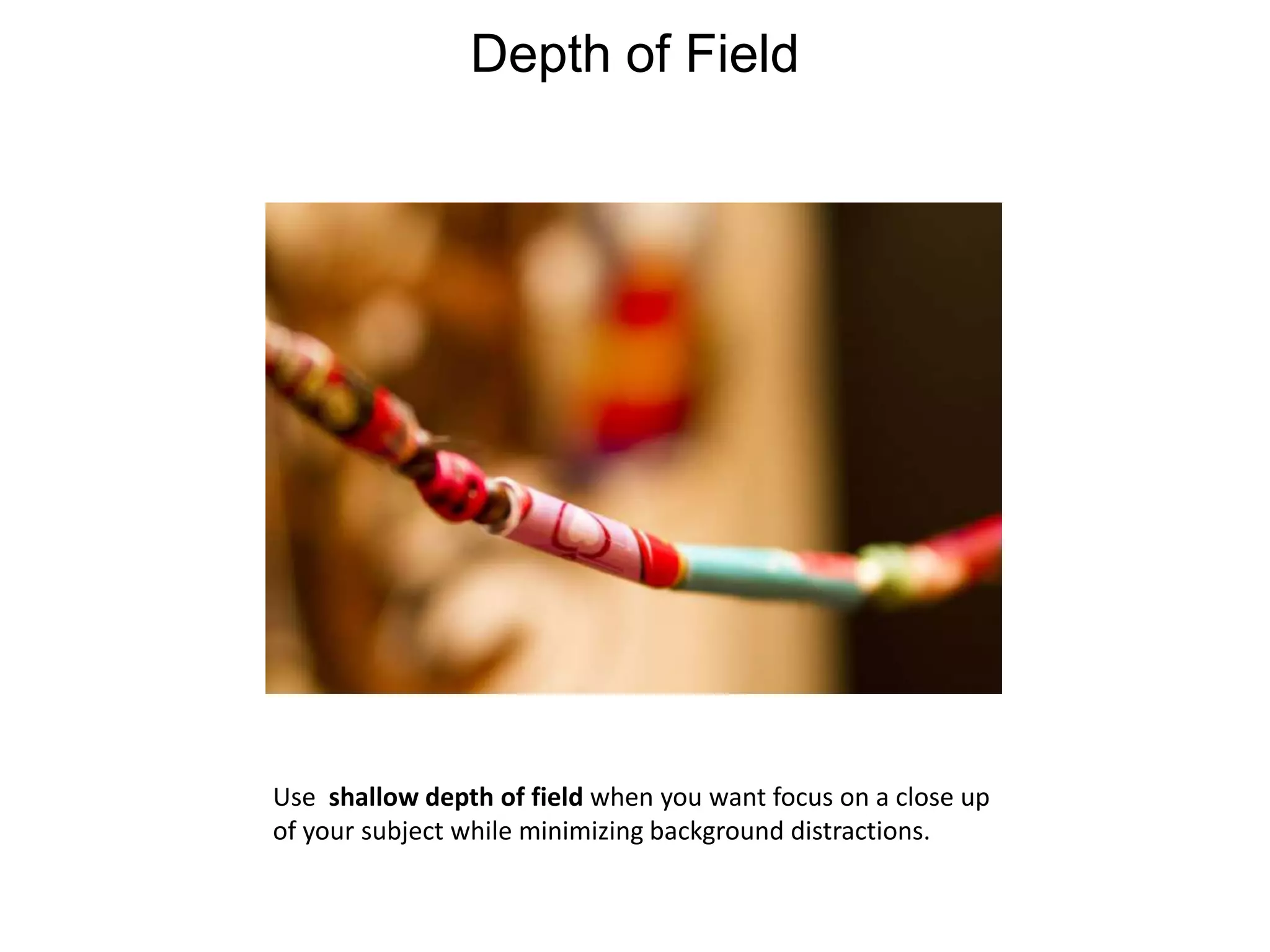
Depth of FieldDepth of Field refers to focusing the camera to make some areas of thephoto sharp, and blurry. This technique can help draw the viewer’s attention to a specific area of interest within the photo.
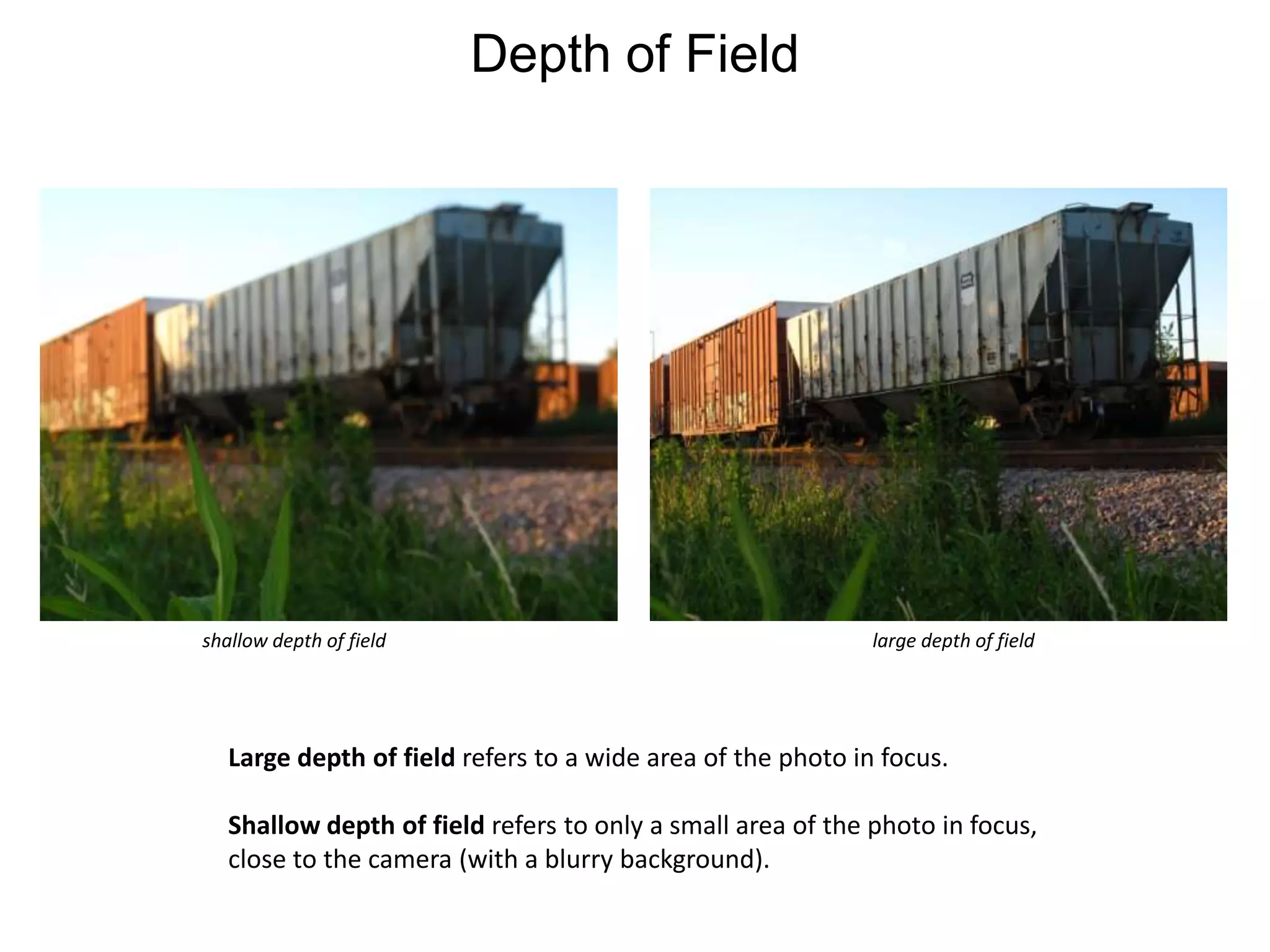
Depth of Fieldshallow depth of fieldlarge depth of fieldLarge depth of field refers to a wide area of the photo in focus.Shallow depth of field refers to only a small area of the photo in focus, close to the camera (with a blurry background).
Depth of FieldUse large depth of field when you want to include a full range of detailfar into the distance (such as landscapes).
Depth of FieldUse  shallow depth of field when you want focus on a close up of your subject while minimizing background distractions.
Depth of FieldTip: most digital cameras have the option to switch between macro mode, normal mode and infinity mode.Macro mode(often denoted by a tulip symbol) is great forclose ups of a subject. Normal mode (often denoted by a mountain symbol) is best used for portraits of people and subjects positioned a few feet away from the camera.Infinity (located under manual focus) works well for landscapes and photos in which you want to capture sharp detail over a large distance.
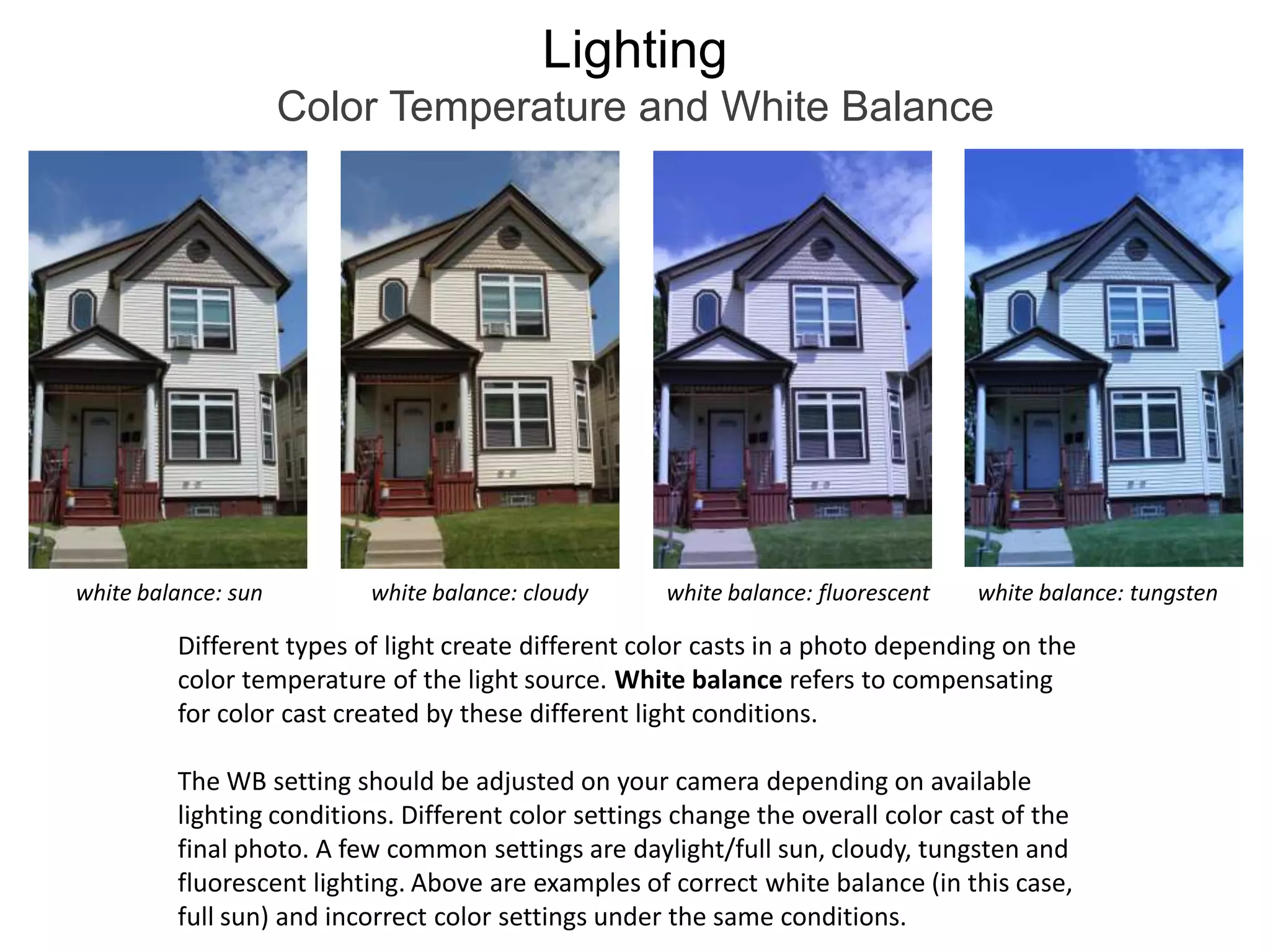
LightingColor Temperature and White Balancewhite balance: sunwhite balance: cloudywhite balance: fluorescentwhite balance: tungstenDifferent types of light create different color casts in a photo depending on the color temperature of the light source. White balance refers to compensating for color cast created by these different light conditions.The WB setting should be adjusted on your camera depending on available lighting conditions. Different color settings change the overall color cast of the final photo. A few common settings are daylight/full sun, cloudy, tungsten and fluorescent lighting. Above are examples of correct white balance (in this case, full sun) and incorrect color settings under the same conditions.
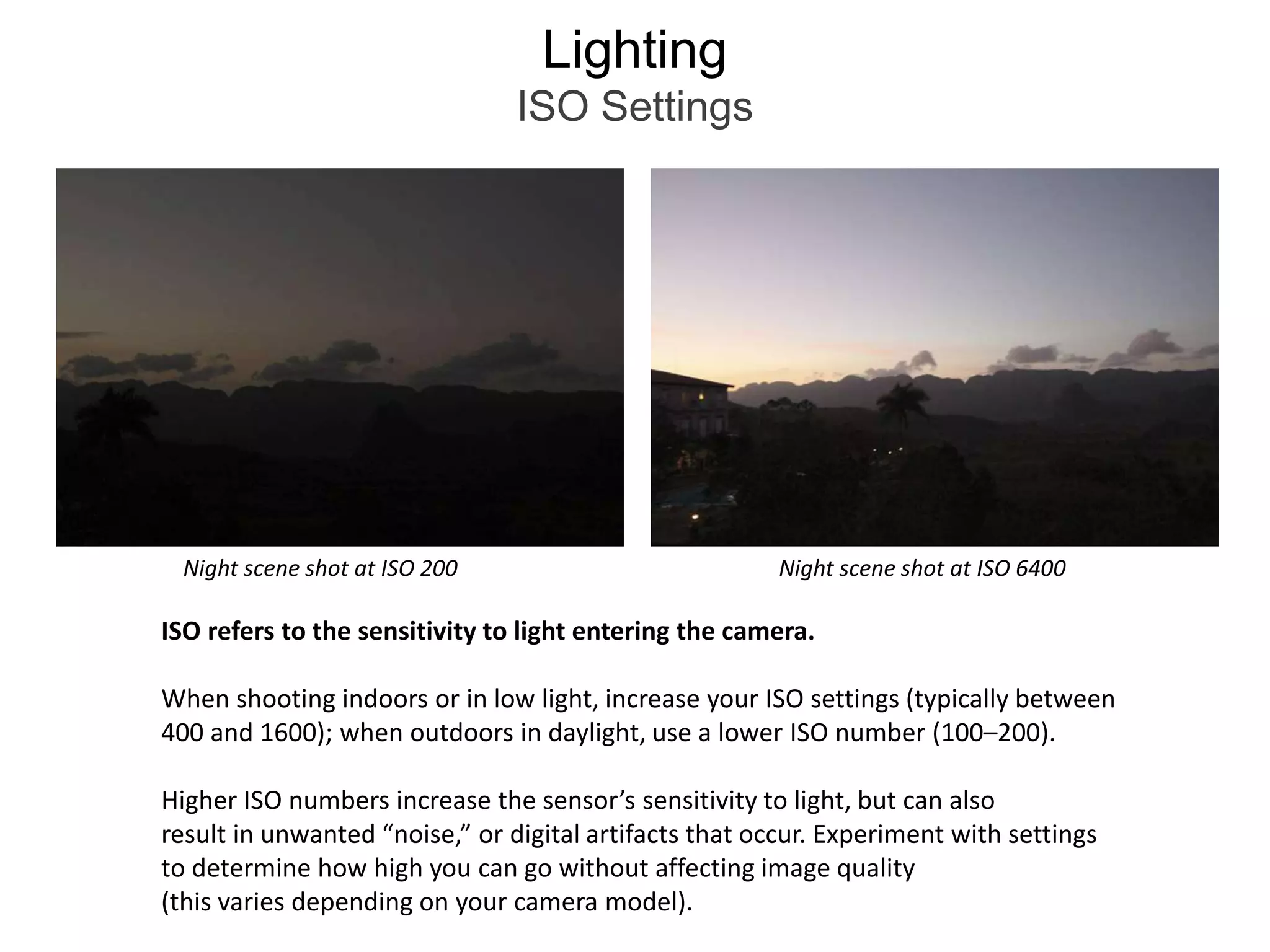
LightingISO SettingsNight scene shot at ISO 200Night scene shot at ISO 6400ISO refers to the sensitivity to light entering the camera.When shooting indoors or in low light, increase your ISO settings (typically between 400 and 1600); when outdoors in daylight, use a lower ISO number (100–200). Higher ISO numbers increase the sensor’s sensitivity to light, but can alsoresult in unwanted “noise,” or digital artifacts that occur. Experiment with settings to determine how high you can go without affecting image quality(this varies depending on your camera model).
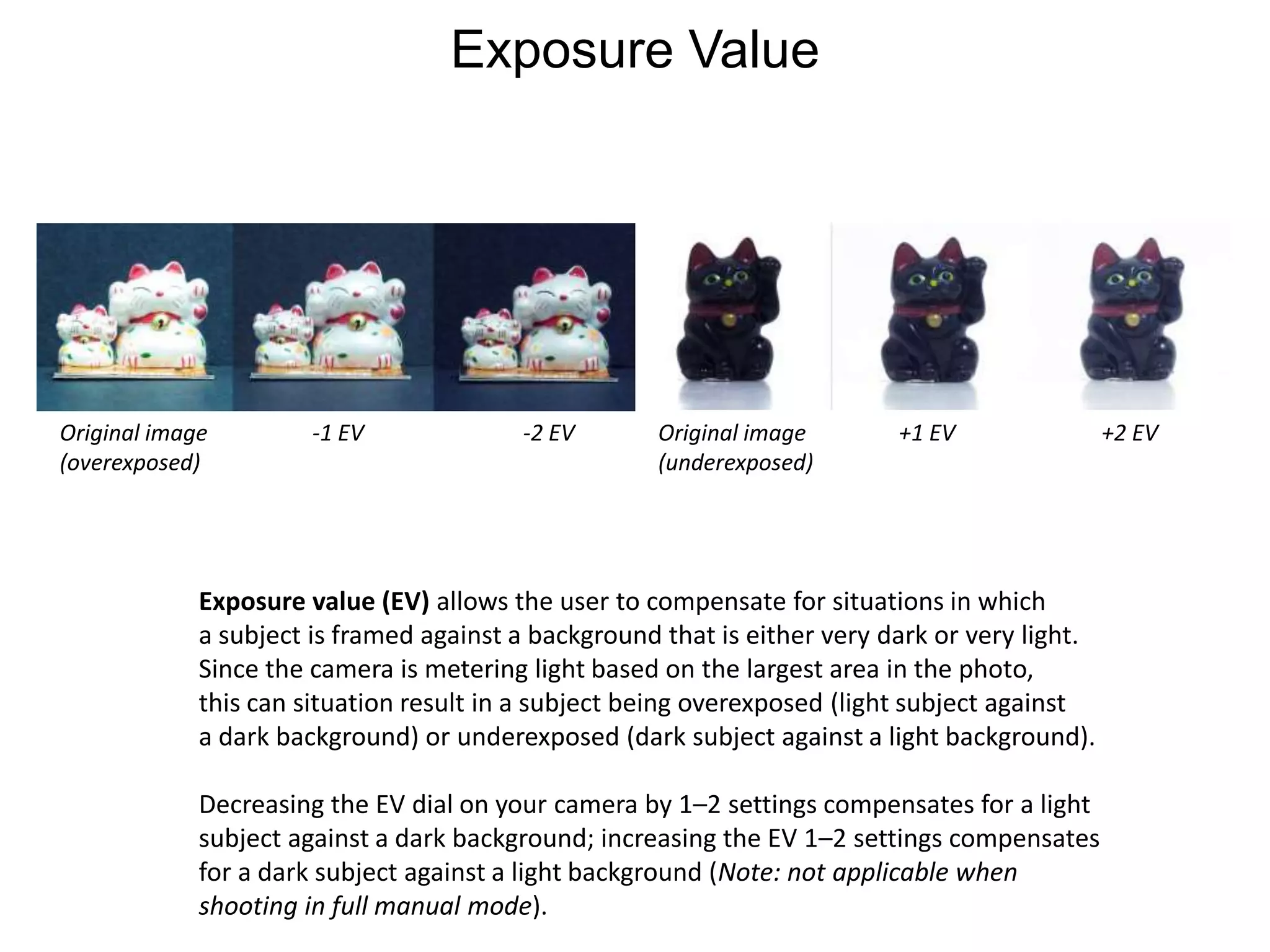
Exposure ValueOriginal image (overexposed)-1 EV-2 EVOriginal image (underexposed)+1 EV+2 EVExposure value (EV) allows the user to compensate for situations in whicha subject is framed against a background that is either very dark or very light. Since the camera is metering light based on the largest area in the photo, this can situation result in a subject being overexposed (light subject against a dark background) or underexposed (dark subject against a light background).Decreasing the EV dial on your camera by 1–2 settings compensates for a light subject against a dark background; increasing the EV 1–2 settings compensates for a dark subject against a light background (Note: not applicable when shooting in full manual mode).
Shooting ModesMost digital cameras allow the user to switch between shooting modes, which control variables such as the shutter speed (rate at which the shutter opens and closes in between pressing the button), aperture (depth of field) and ISO (light sensitivity).The automatic setting (A) controls all these variables for you, while other settings allow you to control either shutter speed (TV) or aperture (AV).The program mode on cameras (P) controls most settings automatically, but allows you to change ISO and white balance. Some cameras allow you to use full manual settings, in which you control all variables (shutter speed, aperture, ISO, white balance).
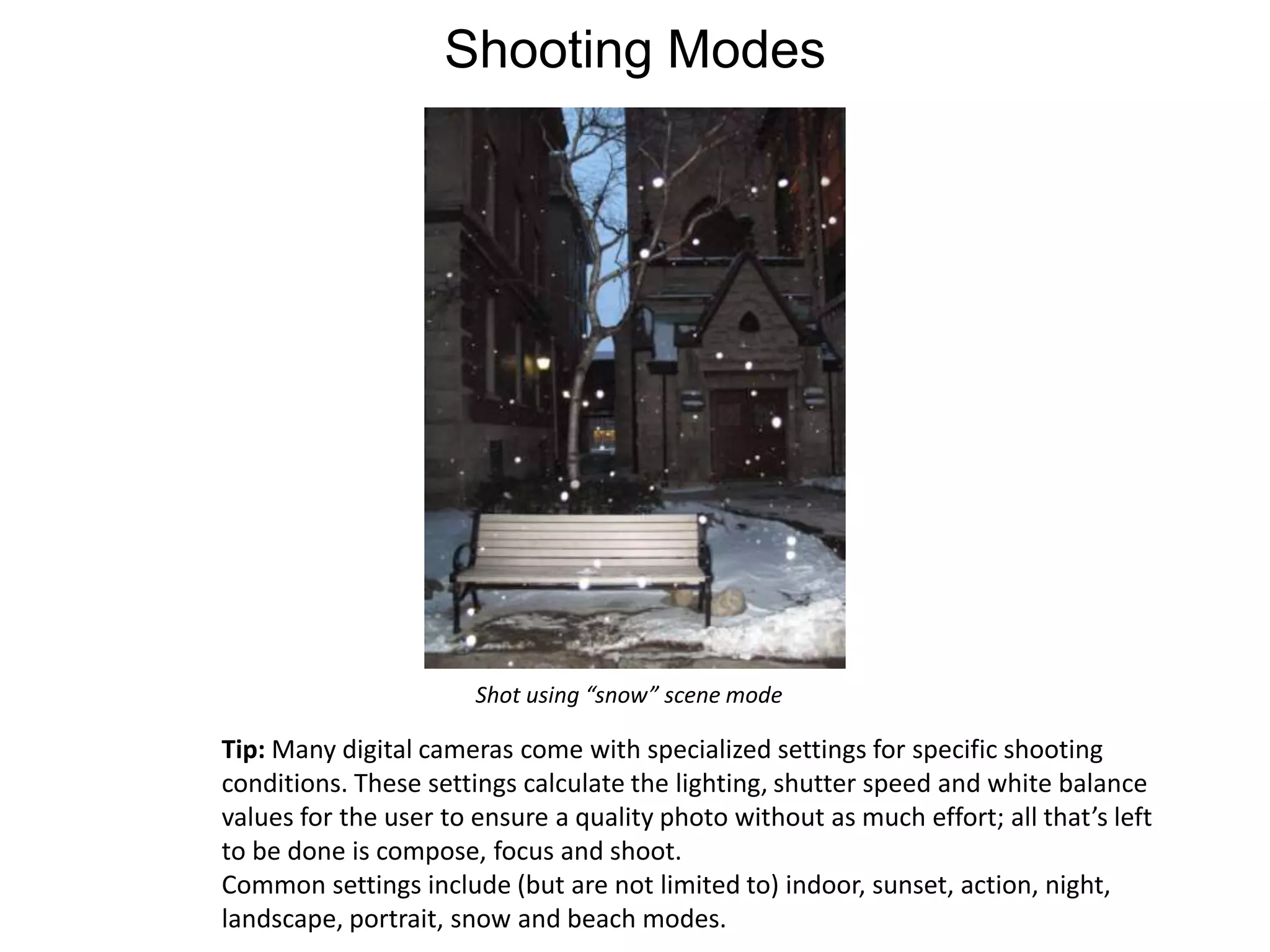
Shooting ModesShot using “snow” scene modeTip: Many digital cameras come with specialized settings for specific shooting conditions. These settings calculate the lighting, shutter speed and white balance values for the user to ensure a quality photo without as much effort; all that’s left to be done is compose, focus and shoot.Common settings include (but are not limited to) indoor, sunset, action, night, landscape, portrait, snow and beach modes.
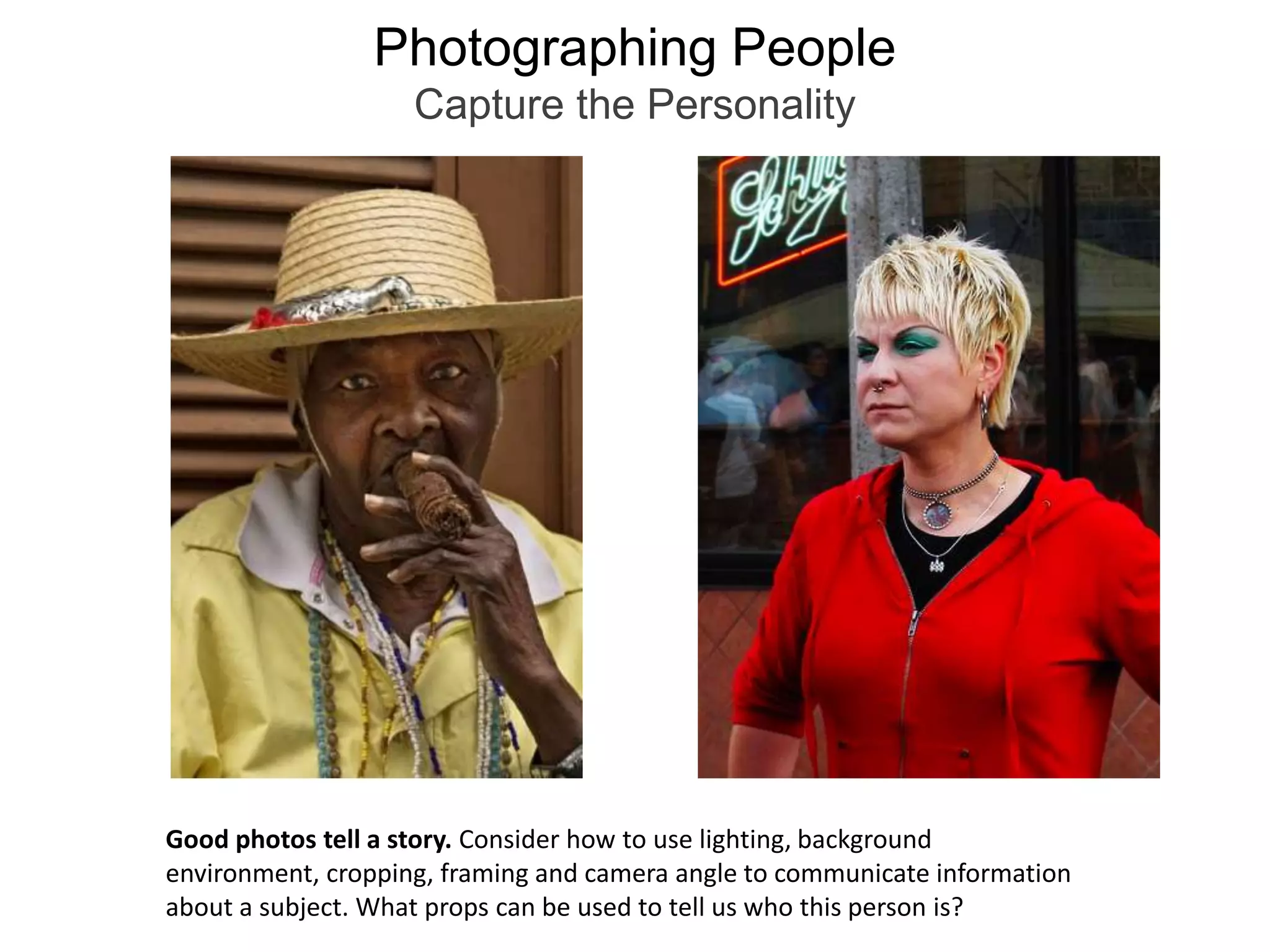
Photographing PeopleCapture the PersonalityGood photos tell a story. Consider how to use lighting, background environment, cropping, framing and camera angle to communicate information about a subject. What props can be used to tell us who this person is?
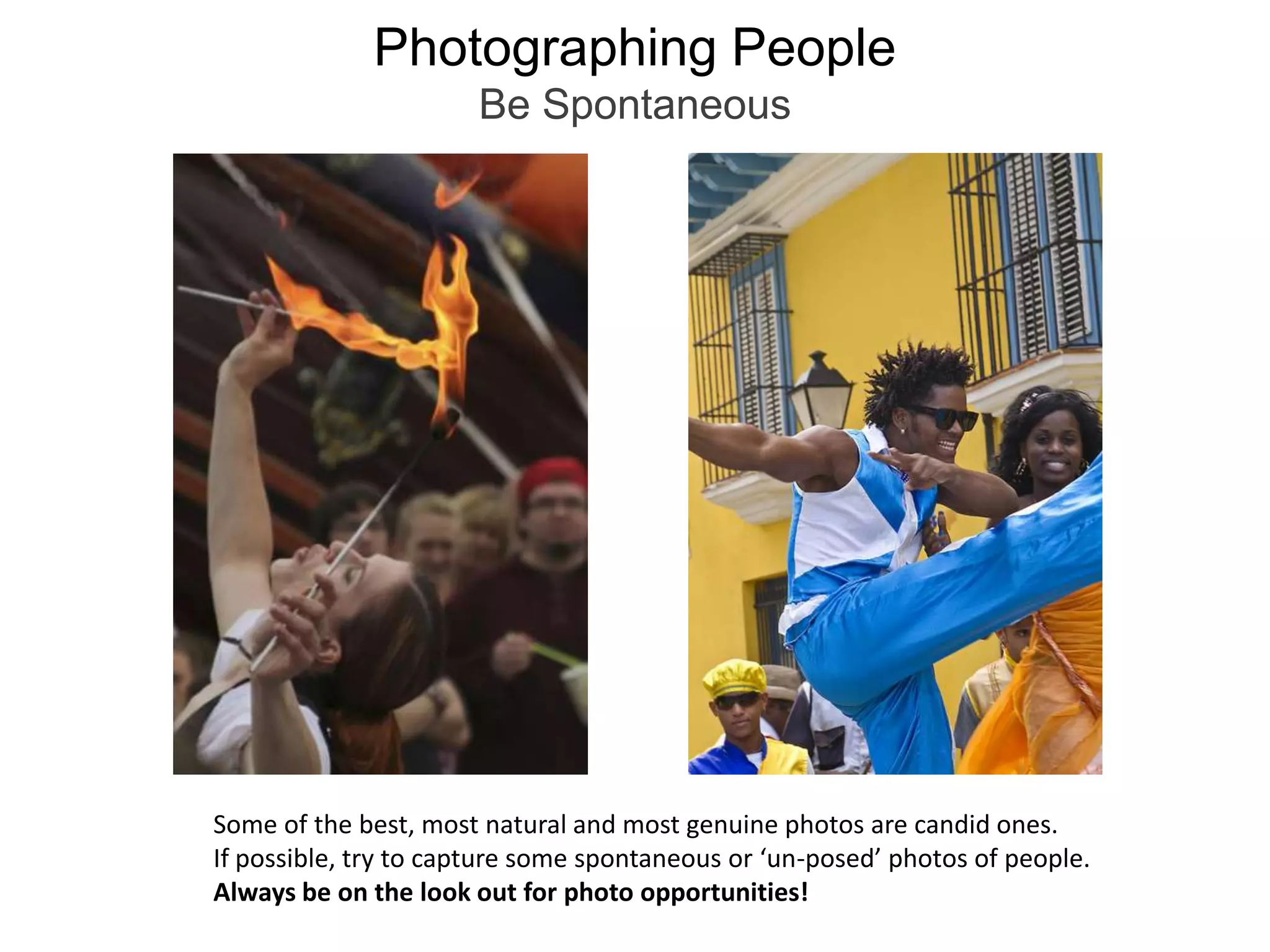
Photographing PeopleBe SpontaneousSome of the best, most natural and most genuine photos are candid ones. If possible, try to capture some spontaneous or ‘un-posed’ photos of people. Always be on the look out for photo opportunities!
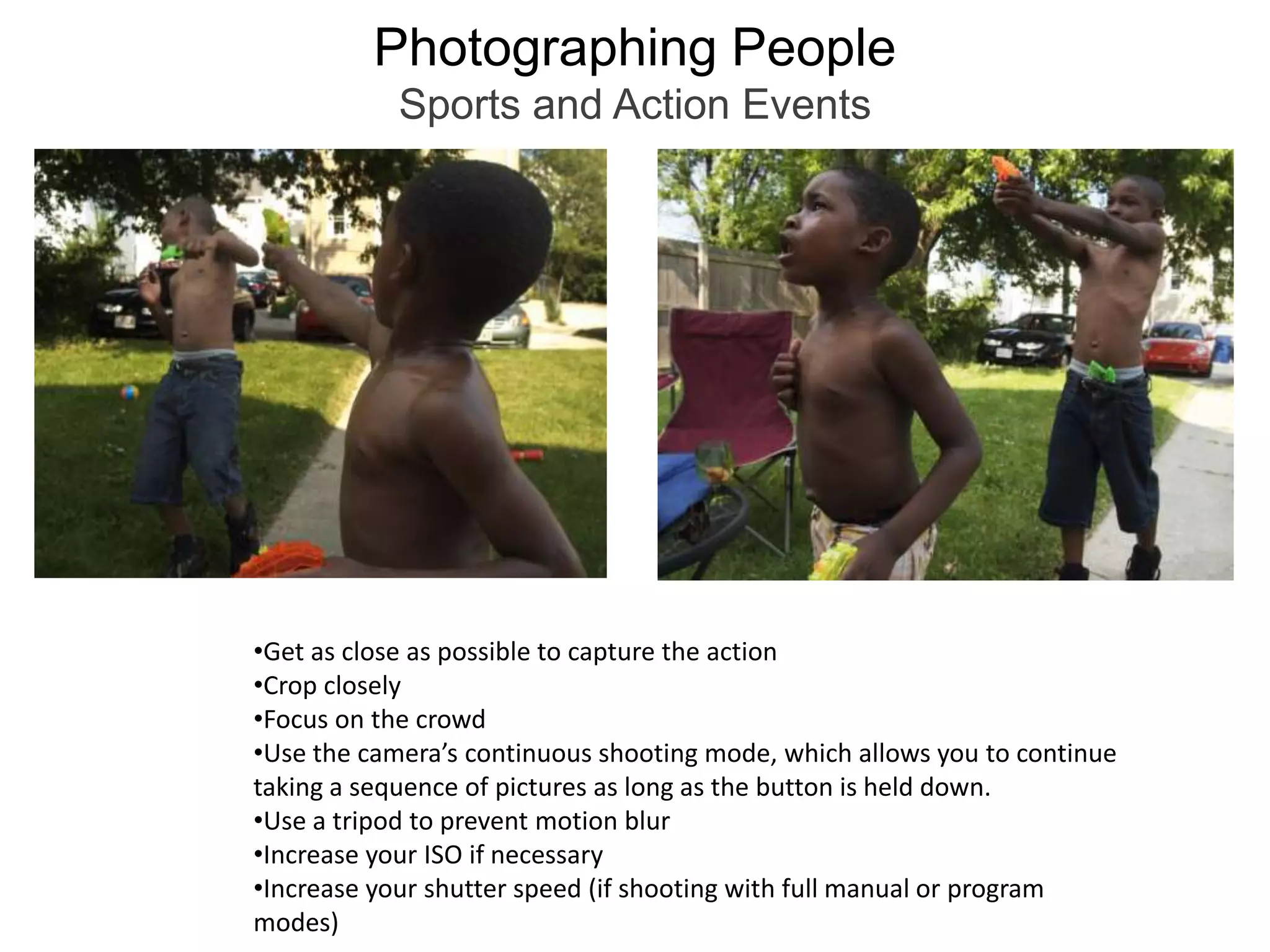
Photographing PeopleSports and Action EventsGet as close as possible to capture the action
Crop closely
Focus on the crowd
Use the camera’s continuous shooting mode, which allows you to continue taking a sequence of pictures as long as the button is held down.
Use a tripod to prevent motion blur
Increase your ISO if necessary

Digital Photography Basics

  • 1.
  • 2.
    FormatLandscape and PortraitOrientationLandscape (horizontal, shown on left) format and portrait (vertical, shown on right). When deciding to use one or the other; consider how to best frame the subject you’re shooting, and think about the background and the details that you’d like to include in the shot. Consider the final use for your photo; this may also determine the format. (Ex: magazine cover will require a portrait orientation with room at the top for masthead, while a website header may require landscape orientation).
  • 3.
    FormatLandscape and PortraitOrientationTip: Whenever possible, shoot photos of your subject using both landscape and portrait orientation. That way, you have options for multiple uses of the image later!
  • 4.
    Rule of ThirdsRuleof Thirds: Pretend that the screen on your camera is divided into nine parts; three vertical sections and three horizontal. To create dynamic photos, place your subject on one of these lines or at the points where the lines would intersect. This naturally draws attention to the subject, helps create visual interest and breaks up monotony of an image that is perfectly centered.
  • 5.
    Rule of ThirdsTip:Try placing the eye of the subject at an intersection of two “lines.”This draws attention to your subject and creates a subconscious sense ofbalance and visual harmony to the viewer.Many cameras have a feature that allows the user to display a grid on the LCD screen, simplifying the rule of thirds and eliminating the need for guesswork.
  • 6.
    Rule of ThirdsHorizonLineThe imaginary line that represents the viewer's eye level is called the “horizon line.”You can see the top of objects that fall below the horizon line (below eye level); conversely, you can see the bottom of objects above this line (above eye level).
  • 7.
    Rule of ThirdsHorizonLineTip: Avoid placing the horizon line in the direct center of the canvas when possible. Instead, create more visual interest by placing this line in the upper or lower third of the screen.
  • 8.
    Rule of ThirdsHorizonLineTip: When framing your shot, make sure that your horizon line is straight!
  • 9.
    Camera Angles/Point ofViewEye Level/Medium ShotIn both film and still photography, different camera angles, or points of view, can be used to communicate a message about the subject. A medium shot is taken at eye level. It’s the most common point of view (what we’re most used to seeing), but also the least visually interesting.
  • 10.
    Camera Angles/Point ofViewLow Angle/Worms Eye Viewworm’s eye viewlow angle shotA low angle shot is taken from the beneath the subject, looking up at it.A worm’s eye view is a more extreme version of the low angle shot, intendedto heighten dramatic effect. Shots taken at low angles make the subject appear more intimidating, looming and powerful.
  • 11.
    Camera Angles/Point ofViewHigh Angle/Birds Eye Viewbird’s eye viewhigh angle shotA high angle shot is taken from the above the subject, looking down at it.A bird’s eye view is a more extreme version of the high angle shot, also intendedto heighten dramatic effect. Shots taken from high angles make the subject appear smaller, less powerful and more passive.
  • 12.
    Camera Angles/View PointTiltedAtilted angle shot is taken at an angle other than the standard 90 degrees. The result is a dramatic presentation of the subject that breaks from our everyday view of the world.Tip: To make this shot type work best and look intentional (rather than accidental), make sure that the camera is tilted at an extreme angle rather than a slight one.
  • 13.
    Camera Angles/View PointUsingAngles to Tell a Story About the SubjectChanging the angle from which you’re shooting changes the message about your subject. The portrait taken from below makes the sitter look more intimidating, while the one using a medium angle shot looks friendlier and more approachable(the difference between her expressions in the two shots doesn’t hurt either!)
  • 14.
    Camera Angles/View PointDifferentCamera Angles Change the StoryChanging the camera angle can also lend more visual interest and dynamic energy to the subject that you’re photographing.
  • 15.
    CroppingThe way thatyou crop your subject within a photo is another important detail.Close cropping of a subject allows the viewer to focus on the important details(the main subject) while eliminating background distractions from competing for your viewer’s attention.
  • 16.
    CroppingTip: Try croppingportraits of people closely to draw emphasis towards the face.Be sure not to accidentally crop at people’s wrists or ankles, as this draws unwantedattention and appears awkward.
  • 17.
    FramingCreating a framearound the subject with elements such as doorways, architecture, tree branches, etc. can help draw visual attention and also psychologically connects the main subject to the surrounding world.
  • 18.
    Leading LinesLeading linescreate direction and movement within a composition, and also help draw the viewer’s eye to a desired focal point in the photo.
  • 19.
    Leading LinesLeading linescan be obvious or subtle. They can also be implied by aligning separate elements within a composition (as in the photo on the left).
  • 20.
    Pattern and RepetitionLookfor repeating patterns, textures, shapes and colors to create a sense of unity and visual harmony within a composition.
  • 21.
    BackgroundBe aware ofthe objects in the background and how they interact with the main subject. Watch out for tangents (when objects create a distracting or unnatural appearance and distract the focus from the subject). Plain and simple backgrounds often works best.
  • 22.
    BackgroundA busy backdropisn’t always a bad thing, though. Depending on the story you’re trying to tell with the image, backdrop elements can be incorporated into the composition to include a sense of place and context.
  • 23.
    Depth of FieldDepthof Field refers to focusing the camera to make some areas of thephoto sharp, and blurry. This technique can help draw the viewer’s attention to a specific area of interest within the photo.
  • 24.
    Depth of Fieldshallowdepth of fieldlarge depth of fieldLarge depth of field refers to a wide area of the photo in focus.Shallow depth of field refers to only a small area of the photo in focus, close to the camera (with a blurry background).
  • 25.
    Depth of FieldUselarge depth of field when you want to include a full range of detailfar into the distance (such as landscapes).
  • 26.
    Depth of FieldUse shallow depth of field when you want focus on a close up of your subject while minimizing background distractions.
  • 27.
    Depth of FieldTip:most digital cameras have the option to switch between macro mode, normal mode and infinity mode.Macro mode(often denoted by a tulip symbol) is great forclose ups of a subject. Normal mode (often denoted by a mountain symbol) is best used for portraits of people and subjects positioned a few feet away from the camera.Infinity (located under manual focus) works well for landscapes and photos in which you want to capture sharp detail over a large distance.
  • 28.
    LightingColor Temperature andWhite Balancewhite balance: sunwhite balance: cloudywhite balance: fluorescentwhite balance: tungstenDifferent types of light create different color casts in a photo depending on the color temperature of the light source. White balance refers to compensating for color cast created by these different light conditions.The WB setting should be adjusted on your camera depending on available lighting conditions. Different color settings change the overall color cast of the final photo. A few common settings are daylight/full sun, cloudy, tungsten and fluorescent lighting. Above are examples of correct white balance (in this case, full sun) and incorrect color settings under the same conditions.
  • 29.
    LightingISO SettingsNight sceneshot at ISO 200Night scene shot at ISO 6400ISO refers to the sensitivity to light entering the camera.When shooting indoors or in low light, increase your ISO settings (typically between 400 and 1600); when outdoors in daylight, use a lower ISO number (100–200). Higher ISO numbers increase the sensor’s sensitivity to light, but can alsoresult in unwanted “noise,” or digital artifacts that occur. Experiment with settings to determine how high you can go without affecting image quality(this varies depending on your camera model).
  • 30.
    Exposure ValueOriginal image(overexposed)-1 EV-2 EVOriginal image (underexposed)+1 EV+2 EVExposure value (EV) allows the user to compensate for situations in whicha subject is framed against a background that is either very dark or very light. Since the camera is metering light based on the largest area in the photo, this can situation result in a subject being overexposed (light subject against a dark background) or underexposed (dark subject against a light background).Decreasing the EV dial on your camera by 1–2 settings compensates for a light subject against a dark background; increasing the EV 1–2 settings compensates for a dark subject against a light background (Note: not applicable when shooting in full manual mode).
  • 31.
    Shooting ModesMost digitalcameras allow the user to switch between shooting modes, which control variables such as the shutter speed (rate at which the shutter opens and closes in between pressing the button), aperture (depth of field) and ISO (light sensitivity).The automatic setting (A) controls all these variables for you, while other settings allow you to control either shutter speed (TV) or aperture (AV).The program mode on cameras (P) controls most settings automatically, but allows you to change ISO and white balance. Some cameras allow you to use full manual settings, in which you control all variables (shutter speed, aperture, ISO, white balance).
  • 32.
    Shooting ModesShot using“snow” scene modeTip: Many digital cameras come with specialized settings for specific shooting conditions. These settings calculate the lighting, shutter speed and white balance values for the user to ensure a quality photo without as much effort; all that’s left to be done is compose, focus and shoot.Common settings include (but are not limited to) indoor, sunset, action, night, landscape, portrait, snow and beach modes.
  • 33.
    Photographing PeopleCapture thePersonalityGood photos tell a story. Consider how to use lighting, background environment, cropping, framing and camera angle to communicate information about a subject. What props can be used to tell us who this person is?
  • 34.
    Photographing PeopleBe SpontaneousSomeof the best, most natural and most genuine photos are candid ones. If possible, try to capture some spontaneous or ‘un-posed’ photos of people. Always be on the look out for photo opportunities!
  • 35.
    Photographing PeopleSports andAction EventsGet as close as possible to capture the action
  • 36.
  • 37.
  • 38.
    Use the camera’scontinuous shooting mode, which allows you to continue taking a sequence of pictures as long as the button is held down.
  • 39.
    Use a tripodto prevent motion blur
  • 40.
    Increase your ISOif necessary
  • 41.
    Increase your shutterspeed (if shooting with full manual or program modes)Photographing PeopleLighting ConsiderationsFull sun (avoid)Full sun with flash (slightly better)Shade (best option)When taking outdoor photos, try to avoid shooting in direct overhead sun, which casts harsh, unflattering shadows on a subject’s face.If you can’t avoid shooting in overhead sun, try using the camera’s built in flash, which helps fill in some of the areas hidden by shadow. Better yet, move to a shady spot with indirect light if possible. This diffuses the harsh overhead light source and looks more evenly lit.
  • 42.
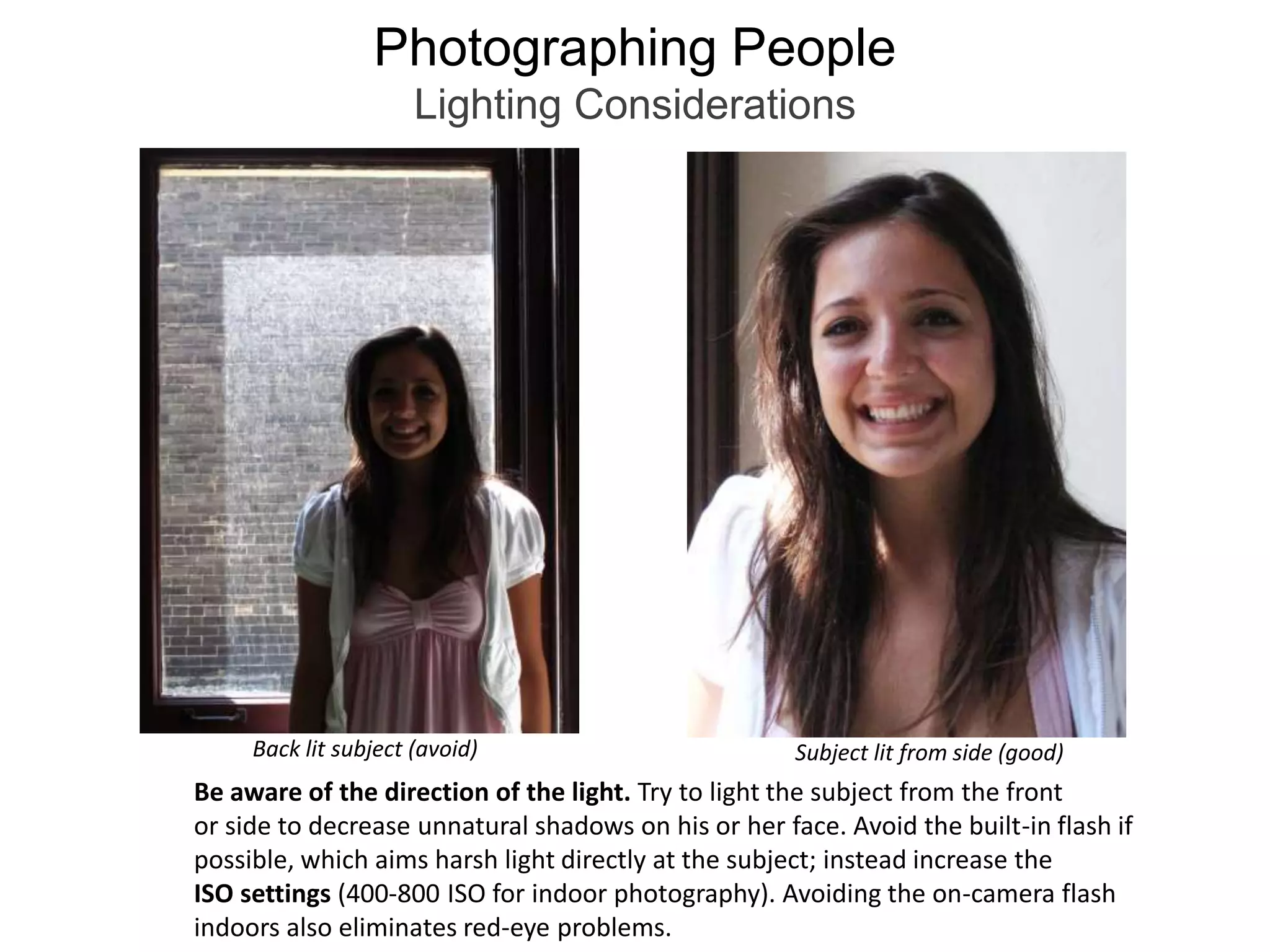
    Photographing PeopleLighting ConsiderationsBacklit subject (avoid)Subject lit from side (good)Be aware of the direction of the light. Try to light the subject from the front or side to decrease unnatural shadows on his or her face. Avoid the built-in flash if possible, which aims harsh light directly at the subject; instead increase the ISO settings (400-800 ISO for indoor photography). Avoiding the on-camera flash indoors also eliminates red-eye problems.
  • 43.
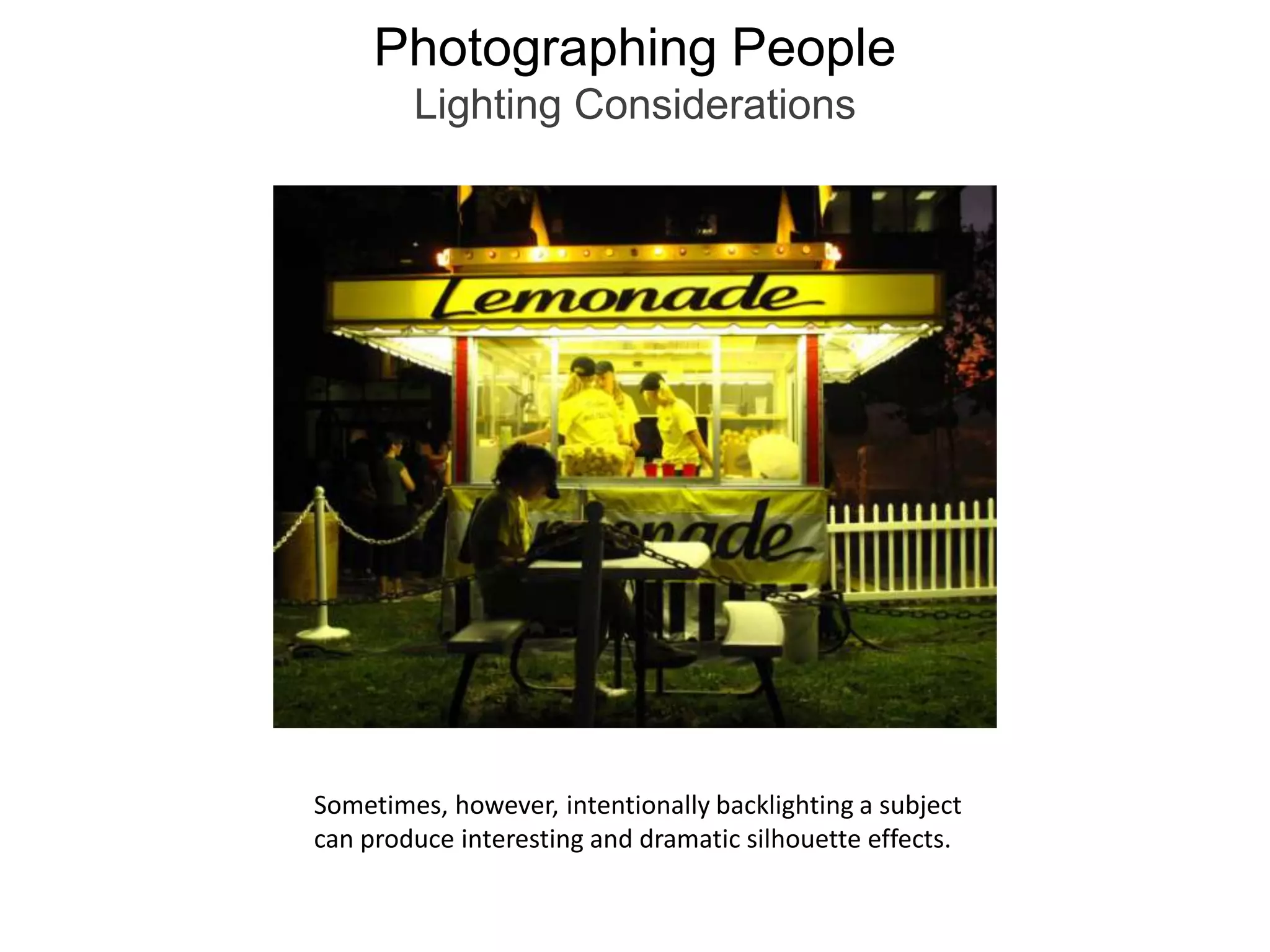
    Photographing PeopleLighting ConsiderationsSometimes,however, intentionally backlighting a subject can produce interesting and dramatic silhouette effects.
  • 44.
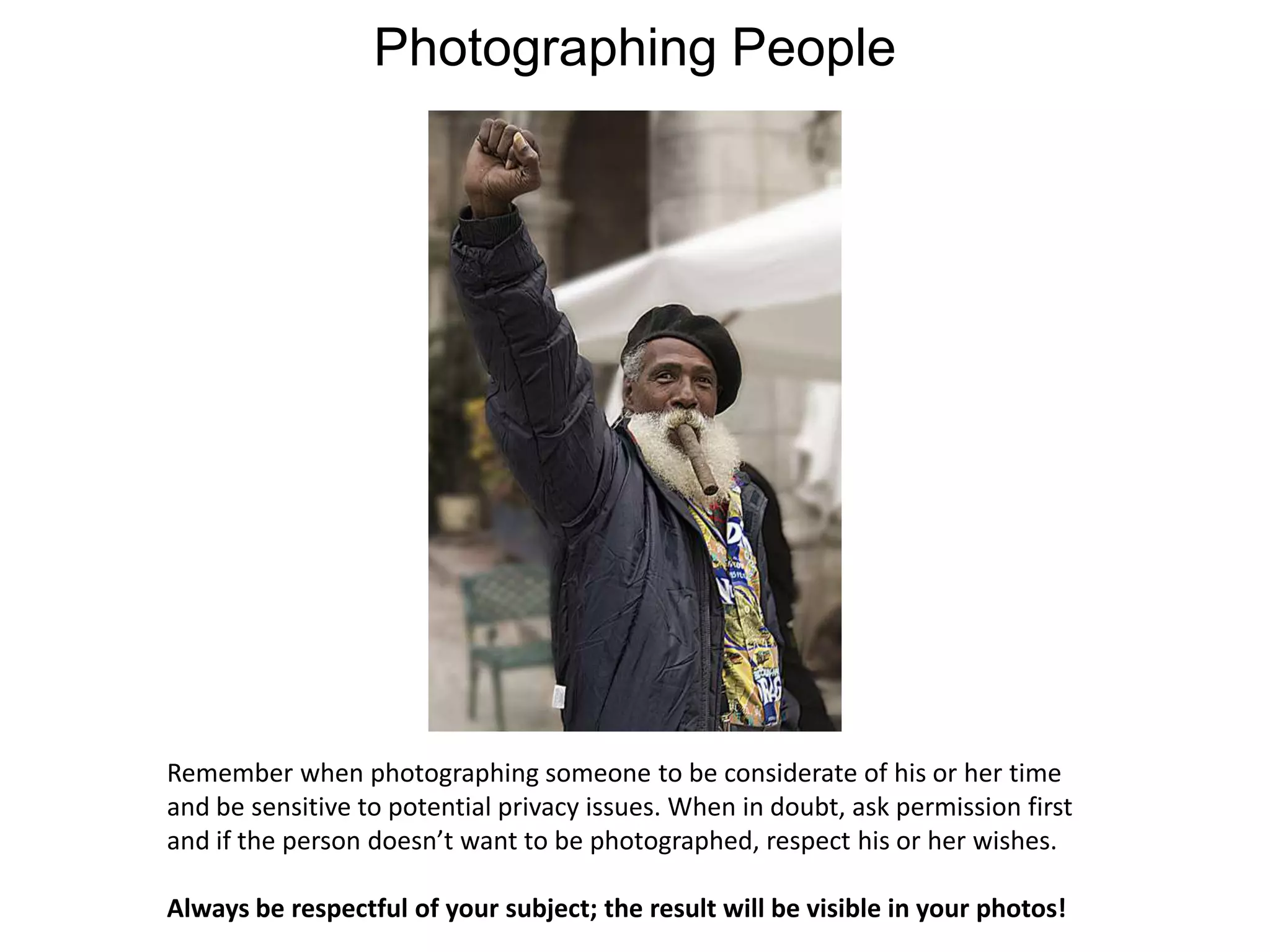
    Photographing PeopleRemember whenphotographing someone to be considerate of his or her time and be sensitive to potential privacy issues. When in doubt, ask permission first and if the person doesn’t want to be photographed, respect his or her wishes.Always be respectful of your subject; the result will be visible in your photos!
  • 45.
    Jennifer JanviereMultimedia Specialist/Instructor,Marquette UniversityTwitter: @janvierephotoFlickr: jenniferjanvierewww.jenniferjanviere.com