Instructional Software Evaluation Criteria
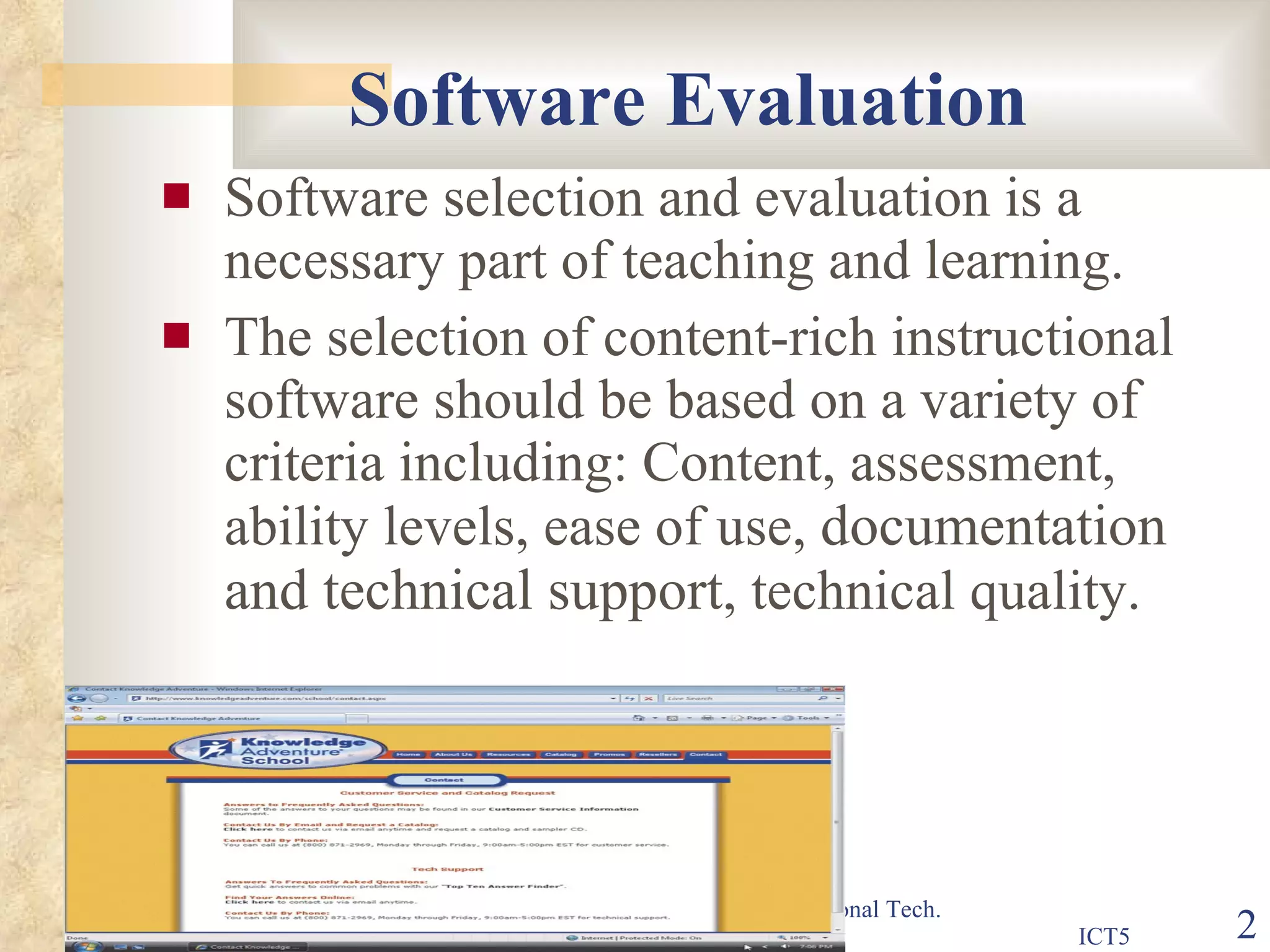
Software Evaluation Software selection and evaluation is a necessary part of teaching and learning. The selection of content-rich instructional software should be based on a variety of criteria including: Content, assessment, ability levels, ease of use,  documentation and technical support , technical quality.
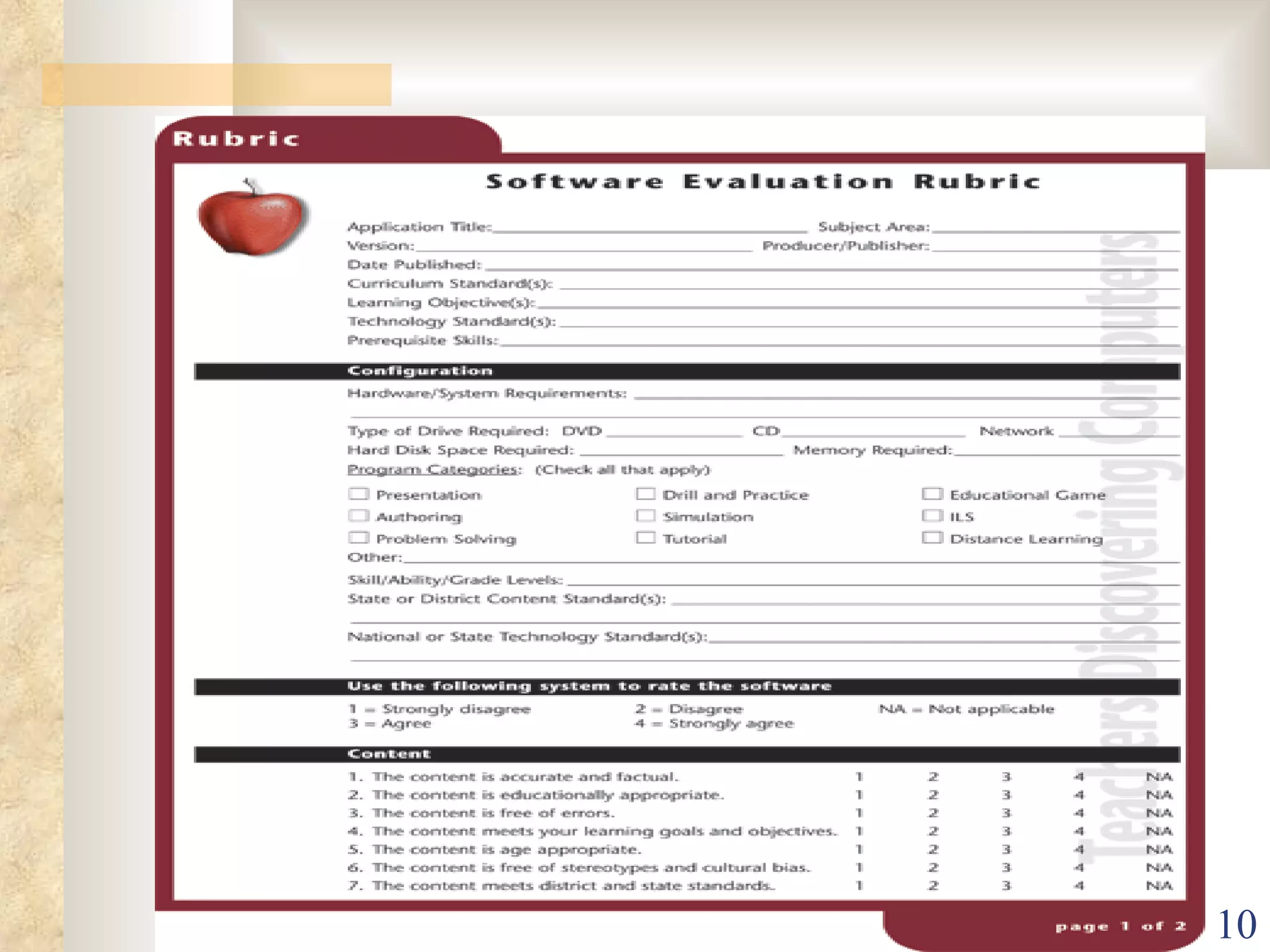
Evaluating Software Applications I- Content The content is accurate and factual.  The content is educationally appropriate. The content is free of errors.  The content meets your learning goals and objectives.  The content is age appropriate.  The content is free of stereotypes and cultural bias.  The content meets district and stat standards.
Evaluating Software Applications 2- Design Effective use of multimedia elements. Effective  and appropriate feedback. Allowing branching. Providing appropriate links. Motivating learners.
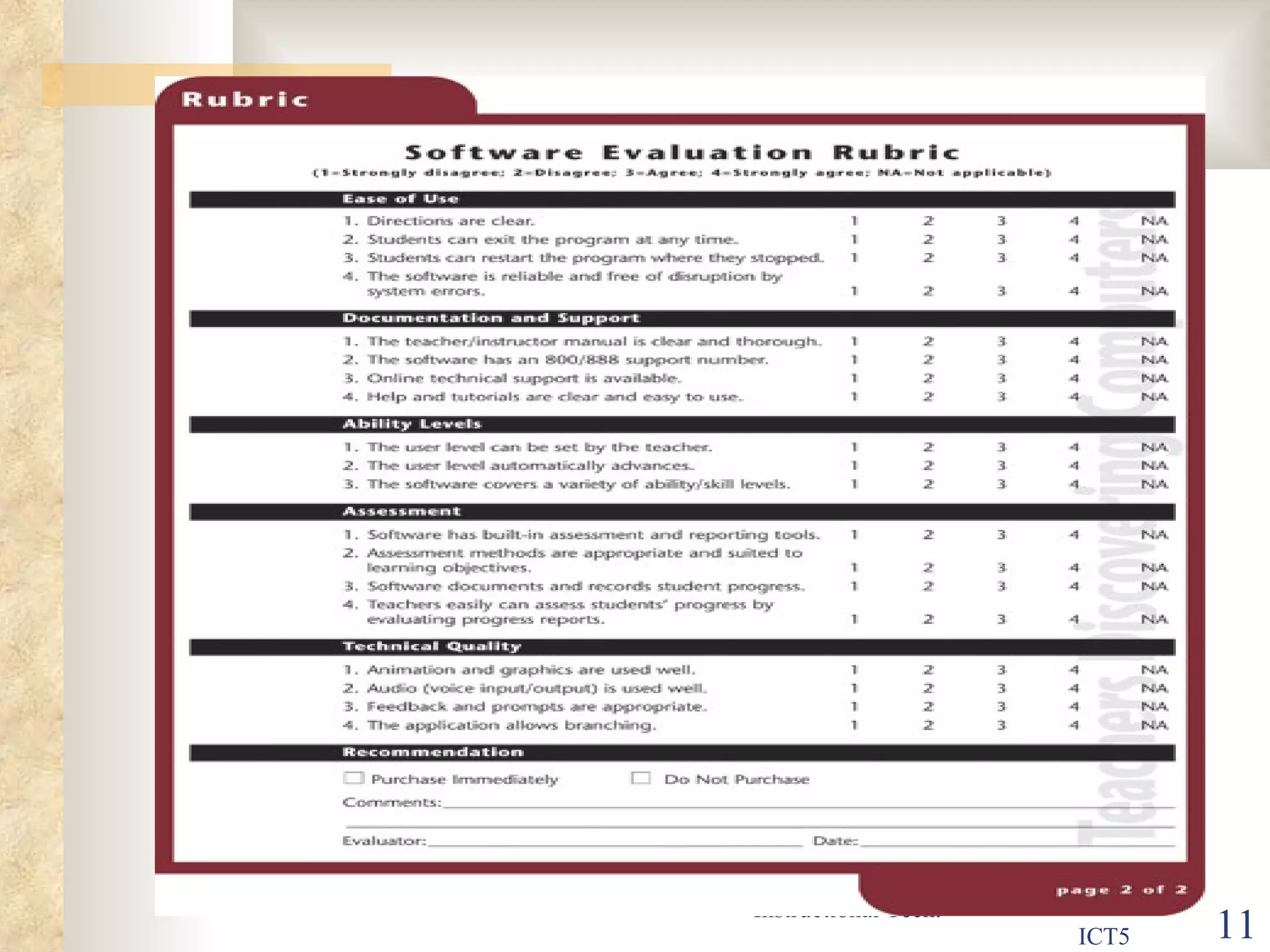
Evaluating Software Applications 3- Ability levels Can software be used with various ability and academic levels? Can software adjust the academic level and students move through the skills? So,  The user level can be set by the teacher.  The user level automatically advances. The software cover a verity of  ability /skill levels .
Evaluating Software Applications 4- Assessment Software has built-in assessment and reporting tools.  Assessment methods are appropriate and suited to  learning objectives.  Software document and records student progress by  evaluating progress reports.  Teacher easily can assess student's progress by  evaluating progress reports.
Evaluating Software Applications 5-  Ease of use Directions are clear.  Student can exit program at any time.  Students can restart the program where they stopped.  The software is reliable and free of disruption by.  system errors.  Student opinion is important in these criteria
Evaluating Software Applications 6-  Technical Quality Animation and graphics are used well.  Audio (voice input/ output) is used well.  Feedback prompts are appropriate.
Evaluating Software Applications 7- Documentation and Support The teacher / instructor manual is clear and thorough.  The software has an 800\888 support number.  On line technical support is available.  Help and tutorials are clear and easy to use.
 
 
Evaluating Web Resources Authority Is the author clearly identified? Examine the credentials of the author of the Web site Has the author or organization listed experience, position, education, or other credentials?
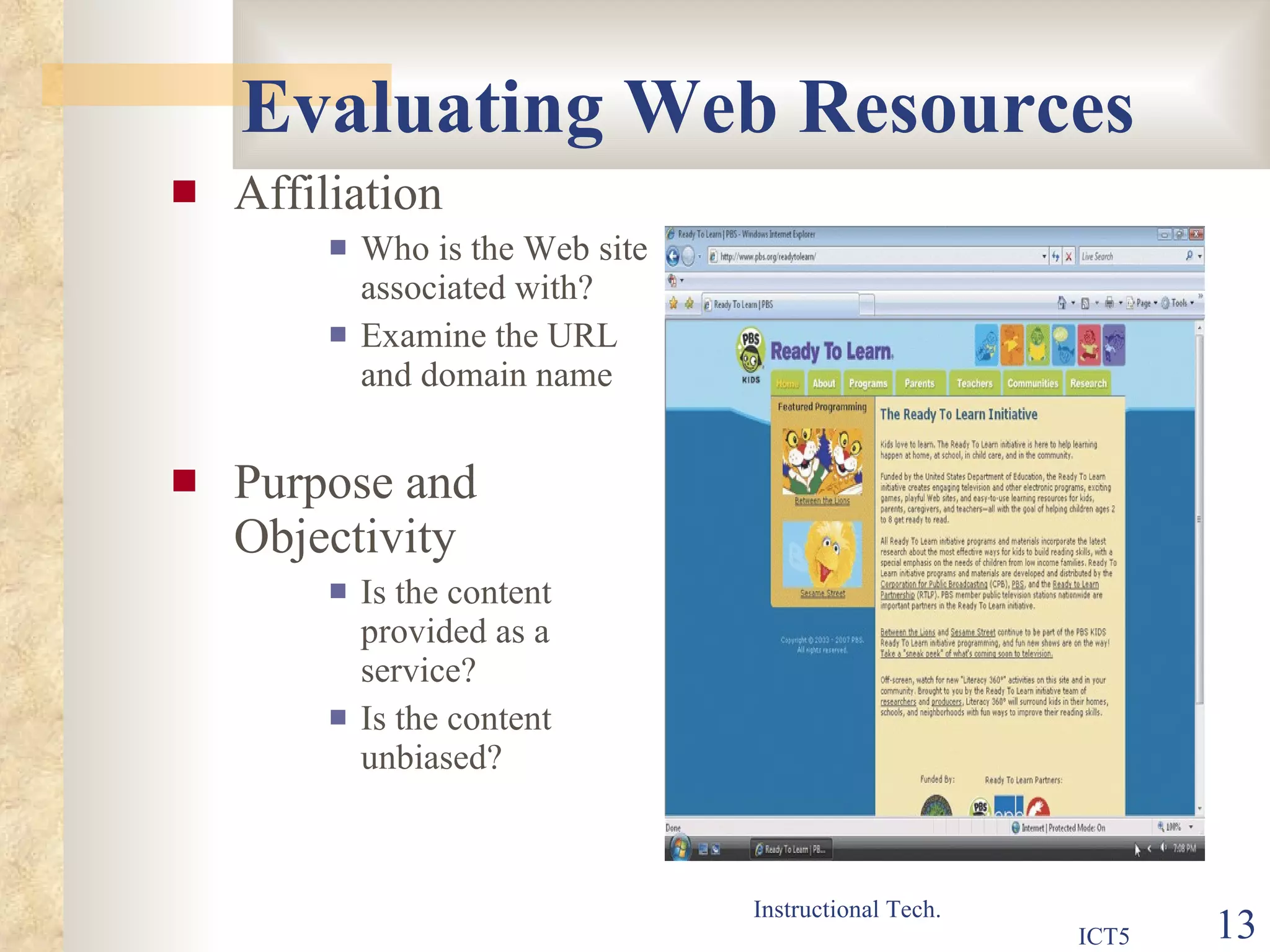
Evaluating Web Resources Affiliation Who is the Web site associated with? Examine the URL and domain name Purpose and Objectivity Is the content provided as a service? Is the content unbiased?
Evaluating Web Resources Content and Learning Process Is the content valid and appropriate? Does the information relate to your needs? What topics are covered? For what level is the information written? Do the links within the site add value? Audience and currency Is the content suitable for your students? Is the content up to date and timely?
Evaluating Web Resources Design Effective use of multimedia elements. Effective  and appropriate feedback. Allowing branching. Providing appropriate links. Motivating learners. Downloaded in acceptable time.


Instructional software evaluation

  • 1.
  • 2.
    Software Evaluation Softwareselection and evaluation is a necessary part of teaching and learning. The selection of content-rich instructional software should be based on a variety of criteria including: Content, assessment, ability levels, ease of use, documentation and technical support , technical quality.
  • 3.
    Evaluating Software ApplicationsI- Content The content is accurate and factual. The content is educationally appropriate. The content is free of errors. The content meets your learning goals and objectives. The content is age appropriate. The content is free of stereotypes and cultural bias. The content meets district and stat standards.
  • 4.
    Evaluating Software Applications2- Design Effective use of multimedia elements. Effective and appropriate feedback. Allowing branching. Providing appropriate links. Motivating learners.
  • 5.
    Evaluating Software Applications3- Ability levels Can software be used with various ability and academic levels? Can software adjust the academic level and students move through the skills? So, The user level can be set by the teacher. The user level automatically advances. The software cover a verity of ability /skill levels .
  • 6.
    Evaluating Software Applications4- Assessment Software has built-in assessment and reporting tools. Assessment methods are appropriate and suited to learning objectives. Software document and records student progress by evaluating progress reports. Teacher easily can assess student's progress by evaluating progress reports.
  • 7.
    Evaluating Software Applications5- Ease of use Directions are clear. Student can exit program at any time. Students can restart the program where they stopped. The software is reliable and free of disruption by. system errors. Student opinion is important in these criteria
  • 8.
    Evaluating Software Applications6- Technical Quality Animation and graphics are used well. Audio (voice input/ output) is used well. Feedback prompts are appropriate.
  • 9.
    Evaluating Software Applications7- Documentation and Support The teacher / instructor manual is clear and thorough. The software has an 800\888 support number. On line technical support is available. Help and tutorials are clear and easy to use.
  • 10.
  • 11.
  • 12.
    Evaluating Web ResourcesAuthority Is the author clearly identified? Examine the credentials of the author of the Web site Has the author or organization listed experience, position, education, or other credentials?
  • 13.
    Evaluating Web ResourcesAffiliation Who is the Web site associated with? Examine the URL and domain name Purpose and Objectivity Is the content provided as a service? Is the content unbiased?
  • 14.
    Evaluating Web ResourcesContent and Learning Process Is the content valid and appropriate? Does the information relate to your needs? What topics are covered? For what level is the information written? Do the links within the site add value? Audience and currency Is the content suitable for your students? Is the content up to date and timely?
  • 15.
    Evaluating Web ResourcesDesign Effective use of multimedia elements. Effective and appropriate feedback. Allowing branching. Providing appropriate links. Motivating learners. Downloaded in acceptable time.
  • 16.
  • 17.