Assessing and Selecting 
Digital Educational Resources
Lic. Mariana Porta
Objectives:
●Provide a set of criteria to evaluate digital
resources.
●Walk one more step into teacher-empowerment
to face the digital world.
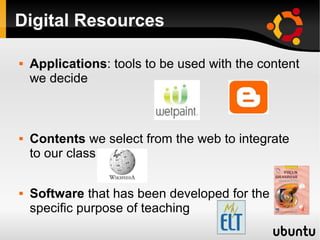
Digital Resources
 Applications: tools to be used with the content
we decide
 Contents we select from the web to integrate
to our class
 Software that has been developed for the
specific purpose of teaching
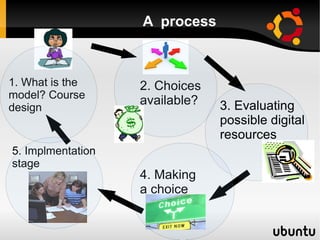
2. Choices
available?
4. Making
a choice
5. Implmentation
stage
3. Evaluating
possible digital
resources
1. What is the
model? Course
design
A process
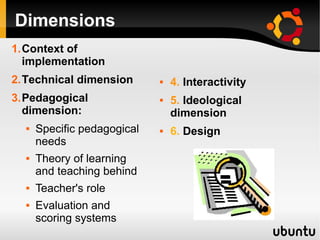
Dimensions
1.Context of
implementation
2.Technical dimension
3.Pedagogical
dimension:
 Specific pedagogical
needs
 Theory of learning
and teaching behind
 Teacher's role
 Evaluation and
scoring systems
 4. Interactivity
 5. Ideological
dimension
 6. Design
Context of implementation
 What is the model implemented?
 Why a digital resource, why a specific teaching
software?
 How will the teacher work?
 Who is the course directed to?
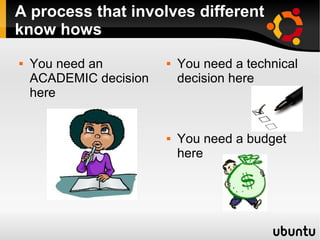
A process that involves different
know hows
 You need an
ACADEMIC decision
here
 You need a technical
decision here
 You need a budget
here
Technical dimension
 What kind of licence
does it have?
 How is it distributed
and supported?
 What kind of
equipment does it
require?
 Is the programming
good?
 How much is it?
 Institutions are
generally the ones
that have to evaluate
this.
– Availability
– Money
– Logistics
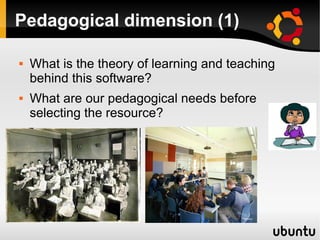
Pedagogical dimension (1)
 What is the theory of learning and teaching
behind this software?
 What are our pedagogical needs before
selecting the resource?
Pedagogical dimension (2)
The theory of learning behind
 The role of the teacher
 Teacher- student interaction
 Student-student interaction
 Degree of autonomy of the student
 Evaluation and rubrics
 Pedagogical support to the teacher, guides,
suggestions, etc.
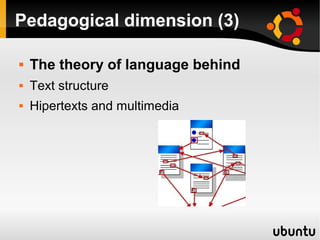
Pedagogical dimension (3)
 The theory of language behind
 Text structure
 Hipertexts and multimedia
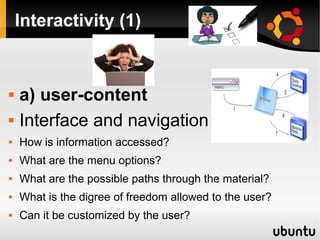
Interactivity (1)
 a) user-content
 Interface and navigation
 How is information accessed?
 What are the menu options?
 What are the possible paths through the material?
 What is the digree of freedom allowed to the user?
 Can it be customized by the user?
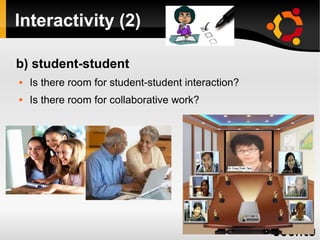
Interactivity (2)
b) student-student
 Is there room for student-student interaction?
 Is there room for collaborative work?
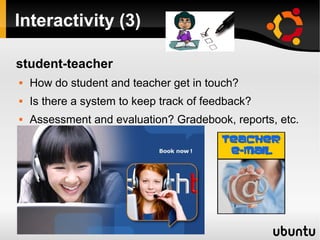
Interactivity (3)
student-teacher
 How do student and teacher get in touch?
 Is there a system to keep track of feedback?
 Assessment and evaluation? Gradebook, reports, etc.
●Design
 Does it look good?
 Screens: are they easy to read? Consider font,
size, colors, graphics.
 Sound quality: Is it good, natural?
 Does it adapt to students?
 Can it be customized?
 How is the visual component integrated?
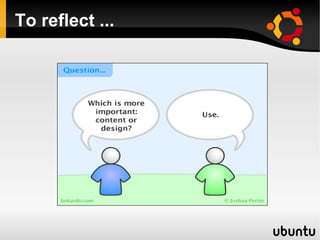
To reflect ...
Ideological dimension
 The hidden curriculum
 Cultural stereotypes about work, family,
authority, gender, etc.
 How the world is represented
What are the milestones at each of
these stages?
1.Design a course
2.Survey the market
3.Go through evaluation process
4.Make a choice and elaborate a report on the
software you have chosen. Point out drawbacks
and highlights.
5.Develop a plan for implementation
6.Train your staff in the use of this software
7.Implement.
8.Evaluate results
We'll focus on software developed
for teaching purposes
 FOG interactive
 http://www.focusongrammarin
teractive.com/
 My Elt
https://myelt.heinle.com/ilrn/a
uthentication/signIn.do?
inst=MYELT
 DynED
 Demo 1
http://www.youtube.com/my_playlists?p=2A751355B2898DAC
 Demo 2
http://www.youtube.com/watch?v=I6Umj1kan8M

 1. Context of
implementation
 2. Technical
dimension
 3. Pedagogical
dimension
 4. Interactivity
 5. Design
 6. Ideological
dimension

Conclusions
In my humble opinion ...
 Beware of the market!
 We need to make informed decisions about
software for teaching.
 We have to know what we need.
 We should learn, so some day we can develop
our own digital resources.

Asessing digital

  • 1.
  • 2.
    Objectives: ●Provide a setof criteria to evaluate digital resources. ●Walk one more step into teacher-empowerment to face the digital world.
  • 3.
    Digital Resources  Applications:tools to be used with the content we decide  Contents we select from the web to integrate to our class  Software that has been developed for the specific purpose of teaching
  • 4.
    2. Choices available? 4. Making achoice 5. Implmentation stage 3. Evaluating possible digital resources 1. What is the model? Course design A process
  • 5.
    Dimensions 1.Context of implementation 2.Technical dimension 3.Pedagogical dimension: Specific pedagogical needs  Theory of learning and teaching behind  Teacher's role  Evaluation and scoring systems  4. Interactivity  5. Ideological dimension  6. Design
  • 6.
    Context of implementation What is the model implemented?  Why a digital resource, why a specific teaching software?  How will the teacher work?  Who is the course directed to?
  • 7.
    A process thatinvolves different know hows  You need an ACADEMIC decision here  You need a technical decision here  You need a budget here
  • 8.
    Technical dimension  Whatkind of licence does it have?  How is it distributed and supported?  What kind of equipment does it require?  Is the programming good?  How much is it?  Institutions are generally the ones that have to evaluate this. – Availability – Money – Logistics
  • 9.
    Pedagogical dimension (1) What is the theory of learning and teaching behind this software?  What are our pedagogical needs before selecting the resource?
  • 10.
    Pedagogical dimension (2) Thetheory of learning behind  The role of the teacher  Teacher- student interaction  Student-student interaction  Degree of autonomy of the student  Evaluation and rubrics  Pedagogical support to the teacher, guides, suggestions, etc.
  • 11.
    Pedagogical dimension (3) The theory of language behind  Text structure  Hipertexts and multimedia
  • 12.
    Interactivity (1)  a)user-content  Interface and navigation  How is information accessed?  What are the menu options?  What are the possible paths through the material?  What is the digree of freedom allowed to the user?  Can it be customized by the user?
  • 13.
    Interactivity (2) b) student-student Is there room for student-student interaction?  Is there room for collaborative work?
  • 14.
    Interactivity (3) student-teacher  Howdo student and teacher get in touch?  Is there a system to keep track of feedback?  Assessment and evaluation? Gradebook, reports, etc.
  • 15.
    ●Design  Does itlook good?  Screens: are they easy to read? Consider font, size, colors, graphics.  Sound quality: Is it good, natural?  Does it adapt to students?  Can it be customized?  How is the visual component integrated?
  • 16.
  • 17.
    Ideological dimension  Thehidden curriculum  Cultural stereotypes about work, family, authority, gender, etc.  How the world is represented
  • 18.
    What are themilestones at each of these stages? 1.Design a course 2.Survey the market 3.Go through evaluation process 4.Make a choice and elaborate a report on the software you have chosen. Point out drawbacks and highlights. 5.Develop a plan for implementation 6.Train your staff in the use of this software 7.Implement. 8.Evaluate results
  • 19.
    We'll focus onsoftware developed for teaching purposes  FOG interactive  http://www.focusongrammarin teractive.com/  My Elt https://myelt.heinle.com/ilrn/a uthentication/signIn.do? inst=MYELT  DynED  Demo 1 http://www.youtube.com/my_playlists?p=2A751355B2898DAC  Demo 2 http://www.youtube.com/watch?v=I6Umj1kan8M   1. Context of implementation  2. Technical dimension  3. Pedagogical dimension  4. Interactivity  5. Design  6. Ideological dimension 
  • 20.
    Conclusions In my humbleopinion ...  Beware of the market!  We need to make informed decisions about software for teaching.  We have to know what we need.  We should learn, so some day we can develop our own digital resources.