

What’s Coming in Hyper-V
Vnext on Windows 8

   Lai Yoong Seng | Technical Consultant
   MVP Virtual Machine
   www.ms4u.info | laiys@redynamics.com
Session Objective and Takeaways
• Objectives:
  • The Past, Present, Future
  • Key features of Hyper-V Vnext/ V3


• Key Takeaways:
  • Cool features on Hyper-V Vnext/V3
                                        Slid
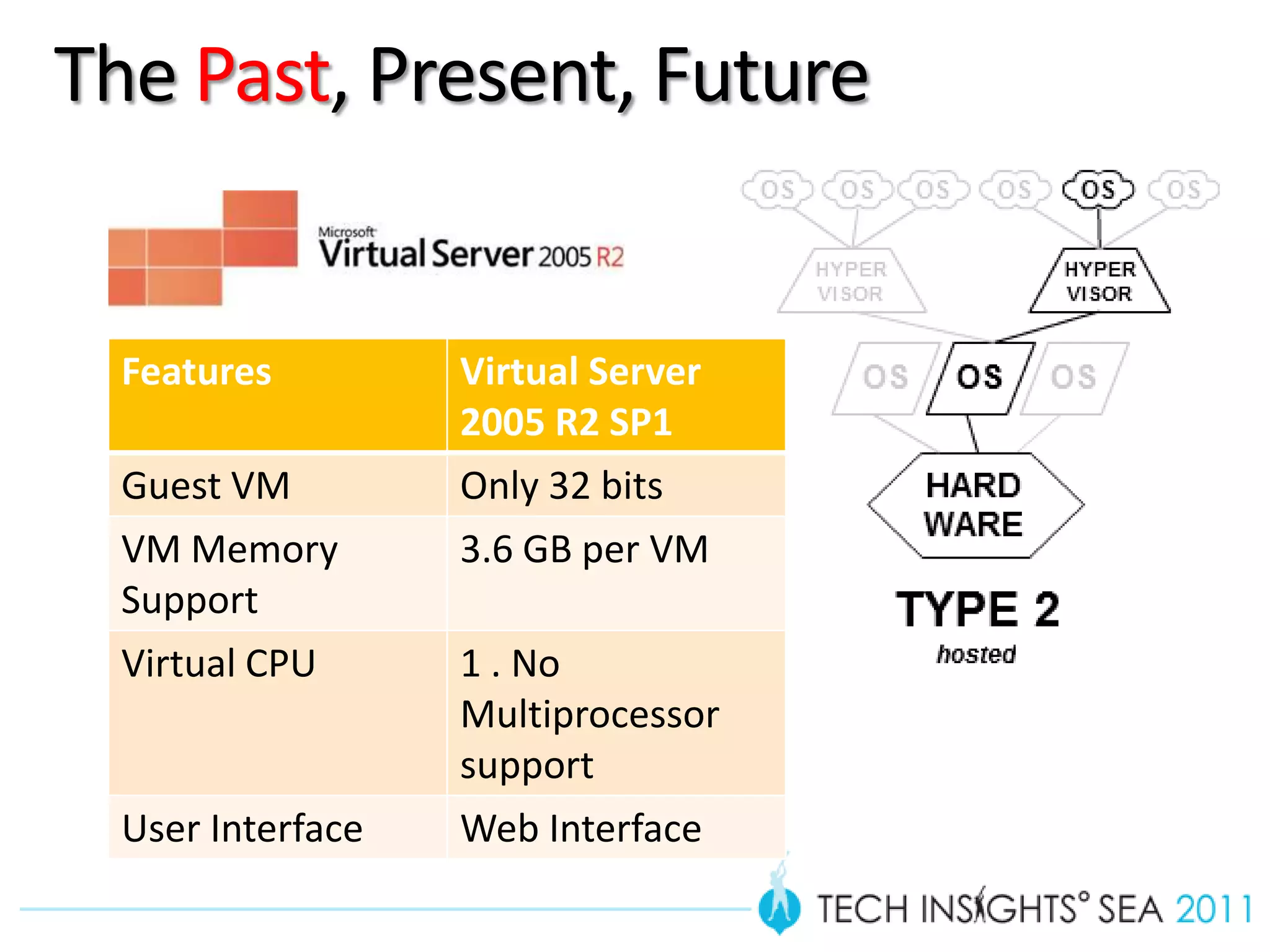
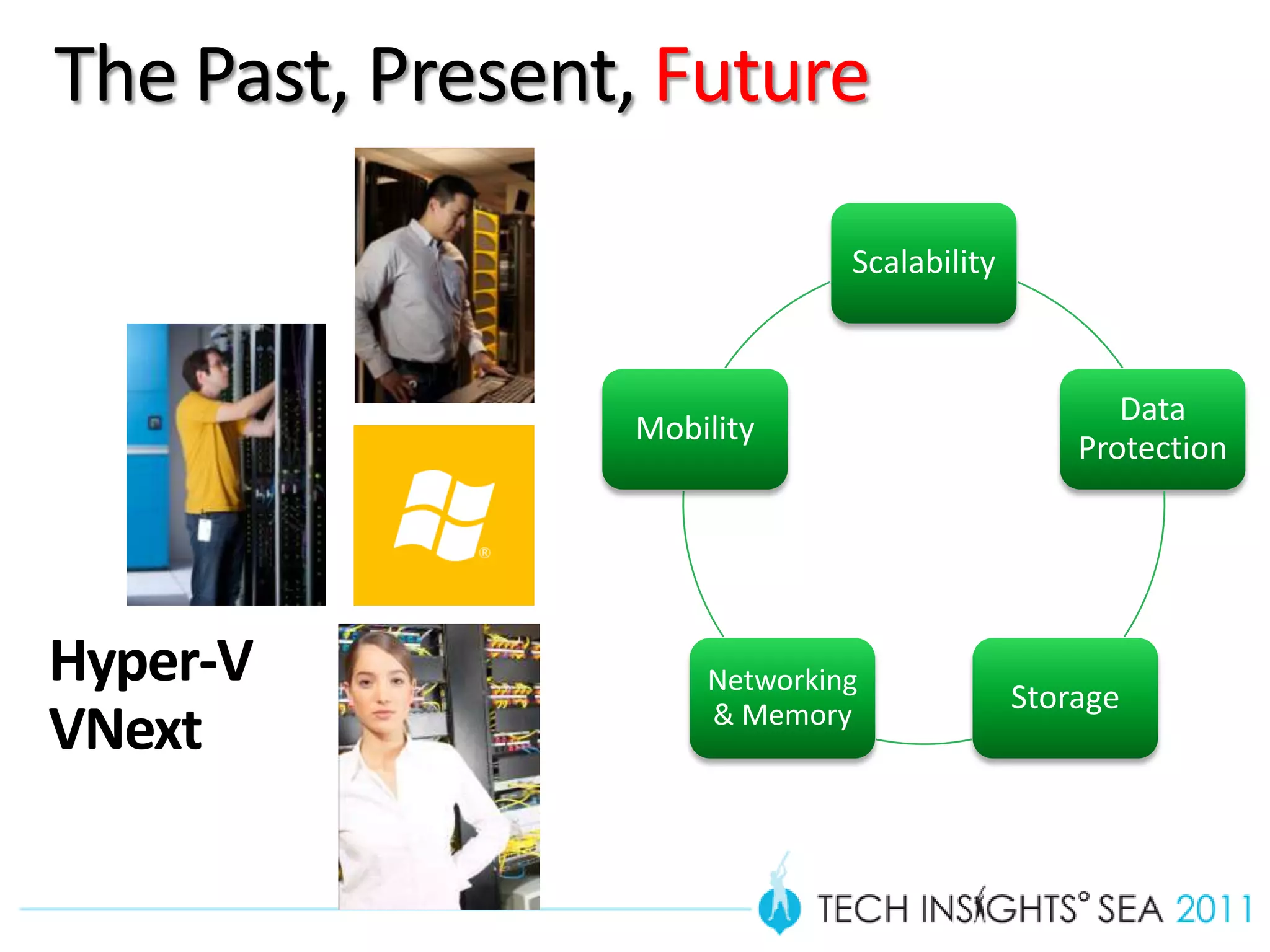
The Past, Present, Future


  Features         Virtual Server
                   2005 R2 SP1
  Guest VM         Only 32 bits
  VM Memory        3.6 GB per VM
  Support
  Virtual CPU      1 . No
                   Multiprocessor
                   support
  User Interface   Web Interface
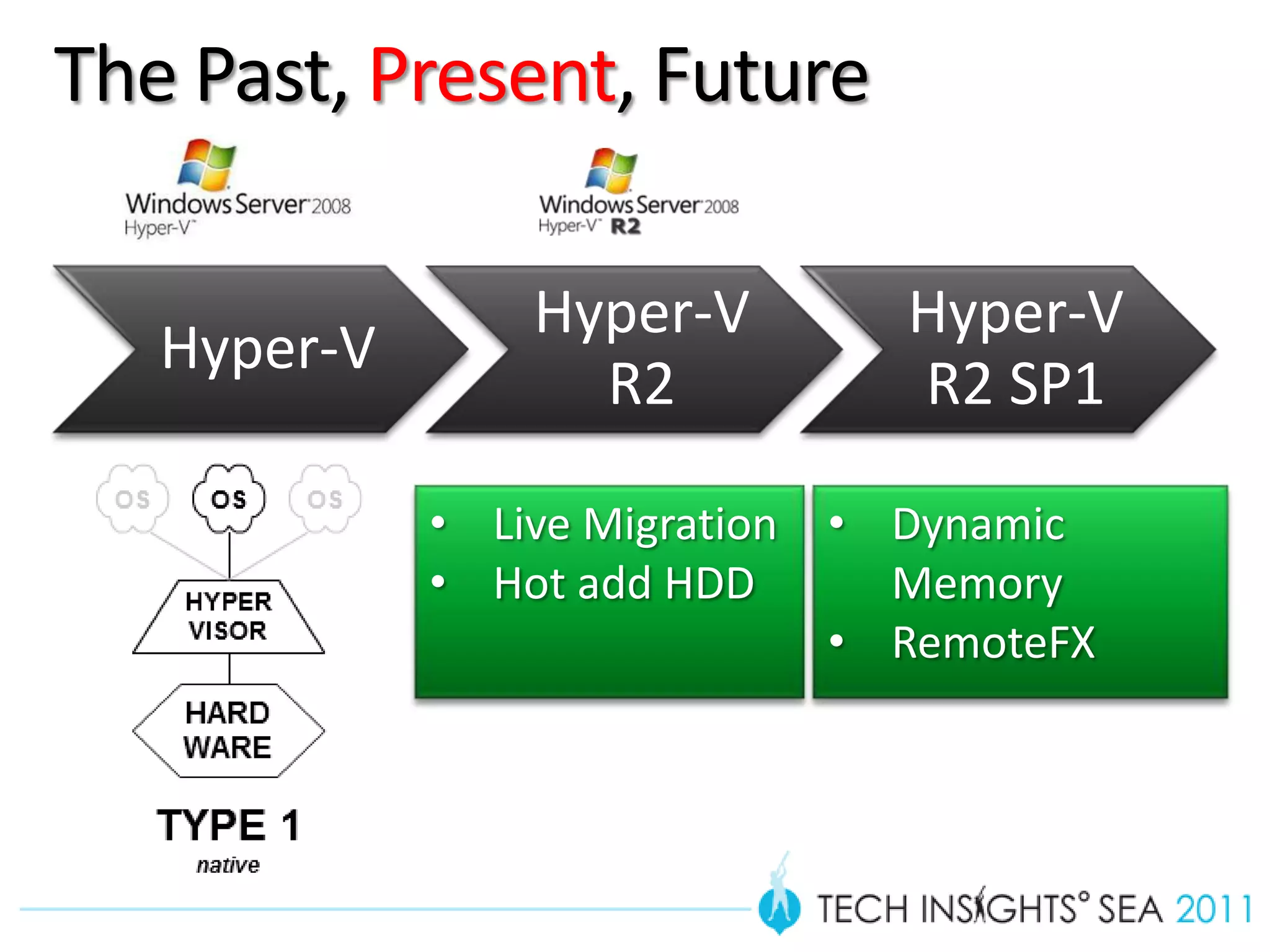
The Past, Present, Future

                 Hyper-V          Hyper-V
   Hyper-V
                   R2             R2 SP1

             • Live Migration   • Dynamic
             • Hot add HDD        Memory
                                • RemoteFX
The Past, Present, Future

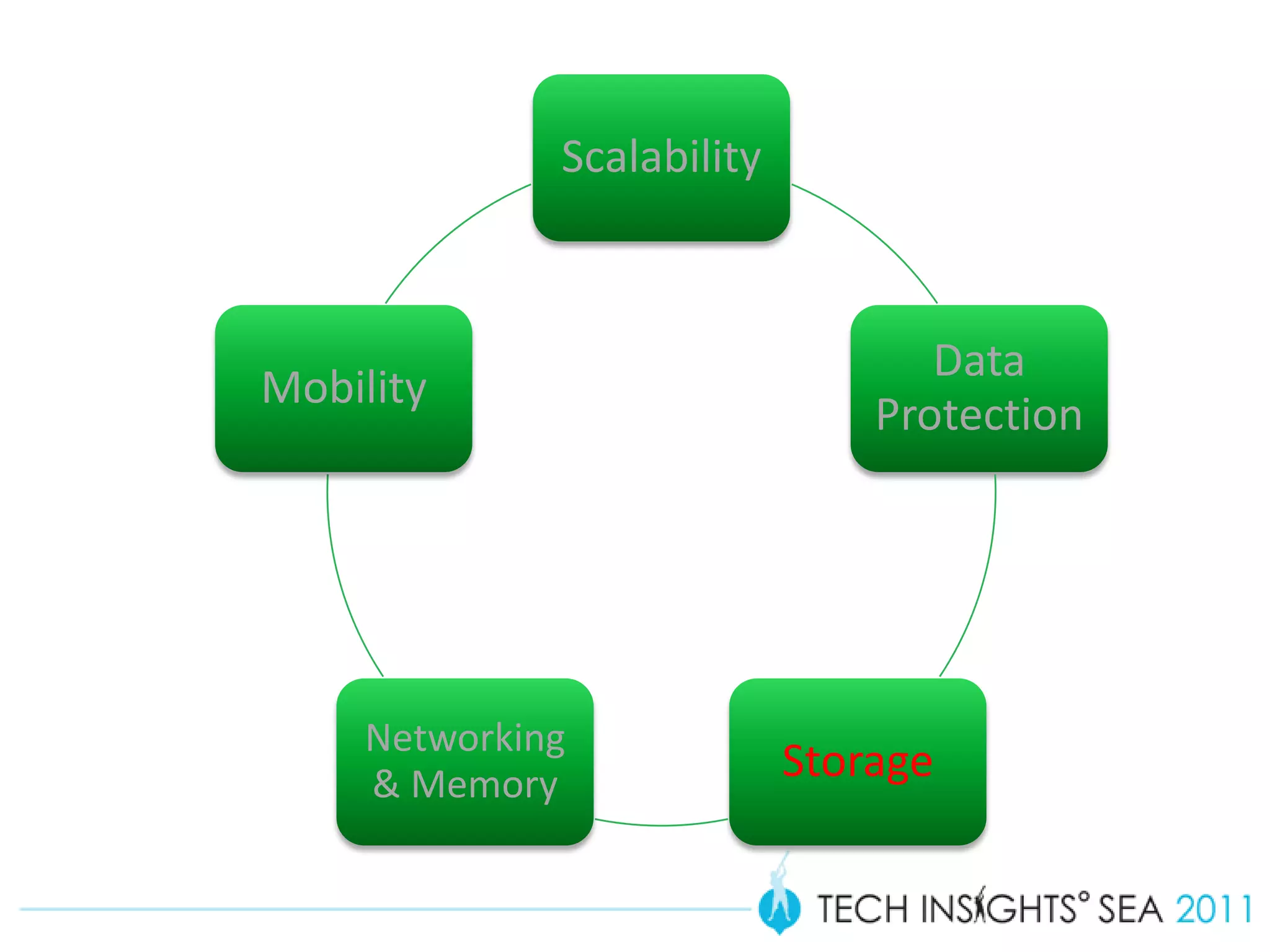
                              Scalability


                                                   Data
                 Mobility
                                                Protection


Hyper-V              Networking
                                            Storage
                     & Memory
VNext
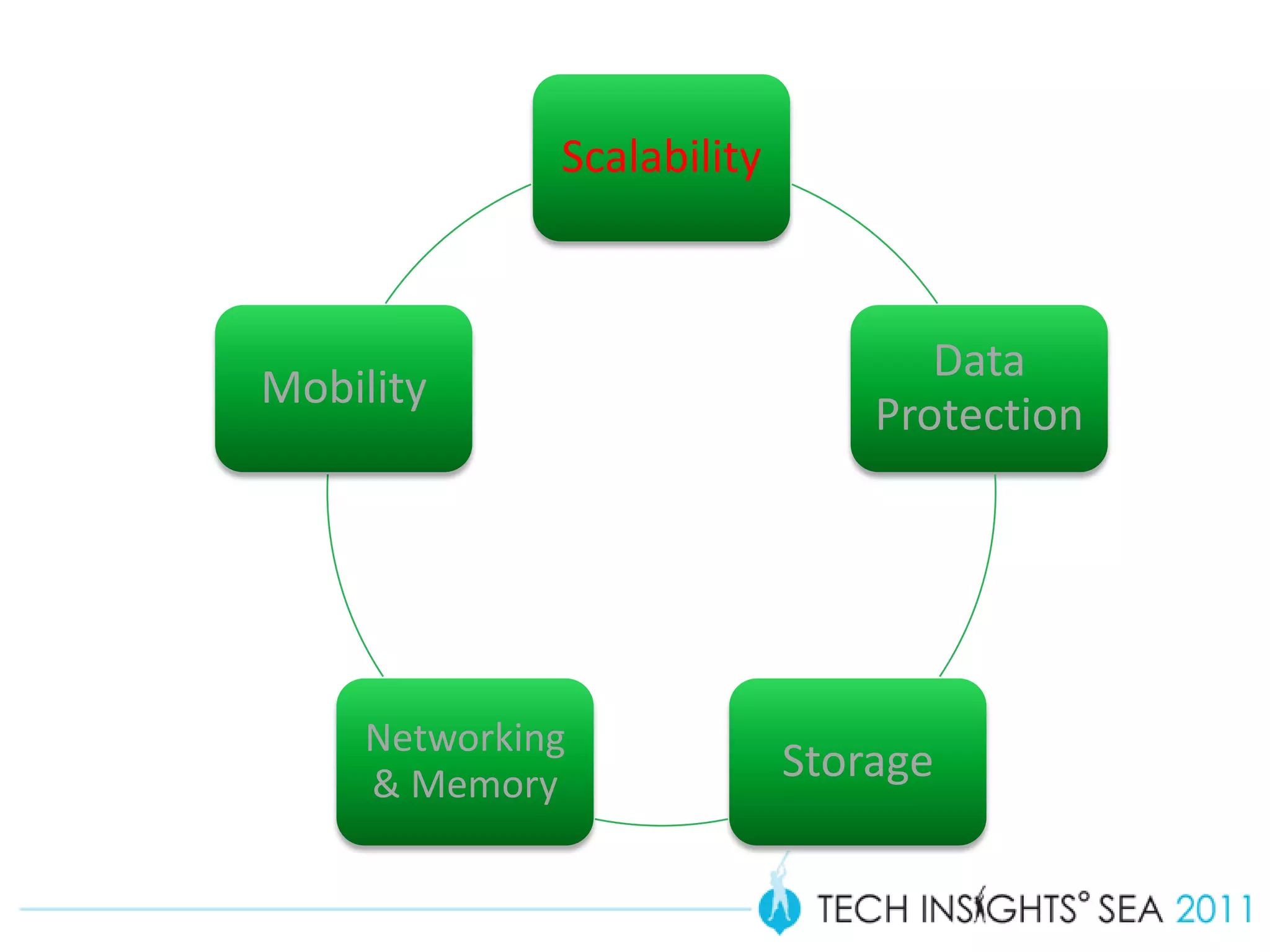
Scalability


                                   Data
Mobility
                                Protection


     Networking
     & Memory
                            Storage
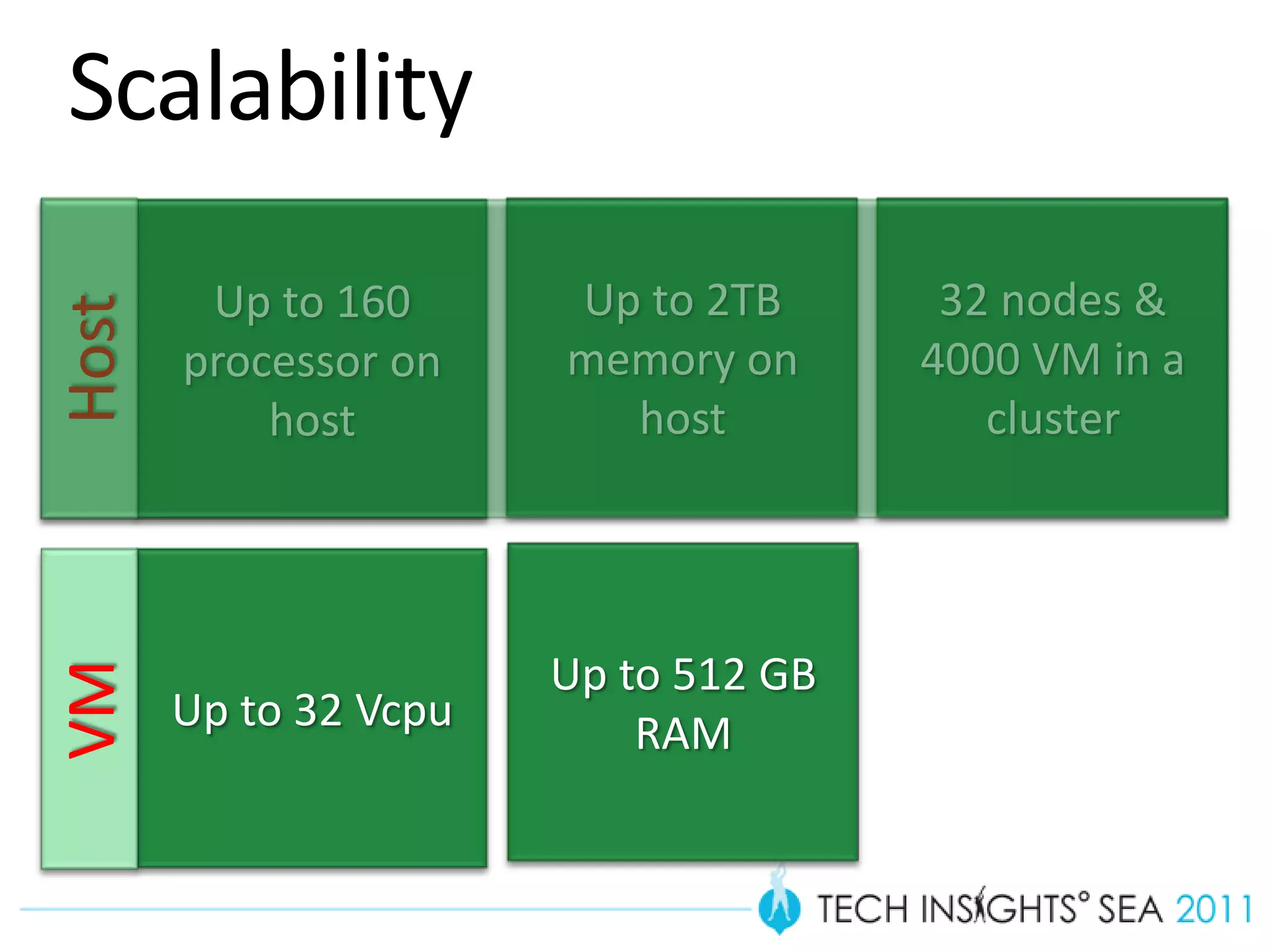
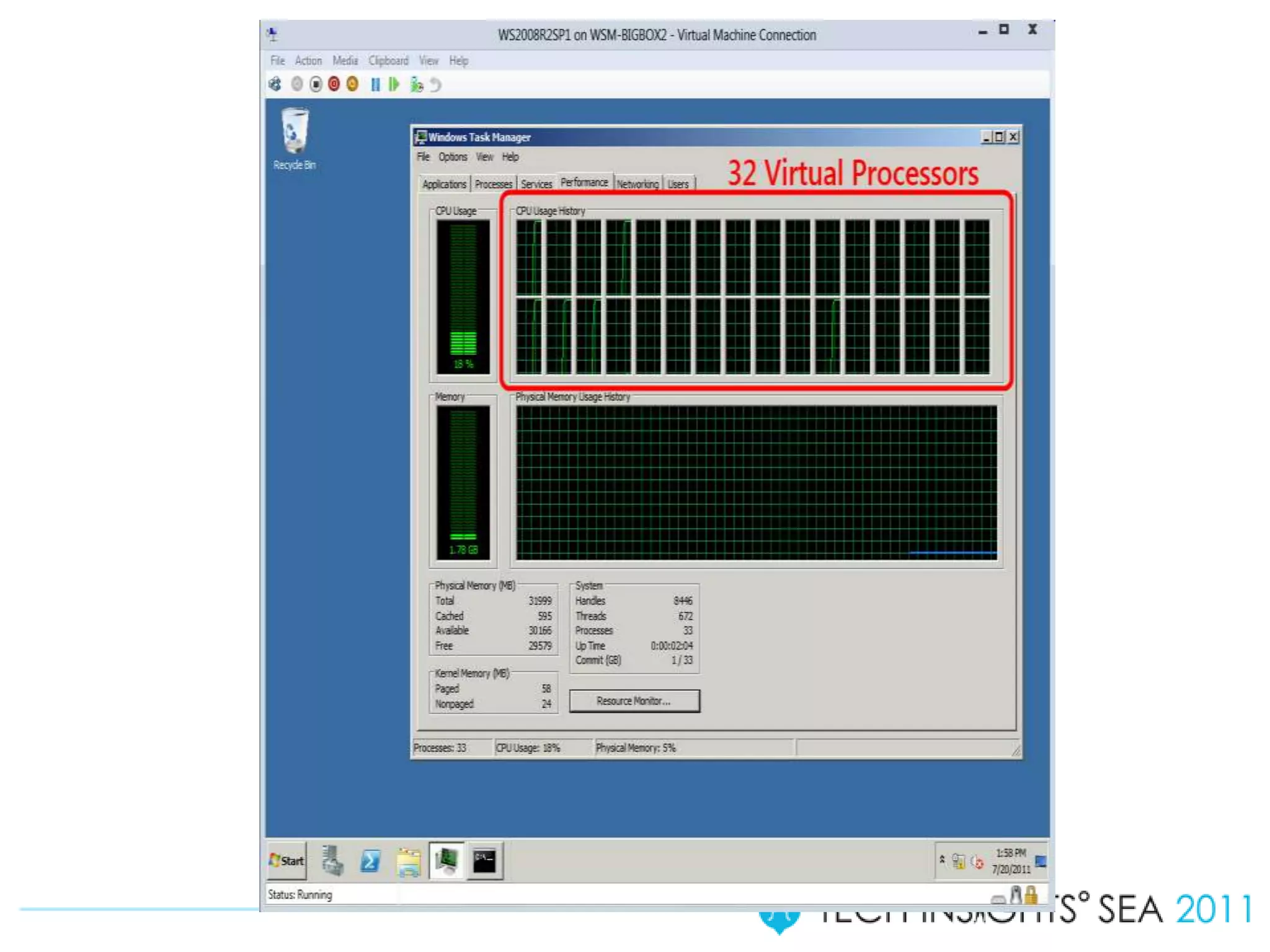
Scalability
        Up to 160      Up to 2TB       32 nodes &
Host


       processor on    memory on      4000 VM in a
           host          host            cluster


                       Up to 512 GB
VM


       Up to 32 Vcpu       RAM
Teaming
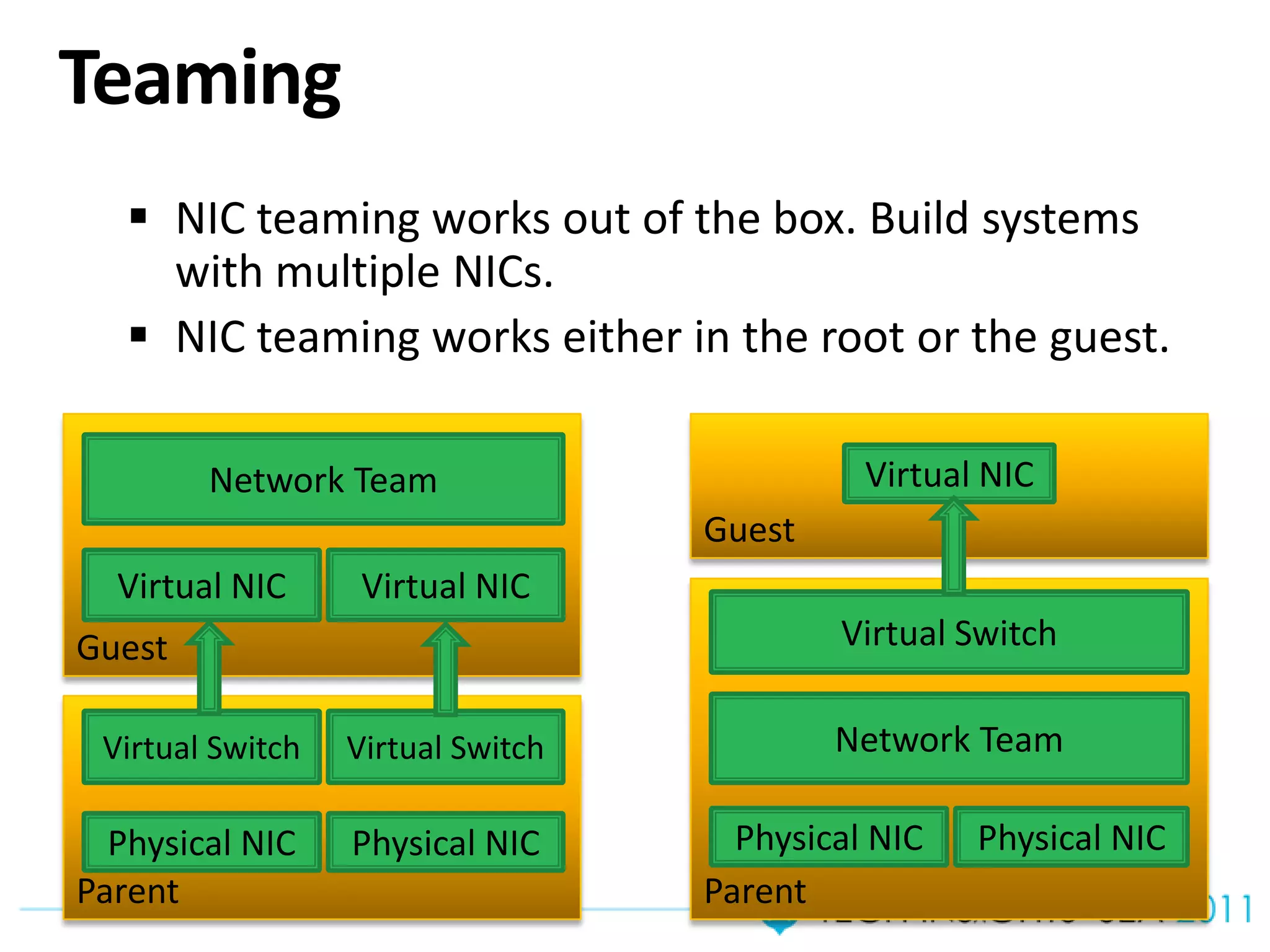
    NIC teaming works out of the box. Build systems
     with multiple NICs.
    NIC teaming works either in the root or the guest.

        Network Team                         Virtual NIC
                                   Guest
  Virtual NIC      Virtual NIC
Guest                                      Virtual Switch

 Virtual Switch   Virtual Switch           Network Team

  Physical NIC    Physical NIC       Physical NIC   Physical NIC
Parent                             Parent
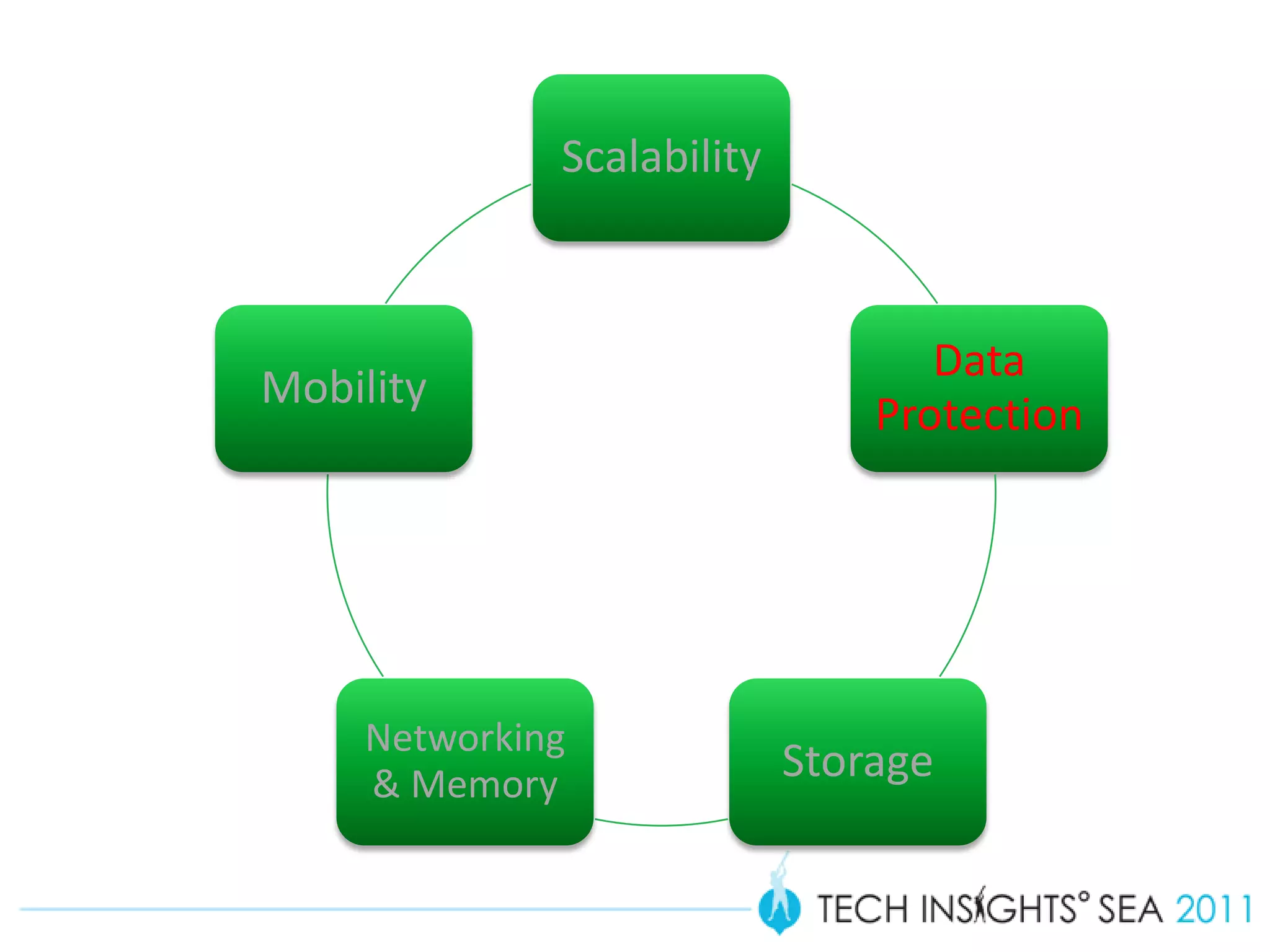
Scalability


                                   Data
Mobility
                                Protection


     Networking
     & Memory
                            Storage
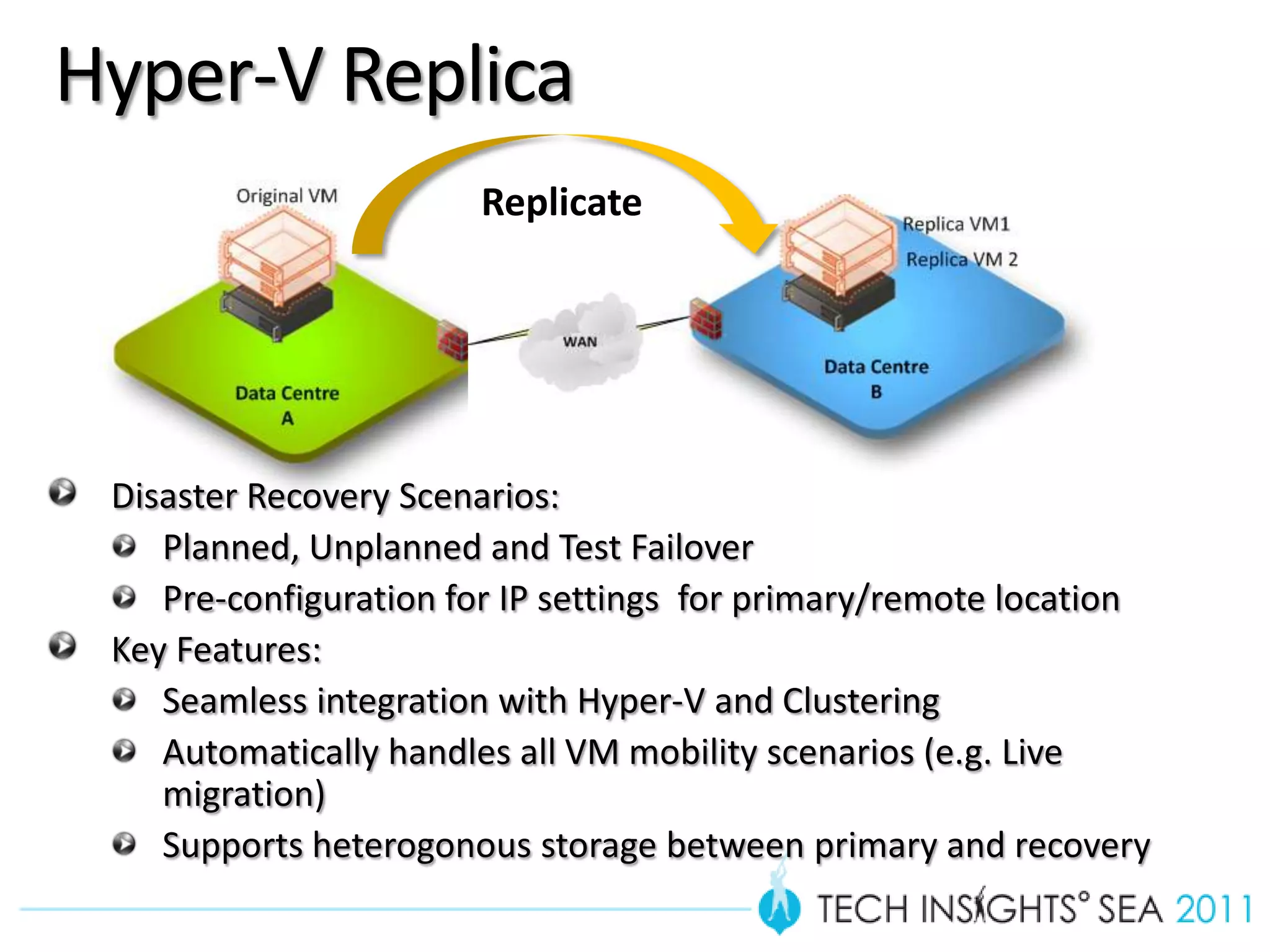
Hyper-V Replica
                       Replicate


 Disaster Recovery Scenarios:
    Planned, Unplanned and Test Failover
    Pre-configuration for IP settings for primary/remote location
 Key Features:
    Seamless integration with Hyper-V and Clustering
    Automatically handles all VM mobility scenarios (e.g. Live
    migration)
    Supports heterogonous storage between primary and recovery
Hyper-V Replica
Scalability


                                   Data
Mobility
                                Protection


     Networking
     & Memory
                            Storage
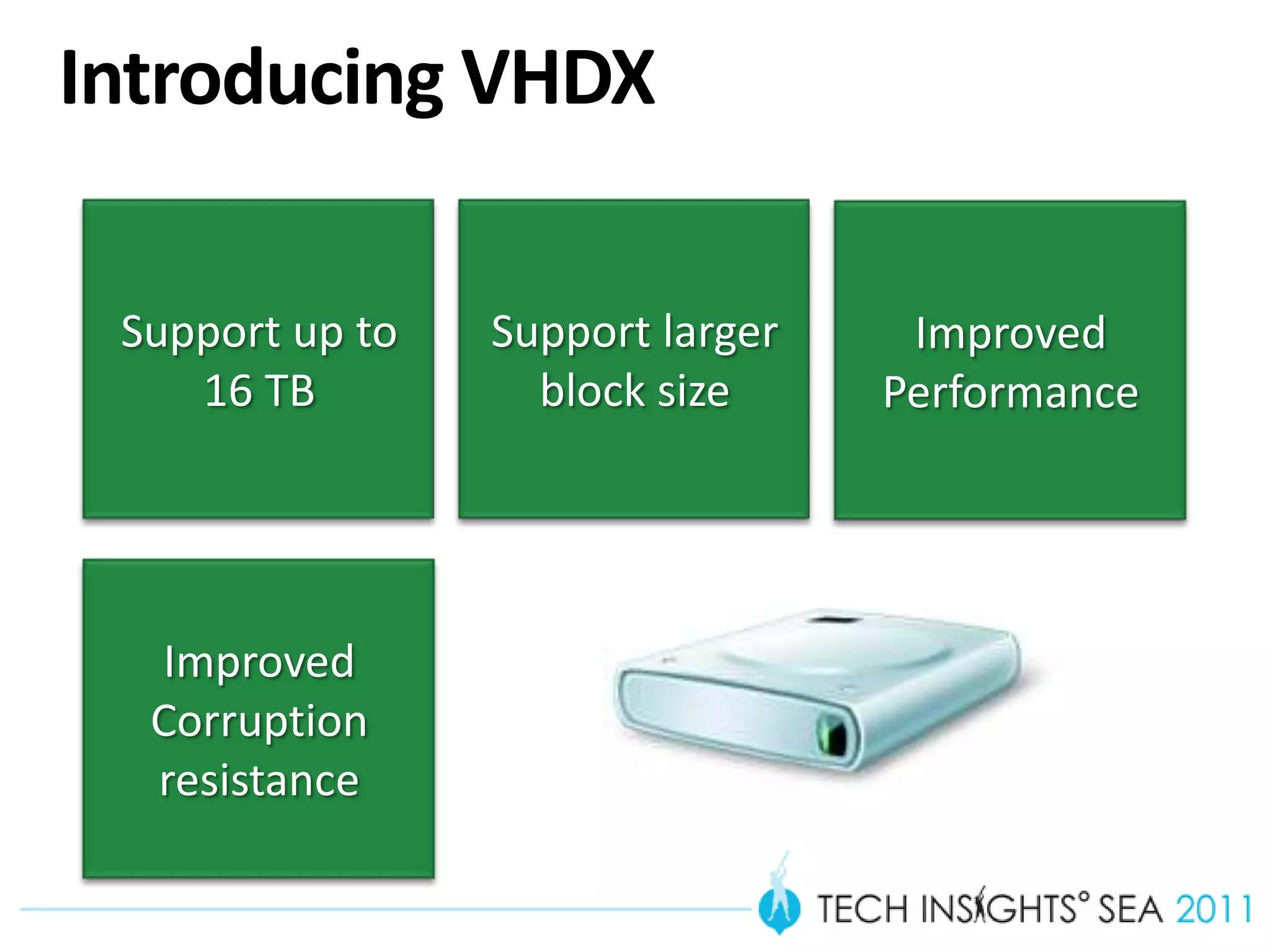
Introducing VHDX
THE NEW DEFAULT FORMAT FOR HYPER-V IN WINDOWS 8


   Support up to             Support larger        Improved
      16 TB                    block size         Performance


      Improved
      Corruption
      resistance
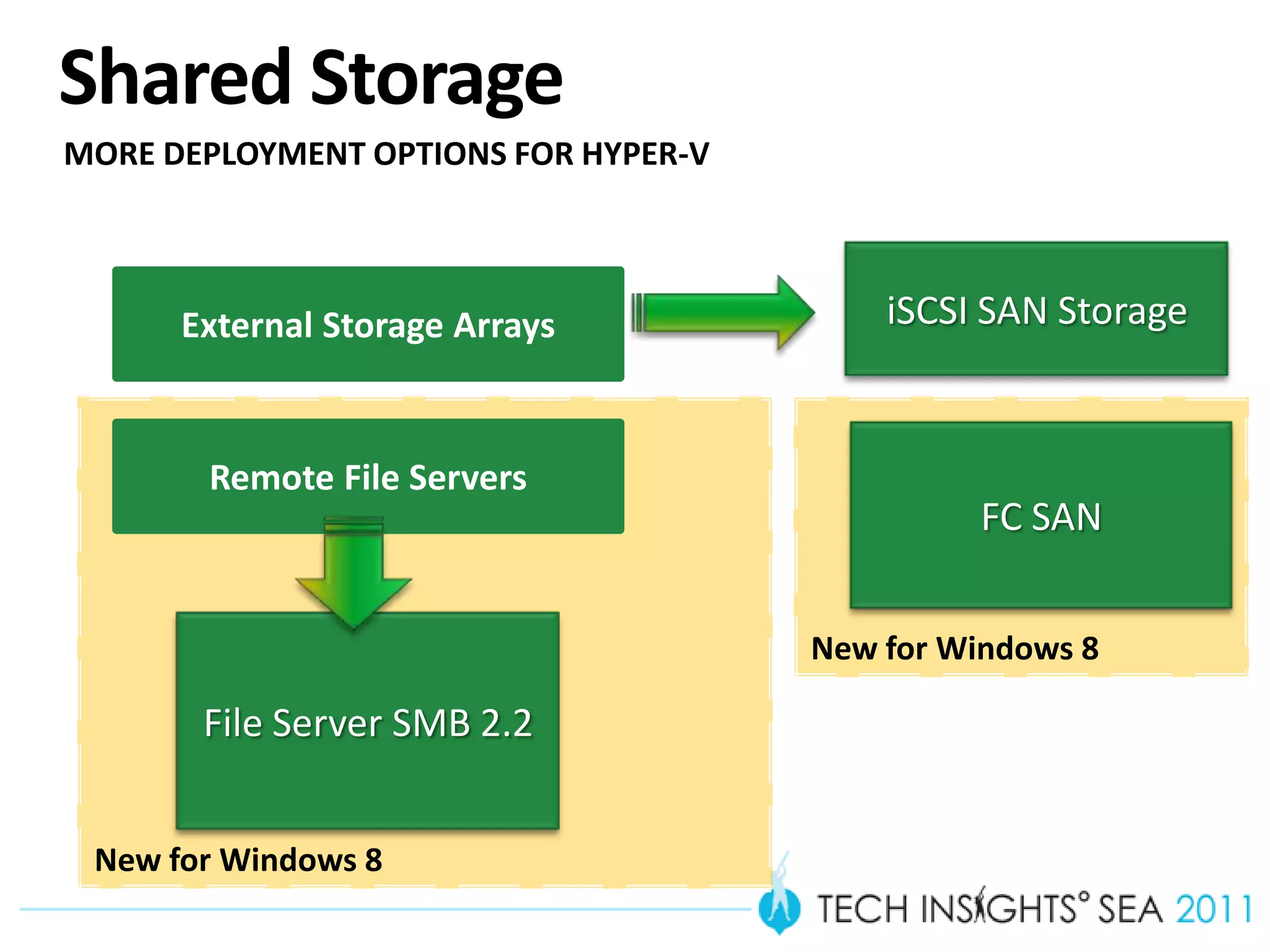
Shared Storage
MORE DEPLOYMENT OPTIONS FOR HYPER-V


      External Storage Arrays             iSCSI SAN Storage


       Remote File Servers
                                                FC SAN


                                      New for Windows 8

       File Server SMB 2.2


 New for Windows 8
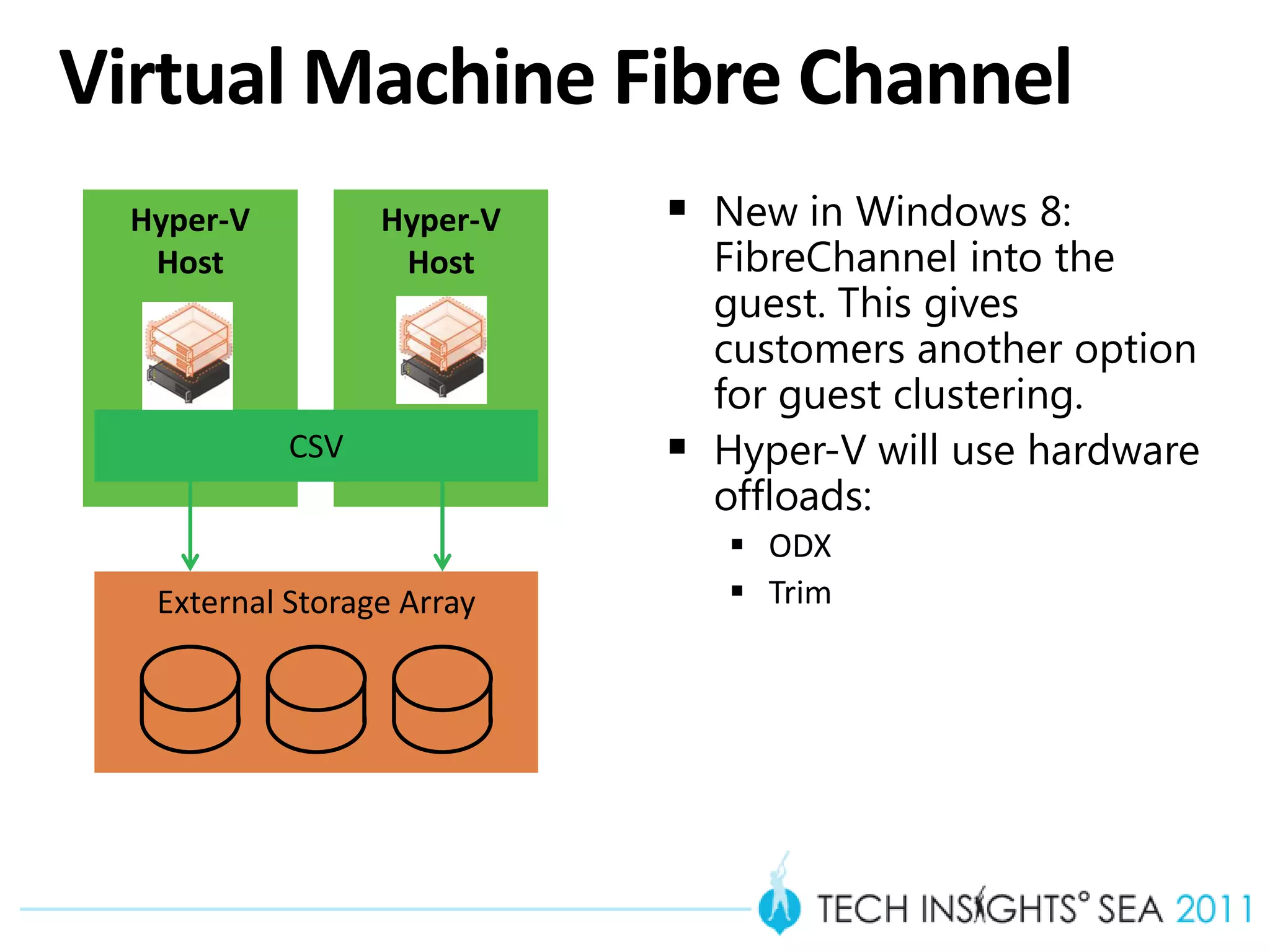
Virtual Machine Fibre Channel
  Hyper-V         Hyper-V    New in Windows 8:
   Host            Host         FibreChannel into the
                                guest. This gives
                                customers another option
                                for guest clustering.
            CSV                Hyper-V will use hardware
                                offloads:
                                 ODX
   External Storage Array        Trim
Remote File Server
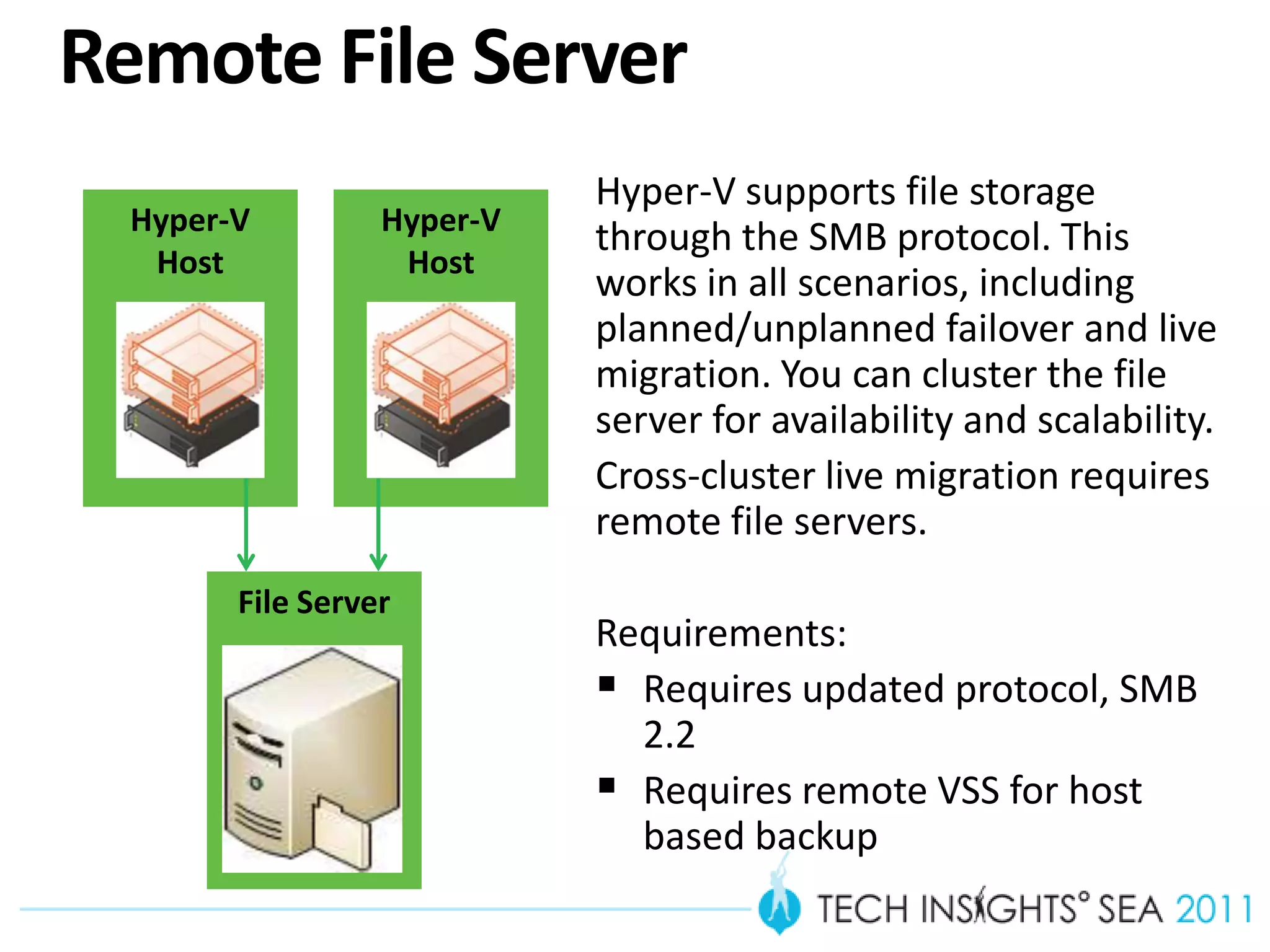
                            Hyper-V supports file storage
  Hyper-V         Hyper-V
                            through the SMB protocol. This
   Host            Host
                            works in all scenarios, including
                            planned/unplanned failover and live
                            migration. You can cluster the file
                            server for availability and scalability.
                            Cross-cluster live migration requires
                            remote file servers.
        File Server
                            Requirements:
                             Requires updated protocol, SMB
                              2.2
                             Requires remote VSS for host
                              based backup
Virtual Machine Snapshots
 Great for capturing a
 point in time
 Testers can record exact
 situation for bug repro
 and continue
 Testers can replay a
 scenario over and over
 Waiting for snapshot
 merge is a thing of the
 past
VM Snapshot
Scalability


                                   Data
Mobility
                                Protection


     Networking
     & Memory
                            Storage
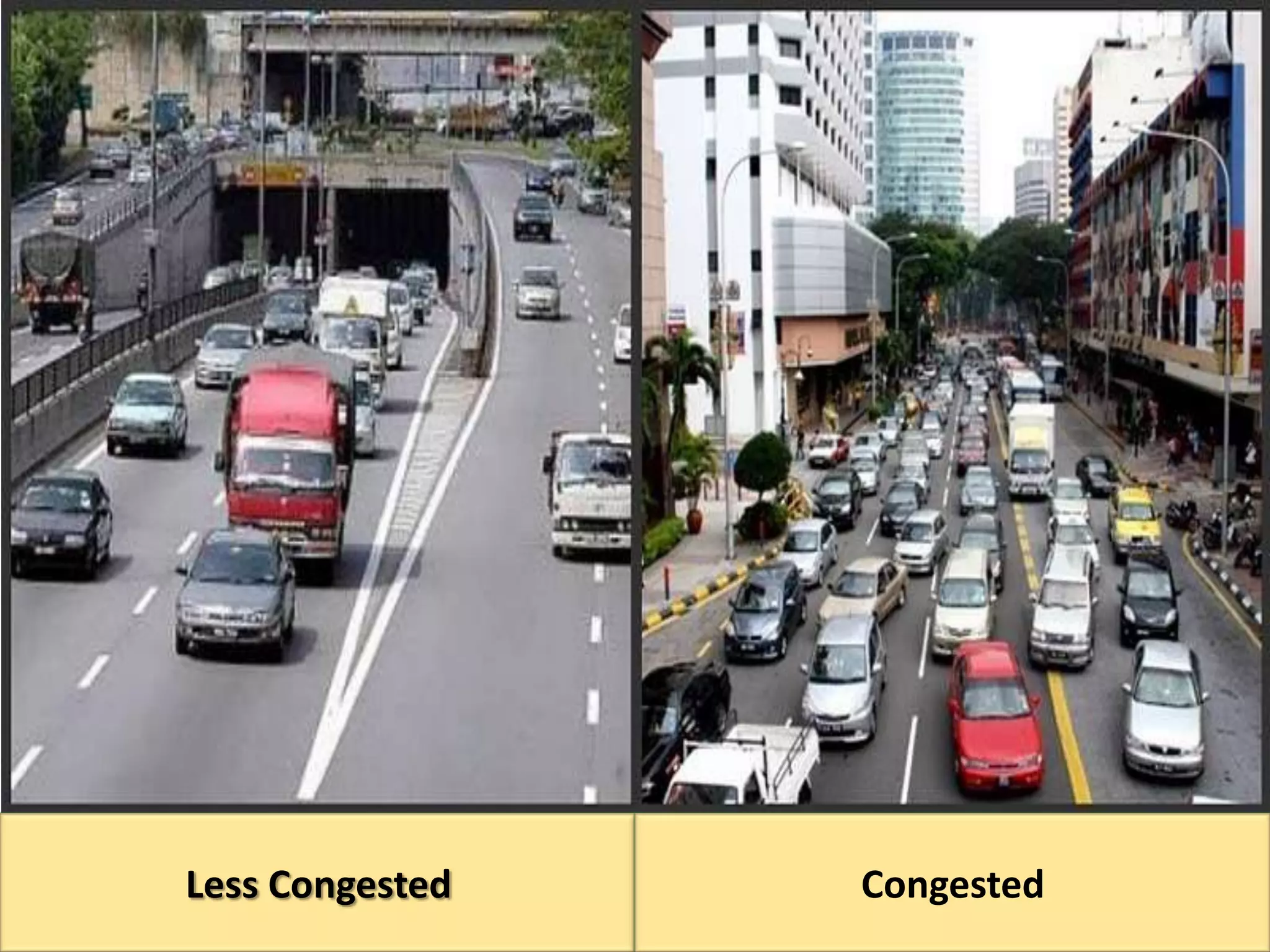
Less Congested   Congested
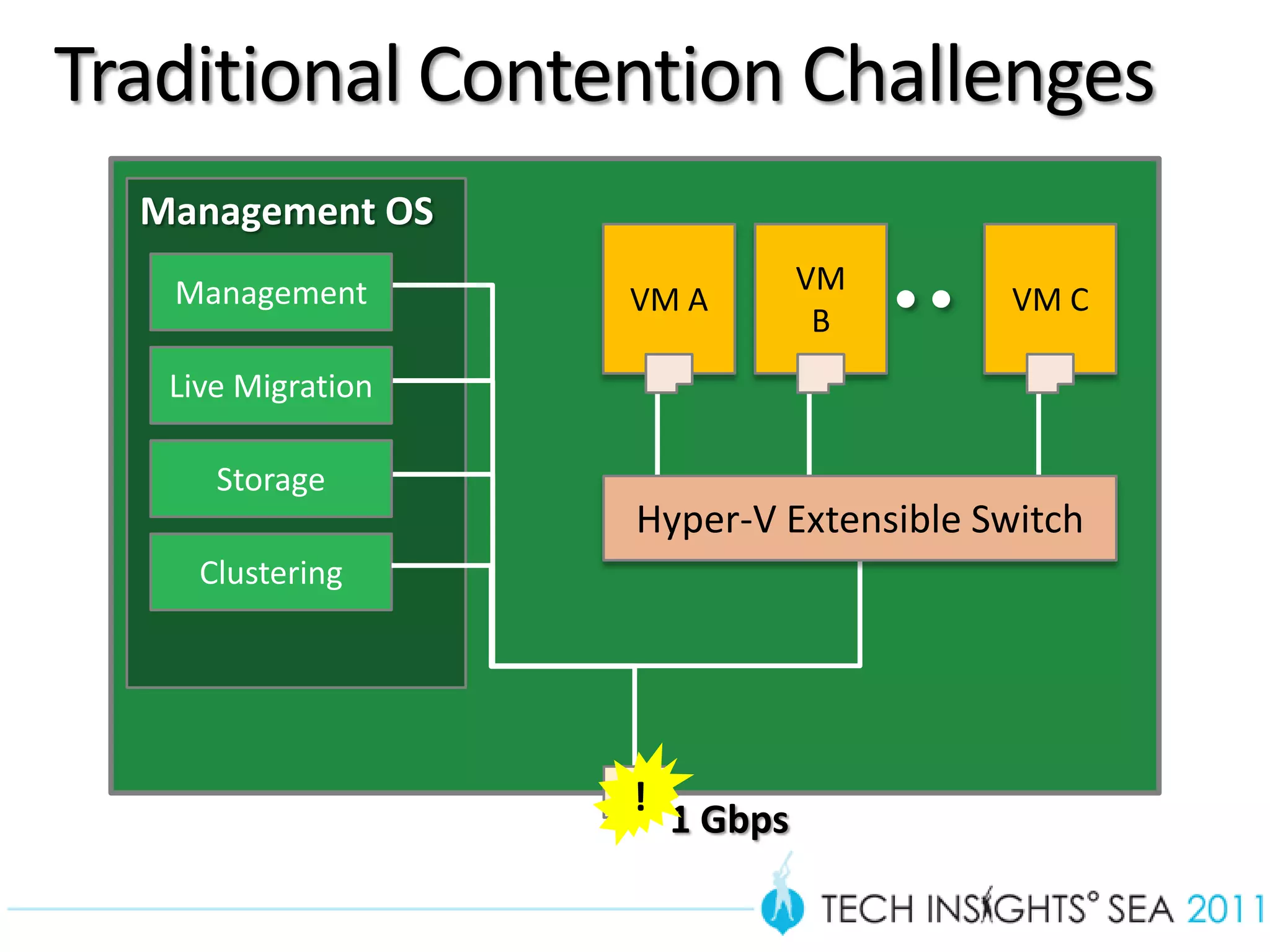
Traditional Contention Challenges
       Management OS
                                    VM
                       VM A                VM C
                                     B


                       Hyper-V Extensible Switch


                       !
                           1 Gbps

23
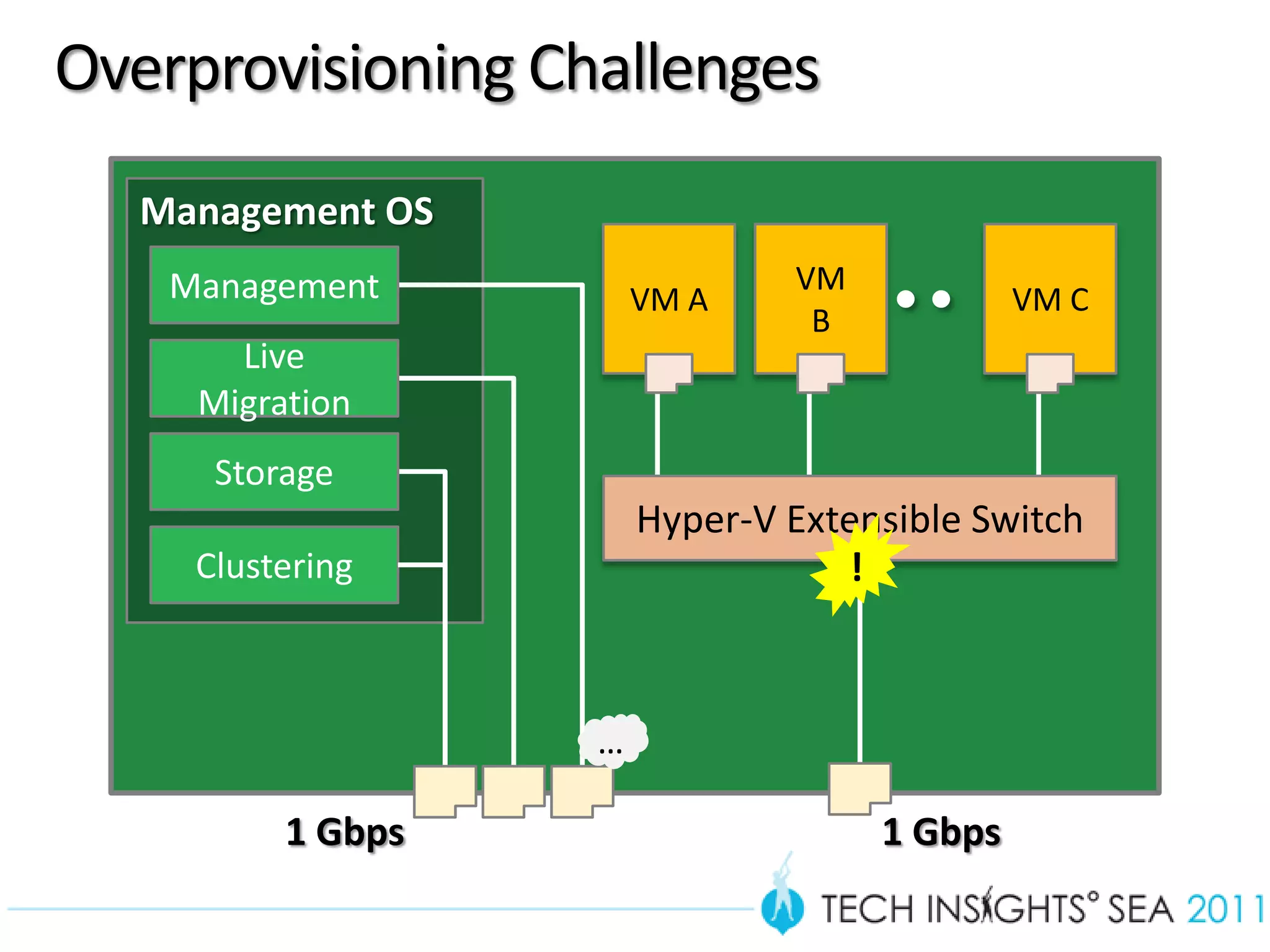
Overprovisioning Challenges
        Management OS
                                    VM
                            VM A                  VM C
                                     B


                            Hyper-V Extensible Switch
                                       !


                        …

              1 Gbps                     1 Gbps

24
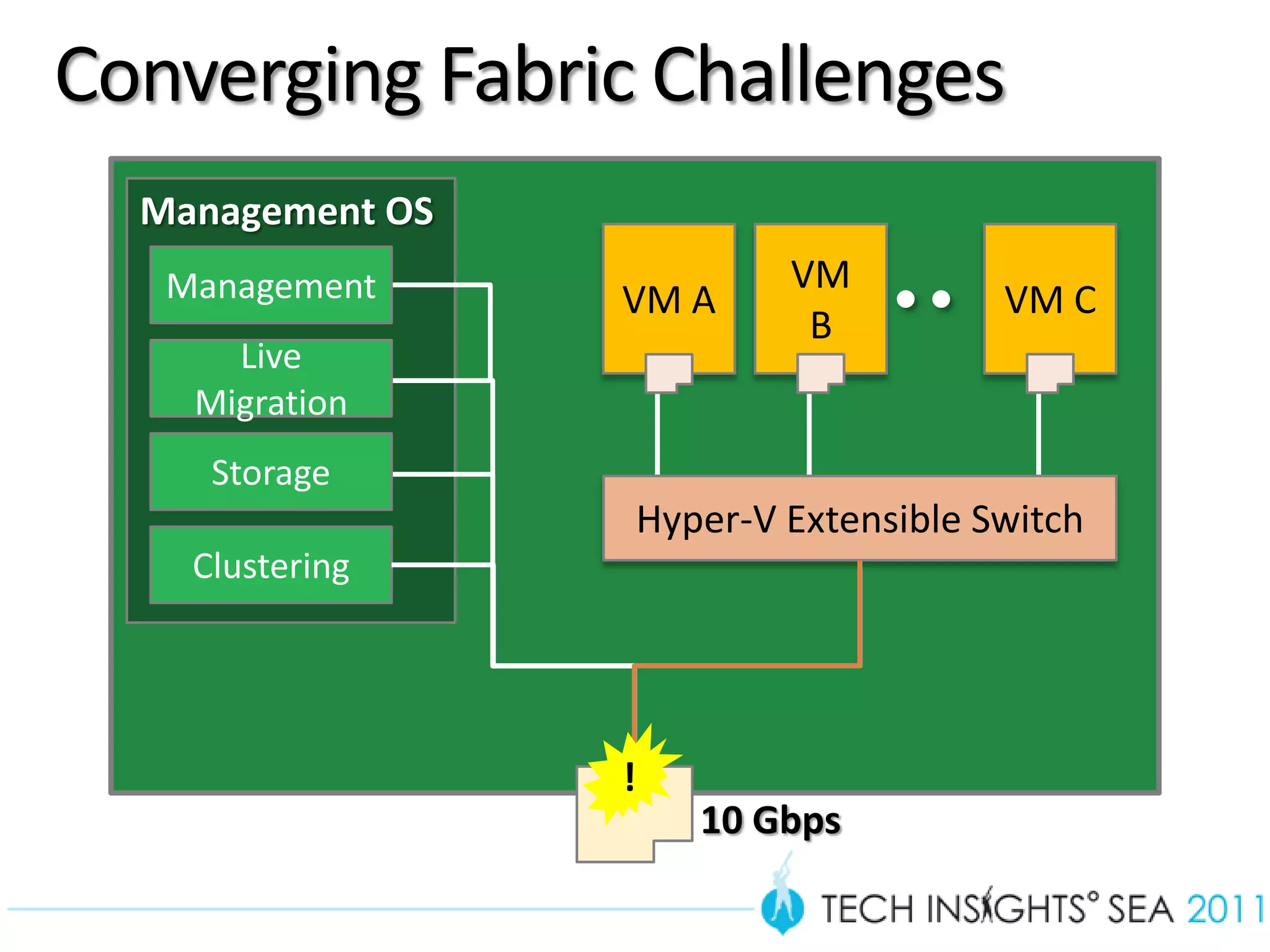
Converging Fabric Challenges
       Management OS
                               VM
                       VM A                VM C
                                B


                       Hyper-V Extensible Switch


                       !
                           10 Gbps

25
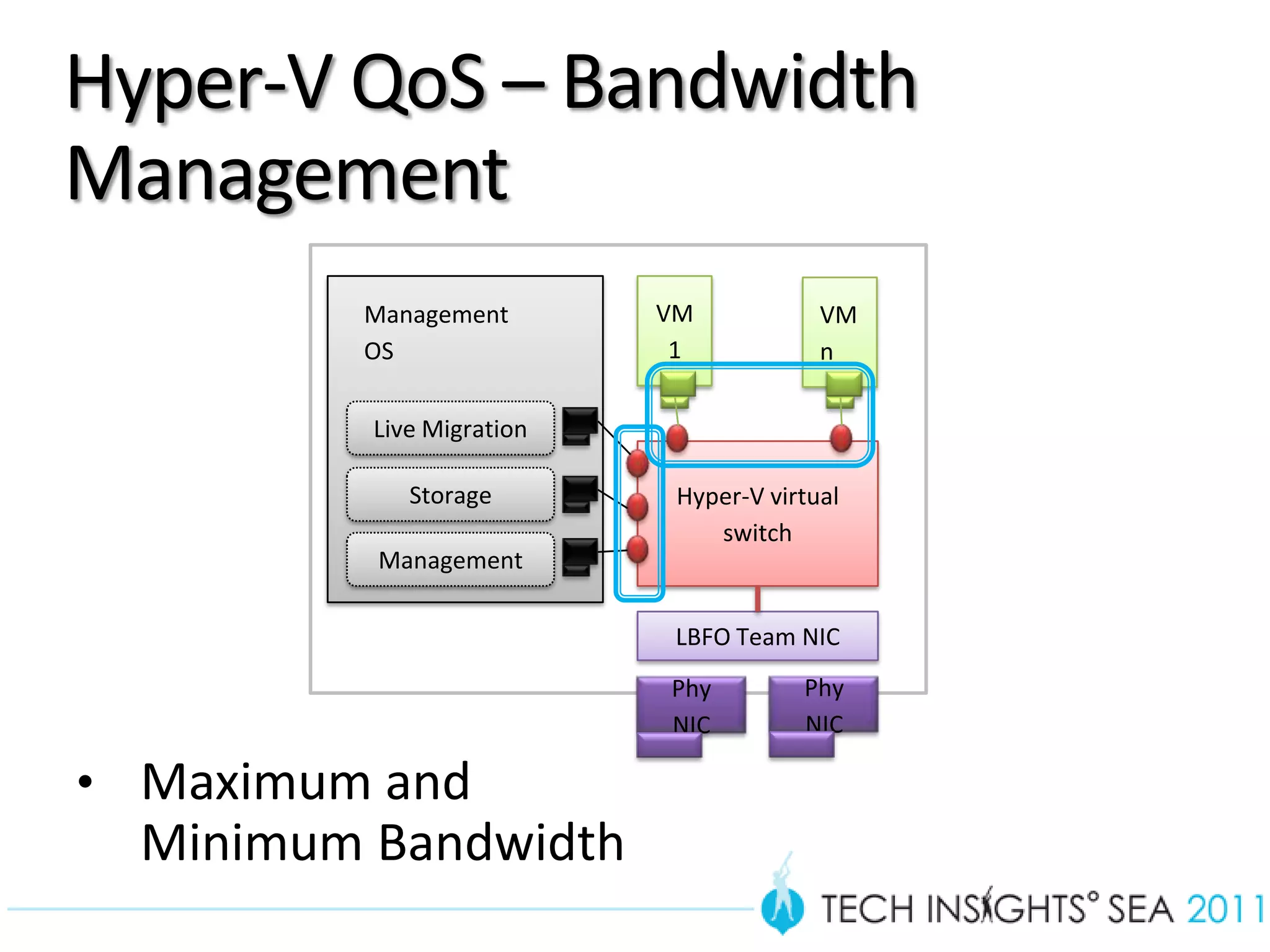
Hyper-V QoS – Bandwidth
Management
         Management        VM            VM
         OS                 1            n

          Live Migration

             Storage        Hyper-V virtual
                               switch
          Management

                            LBFO Team NIC
                           Phy         Phy
                           NIC         NIC

• Maximum and
  Minimum Bandwidth
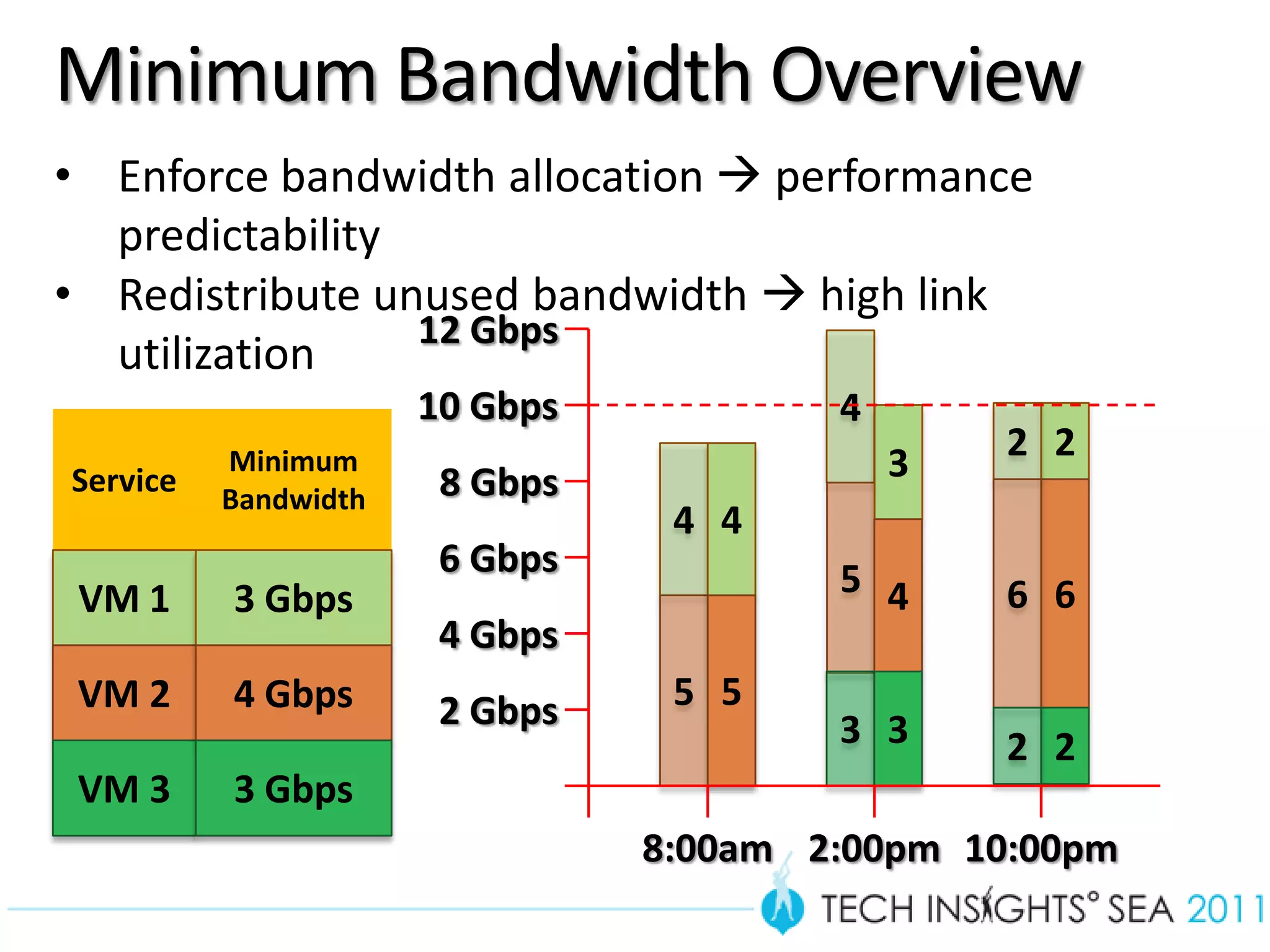
Minimum Bandwidth Overview
     • Enforce bandwidth allocation  performance
       predictability
     • Redistribute unused bandwidth  high link
                      12 Gbps
       utilization
                           10 Gbps           4
               Minimum                           3   2 2
     Service
               Bandwidth    8 Gbps
                                      4 4
                            6 Gbps           5 4
      VM 1     3 Gbps                                6 6
                            4 Gbps
      VM 2     4 Gbps       2 Gbps    5 5
                                             3 3     2 2
      VM 3     3 Gbps
                                     8:00am 2:00pm 10:00pm
27
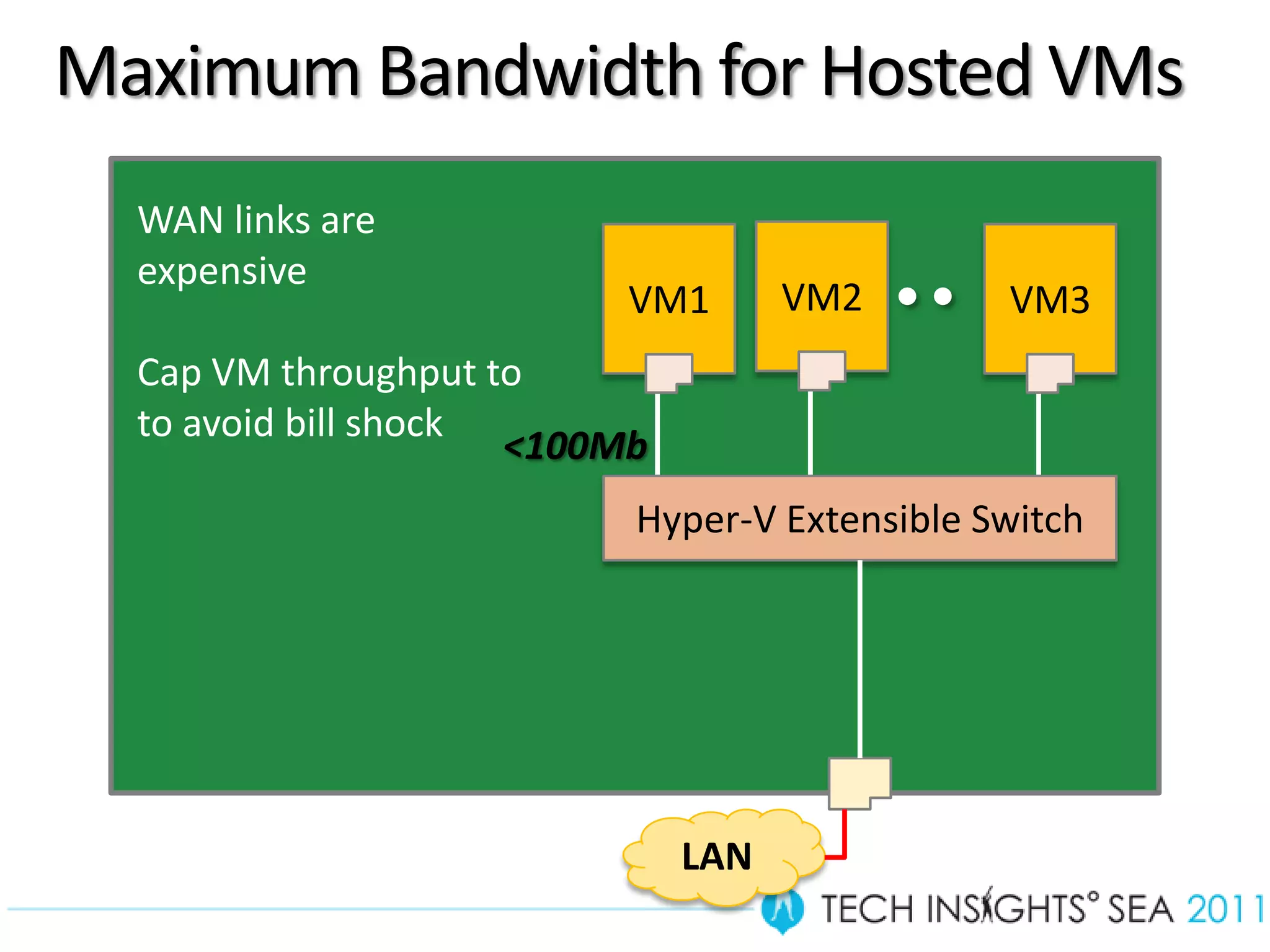
Maximum Bandwidth for Hosted VMs
       WAN links are
       expensive
                                VM1       VM2       VM3
       Cap VM throughput to
       to avoid bill shock
                           <100Mb
                                Hyper-V Extensible Switch


                                    LAN
28
Bandwidth Management
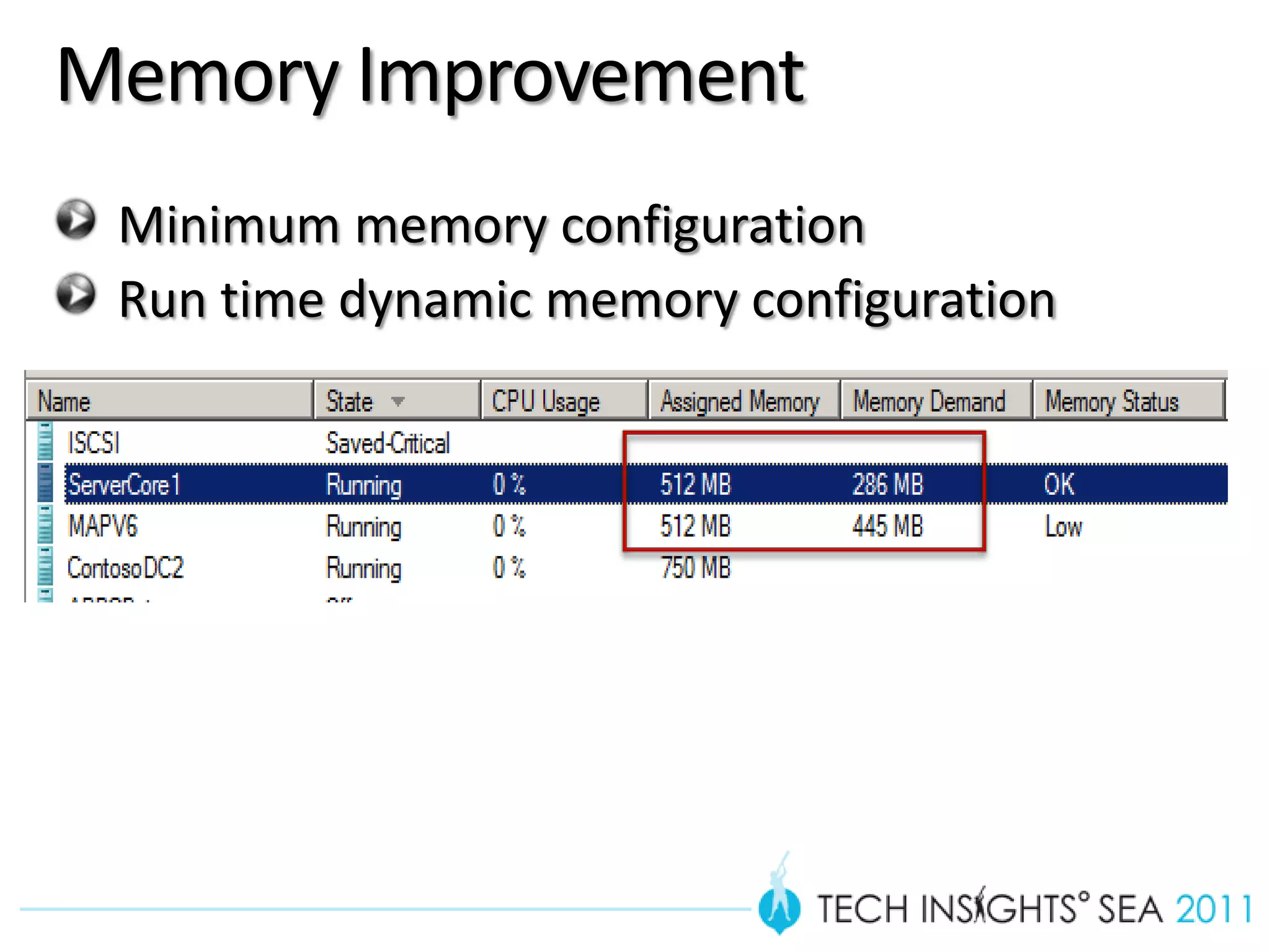
Memory Improvement
 Minimum memory configuration
 Run time dynamic memory configuration
Minimum Memory
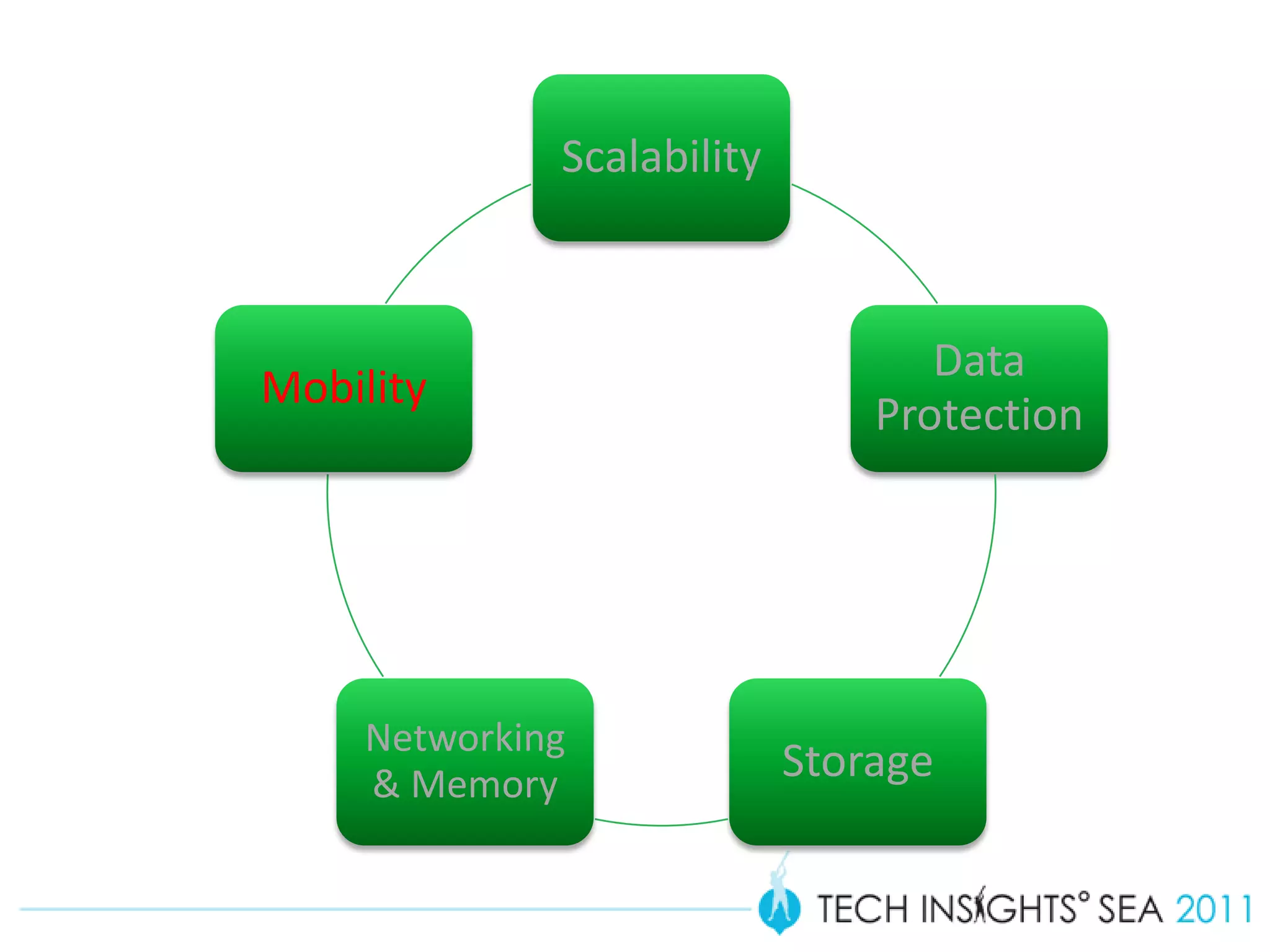
Scalability


                                   Data
Mobility
                                Protection


     Networking
     & Memory
                            Storage
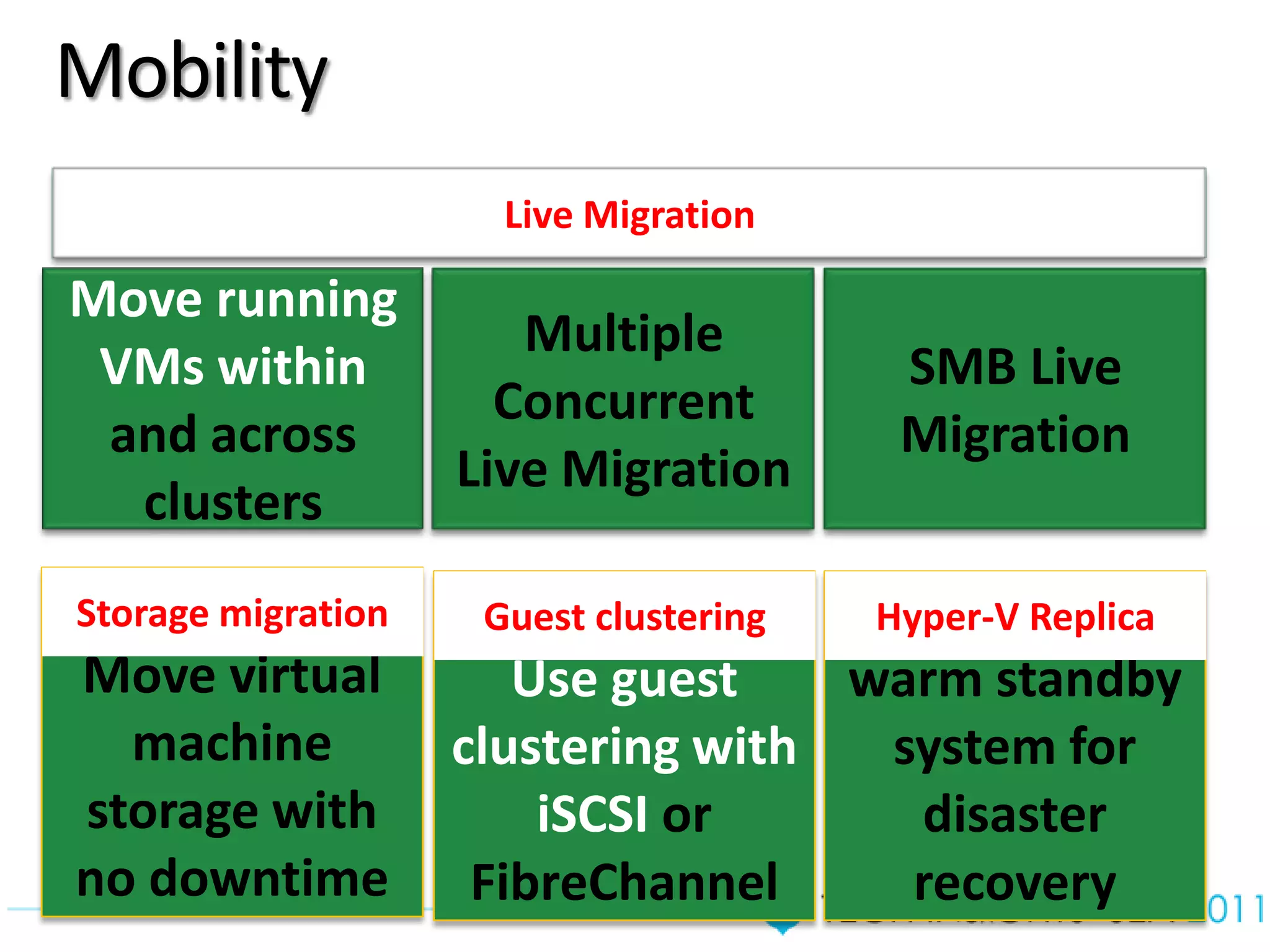
Mobility
                      Live Migration

Move running
                       Multiple
 VMs within                              SMB Live
                      Concurrent
 and across                              Migration
                    Live Migration
  clusters
Storage migration    Guest clustering   Maintain a
                                        Hyper-V Replica
Move virtual           Use guest    warm standby
  machine           clustering with  system for
storage with            iSCSI or      disaster
no downtime          FibreChannel     recovery
Storage Migration
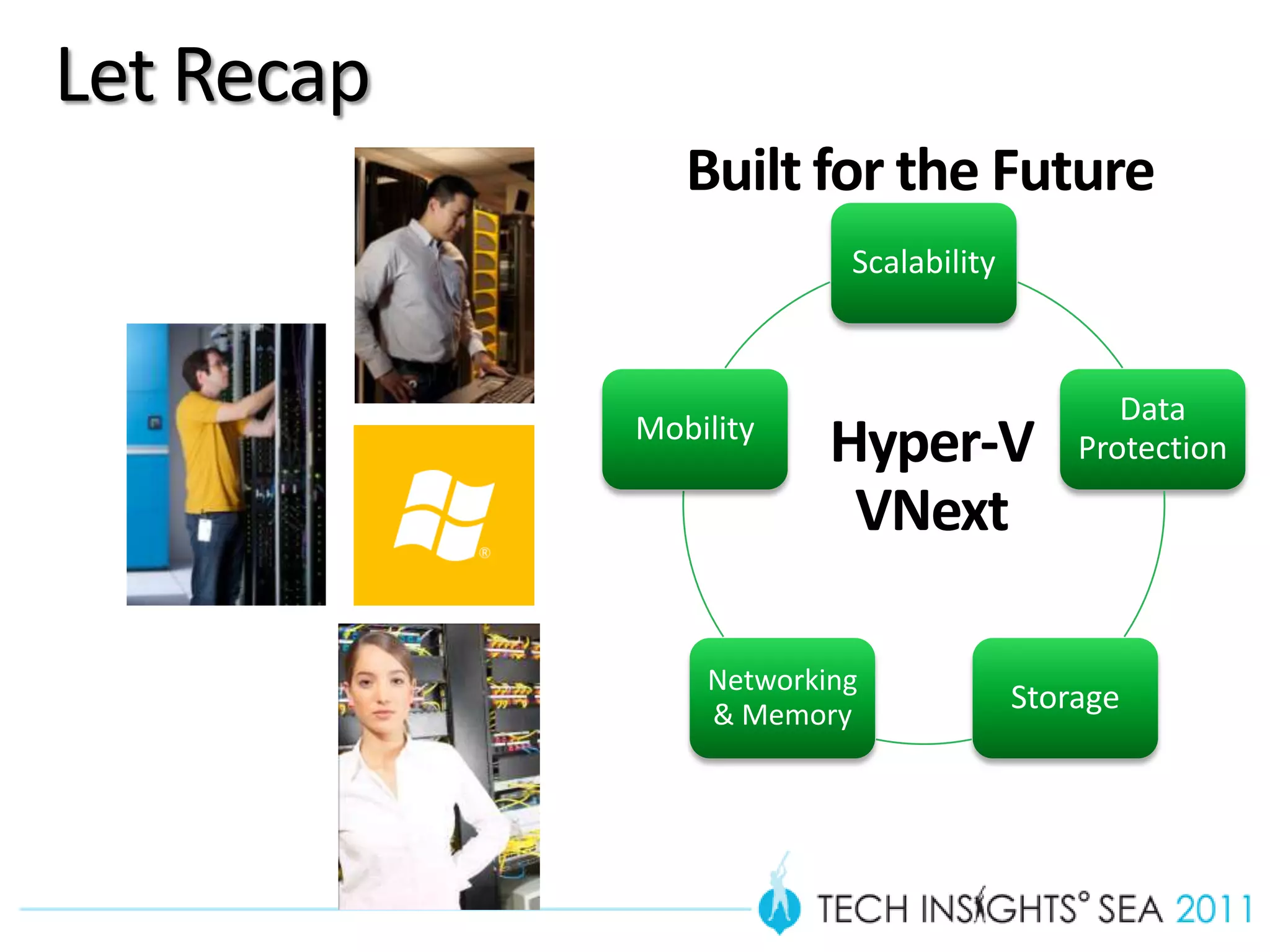
Let Recap
               Built for the Future
                         Scalability


                                              Data
            Mobility
                        Hyper-V            Protection

                         VNext

                Networking
                & Memory
                                       Storage
Questions & Answers

  Lai Yoong Seng
  www.ms4u.info | laiys@redynamics.com
Resources
Lai Blog’s – Virtualization & System Center
www.ms4u.info
                 Join Malaysia Virtualization User Group
                 Go Facebook & Search “MVUG”

Windows 8 Official Blog
http://blogs.msdn.com/b/b8/
Win Cool Prizes!!!
   Complete the Tech Insights contests
   and stand a chance to win many cool
   prizes…


   Look in your conference bags NOW!!
We value your feedback!

Please remember to complete the
overall conference evaluation form (in
your bag) and return it to the
Registration Counter on the last day in
return for a Limited Edition Gift

What is Coming in Hyper-V Vnext on Windows 8

  • 2.
    What’s Coming inHyper-V Vnext on Windows 8 Lai Yoong Seng | Technical Consultant MVP Virtual Machine www.ms4u.info | laiys@redynamics.com
  • 3.
    Session Objective andTakeaways • Objectives: • The Past, Present, Future • Key features of Hyper-V Vnext/ V3 • Key Takeaways: • Cool features on Hyper-V Vnext/V3 Slid
  • 4.
    The Past, Present,Future Features Virtual Server 2005 R2 SP1 Guest VM Only 32 bits VM Memory 3.6 GB per VM Support Virtual CPU 1 . No Multiprocessor support User Interface Web Interface
  • 5.
    The Past, Present,Future Hyper-V Hyper-V Hyper-V R2 R2 SP1 • Live Migration • Dynamic • Hot add HDD Memory • RemoteFX
  • 6.
    The Past, Present,Future Scalability Data Mobility Protection Hyper-V Networking Storage & Memory VNext
  • 7.
    Scalability Data Mobility Protection Networking & Memory Storage
  • 8.
    Scalability Up to 160 Up to 2TB 32 nodes & Host processor on memory on 4000 VM in a host host cluster Up to 512 GB VM Up to 32 Vcpu RAM
  • 10.
    Teaming  NIC teaming works out of the box. Build systems with multiple NICs.  NIC teaming works either in the root or the guest. Network Team Virtual NIC Guest Virtual NIC Virtual NIC Guest Virtual Switch Virtual Switch Virtual Switch Network Team Physical NIC Physical NIC Physical NIC Physical NIC Parent Parent
  • 11.
    Scalability Data Mobility Protection Networking & Memory Storage
  • 12.
    Hyper-V Replica Replicate Disaster Recovery Scenarios: Planned, Unplanned and Test Failover Pre-configuration for IP settings for primary/remote location Key Features: Seamless integration with Hyper-V and Clustering Automatically handles all VM mobility scenarios (e.g. Live migration) Supports heterogonous storage between primary and recovery
  • 13.
  • 14.
    Scalability Data Mobility Protection Networking & Memory Storage
  • 15.
    Introducing VHDX THE NEWDEFAULT FORMAT FOR HYPER-V IN WINDOWS 8 Support up to Support larger Improved 16 TB block size Performance Improved Corruption resistance
  • 16.
    Shared Storage MORE DEPLOYMENTOPTIONS FOR HYPER-V External Storage Arrays iSCSI SAN Storage Remote File Servers FC SAN New for Windows 8 File Server SMB 2.2 New for Windows 8
  • 17.
    Virtual Machine FibreChannel Hyper-V Hyper-V  New in Windows 8: Host Host FibreChannel into the guest. This gives customers another option for guest clustering. CSV  Hyper-V will use hardware offloads:  ODX External Storage Array  Trim
  • 18.
    Remote File Server Hyper-V supports file storage Hyper-V Hyper-V through the SMB protocol. This Host Host works in all scenarios, including planned/unplanned failover and live migration. You can cluster the file server for availability and scalability. Cross-cluster live migration requires remote file servers. File Server Requirements:  Requires updated protocol, SMB 2.2  Requires remote VSS for host based backup
  • 19.
    Virtual Machine Snapshots Great for capturing a point in time Testers can record exact situation for bug repro and continue Testers can replay a scenario over and over Waiting for snapshot merge is a thing of the past
  • 20.
  • 21.
    Scalability Data Mobility Protection Networking & Memory Storage
  • 22.
    Less Congested Congested
  • 23.
    Traditional Contention Challenges Management OS VM VM A VM C B Hyper-V Extensible Switch ! 1 Gbps 23
  • 24.
    Overprovisioning Challenges Management OS VM VM A VM C B Hyper-V Extensible Switch ! … 1 Gbps 1 Gbps 24
  • 25.
    Converging Fabric Challenges Management OS VM VM A VM C B Hyper-V Extensible Switch ! 10 Gbps 25
  • 26.
    Hyper-V QoS –Bandwidth Management Management VM VM OS 1 n Live Migration Storage Hyper-V virtual switch Management LBFO Team NIC Phy Phy NIC NIC • Maximum and Minimum Bandwidth
  • 27.
    Minimum Bandwidth Overview • Enforce bandwidth allocation  performance predictability • Redistribute unused bandwidth  high link 12 Gbps utilization 10 Gbps 4 Minimum 3 2 2 Service Bandwidth 8 Gbps 4 4 6 Gbps 5 4 VM 1 3 Gbps 6 6 4 Gbps VM 2 4 Gbps 2 Gbps 5 5 3 3 2 2 VM 3 3 Gbps 8:00am 2:00pm 10:00pm 27
  • 28.
    Maximum Bandwidth forHosted VMs WAN links are expensive VM1 VM2 VM3 Cap VM throughput to to avoid bill shock <100Mb Hyper-V Extensible Switch LAN 28
  • 29.
  • 30.
    Memory Improvement Minimummemory configuration Run time dynamic memory configuration
  • 31.
  • 32.
    Scalability Data Mobility Protection Networking & Memory Storage
  • 33.
    Mobility Live Migration Move running Multiple VMs within SMB Live Concurrent and across Migration Live Migration clusters Storage migration Guest clustering Maintain a Hyper-V Replica Move virtual Use guest warm standby machine clustering with system for storage with iSCSI or disaster no downtime FibreChannel recovery
  • 34.
  • 35.
    Let Recap Built for the Future Scalability Data Mobility Hyper-V Protection VNext Networking & Memory Storage
  • 36.
    Questions & Answers Lai Yoong Seng www.ms4u.info | laiys@redynamics.com
  • 37.
    Resources Lai Blog’s –Virtualization & System Center www.ms4u.info Join Malaysia Virtualization User Group Go Facebook & Search “MVUG” Windows 8 Official Blog http://blogs.msdn.com/b/b8/
  • 38.
    Win Cool Prizes!!! Complete the Tech Insights contests and stand a chance to win many cool prizes… Look in your conference bags NOW!!
  • 39.
    We value yourfeedback! Please remember to complete the overall conference evaluation form (in your bag) and return it to the Registration Counter on the last day in return for a Limited Edition Gift

Editor's Notes

  • #5 Past – Virtual Server 2005Present – Hyper-V , Hyper-V R2Future – Hyper-V VnextLimitation and what’s great…
  • #7 VM MobilityScalability
  • #8 http://blog.concurrency.com/infrastructure/windows-8-hyper-v-preview-build/Scalability - Host, CPU and MemoryData protection - Hyper-V ReplicaStorage - VHDX, Virtual Fiber Channel Adaptor, Hyper-V Over SMB2Networking - NIc Teaming, Bandwidth ControlVM Mobility - Live Migration without clustering, Live Migration without shared storage, Live Storage migration, Concurrent live migration (unlimited)
  • #13 Storage MoveHyper-V on File ShareLive Storage Migration
  • #18 Virtual Fibre Channel Support, where each VM can have up to 4 virtual Fibre Channel host adapters, and direct access to SAN LUNs using Multi-Path I/O (MPIO)VM boot support from fiber channel and iSCSI SANs
  • #35 Storage MoveHyper-V on File ShareLive Storage Migration
  • #36 VM MobilityScalability
  • #38 Presenters please use this slide to direct participants to websites, books, trials, product pages etc as a follow through to your presentation