XSL
XML STYLE SHEET LANGUAGE
SARASWATHI RAMALINGAM
SRI AKILANDESWARI WOMENS COLLEGE
XSL
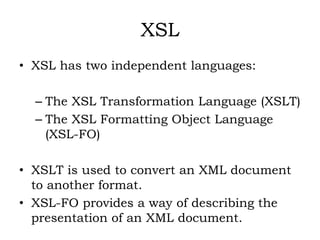
• XSL has two independent languages:
– The XSL Transformation Language (XSLT)
– The XSL Formatting Object Language
(XSL-FO)
• XSLT is used to convert an XML document
to another format.
• XSL-FO provides a way of describing the
presentation of an XML document.
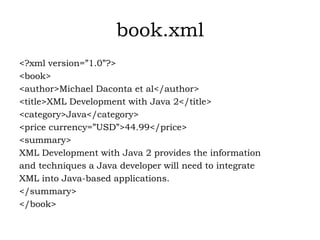
book.xml
<?xml version=”1.0”?>
<book>
<author>Michael Daconta et al</author>
<title>XML Development with Java 2</title>
<category>Java</category>
<price currency=”USD”>44.99</price>
<summary>
XML Development with Java 2 provides the information
and techniques a Java developer will need to integrate
XML into Java-based applications.
</summary>
</book>
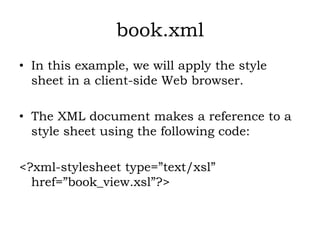
book.xml
• In this example, we will apply the style
sheet in a client-side Web browser.
• The XML document makes a reference to a
style sheet using the following code:
<?xml-stylesheet type=”text/xsl”
href=”book_view.xsl”?>
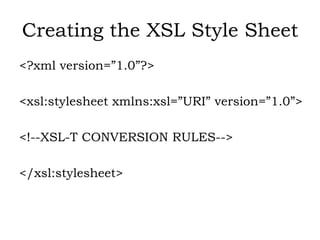
Creating the XSL Style Sheet
<?xml version=”1.0”?>
<xsl:stylesheet xmlns:xsl=”URI” version=”1.0”>
<!--XSL-T CONVERSION RULES-->
</xsl:stylesheet>
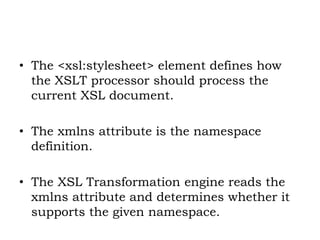
• The <xsl:stylesheet> element defines how
the XSLT processor should process the
current XSL document.
• The xmlns attribute is the namespace
definition.
• The XSL Transformation engine reads the
xmlns attribute and determines whether it
supports the given namespace.
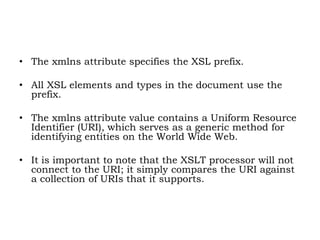
• The xmlns attribute specifies the XSL prefix.
• All XSL elements and types in the document use the
prefix.
• The xmlns attribute value contains a Uniform Resource
Identifier (URI), which serves as a generic method for
identifying entities on the World Wide Web.
• It is important to note that the XSLT processor will not
connect to the URI; it simply compares the URI against
a collection of URIs that it supports.
• The XSL style sheet contains HTML text
and XSL elements.
• The HTML text forms the basis of the
desired output page.
• The XSL elements are template rules for the
XSLT processor.
• A template is associated with a given
element in the XML document.
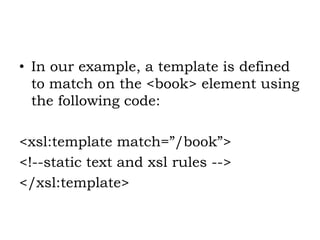
• In our example, a template is defined
to match on the <book> element using
the following code:
<xsl:template match=”/book”>
<!--static text and xsl rules -->
</xsl:template>
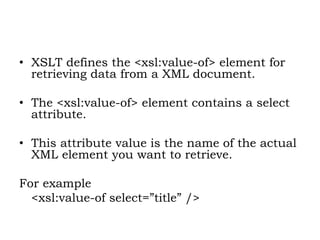
• XSLT defines the <xsl:value-of> element for
retrieving data from a XML document.
• The <xsl:value-of> element contains a select
attribute.
• This attribute value is the name of the actual
XML element you want to retrieve.
For example
<xsl:value-of select=”title” />
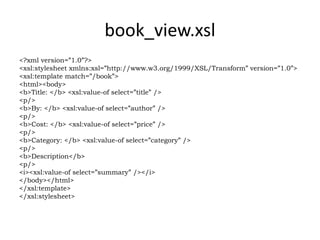
book_view.xsl
<?xml version=”1.0”?>
<xsl:stylesheet xmlns:xsl=”http://www.w3.org/1999/XSL/Transform” version=”1.0”>
<xsl:template match=”/book”>
<html><body>
<b>Title: </b> <xsl:value-of select=”title” />
<p/>
<b>By: </b> <xsl:value-of select=”author” />
<p/>
<b>Cost: </b> <xsl:value-of select=”price” />
<p/>
<b>Category: </b> <xsl:value-of select=”category” />
<p/>
<b>Description</b>
<p/>
<i><xsl:value-of select=”summary” /></i>
</body></html>
</xsl:template>
</xsl:stylesheet>

XSL - XML STYLE SHEET

  • 1.
    XSL XML STYLE SHEETLANGUAGE SARASWATHI RAMALINGAM SRI AKILANDESWARI WOMENS COLLEGE
  • 2.
    XSL • XSL hastwo independent languages: – The XSL Transformation Language (XSLT) – The XSL Formatting Object Language (XSL-FO) • XSLT is used to convert an XML document to another format. • XSL-FO provides a way of describing the presentation of an XML document.
  • 3.
    book.xml <?xml version=”1.0”?> <book> <author>Michael Dacontaet al</author> <title>XML Development with Java 2</title> <category>Java</category> <price currency=”USD”>44.99</price> <summary> XML Development with Java 2 provides the information and techniques a Java developer will need to integrate XML into Java-based applications. </summary> </book>
  • 4.
    book.xml • In thisexample, we will apply the style sheet in a client-side Web browser. • The XML document makes a reference to a style sheet using the following code: <?xml-stylesheet type=”text/xsl” href=”book_view.xsl”?>
  • 5.
    Creating the XSLStyle Sheet <?xml version=”1.0”?> <xsl:stylesheet xmlns:xsl=”URI” version=”1.0”> <!--XSL-T CONVERSION RULES--> </xsl:stylesheet>
  • 6.
    • The <xsl:stylesheet>element defines how the XSLT processor should process the current XSL document. • The xmlns attribute is the namespace definition. • The XSL Transformation engine reads the xmlns attribute and determines whether it supports the given namespace.
  • 7.
    • The xmlnsattribute specifies the XSL prefix. • All XSL elements and types in the document use the prefix. • The xmlns attribute value contains a Uniform Resource Identifier (URI), which serves as a generic method for identifying entities on the World Wide Web. • It is important to note that the XSLT processor will not connect to the URI; it simply compares the URI against a collection of URIs that it supports.
  • 8.
    • The XSLstyle sheet contains HTML text and XSL elements. • The HTML text forms the basis of the desired output page. • The XSL elements are template rules for the XSLT processor. • A template is associated with a given element in the XML document.
  • 9.
    • In ourexample, a template is defined to match on the <book> element using the following code: <xsl:template match=”/book”> <!--static text and xsl rules --> </xsl:template>
  • 10.
    • XSLT definesthe <xsl:value-of> element for retrieving data from a XML document. • The <xsl:value-of> element contains a select attribute. • This attribute value is the name of the actual XML element you want to retrieve. For example <xsl:value-of select=”title” />
  • 11.
    book_view.xsl <?xml version=”1.0”?> <xsl:stylesheet xmlns:xsl=”http://www.w3.org/1999/XSL/Transform”version=”1.0”> <xsl:template match=”/book”> <html><body> <b>Title: </b> <xsl:value-of select=”title” /> <p/> <b>By: </b> <xsl:value-of select=”author” /> <p/> <b>Cost: </b> <xsl:value-of select=”price” /> <p/> <b>Category: </b> <xsl:value-of select=”category” /> <p/> <b>Description</b> <p/> <i><xsl:value-of select=”summary” /></i> </body></html> </xsl:template> </xsl:stylesheet>