PROGRAMMING USING C#
LAB MANUAL
SARASWATHI RAMALINGAM
SRI AKILANDESWARI WOMENS COLLEGE
THIRUVALLUVAR UNIVERSITY
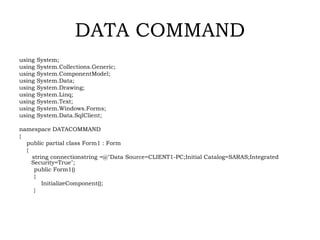
DATA COMMAND
using System;
using System.Collections.Generic;
using System.ComponentModel;
using System.Data;
using System.Drawing;
using System.Linq;
using System.Text;
using System.Windows.Forms;
using System.Data.SqlClient;
namespace DATACOMMAND
{
public partial class Form1 : Form
{
string connectionstring =@"Data Source=CLIENT1-PC;Initial Catalog=SARAS;Integrated
Security=True";
public Form1()
{
InitializeComponent();
}
private void button1_Click(object sender, EventArgs e)
{
SqlConnection con = new SqlConnection(connectionstring);
con.Open();
SqlCommand cmd = new SqlCommand("SELECT * FROM
product WHERE PRODUCTTYPE='"+textBox1.Text+"'",con);
SqlDataAdapter da = new SqlDataAdapter(cmd);
DataSet ds = new DataSet();
cmd.ExecuteNonQuery();
da.Fill(ds);
dataGridView1.DataSource = ds.Tables[0];
con.Close();
}
}
}
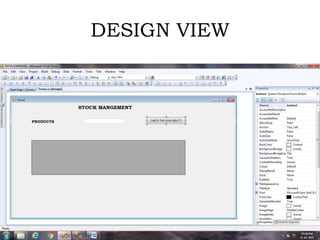
DESIGN VIEW
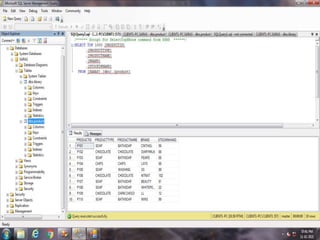
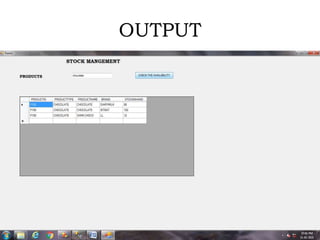
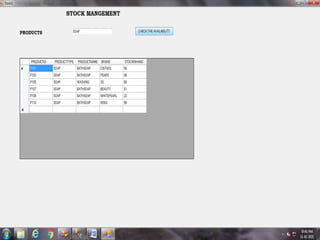
OUTPUT
PROGRAMMING USING C# .NET - SARASWATHI RAMALINGAM

PROGRAMMING USING C# .NET - SARASWATHI RAMALINGAM

  • 1.
    PROGRAMMING USING C# LABMANUAL SARASWATHI RAMALINGAM SRI AKILANDESWARI WOMENS COLLEGE THIRUVALLUVAR UNIVERSITY
  • 2.
    DATA COMMAND using System; usingSystem.Collections.Generic; using System.ComponentModel; using System.Data; using System.Drawing; using System.Linq; using System.Text; using System.Windows.Forms; using System.Data.SqlClient; namespace DATACOMMAND { public partial class Form1 : Form { string connectionstring =@"Data Source=CLIENT1-PC;Initial Catalog=SARAS;Integrated Security=True"; public Form1() { InitializeComponent(); }
  • 3.
    private void button1_Click(objectsender, EventArgs e) { SqlConnection con = new SqlConnection(connectionstring); con.Open(); SqlCommand cmd = new SqlCommand("SELECT * FROM product WHERE PRODUCTTYPE='"+textBox1.Text+"'",con); SqlDataAdapter da = new SqlDataAdapter(cmd); DataSet ds = new DataSet(); cmd.ExecuteNonQuery(); da.Fill(ds); dataGridView1.DataSource = ds.Tables[0]; con.Close(); } } }
  • 4.
  • 6.