The document discusses XML DTDs (Document Type Definitions). It explains that a DTD defines the structure and legal elements and attributes of an XML document. A DTD allows the author to define rules to validate an XML document. The document describes internal and external DTDs, elements, attributes, entities, and content and structure rules that can be defined in a DTD.
Document Type Definition
•A DTD defines the structure and the legal
elements and attributes of an XML
document.
• A Document Type Definition allows the XML
author to define a set of rules for an XML
document to make it valid.
• An XML document is considered “well
formed” if that document is syntactically
correct according to the syntax rules of XML
1.0.
3.
DTD
• A document,even if well formed, is not
considered valid if it does not follow the rules
defined in the DTD.
• A DTD can be used to determine the validity
of an XML document.
• every last detail of the XML document from
top to bottom will be defined and validated by
the DTD.
4.
An Internal DTD
<?xmlversion=”1.0”?>
<!DOCTYPE message [
<!ELEMENT message (#PCDATA)>
]>
<message>
Let the good times roll!
</message>
5.
DTD
• begins with<!DOCTYPE and ends with ]>.
• The Document Type Declaration will appear between
the XML declaration and the start of the document itself
(the document or root element) and identify that section
of the XML document as containing a Document Type
Definition.
• Document Type Declaration (DOCTYPE), the root
element of the XML document is defined (in this case,
message).
• The DTD tells us that this document will have a single
element, message, that will contain parsed character
data (#PCDATA).
6.
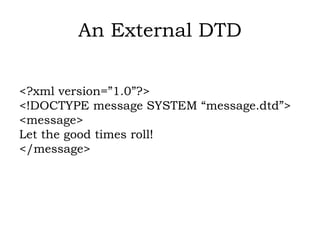
An External DTD
<?xmlversion=”1.0”?>
<!DOCTYPE message SYSTEM “message.dtd”>
<message>
Let the good times roll!
</message>
7.
DTD
• DTD iscontained in a separate file, message.dtd. The
contents of message.
• dtd are assumed to be the same as the contents of the DTD
in Listing 3.1.
• The keyword SYSTEM in the Document Type Declaration lets
us know that the DTD is going to be found in a separate file.
• A URL could have been used to define the location of the
DTD.
• For example, rather than message.dtd, the Document Type
Declaration could have specified something like
../DTD/message.dtd.
8.
Document in ValidAccording
to Defined DTD
<?xml version=”1.0”?>
<!DOCTYPE message
<!ELEMENT message (#PCDATA)>
]>
<message>
<text>
Let the good times roll!
</text>
</message>
9.
Structure of aDocument Type
Definition
• The structure of a DTD consists of a
– Document Type Declaration,
– elements,
– attributes,
– entities, and
– several other minor keywords.
10.
• Elements arethe main building blocks of both XML and
HTML documents.
• Attributes provide extra information about elements.
• Some characters have a special meaning in XML, like the less
than sign (<) that defines the start of an XML tag.
• PCDATA is text that WILL be parsed by a parser. The text will
be examined by the parser for entities and markup.
• CDATA is text that will NOT be parsed by a parser. Tags
inside the text will NOT be treated as markup and entities
will not be expanded.
11.
Document Type Declaration
•<!DOCTYPE rootelement
SYSTEM | PUBLIC
DTDlocation [ internalDTDelements ] >
• It is possible for a Document Type
Declaration to contain both an external
DTD subset and an internal DTD subset.
12.
Document Type Declaration
•The exclamation mark (!) is used to signify the beginning of
the declaration.
• DOCTYPE is the keyword used to denote this as a Document
Type Definition.
• Root element is the name of the root element or document
element of the XML document.
• SYSTEM and PUBLIC are keywords used to designate that
the DTD is contained in an external document. Although the
use of these keywords is optional, to reference an
13.
Document Type Declaration
•external DTD you would have to use one or
the other. The SYSTEM keyword is used in
tandem with a URL to locate the DTD.
• The PUBLIC keyword specifies some public
location that will usually be some
application-specific resource reference.
• internalDTDelements are internal DTD
declarations. These declarations will always
be placed within opening ([) and closing (])
brackets.
14.
Internal and ExternalDTDs
<!DOCTYPE rootelement SYSTEM
“http://www.myserver.com/mydtd.dtd”
[
<!ELEMENT element1
(element2,element3)>
<!ELEMENT element2 (#PCDATA)>
<!ELEMENT element3 (#PCDATA)>
]>
15.
DTD Elements
• Allelements in a valid XML document
are defined with an element declaration
in the DTD.
16.
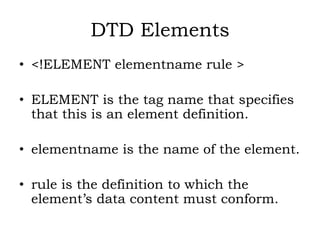
DTD Elements
• <!ELEMENTelementname rule >
• ELEMENT is the tag name that specifies
that this is an element definition.
• elementname is the name of the element.
• rule is the definition to which the
element’s data content must conform.
DTD Element Rules
•There are two basic types of rules that
elements must fall into.
• The first type of rule deals with
content.
• The second type of rule deals with
structure.
19.
Content Rules
• Thecontent rules for .elements deal
with the actual data that defined
elements may contain.
• These rules include the ANY rule, the
EMPTY rule, and the #PCDATA rule.
20.
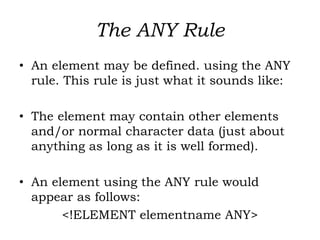
The ANY Rule
•An element may be defined. using the ANY
rule. This rule is just what it sounds like:
• The element may contain other elements
and/or normal character data (just about
anything as long as it is well formed).
• An element using the ANY rule would
appear as follows:
<!ELEMENT elementname ANY>
21.
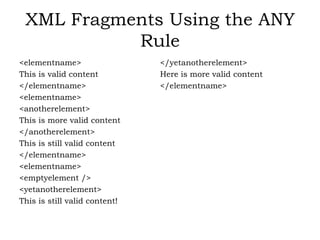
XML Fragments Usingthe ANY
Rule
<elementname>
This is valid content
</elementname>
<elementname>
<anotherelement>
This is more valid content
</anotherelement>
This is still valid content
</elementname>
<elementname>
<emptyelement />
<yetanotherelement>
This is still valid content!
</yetanotherelement>
Here is more valid content
</elementname>
22.
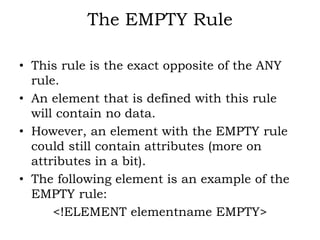
The EMPTY Rule
•This rule is the exact opposite of the ANY
rule.
• An element that is defined with this rule
will contain no data.
• However, an element with the EMPTY rule
could still contain attributes (more on
attributes in a bit).
• The following element is an example of the
EMPTY rule:
<!ELEMENT elementname EMPTY>
23.
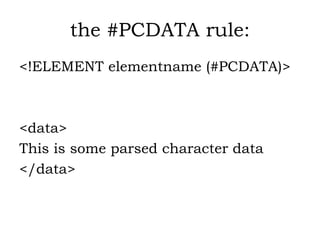
The #PCDATA Rule
•The #PCDATA rule indicates that parsed
character data will be contained in the
element.
• Parsed character data is data that may
contain normal markup and will be
interpreted and parsed by any XML parser
accessing the document.
Structure Rules
• Dealwith the actual content of the data
contained in defined elements, structure
rules deal with how that data may be
organized.
• There are two types of structure rules we
will look at here.
• The first is the “element only” rule. The
second rule is the “mixed” rule.
27.
The “Element Only”Rule
• specifies that only elements may appear as
children of the current element.
• The child element sequences should be
separated by commas and listed in the
order they should appear.
• If there are to be options for which elements
will appear, the listed elements should be
separated by the pipe symbol (|).
28.
The “Element Only”Rule
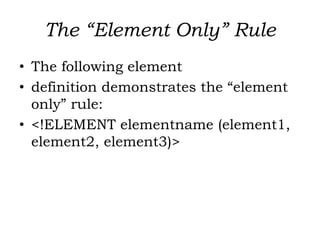
• The following element
• definition demonstrates the “element
only” rule:
• <!ELEMENT elementname (element1,
element2, element3)>
29.
The “Mixed” Rule
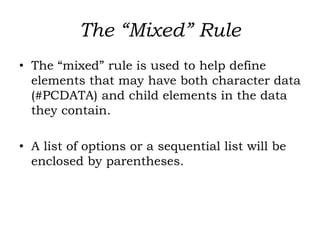
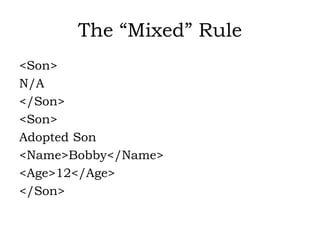
•The “mixed” rule is used to help define
elements that may have both character data
(#PCDATA) and child elements in the data
they contain.
• A list of options or a sequential list will be
enclosed by parentheses.
30.
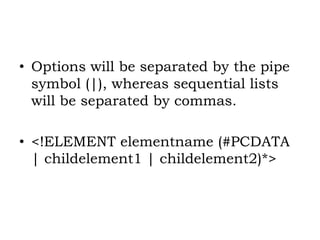
• Options willbe separated by the pipe
symbol (|), whereas sequential lists
will be separated by commas.
• <!ELEMENT elementname (#PCDATA
| childelement1 | childelement2)*>
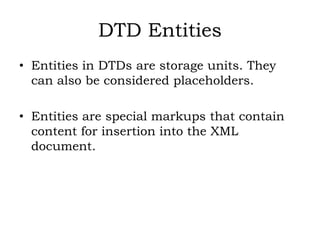
DTD Entities
• Entitiesin DTDs are storage units. They
can also be considered placeholders.
• Entities are special markups that contain
content for insertion into the XML
document.
33.
DTD Entities
• <!ENTITYentityname [SYSTEM | PUBLIC] entitycontent>
• ENTITY is the tag name that specifies that this definition will
be for an entity.
• entityname is the name by which the entity will be referred in
the XML document.
• entitycontent is the actual contents of the entity—the data for
which the entity is serving as a placeholder.
• SYSTEM and PUBLIC are optional keywords. Either one can
be added to the definition of an entity to indicate that the
entity refers to external content.
34.
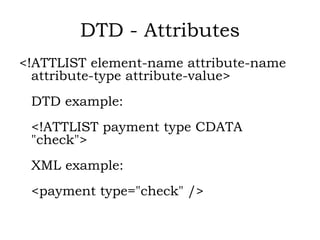
DTD - Attributes
<!ATTLISTelement-name attribute-name
attribute-type attribute-value>
DTD example:
<!ATTLIST payment type CDATA
"check">
XML example:
<payment type="check" />
35.
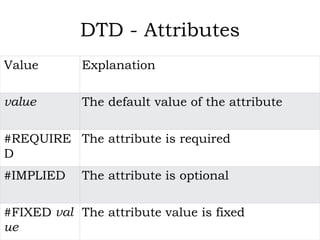
DTD - Attributes
ValueExplanation
value The default value of the attribute
#REQUIRE
D
The attribute is required
#IMPLIED The attribute is optional
#FIXED val
ue
The attribute value is fixed