
http://schoolacademy.telerik.comWeb Technologies BasicsWWW, HTTP, GET, POST, CookiesSvetlin NakovTelerik Corporationwww.telerik.com
Table of ContentsWWW and the HTTP protocolThe HTTP protocolThe request-response modelGET vs. POST methodsHTTP Response CodesCookiesWeb Development Tools2
WWW and HTTPHTTP Protocol: the Heart of the WWW
What is WWW?WWW = World Wide Web = WebGlobal distributed information system in InternetA service in Internet (like E-mail, DNS, ...)Consists of set of documents (and other resources) located on different Internet serversAccessed through standard protocols like HTTP, HTTPS and FTP by their URLWeb servers provide Web contentWeb browsers display the Web content4
WWW ComponentsStructural componentsInternet – provides data transfer channels over the TCP and HTTP protocolsClients (Web browsers) – display Web contentWeb servers – IIS, Apache, Tomcat, GWS, etc.Semantic componentsHyper Text Transfer Protocol (HTTP)Hyper Text Markup Language (HTML)Uniform Resource Locator (URL)Uniform Resource Identifiers (URIs)5
WWW InfrastructureClients use Web browser application to request resources from the Web servers via HTTPResources have unique URL addressServers send the requested resource as a responseOr reply with an error messageWeb pages are resources in WWWHTML text, graphics, animations and other filesWeb sitesWeb sites are sets of Web pages in WWW6
WWW Infrastructure (2)Client’s browser renders Web pages returned by the Web serversPages are in HTML (Hyper Text Markup Language)Browsers shows the text, graphics, sounds, etc.HTML pages contain hyperlinks to other pagesThe entire WWW system runs over standard networking protocolsTCP, DNS, HTTP, FTP, …The HTTP protocol is fundamental for WWW7
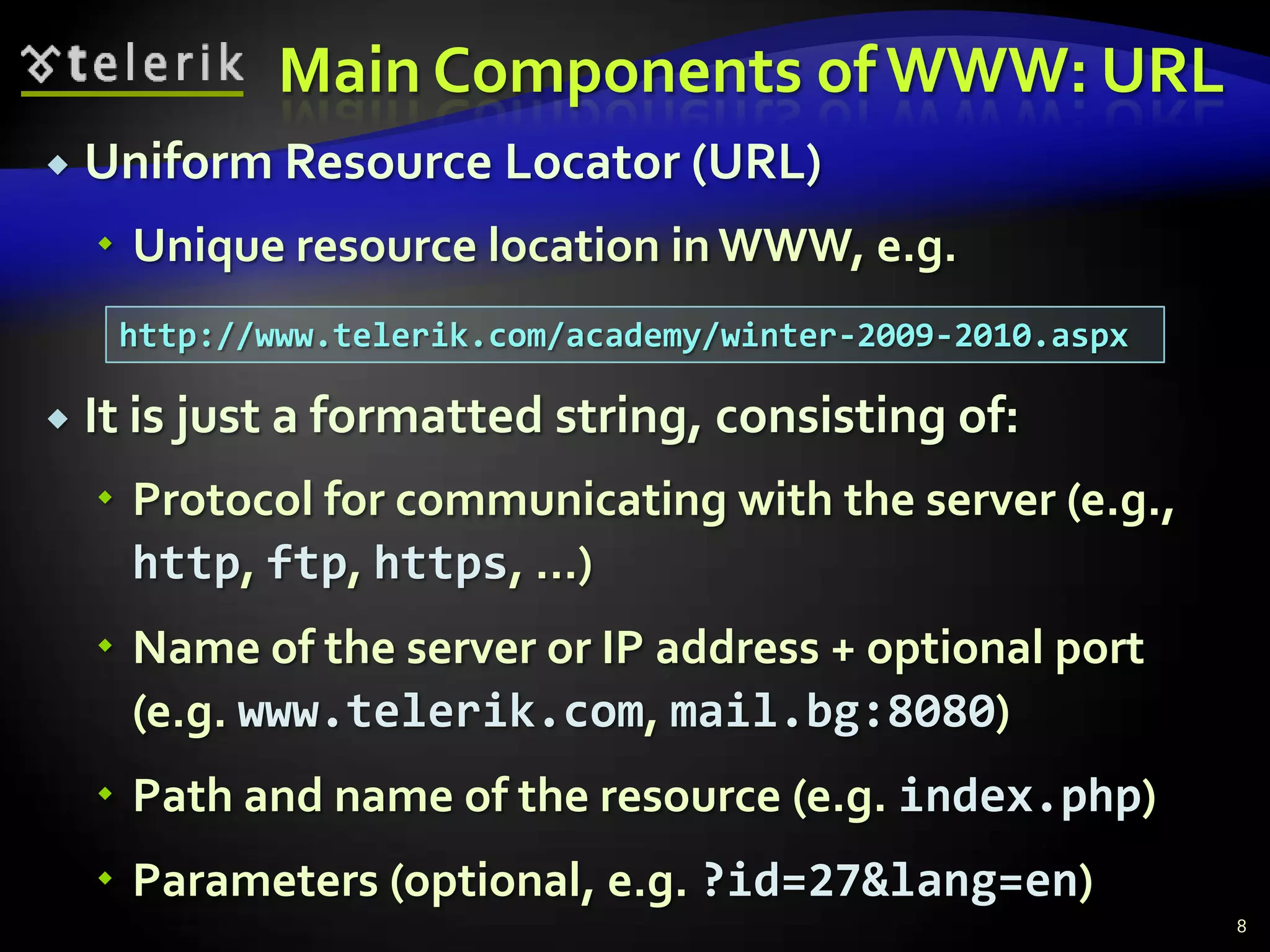
Main Components of WWW: URLUniform Resource Locator (URL)Unique resource location in WWW, e.g.It is just a formatted string, consisting of:Protocol for communicating with the server (e.g., http, ftp, https, ...)Name of the server or IP address + optional port (e.g. www.telerik.com, mail.bg:8080)Path and name of the resource (e.g. index.php)Parameters (optional, e.g. ?id=27&lang=en)8http://www.telerik.com/academy/winter-2009-2010.aspx
URL EncodingURLs are encoded according RFC 1738:All other characters are escaped with the formula:Example: space has decimal code 32, in hex – 20, so space in URL becomes %20Space can also be encoded as "+"9“... Only alphanumeric [0-9a-zA-Z], the special characters $-_.+!*'() and reserved characters used for their reserved purposes may be used unencoded within an URL.”%[character hex code in ISO-Latin character set]
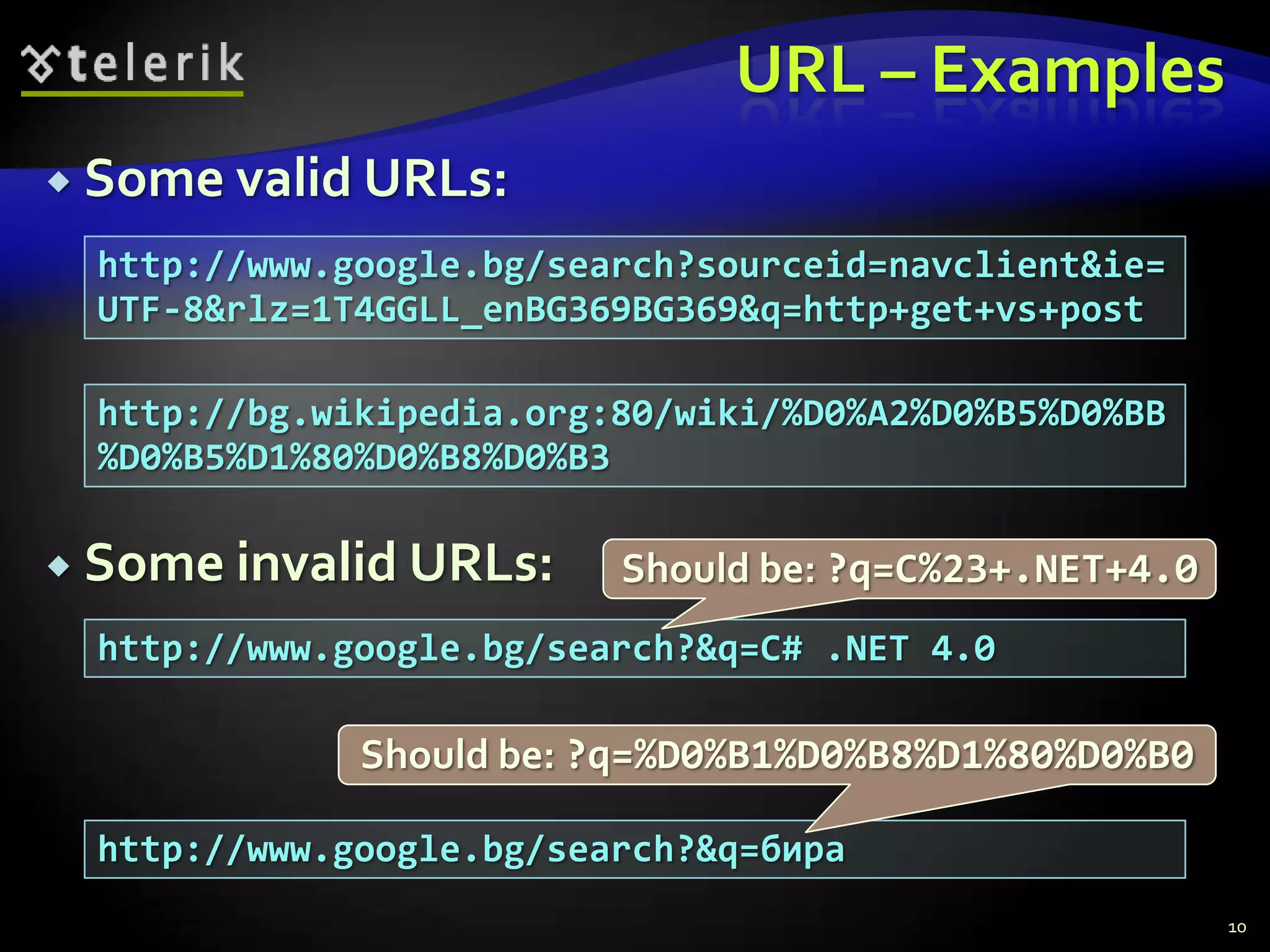
URL – ExamplesSome valid URLs:Some invalid URLs:10http://www.google.bg/search?sourceid=navclient&ie=UTF-8&rlz=1T4GGLL_enBG369BG369&q=http+get+vs+posthttp://bg.wikipedia.org:80/wiki/%D0%A2%D0%B5%D0%BB%D0%B5%D1%80%D0%B8%D0%B3Should be: ?q=C%23+.NET+4.0http://www.google.bg/search?&q=C# .NET 4.0Should be: ?q=%D0%B1%D0%B8%D1%80%D0%B0http://www.google.bg/search?&q=бира
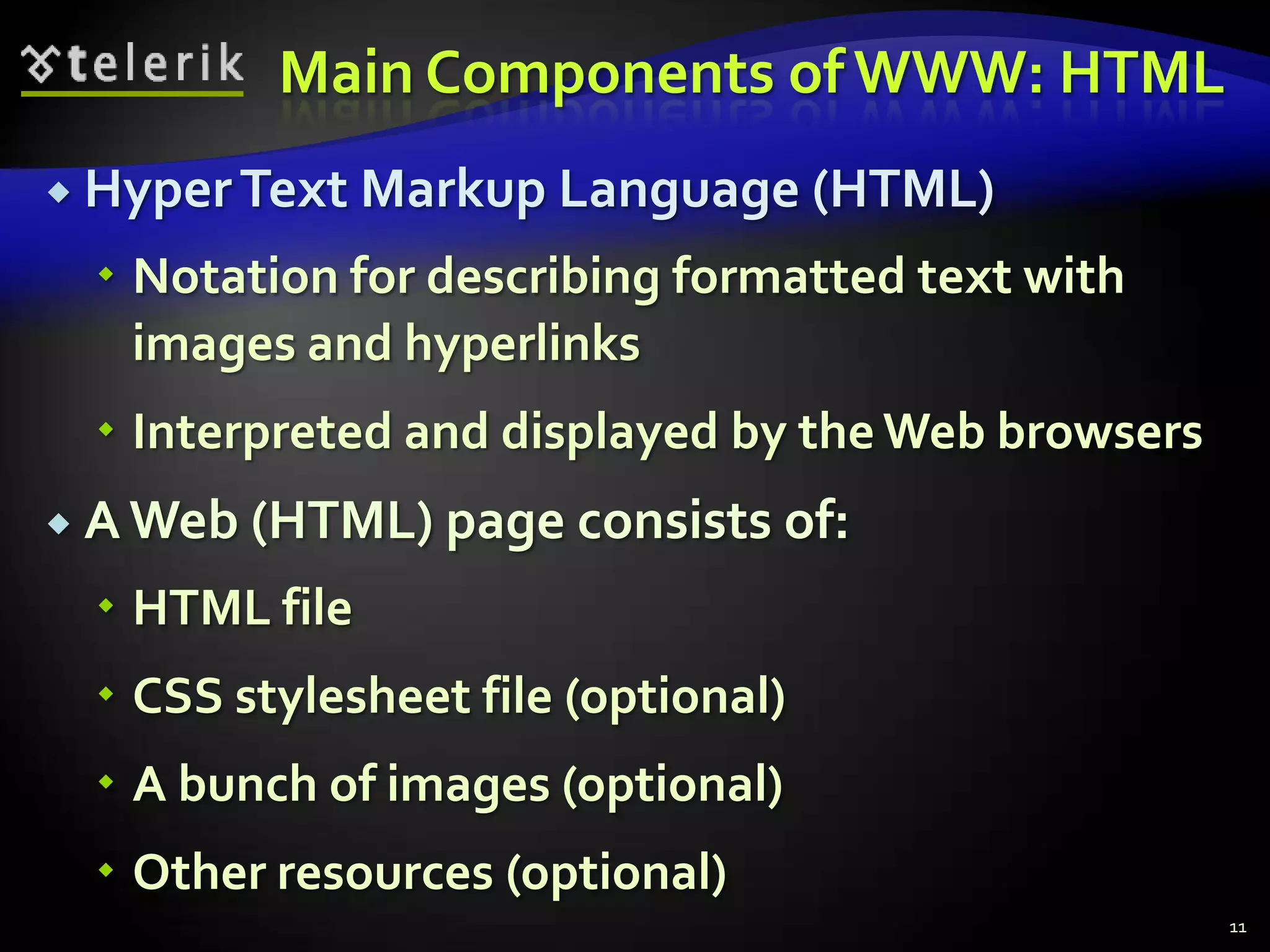
Main Components of WWW: HTMLHyper Text Markup Language (HTML)Notation for describing formatted text with images and hyperlinksInterpreted and displayed by the Web browsersA Web (HTML) page consists of:HTML fileCSS stylesheet file (optional)A bunch of images (optional)Other resources (optional)11
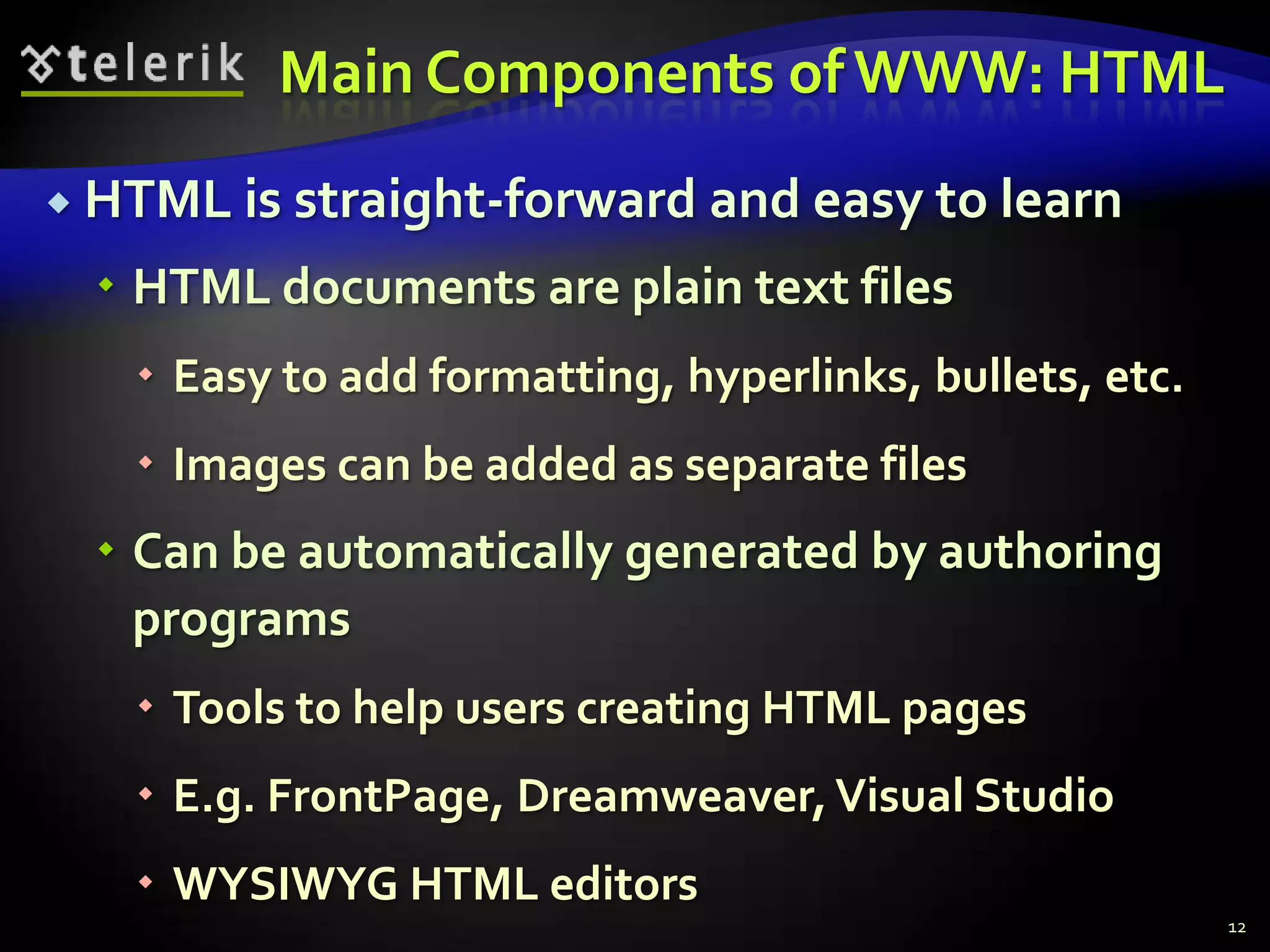
Main Components of WWW: HTMLHTML is straight-forward and easy to learnHTML documents are plain text filesEasy to add formatting, hyperlinks, bullets, etc.Images can be added as separate filesCan be automatically generated by authoring programsTools to help users creating HTML pagesE.g. FrontPage, Dreamweaver, Visual StudioWYSIWYG HTML editors12
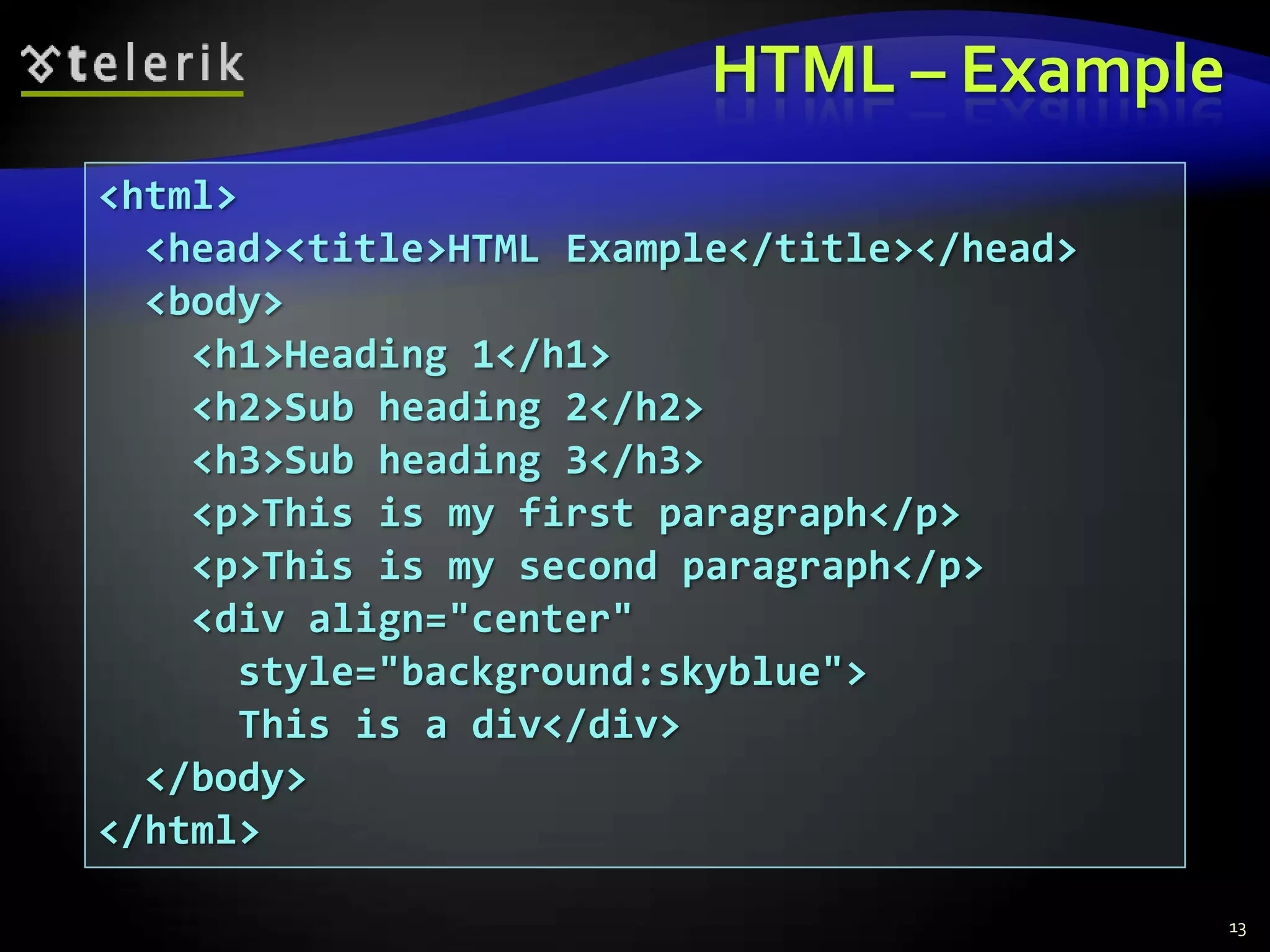
HTML – Example13<html>  <head><title>HTML Example</title></head>  <body>    <h1>Heading 1</h1>    <h2>Sub heading 2</h2>    <h3>Sub heading 3</h3>    <p>This is my first paragraph</p>    <p>This is my second paragraph</p>    <div align="center"      style="background:skyblue">      This is a div</div>	  </body></html>
Main Components of WWW: HTTPHyper Text Transfer Protocol (HTTP)Client-server protocol for transferring Web resources (HTML files, images, styles, etc.)Important properties of HTTPRequest-response modelText-based formatRelies on a unique resource URLsProvides resource metadata (e.g. encoding)Stateless (cookies can overcome this)14
The HTTP ProtocolHow HTTP Works?HTTP
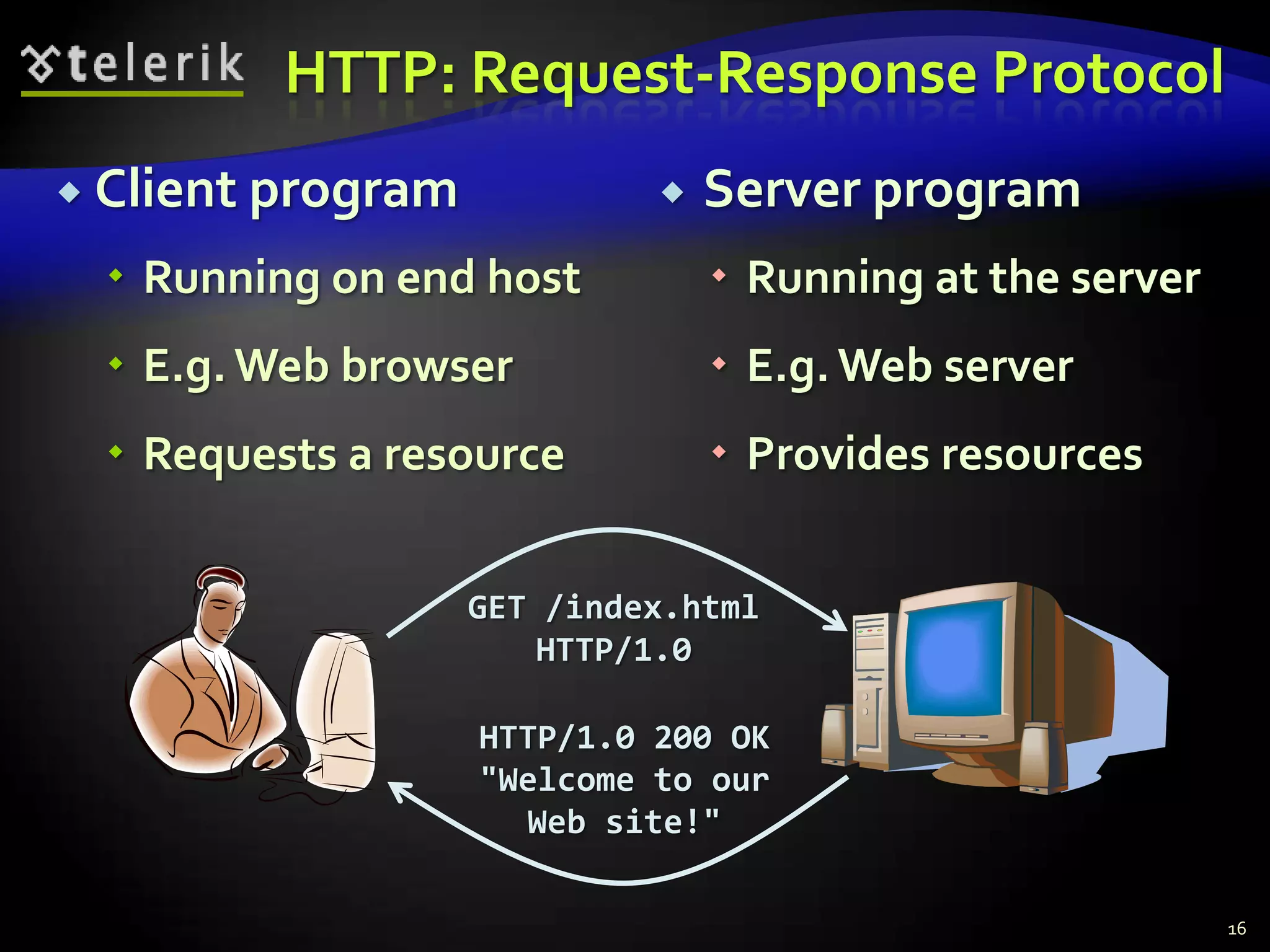
HTTP: Request-Response ProtocolClient programRunning on end hostE.g. Web browserRequests a resourceServer programRunning at the serverE.g. Web serverProvides resourcesGET /index.htmlHTTP/1.0HTTP/1.0 200 OK"Welcome to ourWeb site!"16
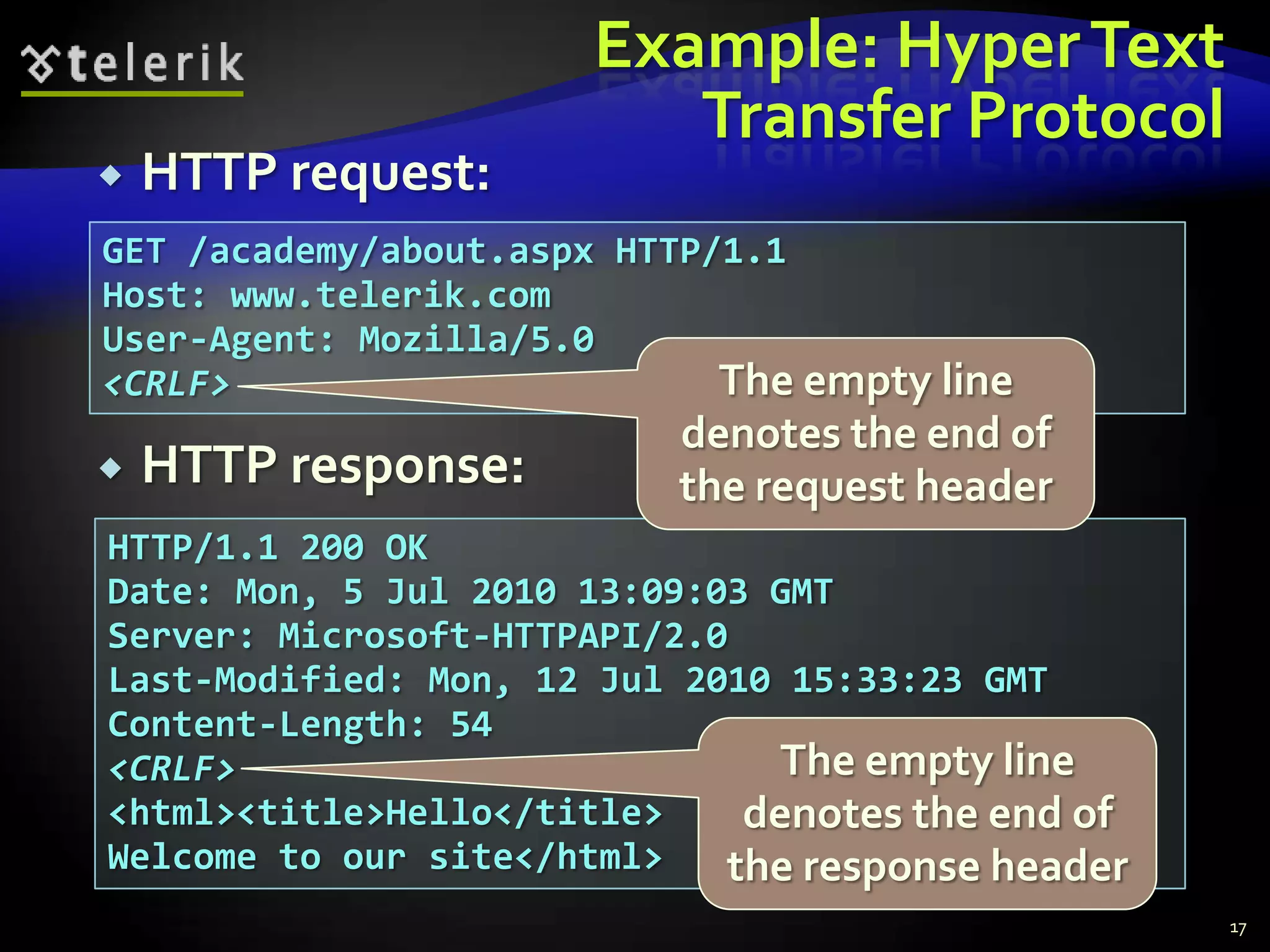
Example: Hyper Text Transfer ProtocolGET /academy/about.aspx HTTP/1.1Host: www.telerik.comUser-Agent: Mozilla/5.0<CRLF>17HTTP request:The empty line denotes the end of the request headerHTTP response:HTTP/1.1 200 OKDate: Mon, 5 Jul 2010 13:09:03 GMTServer: Microsoft-HTTPAPI/2.0Last-Modified: Mon, 12 Jul 2010 15:33:23 GMTContent-Length: 54<CRLF><html><title>Hello</title>Welcome to our site</html>The empty line denotes the end of the response header
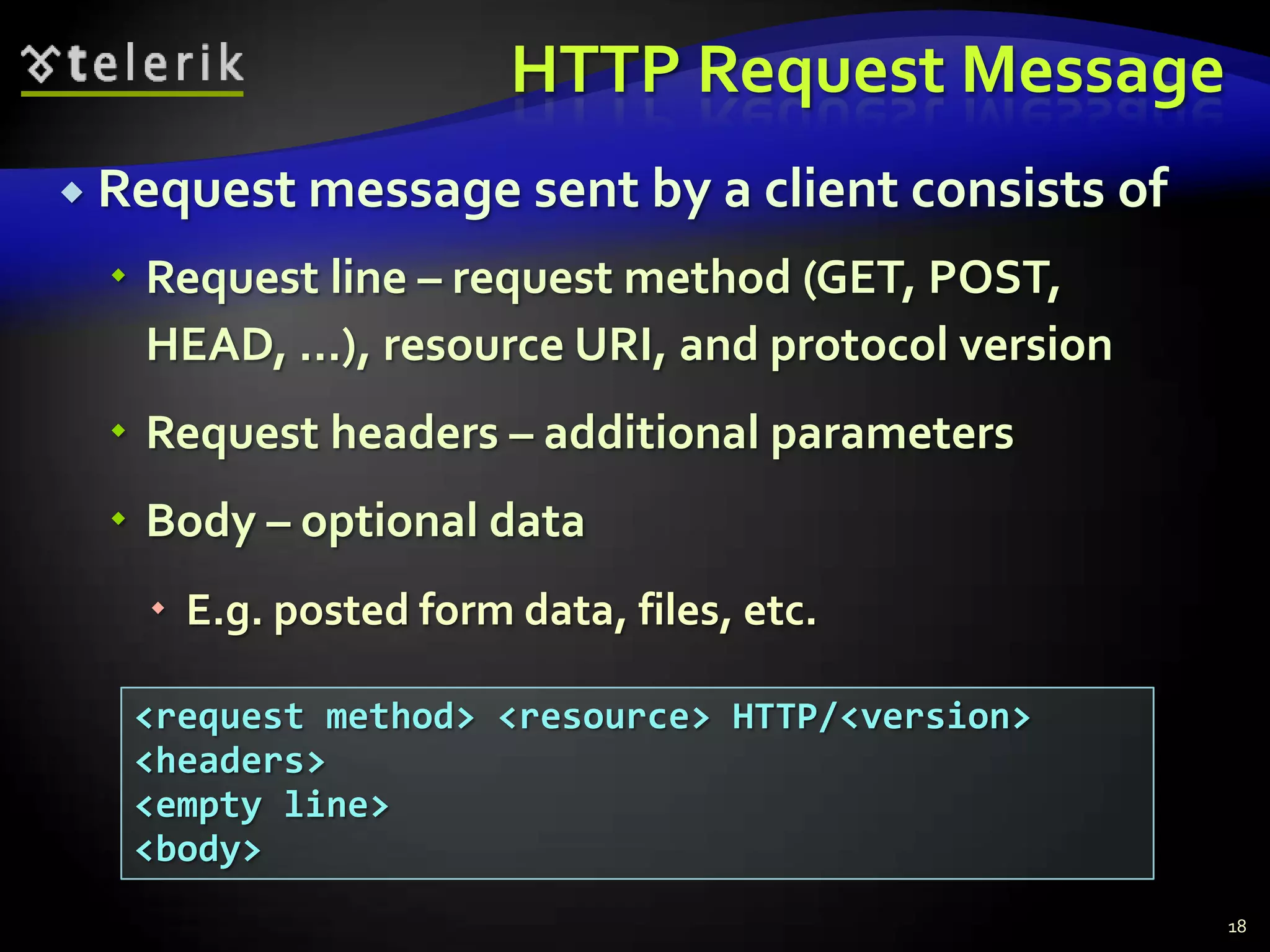
HTTP Request MessageRequest message sent by a client consists ofRequest line – request method (GET, POST, HEAD, ...), resource URI, and protocol versionRequest headers – additional parametersBody – optional dataE.g. posted form data, files, etc.18<request method> <resource> HTTP/<version><headers><empty line><body>
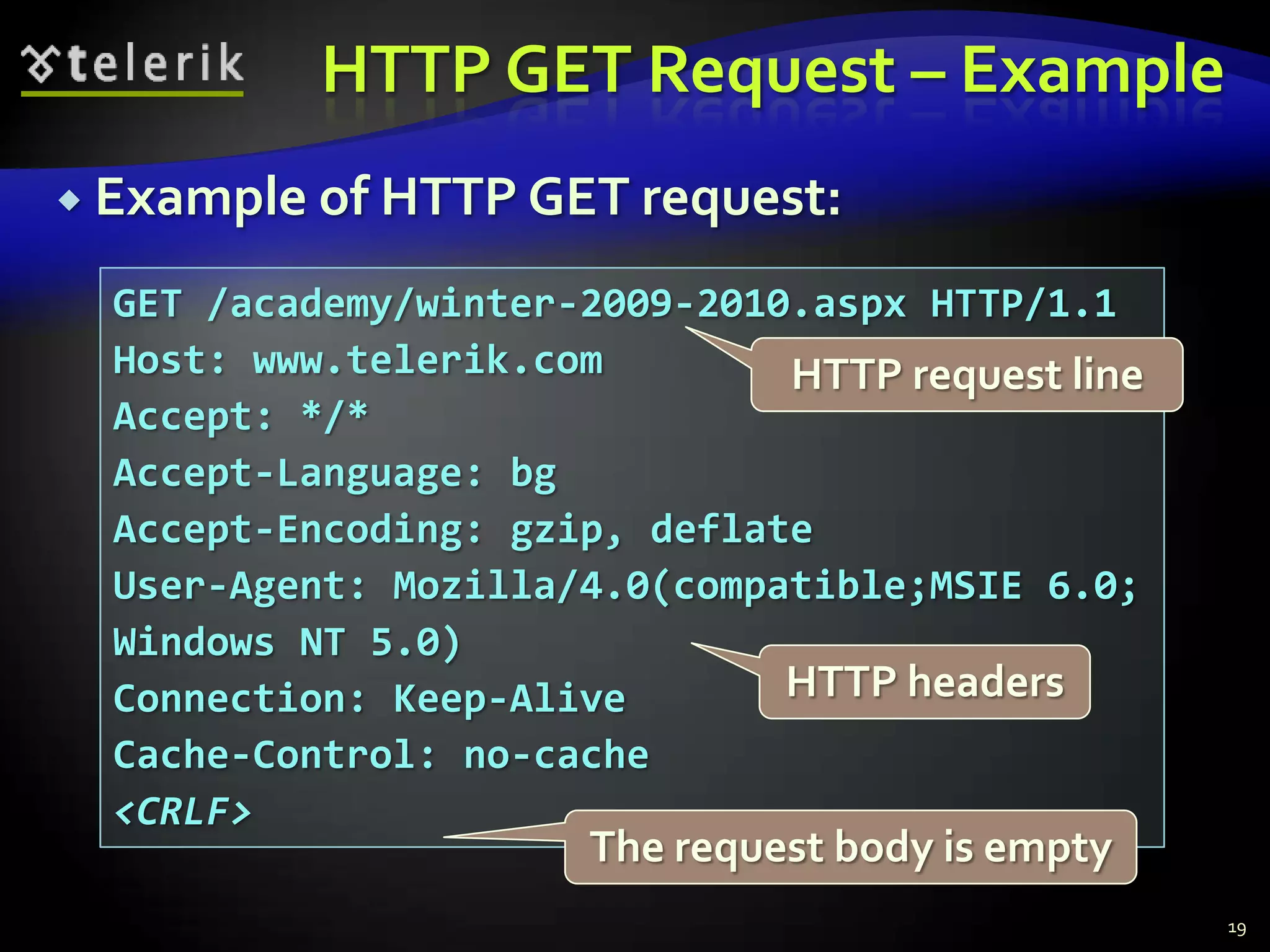
HTTP GET Request – Example19Example of HTTP GET request:GET /academy/winter-2009-2010.aspx HTTP/1.1Host: www.telerik.comAccept: */*Accept-Language: bgAccept-Encoding: gzip, deflateUser-Agent: Mozilla/4.0(compatible;MSIE 6.0; Windows NT 5.0)Connection: Keep-AliveCache-Control: no-cache<CRLF>HTTP request lineHTTP headersThe request body is empty
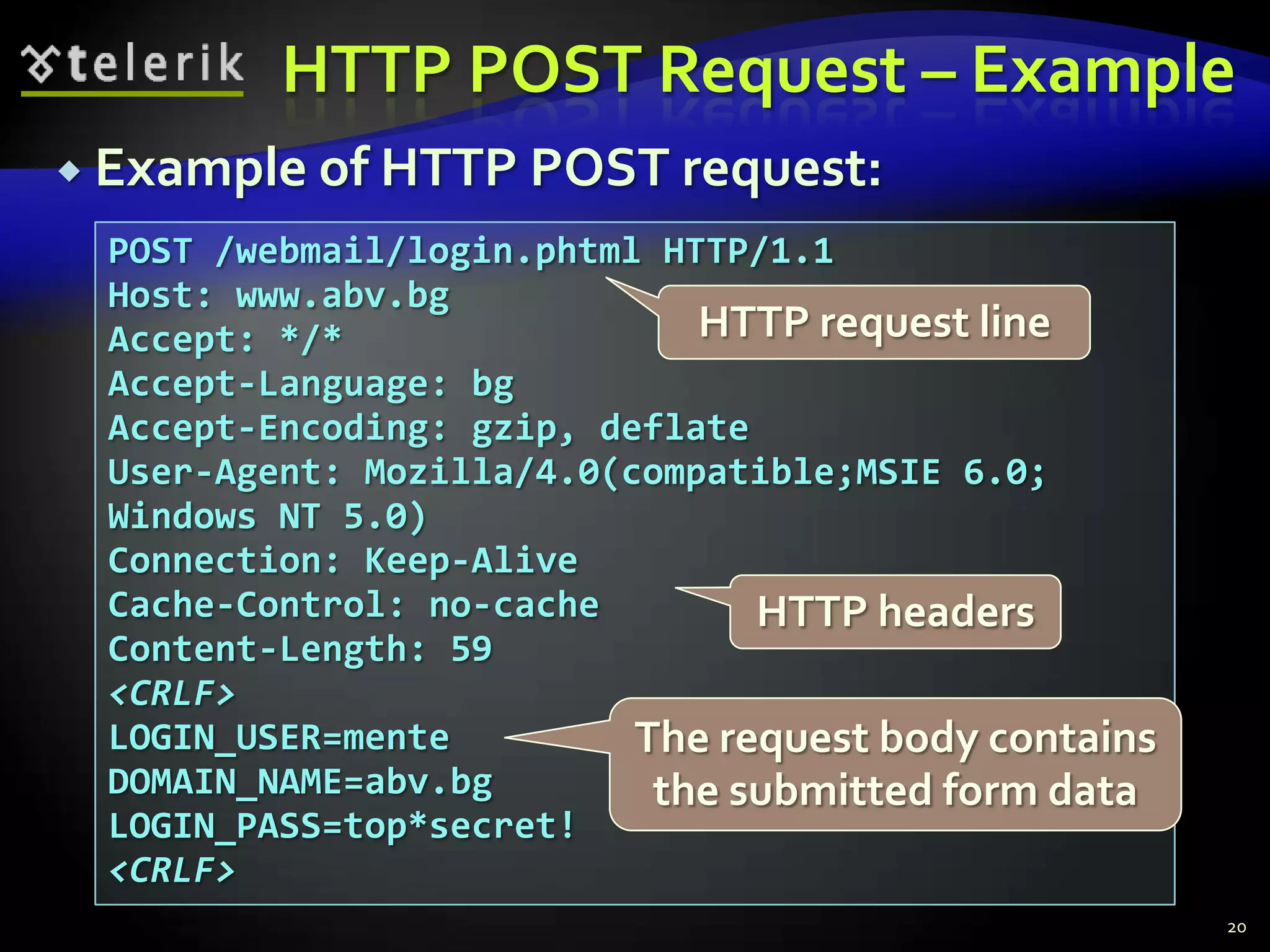
HTTP POST Request – Example20Example of HTTP POST request:POST /webmail/login.phtml HTTP/1.1Host: www.abv.bgAccept: */*Accept-Language: bgAccept-Encoding: gzip, deflateUser-Agent: Mozilla/4.0(compatible;MSIE 6.0; Windows NT 5.0)Connection: Keep-AliveCache-Control: no-cacheContent-Length: 59<CRLF>LOGIN_USER=menteDOMAIN_NAME=abv.bgLOGIN_PASS=top*secret!<CRLF>HTTP request lineHTTP headersThe request body contains the submitted form data
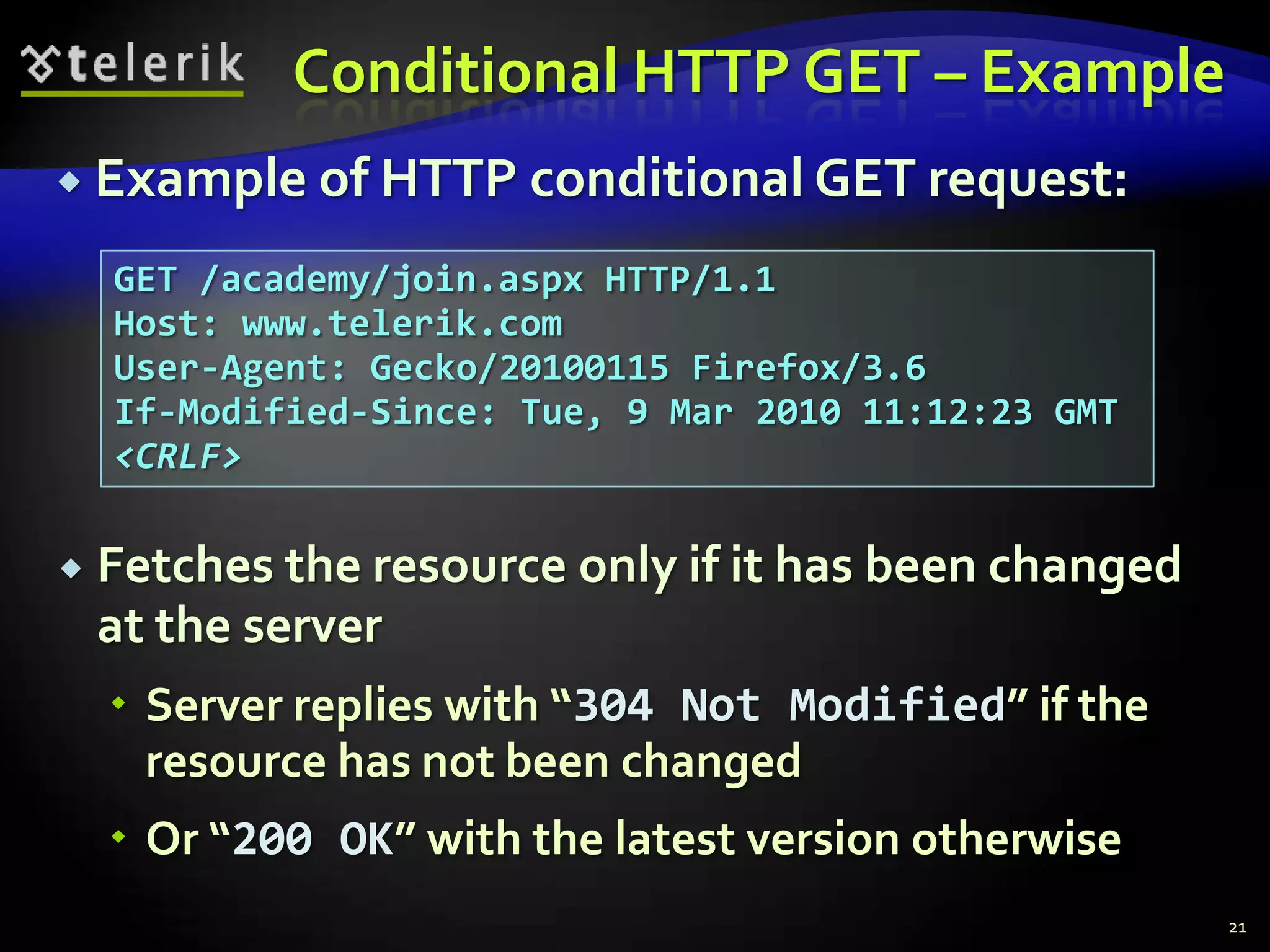
Conditional HTTP GET – ExampleFetches the resource only if it has been changed at the serverServer replies with “304 Not Modified” if the resource has not been changedOr “200 OK” with the latest version otherwise21Example of HTTP conditional GET request:GET /academy/join.aspx HTTP/1.1Host: www.telerik.comUser-Agent: Gecko/20100115 Firefox/3.6If-Modified-Since: Tue, 9 Mar 2010 11:12:23 GMT<CRLF>
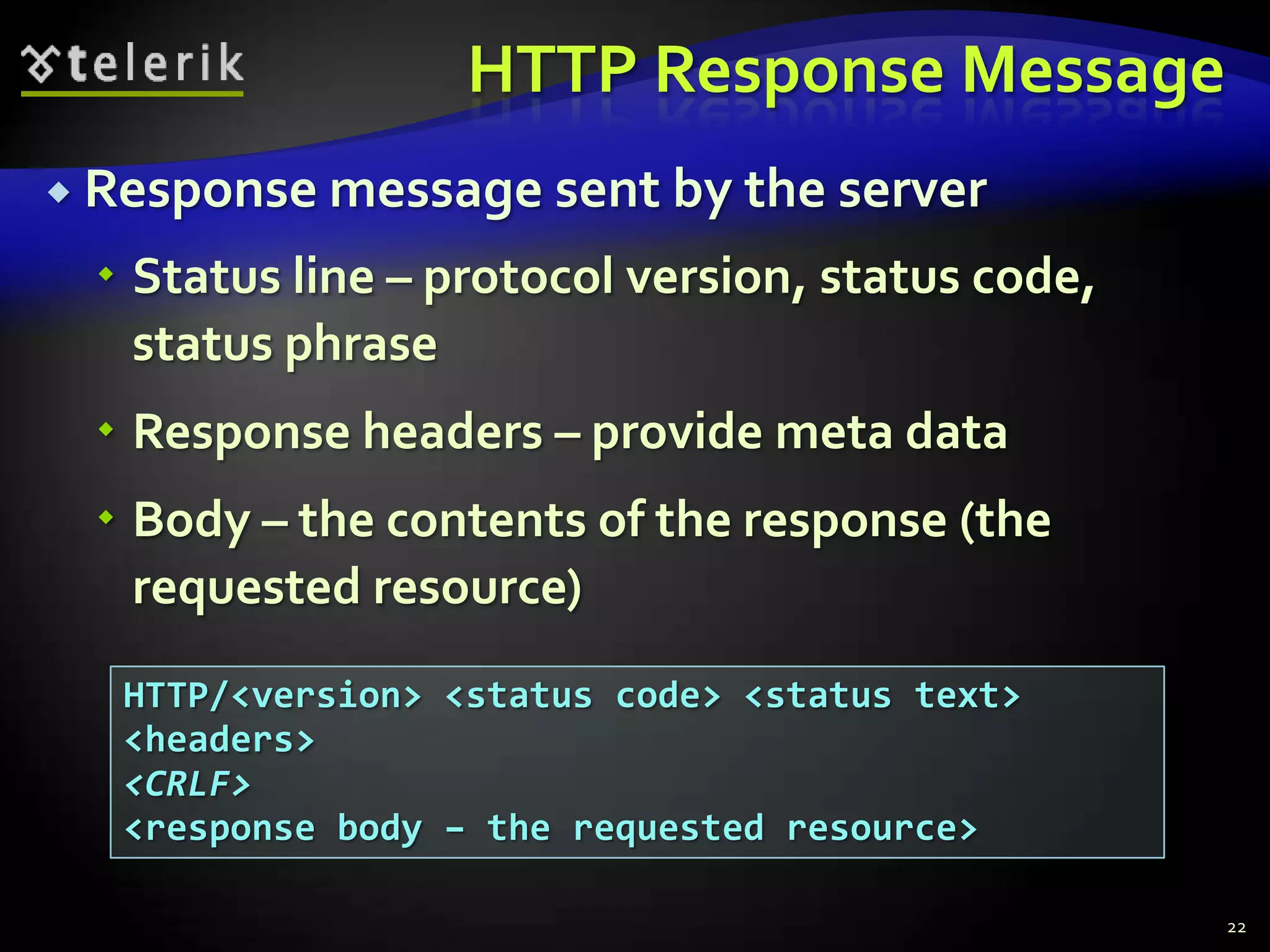
HTTP Response MessageResponse message sent by the serverStatus line – protocol version, status code, status phraseResponse headers – provide meta dataBody – the contents of the response (the requested resource)22HTTP/<version> <status code> <status text><headers><CRLF><response body – the requested resource>
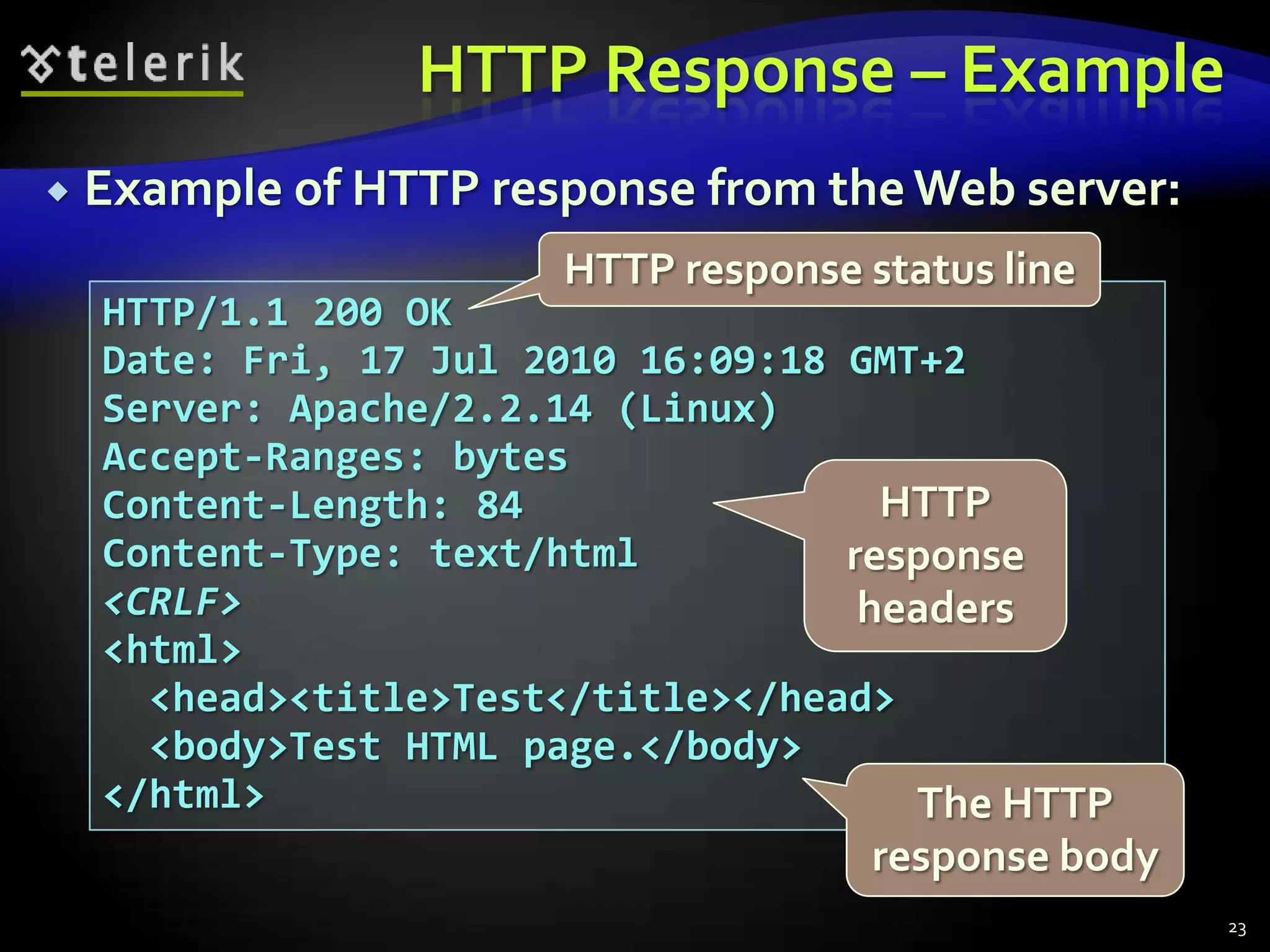
Example of HTTP response from the Web server:HTTP Response – Example23HTTP response status lineHTTP/1.1 200 OKDate: Fri, 17 Jul 2010 16:09:18 GMT+2Server: Apache/2.2.14 (Linux)Accept-Ranges: bytesContent-Length: 84Content-Type: text/html<CRLF><html>  <head><title>Test</title></head>  <body>Test HTML page.</body></html>HTTP response headersThe HTTP response body
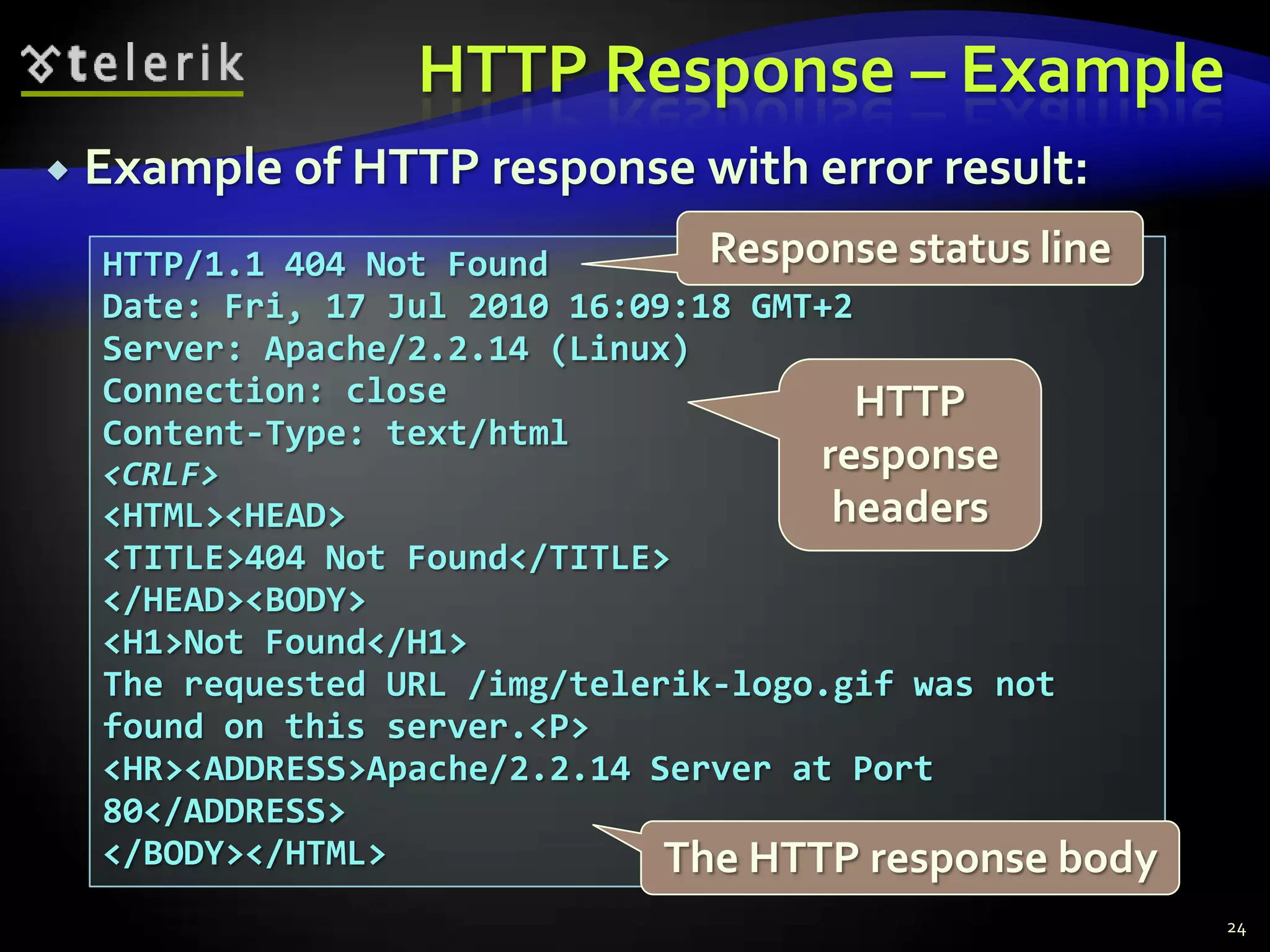
HTTP Response – Example24Example of HTTP response with error result:Response status lineHTTP/1.1 404 Not FoundDate: Fri, 17 Jul 2010 16:09:18 GMT+2Server: Apache/2.2.14 (Linux)Connection: closeContent-Type: text/html<CRLF><HTML><HEAD><TITLE>404 Not Found</TITLE></HEAD><BODY><H1>Not Found</H1>The requested URL /img/telerik-logo.gif was not found on this server.<P><HR><ADDRESS>Apache/2.2.14 Server at Port 80</ADDRESS></BODY></HTML>HTTP response headersThe HTTP response body
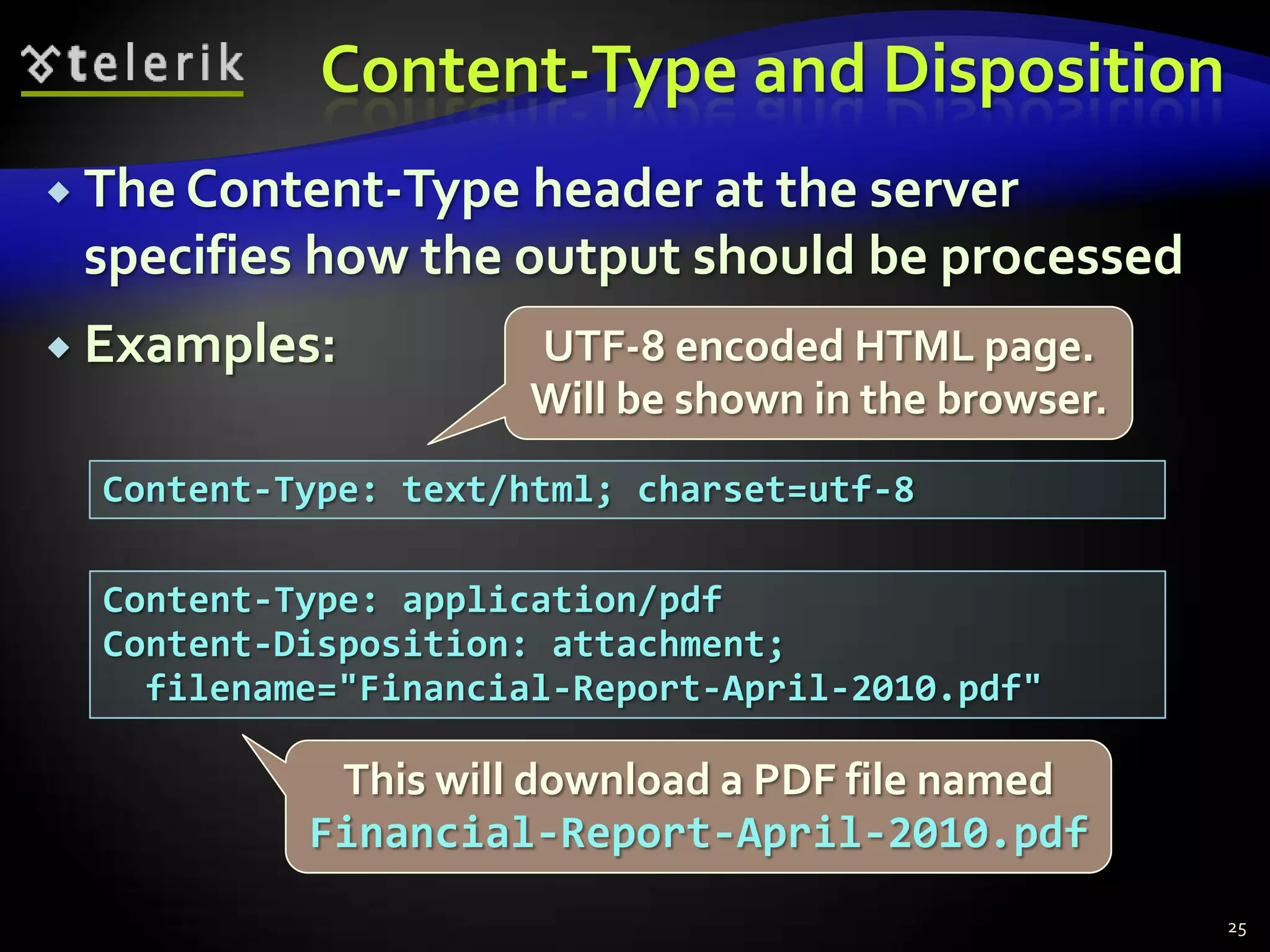
Content-Type and DispositionThe Content-Type header at the server specifies how the output should be processedExamples:25UTF-8 encoded HTML page. Will be shown in the browser.Content-Type: text/html; charset=utf-8Content-Type: application/pdfContent-Disposition: attachment;  filename="Financial-Report-April-2010.pdf"This will download a PDF file named Financial-Report-April-2010.pdf
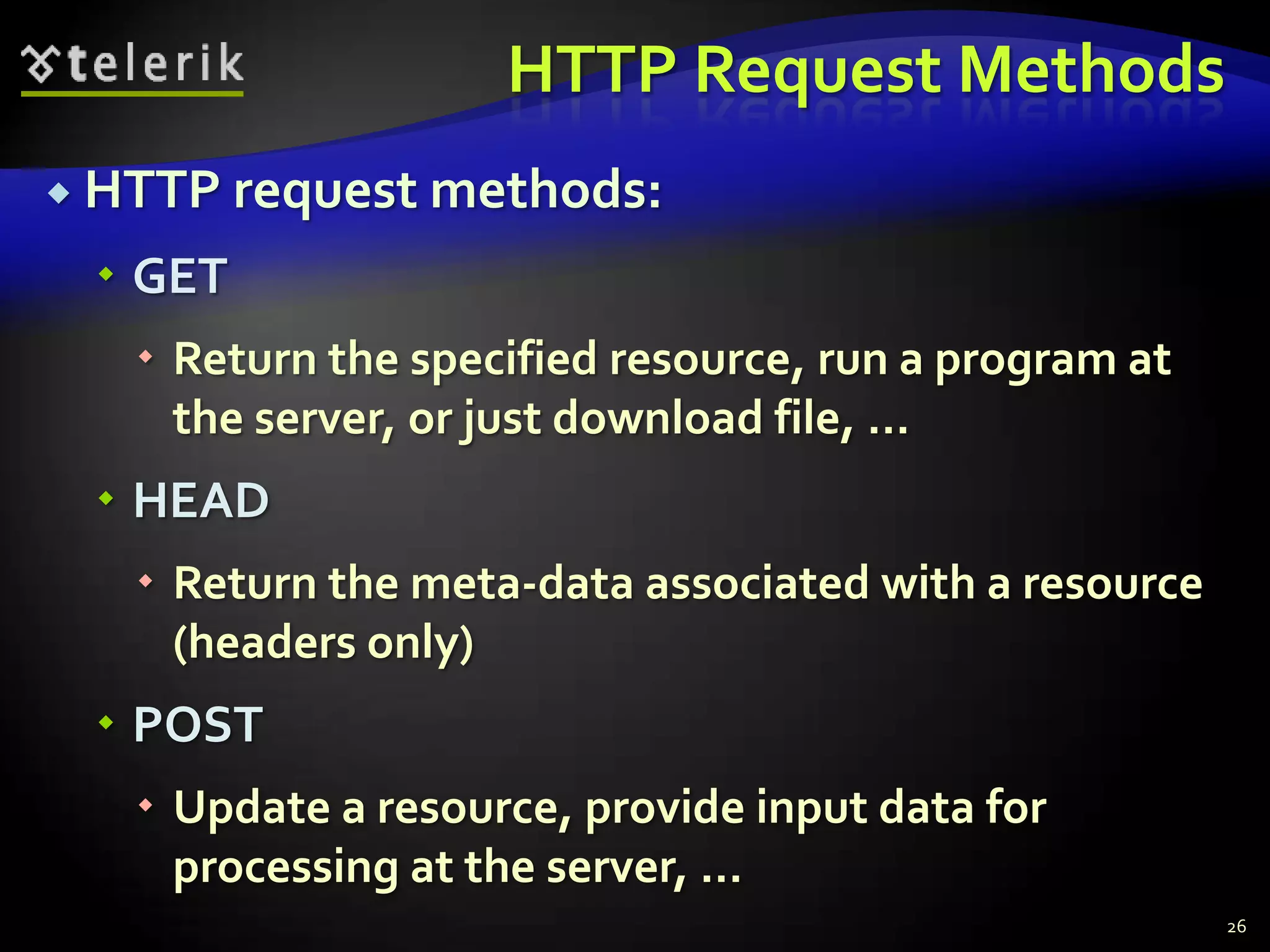
HTTP Request MethodsHTTP request methods:GETReturn the specified resource, run a program at the server, or just download file, …HEADReturn the meta-data associated with a resource (headers only)POSTUpdate a resource, provide input data for processing at the server, …26
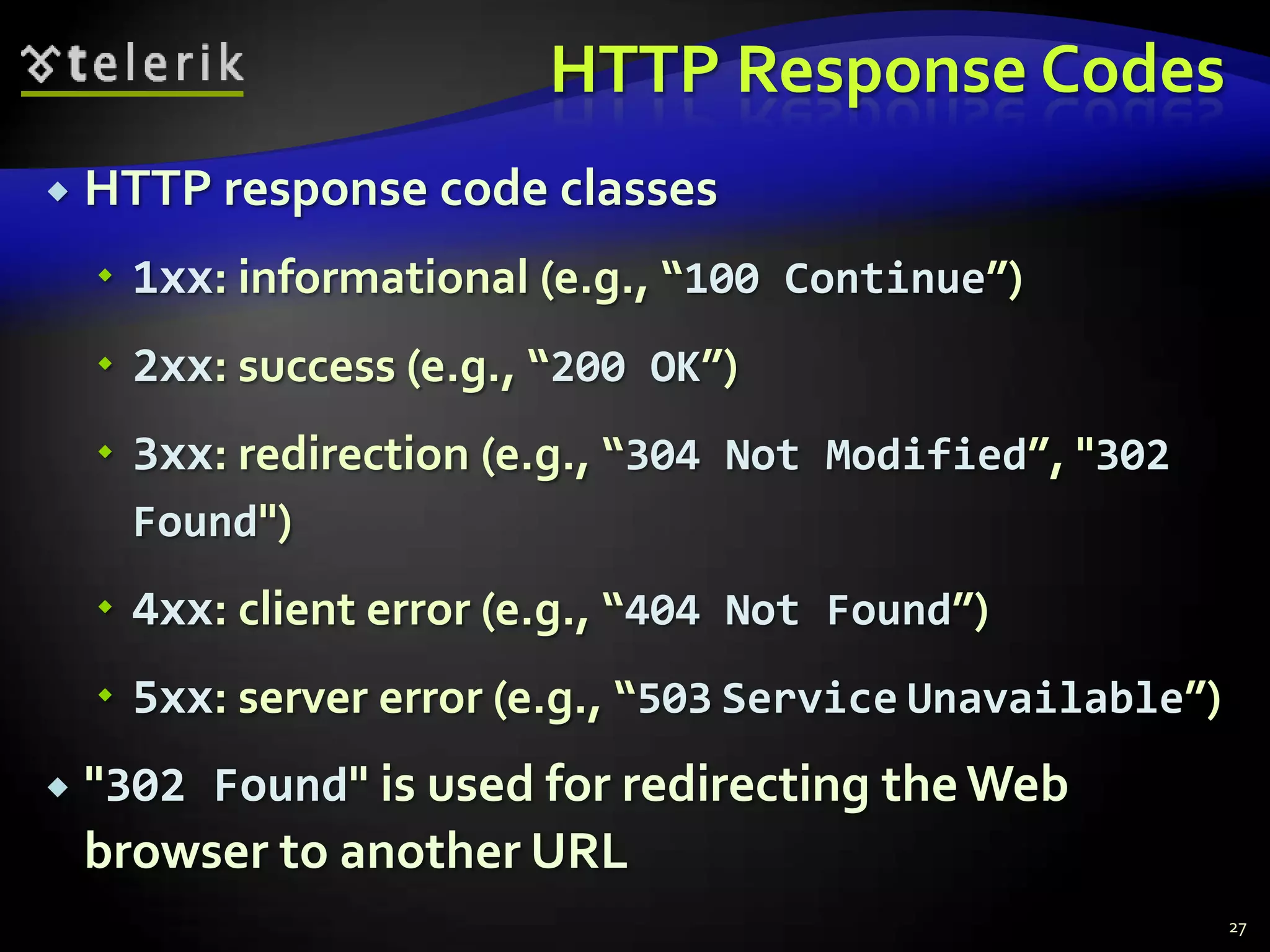
HTTP Response CodesHTTP response code classes1xx: informational (e.g., “100 Continue”)2xx: success (e.g., “200 OK”)3xx: redirection (e.g., “304 Not Modified”, "302 Found")4xx: client error (e.g., “404 Not Found”)5xx: server error (e.g., “503ServiceUnavailable”)"302 Found"is used for redirecting the Web browser to another URL27
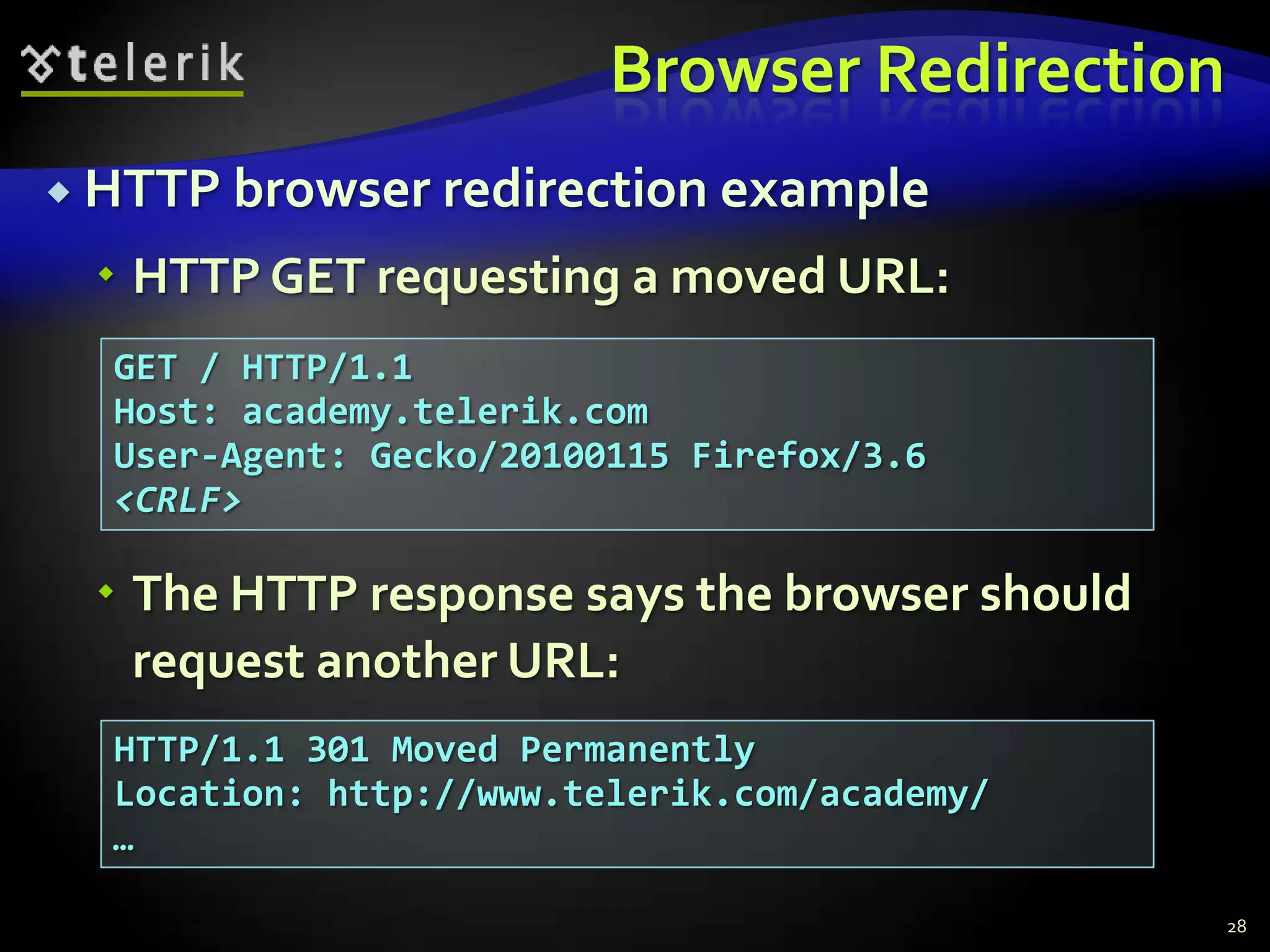
Browser RedirectionHTTP browser redirection exampleHTTP GET requesting a moved URL:The HTTP response says the browser should request another URL:28GET / HTTP/1.1Host: academy.telerik.comUser-Agent: Gecko/20100115 Firefox/3.6<CRLF>HTTP/1.1 301 Moved PermanentlyLocation: http://www.telerik.com/academy/…
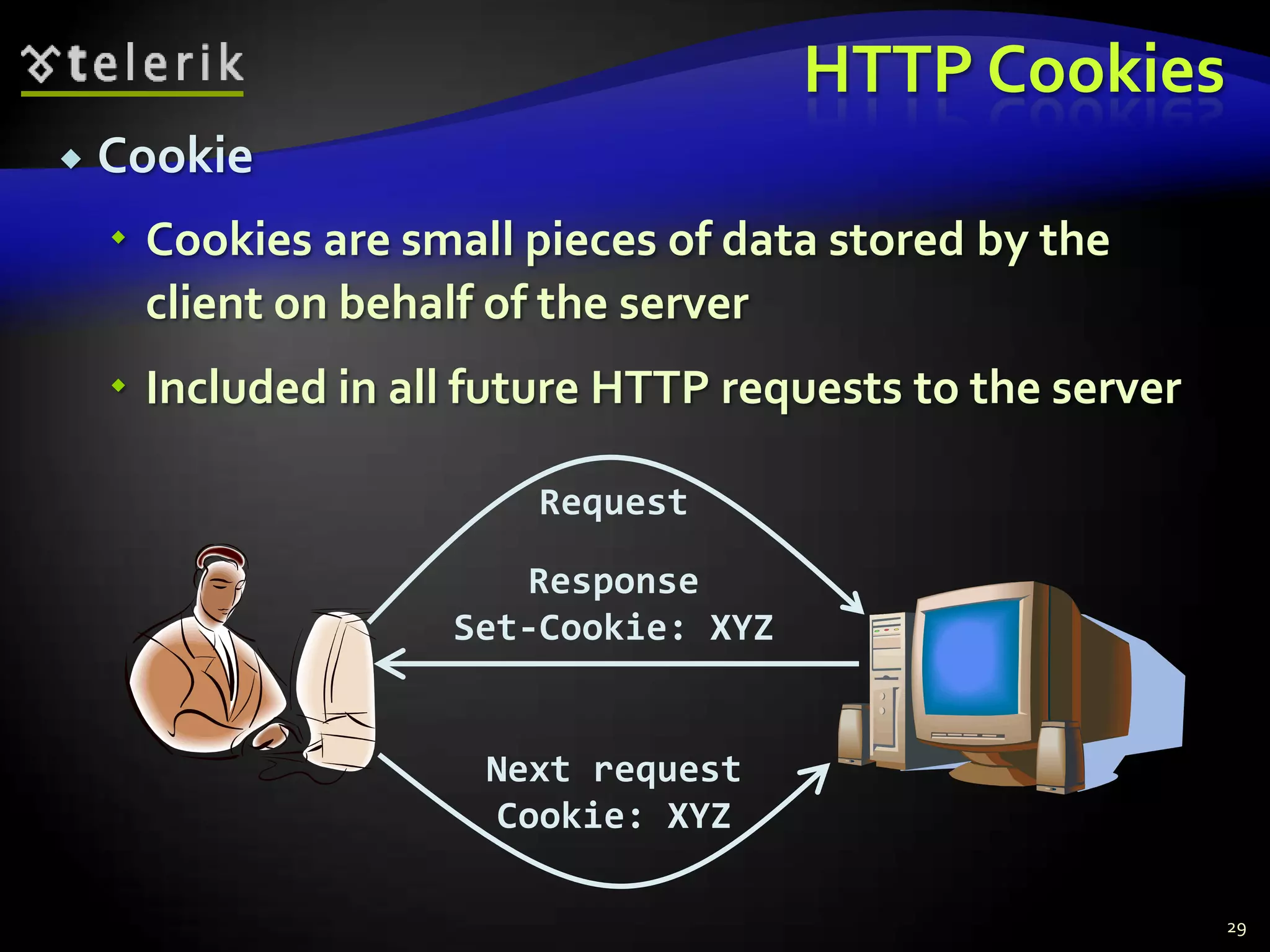
HTTP CookiesCookieCookies are small pieces of data stored by the client on behalf of the serverIncluded in all future HTTP requests to the server29RequestResponseSet-Cookie: XYZNext requestCookie: XYZ
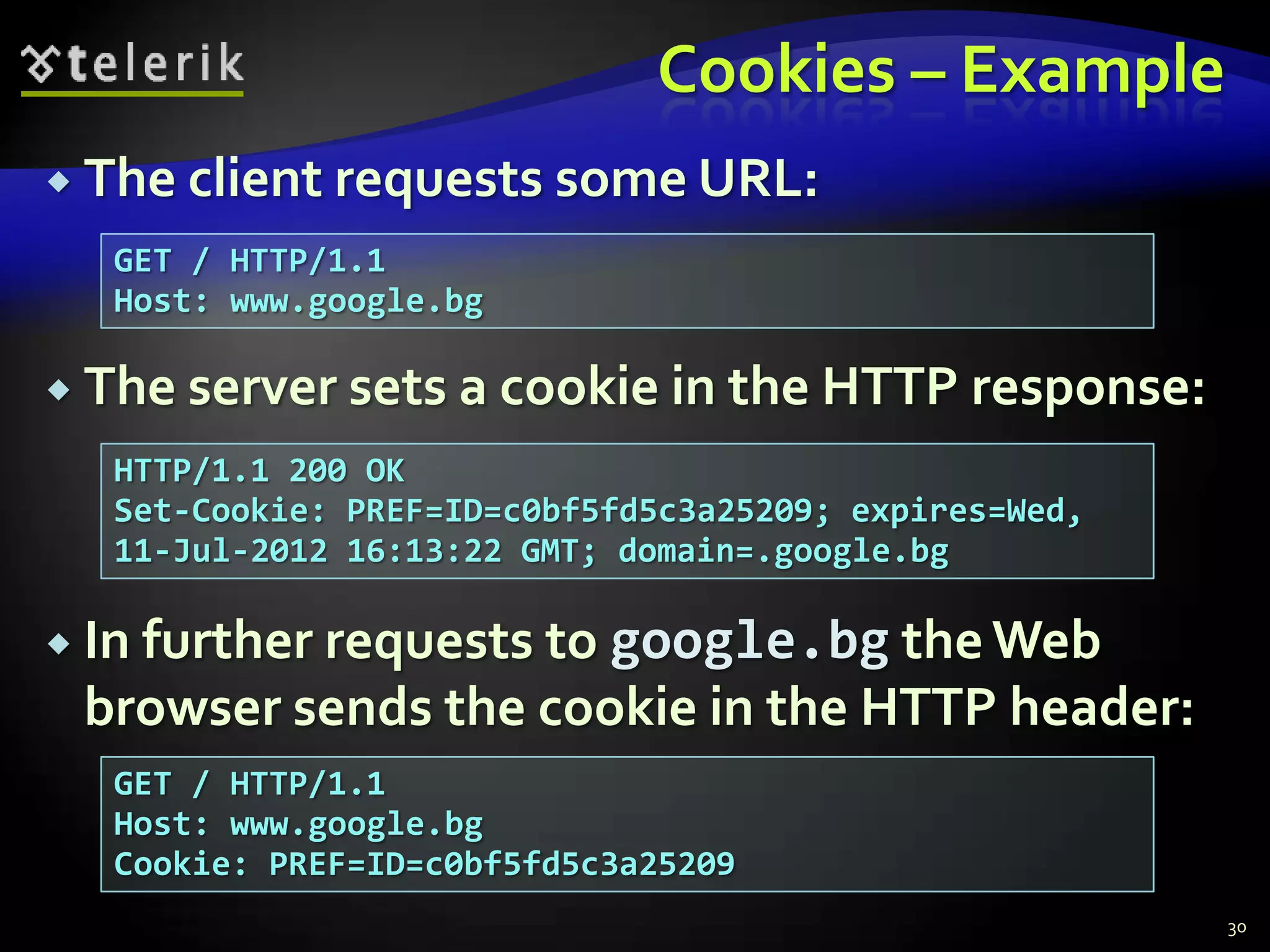
Cookies – ExampleThe client requests some URL:The server sets a cookie in the HTTP response:In further requests to google.bg the Web browser sends the cookie in the HTTP header:30GET / HTTP/1.1Host: www.google.bgHTTP/1.1 200 OKSet-Cookie: PREF=ID=c0bf5fd5c3a25209; expires=Wed, 11-Jul-2012 16:13:22 GMT; domain=.google.bgGET / HTTP/1.1Host: www.google.bgCookie: PREF=ID=c0bf5fd5c3a25209
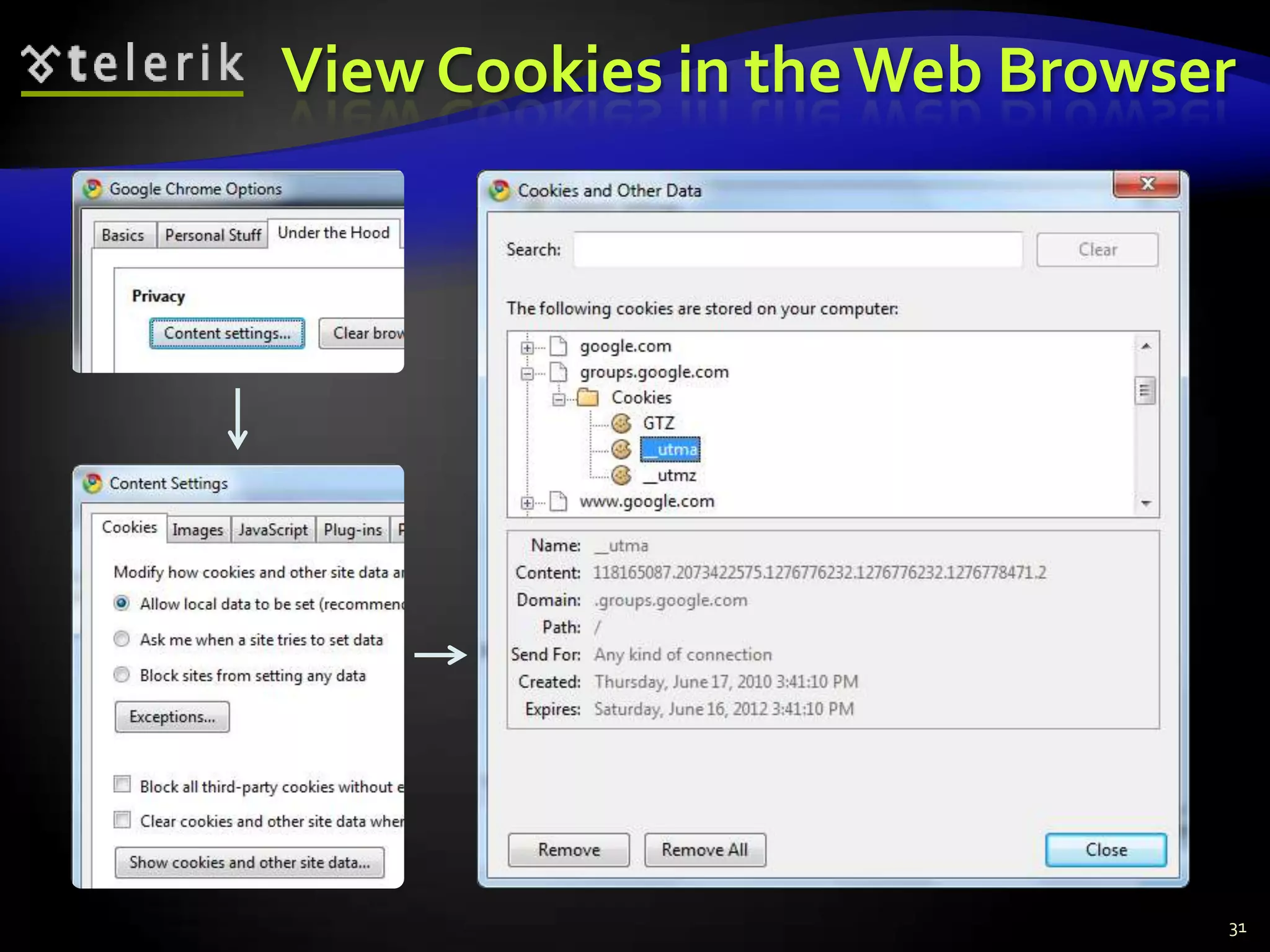
View Cookies in the Web Browser31
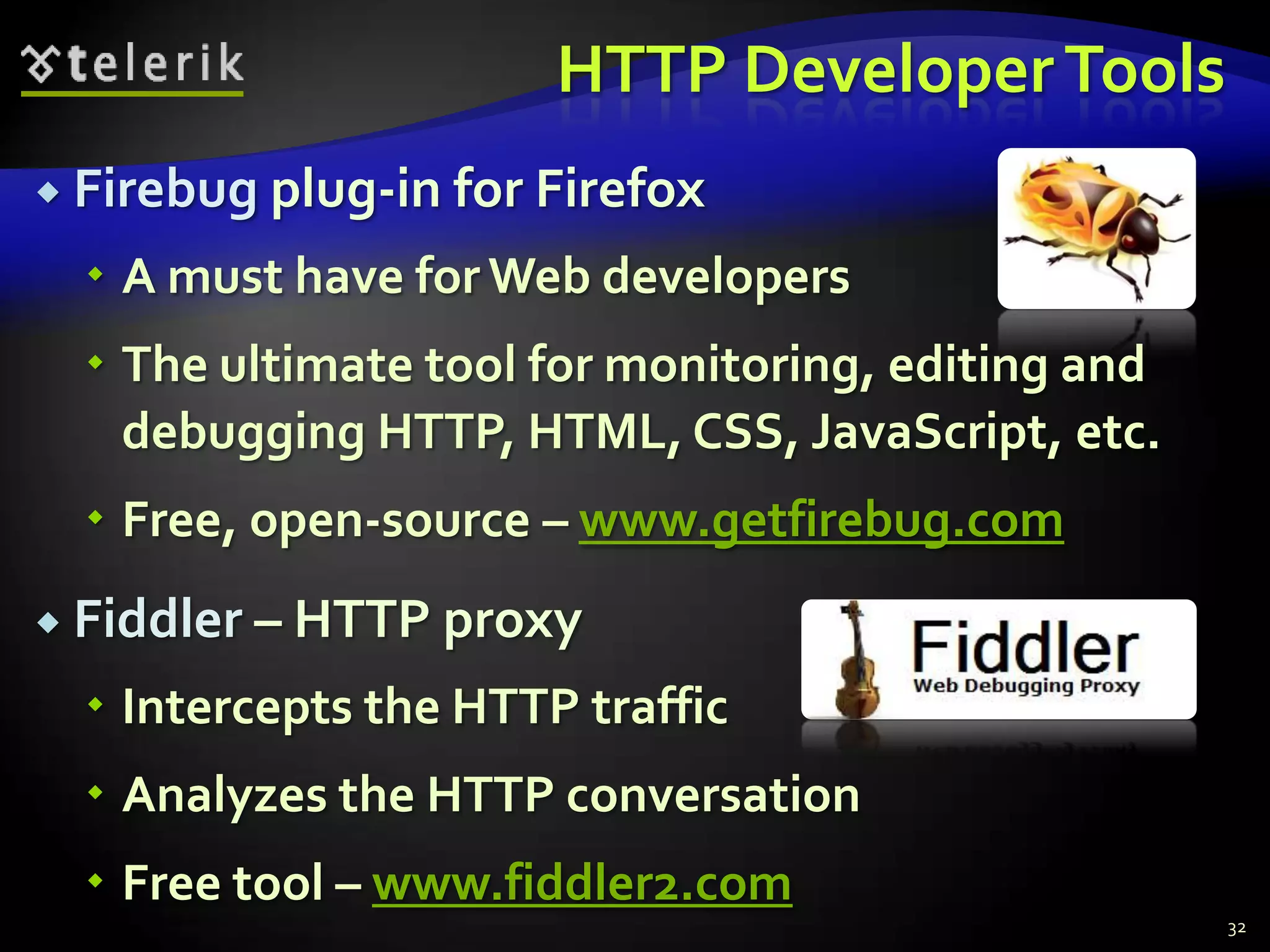
HTTP Developer ToolsFirebug plug-in for FirefoxA must have for Web developersThe ultimate tool for monitoring, editing and debugging HTTP, HTML, CSS, JavaScript, etc.Free, open-source – www.getfirebug.comFiddler – HTTP proxyIntercepts the HTTP trafficAnalyzes the HTTP conversationFree tool – www.fiddler2.com32
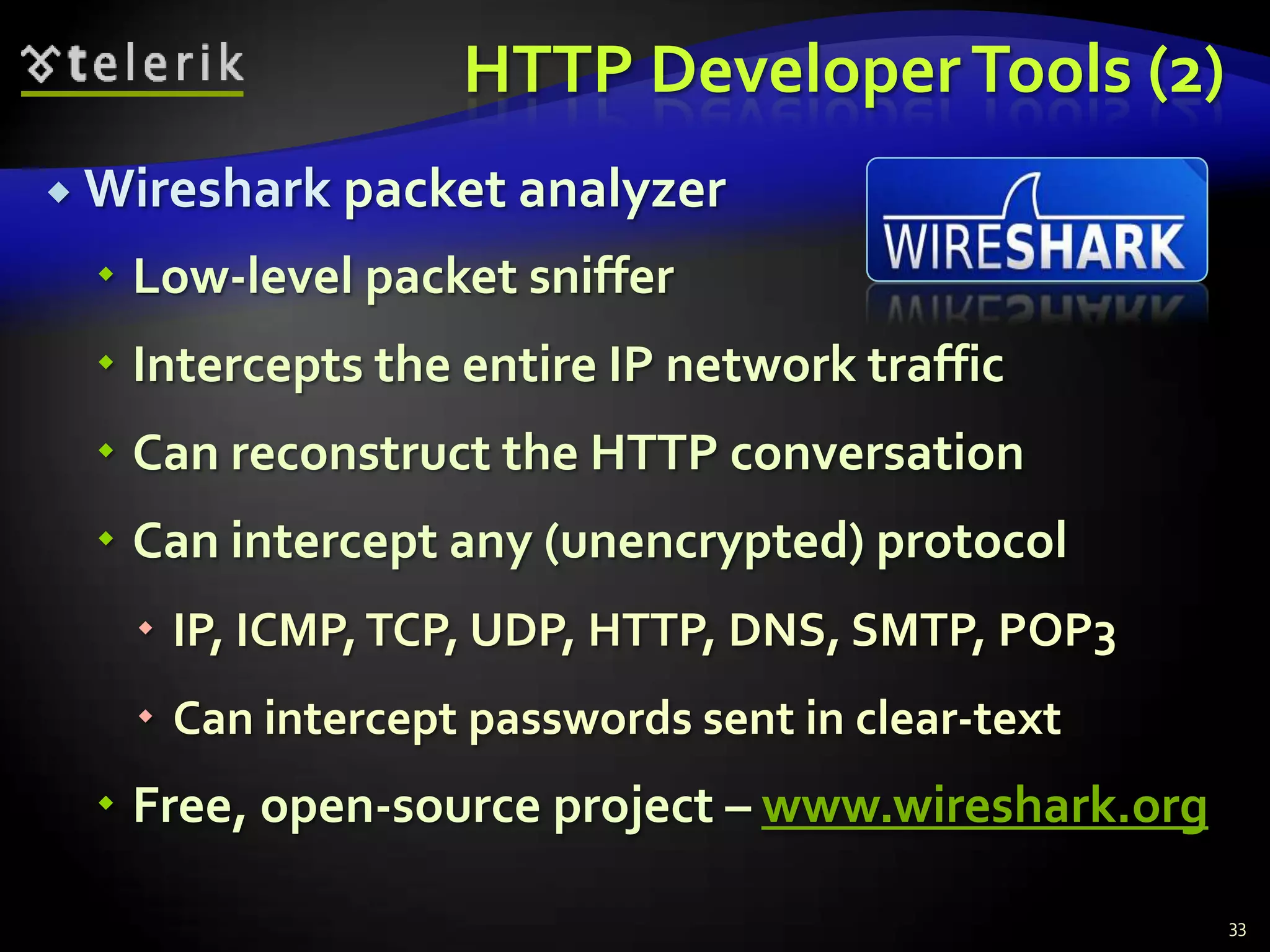
HTTP Developer Tools (2)Wireshark packet analyzerLow-level packet snifferIntercepts the entire IP network trafficCan reconstruct the HTTP conversationCan intercept any (unencrypted) protocolIP, ICMP, TCP, UDP, HTTP, DNS, SMTP, POP3Can intercept passwords sent in clear-textFree, open-source project – www.wireshark.org33
Web Technologies Basics?????Questions??????http://academy.telerik.com

WWW and HTTP

  • 1.
    http://schoolacademy.telerik.comWeb Technologies BasicsWWW,HTTP, GET, POST, CookiesSvetlin NakovTelerik Corporationwww.telerik.com
  • 2.
    Table of ContentsWWWand the HTTP protocolThe HTTP protocolThe request-response modelGET vs. POST methodsHTTP Response CodesCookiesWeb Development Tools2
  • 3.
    WWW and HTTPHTTPProtocol: the Heart of the WWW
  • 4.
    What is WWW?WWW= World Wide Web = WebGlobal distributed information system in InternetA service in Internet (like E-mail, DNS, ...)Consists of set of documents (and other resources) located on different Internet serversAccessed through standard protocols like HTTP, HTTPS and FTP by their URLWeb servers provide Web contentWeb browsers display the Web content4
  • 5.
    WWW ComponentsStructural componentsInternet– provides data transfer channels over the TCP and HTTP protocolsClients (Web browsers) – display Web contentWeb servers – IIS, Apache, Tomcat, GWS, etc.Semantic componentsHyper Text Transfer Protocol (HTTP)Hyper Text Markup Language (HTML)Uniform Resource Locator (URL)Uniform Resource Identifiers (URIs)5
  • 6.
    WWW InfrastructureClients useWeb browser application to request resources from the Web servers via HTTPResources have unique URL addressServers send the requested resource as a responseOr reply with an error messageWeb pages are resources in WWWHTML text, graphics, animations and other filesWeb sitesWeb sites are sets of Web pages in WWW6
  • 7.
    WWW Infrastructure (2)Client’sbrowser renders Web pages returned by the Web serversPages are in HTML (Hyper Text Markup Language)Browsers shows the text, graphics, sounds, etc.HTML pages contain hyperlinks to other pagesThe entire WWW system runs over standard networking protocolsTCP, DNS, HTTP, FTP, …The HTTP protocol is fundamental for WWW7
  • 8.
    Main Components ofWWW: URLUniform Resource Locator (URL)Unique resource location in WWW, e.g.It is just a formatted string, consisting of:Protocol for communicating with the server (e.g., http, ftp, https, ...)Name of the server or IP address + optional port (e.g. www.telerik.com, mail.bg:8080)Path and name of the resource (e.g. index.php)Parameters (optional, e.g. ?id=27&lang=en)8http://www.telerik.com/academy/winter-2009-2010.aspx
  • 9.
    URL EncodingURLs areencoded according RFC 1738:All other characters are escaped with the formula:Example: space has decimal code 32, in hex – 20, so space in URL becomes %20Space can also be encoded as "+"9“... Only alphanumeric [0-9a-zA-Z], the special characters $-_.+!*'() and reserved characters used for their reserved purposes may be used unencoded within an URL.”%[character hex code in ISO-Latin character set]
  • 10.
    URL – ExamplesSomevalid URLs:Some invalid URLs:10http://www.google.bg/search?sourceid=navclient&ie=UTF-8&rlz=1T4GGLL_enBG369BG369&q=http+get+vs+posthttp://bg.wikipedia.org:80/wiki/%D0%A2%D0%B5%D0%BB%D0%B5%D1%80%D0%B8%D0%B3Should be: ?q=C%23+.NET+4.0http://www.google.bg/search?&q=C# .NET 4.0Should be: ?q=%D0%B1%D0%B8%D1%80%D0%B0http://www.google.bg/search?&q=бира
  • 11.
    Main Components ofWWW: HTMLHyper Text Markup Language (HTML)Notation for describing formatted text with images and hyperlinksInterpreted and displayed by the Web browsersA Web (HTML) page consists of:HTML fileCSS stylesheet file (optional)A bunch of images (optional)Other resources (optional)11
  • 12.
    Main Components ofWWW: HTMLHTML is straight-forward and easy to learnHTML documents are plain text filesEasy to add formatting, hyperlinks, bullets, etc.Images can be added as separate filesCan be automatically generated by authoring programsTools to help users creating HTML pagesE.g. FrontPage, Dreamweaver, Visual StudioWYSIWYG HTML editors12
  • 13.
    HTML – Example13<html> <head><title>HTML Example</title></head> <body> <h1>Heading 1</h1> <h2>Sub heading 2</h2> <h3>Sub heading 3</h3> <p>This is my first paragraph</p> <p>This is my second paragraph</p> <div align="center" style="background:skyblue"> This is a div</div> </body></html>
  • 14.
    Main Components ofWWW: HTTPHyper Text Transfer Protocol (HTTP)Client-server protocol for transferring Web resources (HTML files, images, styles, etc.)Important properties of HTTPRequest-response modelText-based formatRelies on a unique resource URLsProvides resource metadata (e.g. encoding)Stateless (cookies can overcome this)14
  • 15.
    The HTTP ProtocolHowHTTP Works?HTTP
  • 16.
    HTTP: Request-Response ProtocolClientprogramRunning on end hostE.g. Web browserRequests a resourceServer programRunning at the serverE.g. Web serverProvides resourcesGET /index.htmlHTTP/1.0HTTP/1.0 200 OK"Welcome to ourWeb site!"16
  • 17.
    Example: Hyper TextTransfer ProtocolGET /academy/about.aspx HTTP/1.1Host: www.telerik.comUser-Agent: Mozilla/5.0<CRLF>17HTTP request:The empty line denotes the end of the request headerHTTP response:HTTP/1.1 200 OKDate: Mon, 5 Jul 2010 13:09:03 GMTServer: Microsoft-HTTPAPI/2.0Last-Modified: Mon, 12 Jul 2010 15:33:23 GMTContent-Length: 54<CRLF><html><title>Hello</title>Welcome to our site</html>The empty line denotes the end of the response header
  • 18.
    HTTP Request MessageRequestmessage sent by a client consists ofRequest line – request method (GET, POST, HEAD, ...), resource URI, and protocol versionRequest headers – additional parametersBody – optional dataE.g. posted form data, files, etc.18<request method> <resource> HTTP/<version><headers><empty line><body>
  • 19.
    HTTP GET Request– Example19Example of HTTP GET request:GET /academy/winter-2009-2010.aspx HTTP/1.1Host: www.telerik.comAccept: */*Accept-Language: bgAccept-Encoding: gzip, deflateUser-Agent: Mozilla/4.0(compatible;MSIE 6.0; Windows NT 5.0)Connection: Keep-AliveCache-Control: no-cache<CRLF>HTTP request lineHTTP headersThe request body is empty
  • 20.
    HTTP POST Request– Example20Example of HTTP POST request:POST /webmail/login.phtml HTTP/1.1Host: www.abv.bgAccept: */*Accept-Language: bgAccept-Encoding: gzip, deflateUser-Agent: Mozilla/4.0(compatible;MSIE 6.0; Windows NT 5.0)Connection: Keep-AliveCache-Control: no-cacheContent-Length: 59<CRLF>LOGIN_USER=menteDOMAIN_NAME=abv.bgLOGIN_PASS=top*secret!<CRLF>HTTP request lineHTTP headersThe request body contains the submitted form data
  • 21.
    Conditional HTTP GET– ExampleFetches the resource only if it has been changed at the serverServer replies with “304 Not Modified” if the resource has not been changedOr “200 OK” with the latest version otherwise21Example of HTTP conditional GET request:GET /academy/join.aspx HTTP/1.1Host: www.telerik.comUser-Agent: Gecko/20100115 Firefox/3.6If-Modified-Since: Tue, 9 Mar 2010 11:12:23 GMT<CRLF>
  • 22.
    HTTP Response MessageResponsemessage sent by the serverStatus line – protocol version, status code, status phraseResponse headers – provide meta dataBody – the contents of the response (the requested resource)22HTTP/<version> <status code> <status text><headers><CRLF><response body – the requested resource>
  • 23.
    Example of HTTPresponse from the Web server:HTTP Response – Example23HTTP response status lineHTTP/1.1 200 OKDate: Fri, 17 Jul 2010 16:09:18 GMT+2Server: Apache/2.2.14 (Linux)Accept-Ranges: bytesContent-Length: 84Content-Type: text/html<CRLF><html> <head><title>Test</title></head> <body>Test HTML page.</body></html>HTTP response headersThe HTTP response body
  • 24.
    HTTP Response –Example24Example of HTTP response with error result:Response status lineHTTP/1.1 404 Not FoundDate: Fri, 17 Jul 2010 16:09:18 GMT+2Server: Apache/2.2.14 (Linux)Connection: closeContent-Type: text/html<CRLF><HTML><HEAD><TITLE>404 Not Found</TITLE></HEAD><BODY><H1>Not Found</H1>The requested URL /img/telerik-logo.gif was not found on this server.<P><HR><ADDRESS>Apache/2.2.14 Server at Port 80</ADDRESS></BODY></HTML>HTTP response headersThe HTTP response body
  • 25.
    Content-Type and DispositionTheContent-Type header at the server specifies how the output should be processedExamples:25UTF-8 encoded HTML page. Will be shown in the browser.Content-Type: text/html; charset=utf-8Content-Type: application/pdfContent-Disposition: attachment; filename="Financial-Report-April-2010.pdf"This will download a PDF file named Financial-Report-April-2010.pdf
  • 26.
    HTTP Request MethodsHTTPrequest methods:GETReturn the specified resource, run a program at the server, or just download file, …HEADReturn the meta-data associated with a resource (headers only)POSTUpdate a resource, provide input data for processing at the server, …26
  • 27.
    HTTP Response CodesHTTPresponse code classes1xx: informational (e.g., “100 Continue”)2xx: success (e.g., “200 OK”)3xx: redirection (e.g., “304 Not Modified”, "302 Found")4xx: client error (e.g., “404 Not Found”)5xx: server error (e.g., “503ServiceUnavailable”)"302 Found"is used for redirecting the Web browser to another URL27
  • 28.
    Browser RedirectionHTTP browserredirection exampleHTTP GET requesting a moved URL:The HTTP response says the browser should request another URL:28GET / HTTP/1.1Host: academy.telerik.comUser-Agent: Gecko/20100115 Firefox/3.6<CRLF>HTTP/1.1 301 Moved PermanentlyLocation: http://www.telerik.com/academy/…
  • 29.
    HTTP CookiesCookieCookies aresmall pieces of data stored by the client on behalf of the serverIncluded in all future HTTP requests to the server29RequestResponseSet-Cookie: XYZNext requestCookie: XYZ
  • 30.
    Cookies – ExampleTheclient requests some URL:The server sets a cookie in the HTTP response:In further requests to google.bg the Web browser sends the cookie in the HTTP header:30GET / HTTP/1.1Host: www.google.bgHTTP/1.1 200 OKSet-Cookie: PREF=ID=c0bf5fd5c3a25209; expires=Wed, 11-Jul-2012 16:13:22 GMT; domain=.google.bgGET / HTTP/1.1Host: www.google.bgCookie: PREF=ID=c0bf5fd5c3a25209
  • 31.
    View Cookies inthe Web Browser31
  • 32.
    HTTP Developer ToolsFirebugplug-in for FirefoxA must have for Web developersThe ultimate tool for monitoring, editing and debugging HTTP, HTML, CSS, JavaScript, etc.Free, open-source – www.getfirebug.comFiddler – HTTP proxyIntercepts the HTTP trafficAnalyzes the HTTP conversationFree tool – www.fiddler2.com32
  • 33.
    HTTP Developer Tools(2)Wireshark packet analyzerLow-level packet snifferIntercepts the entire IP network trafficCan reconstruct the HTTP conversationCan intercept any (unencrypted) protocolIP, ICMP, TCP, UDP, HTTP, DNS, SMTP, POP3Can intercept passwords sent in clear-textFree, open-source project – www.wireshark.org33
  • 34.