Web Essentials
Cont……………………..
2
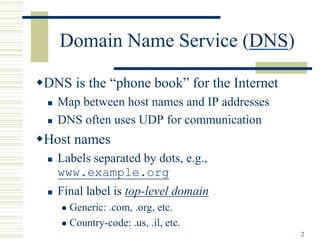
Domain Name Service (DNS)
DNS is the “phone book” for the Internet
 Map between host names and IP addresses
 DNS often uses UDP for communication
Host names
 Labels separated by dots, e.g.,
www.example.org
 Final label is top-level domain
 Generic: .com, .org, etc.
 Country-code: .us, .il, etc.
3
DNS
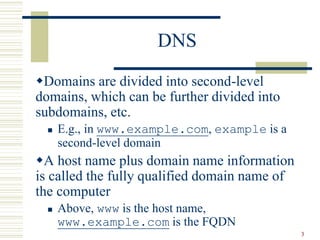
Domains are divided into second-level
domains, which can be further divided into
subdomains, etc.
 E.g., in www.example.com, example is a
second-level domain
A host name plus domain name information
is called the fully qualified domain name of
the computer
 Above, www is the host name,
www.example.com is the FQDN
4
DNS
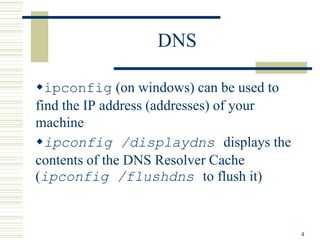
ipconfig (on windows) can be used to
find the IP address (addresses) of your
machine
ipconfig /displaydns displays the
contents of the DNS Resolver Cache
(ipconfig /flushdns to flush it)
5
IP ~ the telephone network
TCP ~ calling someone who answers, having
a conversation, and hanging up
UDP ~ calling someone and leaving a
message
DNS ~ directory assistance
6
Higher-level Protocols
Many protocols build on TCP
 Telephone analogy: TCP specifies how we
initiate and terminate the phone call, but some
other protocol specifies how we carry on the
actual conversation
Some examples:
 SMTP (email) (25)
 FTP (file transfer) (21)
 HTTP (transfer of Web documents) (80)
7
World Wide Web
Originally, one of several systems for
organizing Internet-based information
Distinctive feature of Web: support for
hypertext (text containing links)
 Communication via Hypertext Transport
Protocol (HTTP)
 Document representation using Hypertext
Markup Language (HTML)
8
World Wide Web
The Web is the collection of machines (Web
servers) on the Internet that provide
information, particularly HTML documents,
via HTTP.
Machines that access information on the
Web are known as Web clients. A Web
browser is software used by an end user to
access the Web.
9
Hypertext Transfer Protocol
(HTTP)
HTTP is based on the request-response
communication model:
 Client sends a request
 Server sends a response
HTTP is a stateless protocol:
 The protocol does not require the server to
remember anything about the client between
requests.
10
HTTP
Normally implemented over a TCP connection (80
is standard port number for HTTP)
Typical browser-server interaction:
 User enters Web address in browser
 Browser uses DNS to locate IP address
 Browser opens TCP connection to server
 Browser sends HTTP request over connection
 Server sends HTTP response to browser over connection
 Browser displays body of response in the client area of
the browser window
11
HTTP
The information transmitted using HTTP is
often entirely text
Can use the Internet’s Telnet protocol to
simulate browser request and view server
response
12
HTTP
$ telnet www.example.org 80
Trying 192.0.34.166...
Connected to www.example.com
(192.0.34.166).
Escape character is ’^]’.
GET / HTTP/1.1
Host: www.example.org
HTTP/1.1 200 OK
Date: Thu, 09 Oct 2003 20:30:49 GMT
…
{
Send
Request
{
Receive
Response
Connect {
13
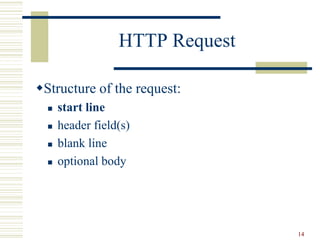
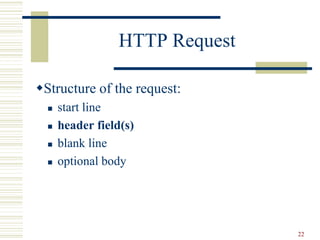
HTTP Request
Structure of the request:
 start line
 header field(s)
 blank line
 optional body
14
HTTP Request
Structure of the request:
 start line
 header field(s)
 blank line
 optional body
15
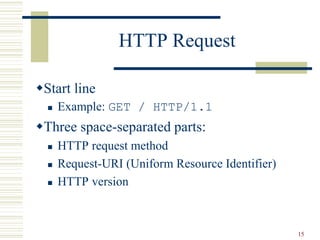
HTTP Request
Start line
 Example: GET / HTTP/1.1
Three space-separated parts:
 HTTP request method
 Request-URI (Uniform Resource Identifier)
 HTTP version
16
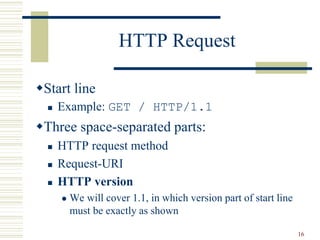
HTTP Request
Start line
 Example: GET / HTTP/1.1
Three space-separated parts:
 HTTP request method
 Request-URI
 HTTP version
 We will cover 1.1, in which version part of start line
must be exactly as shown
17
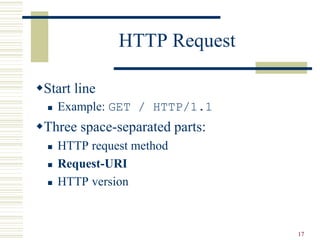
HTTP Request
Start line
 Example: GET / HTTP/1.1
Three space-separated parts:
 HTTP request method
 Request-URI
 HTTP version
18
HTTP Request
Uniform Resource Identifier (URI)
 Syntax: scheme : scheme-depend-part
 Ex: In http://www.example.com/
the scheme is http
 Request-URI is the portion of the requested URI
that follows the host name (which is supplied by
the required Host header field)
 Ex: / is Request-URI portion of
http://www.example.com/
19
URI
URI’s are of two types:
 Uniform Resource Name (URN)
 Can be used to identify resources with unique names,
such as books (which have unique ISBN’s)
 Scheme is urn
 Uniform Resource Locator (URL)
 Specifies location at which a resource can be found
 In addition to http, some other URL schemes are
https, ftp, mailto, and file
20
HTTP Request
Start line
 Example: GET / HTTP/1.1
Three space-separated parts:
 HTTP request method
 Request-URI
 HTTP version
21
HTTP Request
Common request methods:
 GET
 Used if link is clicked or address typed in browser
 No body in request with GET method
 POST
 Used when submit button is clicked on a form
 Form information contained in body of request
 HEAD
 Requests that only header fields (no body) be returned
in the response
22
HTTP Request
Structure of the request:
 start line
 header field(s)
 blank line
 optional body
23
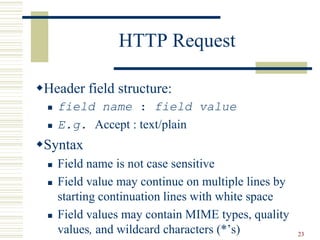
HTTP Request
Header field structure:
 field name : field value
 E.g. Accept : text/plain
Syntax
 Field name is not case sensitive
 Field value may continue on multiple lines by
starting continuation lines with white space
 Field values may contain MIME types, quality
values, and wildcard characters (*’s)
24
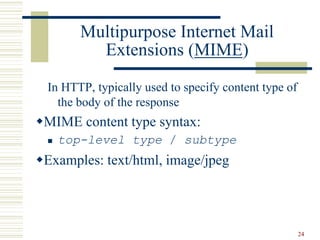
Multipurpose Internet Mail
Extensions (MIME)
In HTTP, typically used to specify content type of
the body of the response
MIME content type syntax:
 top-level type / subtype
Examples: text/html, image/jpeg
25
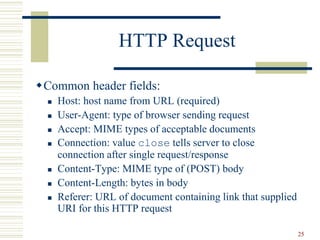
HTTP Request
Common header fields:
 Host: host name from URL (required)
 User-Agent: type of browser sending request
 Accept: MIME types of acceptable documents
 Connection: value close tells server to close
connection after single request/response
 Content-Type: MIME type of (POST) body
 Content-Length: bytes in body
 Referer: URL of document containing link that supplied
URI for this HTTP request
26
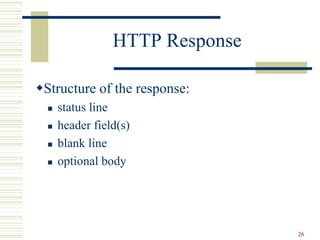
HTTP Response
Structure of the response:
 status line
 header field(s)
 blank line
 optional body
27
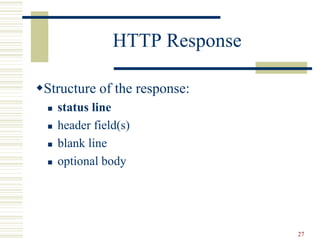
HTTP Response
Structure of the response:
 status line
 header field(s)
 blank line
 optional body
28
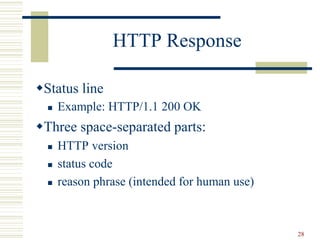
HTTP Response
Status line
 Example: HTTP/1.1 200 OK
Three space-separated parts:
 HTTP version
 status code
 reason phrase (intended for human use)
29
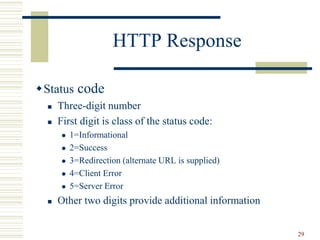
HTTP Response
Status code
 Three-digit number
 First digit is class of the status code:
 1=Informational
 2=Success
 3=Redirection (alternate URL is supplied)
 4=Client Error
 5=Server Error
 Other two digits provide additional information
30
HTTP Response
Structure of the response:
 status line
 header field(s)
 blank line
 optional body
31
HTTP Response
Common header fields:
 Connection, Content-Type, Content-Length
 Date: date and time at which response was generated
(required)
 Location: alternate URI if status is redirection
 Last-Modified: date and time the requested resource was
last modified on the server
 Expires: date and time after which the client’s copy of
the resource will be out-of-date
 ETag: a unique identifier for this version of the requested
resource (changes if resource changes)
32
Web Clients
Many possible web clients:
 Text-only “browser” (lynx)
 Mobile phones
 Robots (software-only clients, e.g., search engine
“crawlers”)
 Etc.
33
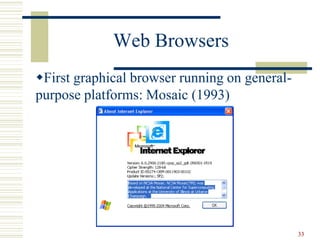
Web Browsers
First graphical browser running on general-
purpose platforms: Mosaic (1993)
34
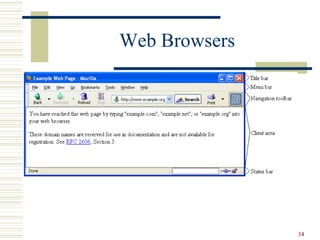
Web Browsers
35
Web Browsers
Primary tasks:
 Convert web addresses (URL’s) to HTTP
requests
 Communicate with web servers via HTTP
 Render (appropriately display) documents
returned by a server
36
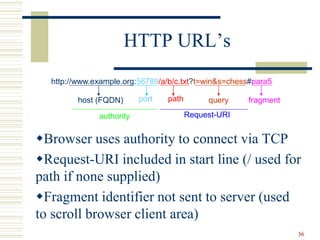
HTTP URL’s
Browser uses authority to connect via TCP
Request-URI included in start line (/ used for
path if none supplied)
Fragment identifier not sent to server (used
to scroll browser client area)
http://www.example.org:56789/a/b/c.txt?t=win&s=chess#para5
host (FQDN) port
authority
path query fragment
Request-URI
37
Web Browsers
Standard features
 Save web page to disk
 Find string in page
 Fill forms automatically (passwords, CC numbers, …)
 Set preferences (language, character set, cache and HTTP
parameters)
 Modify display style (e.g., increase font sizes)
 Display raw HTML and HTTP header info (e.g., Last-
Modified)
 View history of web addresses visited
 Bookmark favorite pages for easy return
38
Web Browsers
Additional functionality:
 Execution of scripts (e.g., drop-down menus)
 Event handling (e.g., mouse clicks)
 GUI for controls (e.g., buttons)
 Secure communication with servers
 Display of non-HTML documents (e.g., PDF)
via plug-ins
39
Web Servers
Basic functionality:
 Receive HTTP request via TCP
 Map Host header to specific virtual host (one of many
host names sharing an IP address)
 Map Request-URI to specific resource associated with
the virtual host
 File: Return file in HTTP response
 Program: Run program and return output in HTTP response
 Map type of resource to appropriate MIME type and use
to set Content-Type header in HTTP response
 Log information about the request and response
40
Secure Servers
Since HTTP messages typically travel over a
public network, private information (such as
credit card numbers) should be encrypted to
prevent eavesdropping
https URL scheme tells browser to use
encryption
Common encryption standards:
 Secure Socket Layer (SSL)
 Transport Layer Security (TLS)
41
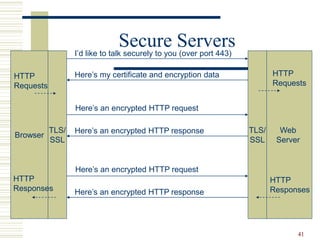
Secure Servers
Browser
Web
Server
I’d like to talk securely to you (over port 443)
Here’s my certificate and encryption data
Here’s an encrypted HTTP request
Here’s an encrypted HTTP response
Here’s an encrypted HTTP request
Here’s an encrypted HTTP response
TLS/
SSL
TLS/
SSL
HTTP
Requests
HTTP
Responses
HTTP
Requests
HTTP
Responses
42
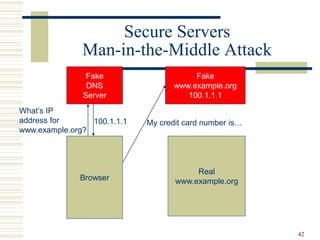
Secure Servers
Man-in-the-Middle Attack
Browser
Fake
DNS
Server
What’s IP
address for
www.example.org?
100.1.1.1
Fake
www.example.org
100.1.1.1
Real
www.example.org
My credit card number is…
43
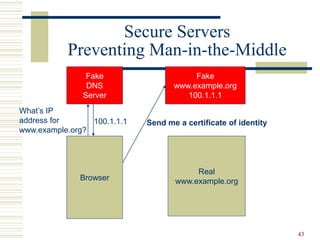
Secure Servers
Preventing Man-in-the-Middle
Browser
Fake
DNS
Server
What’s IP
address for
www.example.org?
100.1.1.1
Fake
www.example.org
100.1.1.1
Real
www.example.org
Send me a certificate of identity

WebEssentials- lecture 3.ppt

  • 1.
  • 2.
    2 Domain Name Service(DNS) DNS is the “phone book” for the Internet  Map between host names and IP addresses  DNS often uses UDP for communication Host names  Labels separated by dots, e.g., www.example.org  Final label is top-level domain  Generic: .com, .org, etc.  Country-code: .us, .il, etc.
  • 3.
    3 DNS Domains are dividedinto second-level domains, which can be further divided into subdomains, etc.  E.g., in www.example.com, example is a second-level domain A host name plus domain name information is called the fully qualified domain name of the computer  Above, www is the host name, www.example.com is the FQDN
  • 4.
    4 DNS ipconfig (on windows)can be used to find the IP address (addresses) of your machine ipconfig /displaydns displays the contents of the DNS Resolver Cache (ipconfig /flushdns to flush it)
  • 5.
    5 IP ~ thetelephone network TCP ~ calling someone who answers, having a conversation, and hanging up UDP ~ calling someone and leaving a message DNS ~ directory assistance
  • 6.
    6 Higher-level Protocols Many protocolsbuild on TCP  Telephone analogy: TCP specifies how we initiate and terminate the phone call, but some other protocol specifies how we carry on the actual conversation Some examples:  SMTP (email) (25)  FTP (file transfer) (21)  HTTP (transfer of Web documents) (80)
  • 7.
    7 World Wide Web Originally,one of several systems for organizing Internet-based information Distinctive feature of Web: support for hypertext (text containing links)  Communication via Hypertext Transport Protocol (HTTP)  Document representation using Hypertext Markup Language (HTML)
  • 8.
    8 World Wide Web TheWeb is the collection of machines (Web servers) on the Internet that provide information, particularly HTML documents, via HTTP. Machines that access information on the Web are known as Web clients. A Web browser is software used by an end user to access the Web.
  • 9.
    9 Hypertext Transfer Protocol (HTTP) HTTPis based on the request-response communication model:  Client sends a request  Server sends a response HTTP is a stateless protocol:  The protocol does not require the server to remember anything about the client between requests.
  • 10.
    10 HTTP Normally implemented overa TCP connection (80 is standard port number for HTTP) Typical browser-server interaction:  User enters Web address in browser  Browser uses DNS to locate IP address  Browser opens TCP connection to server  Browser sends HTTP request over connection  Server sends HTTP response to browser over connection  Browser displays body of response in the client area of the browser window
  • 11.
    11 HTTP The information transmittedusing HTTP is often entirely text Can use the Internet’s Telnet protocol to simulate browser request and view server response
  • 12.
    12 HTTP $ telnet www.example.org80 Trying 192.0.34.166... Connected to www.example.com (192.0.34.166). Escape character is ’^]’. GET / HTTP/1.1 Host: www.example.org HTTP/1.1 200 OK Date: Thu, 09 Oct 2003 20:30:49 GMT … { Send Request { Receive Response Connect {
  • 13.
    13 HTTP Request Structure ofthe request:  start line  header field(s)  blank line  optional body
  • 14.
    14 HTTP Request Structure ofthe request:  start line  header field(s)  blank line  optional body
  • 15.
    15 HTTP Request Start line Example: GET / HTTP/1.1 Three space-separated parts:  HTTP request method  Request-URI (Uniform Resource Identifier)  HTTP version
  • 16.
    16 HTTP Request Start line Example: GET / HTTP/1.1 Three space-separated parts:  HTTP request method  Request-URI  HTTP version  We will cover 1.1, in which version part of start line must be exactly as shown
  • 17.
    17 HTTP Request Start line Example: GET / HTTP/1.1 Three space-separated parts:  HTTP request method  Request-URI  HTTP version
  • 18.
    18 HTTP Request Uniform ResourceIdentifier (URI)  Syntax: scheme : scheme-depend-part  Ex: In http://www.example.com/ the scheme is http  Request-URI is the portion of the requested URI that follows the host name (which is supplied by the required Host header field)  Ex: / is Request-URI portion of http://www.example.com/
  • 19.
    19 URI URI’s are oftwo types:  Uniform Resource Name (URN)  Can be used to identify resources with unique names, such as books (which have unique ISBN’s)  Scheme is urn  Uniform Resource Locator (URL)  Specifies location at which a resource can be found  In addition to http, some other URL schemes are https, ftp, mailto, and file
  • 20.
    20 HTTP Request Start line Example: GET / HTTP/1.1 Three space-separated parts:  HTTP request method  Request-URI  HTTP version
  • 21.
    21 HTTP Request Common requestmethods:  GET  Used if link is clicked or address typed in browser  No body in request with GET method  POST  Used when submit button is clicked on a form  Form information contained in body of request  HEAD  Requests that only header fields (no body) be returned in the response
  • 22.
    22 HTTP Request Structure ofthe request:  start line  header field(s)  blank line  optional body
  • 23.
    23 HTTP Request Header fieldstructure:  field name : field value  E.g. Accept : text/plain Syntax  Field name is not case sensitive  Field value may continue on multiple lines by starting continuation lines with white space  Field values may contain MIME types, quality values, and wildcard characters (*’s)
  • 24.
    24 Multipurpose Internet Mail Extensions(MIME) In HTTP, typically used to specify content type of the body of the response MIME content type syntax:  top-level type / subtype Examples: text/html, image/jpeg
  • 25.
    25 HTTP Request Common headerfields:  Host: host name from URL (required)  User-Agent: type of browser sending request  Accept: MIME types of acceptable documents  Connection: value close tells server to close connection after single request/response  Content-Type: MIME type of (POST) body  Content-Length: bytes in body  Referer: URL of document containing link that supplied URI for this HTTP request
  • 26.
    26 HTTP Response Structure ofthe response:  status line  header field(s)  blank line  optional body
  • 27.
    27 HTTP Response Structure ofthe response:  status line  header field(s)  blank line  optional body
  • 28.
    28 HTTP Response Status line Example: HTTP/1.1 200 OK Three space-separated parts:  HTTP version  status code  reason phrase (intended for human use)
  • 29.
    29 HTTP Response Status code Three-digit number  First digit is class of the status code:  1=Informational  2=Success  3=Redirection (alternate URL is supplied)  4=Client Error  5=Server Error  Other two digits provide additional information
  • 30.
    30 HTTP Response Structure ofthe response:  status line  header field(s)  blank line  optional body
  • 31.
    31 HTTP Response Common headerfields:  Connection, Content-Type, Content-Length  Date: date and time at which response was generated (required)  Location: alternate URI if status is redirection  Last-Modified: date and time the requested resource was last modified on the server  Expires: date and time after which the client’s copy of the resource will be out-of-date  ETag: a unique identifier for this version of the requested resource (changes if resource changes)
  • 32.
    32 Web Clients Many possibleweb clients:  Text-only “browser” (lynx)  Mobile phones  Robots (software-only clients, e.g., search engine “crawlers”)  Etc.
  • 33.
    33 Web Browsers First graphicalbrowser running on general- purpose platforms: Mosaic (1993)
  • 34.
  • 35.
    35 Web Browsers Primary tasks: Convert web addresses (URL’s) to HTTP requests  Communicate with web servers via HTTP  Render (appropriately display) documents returned by a server
  • 36.
    36 HTTP URL’s Browser usesauthority to connect via TCP Request-URI included in start line (/ used for path if none supplied) Fragment identifier not sent to server (used to scroll browser client area) http://www.example.org:56789/a/b/c.txt?t=win&s=chess#para5 host (FQDN) port authority path query fragment Request-URI
  • 37.
    37 Web Browsers Standard features Save web page to disk  Find string in page  Fill forms automatically (passwords, CC numbers, …)  Set preferences (language, character set, cache and HTTP parameters)  Modify display style (e.g., increase font sizes)  Display raw HTML and HTTP header info (e.g., Last- Modified)  View history of web addresses visited  Bookmark favorite pages for easy return
  • 38.
    38 Web Browsers Additional functionality: Execution of scripts (e.g., drop-down menus)  Event handling (e.g., mouse clicks)  GUI for controls (e.g., buttons)  Secure communication with servers  Display of non-HTML documents (e.g., PDF) via plug-ins
  • 39.
    39 Web Servers Basic functionality: Receive HTTP request via TCP  Map Host header to specific virtual host (one of many host names sharing an IP address)  Map Request-URI to specific resource associated with the virtual host  File: Return file in HTTP response  Program: Run program and return output in HTTP response  Map type of resource to appropriate MIME type and use to set Content-Type header in HTTP response  Log information about the request and response
  • 40.
    40 Secure Servers Since HTTPmessages typically travel over a public network, private information (such as credit card numbers) should be encrypted to prevent eavesdropping https URL scheme tells browser to use encryption Common encryption standards:  Secure Socket Layer (SSL)  Transport Layer Security (TLS)
  • 41.
    41 Secure Servers Browser Web Server I’d liketo talk securely to you (over port 443) Here’s my certificate and encryption data Here’s an encrypted HTTP request Here’s an encrypted HTTP response Here’s an encrypted HTTP request Here’s an encrypted HTTP response TLS/ SSL TLS/ SSL HTTP Requests HTTP Responses HTTP Requests HTTP Responses
  • 42.
    42 Secure Servers Man-in-the-Middle Attack Browser Fake DNS Server What’sIP address for www.example.org? 100.1.1.1 Fake www.example.org 100.1.1.1 Real www.example.org My credit card number is…
  • 43.
    43 Secure Servers Preventing Man-in-the-Middle Browser Fake DNS Server What’sIP address for www.example.org? 100.1.1.1 Fake www.example.org 100.1.1.1 Real www.example.org Send me a certificate of identity